# QUESTIONSTAR — full content
> QUESTIONSTAR — online survey tool for HR, customer feedback, NPS, citizen participation, seminars and academic research.
QUESTIONSTAR is online survey software for research and practice. GDPR-compliant, servers in Germany. FREE for getting started, MONTHLY from €59 per active survey, STANDARD and PROFESSIONAL as annual licenses. Academic plans from €29/month. No hidden costs. Operated by Motaev Marx Motaev (MMM) GbR, based in Hannover, Germany, since 2002.
Legal and transactional pages are omitted. The 274 slide pages of the online course are omitted too — see the course overview: https://questionstar.com/principles-of-survey-research/index.md
---
# https://questionstar.com/about/
---
url: "https://questionstar.com/about/"
title: "About us — QUESTIONSTAR has been building survey software since 2002"
description: "Developed, operated and hosted in Germany. A small team with staying power, focused on methodology over hype."
lastmod: "2026-07-08"
type: "marketing"
---
# About us
In 2002, I needed a tool for online surveys for my own research. There was nothing you could reasonably work with. So I started building one myself, at the University of Hannover.
In 2004, it became eQuestionnaire — and with it, a company. Not because that was the plan, but because other researchers and market researchers kept asking whether they could use it too.
During my doctorate at Bauhaus-Universität Weimar under Prof. Thorsten Hennig-Thurau, then six years as a lecturer there — business administration, marketing, media research — and later during my years as a professor at the University of Siegen, the tool grew with every study. At both universities I taught courses in multivariate analysis and data analysis; along the way, I trained more than 16,000 students in empirical methods. Much of what that work demanded is in the tool today.
Alongside this, I’ve been the technical operator of the research rankings **JOURQUAL** and **VHB-PMR** (German Academic Association of Business Research) for years — survey infrastructure on a national scale for German management science. Many lessons from that work flow directly into QUESTIONSTAR.
In 2019, we rebuilt eQuestionnaire technologically from the ground up and carried it on as QUESTIONSTAR — with the goal of bringing many years of experience onto a stable, modern foundation.
Since then, we’ve kept developing the tool along what’s actually needed in practice. If something is missing and it makes sense, we build it. That’s how Excel export came about. Multilingual surveys too. Saving answers immediately instead of only at the end — same story. SPSS export, anonymity settings — built step by step.
Today the tool is used in many different contexts — in research, in companies, in the field. It’s meant to simply work. Even when things get complicated.
Of course we make money with this. A tool that helps people in their daily work gets paid for — otherwise it wouldn’t exist for long.
What’s in it for you: a tool that doesn’t hold you up. And a provider that won’t be gone tomorrow.
— Dr. Paul Marx and the QUESTIONSTAR team · support@questionstar.com
---
# https://questionstar.com/alternatives/alchemer/
---
url: "https://questionstar.com/alternatives/alchemer/"
title: "Alternative to Alchemer: crosstabs, significance tests and SPSS export in every plan, unlimited users | QUESTIONSTAR"
description: "QUESTIONSTAR as an Alchemer alternative: crosstabs, significance tests and SPSS export in every plan, unlimited users from PROFESSIONAL, automatic translation into 106 languages. GDPR-compliant."
lastmod: "2026-10-22"
type: "marketing"
---
# Alternative to Alchemer: Crosstabs, significance tests and SPSS export in every plan. Unlimited users from PROFESSIONAL.
With quotas, automatic translation into 106 languages and analysis reports as editable Office files. Unlimited responses in paid plans. GDPR-compliant.
9.70 million fully completed questionnaires · **130,000+ users**. Used by companies, universities and public institutions across Europe.
> **Alchemer** is a good fit if you want a feedback platform with methods like conjoint, MaxDiff and TURF, option piping and a broad product ecosystem (workflow, digital, reputation), and you can budget for the right plan tier per user.
> **QUESTIONSTAR** is a good fit if crosstabs, significance tests, SPSS export, quotas and automatic translation should be included in every plan, and the team works without a per-user price: unlimited users from PROFESSIONAL.
[Start for free](/order/?code=free) · [See pricing](/pricing/) · [View a sample report](/assets/proof/questionstar-office-report-sample.pptx)
Companies and universities trust QUESTIONSTAR: Audi · Vodafone · LANXESS · METRO · Rohde & Schwarz · Technical University of Munich · LMU Munich · University of Zurich · University of Bern · FU Berlin · Charité Berlin · [more customer references](/#customers)
## When Alchemer is a good fit
Alchemer is an established platform with an extensive feature set. In several situations Alchemer may be the better choice:
- **If you need advanced market research methods.** In the Full Access plan, Alchemer offers TURF, conjoint, MaxDiff and R scripts. QUESTIONSTAR does not offer these methods as dedicated features.
- **If carry-forward is a standard tool in your questionnaires.** Alchemer offers option piping as a dedicated feature. With QUESTIONSTAR you handle this via display logic.
- **If surveys are meant to become part of a larger feedback platform.** Workflow automation, in-app feedback (Digital), reputation management (Chatmeter) and AI sentiment (Pulse) come from a single source.
- **If you need a SOC 2 report or data centers outside Europe.** Alchemer is audited to SOC 2 Type 2 and operates data centers in the USA, the EU, Canada and Australia.
- **If you buy panel respondents directly from the provider.** Alchemer offers Panel Services on request.
## Use QUESTIONSTAR when...
QUESTIONSTAR focuses on availability and team costs: crosstabs with significance tests and SPSS export, part of Full Access at Alchemer, are included in every plan with us.
- **...when crosstabs, significance tests and SPSS export should not depend on the plan.** QUESTIONSTAR: filters, crosstabs, group comparisons, t-tests and other significance tests, SPSS export with variable labels, value labels and measurement level, included in every plan including Free. At Alchemer, crosstabs with significance tests and SPSS export are part of Full Access according to the [license comparison](https://www.alchemer.com/plans-pricing/compare-licenses/).
- **...when several people work on the team.** QUESTIONSTAR PROFESSIONAL: €995/year with 10 concurrently active surveys and unlimited users. Alchemer charges Self-Serve plans per user: Full Access $1,895 per user per year, maximum 3 users; from 4 users, Platform Plans on request.
- **...when the number of responses should not be capped.** QUESTIONSTAR: unlimited responses in all paid plans. Alchemer Self-Serve plans include 75,000 to 125,000 responses per year and account, based on the highest license in the account, plus monthly limits; exceeding them incurs no extra charges, but the plan is reviewed. Surveys are unlimited at Alchemer, while with QUESTIONSTAR the number of concurrently active surveys is limited per plan.
- **...when quotas, complex logic and anonymous responses should be available in every plan.** QUESTIONSTAR: branching with multiple conditions, quotas, block randomization, loops and piping in every plan. At Alchemer, AND/OR logic, piping and looping, quotas, page randomization and the "Anonymous Survey Data" feature are included from Professional; distributed quotas and answer-option quotas only in Full Access.
- **...when your survey should be translated automatically.** QUESTIONSTAR: automatic translation into 106 languages, unlimited language versions, your own languages can be added. Alchemer supports more than 200 languages; according to [the help](https://help.alchemer.com/help/create-a-translated-survey), translations are entered by the user, and Alchemer does not offer automatic translation.
- **...when you want a reliable point of contact.** QUESTIONSTAR offers GDPR-compliant EU hosting (IONOS data centers in Germany) and support by email and phone for all customers, regardless of plan. Alchemer offers an EU data center in Frankfurt and European phone support for Professional and Full Access with annual payment.
## Feature comparison
Point by point, without marketing language. **Note:** QUESTIONSTAR prices in EUR. Alchemer prices per the provider in USD per user. The Self-Serve plans are compared; Platform Plans are agreed individually. All Alchemer pricing is listed and billed in US dollars.
| | QUESTIONSTAR | Alchemer |
|------|------|------|
| Pricing model | Plan by number of concurrently active surveys; unlimited users from PROFESSIONAL | Price per user; Self-Serve up to 3 users, above that Business Platform on request |
| Free entry | Free: 1 active survey, 50 responses, all survey features | 7-day trial (Professional); no permanent Free plan on the pricing page |
| Annual | STANDARD €395/year (3 active surveys); PROFESSIONAL €995/year (10 active surveys, unlimited users) | Collaborator $315, Professional $1,075, Full Access $1,895 per user per year |
| Monthly | MONTHLY €59/month per active survey (1 to 5) | Collaborator $55, Professional $165, Full Access $275 per user per month |
| Responses | Unlimited in paid plans | 75,000 / 100,000 / 125,000 per year and account (highest license in the account), plus monthly limits; if exceeded, plan review, no extra charges |
| Crosstabs with significance tests | Yes, in every plan | Yes, Full Access (chi-square, Fisher test for 2x2, column proportions); Segmented Reports from Professional |
| SPSS export with labels | Yes, in every plan | Yes, Full Access |
| Questionnaire logic | Multiple conditions, quotas, block randomization, loops, piping, in every plan; no dedicated carry-forward, via display logic | AND/OR logic, piping/looping, option piping (carry-forward), quotas, randomization from Professional; distributed quotas Full Access; simple logic in all plans |
| Advanced methods | Not as dedicated features (TURF, conjoint, MaxDiff) | TURF, conjoint, MaxDiff, R scripts in Full Access |
| Multilingual support | Unlimited languages, automatic translation into 106 languages | 200+ languages incl. RTL; translation by the user, no automatic translation |
| Report export | Analysis reports as editable Word, PowerPoint and Excel files + PDF | Standard report as PDF, Word, PowerPoint with charts, Excel tables only, in every plan; according to the help intended for further editing; whether charts are exported as native Office charts is not documented |
| Anonymity | In every plan, with a minimum number of respondents per analysis group | "Anonymous Survey Data" feature from Professional |
| Whitelabel | From MONTHLY (academic from CHAIR) | "Powered by" logo removable from Professional; custom domain as an add-on |
| SSO for user accounts | PROFESSIONAL as an add-on, CUSTOM included | Business Platform |
| API / AI | REST API, webhooks, native MCP server in every plan | API in Business Platform; AI features (questionnaire assistant, Smart Question, Pulse); official MCP server not documented |
| Hosting | IONOS Germany | Data centers USA, EU (Frankfurt), Canada, Australia; chosen when opening the account |
| DPA | Directly downloadable | Can be concluded within the account |
| Provider / certification | German company; ISO 27001 data centers | Alchemer LLC, USA; ISO 27001, SOC 2 Type 2 |
| Support | Email and phone for all customers | Email 24/7; phone for Professional/Full Access with annual payment (US/Canada 6am to 6pm MT, EU 6am to 6pm CET) |
| Academic plans | STUDENT, RESEARCHER, CHAIR, CAMPUS | No dedicated university plans; discount for non-profit organizations (US EIN verification required) |
**See sample exports:** [View example .sav](/assets/proof/questionstar-spss-export.sav) · [Screenshot QS export dialog](/assets/proof/questionstar-export-dialog.png) · [Example Office report (PPTX)](/assets/proof/questionstar-office-report-sample.pptx)
[Start for free](/order/?code=free) · [View example report](/assets/proof/questionstar-office-report-sample.pptx)
## Switching: AI migration via MCP
Alchemer offers an export of the survey questions to Word (all plans), a print view, a survey link and an API for Business Platform customers. QUESTIONSTAR currently has no dedicated Alchemer importer; the AI-based MCP path handles the reconstruction.
### How it works: AI migration via MCP
1. Export survey questions to Word, alternatively print as PDF or provide the survey link.
2. Hand the file or link to an AI agent (Claude, ChatGPT, Cursor and others) with the QUESTIONSTAR MCP server.
3. The AI reconstructs question texts, answer options and pages in QUESTIONSTAR; you add logic, quotas and language versions during the review.
**Limit of the reconstruction:** What gets carried over is what is visible in the source material. You can recreate Option Piping via display logic; conjoint, MaxDiff and TURF tasks, custom scripts and workflow automations are not transferred.
The time required depends on the complexity. For larger inventories we offer a guided migration service.
**For surveys already in the field,** a clear cutoff date is advisable: close running surveys in Alchemer, start new waves in QUESTIONSTAR. You export previous responses as Excel or CSV and, if needed, bring them in via the MCP path.
More on the [MCP integration](/help/integrations/mcp-chatgpt/).
## For businesses and universities
QUESTIONSTAR covers surveys from a single research group to a large corporation, with all survey features already in the Free plan.
- **Hosting:** IONOS SE in Germany, ISO 27001 certified data centers, in every plan. On-premise possible in the CUSTOM plan.
- **GDPR:** DPA [directly downloadable](/legal/DPA-QUESTIONSTAR-EN.pdf), [sub-processor list](/security/) public.
- **SSO:** for user accounts in PROFESSIONAL as an add-on, in CUSTOM included; for universities DFN-AAI and eduGAIN from CHAIR on request.
- **Academic plans:** STUDENT €29/month, RESEARCHER €295/year, CHAIR €895/year, CAMPUS on request.
- **Support:** by email and phone for all customers, regardless of plan.
**From roughly 30 to 50 simultaneously active surveys or individual compliance requirements,** get in touch with us directly. That is sorted out faster by phone or email than through a pricing page.
Where Alchemer does more in these situations: advanced methods (TURF, conjoint, MaxDiff), Option Piping as a dedicated feature, a broad product family for customer feedback, panel services, a SOC 2 report and data centers on several continents.
[Discuss an enterprise setup](/contact/)
## Your data stays your data
If QUESTIONSTAR no longer convinces you at some point, you get all of your data out: as SPSS, CSV or Excel. Any time, without cancellation, without extra charge, without having to ask. We treat data export as a baseline, not a bargaining chip.
## Who is QUESTIONSTAR a good fit for as an Alchemer alternative?
### For market research
When crosstabs with significance tests, quotas and SPSS export are part of daily work, but not everyone on the team needs the highest plan: QUESTIONSTAR with all analysis features in every plan. The limit: if conjoint, MaxDiff or TURF are central methods, Alchemer Full Access offers these directly.
[More on other use cases](/use-cases/more/)
### For teams with multiple users
When several colleagues create and analyze surveys: QUESTIONSTAR PROFESSIONAL €995/year with 10 simultaneously active surveys, unlimited users and unlimited responses. The limit: if you want to combine surveys with workflow automation and reputation management on one platform, Alchemer covers more.
[More on other use cases](/use-cases/more/)
### For international surveys
When surveys run in many languages and translations should not be done by hand: QUESTIONSTAR translates automatically into 106 languages, in every plan. The limit: if you have translations professionally produced anyway, automatic translation adds little; Alchemer supports more than 200 languages for this.
[More on other use cases](/use-cases/more/)
### For universities and research teams
For university departments and research teams with ongoing survey operations, QUESTIONSTAR offers dedicated academic plans: STUDENT €29/month, CHAIR €895/year, CAMPUS on request, with significance tests and SPSS export in every plan and university SSO from CHAIR on request. The limit: if your research builds on conjoint or MaxDiff, Alchemer Full Access offers these methods directly.
[More on academic research](/use-cases/academic-research/)
## Common questions when switching from Alchemer
**What is the difference between the pricing models?**
Alchemer bills Self-Serve plans per user and year, with a response quota per account; analysis features such as crosstabs and SPSS export sit in Full Access. QUESTIONSTAR bills by simultaneously active surveys; all survey and analysis features are included in every plan, and from PROFESSIONAL without a limit on the number of users. Example: three people who create crosstabs themselves and export SPSS each need a Full Access license with Alchemer ($1,895 per year each). Anyone who only views reports gets by with a lower-tier license or a shared report. With QUESTIONSTAR everyone works in PROFESSIONAL (€995/year, up to 10 simultaneously active surveys).
**Where is the data stored?**
Possible with both. QUESTIONSTAR hosts with IONOS in Germany (EU), in every plan. Alchemer offers an EU data center in Frankfurt (AWS) that you choose when opening the account, alongside data centers in the US, Canada and Australia; accounts in different data centers are separate. The difference lies with the provider: QUESTIONSTAR is a German company, Alchemer LLC is based in the USA. Both offer a DPA. Whether a US provider with an EU data center fits your project is something your data protection officer assesses on a case-by-case basis.
**Does QUESTIONSTAR have conjoint, MaxDiff or TURF?**
Not as dedicated features. If these methods are central to your studies, Alchemer Full Access is stronger there. For crosstabs, group comparisons, significance tests and SPSS export you do not need a higher plan with QUESTIONSTAR.
**How do I map Option Piping (carry-forward)?**
QUESTIONSTAR has no dedicated feature for this; you recreate carry-forward via display logic by showing answer options depending on earlier answers.
**Are wave-to-wave comparisons still possible?**
Yes. You export existing results from Alchemer as Excel or CSV and bring them into QUESTIONSTAR via the MCP path. You build comparisons between waves using filters or with your AI assistant via MCP. When you do, check whether questions and answer codings are comparable.
**Can I bring over my Alchemer surveys?**
Yes, via the AI-based MCP path from the Word export of the questions, from a PDF or from the survey link. You export existing responses as Excel or CSV and bring them over via the MCP path as well.
**Is phone support included in every plan?**
Yes, by phone and email on all plans, including Free.
**When does Alchemer remain the better choice?**
When Conjoint, MaxDiff or TURF are part of your standard toolkit, when you use Option Piping as a dedicated feature, when surveys become part of a larger feedback platform, or when you need a SOC 2 report.
## More comparisons
- [Alternative to easyfeedback](/alternatives/easyfeedback/)
- [Alternative to evasys](/alternatives/evasys/)
- [Alternative to Google Forms](/alternatives/google-forms/)
- [Alternative to Jotform](/alternatives/jotform/)
- [Alternative to LamaPoll](/alternatives/lamapoll/)
- [Alternative to LimeSurvey](/alternatives/limesurvey/)
- [Alternative to Microsoft Forms](/alternatives/microsoft-forms/)
- [Alternative to Netigate](/alternatives/netigate/)
- [Alternative to Qualtrics](/alternatives/qualtrics/)
- [Alternative to Questback](/alternatives/questback/)
- [Alternative to QuestionPro](/alternatives/questionpro/)
- [Alternative to REDCap](/alternatives/redcap/)
- [Alternative to SmartSurvey](/alternatives/smartsurvey/)
- [Alternative to Sogolytics](/alternatives/sogolytics/)
- [Alternative to SoSci Survey](/alternatives/sosci-survey/)
- [Alternative to SurveyHero](/alternatives/surveyhero/)
- [Alternative to SurveyMonkey](/alternatives/surveymonkey/)
- [Alternative to SurveySparrow](/alternatives/surveysparrow/)
- [Alternative to Survio](/alternatives/survio/)
- [Alternative to Tivian](/alternatives/tivian/)
- [Alternative to Typeform](/alternatives/typeform/)
- [Alternative to Unipark](/alternatives/unipark/)
- [Alternative to Zoho Survey](/alternatives/zoho-survey/)
[All comparisons at a glance](/alternatives/)
_Alchemer is a brand of Alchemer LLC (Louisville, Colorado, USA). QUESTIONSTAR has no business relationship with Alchemer LLC. The mention is for product identification (nominative use). All comparison data refers to publicly available product information as of the last review on October 21, 2026._
---
# https://questionstar.com/alternatives/easyfeedback/
---
url: "https://questionstar.com/alternatives/easyfeedback/"
title: "Alternative to easyfeedback: all survey features in every plan, unlimited responses | QUESTIONSTAR"
description: "QUESTIONSTAR as an easyfeedback alternative: all survey features in every plan, unlimited responses in paid plans, crosstabs and significance tests, analysis reports as Office files."
lastmod: "2026-10-22"
type: "marketing"
---
# Alternative to easyfeedback: All survey features in every plan. Unlimited responses in paid plans.
Randomization, anonymity protection, multilingual surveys and SPSS export without a plan upgrade. Plus quotas, crosstabs, significance tests and analysis reports as editable Office files. GDPR-compliant.
9.70 million fully completed questionnaires · **130,000+ users**. In use at companies, universities and public institutions.
> **easyfeedback** is a good fit if you want a German (EU) provider with hosting in Germany, TISAX certification (information-security assessment of the German automotive industry) and a clear number of respondents per survey, and the features you need are included in your plan.
> **QUESTIONSTAR** is a good fit if all survey features should be available without a plan upgrade, if the response count in paid plans should not be limited, and if you need crosstabs, significance tests and ready-made Office reports right in the tool.
[Start for free](/order/?code=free) · [See pricing](/pricing/) · [View a sample report](/assets/proof/questionstar-office-report-sample.pptx)
Companies and universities trust QUESTIONSTAR: Audi · Vodafone · LANXESS · METRO · Rohde & Schwarz · TU Munich · LMU Munich · University of Zurich · University of Bern · FU Berlin · Charité Berlin · [more customer references](/#customers)
## When easyfeedback is a good fit
easyfeedback is an established German provider with ambitions similar to ours. In several situations easyfeedback can be the better choice:
- **If TISAX matters to you.** easyfeedback is TISAX-certified (information-security assessment of the German automotive industry). In the automotive supply chain that can be a selection criterion.
- **If you run many surveys at once with few respondents each.** easyfeedback allows any number of surveys in all plans and limits the number of respondents per survey. With many small surveys running in parallel, this model can be cheaper.
- **If you want to buy a single survey as a package.** The Single plan (from €159 one-off, 1 survey, 3 months) is a simple way to purchase one survey; with QUESTIONSTAR, MONTHLY (cancel any month) covers the same need.
- **If the free entry with 100 respondents is enough for you.** The Free plan from easyfeedback allows 100 respondents per survey with up to 10 questions.
- **If you are looking for integrated dashboards with AI analysis.** Result STUDIO offers dashboards, KPI calculation and AI-assisted analysis as an add-on.
## Use QUESTIONSTAR if...
QUESTIONSTAR focuses on feature scope and predictability: all survey features in every plan, unlimited responses in paid plans.
- **...if you don't want to unlock any feature through a plan upgrade.** With QUESTIONSTAR, all survey features are included in every plan, including the Free plan. With easyfeedback, according to the [pricing page](https://easy-feedback.com/pricing/), complex logic, randomization, multilingual surveys and SPSS export are available from Starter, answer piping and the anonymity feature with a minimum threshold from Business.
- **...if a finished report should be the end result.** QUESTIONSTAR creates analysis reports as editable Word, PowerPoint and Excel files with charts and tables, plus PDF. easyfeedback documents PDF and Excel export as well as charts as images; an editable Office analysis report is not documented.
- **...if you analyze directly in the tool with crosstabs and significance tests.** QUESTIONSTAR: filters, crosstabs, group comparisons, t-tests and other significance tests where methodologically appropriate; in all plans. easyfeedback offers filters, a comparison view from Business, and with Result STUDIO dashboards and AI analysis as an add-on. For crosstabs, easyfeedback recommends filters plus a comparison view; significance tests are not documented.
- **...if the number of respondents is not known in advance.** QUESTIONSTAR: unlimited responses in all paid plans; what's limited is the number of simultaneously active surveys. easyfeedback limits respondents per survey in the standard plans (Starter 500, Business 5,000, Professional 20,000); once the limit is reached, new respondents are blocked. easyfeedback offers unlimited respondents in the Enterprise plan on request, while QUESTIONSTAR does so already in its public paid plans. For employee surveys in growing companies or open customer surveys, this is a planning factor.
- **...if your questionnaire needs quotas or loops.** QUESTIONSTAR: branching with multiple conditions, quotas per segment, block randomization, loops and piping. easyfeedback offers skip logic, randomization and answer piping, which also lets you insert chosen answers into answer options; quotas and loops are not documented.
- **...if you want to choose the AI yourself.** QUESTIONSTAR offers a native MCP server in all plans: you connect the AI assistant of your choice (Claude, ChatGPT, Cursor and others) and decide yourself which model works with your data. easyfeedback integrates its own AI features (questionnaire assistant, AI analysis in Result STUDIO); an MCP server is not documented.
## Feature comparison
Point by point, without marketing phrasing. **Note:** QUESTIONSTAR prices are in EUR; easyfeedback prices are shown as net by the provider. The two providers use different pricing models.
| | QUESTIONSTAR | easyfeedback |
|------|------|------|
| Pricing model | Plan based on the number of simultaneously active surveys; responses unlimited in paid plans | Any number of surveys; number of respondents per survey limited by plan |
| Free plan | 1 active survey, 50 responses per survey, all survey features | 100 respondents per survey, max. 10 questions, simple skip logic, CSV export |
| Monthly | MONTHLY €59/month per active survey, 1 to 5 selectable, unlimited responses, cancel any month | Starter €39/month\*, 500 respondents per survey |
| Yearly | STANDARD €395/year, 3 active surveys; PROFESSIONAL €995/year, 10 active surveys, unlimited users; unlimited responses in each case | Starter €390/year\* (500 respondents); Business €790/year\* (5,000, 2 users); Professional €948/year\* (20,000, 3 users); Enterprise on request with unlimited respondents |
| Features by plan | All survey features in every plan | Complex logic, randomization, multilingual surveys, SPSS from Starter; piping, anonymity feature from Business |
| Questionnaire logic | Multiple conditions, quotas, block randomization, loops, piping | Skip logic, randomization, answer piping (also in answer options); quotas, loops not documented |
| Multilingual surveys | Any number of languages, automatic translation into 106 languages, all plans | Any number of languages, machine translation via DeepL, from Starter |
| Anonymity protection | Minimum number of respondents per analysis group, private questions, one-way enforcement, all plans | Anonymous participation in all plans; anonymity feature with a threshold from 3 responses, also with filters, from Business |
| Integrated analytics | Filters, crosstabs, group comparisons, significance tests | Filters, comparison view (from Business), Result STUDIO as an add-on; crosstabs via filters plus comparison, significance tests not documented |
| Analytical report as an editable Office file | Word/PowerPoint/Excel with charts and tables + PDF | PDF and Excel export, charts as PNG; editable Office analysis report not documented |
| SPSS export | With variable labels, value labels, measurement level, all plans including Free | From Starter; labels not documented |
| Whitelabel | From MONTHLY (academic from CHAIR); your corporate design in all plans | Enterprise only; otherwise "powered by" notice |
| Custom domain / SSO for user accounts | PROFESSIONAL as an add-on, CUSTOM included | From Professional (custom survey domain €179\* surcharge plus SSL certificate), Enterprise included |
| Users | Unlimited from PROFESSIONAL | Included: Starter 1, Business 2, Professional 3, Enterprise 10; additional licenses optional at extra cost |
| Single survey | No dedicated single-survey plan; MONTHLY can be cancelled any month | Single from €159 one-off, 1 survey, 3 months |
| AI | MCP server in all plans, AI assistant of your choice | Questionnaire assistant "Mr. Q", AI analysis in the Result STUDIO; MCP not documented |
| API | REST API, webhooks, Zapier, n8n | REST API v2 and webhooks in all plans, Zapier and others |
| Hosting / certification | IONOS Germany, ISO 27001 data centers | Cronon Germany, ISO 27001 data center; easyfeedback TISAX certified |
| Support | Email and phone for all customers, regardless of plan | Email in all plans, phone from Starter |
| Academic plans | STUDENT, RESEARCHER, CHAIR, CAMPUS | Student discount on single survey |
**See sample exports:** [View example .sav](/assets/proof/questionstar-spss-export.sav) · [Screenshot of QS export dialog](/assets/proof/questionstar-export-dialog.png) · [Example Office report (PPTX)](/assets/proof/questionstar-office-report-sample.pptx)
[Start for free](/order/?code=free) · [View example report](/assets/proof/questionstar-office-report-sample.pptx)
## Switching: AI-based transfer via MCP
easyfeedback offers a print view (PDF), a participation link and a REST API for results. QUESTIONSTAR currently has no dedicated easyfeedback importer; the AI-based MCP path handles the reconstruction.
### Moving over: AI-based transfer via MCP
1. Print the questionnaire as a PDF or provide the participation link.
2. Hand the PDF or link to an AI agent (Claude, ChatGPT, Cursor and others) with the QUESTIONSTAR MCP server.
3. The AI reconstructs question texts, answer options and pages in QUESTIONSTAR; you add branching and language versions during review.
**Limits of reconstruction:** What gets transferred is what is visible in the source material. Layout settings, CSS customizations and Result STUDIO dashboards are not carried over.
The time required depends on the complexity. For larger volumes we offer a guided migration service.
**For ongoing collections**, a clear cut-off date works well: close running surveys in easyfeedback, start new waves in QUESTIONSTAR. Export previous responses as Excel or CSV and, if needed, bring them in via the MCP path as well. That way prior-year values stay available for time series.
More on the [MCP integration](/help/integrations/mcp-chatgpt/).
## For businesses and universities
QUESTIONSTAR covers surveys from a single research group to a large corporation, with all survey features already in the Free plan.
- **Hosting:** IONOS SE in Germany, ISO 27001 certified data centers, in every plan. On-premise possible in the CUSTOM plan.
- **GDPR:** DPA [available for direct download](/legal/DPA-QUESTIONSTAR-EN.pdf), [sub-processor list](/security/) public.
- **SSO:** for user accounts in PROFESSIONAL as an add-on, in CUSTOM included; universities DFN-AAI and eduGAIN from CHAIR on request.
- **Academic plans:** STUDENT €29/month, RESEARCHER €295/year, CHAIR €895/year, CAMPUS on request.
- **Support:** by email and phone for all customers, regardless of plan.
**From around 30 to 50 simultaneously active surveys or specific compliance requirements** onwards, contact us directly. That gets sorted out faster by phone or email than through a pricing page.
What easyfeedback does better in certain situations: TISAX certification, any number of parallel surveys in all subscription plans, a single-survey plan as a purchase path for one-off surveys, a more generous free entry point, and integrated dashboards with AI analysis in the Result STUDIO.
[Discuss an enterprise setup](/contact/)
## Your data stays your data
If QUESTIONSTAR ever stops convincing you, you get all your data out in full: as SPSS, CSV or Excel. Anytime, without cancelling, without an extra fee, without having to ask. We treat data export as a baseline, not a bargaining chip.
## Who is QUESTIONSTAR a good easyfeedback alternative for?
### For HR and employee surveys
When the workforce is growing and the number of participants is not fixed in advance: QUESTIONSTAR with unlimited responses in paid plans and anonymity protection for small analysis groups in every plan. Limit: for many small, parallel pulse surveys the easyfeedback model is often cheaper.
[More on HR surveys](/use-cases/hr-surveys/)
### For market research with methodological requirements
When quotas per segment, loops, crosstabs and significance tests are standard practice: QUESTIONSTAR, with all survey features in every plan and SPSS export with labels. Limit: for satisfaction surveys with a dashboard focus, easyfeedback with Result STUDIO can be a fit.
[More on further use cases](/use-cases/more/)
### For universities and research teams
When you are looking for university plans instead of individual discounts: QUESTIONSTAR with STUDENT €29/month, CHAIR €895/year and CAMPUS on request, SPSS export with labels in every plan and university SSO from CHAIR on request. Limit: for a one-off student survey, easyfeedback Single with a discount may be enough.
[More on academic research](/use-cases/academic-research/)
### For SMEs with a report focus
When results go to management or the board as a finished report: QUESTIONSTAR creates it as an editable Word, PowerPoint or Excel file. PROFESSIONAL €995/year with 10 simultaneously active surveys, unlimited users and responses. Limit: if you run many small surveys in parallel, work through both pricing models for your case. (Heading: For SMEs with a report focus.)
[More on further use cases](/use-cases/more/)
## Common questions when switching from easyfeedback
**What is the difference between the pricing models?**
easyfeedback charges in its standard plans per participant per survey and unlocks features by plan; surveys are unlimited, unlimited participants are available in the Enterprise plan on request. QUESTIONSTAR charges by simultaneously active surveys; responses are unlimited in paid plans and all survey features are included in every plan. Which model is cheaper depends on how many surveys you run in parallel and how many people take part. Example: many small surveys with up to 500 participants each run on easyfeedback Starter for €390 per year; one large employee survey with 8,000 participants needs Professional there (€948), while STANDARD (€395) is enough at QUESTIONSTAR.
**Where is the data stored?**
Both store data in the EU/Germany. easyfeedback hosts with Cronon in Germany, QUESTIONSTAR with IONOS in Germany, both in ISO 27001 certified data centers and with a DPA. easyfeedback is additionally TISAX certified.
**Is anonymity comparable?**
Both providers hide results from small groups: easyfeedback from 3 responses with an adjustable threshold, QUESTIONSTAR with a minimum number of participants per analysis group, private questions and one-way enforcement. Anonymous participation is available from both in all plans; the difference lies in the minimum threshold for analysis: at QUESTIONSTAR in every plan, at easyfeedback from Business. Free-text answers or rare combinations of characteristics can allow conclusions with any tool.
**Can I bring over my easyfeedback surveys?**
Yes, via the AI-based MCP path from a PDF or participation link. You bring previous responses in as Excel or CSV via the MCP path as well, so that time series are preserved.
**How does AI work at QUESTIONSTAR?**
Via an MCP server in all plans. You connect the AI assistant your organization already uses, and you decide for yourself which model works with the data.
**Is QUESTIONSTAR harder to use?**
No. You can build simple questionnaires in a few minutes; quotas, loops or translations are there when you need them. The [Help](/help/) shows every step.
**Are year-over-year comparisons still possible?**
Yes. You export your existing easyfeedback results as Excel or CSV and bring them into QUESTIONSTAR via the MCP path. You create comparisons across waves using filters or with your AI assistant via MCP. When you do, check whether questions and answer coding are comparable between waves.
**When does easyfeedback remain the better choice?**
When TISAX is decisive, when you run a very large number of small surveys in parallel, or when dashboards with built-in AI analysis are your priority.
## More comparisons
- [Alternative to Alchemer](/alternatives/alchemer/)
- [Alternative to evasys](/alternatives/evasys/)
- [Alternative to Google Forms](/alternatives/google-forms/)
- [Alternative to Jotform](/alternatives/jotform/)
- [Alternative to LamaPoll](/alternatives/lamapoll/)
- [Alternative to LimeSurvey](/alternatives/limesurvey/)
- [Alternative to Microsoft Forms](/alternatives/microsoft-forms/)
- [Alternative to Netigate](/alternatives/netigate/)
- [Alternative to Qualtrics](/alternatives/qualtrics/)
- [Alternative to Questback](/alternatives/questback/)
- [Alternative to QuestionPro](/alternatives/questionpro/)
- [Alternative to REDCap](/alternatives/redcap/)
- [Alternative to SmartSurvey](/alternatives/smartsurvey/)
- [Alternative to Sogolytics](/alternatives/sogolytics/)
- [Alternative to SoSci Survey](/alternatives/sosci-survey/)
- [Alternative to SurveyHero](/alternatives/surveyhero/)
- [Alternative to SurveyMonkey](/alternatives/surveymonkey/)
- [Alternative to SurveySparrow](/alternatives/surveysparrow/)
- [Alternative to Survio](/alternatives/survio/)
- [Alternative to Tivian](/alternatives/tivian/)
- [Alternative to Typeform](/alternatives/typeform/)
- [Alternative to Unipark](/alternatives/unipark/)
- [Alternative to Zoho Survey](/alternatives/zoho-survey/)
[All comparisons at a glance](/alternatives/)
_easyfeedback is a brand of easyfeedback GmbH (Koblenz). QUESTIONSTAR has no business relationship with easyfeedback GmbH. The mention is for product identification (nominative use). All comparison details refer to publicly available product information as of the last review on October 21, 2026._
---
# https://questionstar.com/alternatives/evasys/
---
url: "https://questionstar.com/alternatives/evasys/"
title: "evasys alternative: course evaluation online | QUESTIONSTAR"
description: "Evaluate courses online, with a QR code in the lecture hall, analyze research surveys with significance tests, vote live. As an alternative or complement to evasys."
lastmod: "2026-10-22"
type: "marketing"
---
# Alternative to evasys: Evaluate courses, run research surveys, and vote live.
Build questionnaires in the graphical editor, analyze results directly, and show them live in the lecture. With public academic plans.
9.70 million fully completed questionnaires · **130,000+ users**. Used by companies, universities and public institutions across Europe.
> **evasys** is a good fit if your university organizes course evaluation centrally across all subjects: with paper, online and hybrid forms, scanning, course import from the student information system, and automatic report delivery to teaching staff.
> **QUESTIONSTAR** is a good fit if course evaluation runs fully digitally, or if, alongside evasys, you want to run research surveys, evaluations by individual teaching staff, and live voting, with public pricing.
[Start for free](/order/?code=free) · [View academic plans](/pricing/?tab=academic) · [Templates for course evaluation](/templates/#kat-forschung)
Universities trust QUESTIONSTAR: Technical University of Munich · LMU Munich · University of Zurich · University of Bern · FU Berlin · University of Vienna · Charité Berlin · [more customer references](/#customers)
## When evasys fits
evasys has been used for course evaluation at many universities for decades. In several situations, evasys is the better choice:
- **When paper forms are part of it.** evasys processes online, paper and hybrid surveys; paper forms are scanned, including handwriting recognition. In the hybrid method, a used TAN excludes the paper form from the analysis and vice versa. QUESTIONSTAR offers no paper forms and no scanning.
- **When course evaluation runs centrally for the whole university.** Courses arrive via CSV, XML or from the student information system, and reports go automatically to teaching staff and deans' offices.
- **When learning platforms should be connected directly.** evasys offers LTI for Moodle, Canvas, Blackboard, Brightspace and ILIAS as well as connections to Stud.IP and CAMPUSonline.
- **When evaluation, exams and quality management should come from a single source.** With evaexam and qurricula, the vendor also covers exams and accreditation.
- **When you are looking to exchange ideas with other universities.** Training sessions, a community and the annual evasys conference connect many evaluation offices.
## Use QUESTIONSTAR when...
Some universities run evasys for central course evaluation and a second tool for ad-hoc surveys. QUESTIONSTAR can be both: the main tool for digital course evaluation, or the complement for research and live voting.
- **...when courses should be evaluated fully digitally.** QUESTIONSTAR: [templates](/templates/#kat-forschung) for evaluating lectures and tutorials, a QR code for the lecture hall, individual survey links and access codes per participant so each person takes part only once. One questionnaire can cover many courses or teaching staff; you create the report per course or per instructor using filters.
- **...when you want to vote during the lecture and show the result immediately.** QUESTIONSTAR is suited to [live voting](/features/#sec-dashboard) during the lecture; answers appear in real time. evasys also analyzes in real time in the browser; live voting with result display in the lecture hall is not publicly documented.
- **...when research surveys should also run in the same tool.** QUESTIONSTAR: branching with multiple conditions, quotas, block randomization, loops and piping, plus crosstabs, group comparisons, t-tests and other significance tests, as well as SPSS export with labels. evasys offers filters, plausibility checks and SPSS and CSV export; significance tests are not publicly documented.
- **...when teaching staff and deans' offices want to reuse the report directly in Word or PowerPoint.** QUESTIONSTAR creates analysis reports as editable Word, PowerPoint and Excel files, plus PDF. evasys base reports show mean, median, standard deviation and profile line as HTML or PDF; the export formats of the insights module are not documented in detail.
- **...when you start with a single department or faculty without a central process.** QUESTIONSTAR: public academic plans from STUDENT at €29/month, all with every survey feature. evasys creates individual quotes.
- **...when international students should answer in their own language.** QUESTIONSTAR: automatic translation into 106 languages, unlimited language versions. evasys offers multilingual questionnaires; automatic translation is not publicly documented.
## Feature comparison
Point by point, without marketing phrasing. **Note:** evasys publishes no prices. "Not publicly documented" means: not described in the public sources, not: not available.
| | QUESTIONSTAR | evasys |
|------|------|------|
| Focus | Course evaluation, research surveys, live voting, employee surveys | Course evaluation and surveys in education, healthcare, companies and public sector |
| Pricing | Academic plans public: STUDENT, RESEARCHER, CHAIR; CAMPUS on request | Individual quotes |
| Survey modes | Online, mobile, QR code | Online, paper, hybrid, QR code |
| Paper forms and scanning | No | Yes, with handwriting recognition |
| Access control | Individual links and access codes per participant | TAN or password; in the hybrid method a used TAN excludes the paper form and vice versa |
| Many courses | One questionnaire with a loop for many courses or teaching staff; report per course via filters | Course import via CSV, XML or student information system; module evaluation with multiple teaching staff; automatic report delivery to teaching staff and deans' offices |
| Real time | Real-time dashboard, live voting during the lecture | Real-time analysis in the browser, response rates in real time; live voting in the lecture hall not publicly documented |
| Questionnaire logic | Multiple conditions, quotas, block randomization, loops, piping | Filters, plausibility checks, required questions |
| Statistics in the report | Crosstabs, group comparisons, t-tests and other significance tests | Mean, median, standard deviation, profile line; significance tests not publicly documented |
| Data export | SPSS with labels and measurement level, CSV, Excel | SPSS, CSV |
| Report export | Editable Word, PowerPoint and Excel files + PDF | Base report as HTML or PDF; export formats of the insights module not documented in detail |
| Multilingual support | Unlimited languages, automatic translation into 106 languages | Multilingual questionnaires |
| Connectivity | REST API, webhooks, native MCP server; university SSO (eduGAIN, national federations such as DFN-AAI) | LTI for Moodle, Canvas, Blackboard, Brightspace, ILIAS; Stud.IP, CAMPUSonline; SOAP API |
| AI | MCP server for the AI assistant of your choice | insights module with topic and sentiment analysis |
| Operation | IONOS Germany (EU); on-premise in the CUSTOM plan | Your own university server or hosting by the provider |
| Certification | ISO 27001 data centers | ISO 27001 |
| Support | Email and phone for all customers | Hotline, training, community, annual conference |
**See sample exports:** [View example .sav](/assets/proof/questionstar-spss-export.sav) · [Screenshot of the QS export dialog](/assets/proof/questionstar-export-dialog.png) · [Example Office report (PPTX)](/assets/proof/questionstar-office-report-sample.pptx)
[Start for free](/order/?code=free) · [View Academic plans](/pricing/?tab=academic)
## Migrate questionnaires: AI via MCP
If your evasys questionnaires exist as PDFs, for example as paper templates, they can be migrated with AI; evasys exports raw data as SPSS or CSV. QUESTIONSTAR does not offer a dedicated evasys importer; the AI-based MCP path handles the reconstruction.
### Path: AI migration via MCP
1. Provide the questionnaire as a PDF.
2. Hand the file to an AI agent (Claude, ChatGPT, Cursor and others) with the QUESTIONSTAR MCP server.
3. The AI reconstructs question texts, scales and pages in QUESTIONSTAR; you add filters, a loop for multiple courses and language versions during review.
**Limit of reconstruction:** What gets migrated is what is visible in the questionnaire. Course imports, report distribution, TAN procedures and connections to learning platforms are not carried over; which workflows can be mapped with QUESTIONSTAR, the API or webhooks is something you should check separately.
The time required depends on complexity. For larger inventories we offer a guided migration service.
**If you are switching your digital course evaluation,** a clear cut-off date is recommended: you finish the current evaluation in evasys, and the new semester starts in QUESTIONSTAR. You export previous results as CSV and, if needed, migrate them via the MCP path.
More on the [MCP integration](/help/integrations/mcp-chatgpt/).
## For departments, faculties and universities
QUESTIONSTAR covers surveys from a single department up to an entire university, with all survey features already in the Free plan.
- **Alongside evasys:** Where evasys handles the central course evaluation, QUESTIONSTAR complements it: research surveys, individual lecturers' own evaluations, live polls and administrative surveys.
- **Academic plans:** STUDENT €29/month, RESEARCHER €295/year, CHAIR €895/year, CAMPUS on request. Details on the [pricing page](/pricing/?tab=academic).
- **University SSO:** eduGAIN and national federations (InCommon, UKfed, SWITCHaai; DFN-AAI as the German example) for user accounts from CHAIR on request, included in CAMPUS. More on [university SSO](/university-sso/).
- **GDPR:** DPA [available for direct download](/legal/DPA-QUESTIONSTAR-EN.pdf), [sub-processor list](/security/) public, hosting with IONOS in Germany (EU); on-premise in the CUSTOM plan.
- **Support:** by email and phone for all customers, regardless of plan.
What evasys does better is stated above under "When evasys is the right fit": paper and scanning, central processes with campus management and learning platforms, exams and quality management from a single source.
[Discuss your university setup](/contact/)
## Your data stays your data
If at some point QUESTIONSTAR no longer convinces you, you get all your data out in full: as SPSS, CSV or Excel. Anytime, without cancellation, without extra charge, without having to ask. We treat data export as a baseline, not a bargaining chip.
## Who is QUESTIONSTAR a good fit for as an alternative or complement to evasys?
### For lecturers with their own evaluation
If you want to evaluate your course additionally or in between, for example at mid-semester: QUESTIONSTAR with a template, a QR code in the lecture hall and results in real time. Limit: for the mandatory central evaluation, your university's procedure applies.
[Templates for course evaluation](/templates/#kat-forschung)
### For evaluation offices without paper forms
When course evaluation runs entirely digitally: one questionnaire for many courses, access codes per participant, reports per course via filters and editable Office reports. Limit: if paper forms, scanning or automatic report distribution from the campus management system are needed, evasys is built for that.
[Templates for course evaluation](/templates/#kat-forschung)
### For research projects
When you run studies with logic, quotas and significance tests and want the data labeled in SPSS: QUESTIONSTAR with all features in every academic plan. Limit: if your university explicitly handles research surveys through evasys, clarify this in advance with the evaluation office.
[More on academic research](/use-cases/academic-research/)
### For live polls and events
When you want to run a poll in a lecture, at a conference or in a seminar and show the results immediately: QUESTIONSTAR with a QR code and a real-time dashboard. Limit: for very large events, agree the number of participants with us in advance.
[More on seminars and events](/use-cases/seminars-events/)
## Frequently asked questions about evasys and QUESTIONSTAR
**Can QUESTIONSTAR replace evasys?**
QUESTIONSTAR can cover digital course evaluations: with templates, access codes per participant, one questionnaire for many courses and reports per course. Whether it replaces evasys as a central tool depends on course management, integrations, access rights and automatic report distribution. For research, individual evaluations and live polls it can complement evasys.
**How does an online course evaluation work with QUESTIONSTAR?**
You start with a template for a lecture or seminar. One block of questions repeats via a loop for each course or instructor. Students receive individual links or access codes; each code is valid for one response. You create the report per course via filters and export it as PDF, Word, PowerPoint or Excel.
**Does participation via QR code work in the lecture hall?**
Yes. The QR code is generated automatically; students take part directly on their smartphones while they are still sitting in the lecture hall.
**Are there paper forms?**
No. QUESTIONSTAR collects online, on mobile and via QR code. If paper forms are needed, evasys is the right solution.
**Can I show results live during the lecture?**
Yes. Answers appear immediately in the dashboard; for polls during the lecture you show the results directly in the lecture hall.
**Where is the data stored?**
QUESTIONSTAR hosts with IONOS in Germany (EU), ISO 27001 certified data centers, and on-premise is possible in the CUSTOM plan. evasys offers hosting by the provider or on the institution's own server, with GDPR compliance and ISO 27001 (certified April 2024). Both offer a DPA.
**Is there university SSO?**
Yes. eduGAIN and national federations (InCommon, UKfed, SWITCHaai; DFN-AAI as the German example) for user accounts from CHAIR on request, included in CAMPUS.
**When does evasys remain the better choice?**
When paper or hybrid forms are part of it, when course evaluation runs centrally with course import and automatic report distribution, when learning platforms are to be connected via LTI, or when exams and quality management are to come from the same source.
## More comparisons
- [Alternative to Alchemer](/alternatives/alchemer/)
- [Alternative to easyfeedback](/alternatives/easyfeedback/)
- [Alternative to Google Forms](/alternatives/google-forms/)
- [Alternative to Jotform](/alternatives/jotform/)
- [Alternative to LamaPoll](/alternatives/lamapoll/)
- [Alternative to LimeSurvey](/alternatives/limesurvey/)
- [Alternative to Microsoft Forms](/alternatives/microsoft-forms/)
- [Alternative to Netigate](/alternatives/netigate/)
- [Alternative to Qualtrics](/alternatives/qualtrics/)
- [Alternative to Questback](/alternatives/questback/)
- [Alternative to QuestionPro](/alternatives/questionpro/)
- [Alternative to REDCap](/alternatives/redcap/)
- [Alternative to SmartSurvey](/alternatives/smartsurvey/)
- [Alternative to Sogolytics](/alternatives/sogolytics/)
- [Alternative to SoSci Survey](/alternatives/sosci-survey/)
- [Alternative to SurveyHero](/alternatives/surveyhero/)
- [Alternative to SurveyMonkey](/alternatives/surveymonkey/)
- [Alternative to SurveySparrow](/alternatives/surveysparrow/)
- [Alternative to Survio](/alternatives/survio/)
- [Alternative to Tivian](/alternatives/tivian/)
- [Alternative to Typeform](/alternatives/typeform/)
- [Alternative to Unipark](/alternatives/unipark/)
- [Alternative to Zoho Survey](/alternatives/zoho-survey/)
[All comparisons at a glance](/alternatives/)
_evasys is a trademark of evasys GmbH (Lüneburg). QUESTIONSTAR has no business relationship with evasys GmbH. The mention serves product identification (nominative use). All comparative statements refer to publicly available product information as of the last review on October 21, 2026._
---
# https://questionstar.com/alternatives/google-forms/
---
url: "https://questionstar.com/alternatives/google-forms/"
title: "Alternative to Google Forms: quotas, randomization, analytics, Office reports | QUESTIONSTAR"
description: "QUESTIONSTAR as a Google Forms alternative: quotas, block randomization, multilingual questionnaires, built-in analytics, SPSS export with labels, and ready-to-use Office reports. GDPR-compliant."
lastmod: "2026-10-22"
type: "marketing"
---
# Alternative to Google Forms: When simple forms are no longer enough for your surveys.
With quotas, block randomization, multilingual questionnaires, built-in analytics, and ready-to-use Office reports. GDPR-compliant.
9.70 million fully completed questionnaires · **130,000+ users**. Used by companies, universities and public institutions across Europe.
> **Google Forms** works when you need a simple form quickly: free, familiar, no setup, with a direct connection to Google Sheets. For sign-ups, short queries, and quizzes that is often exactly right.
> **QUESTIONSTAR** works when the survey asks for more: quotas and block randomization, multilingual questionnaires, analysis with crosstabs and significance tests directly in the tool, SPSS export with labels, and Office reports you can keep working with.
[Start for free](/order/?code=free) · [See pricing](/pricing/) · [See example report](/assets/proof/questionstar-office-report-sample.pptx)
Companies and universities trust QUESTIONSTAR: Technical University of Munich · LMU Munich · University of Zurich · University of Bern · FU Berlin · University of Vienna · Charité Berlin · Audi · Vodafone · LANXESS · METRO · [more customer references](/#customers)
## When Google Forms is the right fit
Google Forms has real strengths, and we won't play them down. There are several situations where Google Forms remains the better choice:
- **For simple forms with no setup.** Sign-up for a team event, room booking, a quick question to colleagues: Google Forms is online within minutes, free, and familiar. You don't need a survey platform for that.
- **When your team works in Google Workspace and Google Sheets is where analysis happens.** Responses land live in Sheets, several people edit the form and the table at the same time, and formulas and pivot tables are well established. This workflow is structurally simpler with Google.
- **For quizzes and knowledge checks.** The quiz mode with answer key, points, and feedback is built right in and is well established in many schools and universities.
- **When identification is intended.** For internal Workspace queries where linking the response to a person is desired, the Google account removes the need for any respondent management.
## Use QUESTIONSTAR when...
QUESTIONSTAR comes in where simple forms are no longer methodologically sufficient: for studies, employee surveys, and market research whose results are analyzed and presented in a defensible way.
- **...when your questionnaire needs quotas, block randomization, loops, or language versions with shared analysis.** QUESTIONSTAR: branching with multiple conditions, quotas per respondent segment, block randomization, loops, and several language versions in one questionnaire with shared analysis, in all plans. Google Forms: section-based branching, shuffling questions and answer options, automatic closing by date or number of responses. Quotas per segment, block randomization, and loops are not documented; multilingual surveys can only be handled through separate forms or duplicated sections.
- **...when you want to analyze directly in the tool.** QUESTIONSTAR: filters by answer variables, crosstabs, group comparisons across filter segments, t-tests, and other significance tests where methodologically sensible. Google Forms shows a summary with charts per question; deeper analysis happens in Google Sheets or Looker Studio. That works, but it's a separate step.
- **...when your report should be ready directly as an editable Office file.** QUESTIONSTAR exports finished analysis reports as native Word, PowerPoint, and Excel objects with editable charts and tables, plus PDF. With Google Forms the report is built manually from charts and Sheets data.
- **...when SPSS export with full metadata is the deciding factor.** QUESTIONSTAR exports SPSS (.sav) in all plans, including Free and STUDENT, with variable names, variable labels, value labels, and measurement level. Google Forms exports to Google Sheets and CSV; labels and measurement level are added later in SPSS. For both, we recommend a test export.
- **...when you want to protect small analysis groups.** QUESTIONSTAR: minimum number of respondents per analysis group, private questions, one-way enforcement, [DPA by download](/legal/DPA-QUESTIONSTAR-EN.pdf); participation without an account, as with Google Forms. This reduces the risk of conclusions about individuals, for example in small departments. According to [Google Help](https://support.google.com/docs/answer/2839588), Google Forms does not capture usernames when email collection is off; a protection threshold for small groups in analysis is not documented.
## Feature comparison
Point by point, without marketing language. **Note:** the comparison is with Google Forms in Google Workspace. Differences for private Google accounts are noted.
| | QUESTIONSTAR | Google Forms |
|------|------|------|
| Price | Free with all survey features; paid plans from MONTHLY €59/month, PROFESSIONAL €995/year. | Free with a personal Google account; included in Workspace licenses |
| Questionnaire logic | Branching with multiple conditions, quotas per segment, block randomization, loops | \[Go to section based on answer\](https://support.google.com/docs/answer/141062), shuffling questions and answer options, closing by number of responses; quotas per segment, block randomization, loops not documented |
| Multilingual questionnaires | One questionnaire, several language versions, shared analysis | No built-in feature; separate forms or language selection with duplicated sections |
| Built-in analytics (filters, crosstabs, group comparisons, significance tests) | Yes, in all plans | Summary with charts per question; further analysis in Google Sheets or Looker Studio |
| Analytical reports as editable Office files | Word/PowerPoint/Excel with editable charts + PDF | Not provided; report is created manually |
| SPSS export (.sav) with labels and measurement level | Yes, in all plans | Not documented; \[export to Google Sheets and CSV\](https://support.google.com/docs/answer/139706) |
| Anonymity protection in analysis | Minimum number of respondents per group, private questions, one-way enforcement | Without email collection, no usernames; sign-in required for "Limit to 1 response", organization restriction, file upload; protection threshold not documented |
| Respondent sign-in | Participation without an account | \[Public forms without sign-in\](https://support.google.com/docs/answer/2839588); when sign-in is required (1 response per person, organization restriction, file upload), via Google account; Workspace accounts may be federated via an external identity provider |
| SSO for user accounts | University SSO (eduGAIN and national federations such as InCommon, UKfed, SWITCHaai, DFN-AAI) from CHAIR on request, included in CAMPUS; SSO/SAML from PROFESSIONAL as an add-on, included in CUSTOM | Google account; can be federated via SAML in Workspace; no direct eduGAIN connection |
| Whitelabel / custom branding | Whitelabel from MONTHLY (academic from CHAIR), your corporate design | Color, background, header image, font; the Google domain remains; embedding via iframe |
| Data location | IONOS Germany, in every plan | \[Data Regions\](https://knowledge.workspace.google.com/admin/compliance/data-covered-by-data-regions) (storage location at rest, e.g. EU) from Business Standard / Education Standard via admin configuration; not selectable for personal accounts |
| Data protection contract basis | DPA for every customer on every plan, downloadable; sub-processor list public | Workspace: Cloud Data Processing Addendum; personal accounts: consumer terms |
| AI and agents | Native MCP server for AI agents on all plans | Gemini in Workspace (form creation, summaries); Workspace MCP server (Developer Preview) for Drive, Sheets and others, no dedicated Forms MCP server; Forms API |
| Quiz mode with scoring | Not as a dedicated mode | Yes, built in |
| Google Sheets connection | CSV/Excel, API, Zapier, n8n | Native, live linked |
**See sample exports:** [View sample .sav](/assets/proof/questionstar-spss-export.sav) · [Screenshot of QS export dialog](/assets/proof/questionstar-export-dialog.png) · [Sample Office report (PPTX)](/assets/proof/questionstar-office-report-sample.pptx)
[Start for free](/order/?code=free) · [View sample report](/assets/proof/questionstar-office-report-sample.pptx)
## Migration: AI import via MCP
Google Forms offers a print view (PDF), a public form link and the Google Forms API for a JSON export of the form structure. QUESTIONSTAR currently has no dedicated Google Forms importer; the AI-based MCP path handles the reconstruction.
### Path: AI import via MCP
1. Print the Google form as a PDF, share the form link, or export the structure as JSON via the Google Forms API.
2. Hand the PDF, link or JSON to an AI agent (Claude, ChatGPT, Cursor and others) with the QUESTIONSTAR MCP server.
3. The AI reconstructs question texts, answer options, sections and branching in QUESTIONSTAR. You check, adjust if needed, and publish.
**Limit of reconstruction:** what gets imported is what is contained in the material you provide; branching targets and validations are more complete in the JSON export than in the print view. Quiz points, Apps Script automations and Sheets formulas are not transferred. Separate forms per language can be merged into one multilingual questionnaire; you check the mapping in the review step.
How long it takes depends on complexity. For larger form inventories we offer a guided migration service.
**For ongoing data collection** a clear cut-off date makes sense: close running forms in Google Forms, start new waves in QUESTIONSTAR. You export previous responses as CSV from Google Sheets and, if needed, import them into QUESTIONSTAR via the MCP path as well.
More on the [MCP integration](/help/integrations/mcp-chatgpt/).
## For businesses and universities
QUESTIONSTAR covers surveys from a single research group to a large corporation, with all survey features already in the Free plan.
- **Hosting:** IONOS in Germany (EU), ISO 27001-certified data centers, on every plan. On-premise possible on the CUSTOM plan.
- **GDPR:** DPA [directly downloadable](/legal/DPA-QUESTIONSTAR-EN.pdf), [sub-processor list](/security/) public.
- **Enterprise SSO/SAML:** an add-on on PROFESSIONAL, included on CUSTOM.
- **University SSO:** eduGAIN and national federations (InCommon, UKfed, SWITCHaai, DFN-AAI as the German example) from CHAIR on request, included on CAMPUS. More on [University SSO](/university-sso/).
- **Pricing model:** a flat plan fee per concurrently active survey, unlimited responses on paid plans, number of users not price-relevant from PROFESSIONAL onward.
**From roughly 30 to 50 concurrently active surveys or individual compliance requirements onward**, just talk to us directly. That gets sorted faster by phone or email than through a pricing page.
What Google Forms does better in these situations: zero setup effort, free use, simultaneous team editing, a native live link with Google Sheets, a built-in quiz mode and Gemini features inside Google Workspace.
[Discuss a university setup](/contact/)
## Your data stays your data
If QUESTIONSTAR should ever stop convincing you, you get your data out in full: as SPSS, CSV or Excel. At any time, without cancellation, without an extra fee, without having to ask. We treat data export as a baseline, not a bargaining chip.
## Who is QUESTIONSTAR a good Google Forms alternative for?
### For universities and research teams
If your study needs quotas, block randomization or several language versions of a questionnaire with a shared analysis, and the data should land in SPSS with labels: QUESTIONSTAR. Plus University SSO (eduGAIN and national federations, from CHAIR on request, included on CAMPUS) and Academic plans (STUDENT €29/month, CHAIR €895/year). Limit: for course quizzes and short feedback without a methodological claim, Google Forms is often enough.
[More on academic research](/use-cases/academic-research/)
### For HR with anonymity requirements
If results of small departments in employee surveys should only become visible above a minimum group size: QUESTIONSTAR. Private questions, one-way enforcement, DPA by download. Limit: for internal queries with intentional name attribution within Workspace, Google Forms remains the simpler option.
[More on HR surveys](/use-cases/hr-surveys/)
### For market research with methodological requirements
If quotas per segment, block randomization and significance tests are standard in your studies: QUESTIONSTAR, with all survey features on every plan and SPSS export with metadata. Limit: for quick mood checks without sample control, a simple form is enough.
[More on further use cases](/use-cases/more/)
### For SMEs with a report focus
If customer or employee surveys end in a report for management or the board: QUESTIONSTAR delivers it as an editable Word, PowerPoint or Excel file. Transparent prices up to PROFESSIONAL (€995/year, 10 concurrently active surveys, unlimited users). Limit: if your analysis should stay in Google Sheets, Google Forms is the shorter route.
[More on further use cases](/use-cases/more/)
## Common questions when switching from Google Forms
**Is Google Forms GDPR-compliant, and what is different with QUESTIONSTAR?**
For Workspace customers, Google provides data processing terms; from Business Standard or Education Standard, the storage location can be set via Data Regions. For personal Google accounts, consumer terms apply, and a data processing agreement is not provided there. Whether use is permissible is decided by your organization or your data protection officer on a case-by-case basis. QUESTIONSTAR: hosting at IONOS in Germany on every plan, a DPA for every customer on every plan (including Free) available for download, sub-processor list public, no admin configuration needed.
**Google Forms is free. Why QUESTIONSTAR?**
Because of the functions, not the price. Even the Free plan of QUESTIONSTAR includes all survey features: quotas, block randomization, language versions of a questionnaire, built-in analytics, SPSS export. Paid plans expand parallel surveys, response volume and number of users. For simple forms, Google Forms remains a good, free choice.
**Is QUESTIONSTAR harder to use than Google Forms?**
For simple questionnaires, no: create questions, enter answer options, share the link. You use quotas, block randomization or language versions only when you need them. The [Help](/help/) shows every step.
**How anonymous are answers in Google Forms?**
Without email collection, Google states that no usernames are recorded, even if respondents have to sign in for "Limit to 1 response." For file upload questions, signing in is always required. QUESTIONSTAR additionally protects at the analysis level: a minimum number of respondents per group and private questions reduce the risk that answers in small departments can be attributed to individuals via filters. Free-text answers or rare combinations of characteristics can still allow inferences; that is true for every tool.
**How do I get my Google Forms into QUESTIONSTAR?**
Via the AI-based MCP path: hand the form as a PDF, link or JSON (Google Forms API) to an AI agent with the QUESTIONSTAR MCP server; question texts, answer options, sections and branching are reconstructed. Previous answers can be imported from Google Sheets as CSV via the MCP path too. Quiz points and Apps Script automations are not transferred.
**Can I keep working with Google Sheets?**
Yes. You export response data as CSV or Excel; for automated handovers, API, webhooks, Zapier and n8n are available. There is no native live link like the one in Google Forms.
**Does QUESTIONSTAR support university SSO (eduGAIN, national federations)?**
Yes, from CHAIR on request, included on CAMPUS. With Google Forms, sign-ins go through a Google account; Workspace accounts can be federated via an external identity provider. There is no direct eduGAIN connection. Public Google forms can be filled out without signing in.
**When is Google Forms enough, and when do I need QUESTIONSTAR?**
Google Forms is enough for registrations, short queries, quizzes and internal forms whose analysis stays in Sheets. QUESTIONSTAR is worth it as soon as quotas, block randomization, language versions of a questionnaire with a shared analysis, significance tests, SPSS data or a finished Office report are needed, or when small analysis groups are to be protected.
## Further comparisons
- [Alternative to Alchemer](/alternatives/alchemer/)
- [Alternative to easyfeedback](/alternatives/easyfeedback/)
- [Alternative to evasys](/alternatives/evasys/)
- [Alternative to Jotform](/alternatives/jotform/)
- [Alternative to LamaPoll](/alternatives/lamapoll/)
- [Alternative to LimeSurvey](/alternatives/limesurvey/)
- [Alternative to Microsoft Forms](/alternatives/microsoft-forms/)
- [Alternative to Netigate](/alternatives/netigate/)
- [Alternative to Qualtrics](/alternatives/qualtrics/)
- [Alternative to Questback](/alternatives/questback/)
- [Alternative to QuestionPro](/alternatives/questionpro/)
- [Alternative to REDCap](/alternatives/redcap/)
- [Alternative to SmartSurvey](/alternatives/smartsurvey/)
- [Alternative to Sogolytics](/alternatives/sogolytics/)
- [Alternative to SoSci Survey](/alternatives/sosci-survey/)
- [Alternative to SurveyHero](/alternatives/surveyhero/)
- [Alternative to SurveyMonkey](/alternatives/surveymonkey/)
- [Alternative to SurveySparrow](/alternatives/surveysparrow/)
- [Alternative to Survio](/alternatives/survio/)
- [Alternative to Tivian](/alternatives/tivian/)
- [Alternative to Typeform](/alternatives/typeform/)
- [Alternative to Unipark](/alternatives/unipark/)
- [Alternative to Zoho Survey](/alternatives/zoho-survey/)
[All comparisons at a glance](/alternatives/)
_Google, Google Forms, Google Workspace, Google Sheets, Looker Studio and Gemini are trademarks of Google LLC. QUESTIONSTAR is an independent provider and is neither affiliated with Google LLC nor sponsored or authorized by Google. These names are used for product identification (nominative use). All comparative statements refer to publicly available product information as of the last review on October 21, 2026._
---
# https://questionstar.com/alternatives/
---
url: "https://questionstar.com/alternatives/"
title: "Survey tools compared | QUESTIONSTAR and alternatives"
description: "Which survey tool fits your task? A guide for research, course evaluation, forms, feedback and market research, with 24 comparisons with sources."
lastmod: "2026-10-22"
type: "marketing"
---
# Survey tools compared: QUESTIONSTAR and alternatives
**Alternatives to QUESTIONSTAR? Honestly: none. ;)**
Which tool fits depends on your task. Some are specialized for particular workflows, others are versatile; like people, they have their own character. Here we show when to take a closer look at which provider, and link to detailed comparisons.
QUESTIONSTAR combines the creation of digital surveys with statistical analysis and editable reports, for companies and universities.
[Choose by task](#by-task) · [Find my current tool](#quick-access)
_This guide is published by QUESTIONSTAR, one of the providers compared. We compare on the basis of publicly available information and also point out where other tools fit better. [How we compare](#methodology)_
## Quick access: which tool do you use today?
[Alchemer](/alternatives/alchemer/) · [easyfeedback](/alternatives/easyfeedback/) · [evasys](/alternatives/evasys/) · [Google Forms](/alternatives/google-forms/) · [Jotform](/alternatives/jotform/) · [LamaPoll](/alternatives/lamapoll/) · [LimeSurvey](/alternatives/limesurvey/) · [Microsoft Forms](/alternatives/microsoft-forms/) · [Netigate](/alternatives/netigate/) · [Qualtrics](/alternatives/qualtrics/) · [Questback](/alternatives/questback/) · [QuestionPro](/alternatives/questionpro/) · [REDCap](/alternatives/redcap/) · [SmartSurvey](/alternatives/smartsurvey/) · [Sogolytics](/alternatives/sogolytics/) · [SoSci Survey](/alternatives/sosci-survey/) · [SurveyHero](/alternatives/surveyhero/) · [SurveyMonkey](/alternatives/surveymonkey/) · [SurveySparrow](/alternatives/surveysparrow/) · [Survio](/alternatives/survio/) · [Tivian](/alternatives/tivian/) · [Typeform](/alternatives/typeform/) · [Unipark](/alternatives/unipark/) · [Zoho Survey](/alternatives/zoho-survey/)
## Guide by task
For each task we name the condition that usually tips the balance, plus a few tools worth looking at. The list is not exhaustive.
### Thesis and scientific studies
**Deciding factor:** Do you need experiments, reaction times or custom programming, or mainly logic and analysis?
- Methodological depth and custom programming; free for eligible non-commercial research projects, see the comparison for conditions and limits: [SoSci Survey](/alternatives/sosci-survey/)
- Some universities run their own LimeSurvey instance (common in Germany): [LimeSurvey](/alternatives/limesurvey/)
- If your university has a licence (mainly German-speaking universities): [Unipark](/alternatives/unipark/)
- Free student account at SurveyHero (by enuvo GmbH): [SurveyHero](/alternatives/surveyhero/)
QUESTIONSTAR fits if you want to build your questionnaire without programming, compare groups statistically and bring the data into SPSS with labels. [More on academic research](/use-cases/academic-research/)
### Evaluate courses
**Deciding factor:** Are you evaluating individual courses digitally, or is there a central procedure for the whole university, including paper forms?
- Central evaluation with paper forms, scanning and student information systems: [evasys](/alternatives/evasys/)
QUESTIONSTAR fits if you want to evaluate your course digitally, let students take part in the lecture hall via QR code and show the results during the lecture itself. [Templates for course evaluation](/templates/#kat-forschung)
### Forms and registrations
**Deciding factor:** Does the form require payments, document signatures or approvals?
- Payments, signature workflows, approvals: [Jotform](/alternatives/jotform/)
- Conversational forms with strong design: [Typeform](/alternatives/typeform/)
- If your team already works in Google Workspace or Microsoft 365: [Google Forms](/alternatives/google-forms/), [Microsoft Forms](/alternatives/microsoft-forms/)
- Attractively designed forms with many templates: AidaForm (see catalog)
QUESTIONSTAR fits if you want to collect feedback or registrations and turn them directly into an analysis and a report; you capture signatures via a signature field, and we do not offer payments. [More on seminars and events](/use-cases/seminars-events/)
### Employee and customer feedback
**Deciding factor:** A survey your team sets up itself, or an ongoing program with support, many channels and built-in AI analysis?
- Ongoing experience program with text analytics and action plans: [Qualtrics](/alternatives/qualtrics/), [Tivian](/alternatives/tivian/)
- Many channels and built-in AI text analysis: [Netigate](/alternatives/netigate/)
- Personal support and follow-up questions to respondents: [Questback](/alternatives/questback/)
- Many small surveys in parallel, providers hosting in Germany: [easyfeedback](/alternatives/easyfeedback/), [LamaPoll](/alternatives/lamapoll/)
QUESTIONSTAR fits if your team wants to run an employee or customer survey itself, check differences between groups and pass the results on as a report. [More on HR surveys](/use-cases/hr-surveys/) · [More on customer feedback](/use-cases/customer-feedback/)
### Special market research methods
**Deciding factor:** Do you need conjoint, MaxDiff, TURF or a provider panel?
- [Alchemer](/alternatives/alchemer/), [QuestionPro](/alternatives/questionpro/), [Qualtrics](/alternatives/qualtrics/), [SurveyMonkey](/alternatives/surveymonkey/) (panel)
QUESTIONSTAR does not offer these methods as dedicated features.
### Self-hosting and open source
**Deciding factor:** Does the software have to run on your own server, be open source, or both?
- Open source, own server: [LimeSurvey](/alternatives/limesurvey/)
- Own server with a license: [SoSci Survey](/alternatives/sosci-survey/), [evasys](/alternatives/evasys/)
QUESTIONSTAR runs on-premise in the CUSTOM plan; it is not open source.
### Across all tasks: provider certification
If your procurement requires certificates of the provider itself: LamaPoll is certified to ISO 27001, 27017 and 27018 and holds a TISAX label (information-security label of the German automotive industry); easyfeedback offers TISAX; Netigate, Questback and Survio are certified as companies to ISO 27001. With QUESTIONSTAR, the data centers are certified to ISO 27001.
### Across all tasks: start free or inexpensively
Many tools offer a free entry point, with very different limits: by responses, surveys, term or features. Check which limit matters for your task. Details are in the respective comparisons.
## Where QUESTIONSTAR fits and where it does not
### Fits if ...
- your team wants to set up an employee or customer survey itself and pass the results on as a finished report in Word or PowerPoint.
- you want to compare groups in a study or thesis and check whether differences are statistically significant, and you need the data labeled in SPSS.
- instructors want to evaluate their course digitally and show the results directly in the lecture hall.
- a survey is to run in many languages without translating each language version by hand.
- several colleagues create and analyze surveys together.
### Conditions
- Free: 1 active survey, 50 responses, all survey features.
- Unlimited responses in paid plans; the number of simultaneously active surveys is limited per plan.
- Unlimited users from PROFESSIONAL.
- Public prices, monthly or yearly; Academic plans STUDENT €29/month, RESEARCHER €295/year, CHAIR €895/year, CAMPUS on request.
- IONOS data centers in Germany (EU), ISO 27001 certified; AI analysis via MCP with your own assistant, no built-in AI text analysis.
### Consider other tools if ...
- the form involves payment or a complete document signature process is needed.
- paper forms have to be scanned.
- conjoint, MaxDiff, TURF or reaction-time experiments are mandatory.
- centrally consolidating tickets, reviews and chats is a mandatory requirement.
- the software must be open source.
**See sample exports:** [Example .sav](/assets/proof/questionstar-spss-export.sav) · [Export dialog](/assets/proof/questionstar-export-dialog.png) · [Example Office report (PPTX)](/assets/proof/questionstar-office-report-sample.pptx)
[Start free](/order/?code=free) · [View pricing](/pricing/)
## All comparisons from A to Z
Each tool with its character and the situations where it is strong. Every comparison shows when QUESTIONSTAR is the better fit and when it is not.
### Alchemer
US platform for surveys and customer feedback
**Strong when** you need conjoint, MaxDiff or TURF; surveys are part of a larger feedback platform
[Comparison with QUESTIONSTAR](/alternatives/alchemer/)
Last checked: October 21, 2026
### easyfeedback
Survey tool from Koblenz, Germany
**Strong when** TISAX matters; you want to buy a single survey as a package
[Comparison with QUESTIONSTAR](/alternatives/easyfeedback/)
Last checked: October 21, 2026
### evasys
Widely used for central course evaluation at universities
**Strong when** paper sheets with scanning are part of it; course evaluation runs centrally with campus management
[Comparison with QUESTIONSTAR](/alternatives/evasys/)
Last checked: October 21, 2026
### Google Forms
Forms in Google Workspace
**Strong when** you want simple forms with no setup; Google Sheets is where you analyze
[Comparison with QUESTIONSTAR](/alternatives/google-forms/)
Last checked: October 21, 2026
### Jotform
Form and workflow builder
**Strong when** payment happens inside the form; documents are signed or approvals are triggered
[Comparison with QUESTIONSTAR](/alternatives/jotform/)
Last checked: October 21, 2026
### LamaPoll
Survey tool from Berlin, Germany
**Strong when** certifications are the deciding factor
[Comparison with QUESTIONSTAR](/alternatives/lamapoll/)
Last checked: October 21, 2026
### LimeSurvey
Open-source survey software
**Strong when** your IT wants to run the software itself; an open-source audit is mandatory
[Comparison with QUESTIONSTAR](/alternatives/limesurvey/)
Last checked: October 21, 2026
### Microsoft Forms
Forms in Microsoft 365
**Strong when** it is already licensed and approved; quick polls and quizzes are enough
[Comparison with QUESTIONSTAR](/alternatives/microsoft-forms/)
Last checked: October 21, 2026
### Netigate
Enterprise platform for customer and employee feedback
**Strong when** feedback from many channels should come together; AI text analysis should be built in
[Comparison with QUESTIONSTAR](/alternatives/netigate/)
Last checked: October 21, 2026
### Qualtrics
Experience management platform for large organizations
**Strong when** you run an ongoing XM program; you need integrated panel offerings
[Comparison with QUESTIONSTAR](/alternatives/qualtrics/)
Last checked: October 21, 2026
### Questback
Feedback solutions for employees and customers from Oslo
**Strong when** you want personal support; follow-up questions to respondents are part of the process
[Comparison with QUESTIONSTAR](/alternatives/questback/)
Last checked: October 21, 2026
### QuestionPro
Broad research and experience platform
**Strong when** you need conjoint, MaxDiff and your own panel; multiple feedback areas should come from one source
[Comparison with QUESTIONSTAR](/alternatives/questionpro/)
Last checked: October 21, 2026
### REDCap
Research data capture from Vanderbilt, licensed to institutions
**Strong when** you capture clinical or longitudinal research data; your institution already provides it on infrastructure it controls
[Comparison with QUESTIONSTAR](/alternatives/redcap/)
Last checked: October 22, 2026
### SmartSurvey
UK survey platform with a strong public-sector base
**Strong when** UK hosting or G-Cloud procurement is required; the survey experience must be certified to WCAG 2.2 AA
[Comparison with QUESTIONSTAR](/alternatives/smartsurvey/)
Last checked: October 22, 2026
### Sogolytics
US survey and experience platform, formerly SoGoSurvey
**Strong when** you need a BAA for US healthcare; you want SPSS and Office report exports even on the Free Pro plan
[Comparison with QUESTIONSTAR](/alternatives/sogolytics/)
Last checked: October 22, 2026
### SoSci Survey
Standard tool in German-speaking social science research
**Strong when** experiments, reaction times and custom programming matter; you research non-commercially and free of charge
[Comparison with QUESTIONSTAR](/alternatives/sosci-survey/)
Last checked: October 21, 2026
### SurveyHero
Survey tool by enuvo GmbH, Switzerland
**Strong when** you want a free plan with unlimited responses (30-day window); you want English templates and AWS EU hosting with GDPR and nFADP
[Comparison with QUESTIONSTAR](/alternatives/surveyhero/)
Last checked: October 21, 2026
### SurveyMonkey
Internationally known survey platform
**Strong when** the Audience panel is part of the methodology; you need many native integrations
[Comparison with QUESTIONSTAR](/alternatives/surveymonkey/)
Last checked: October 21, 2026
### SurveySparrow
Conversational surveys and CX suite from San Francisco
**Strong when** surveys should feel like a chat; ticketing, SMS or WhatsApp distribution and AI text analytics should come from one vendor
[Comparison with QUESTIONSTAR](/alternatives/surveysparrow/)
Last checked: October 22, 2026
### Survio
Simple survey builder from Brno, Czech Republic
**Strong when** a low monthly price is the deciding factor; you want to run many small surveys for free
[Comparison with QUESTIONSTAR](/alternatives/survio/)
Last checked: October 21, 2026
### Tivian
Experience suite that grew out of the EFS business
**Strong when** text analytics and action plans run in production in Discover XI; you use the EFS panel or EFS community
[Comparison with QUESTIONSTAR](/alternatives/tivian/)
Last checked: October 21, 2026
### Typeform
Conversational forms with strong design
**Strong when** one question per screen and visual design are important
[Comparison with QUESTIONSTAR](/alternatives/typeform/)
Last checked: October 21, 2026
### Unipark
University edition of the EFS platform
**Strong when** your university already works with Unipark and a framework agreement is in place
[Comparison with QUESTIONSTAR](/alternatives/unipark/)
Last checked: October 21, 2026
### Zoho Survey
Low-cost survey tool in the Zoho suite
**Strong when** your team already works in Zoho; a very low entry price or offline collection in the field is the deciding factor
[Comparison with QUESTIONSTAR](/alternatives/zoho-survey/)
Last checked: October 22, 2026
### AidaForm
Nicely designed forms, classic or conversational.
**Strong when** you want templates built around clear goals and scenarios, for example registration, application, order or feedback; payments, signatures and video and audio responses are also possible.
There is no detailed comparison for AidaForm.
[View AidaForm](https://aidaform.com/)
Card last checked: October 21, 2026
## How we compare
- **Who is comparing:** the QUESTIONSTAR team (Motaev Marx Motaev GbR). We are a provider ourselves, and we make that transparent.
- **Selection:** We picked tools that cover different tasks, operating models and target audiences and that can be compared with QUESTIONSTAR. The selection is not exhaustive.
- **Sources:** publicly accessible pricing pages, help articles and documentation from the providers; the sources are cited in each comparison.
- **Wording:** "Not publicly documented" means we did not find it in the sources, not that it is missing. We state the strengths of the others explicitly.
- **Up to date:** Each card shows the date of the last review of that comparison. We review regularly and whenever we learn of changes.
- **Corrections:** A detail out of date, or a comparison missing? [Write to us](/contact/).
## Frequently asked questions
**What alternatives to QUESTIONSTAR are there?**
Depending on the task, these include SoSci Survey and LimeSurvey for research, evasys for central course evaluation, Jotform and Typeform for forms, Qualtrics and Netigate for feedback programs, and QuestionPro and Alchemer for specialized market research methods. The guide above shows which condition tips the balance in each case.
**Which survey tool is right for a thesis or dissertation?**
First check which tools your university provides. SoSci Survey can be used free of charge for eligible non-commercial projects and offers dedicated research features. QUESTIONSTAR is a good fit when you want to build more demanding questionnaire logic in the graphical editor and begin the analysis with significance tests inside the tool. More on [academic research](/use-cases/academic-research/).
**Which survey tool is GDPR-compliant?**
GDPR compliance does not depend on the tool or server location alone, but also on which data you process, for what purpose and with which settings. GDPR applies whenever you survey people in the EU. For the tool itself, what matters is the provider's registered office, the data location and the DPA; you will find these details in the comparisons. QUESTIONSTAR hosts with IONOS in Germany and makes the English [DPA](/legal/DPA-QUESTIONSTAR-EN.pdf) available for download. Whether a tool fits your project is something your data protection officer checks.
**Why is there no comparison with tool X?**
We picked tools that cover different tasks, operating models and target audiences; the selection is not exhaustive. [Write to us](/contact/) if a comparison is missing.
---
# https://questionstar.com/alternatives/jotform/
---
url: "https://questionstar.com/alternatives/jotform/"
title: "Jotform alternative: build surveys easily | QUESTIONSTAR"
description: "Jotform alternative: build forms and surveys easily, start for free, unlimited responses on paid plans. Hosting in the EU, DPA available to download."
lastmod: "2026-10-22"
type: "marketing"
---
# Alternative to Jotform: Build forms and surveys easily. Unlimited responses on paid plans.
With flexible logic, automatic translation into 106 languages and ready-made Office reports. All survey features already in the free plan.
9.70 million fully completed questionnaires · **130,000+ users**. In use at companies, universities and public institutions.
> **Jotform** is a good fit when forms are part of a business process: with payments, signature workflows for documents, PDF editing, approvals and more than 20,000 templates.
> **QUESTIONSTAR** is a good fit when you want to build surveys and feedback forms easily and collect them on paid plans without a response quota: with automatic translation, QR code and Office reports; crosstabs, significance tests and SPSS export are included in every plan.
[Start for free](/order/?code=free) · [View pricing](/pricing/) · [View sample report](/assets/proof/questionstar-office-report-sample.pptx)
Companies and universities trust QUESTIONSTAR: Audi · Vodafone · LANXESS · METRO · Rohde & Schwarz · TU Munich · LMU Munich · University of Zurich · University of Bern · FU Berlin · Charité Berlin · [more customer references](/#customers)
## When Jotform is a good fit
Jotform is a very widely used form builder with, according to the provider, over 40 million users. In several situations Jotform may be the better choice:
- **When payments happen in the form.** Jotform integrates payment providers directly into the form, with a limit in the free plan.
- **When documents need to be signed.** With Jotform Sign you collect electronic signatures; completed forms can be output as a designed PDF.
- **When forms trigger approvals and processes.** Workflows with approval steps, apps and a store builder are part of the offering.
- **When you want a huge template library.** Jotform offers more than 20,000 templates for forms of all kinds.
- **When forms are filled out offline.** The mobile app supports offline and kiosk operation.
## Use QUESTIONSTAR when...
Both offer logic, translations, Zapier and an MCP server. The difference lies in response limits, multilingual support, teamwork and what comes out at the end.
- **...when you don't want to plan around response quotas.** QUESTIONSTAR: unlimited responses on all paid plans. According to its [pricing page](https://www.jotform.com/pricing/), Jotform limits the monthly responses per plan (Bronze 1,000, Silver 2,500, Gold 10,000) and the response storage (10,000, 25,000, 100,000). You should check the conditions on exceeding these for the plan you choose. With QUESTIONSTAR, the number of simultaneously active surveys is limited per plan.
- **...when you want to use automatic translation into 106 languages.** QUESTIONSTAR translates surveys automatically into 106 languages, with an unlimited number of language versions, even in the Free plan. Jotform offers form translations in all plans; how far these are automatic is described inconsistently in the sources reviewed.
- **...when several people work in a team.** QUESTIONSTAR PROFESSIONAL: €995/year with 10 simultaneously active surveys and unlimited users. With Jotform, Starter through Gold are single-user plans; only Enterprise offers multiple users according to the pricing page.
- **...when respondents should see only your brand.** QUESTIONSTAR: Whitelabel from MONTHLY, academic from CHAIR. With Jotform, the Jotform branding can be removed from Bronze onward; custom domains are offered by Enterprise according to the pricing page.
- **...when you want a finished report at the end.** QUESTIONSTAR creates analysis reports as editable Word, PowerPoint and Excel files, plus PDF. Jotform reports can be downloaded as PDF; a PowerPoint export is not currently available according to the [Report Builder FAQ](https://www.jotform.com/products/report-builder/faq/).
- **...when you want to analyze more deeply later.** QUESTIONSTAR: filters, crosstabs, group comparisons, t-tests and other significance tests as well as SPSS export (.sav) with labels and measurement level, even in the Free plan. Jotform offers charts in the Report Builder and an AI data assistant; significance tests are not publicly documented, and Jotform does not offer a direct SPSS export according to [Support](https://www.jotform.com/answers/5199434).
## Feature comparison
Point by point, without marketing phrasing. **Note:** Jotform prices per pricing page; all payments made to Jotform will automatically include tax in the final price to comply with local regulations. "Not publicly documented" means: not described in the public sources, not: not available.
| | QUESTIONSTAR | Jotform |
|------|------|------|
| Focus | Surveys and analysis | Forms, payments, signatures, PDF, workflows |
| Free entry | Free: 1 active survey, 50 responses, all survey features | Starter: 5 forms, 100 responses per month, 500 stored responses, Jotform branding |
| Annual | STANDARD €395/year (3 active surveys); PROFESSIONAL €995/year (10 active surveys, unlimited users) | Bronze $408, Silver $468, Gold $1,188 per year |
| Monthly | MONTHLY €59/month per active survey (1 to 5) | Bronze $39, Silver $49, Gold $129 per month |
| Responses | Unlimited on paid plans | 1,000 / 2,500 / 10,000 per month; storage 10,000 / 25,000 / 100,000 |
| Users | Unlimited from PROFESSIONAL | 1 user up to Gold; multiple users only Enterprise |
| Questionnaire logic | Multiple conditions, quotas, block randomization, loops, piping | Conditional logic in all plans; random order via widget; loops and quotas not publicly documented |
| Analysis | Filters, crosstabs, group comparisons, significance tests | Report Builder with charts, tables, AI data assistant; significance tests not publicly documented |
| Data export | SPSS with labels and measurement level, CSV, Excel | Excel, CSV, PDF; no direct SPSS export according to Support |
| Report export | Editable Word, PowerPoint and Excel files + PDF | PDF; PowerPoint not currently available according to FAQ |
| Multilingual support | Unlimited languages, automatic translation into 106 languages, in every plan | Form translations in all plans |
| Payments and signatures | No payments in the form; signature field in the questionnaire | Payment providers, Jotform Sign for document signatures, PDF editor |
| API / AI | REST API, webhooks, native MCP server, Zapier, n8n | REST API, webhooks, 200+ integrations, Zapier, official MCP server, AI agents |
| Branding | Whitelabel from MONTHLY (academic from CHAIR) | Branding removable from Bronze; custom domain Enterprise |
| SSO for user accounts | PROFESSIONAL as an add-on, CUSTOM included | Enterprise |
| Hosting | IONOS Germany | EU data center automatically active for accounts created in the EU; exclusive data residency as an Enterprise feature |
| Support | Email and phone on all plans, including Free | 24/7 ticket support and forum |
| Education | STUDENT, RESEARCHER, CHAIR with public prices; CAMPUS on request | 50% discount for education and non-profit (Bronze to Gold); 30% for Enterprise |
**See sample exports:** [View example .sav](/assets/proof/questionstar-spss-export.sav) · [Screenshot of the QS export dialog](/assets/proof/questionstar-export-dialog.png) · [Example Office report (PPTX)](/assets/proof/questionstar-office-report-sample.pptx)
[Start for free](/order/?code=free) · [View example report](/assets/proof/questionstar-office-report-sample.pptx)
## Switching over: AI migration via MCP
Jotform forms can be output as PDF; you export responses as Excel or CSV. QUESTIONSTAR currently has no dedicated Jotform importer; the AI-based MCP path handles the reconstruction.
### The path: AI migration via MCP
1. Save the form as a PDF or provide the form link.
2. Hand the file or link to an AI agent (Claude, ChatGPT, Cursor, etc.) with the QUESTIONSTAR MCP server.
3. The AI reconstructs questions, answer options and pages in QUESTIONSTAR; you add logic and language versions during review.
**Limits of reconstruction:** What gets carried over is what is visible in the form. Payment fields, signature workflows, approval workflows and widgets are not transferred; which processes can be rebuilt with QUESTIONSTAR, the API, webhooks, Zapier or n8n is something you should check separately.
The time required depends on the complexity. For larger sets we offer a guided migration service.
**For ongoing collections** a clear cut-off date is advisable: close running forms in Jotform, start new surveys in QUESTIONSTAR. You export previous responses as Excel or CSV and, if needed, carry them over via the MCP path.
More on the [MCP integration](/help/integrations/mcp-chatgpt/).
## For businesses and universities
QUESTIONSTAR covers surveys from a single research group to a large corporation, with all survey features already in the Free plan.
- **Hosting:** IONOS SE in Germany, ISO 27001-certified data centers, in every plan. On-premises possible in the CUSTOM plan.
- **GDPR:** DPA [available to download directly](/legal/DPA-QUESTIONSTAR-EN.pdf), [sub-processor list](/security/) public.
- **SSO:** for user accounts in PROFESSIONAL as an add-on, included in CUSTOM; for universities, eduGAIN and national federations (InCommon, UKfed, SWITCHaai, DFN-AAI as the German example) from CHAIR on request.
- **Academic plans:** STUDENT €29/month, RESEARCHER €295/year, CHAIR €895/year, CAMPUS on request.
- **Support:** by email and phone for all customers, regardless of plan.
**From around 30 to 50 simultaneously active surveys or with individual compliance requirements,** get in touch with us directly. That is sorted out faster by phone or email than through a pricing page.
Where Jotform does more: payments, document signatures and workflows.
[Discuss an Enterprise setup](/contact/)
## Your data stays your data
If QUESTIONSTAR ever stops convincing you, you get all your data out in full: as SPSS, CSV or Excel. Any time, without cancelling, without an extra fee, without having to ask. We treat data export as a baseline, not a bargaining chip.
## Who is QUESTIONSTAR a good fit for as a Jotform alternative?
### For feedback and registration forms
If you collect feedback, registrations and sentiment, including via QR code: QUESTIONSTAR with unlimited responses in paid plans and real-time analysis. Limit: if payment happens at registration, Jotform is built for that.
[More on seminars and events](/use-cases/seminars-events/)
### For teams with multiple users
If several colleagues create and analyze surveys: QUESTIONSTAR PROFESSIONAL €995/year with 10 simultaneously active surveys, unlimited users and unlimited responses. Limit: if forms are meant to trigger approvals and workflows, Jotform covers more.
[More on further use cases](/use-cases/more/)
### For customer surveys
If customer satisfaction is measured regularly and analyzed with group comparisons: QUESTIONSTAR with crosstabs, significance tests and editable Office reports in every plan. Limit: for a simple contact or order form, Jotform is enough.
[More on customer feedback](/use-cases/customer-feedback/)
### For universities and research
If studies are analyzed and the data is processed further in SPSS with labels: QUESTIONSTAR with dedicated academic plans and all analysis features. Limit: for administrative forms with payment or document signatures, Jotform with a 50% education discount is an option.
[More on academic research](/use-cases/academic-research/)
## Common questions when switching from Jotform
**What is the difference between the pricing models?**
Jotform charges, per plan, for a fixed number of forms, responses per month and stored responses, for one user; multiple users are available in the Enterprise plan. QUESTIONSTAR charges by simultaneously active surveys, with unlimited responses in paid plans and unlimited users from PROFESSIONAL. Which model fits better depends on how many forms, responses and people you have.
**Is there a free Jotform alternative?**
Yes. In the Free plan of QUESTIONSTAR you use one active survey with 50 responses and all survey features. Jotform also offers a free plan with Starter (5 forms, 100 responses per month).
**Where is the data stored?**
QUESTIONSTAR hosts with IONOS in Germany; you can [download the DPA directly](/legal/DPA-QUESTIONSTAR-EN.pdf). With Jotform, according to its [help](https://www.jotform.com/help/871-how-to-store-your-data-on-eu-servers/), the EU data center is automatically enabled for accounts created in the EU; exclusive regional data residency is offered by Jotform as an Enterprise feature.
**Can I also build simple forms with QUESTIONSTAR?**
Yes, for example for feedback, registrations and sentiment, with logic, QR code and real-time analysis; you capture signatures via a signature field. QUESTIONSTAR does not offer payments in the form; payments, document signature workflows and PDF editing are strengths of Jotform.
**Is phone support included in every plan?**
Yes, by email and phone, on all plans, including Free.
**Can I carry over my Jotform forms?**
Yes, via the AI-based MCP path from a PDF or form link. You also carry over previous responses as Excel or CSV via the MCP path.
**When does Jotform remain the better choice?**
When payment happens in the form, when documents are signed in a signature workflow, when forms are meant to trigger approvals and workflows, when you want to design PDF forms or capture data offline, or when you want to choose from a very large template library.
**Does Jotform also have an MCP server?**
Yes. Jotform offers an official MCP server in all plans. At QUESTIONSTAR the MCP server is also included in all plans, including the Free plan.
## More comparisons
- [Alternative to Alchemer](/alternatives/alchemer/)
- [Alternative to easyfeedback](/alternatives/easyfeedback/)
- [Alternative to evasys](/alternatives/evasys/)
- [Alternative to Google Forms](/alternatives/google-forms/)
- [Alternative to LamaPoll](/alternatives/lamapoll/)
- [Alternative to LimeSurvey](/alternatives/limesurvey/)
- [Alternative to Microsoft Forms](/alternatives/microsoft-forms/)
- [Alternative to Netigate](/alternatives/netigate/)
- [Alternative to Qualtrics](/alternatives/qualtrics/)
- [Alternative to Questback](/alternatives/questback/)
- [Alternative to QuestionPro](/alternatives/questionpro/)
- [Alternative to REDCap](/alternatives/redcap/)
- [Alternative to SmartSurvey](/alternatives/smartsurvey/)
- [Alternative to Sogolytics](/alternatives/sogolytics/)
- [Alternative to SoSci Survey](/alternatives/sosci-survey/)
- [Alternative to SurveyHero](/alternatives/surveyhero/)
- [Alternative to SurveyMonkey](/alternatives/surveymonkey/)
- [Alternative to SurveySparrow](/alternatives/surveysparrow/)
- [Alternative to Survio](/alternatives/survio/)
- [Alternative to Tivian](/alternatives/tivian/)
- [Alternative to Typeform](/alternatives/typeform/)
- [Alternative to Unipark](/alternatives/unipark/)
- [Alternative to Zoho Survey](/alternatives/zoho-survey/)
[All comparisons at a glance](/alternatives/)
_Jotform is a trademark of Jotform Inc. (San Francisco, USA). QUESTIONSTAR has no business relationship with Jotform Inc. The mention is for product identification (nominative use). All comparative statements refer to publicly available product information as of the last review on October 21, 2026._
---
# https://questionstar.com/alternatives/lamapoll/
---
url: "https://questionstar.com/alternatives/lamapoll/"
title: "Alternative to LamaPoll: all survey features free, unlimited responses, 106 languages | QUESTIONSTAR"
description: "QUESTIONSTAR as a LamaPoll alternative: all survey features already in the Free plan, unlimited responses in paid plans, automatic translation into 106 languages, significance tests in the tool."
lastmod: "2026-10-22"
type: "marketing"
---
# Alternative to LamaPoll: All survey features already in the free plan. Unlimited responses in paid plans.
With automatic translation into 106 languages, unlimited language versions and built-in analytics with significance tests. GDPR-compliant.
9.70 million fully completed questionnaires · **130,000+ users**. Used by companies, universities and public institutions across Europe.
> **LamaPoll** is a fit when German data sovereignty with comprehensive certifications (ISO 27001, 27017, 27018, TISAX) is the priority and the features you need are included in your plan.
> **QUESTIONSTAR** is a fit when logic, multilingual surveys, filters, reports and export should already be available for free, when the number of responses in paid plans is not capped, and when questionnaires are translated automatically into many languages.
[Start for free](/order/?code=free) · [View pricing](/pricing/) · [View sample report](/assets/proof/questionstar-office-report-sample.pptx)
Companies and universities trust QUESTIONSTAR: Audi · Vodafone · LANXESS · METRO · Rohde & Schwarz · TU Munich · LMU Munich · University of Zurich · University of Bern · FU Berlin · Charité Berlin · [more customer references](/#customers)
## When LamaPoll is a fit
LamaPoll is an established German provider with a clear focus on data sovereignty. In several situations, LamaPoll may be the better choice:
- **When certifications are the deciding factor.** LamaPoll is certified to ISO/IEC 27001, 27017 and 27018 (TÜV SÜD) and holds a TISAX label (an automotive-industry information-security assessment). For tenders and supply chains with such requirements, that is an advantage.
- **When you run many surveys at once with few participants.** LamaPoll allows any number of surveys in all plans and caps the participants per survey. For many small surveys running in parallel, this model can be cheaper.
- **When you have special security requirements.** The High-Security module in the Enterprise plan offers IP whitelisting as well as password and session policies.
- **For schools.** LamaPoll offers free Basic licenses for schools in Germany.
## Use QUESTIONSTAR when...
QUESTIONSTAR focuses on feature scope, multilingual surveys and predictability.
- **...when you want to work with all features already in the free plan.** With QUESTIONSTAR, all survey features are included in every plan, including the Free plan. In the LamaPoll Free plan, according to the [feature overview](https://www.lamapoll.com/pricing/models-and-features), logic, multilingual surveys, reports, filters and export are not included; piping, quotas and crosstabs are available from Gold, Whitelabel from Platinum.
- **...when the number of participants is not known in advance.** QUESTIONSTAR: unlimited responses in all paid plans; what is capped is the number of surveys active at the same time. LamaPoll caps the participants per survey (Basic 500, Gold 5,000, Platinum 10,000, Enterprise 100,000).
- **...when your survey should run in many languages.** QUESTIONSTAR: unlimited language versions, automatic translation into 106 languages, custom languages can be added, in all plans. LamaPoll does not translate automatically; you maintain the translations yourself, with multilingual surveys from Basic.
- **...when you analyze directly in the tool with significance tests.** QUESTIONSTAR: filters, crosstabs, group comparisons, t-tests and other significance tests where methodologically meaningful; in all plans. LamaPoll offers filters and reports from Basic as well as crosstabs via "Compare" from Gold; significance tests are not documented.
- **...when Whitelabel and multiple users should be affordable.** QUESTIONSTAR: Whitelabel from MONTHLY (from €59/month per active survey), unlimited users in PROFESSIONAL (€995/year). With LamaPoll, Whitelabel is available from Platinum (€199/month plus VAT), additional users cost €29 to €99 per user per month plus VAT depending on the plan.
- **...when your questionnaire needs loops.** QUESTIONSTAR: branching with multiple conditions, quotas, block randomization, loops and piping in every plan. LamaPoll offers rotation of pages, questions and answers already in the Free plan, visibility rules and jumps from Basic, quotas and piping from Gold; loops are not documented.
## Feature comparison
Point by point, without marketing phrasing. **Note:** all LamaPoll prices are plus VAT. The two providers use different pricing models.
| | QUESTIONSTAR | LamaPoll |
|------|------|------|
| Pricing model | Plan based on the number of surveys active at the same time; responses unlimited in paid plans | Any number of surveys; participants per survey capped by plan |
| Free plan | 1 active survey, 50 responses, all survey features | Any number of surveys, 50 participants per survey; without logic, multilingual surveys, reports, filters, export |
| Monthly | MONTHLY €59/month per active survey (1 to 5), unlimited responses | Basic €49/month (500 per survey); Gold €99/month (5,000); Platinum €199/month (10,000); Enterprise €499/month (100,000); all plus VAT |
| Annual | STANDARD €395/year (3 active surveys); PROFESSIONAL €995/year (10 active surveys, unlimited users); unlimited responses in each case | Basic €490/year (500); Gold €990/year (5,000); Platinum €1,990/year (10,000); Enterprise €4,990/year (100,000); all plus VAT, save 17% with annual plans |
| Features by plan | All survey features in every plan | Logic, multilingual surveys, reports, filters, export from Basic; piping, quotas, crosstabs from Gold; Whitelabel from Platinum; Corporate SSO Enterprise only |
| Questionnaire logic | Multiple conditions, quotas, block randomization, loops, piping | Rotation of pages, questions and answers in all plans; visibility rules and jumps from Basic; quotas and piping from Gold; loops not documented |
| Multilingual surveys | Unlimited languages, automatic translation into 106 languages | Manual translation; multilingual surveys from Basic |
| Anonymity protection | Minimum number of participants per analysis group, private questions, one-way enforcement | Anonymization in all plans, separate analysis of contact data; filter combinations recommended from 5 people; technically enforced minimum group size not publicly documented |
| Built-in analytics | Filters, crosstabs, group comparisons, significance tests | Filters and reports from Basic, Compare/crosstab from Gold; significance tests not documented |
| Results export for Office | Analysis reports as editable Word, PowerPoint and Excel files + PDF | Overall results as Word, PowerPoint, Excel or HTML from Basic; editability of the charts not documented |
| SPSS export | With variable labels, value labels, measurement level, all plans | From Basic, with codings; value labels not explicitly documented |
| Whitelabel | From MONTHLY (academic from CHAIR); your corporate design in all plans | From Platinum; logo and colors in all plans |
| Users | Unlimited from PROFESSIONAL | Free/Basic 1; Gold/Platinum 1 admin + 3, Enterprise 1 admin + 20; additional ones €29 to €99 per user/month plus VAT |
| SSO for user accounts | PROFESSIONAL as an add-on, CUSTOM included; university SSO from CHAIR on request | Corporate SSO (Azure AD, ADFS) Enterprise only |
| AI / MCP | Native MCP server in all plans | Listed as "MCP for AI", not further documented publicly; no other AI features documented |
| API | REST API, webhooks, Zapier, n8n | REST API v2 from Basic |
| Hosting / certification | IONOS Germany, ISO 27001 data centers | Hetzner and others, Germany; ISO/IEC 27001, 27017, 27018 (TÜV SÜD), TISAX label |
| Support | Email and phone for all customers | Email and phone |
| Academic plans | STUDENT, RESEARCHER, CHAIR, CAMPUS | Students free for 3 months, then a reduced-rate upgrade (the plan itself cannot be extended free of charge); schools in Germany free (Basic); educational institutions discounted on request; no dedicated university plans |
**See sample exports:** [View example .sav](/assets/proof/questionstar-spss-export.sav) · [Screenshot of the QS export dialog](/assets/proof/questionstar-export-dialog.png) · [Example Office report (PPTX)](/assets/proof/questionstar-office-report-sample.pptx)
[Start for free](/order/?code=free) · [View example report](/assets/proof/questionstar-office-report-sample.pptx)
## Switching over: AI-based migration via MCP
LamaPoll offers a print view (PDF, from Basic), a participation link and an export of the survey texts as CSV or JSON via the Translate function. QUESTIONSTAR currently offers no dedicated LamaPoll importer; the AI-based MCP path handles the reconstruction.
### Path: AI-based migration via MCP
1. Export the survey texts as CSV or JSON, or alternatively print them as PDF or provide the participation link.
2. Hand the file or link to an AI agent (Claude, ChatGPT, Cursor and others) with the QUESTIONSTAR MCP server.
3. The AI reconstructs question texts, answer options and pages in QUESTIONSTAR; you add display rules, quotas and language versions during review.
**Limits of reconstruction:** What gets carried over is what's visible in the source material. Layout settings, workspaces and saved reports are not transferred. You bring existing translations over from the CSV or JSON export, or regenerate them via automatic translation.
How long it takes depends on complexity. For larger inventories we offer a guided migration service.
**For surveys already in the field**, a clear cutoff date helps: close running surveys in LamaPoll, start new waves in QUESTIONSTAR. You export previous responses as Excel or CSV and, if needed, bring them over via the MCP path as well.
More on the [MCP integration](/help/integrations/mcp-chatgpt/).
## For businesses and universities
QUESTIONSTAR covers surveys from a single research group to a large corporation, with all survey features already in the Free plan.
- **Hosting:** IONOS SE in Germany, ISO 27001 certified data centers, in every plan. On-premise possible in the CUSTOM plan.
- **GDPR:** DPA [available for direct download](/legal/DPA-QUESTIONSTAR-EN.pdf), [sub-processor list](/security/) public.
- **SSO:** for user accounts in PROFESSIONAL as an add-on, included in CUSTOM; universities DFN-AAI and eduGAIN from CHAIR on request.
- **Academic plans:** STUDENT €29/month, RESEARCHER €295/year, CHAIR €895/year, CAMPUS on request.
- **Support:** by email and phone for all customers, regardless of plan.
**At around 30 to 50 concurrently active surveys or with individual compliance requirements**, get in touch with us directly. That's sorted out faster by phone or email than through a pricing page.
What LamaPoll does better in these situations: ISO certifications (TÜV SÜD) and TISAX, any number of parallel surveys in every plan, a high-security module for Enterprise and free licenses for schools in Germany.
[Discuss an Enterprise setup](/contact/)
## Your data stays your data
If QUESTIONSTAR ever stops convincing you, you get all your data out in full: as SPSS, CSV or Excel. Any time, without canceling, without extra charge, without asking. We treat data export as a baseline, not a bargaining chip.
## Who is QUESTIONSTAR a good LamaPoll alternative for?
### For international surveys
When employee or customer surveys run in many languages: QUESTIONSTAR translates automatically into 106 languages, with no limit on language versions, in every plan. Limit: for a survey in two or three languages that you translate yourself anyway, LamaPoll Basic is enough too.
[More on other use cases](/use-cases/more/)
### For HR and employee surveys
When results from small departments should only become visible above a minimum group size and the workforce keeps growing: QUESTIONSTAR with a minimum number of respondents per analysis group and unlimited responses in paid plans. Limit: for many small, parallel pulse surveys, the LamaPoll model can be cheaper.
[More on HR surveys](/use-cases/hr-surveys/)
### For universities and research teams
For university departments and research teams with ongoing survey operations, QUESTIONSTAR offers dedicated academic plans: STUDENT €29/month, CHAIR €895/year and CAMPUS on request, significance tests and SPSS export with labels in every plan. Limit: for a thesis, LamaPoll's free, renewable student license (up to 500 participants) can be sufficient.
[More on academic research](/use-cases/academic-research/)
### For mid-sized companies with several users
When several colleagues create surveys and results should appear without a provider notice: QUESTIONSTAR PROFESSIONAL €995/year with 10 concurrently active surveys, unlimited users, Whitelabel and unlimited responses. Limit: if certifications like TISAX are mandatory for you, LamaPoll comes with them.
[More on other use cases](/use-cases/more/)
## Common questions when switching from LamaPoll
**What's the difference between the pricing models?**
LamaPoll charges per participant per survey and unlocks functions by plan; surveys are unlimited. QUESTIONSTAR charges by concurrently active surveys; responses are unlimited in paid plans and all survey features are included in every plan. Which model is cheaper depends on how many surveys you run in parallel and how many people take part. Example: an employee survey with 3,000 participants needs at least Gold at LamaPoll (€990/year plus VAT), while at QUESTIONSTAR STANDARD (€395/year) is enough. Many small surveys with up to 500 participants each, by contrast, run on LamaPoll Basic (€490/year plus VAT) with no limit on the number of surveys.
**Where is the data stored?**
LamaPoll uses German data centers (including Hetzner); data never leaves Germany, and it is certified to ISO/IEC 27001, 27017 and 27018 (TÜV SÜD), plus a TISAX Assessment Level 2 and the BSI IS-Webcheck. QUESTIONSTAR hosts with IONOS in Germany (EU) in ISO 27001 certified data centers. Both offer a DPA.
**Is the anonymity comparable?**
Both anonymize responses; LamaPoll does not store IP addresses (only hashed when double-participation blocking is active). QUESTIONSTAR additionally enforces a minimum number of respondents per analysis group technically. LamaPoll recommends that filter combinations include at least 5 people; a technically enforced minimum group size is not publicly documented. Free-text entries or rare combinations of attributes can allow conclusions to be drawn with any tool.
**Can year-on-year comparisons still be made?**
Yes. You export previous results from LamaPoll as Excel or CSV and bring them into QUESTIONSTAR via the MCP path. You create comparisons between waves using filters or with your AI assistant via MCP. When doing so, check whether questions and answer codings are comparable between waves.
**Can I bring my LamaPoll surveys over?**
Yes, via the AI-based MCP path from the CSV or JSON export of the survey texts, from PDF or from the participation link. You bring previous responses over as Excel or CSV via the MCP path as well.
**Does LamaPoll offer an AI connection too?**
LamaPoll lists "MCP for AI" on its website; scope and plan are not further documented publicly (as of October 21, 2026). With QUESTIONSTAR the MCP server is included in all plans and [documented](/help/integrations/mcp-chatgpt/).
**Is QUESTIONSTAR harder to use?**
No. You can set up simple questionnaires in a few minutes; you use quotas, loops or translations when you need them. The [Help](/help/) walks you through every step.
**When is LamaPoll still the better choice?**
When ISO certifications (TÜV SÜD) or TISAX are required, when you run a very large number of small surveys in parallel, or when you need the high-security module.
## More comparisons
- [Alternative to Alchemer](/alternatives/alchemer/)
- [Alternative to easyfeedback](/alternatives/easyfeedback/)
- [Alternative to evasys](/alternatives/evasys/)
- [Alternative to Google Forms](/alternatives/google-forms/)
- [Alternative to Jotform](/alternatives/jotform/)
- [Alternative to LimeSurvey](/alternatives/limesurvey/)
- [Alternative to Microsoft Forms](/alternatives/microsoft-forms/)
- [Alternative to Netigate](/alternatives/netigate/)
- [Alternative to Qualtrics](/alternatives/qualtrics/)
- [Alternative to Questback](/alternatives/questback/)
- [Alternative to QuestionPro](/alternatives/questionpro/)
- [Alternative to REDCap](/alternatives/redcap/)
- [Alternative to SmartSurvey](/alternatives/smartsurvey/)
- [Alternative to Sogolytics](/alternatives/sogolytics/)
- [Alternative to SoSci Survey](/alternatives/sosci-survey/)
- [Alternative to SurveyHero](/alternatives/surveyhero/)
- [Alternative to SurveyMonkey](/alternatives/surveymonkey/)
- [Alternative to SurveySparrow](/alternatives/surveysparrow/)
- [Alternative to Survio](/alternatives/survio/)
- [Alternative to Tivian](/alternatives/tivian/)
- [Alternative to Typeform](/alternatives/typeform/)
- [Alternative to Unipark](/alternatives/unipark/)
- [Alternative to Zoho Survey](/alternatives/zoho-survey/)
[All comparisons at a glance](/alternatives/)
_LamaPoll is a product of Lamano GmbH & Co. KG (Berlin). QUESTIONSTAR has no business relationship with Lamano GmbH & Co. KG. The mention is for product identification (nominative use). All comparison details refer to publicly available product information as of the last review on October 21, 2026._
---
# https://questionstar.com/alternatives/limesurvey/
---
url: "https://questionstar.com/alternatives/limesurvey/"
title: "Alternative to LimeSurvey: MCP server, editable Office reports, unlimited responses | QUESTIONSTAR"
description: "QUESTIONSTAR as a LimeSurvey alternative: native MCP server for AI agents, editable Office reports, unlimited responses in paid plans. GDPR-compliant EU hosting, university SSO from CHAIR up."
lastmod: "2026-10-22"
type: "marketing"
---
# Alternative to LimeSurvey: Native MCP server for AI agents, editable Office reports, and unlimited responses in paid plans.
For university departments, HR, CX, and market research teams looking for a mature survey platform without their own server instance. Hosting, updates, and support from a single source, university SSO (eduGAIN, DFN-AAI) from CHAIR up on request, and AI agent connectivity via MCP.
9.70 million fully completed questionnaires · **130,000+ users**. Used by companies, universities and public institutions across Europe.
> _LimeSurvey comes in two variants: Community Edition (self-hosted, GPL, free as software) and LimeSurvey Cloud (managed SaaS, tier-based with response caps). This comparison covers both, with a focus on LimeSurvey Cloud for the direct managed-service comparison._
>
> **LimeSurvey** is a good fit if your IT wants to run a self-hosted open-source instance (Community Edition) or if you prefer managed SaaS operation from the European open-source vendor (Cloud).
> **QUESTIONSTAR** is a good fit if you need survey features with a native MCP server for AI agents, native editable Office reports, and unlimited responses in paid plans, with GDPR-compliant EU hosting and university SSO (eduGAIN, DFN-AAI) from CHAIR up on request.
[Start for free](/order/?code=free) · [See pricing](/pricing/) · [Discuss university setup](/contact/)
Used by companies, universities and public institutions across Europe: Technical University of Munich · LMU Munich · University of Zurich · University of Bern · FU Berlin · University of Vienna · Charité Berlin · LANXESS · Vodafone · METRO · Audi · [more customer references](/#customers)
## When LimeSurvey is the right fit
LimeSurvey has been on the market for over 15 years, is methodologically serious, open-source rooted, and backed by an active community. Four situations where LimeSurvey remains the better choice:
- **When your IT department deliberately wants server ownership.** Full control over code, database, patch cycle, and data on your own infrastructure is the open-source promise. QUESTIONSTAR is deliberately not a self-hosted standard offering (on-premise is possible in the CUSTOM plan).
- **When free is a hard requirement and you have the operational resources.** LimeSurvey Community Edition is free to use under the GPL. If servers, admin hours, backup, and monitoring are already budgeted, this is economically attractive. Making the total-cost calculation honest, including IT person-days, remains a must.
- **When an open-source audit is a compliance prerequisite.** Certain public tenders, university policies, or compliance frameworks require open-source software with auditable code. QUESTIONSTAR is proprietary SaaS; we provide audit reports, ISO 27001 data centers, and a DPA, but no source code.
- **When your LimeSurvey installation is running in production and is deeply embedded methodologically** (custom question-type extensions via plugins, theme customizations, local user management, ExpressionScript specifics). A switch then pays off mainly for new projects or when the infrastructure cycle is due anyway.
## Use QUESTIONSTAR when...
QUESTIONSTAR covers survey needs from research groups to enterprise, in a framework that deliberately differs from the LimeSurvey open-source model and from Cloud tier gating.
- **...when you want unlimited responses at the published price, with no per-response fee.** Example: QUESTIONSTAR PROFESSIONAL €995/year (10 simultaneously active surveys, unlimited responses, unlimited users) vs [LimeSurvey Cloud](https://www.limesurvey.org/pricing) Business $67/month, $797 billed annually with 50,000 responses/year. For universities: QUESTIONSTAR CHAIR €895/year (100 simultaneously active surveys, unlimited responses). All QS plans on the [pricing page](/pricing/). *Non-EUR prices are for orientation only; checkout is always in EUR. Prices as shown on LimeSurvey's pricing page on October 21, 2026; may vary by country.*
- **...when you want to connect AI agents (Claude, ChatGPT, Cursor, and others) to your survey and analysis workflows.** QUESTIONSTAR provides a unified [MCP server](/help/integrations/mcp-chatgpt/) (Model Context Protocol) across all plans. LimeSurvey has the RemoteControl 2 API (XML-RPC/JSON-RPC) and a REST API; a natively documented MCP server is not listed on the LimeSurvey product pages.
- **...when you want your analytical report ready directly as an editable Office file.** QUESTIONSTAR exports finished analysis reports as native Word/PowerPoint/Excel objects with editable charts, tables, and text blocks, not as embedded images. LimeSurvey has online reports (HTML/PDF) and a Word export of the raw responses; a finished analytical report with native editable charts as a Word/PowerPoint template is not documented on the product pages.
- **...when GDPR compliance and granular anonymity are a basic requirement.** Granular [anonymity settings](/security/) per survey (one-way enforcement, private questions, minimum number of respondents), a GDPR-compliant processing arrangement with a [DPA available for download](/legal/DPA-QUESTIONSTAR-EN.pdf), and a public list of subprocessors. LimeSurvey advertises "GDPR-first by default" with a downloadable DPA. (Certification scope should be checked separately for both vendors, see comparison table below; LimeSurvey's statements on the [higher education page](https://www.limesurvey.org/sectors/higher-education) and in the website footer differ.)
- **...when direct SPSS export across all plans should be the standard route.** QUESTIONSTAR exports SPSS (.sav) natively in all plans, including Free and STUDENT, with variable names, variable labels, value labels, and measurement level directly from the UI. LimeSurvey Cloud offers SPSS/R/Stata export in all tiers; the functional coverage is comparable. For both platforms, the output format and metadata should be checked against a test export.
- **...when enterprise SSO/SAML should be activatable in a planned way, without booking the enterprise tier.** QUESTIONSTAR: SSO/SAML in the PROFESSIONAL plan as an add-on (ordered from within the plan), included in the CUSTOM plan. University SSO (eduGAIN, DFN-AAI) from CHAIR up on request, included in CAMPUS, see [university SSO](/university-sso/). LimeSurvey Cloud offers SSO/LDAP/SAML only in the Corporate tier (quote-based) per its pricing page.
- **...when the questionnaire builder, logic editor, and report builder should run in the same interface.** No separate admin, ExpressionScript, or theme-editor contexts; new admins work in the browser editor directly with questionnaire, logic, and report, without instance setup or an IT ticket.
## Feature comparison
Point by point, without marketing language. **Note:** the main table compares QUESTIONSTAR against **LimeSurvey Cloud** (direct managed-service comparison). Community Edition specifics (self-hosting, open source code, GPL) are addressed below in a separate block.
| | QUESTIONSTAR | LimeSurvey Cloud |
|------|------|------|
| Pricing model | Flat plan fee per simultaneously active survey, unlimited responses in paid plans, unlimited number of users from PROFESSIONAL up | Tier-based with response caps and admin limits; Corporate quote-based |
| Published price with unlimited responses | Yes, up to PROFESSIONAL (€995/year, 10 simultaneously active surveys); CUSTOM on request | No, all published tiers have response caps (Basic 1,000/month, Expert 10,000/year, Business 50,000/year) |
| MCP server for AI agents | Yes, unified server across all plans | Not natively documented; RemoteControl 2 API and REST API available |
| Analytical reports as editable Office files (Word/PowerPoint/Excel) | Yes, finished reports with native editable charts and tables + PDF | Word export of raw responses documented; a finished analytical report with native editable charts as a Word/PowerPoint template not separately documented |
| Direct SPSS export (.sav) with variable labels, value labels, measurement level | Yes, in all plans (including Free and STUDENT), natively from the UI | Yes, SPSS/R/Stata export in all tiers; check output format and metadata against a test export |
| Granular anonymity (one-way enforcement, private questions, minimum number of respondents) | Yes, configurable in all plans | Partial, anonymity configurable per survey; enforcement scope depends on configuration |
| All survey features in all plans | Yes (question types, logic, branching, loops, randomization, quotas, multilingual support in every plan including Free) | Largely yes for the survey core; organizational features tier-gated (see next row) |
| Organizational features (Whitelabel, SSO, admin management) | Whitelabel from MONTHLY up (academic from CHAIR up), SSO/SAML from PROFESSIONAL up as an add-on (CUSTOM included); number of admins unlimited from PROFESSIONAL up | White label from Expert up; SSO/LDAP/SAML only in the Corporate tier; admins: Basic 1, Expert 3, Business 5-10, Corporate tailored |
| University SSO (eduGAIN / DFN-AAI) | From CHAIR up on request, included in CAMPUS | Not separately documented; possible via Corporate SAML depending on data-center configuration |
| EU hosting | Yes, IONOS SE, ISO 27001 | Yes, several hosting regions including Germany and Finland (recommended for EU customers); also UK, USA, Canada and Australia |
| GDPR / DPA (data processing agreement) | DPA downloadable, sub-processor list public | DPA downloadable; advertised as "GDPR-first" |
| ISO 27001 | QUESTIONSTAR: data center certification (IONOS SE) | LimeSurvey: ISO 27001 in progress; GDPR and CCPA badges on the EN site; verify the specific certification scope with the vendor, so this comparison is based only on demonstrated scope |
| Support | Phone and email support (EN/DE, CET business hours) included on all plans, including Free | Community forum + email from Basic; priority email from Business; VIP from Corporate |
| API / integrations | REST API, webhooks, Zapier, n8n, MCP server | RemoteControl 2 (XML-RPC/JSON-RPC), REST API, plugin marketplace |
| Multilingual support | Yes, in all plans (survey and admin UI multilingual) | Yes, 80+ languages for surveys and admin |
### LimeSurvey Community Edition (self-hosted, GPL): specifics
| | QUESTIONSTAR | LimeSurvey Community |
|------|------|------|
| Self-hosting / on-premise | Possible in the CUSTOM plan, not a standard path | Standard path (self-hosted on your own infrastructure) |
| License / cost model | Proprietary SaaS, flat plan fees | GPL, free as software; operating costs (server, admin, patches) on your side |
| Source code publicly auditable | No (audit reports and DPA available) | Yes, GPL license, code on GitHub |
**See sample exports:** [View sample .sav](/assets/proof/questionstar-spss-export.sav) · [Screenshot of QS export dialog](/assets/proof/questionstar-export-dialog.png) · [Sample Office report (PPTX)](/assets/proof/questionstar-office-report-sample.pptx)
[Start for free](/order/?code=free) · [Discuss a university setup](/contact/)
## Switching: AI-assisted import via MCP
LimeSurvey exports survey structures as **LSS** (XML of the survey structure without responses) and **LSA** (a survey archive with structure plus response data), both intended for exchange between LimeSurvey instances. QUESTIONSTAR currently has no dedicated LSS/LSA importer; the AI-based MCP path is the available reconstruction route.
### Path: AI-assisted import via MCP
1. Export the LimeSurvey survey as LSS (structure without responses) or LSA (with responses). Alternatively, use the print view as a PDF or a public preview link.
2. Hand the file or link to an AI agent (Claude, ChatGPT, Cursor and others) with the QUESTIONSTAR MCP server.
3. The AI reconstructs question texts, answer options, branching logic, multilingual structure and randomization in QUESTIONSTAR. You review, adjust if needed, and publish.
**What the MCP server imports automatically:** question texts, answer options, simple filter and branching logic (answer-based conditions), page structure (groups), multilingual structure.
**The limit of AI reconstruction:** LimeSurvey relevanceEqn with cross-question references, nested ExpressionScript expressions or tailor() functions remain subject to review; you model these deliberately in the QUESTIONSTAR setup. Custom question-type extensions via plugins and local theme adjustments have no 1:1 equivalent in the QUESTIONSTAR standard.
The time required depends on the complexity of the survey: simple questionnaires go quickly, extensive ExpressionScript or plugin logic takes correspondingly more review time. For larger study archives we offer a guided migration service.
**For surveys already in the field** we recommend a cutover on a fixed date with 2-4 weeks of parallel operation. Export response data from LimeSurvey as CSV/SPSS, reconstruct the survey structure via MCP, then import the response data. Variable and value labels are set from the question texts; take variable names from the CSV column headers, and check measurement-level assignments and missing-value coding in the review step.
More on the [MCP integration](/help/integrations/mcp-chatgpt/).
## For businesses and universities
QUESTIONSTAR works equally well for department-level studies, HR census, CX trackers and market research panels, with no IT operations on your side and no enterprise tier for the basics.
- **Hosting:** IONOS SE in Germany, ISO 27001 certified data centers, in every plan. On-premise possible in the CUSTOM plan.
- **GDPR:** DPA [directly downloadable](/legal/DPA-QUESTIONSTAR-EN.pdf), [sub-processor list](/security/) public.
- **Enterprise SSO/SAML:** an add-on in the PROFESSIONAL plan, included in the CUSTOM plan.
- **University SSO:** eduGAIN and DFN-AAI from CHAIR on request, included in CAMPUS. More on [university SSO](/university-sso/).
- **Pricing model:** flat plan fee per concurrently active survey, unlimited responses in paid plans, number of users not price-relevant from PROFESSIONAL onward.
**From roughly 30 to 50 concurrently active surveys, complex role models or individual compliance requirements,** contact us directly; it is sorted out faster by phone or email than through a pricing page.
What LimeSurvey does better in these situations: the Community Edition under GPL as auditable, self-hosted open-source software for IT departments wanting server ownership, the methodological maturity of its methods library built over 15+ years, an active open-source community with a plugin ecosystem, and discounts for teachers (30%), students (50%) and charitable organisations (30%, classroom use) on request.
Universities such as Technical University of Munich, LMU Munich, University of Zurich, University of Bern, FU Berlin, University of Vienna and more than 30 others use QUESTIONSTAR; in the enterprise space, LANXESS, Vodafone, METRO, RCI Banque, Tommy Hilfiger and Rohde & Schwarz have been active for several years.
[Discuss a university setup](/contact/)
## Your data stays your data
If QUESTIONSTAR ever stops convincing you, you get your data out in full: as SPSS, CSV or Excel, regardless of the import format. Any time, without cancelling, without an extra fee, without a follow-up question. Open-source users know the worry about vendor lock-in; we treat data export as a baseline, not a bargaining chip.
## Who is QUESTIONSTAR a good LimeSurvey alternative for?
### For universities and research teams
If you need the feature set of an academic survey platform (multilingual support, complex branching, loops, direct SPSS export with full labels, a minimum respondent count for anonymity) without running your own LimeSurvey instance, including for third-party-funded projects, choose QUESTIONSTAR. CHAIR €895/year: 100 concurrently active surveys, unlimited responses per survey, Whitelabel, university SSO from CHAIR on request; CAMPUS with eduGAIN/DFN-AAI included. The limit: if your data center runs LimeSurvey as a central university instance, governance stays simpler there.
[More on academic research](/use-cases/academic-research/)
### For HR teams without IT self-host capacity
If you need employee surveys with granular anonymity (one-way enforcement, private questions, a minimum respondent count), a GDPR-compliant DPA and enterprise SSO/SAML, choose QUESTIONSTAR. SSO/SAML as an add-on in PROFESSIONAL, included in CUSTOM. When switching from LimeSurvey Community, you drop the burden of running your own instance; compared with LimeSurvey Cloud, the differences are MCP, natively editable Office reports and unlimited responses in paid plans. The limit: if your IT already runs a central LimeSurvey instance for the whole organization, that stays the integrated option.
[More on HR surveys](/use-cases/hr-surveys/)
### For CX teams
If you want to get NPS, CSAT, CES into production quickly, with automated email triggers, natively editable Office reports and no setup of a self-hosted instance, choose QUESTIONSTAR. The limit: if you need a dedicated CX suite with journey orchestration, neither LimeSurvey nor QUESTIONSTAR is a CX suite; for that scope, look at specialized XM suites.
[More on customer feedback](/use-cases/customer-feedback/)
### For market research with managed infrastructure
If you need complex study designs (loops, randomization), unlimited responses in paid plans (even for MR waves with 5,000-50,000 participants) and direct SPSS export with full labels, choose QUESTIONSTAR. When switching from LimeSurvey Community, you drop the server responsibility; compared with LimeSurvey Cloud, the differences are response quotas, MCP and analytical Office reports. The limit: if your methodology relies on LimeSurvey ExpressionScript specifics or custom question-type extensions, check the 1:1 mapping before switching.
[More on other use cases](/use-cases/more/)
## Common questions when switching from LimeSurvey
**Can I migrate my LimeSurvey surveys to QUESTIONSTAR?**
Yes, via the AI-based MCP path. LimeSurvey exports the survey structure as **LSS** (XML of the structure without responses) and **LSA** (a survey archive with structure plus response data). You hand these files to an AI agent with the QUESTIONSTAR MCP server, which reconstructs question texts, answer options, branching logic and multilingual support. Export the **response data** separately as CSV/SPSS and import it. Time required depends on complexity: simple questionnaires go quickly, extensive ExpressionScript or plugin logic takes correspondingly more review time. For larger study archives we offer a guided migration service.
**How do the prices compare in concrete terms?**
LimeSurvey Community Edition is free as GPL software, but it incurs operating costs (server, admin hours for patches and upgrades, backup routines, uptime monitoring, security advisories). LimeSurvey Cloud (US view per [limesurvey.org/pricing](https://www.limesurvey.org/pricing)): Basic $39/month with 1,000 responses/month, Expert $36/month ($432 billed annually) with 10,000/year, Business $67/month ($797 billed annually) with 50,000/year; Corporate quote-based. Non-EUR prices are for orientation only; checkout is always in EUR. QUESTIONSTAR: MONTHLY €59/month, STANDARD €395/year, PROFESSIONAL €995/year (10 concurrently active surveys, **unlimited** responses, unlimited users). Academic: STUDENT €29/month, RESEARCHER €295/year, CHAIR €895/year (100 concurrent). All QS plans on the [pricing page](/pricing/).
**Where is the data stored?**
QUESTIONSTAR: hosted in Germany (EU) by IONOS, ISO 27001 certified data centers, in every plan. LimeSurvey Cloud: several hosting regions including Germany, Finland (recommended for EU customers), the UK, USA, Canada and Australia; the maker, LimeSurvey GmbH, is based in Hamburg. Compared with LimeSurvey Cloud, the differences are MCP connectivity, natively editable Office reports and response quotas; compared with LimeSurvey Community, you additionally drop running your own instance.
**Does QUESTIONSTAR support university SSO (eduGAIN, DFN-AAI)?**
Yes, from CHAIR on request, included in CAMPUS. Setting up the test login usually takes 1-2 business days. LimeSurvey Cloud offers SSO/LDAP/SAML only in the Corporate tier (quote-based) per its pricing page; eduGAIN/DFN-AAI federation is in principle configurable for the Community Edition via a SAML plugin and depends on the data center running the instance.
**"But LimeSurvey Community is free": what speaks against the self-host path?**
Arithmetically nothing, as software. The total-cost view additionally covers server operation, admin hours for patches and upgrades, backup routines, uptime monitoring, security advisories and first-level support for production incidents. For organizations with existing IT capacity and a server-ownership stance, this is often the cheapest solution. For everyone else, managed SaaS is the more predictable path.
**Can I host QUESTIONSTAR myself?**
On-premise is possible on the CUSTOM plan, but it is not the standard path. If self-hosting is a hard requirement (IT governance, mandatory open-source audits), the LimeSurvey Community Edition is the more honest choice. QUESTIONSTAR is deliberately a managed SaaS, hosted in Germany.
**What happens to my LimeSurvey plugins and theme customizations?**
QUESTIONSTAR covers the standard survey features out of the box (question types, logic, branching, multilingual surveys). LimeSurvey-specific plugin features and local theme customizations have no 1:1 equivalent; we handle special cases within the CUSTOM scope.
**Is there an ExpressionScript equivalent?**
QUESTIONSTAR uses its own logic engine with UI-based conditions and calculation questions. There is no 1:1 ExpressionScript equivalent; simple answer-based branching maps directly to the UI, while complex Expression logic may need to be rebuilt as a calculation question.
**Is phone support included in every plan?**
QUESTIONSTAR: phone and email support on all plans, including Free, in English and German during CET business hours. LimeSurvey Community: community forum and GitHub issues (free, community-based). LimeSurvey Cloud: email support from Basic, priority email from Business, VIP (CSM, dedicated queue) from Corporate.
**How do I connect AI agents (Claude, ChatGPT)?**
QUESTIONSTAR offers a native MCP server on all plans. LimeSurvey has the RemoteControl 2 API (XML-RPC/JSON-RPC) and a REST API; a natively documented MCP server is not listed on the LimeSurvey product pages. Building one on top of the APIs is technically possible, but remains non-trivial work on your side.
**What happens to my data if I leave QUESTIONSTAR?**
Full export at any time as SPSS, CSV or Excel, regardless of the import format, without cancellation, without extra fees, without asking. Open-source users know the fear of vendor lock-in; we treat data export as a baseline, not a bargaining chip.
## More comparisons
- [Alternative to Alchemer](/alternatives/alchemer/)
- [Alternative to easyfeedback](/alternatives/easyfeedback/)
- [Alternative to evasys](/alternatives/evasys/)
- [Alternative to Google Forms](/alternatives/google-forms/)
- [Alternative to Jotform](/alternatives/jotform/)
- [Alternative to LamaPoll](/alternatives/lamapoll/)
- [Alternative to Microsoft Forms](/alternatives/microsoft-forms/)
- [Alternative to Netigate](/alternatives/netigate/)
- [Alternative to Qualtrics](/alternatives/qualtrics/)
- [Alternative to Questback](/alternatives/questback/)
- [Alternative to QuestionPro](/alternatives/questionpro/)
- [Alternative to REDCap](/alternatives/redcap/)
- [Alternative to SmartSurvey](/alternatives/smartsurvey/)
- [Alternative to Sogolytics](/alternatives/sogolytics/)
- [Alternative to SoSci Survey](/alternatives/sosci-survey/)
- [Alternative to SurveyHero](/alternatives/surveyhero/)
- [Alternative to SurveyMonkey](/alternatives/surveymonkey/)
- [Alternative to SurveySparrow](/alternatives/surveysparrow/)
- [Alternative to Survio](/alternatives/survio/)
- [Alternative to Tivian](/alternatives/tivian/)
- [Alternative to Typeform](/alternatives/typeform/)
- [Alternative to Unipark](/alternatives/unipark/)
- [Alternative to Zoho Survey](/alternatives/zoho-survey/)
[All comparisons at a glance](/alternatives/)
_LimeSurvey is a registered trademark of LimeSurvey GmbH, Hamburg. QUESTIONSTAR has no business relationship with LimeSurvey GmbH. The mention is for product identification (nominative use). All comparison data refers to publicly available product information as of the last review on October 21, 2026._
---
# https://questionstar.com/alternatives/microsoft-forms/
---
url: "https://questionstar.com/alternatives/microsoft-forms/"
title: "Alternative to Microsoft Forms: analytics, quotas, 106 languages, analysis reports | QUESTIONSTAR"
description: "QUESTIONSTAR as a Microsoft Forms alternative: crosstabs and significance tests inside the tool, quotas, randomization, translation into 106 languages, SPSS export, analysis reports as Office files."
lastmod: "2026-10-22"
type: "marketing"
---
# Alternative to Microsoft Forms: For surveys with sound analysis directly in the tool.
With quotas, block randomization, automatic translation into 106 languages, crosstabs and significance tests. Plus ready-made analysis reports as editable Office files and SPSS export with labels. GDPR-compliant.
9.70 million fully completed questionnaires · **130,000+ users**. Used by companies, universities and public institutions across Europe.
> **Microsoft Forms** is a fit when your organization works in Microsoft 365 and you need a form quickly: already licensed, familiar, with a direct link to Excel, Teams and SharePoint.
> **QUESTIONSTAR** is a fit when the survey demands more: quotas and block randomization, questionnaires in any number of languages, crosstabs and significance tests directly in the tool, SPSS export with labels, and a ready-made analysis report you can edit in Word, PowerPoint or Excel.
[Start for free](/order/?code=free) · [See pricing](/pricing/) · [See sample report](/assets/proof/questionstar-office-report-sample.pptx)
Companies and universities trust QUESTIONSTAR: Audi · Vodafone · LANXESS · METRO · Rohde & Schwarz · TU Munich · LMU Munich · University of Zurich · University of Bern · FU Berlin · Charité Berlin · [more customer references](/#customers)
## When Microsoft Forms is a fit
Microsoft Forms has genuine strengths, and we won't play them down. Several situations where Microsoft Forms remains the better choice:
- **When it is already licensed and approved.** Forms is included in most Microsoft 365 plans. No extra license procurement, provided Forms is already licensed and approved for use; your IT team knows the tool.
- **When your team works in day-to-day Microsoft 365.** Responses land directly in Excel, forms can be embedded in Teams, SharePoint and Outlook, and up to 100 co-authors edit together.
- **For quick polls and quizzes.** Polls in Teams meetings, a quiz mode with points and feedback, short internal feedback.
- **When identification is intended.** Forms for your own organization can record names via the Microsoft 365 account if you choose, saving all participant management.
## Use QUESTIONSTAR when...
QUESTIONSTAR comes in where a form plus an Excel spreadsheet is no longer enough: collection, analysis and report in one tool, with fewer handovers between steps.
- **...when you want to analyze directly in the tool.** QUESTIONSTAR: filtering by answer variables, crosstabs, group comparisons via filter segments, t-tests and other significance tests where methodologically sound; in all plans. Microsoft Forms shows a summary with charts per question; with a Copilot license you also get AI-assisted analysis in the chat (summary, follow-up questions on individual results). More in-depth analyses are built in Excel, for example with pivot tables. That works, but it is a separate step.
- **...when your questionnaire needs quotas, block randomization or loops.** QUESTIONSTAR: branching with multiple conditions, quotas per respondent segment, block randomization, loops; in all plans. Microsoft Forms branches per question or section [forward only](https://support.microsoft.com/en-us/forms/use-branching-logic-in-microsoft-forms); mixing questions is [not possible once a form has multiple sections](https://support.microsoft.com/en-us/forms/adjust-your-form-or-quiz-settings-in-microsoft-forms). Quotas, block randomization and loops are not documented.
- **...when your survey is to run in many languages.** QUESTIONSTAR: any number of language versions in one questionnaire, automatic translation into 106 languages in all plans including Free, with the option to add your own languages. Microsoft Forms supports [up to 11 languages](https://support.microsoft.com/en-us/forms/send-a-form-in-multiple-languages) per form, translated manually question by question. In both, all language versions land in a shared analysis.
- **...when a ready-made report should be the end result.** QUESTIONSTAR creates the analysis report directly as an editable Word, PowerPoint or Excel file with charts and tables, plus PDF. Microsoft Forms exports the response table cleanly to Excel; a ready-made analytical report is not documented and is usually produced manually.
- **...when SPSS export with full metadata is the deciding factor.** QUESTIONSTAR exports SPSS (.sav) in all plans, including Free and STUDENT, with variable names, variable labels, value labels and measurement level. Microsoft Forms exports to Excel; labels and measurement level are added later in SPSS. For both, we recommend a test export.
- **...when you want to protect small analysis groups.** QUESTIONSTAR: minimum number of respondents per analysis group, private questions, one-way enforcement, [DPA by download](/legal/DPA-QUESTIONSTAR-EN.pdf); participation without an account as in Microsoft Forms. This reduces the risk of conclusions about individuals, for example in small departments. With "anyone can respond," Microsoft Forms records no names; a protection threshold for small groups in the analysis is not documented.
## Feature comparison
Point by point, without marketing phrasing. **Note:** The comparison covers Microsoft Forms in Microsoft 365 (Business, Enterprise, Education). Differences for personal Microsoft accounts are noted. Dynamics 365 Customer Voice is a separate Microsoft product and is not part of the comparison.
| | QUESTIONSTAR | Microsoft Forms |
|------|------|------|
| Price | Free with all survey features; paid plans from MONTHLY €59/month, PROFESSIONAL €995/year. | Included in Microsoft 365 plans; personal account free (up to 200 responses per form) |
| Integrated analytics (filters, crosstabs, group comparisons, significance tests) | Yes, in all plans | Summary with charts per question; AI-assisted analysis in the chat with a Copilot license; further analysis in Excel |
| Questionnaire logic | Branching with multiple conditions, quotas per segment, block randomization, loops | Branching per question/section forward only; mixing questions only without sections; quotas, block randomization, loops not documented |
| Multilingual questionnaires | Any number of languages, automatic translation into 106 languages, own languages can be added; shared analysis | Up to 11 languages, manual translation; shared analysis with language column |
| Analytical report as an editable Office file | Word/PowerPoint/Excel with charts and tables + PDF | No ready-made analysis report documented; export of the response table to Excel (native) |
| SPSS export (.sav) with labels and measurement level | Yes, in all plans | Not documented; export to Excel |
| Anonymity protection in the analysis | Minimum number of respondents per group, private questions, one-way enforcement | "Anyone can respond" without recording names; names optional with organization restriction; protection threshold not documented |
| Respondent sign-up | Participation without an account | No sign-in with "anyone can respond"; Microsoft 365 sign-in with organization restriction and file upload |
| SSO for user accounts | University SSO (eduGAIN and national federations such as InCommon, UKfed, SWITCHaai, DFN-AAI) from CHAIR on request, included in CAMPUS; SSO/SAML from PROFESSIONAL as an add-on, included in CUSTOM | Microsoft Entra ID or Microsoft account |
| Whitelabel / custom branding | Whitelabel from MONTHLY (academic from CHAIR), your corporate design (CI) | Themes, logo in the header area, custom background image, color; Microsoft domain remains; embedding via iframe |
| Data location | IONOS Germany, in every plan | EU/EFTA tenants: EU/EFTA; UK and other non-EU European tenants: Europe macro region; US tenants and all other locations: United States; Australia: Australia (newer tenants). Per \[Microsoft Help\](https://support.microsoft.com/en-us/forms/data-storage-for-microsoft-forms) |
| Data protection contract basis | DPA for every customer on every plan, downloadable; sub-processor list public | Microsoft 365 customers: Microsoft Products and Services DPA; private accounts: Microsoft Services Agreement and privacy statement |
| AI and agents | Native MCP server for AI agents (Claude, ChatGPT, Cursor and others) on all plans | Copilot in Forms (Microsoft 365 account plus Copilot license; consumer: AI-credit-based); no Forms MCP server; no supported Graph API for Forms as of the last review; automation via Power Automate |
| Co-authors | Editing one after another: you can see who is currently editing, and editing rights can be requested | Up to 100 co-authors, simultaneous editing |
| Quiz mode with scoring | Not as a dedicated mode | Yes, built in |
| Microsoft 365 integration | Export to Excel/CSV, API, webhooks, Zapier, n8n | Native: Excel, Teams, SharePoint, Outlook |
**See sample exports:** [View sample .sav](/assets/proof/questionstar-spss-export.sav) · [Screenshot of QS export dialog](/assets/proof/questionstar-export-dialog.png) · [Sample Office report (PPTX)](/assets/proof/questionstar-office-report-sample.pptx)
[Start for free](/order/?code=free) · [View sample report](/assets/proof/questionstar-office-report-sample.pptx)
## Switching: AI-assisted migration via MCP
For Microsoft Forms, no supported public API for exporting the form structure is documented. The source material is the print view (PDF) or the form link. QUESTIONSTAR does not currently offer a dedicated Microsoft Forms importer; the AI-based MCP path handles the reconstruction.
### Path: AI-assisted migration via MCP
1. Print the form as a PDF or provide the form link.
2. Hand the PDF or link to an AI agent (Claude, ChatGPT, Cursor and others) with the QUESTIONSTAR MCP server.
3. The AI reconstructs question texts, answer options and sections in QUESTIONSTAR; you add branching in the review. You check, adjust where needed, and publish.
**Limit of reconstruction:** What gets carried over is whatever is visible in the source material. Branching rules do not appear in the print view and are added in the review step. Quiz scores and Power Automate flows are not transferred. Existing language versions can be taken over or regenerated via automatic translation.
How long it takes depends on complexity. For larger sets of forms, we offer a guided migration service.
**For ongoing collections**, a clear cut-off date helps: close running forms in Microsoft Forms and start new waves in QUESTIONSTAR. Export previous responses to Excel and, if needed, bring them in via the MCP path as well.
More on the [MCP integration](/help/integrations/mcp-chatgpt/).
## For businesses and universities
QUESTIONSTAR covers surveys from a single research group to a large corporation, with all survey features already in the Free plan.
- **Hosting:** IONOS SE in Germany (EU), ISO 27001-certified data centers, on every plan. On-premise available on the CUSTOM plan.
- **GDPR:** DPA [directly downloadable](/legal/DPA-QUESTIONSTAR-EN.pdf), [sub-processor list](/security/) public.
- **Enterprise SSO/SAML:** for user accounts, an add-on on PROFESSIONAL, included on CUSTOM.
- **University SSO:** eduGAIN and national federations (InCommon, UKfed, SWITCHaai, DFN-AAI as the German example) from CHAIR on request, included on CAMPUS. More on [University SSO](/university-sso/).
- **Pricing model:** flat plan fee per simultaneously active survey, unlimited responses on paid plans, number of users not price-relevant from PROFESSIONAL onward.
**From around 30 to 50 simultaneously active surveys or with individual compliance requirements**, talk to us directly. That gets sorted out faster by phone or email than through a pricing page.
Where Microsoft Forms does more in these situations: a license and permission already in place, native integration into Excel, Teams, SharePoint and Outlook, up to 100 co-authors, quiz mode and Copilot features within Microsoft 365.
[Discuss an enterprise setup](/contact/)
## Your data stays your data
If QUESTIONSTAR ever stops convincing you, you get all your data out in full: as SPSS, CSV or Excel. Anytime, without canceling, without extra charge, without us asking why. We treat data export as a baseline, not a bargaining chip.
## Who is QUESTIONSTAR a good fit for as a Microsoft Forms alternative?
### For universities and research teams
If your study needs quotas, block randomization or loops and the data should land in SPSS with labels: QUESTIONSTAR. Plus university SSO for survey authors (eduGAIN and national federations, from CHAIR on request, included on CAMPUS) and Academic plans (STUDENT €29/month, CHAIR €895/year). Limit: for course quizzes and short feedback via Teams, Microsoft Forms is often enough.
[More on academic research](/use-cases/academic-research/)
### For HR with anonymity requirements
If results from small departments in employee surveys should only become visible above a minimum group size, for example to meet works council / employee representation requirements (where applicable): QUESTIONSTAR. Private questions, one-way enforcement, DPA by download. Limit: for internal queries with intentional name attribution within the Microsoft 365 tenant, Microsoft Forms remains the simpler option.
[More on HR surveys](/use-cases/hr-surveys/)
### For international surveys
If customer, employee or market research surveys run in many languages: QUESTIONSTAR translates automatically into 106 languages, with no limit on language versions, and quotas per segment. Limit: for a few language versions you translate yourself anyway, together with simple analysis, the multilingual capability of Microsoft Forms is sufficient.
[More on further use cases](/use-cases/more/)
### For SMEs with a reporting focus
If customer or employee surveys end in a report for management or an advisory board: QUESTIONSTAR produces the analysis report directly as an editable Word, PowerPoint or Excel file, instead of you building it from the Excel table yourself. Transparent prices up to PROFESSIONAL (€995/year, 10 simultaneously active surveys, unlimited users). Limit: if your analysis should stay in Excel and pivot tables are enough, Microsoft Forms is the shorter route.
[More on further use cases](/use-cases/more/)
## Common questions when switching from Microsoft Forms
**We already have Microsoft 365. Why add QUESTIONSTAR?**
Because of the features, not the price. Even the Free plan of QUESTIONSTAR includes all survey features: quotas, block randomization, automatic translation, crosstabs and significance tests, SPSS export. For quick forms and polls, Microsoft Forms remains a good choice.
**Is Microsoft Forms GDPR-compliant, and what is different with QUESTIONSTAR?**
For Microsoft 365 customers the Microsoft Products and Services DPA applies; data location follows the tenant geography: EU/EFTA tenants in EU/EFTA, UK and other non-EU European tenants in the Europe macro region, US tenants and all other locations in the United States, and Australia in Australia for newer tenants (see [Microsoft Help](https://support.microsoft.com/en-us/forms/data-storage-for-microsoft-forms)). For personal Microsoft accounts, the Microsoft Services Agreement and Privacy Statement apply. Whether a given use is permissible is decided by your organization or your DPO or privacy team on a case-by-case basis. QUESTIONSTAR: hosting with IONOS in Germany (EU) on every plan, a DPA for every customer to download, sub-processor list public.
**Is QUESTIONSTAR harder to use than Microsoft Forms?**
For simple questionnaires, no: add questions, enter answer options, share the link. Quotas, block randomization or translations you use only when you need them. The [Help](/help/) shows every step.
**Can we keep working with Excel?**
Yes. You export response data as Excel or CSV, and analysis reports additionally as an Excel file with tables and charts. For automated handovers, API, webhooks, Zapier and n8n are available. There is no live synchronization like the one between Forms and Excel.
**How anonymous are responses in Microsoft Forms?**
With "Anyone can respond," Microsoft Forms records no names. When restricted to your own organization, name recording can be turned on or off. QUESTIONSTAR additionally protects at the analysis level: a minimum number of respondents per group and private questions reduce the risk that responses in small departments can be traced to individuals via filters. Free-text answers or rare combinations of attributes can still allow inferences; that applies to any tool.
**How do I bring over my Microsoft Forms questionnaires?**
Via the AI-based MCP path: hand the print view (PDF) or form link to an AI agent with the QUESTIONSTAR MCP server; question texts, answer options and sections are reconstructed, and you add branching in the review. Previous responses you bring in as an Excel export via the MCP path as well.
**Can we sign in with our Microsoft 365 accounts?**
Yes, for user accounts, meaning everyone who creates and analyzes surveys: signing in with Microsoft 365 is possible, with a connection to Microsoft Entra ID via SSO/SAML as an add-on on PROFESSIONAL and included on CUSTOM. Universities additionally use eduGAIN and national federations from CHAIR on request. Respondents take part without an account.
**When is Microsoft Forms enough, and when do I need QUESTIONSTAR?**
Microsoft Forms is enough for registrations, polls, quizzes and internal forms whose analysis stays in Excel. QUESTIONSTAR pays off as soon as quotas, block randomization, many languages, crosstabs with significance tests, SPSS data or a finished analysis report are needed, or small analysis groups should be protected.
## Further comparisons
- [Alternative to Alchemer](/alternatives/alchemer/)
- [Alternative to easyfeedback](/alternatives/easyfeedback/)
- [Alternative to evasys](/alternatives/evasys/)
- [Alternative to Google Forms](/alternatives/google-forms/)
- [Alternative to Jotform](/alternatives/jotform/)
- [Alternative to LamaPoll](/alternatives/lamapoll/)
- [Alternative to LimeSurvey](/alternatives/limesurvey/)
- [Alternative to Netigate](/alternatives/netigate/)
- [Alternative to Qualtrics](/alternatives/qualtrics/)
- [Alternative to Questback](/alternatives/questback/)
- [Alternative to QuestionPro](/alternatives/questionpro/)
- [Alternative to REDCap](/alternatives/redcap/)
- [Alternative to SmartSurvey](/alternatives/smartsurvey/)
- [Alternative to Sogolytics](/alternatives/sogolytics/)
- [Alternative to SoSci Survey](/alternatives/sosci-survey/)
- [Alternative to SurveyHero](/alternatives/surveyhero/)
- [Alternative to SurveyMonkey](/alternatives/surveymonkey/)
- [Alternative to SurveySparrow](/alternatives/surveysparrow/)
- [Alternative to Survio](/alternatives/survio/)
- [Alternative to Tivian](/alternatives/tivian/)
- [Alternative to Typeform](/alternatives/typeform/)
- [Alternative to Unipark](/alternatives/unipark/)
- [Alternative to Zoho Survey](/alternatives/zoho-survey/)
[All comparisons at a glance](/alternatives/)
_Microsoft, Microsoft Forms, Microsoft 365, Excel, Teams, SharePoint, Outlook, Word, PowerPoint, Copilot, Microsoft Entra and Power Automate are trademarks of Microsoft Corporation (One Microsoft Way, Redmond, WA 98052, USA). QUESTIONSTAR is an independent provider and is neither affiliated with Microsoft nor sponsored or authorized by Microsoft. The reference is made for product identification (nominative use). All comparative statements refer to publicly available product information as of the last review on October 21, 2026._
---
# https://questionstar.com/alternatives/netigate/
---
url: "https://questionstar.com/alternatives/netigate/"
title: "Netigate alternative with significance tests and SPSS | QUESTIONSTAR"
description: "Netigate and QUESTIONSTAR compared: pricing model, analysis, hosting in the EU. Start for free or monthly, with significance tests, SPSS export and Office reports in every plan."
lastmod: "2026-10-22"
type: "marketing"
---
# Alternative to Netigate: Start for free. Significance tests and SPSS export in every plan.
With flexible questionnaire logic, automatic translation into 106 languages and editable Office reports. Book monthly or yearly.
9.70 million fully completed questionnaires · **130,000+ users**. Used by companies, universities and public institutions across Europe.
> **Netigate** is a good fit if you want to consolidate feedback from many channels on an enterprise platform: surveys, reviews, tickets and chats, with integrated AI text analysis, connections to CRM systems and personal support under an annual contract.
> **QUESTIONSTAR** is a good fit if you want to get started yourself and analyze in depth: free or monthly, with significance tests, SPSS export, automatic translation and editable Office reports in every plan.
[Start for free](/order/?code=free) · [View pricing](/pricing/) · [View a sample report](/assets/proof/questionstar-office-report-sample.pptx)
Companies and universities trust QUESTIONSTAR: Audi · Vodafone · LANXESS · METRO · Rohde & Schwarz · TU Munich · LMU Munich · University of Zurich · University of Bern · FU Berlin · Charité Berlin · [more customer references](/#customers)
## When Netigate is a good fit
Since 2005, Netigate has specialized in customer and employee feedback for companies. In several situations, Netigate can be the better choice:
- **When feedback from many channels should come together.** Netigate consolidates surveys, external reviews, support tickets and chat conversations on one platform, depending on package and add-ons.
- **When AI text analysis should be built in.** Netigate identifies factors influencing metrics, and in the Insights package also themes and sentiment in free text, and answers questions via Ask AI.
- **When many systems should be natively connected.** Netigate offers connectors for Salesforce, HubSpot, Microsoft Dynamics, Zendesk, ServiceNow, Power BI and others.
- **When you want support from the start.** Onboarding by specialists and a Customer Success Manager are always included; Consulting supports with 360-degree feedback, workshops and panels.
- **When your procurement requires an ISO 27001 certification of the vendor.** Netigate is certified as a company; at QUESTIONSTAR the stated certification refers to the data centers.
## Use QUESTIONSTAR if...
Neither charges a per-user fee; with QUESTIONSTAR the number of users is unlimited from PROFESSIONAL onward. The difference lies in how you get started and which research features are included in which plan.
- **...if you want to start without a quote and annual contract.** QUESTIONSTAR: Free plan, MONTHLY €59/month per active survey, all prices public on the [pricing page](/pricing/). Netigate states "from €7,000/year" with annual billing according to its [pricing page](https://www.netigate.net/pricing_eur/) and creates quotes; the scope at the entry price is not specified.
- **...if you want to know whether a difference is statistically significant.** QUESTIONSTAR: filters, crosstabs, group comparisons, t-tests and other significance tests, plus SPSS export with variable labels, value labels and measurement level, even in the Free plan. With Netigate the SPSS export is reserved for selected licenses according to its [help](https://support.netigate.net/en/articles/303326-export-as-spss); significance tests are not publicly documented.
- **...if respondents should only see the questions that apply to them.** QUESTIONSTAR: branching with multiple conditions, quotas, block randomization, loops and piping. Netigate's reviewed [logic guide](https://support.netigate.net/en/articles/470893) describes jumps, hiding and AND/OR conditions; piping, loops, randomization and quotas are not publicly documented.
- **...if automatic translation should be included in every plan.** QUESTIONSTAR: automatic translation into 106 languages, unlimited language versions, even in the Free plan. Netigate offers AI translation; multilingual surveys are not included in all licenses according to its [help](https://support.netigate.net/en/articles/302963-language-settings).
- **...if reports should be further edited in PowerPoint and Word.** QUESTIONSTAR creates analysis reports as editable Word, PowerPoint and Excel files, plus PDF. Netigate exports PowerPoint, Excel and PDF; the PowerPoint export uses a standard template according to its [help](https://support.netigate.net/en/articles/303323-export-to-power-point), a custom template depending on the license; a Word export is not publicly documented.
- **...if you want to choose the AI assistant and connections yourself.** QUESTIONSTAR includes no built-in AI text analysis; you analyze free text with your own AI assistant, which you connect via the MCP server, in every plan. You connect other systems via REST API, webhooks, [Zapier or n8n](/integrations/), building the workflows yourself. Netigate offers integrated AI text analysis and numerous native connectors; an MCP server is not publicly documented.
## Feature comparison
Point by point, without marketing phrasing. **Note:** Netigate states an entry price with annual billing and creates quotes; the scope at the entry price is not specified. Models and features are compared, not identical scopes of service. "Not publicly documented" means: not described in the public sources, not: not available.
| | QUESTIONSTAR | Netigate |
|------|------|------|
| Focus | Surveys and analysis for companies, universities and public institutions | Enterprise platform for customer, employee and digital feedback |
| Getting started | Free: 1 active survey, 50 responses, all survey features | No public Free plan; trial access to Netigate Insights (analysis of imported feedback data); demo and quote |
| Pricing | MONTHLY €59/month per active survey; STANDARD €395/year; PROFESSIONAL €995/year | From €7,000/year, billed annually; packages Surveys, Results, Light Insights, Insights |
| Users | Unlimited from PROFESSIONAL | Unlimited users, responses and projects per vendor's pricing FAQ |
| Questionnaire logic | Multiple conditions, quotas, block randomization, loops, piping, in every plan | In the reviewed guide: jumps, hiding, AND/OR; piping, loops, randomization, quotas not publicly documented |
| Crosstabs and filters | Yes, in every plan | Filters, dashboards, trends |
| Significance tests | t-tests and others, in every plan | Not publicly documented |
| AI text analysis | Not integrated; via MCP with your own AI assistant | Integrated: driver analysis from Light Insights; themes, sentiment, Ask AI in the Insights package |
| Data export | SPSS with labels and measurement level, CSV, Excel | Excel, RAW for all; SPSS for selected licenses |
| Report export | Editable Word, PowerPoint and Excel files + PDF | PowerPoint (standard template; custom template depending on license), Excel, PDF |
| Multilingual support | Unlimited languages, automatic translation into 106 languages, in every plan | 50+ languages, AI translation; not in all licenses |
| Feedback channels | Email, link, QR code, embedding | Email, link, QR code, website embedding, API, SMS (add-on), apps; reviews, tickets, chats |
| Connectivity | REST API, webhooks, native MCP server, Zapier, n8n | REST API, Insights API; native connectors for Salesforce, HubSpot, Dynamics, Zendesk and others |
| Anonymity | Minimum number of respondents per analysis group | Anonymity threshold per user, folder or survey; automatic free-text anonymization as an add-on |
| Branding | Whitelabel from MONTHLY (academic from CHAIR) | Logo, colors, font; custom domains in all packages |
| SSO for user accounts | PROFESSIONAL as an add-on, CUSTOM included | Paid add-on (SAML) |
| Hosting | IONOS Germany | EU data centers (Azure); AI hosted in EU |
| Certification | ISO 27001 data centers | ISO/IEC 27001:2022 (company) |
| Support | Phone and email for all customers | Onboarding and Customer Success Manager included; consulting |
| Academic plans | STUDENT, RESEARCHER, CHAIR with public prices; CAMPUS on request | Not publicly documented |
**Concretely demonstrated:** [View sample .sav](/assets/proof/questionstar-spss-export.sav) · [Screenshot: QS export dialog](/assets/proof/questionstar-export-dialog.png) · [Sample Office report (PPTX)](/assets/proof/questionstar-office-report-sample.pptx)
[Start for free](/order/?code=free) · [View sample report](/assets/proof/questionstar-office-report-sample.pptx)
## Migration: AI import via MCP
Netigate exports results as Excel, RAW or, depending on the license, SPSS; translation texts can be downloaded as Excel. QUESTIONSTAR currently offers no dedicated Netigate importer; the AI-based MCP path handles the reconstruction.
### Path: AI import via MCP
1. Print the questionnaire as a PDF, provide the survey link, or use the translation export as Excel.
2. Hand the file or link to an AI agent (Claude, ChatGPT, Cursor and others) with a QUESTIONSTAR MCP server.
3. The AI reconstructs question texts, answer options and pages in QUESTIONSTAR; you add logic and language versions in the review.
**Limits of reconstruction:** What gets transferred is what is visible in the source material. Triggers, notifications, action plans and connectors are not transferred automatically; which workflows can be rebuilt with QUESTIONSTAR, the API, webhooks, Zapier or n8n is something you should check separately.
The time required depends on the complexity. For larger volumes we offer a guided migration service.
**For ongoing collections** a clear cut-off date is advisable: close running surveys in Netigate and start new waves in QUESTIONSTAR. Export previous responses as Excel and bring them over through the MCP path if needed.
More on the [MCP integration](/help/integrations/mcp-chatgpt/).
## For businesses and universities
QUESTIONSTAR covers surveys from a single research group to a large corporation, with all survey features already in the Free plan.
- **Hosting:** IONOS SE in Germany (EU), ISO 27001 certified data centers, in every plan. On-premise available in the CUSTOM plan.
- **GDPR:** DPA [available for direct download](/legal/DPA-QUESTIONSTAR-EN.pdf), [sub-processor list](/security/) public.
- **SSO:** for user accounts in PROFESSIONAL as an add-on, included in CUSTOM; universities via eduGAIN and national federations (InCommon, UKfed, SWITCHaai; DFN-AAI for Germany) from CHAIR on request.
- **Academic plans:** STUDENT €29/month, RESEARCHER €295/year, CHAIR €895/year, CAMPUS on request.
- **Support:** by phone and email for all customers, regardless of plan.
**From around 30 to 50 simultaneously active surveys or individual compliance requirements**, get in touch with us directly. That is sorted out faster by phone or email than through a pricing page.
What Netigate does better: feedback from many channels, integrated AI text analysis, native connectors and support.
[Discuss an enterprise setup](/contact/)
## Your data stays your data
If QUESTIONSTAR no longer convinces you at some point, you get all of your data out in full: as SPSS, CSV or Excel. Anytime, without canceling, without an extra fee, without asking. We treat data export as a baseline, not a bargaining chip.
## Who is QUESTIONSTAR a good Netigate alternative for?
### For employee surveys
When HR sets up employee surveys itself, with an anonymity threshold, group comparisons and significance tests: QUESTIONSTAR with all features in every plan. The limit: if you are looking for a guided EX program with a Customer Success Manager and consulting, Netigate offers more support.
[More on HR surveys](/use-cases/hr-surveys/)
### For market research
When crosstabs with significance tests, quotas and SPSS export are part of everyday work: QUESTIONSTAR with all analysis features in every plan. The limit: if you want to buy panels and study support from a single source, Netigate offers consulting for that.
[More on other use cases](/use-cases/more/)
### For international surveys
When surveys run in many languages: QUESTIONSTAR automatically translates into 106 languages, even in the free plan. The limit: if you have translations done professionally anyway, automatic translation offers little.
[More on other use cases](/use-cases/more/)
### For universities and research
For university departments and research teams, QUESTIONSTAR offers its own academic plans: STUDENT €29/month and CHAIR €895/year with public prices, CAMPUS on request, with significance tests and SPSS export in every plan. The limit: if the university wants to bundle feedback from many channels centrally and with support, Netigate is more broadly set up.
[More on academic research](/use-cases/academic-research/)
## Common questions when switching from Netigate
**What does Netigate cost, and how does QUESTIONSTAR bill?**
Netigate states a starting price from €7,000/year with annual billing and creates quotes based on response volume, AI features, integrations and business units/touchpoints. QUESTIONSTAR bills by simultaneously active surveys, with public prices, monthly or annually; all survey and analysis features are included in every plan. Neither charges a per-user fee; with QUESTIONSTAR the number of users is unlimited from PROFESSIONAL.
**Is the data stored in the EU?**
With both. Netigate hosts in EU data centers (Azure); QUESTIONSTAR hosts with IONOS in Germany (EU), in every plan. Both offer a DPA.
**When does Netigate remain the better choice?**
When feedback from surveys, reviews, tickets and chats should come together on one platform, when AI text analysis should be built in, when you need many native connectors, or when onboarding, a Customer Success Manager and consulting should be part of it from the start.
**Can I bring over my Netigate surveys?**
Yes, via the AI-based MCP path from a PDF, survey link or translation export. You bring over previous responses as Excel via the MCP path as well.
**Can I analyze free-text responses with AI?**
Yes, with your own AI assistant that you connect to QUESTIONSTAR via the MCP server. QUESTIONSTAR does not include a built-in AI text analysis like the Insights package from Netigate.
**Can I connect CRM and other systems?**
Yes, via REST API, webhooks, Zapier or n8n, with your own workflow setup. Netigate offers native connectors for many systems.
**Can I still compare waves?**
Yes. You export your existing results from Netigate as Excel and bring them into QUESTIONSTAR via the MCP path. You create comparisons between waves using filters or with your AI assistant via MCP. When doing so, check whether questions and answer codings are comparable.
**Is support available in English?**
Yes, by phone and email, for all customers regardless of plan.
## More comparisons
- [Alternative to Alchemer](/alternatives/alchemer/)
- [Alternative to easyfeedback](/alternatives/easyfeedback/)
- [Alternative to evasys](/alternatives/evasys/)
- [Alternative to Google Forms](/alternatives/google-forms/)
- [Alternative to Jotform](/alternatives/jotform/)
- [Alternative to LamaPoll](/alternatives/lamapoll/)
- [Alternative to LimeSurvey](/alternatives/limesurvey/)
- [Alternative to Microsoft Forms](/alternatives/microsoft-forms/)
- [Alternative to Qualtrics](/alternatives/qualtrics/)
- [Alternative to Questback](/alternatives/questback/)
- [Alternative to QuestionPro](/alternatives/questionpro/)
- [Alternative to REDCap](/alternatives/redcap/)
- [Alternative to SmartSurvey](/alternatives/smartsurvey/)
- [Alternative to Sogolytics](/alternatives/sogolytics/)
- [Alternative to SoSci Survey](/alternatives/sosci-survey/)
- [Alternative to SurveyHero](/alternatives/surveyhero/)
- [Alternative to SurveyMonkey](/alternatives/surveymonkey/)
- [Alternative to SurveySparrow](/alternatives/surveysparrow/)
- [Alternative to Survio](/alternatives/survio/)
- [Alternative to Tivian](/alternatives/tivian/)
- [Alternative to Typeform](/alternatives/typeform/)
- [Alternative to Unipark](/alternatives/unipark/)
- [Alternative to Zoho Survey](/alternatives/zoho-survey/)
[All comparisons at a glance](/alternatives/)
_Netigate is a trademark of Netigate AB (Stockholm, Sweden). QUESTIONSTAR has no business relationship with Netigate AB. The mention is for product identification (nominative use). All comparison details refer to publicly available product information as of the last review on October 21, 2026._
---
# https://questionstar.com/alternatives/qualtrics/
---
url: "https://questionstar.com/alternatives/qualtrics/"
title: "Alternative to Qualtrics: pricing, EU hosting, all survey features | QUESTIONSTAR"
description: "QUESTIONSTAR as a Qualtrics alternative for classic surveys: visible pricing, GDPR-compliant EU hosting, all survey features in every plan, unlimited responses, QSF import."
lastmod: "2026-10-22"
type: "marketing"
---
# Alternative to Qualtrics: Transparent pricing, EU hosting, all survey features included.
For teams looking for a mature survey platform without ordering the entire experience management stack. For university departments, HR, CX teams and market research.
9.70 million fully completed questionnaires · **130,000+ users**. Used by companies, universities and public institutions across Europe.
> **Qualtrics** is a good fit for large experience management programs that bring CX, EX and BX together in one platform with built-in iQ analytics and a panels marketplace.
> **QUESTIONSTAR** fits when you need classic surveys on a mature platform, with visible pricing, GDPR-compliant EU hosting, all survey features in every plan, and unlimited responses in every paid plan.
[Start for free](/order/?code=free) · [View pricing](/pricing/) · [Discuss enterprise setup](/contact/)
Companies and universities trust QUESTIONSTAR: Audi · LANXESS · Vodafone · METRO · Technical University of Munich · University of Zurich · Charité · State Parliament of Lower Saxony · [more customer references](/#customers)
## When Qualtrics is the right fit
Qualtrics is the established tool for comprehensive experience management programs. Several situations where this is more than marketing:
- **When you run an ongoing XM program** that integrates customer, employee and brand experience in one platform and runs them as a coherent program. Vertical XM integration is the core of the Qualtrics product, and QUESTIONSTAR deliberately does not cover it.
- **When you actively use the Qualtrics iQ suite** (Stats iQ, Text iQ, Predict iQ, Driver iQ) as an analytics layer built into the platform. QUESTIONSTAR delivers descriptive statistics, mean comparisons, correlations and crosstabs out of the box; advanced AI analytics runs through our MCP server with your own AI assistant (see below); there is no preconfigured module like Qualtrics iQ.
- **When Qualtrics panels are part of your methodology**: booking specialty samples (B2B decision-makers, healthcare professionals, HNWIs) directly in the Qualtrics marketplace. QUESTIONSTAR has no panel marketplace of its own. We work with external panel providers (e.g. Bilendi, Toluna and others) and can recommend a partner, with the contracting then handled by you.
- **When you need Conjoint/MaxDiff at discrete choice modeling level**, with a graphical design environment for choice experiments, automatic design balance checking, choice set generation and integrated model estimation. QUESTIONSTAR does not currently have MaxDiff and Conjoint implemented as standalone procedures. Choice scenarios can be mapped as a workaround using standard questions; choice set generation, design balance checking and final model estimation remain manual follow-up work.
## Use QUESTIONSTAR when...
QUESTIONSTAR covers the classic survey part, and does so within a framework that Qualtrics offers in a structurally different way.
- **...when you want to know the price before you decide.** All standard plans visible online, no sales call required: MONTHLY €59/month, STANDARD €395/year, PROFESSIONAL €995/year; academic: STUDENT €29/month, CHAIR €895/year, CAMPUS on request; CUSTOM (individual configuration) on request. Qualtrics offers paid plans on request (Request pricing); a limited free account exists: 500 responses, 8 question types, 3 active surveys, 30 questions per survey, no expiration ([free account](https://www.qualtrics.com/free-account/)).
- **...when you don't want to negotiate per feature module.** All survey features are included in every plan, including the free Free plan. Filter logic, branching, loops, multilingual support, mobile optimization, panel management, SPSS export, API, webhooks. **Organization features such as SSO, Whitelabel and user management vary by plan, see [Pricing](/pricing/).** Qualtrics structures both survey features and CX/EX/BX modules across license tiers.
- **...when you don't want to lose responses because a response quota has been reached.** QUESTIONSTAR has no response limits in paid plans. The pricing model is based on the number of simultaneously active surveys, not on response volume. Qualtrics prices on request, based on interactions or employee count.
- **...when you want your report ready directly in an Office format.** Reports can be exported directly as Word, PowerPoint or Excel, with charts and labels. Ready to present for the executive team, the research group or the department.
- **...when direct SPSS export is the deciding factor for you.** Variable labels, value labels and measurement level are exported along with the data, so the usual metadata rework is unnecessary. [View sample .sav](/assets/proof/questionstar-spss-export.sav) · [Screenshot QS export dialog](/assets/proof/questionstar-export-dialog.png)
- **...when GDPR-compliant EU hosting and a DPA are part of your baseline.** Servers at IONOS in Germany (EU), ISO 27001 certified data centers. DPA available for direct download. On-premises on request in the Custom plan. (Qualtrics also offers EU/UK data residency.)
- **...when you want to use AI agents for analytics and automation.** QUESTIONSTAR provides a single MCP server (Model Context Protocol) for all workflows: building surveys, clustering responses, preparing reports, transferring data, included in every plan. Qualtrics also provides MCP, but separately per API (depending on the API program).
## Feature comparison
Point by point, without marketing phrasing.
| | QUESTIONSTAR | Qualtrics |
|------|------|------|
| Pricing model | Per parallel survey, unlimited responses in paid plans | On request, by interactions or employee count |
| Pricing publicly visible | Yes, standard plans online with concrete figures (Campus/Custom on request) | No, paid plans on request; limited free account available |
| All survey features in every plan | Yes | Partly, survey features plus CX/EX/BX modules across license tiers |
| Response limit | Unlimited (from paid plan) | Limited free account: 500 responses; paid plans on request |
| Reports directly in Word, PowerPoint, Excel | Yes, directly in the survey UI | Yes, via dashboard configuration |
| SPSS direct export with variable and value labels | Yes | Yes |
| Academic plans with concrete pricing | Yes, from €29/month (STUDENT) or €895/year (CHAIR) | No, university site license on request |
| Hosting location | Germany (EU), IONOS, ISO 27001 certified | \[Data residency options including EU (Frankfurt) and UK (London); main infrastructure US-based\](https://www.qualtrics.com/m/assets/docs/qualtricscloudsecurityprivacyframework.pdf) |
| MCP server for AI agents | Yes, single server in every plan | \[Yes, several API-specific MCP servers, depending on the API program\](https://www.qualtrics.com/support/integrations/api-integration/overview/#MCP) |
| Integrated XM (CX+EX+BX, action loops) | No | Yes, core offering |
| Panels marketplace (bookable specialty panels) | No, BYO panel or external provider | Yes |
| Qualtrics iQ (Stats/Text/Predict/Driver, as preconfigured modules) | No; AI analyses via the MCP server with your own AI | Yes |
| MaxDiff/Conjoint as a dedicated procedure (design environment, choice-set generation, model estimation) | Not implemented as a procedure; workaround via standard questions possible, analysis done manually | Yes, enterprise-grade |
| University SSO (eduGAIN, national federations) | Available from CHAIR on request; included in CAMPUS | \[Partially, enterprise deals\](https://www.qualtrics.com/support/survey-platform/sp-administration/brand-customization-services/sso/single-sign-on/) |
| Enterprise SSO/SAML | Yes, Professional add-on or included in Custom | Yes, Enterprise |
**See sample exports:** [View sample .sav](/assets/proof/questionstar-spss-export.sav) · [Screenshot of QS export dialog](/assets/proof/questionstar-export-dialog.png) · [Sample Office report (PPTX)](/assets/proof/questionstar-office-report-sample.pptx)
## Switching over: direct import or AI-assisted transfer
For Qualtrics, QUESTIONSTAR offers a dedicated import path that transfers both survey structure and response data. Qualtrics is the only competing product with this direct data path.
### Primary route: dedicated Qualtrics import
1. Export your Qualtrics survey as a QSF file, plus optionally the CSV data export of your existing responses.
2. In QUESTIONSTAR, upload the file under `Integrations > Qualtrics import`.
3. Structure and data are transferred into your QUESTIONSTAR account. For a typical questionnaire with standard logic, this takes 5-10 minutes. Complex loops and display logic need a manual check (see FAQ).
Full description: [Qualtrics import in QUESTIONSTAR](/help/integrations/qualtrics/)
### Fallback for complex logic: AI-assisted transfer via MCP
If your Qualtrics surveys contain heavily customized display logic, carry-forward, loops or randomizations that the automatic import does not map out of the box, the MCP-based path handles the reconstruction.
1. Provide the QSF file or a public preview link.
2. Hand it to an AI agent (Claude, ChatGPT, Cursor and others) with the QUESTIONSTAR MCP server.
3. The AI reconstructs the survey including its logic, you review and publish.
Full description with screenshots: [Qualtrics import in QUESTIONSTAR](/help/integrations/qualtrics/) · [MCP integration](/help/integrations/mcp-chatgpt/).
## For enterprise and university operations
QUESTIONSTAR is not an XM tool, but for the classic survey part it is enterprise- and university-ready.
- **Hosting:** IONOS in Germany (EU), ISO 27001 certified data centers. On-premise available in the Custom plan.
- **GDPR:** DPA [available for direct download](/legal/DPA-QUESTIONSTAR-EN.pdf), [sub-processor list](/security/) public.
- **University SSO:** eduGAIN and national federations (InCommon, UKfed, SWITCHaai; DFN-AAI as the German example). Available from CHAIR on request; included in CAMPUS. Setup of a test login in 1-2 business days. More at [University SSO](/university-sso/).
- **Enterprise SSO/SAML:** As an add-on in the Professional plan, included in the Custom plan.
- **Pricing model:** Per concurrent survey, unlimited responses in paid plans. From PROFESSIONAL or RESEARCHER, the number of users is not price-relevant.
**From around 30 to 50 concurrently active surveys, complex role models or individual compliance requirements,** get in touch with us directly: this is quicker to discuss by phone or email than through a plan comparison.
What Qualtrics does more strongly in enterprise programs: integrated XM with action loops into CRM/ticketing (we cover this via API and webhooks, but not as a pre-configured XM framework), the Qualtrics iQ suite as analytics built into the platform, the Qualtrics Panels marketplace, discrete-choice-modeling conjoint at XM level.
Enterprise customers such as LANXESS, Vodafone, METRO, RCI Banque, Tommy Hilfiger and Rohde & Schwarz have used QUESTIONSTAR for several years for employee and customer surveys. In academia, Technical University of Munich, LMU Munich, the University of Zurich, the University of Bern, FU Berlin, the University of Vienna and more than 30 other universities are active.
[Discuss an enterprise setup](/contact/)
## Your data stays your data
If QUESTIONSTAR ever stops convincing you, you get all your data out: as SPSS, CSV or Excel, regardless of the import format. Any time, without cancellation, without extra fee, without us asking why. Fear of vendor lock-in is one of the legitimate reflexes when leaving an enterprise contract. We treat data export as a baseline, not a bargaining chip.
## Who is QUESTIONSTAR a good Qualtrics alternative for?
### For universities and research teams
If you need direct SPSS export with variable labels, university SSO (eduGAIN) and academic plans (STUDENT from €29/month, CHAIR €895/year, CAMPUS on request), QUESTIONSTAR. Limit: if your university already runs Qualtrics XM with iQ analytics and is continuing the program, integrations, analysis requirements and migration effort should be examined before switching.
[More on academic research](/use-cases/academic-research/)
### For HR teams
If you need employee surveys with granular anonymity (one-way enforcement, private questions) and easy-to-integrate SSO/Shibboleth, QUESTIONSTAR. Limit: an integrated employee-experience framework with pulse/360°/lifecycle automation like Qualtrics EX is not something QS offers.
[More on HR surveys](/use-cases/hr-surveys/)
### For CX teams
For CX teams
[More on customer feedback](/use-cases/customer-feedback/)
### For market research with large response volumes
If you need surveys with unlimited responses in all paid plans and want to buy panels externally, QUESTIONSTAR. Limit: if your methods stack requires the Qualtrics Panels marketplace and discrete-choice-modeling conjoint at XM level, Qualtrics remains stronger.
[More on other use cases](/use-cases/more/)
## Common questions when switching from Qualtrics
**What happens to my Qualtrics panels?**
Qualtrics panels stay with Qualtrics, the marketplace is part of that platform. For existing participant lists, a CSV export from Qualtrics and import into QUESTIONSTAR is enough. For new specialty samples, you work with external panel providers (Bilendi, Toluna and others), we recommend a partner, and the contract is arranged directly between you and the panel provider.
**How long does migration take?**
For a typical Qualtrics questionnaire with 30-50 questions: the dedicated QSF import runs in 5-10 minutes, including response data. Surveys with complex display logic or loops need the MCP-based path plus a manual review; the effort depends on the size and logic of the survey. Full description: [Qualtrics import](/help/integrations/qualtrics/).
**Are there academic discounts?**
Yes. STUDENT €29/month (for theses), RESEARCHER €295/year (for doctoral candidates and postdocs), CHAIR €895/year (for institutes and departments, 100 active surveys, Whitelabel included), CAMPUS on request for university-wide licenses. All academic plans include all survey features; SSO/Shibboleth setup and Whitelabel vary by plan (see [Pricing](/pricing/?tab=academic)). Eligibility and conditions: [academic plans](/pricing/?tab=academic).
**Where is the data stored?**
Data hosted in Germany (EU) by IONOS, in ISO 27001 certified data centers. DPA available for direct download. [Sub-processor list](/security/) public. No data transfer to third countries without a legal basis. On-premise deployment available in the Custom plan.
**Will QUESTIONSTAR still exist in 2031?**
QUESTIONSTAR has been in development since 2002 and on the market since 2004 (originally under the name eQuestionnaire). No external investors with exit paths, no corporate affiliation. Longitudinal studies run with us regularly and without interruption over many years. Data export is guaranteed even in the event of a possible shutdown.
> „For more than 15 years QUESTIONSTAR has accompanied my work, from the eQuestionnaire days to today.“
> Prof. Dr. Thomas Angerer, Managing Director, Dr. Angerer Marketing Research
**Can I export my Qualtrics report directly as PowerPoint for management?**
Yes. The Office export in QUESTIONSTAR produces a finished PowerPoint file with charts, tables and labels, not a CSV from which someone rebuilds the report. Likewise for Word (narrative) and Excel (raw data with pivot preparation).
## More comparisons
- [Alternative to Alchemer](/alternatives/alchemer/)
- [Alternative to easyfeedback](/alternatives/easyfeedback/)
- [Alternative to evasys](/alternatives/evasys/)
- [Alternative to Google Forms](/alternatives/google-forms/)
- [Alternative to Jotform](/alternatives/jotform/)
- [Alternative to LamaPoll](/alternatives/lamapoll/)
- [Alternative to LimeSurvey](/alternatives/limesurvey/)
- [Alternative to Microsoft Forms](/alternatives/microsoft-forms/)
- [Alternative to Netigate](/alternatives/netigate/)
- [Alternative to Questback](/alternatives/questback/)
- [Alternative to QuestionPro](/alternatives/questionpro/)
- [Alternative to REDCap](/alternatives/redcap/)
- [Alternative to SmartSurvey](/alternatives/smartsurvey/)
- [Alternative to Sogolytics](/alternatives/sogolytics/)
- [Alternative to SoSci Survey](/alternatives/sosci-survey/)
- [Alternative to SurveyHero](/alternatives/surveyhero/)
- [Alternative to SurveyMonkey](/alternatives/surveymonkey/)
- [Alternative to SurveySparrow](/alternatives/surveysparrow/)
- [Alternative to Survio](/alternatives/survio/)
- [Alternative to Tivian](/alternatives/tivian/)
- [Alternative to Typeform](/alternatives/typeform/)
- [Alternative to Unipark](/alternatives/unipark/)
- [Alternative to Zoho Survey](/alternatives/zoho-survey/)
[All comparisons at a glance](/alternatives/)
_Qualtrics is a registered trademark of Qualtrics LLC. QUESTIONSTAR has no business relationship with Qualtrics. The mention serves product identification (nominative use). All comparison details refer to publicly available product information as of the last review on October 21, 2026._
---
# https://questionstar.com/alternatives/questback/
---
url: "https://questionstar.com/alternatives/questback/"
title: "Questback alternative: public pricing, no annual contract | QUESTIONSTAR"
description: "Questback alternative with GDPR-compliant EU hosting: start free or monthly, public pricing, significance tests, SPSS export and automatic translation in every plan. Point-by-point comparison."
lastmod: "2026-10-22"
type: "marketing"
---
# Alternative to Questback: Start right away. No annual contract required. With publicly visible pricing.
Crosstabs, significance tests, SPSS export and automatic translation into 106 languages, in every plan. Unlimited users from PROFESSIONAL.
9.70 million fully completed questionnaires · **130,000+ users**. Used by companies, universities and public institutions across Europe.
> **Questback** is a good fit if you want ready-made solutions for employee and customer surveys with personal support: a dedicated contact person (Customer Success Manager), consulting hours in the InsightLab, follow-up questions to respondents and SMS distribution.
> **QUESTIONSTAR** is a good fit if you want to start on your own right away: free or monthly, with public pricing. Significance tests, SPSS export, automatic translation and an API with MCP server are included in every plan, unlimited users from PROFESSIONAL.
[Start free](/order/?code=free) · [See pricing](/pricing/) · [View sample report](/assets/proof/questionstar-office-report-sample.pptx)
Trusted by companies and universities: Audi · Vodafone · LANXESS · METRO · Rohde & Schwarz · Technical University of Munich · LMU Munich · University of Zurich · University of Bern · FU Berlin · Charité Berlin · [more customer references](/#customers)
## When Questback is a good fit
Questback has been active in feedback management since 2000 and specializes in employee and customer surveys. In several situations, Questback may be the better choice:
- **If you want a ready-made solution for employee or customer feedback.** Questback offers dedicated packages for employee and customer surveys (EX and CX) with templates and topics such as eNPS, pulse surveys and opt-out management.
- **If you want personal support and consulting.** A dedicated Customer Success Manager is included in every plan; depending on the contract, the InsightLab provides support with consulting hours, analyses or project management.
- **If you want to engage in dialogue with respondents.** The follow-up module makes it possible to ask individual respondents follow-up questions and handle cases directly in the platform.
- **If invitations should go out by SMS.** Questback distributes surveys by email, SMS, link, token or QR code.
- **If you generate many sub-reports automatically.** Batch Reporting creates sub-reports from a master report, for example per department or location.
- **If your procurement requires ISO 27001 certification of the provider itself.** Questback is ISO 27001 certified.
## Use QUESTIONSTAR when...
On unlimited responses, phone support, crosstabs and PowerPoint export, both are on par. The difference lies in getting started and in what is included in which plan.
- **...when you want to start without a quote.** QUESTIONSTAR: Free plan with all survey features, MONTHLY €59/month per active survey, annual plans from €395, all prices on the [pricing page](/pricing/). Questback states prices on request and offers a 14-day trial.
- **...when several people work in a team.** QUESTIONSTAR PROFESSIONAL: €995/year with 10 simultaneously active surveys and unlimited users. With Questback, according to the [pricing page](https://www.questback.com/pricing/), one user is included in each plan; additional user licenses are set by the contract, and terms are not public.
- **...when significance tests and SPSS export are part of the standard.** QUESTIONSTAR: filters, crosstabs, group comparisons, t-tests and other significance tests, SPSS export with variable labels, value labels and measurement level, included in every plan including Free. Questback offers crosstabs and filters, and with the Questback IQ add-on package also heatmaps and top/bottom analyses; significance tests and SPSS export are not publicly documented, the raw-data export to Excel is described.
- **...when your survey should be translated automatically.** QUESTIONSTAR: automatic translation into 106 languages, unlimited language versions, your own languages can be added, even in the Free plan. With Questback, translations are created manually or via an Excel export and import, according to the [Academy](https://academy.questback.com/de/docs/sprachen/wie-man-uebersetzungen-zu-einer-umfrage-hinzufuegt/) (documentation in German).
- **...when you connect surveys to other systems or your AI assistant.** QUESTIONSTAR: REST API, webhooks and a native MCP server in all plans; you connect the AI chat of your choice. With Questback, API access is part of Enterprise according to the pricing page; an MCP server is not publicly documented.
- **...when surveys should run entirely in your own look and feel.** QUESTIONSTAR offers Whitelabel from MONTHLY, academically from CHAIR. Questback supports a logo and CI layout; the removal of all provider notices is not clearly documented publicly. Custom domains and individual adjustments are to be checked separately.
## Feature comparison
Point by point, without marketing phrasing. **Note:** Questback does not publish prices; what is compared are licensing models and features, not costs. "Not publicly documented" means: not described in the public sources, not: not available.
| | QUESTIONSTAR | Questback |
|------|------|------|
| Pricing model | Plan based on the number of simultaneously active surveys; prices public | Starter, Business, Enterprise (each CX or EX); prices on request |
| Getting started | Free: 1 active survey, 50 responses, all survey features; MONTHLY €59/month per active survey | 14-day trial (Starter); pricing on request |
| Users | Unlimited from PROFESSIONAL (€995/year) | 1 user included per plan, more per contract; roles Super User, Designer, Reporter |
| Responses | Unlimited in paid plans | Unlimited |
| Questionnaire logic | Multiple conditions, quotas, block randomization, loops, piping, in every plan | Display logic, skip logic, randomized question sets, quotas, piping via tags; loops not publicly documented |
| Crosstabs and filters | Yes, in every plan | Yes, with batch comparisons; heatmaps and top/bottom analysis in the Questback IQ add-on package |
| Significance tests | t-tests and others, in every plan | Not publicly documented |
| Data export | SPSS with labels and measurement level, CSV, Excel | Excel documented; SPSS and CSV not publicly documented |
| Report export | Analysis reports as editable Word, PowerPoint and Excel files + PDF | PowerPoint, Excel, PDF; charts editable according to the provider |
| AI text analysis | Via MCP with the AI assistant of your choice | Questback IQ (topics, sentiment) as an add-on package |
| Multilingual surveys | Unlimited languages, automatic translation into 106 languages | Multilingual surveys and reports; translation manually or via Excel |
| Distribution | Email, link, QR code, embedding | Email, SMS, link, token, QR code; website pop-up from Business (CX) |
| Follow-up with respondents | No dedicated module | Follow-up and case management in all plans |
| Anonymity | Minimum number of respondents per evaluation group, in every plan | Hidden identity; lower threshold of filterable responses via "Advanced hidden identity" in all EX plans, not specified in the CX Edition |
| Branding | Whitelabel from MONTHLY (academic from CHAIR) | Logo and corporate design layout; custom sender (SPF+DKIM) as an add-on; removal of all provider notices not clearly documented publicly |
| SSO for user accounts | PROFESSIONAL as an add-on, CUSTOM included | Enterprise |
| API / AI connection | REST API, webhooks, native MCP server in all plans | REST API in Enterprise; MCP server not publicly documented |
| Support | Support by email and phone for all customers | Phone and email, Customer Success Manager, InsightLab hours depending on contract |
| Hosting | IONOS Germany, ISO 27001 data centers | Hosted entirely in Frankfurt, Germany, with no data leaving the EU; Questback ISO 27001 certified |
| DPA | Directly downloadable | Standard DPA published in the \[Trust Center\](https://www.questback.com/trust-center/) |
| Academic plans | STUDENT, RESEARCHER, CHAIR, CAMPUS | None specified |
**See sample exports:** [View sample .sav](/assets/proof/questionstar-spss-export.sav) · [Screenshot of QS export dialog](/assets/proof/questionstar-export-dialog.png) · [Sample Office report (PPTX)](/assets/proof/questionstar-office-report-sample.pptx)
[Start for free](/order/?code=free) · [View sample report](/assets/proof/questionstar-office-report-sample.pptx)
## Migration: AI import via MCP
Questback can export a survey as a Word file; raw data can be downloaded as Excel. QUESTIONSTAR currently offers no dedicated Questback importer; the AI-based MCP path handles the reconstruction.
### Path: AI import via MCP
1. Export the survey to Word, or print it as PDF or provide the survey link.
2. Hand the file or link to an AI agent (Claude, ChatGPT, Cursor and others) with a QUESTIONSTAR MCP server.
3. The AI reconstructs question texts, answer options and pages in QUESTIONSTAR; you add logic, quotas and language versions during review.
**Limits of reconstruction:** What gets imported is what's visible in the source material. Follow-up workflows, notifications, dynamic links (pre-filled survey links) and batch reports are not transferred automatically. Which workflows can be rebuilt with QUESTIONSTAR, the API, webhooks or external systems is something you should check separately.
The time required depends on complexity. For larger volumes, we offer a guided migration service.
**For ongoing collection**, a clear cut-off date works well: close running surveys at Questback, start new waves in QUESTIONSTAR. Export previous responses as Excel and, if needed, import them via the MCP path.
More on the [MCP integration](/help/integrations/mcp-chatgpt/).
## For businesses and universities
QUESTIONSTAR covers surveys from a single research group to a large corporation, with all survey features already in the Free plan.
- **Hosting:** IONOS SE in Germany, ISO 27001 certified data centers, in every plan. On-premise possible in the CUSTOM plan.
- **GDPR:** DPA [directly downloadable](/legal/DPA-QUESTIONSTAR-EN.pdf), [sub-processor list](/security/) public.
- **SSO:** for user accounts in PROFESSIONAL as an add-on, in CUSTOM included; for universities eduGAIN and national federations (InCommon, UKfed, SWITCHaai, DFN-AAI as the German example) from CHAIR on request.
- **Academic plans:** STUDENT €29/month, RESEARCHER €295/year, CHAIR €895/year, CAMPUS on request.
- **Support:** by email and phone for all customers, regardless of plan.
**At around 30 to 50 simultaneously active surveys or individual compliance requirements**, get in touch with us directly. That gets sorted out faster by phone or email than through a pricing page.
What Questback does more strongly in certain scenarios: ready-made solutions for employee and customer feedback, personal support with a Customer Success Manager and InsightLab, follow-up and case management with respondents, SMS distribution and batch reporting.
[Discuss an enterprise setup](/contact/)
## Your data stays your data
If QUESTIONSTAR ever stops convincing you, you get your data out in full: as SPSS, CSV or Excel. Anytime, without cancellation, without extra fee, without us asking why. We treat data export as a baseline, not a bargaining chip.
## Who is QUESTIONSTAR a good Questback alternative for?
### For employee surveys
When HR sets up and analyzes employee surveys itself, with an anonymity threshold, group comparisons and significance tests: QUESTIONSTAR with all features in every plan and Whitelabel from MONTHLY. The limit: if you're looking for ready-made EX programs with consulting and follow-up dialogue, Questback offers more hand-holding.
[More on HR surveys](/use-cases/hr-surveys/)
### For teams with multiple users
When several colleagues create and analyze surveys: QUESTIONSTAR PROFESSIONAL €995/year with 10 simultaneously active surveys, unlimited users and unlimited responses. The limit: if you want to distribute partial reports per department automatically, batch reporting at Questback is a separate tool.
[More on other use cases](/use-cases/more/)
### For international surveys
When surveys run in many languages and translations shouldn't be done by hand: QUESTIONSTAR translates automatically into 106 languages, in every plan. The limit: if you have translations professionally produced anyway, automatic translation offers little.
[More on other use cases](/use-cases/more/)
### For universities and research teams
For university departments and research teams, QUESTIONSTAR offers its own academic plans: STUDENT €29/month, CHAIR €895/year, CAMPUS on request, with significance tests and SPSS export in every plan and university SSO from CHAIR on request. The limit: if the university plans employee surveys with personal consulting and InsightLab hours, Questback offers more support.
[More on academic research](/use-cases/academic-research/)
## Common questions when switching from Questback
**Is Questback the same as Tivian or Unipark?**
No. Questback is an independent provider based in Oslo. According to [Questback](https://www.questback.com/about-questback/questback-efs-and-tivian-history-and-current-status/), Questback and Tivian share a company and product history but are clearly distinct today; the EFS business was separated in 2021 and continued under Tivian. There are separate comparisons for both: [Tivian](/alternatives/tivian/) and [Unipark](/alternatives/unipark/).
**What's the difference between the pricing models?**
Questback awards contracts on request, with one included user per plan and additional licenses per contract. QUESTIONSTAR bills by simultaneously active surveys, with public prices, monthly or annually; from PROFESSIONAL with no cap on the number of users. Which option is a better fit for your team depends on the offer you receive from Questback.
**Where is the data stored?**
With both, in Germany within the EU and under GDPR. QUESTIONSTAR hosts at IONOS in Germany; Questback hosts entirely in Frankfurt, Germany. Both provide a DPA: QUESTIONSTAR directly as a download, Questback as a standard DPA in the Trust Center.
**Does QUESTIONSTAR offer follow-up with respondents?**
Not as a dedicated module. Notifications for new responses and further processing in other systems run via webhooks and API. If the dialogue with individual respondents is central, Questback is stronger there.
**Can I still compare waves?**
Yes. You export your existing results from Questback as Excel and import them into QUESTIONSTAR via the MCP path. You create comparisons between waves using filters or via your AI assistant through MCP. When doing so, check whether questions and answer codings are comparable.
**Can I migrate my Questback surveys?**
Yes, via the AI-based MCP path from the Word export, from a PDF or a survey link. You migrate existing responses as Excel, also via the MCP path.
**Is phone support included in every plan?**
Yes. Phone and email support is included on all QUESTIONSTAR plans, including Free, for all customers regardless of plan.
**When does Questback remain the better choice?**
When you are looking for a ready-made program for employee or customer feedback with personal support, when follow-up and case handling with respondents are part of the process, when invitations go out by SMS, or when you generate many partial reports automatically.
## More comparisons
- [Alternative to Alchemer](/alternatives/alchemer/)
- [Alternative to easyfeedback](/alternatives/easyfeedback/)
- [Alternative to evasys](/alternatives/evasys/)
- [Alternative to Google Forms](/alternatives/google-forms/)
- [Alternative to Jotform](/alternatives/jotform/)
- [Alternative to LamaPoll](/alternatives/lamapoll/)
- [Alternative to LimeSurvey](/alternatives/limesurvey/)
- [Alternative to Microsoft Forms](/alternatives/microsoft-forms/)
- [Alternative to Netigate](/alternatives/netigate/)
- [Alternative to Qualtrics](/alternatives/qualtrics/)
- [Alternative to QuestionPro](/alternatives/questionpro/)
- [Alternative to REDCap](/alternatives/redcap/)
- [Alternative to SmartSurvey](/alternatives/smartsurvey/)
- [Alternative to Sogolytics](/alternatives/sogolytics/)
- [Alternative to SoSci Survey](/alternatives/sosci-survey/)
- [Alternative to SurveyHero](/alternatives/surveyhero/)
- [Alternative to SurveyMonkey](/alternatives/surveymonkey/)
- [Alternative to SurveySparrow](/alternatives/surveysparrow/)
- [Alternative to Survio](/alternatives/survio/)
- [Alternative to Tivian](/alternatives/tivian/)
- [Alternative to Typeform](/alternatives/typeform/)
- [Alternative to Unipark](/alternatives/unipark/)
- [Alternative to Zoho Survey](/alternatives/zoho-survey/)
[All comparisons at a glance](/alternatives/)
_Questback is a trademark of Questback AS (Oslo, Norway). QUESTIONSTAR is an independent provider and is neither affiliated with Questback AS nor sponsored or authorized by it. The mention serves product identification (nominative use). All comparative statements refer to publicly available product information as of the last review on October 21, 2026._
---
# https://questionstar.com/alternatives/questionpro/
---
url: "https://questionstar.com/alternatives/questionpro/"
title: "QuestionPro alternative: one plan for the whole team | QUESTIONSTAR"
description: "Unlimited users from PROFESSIONAL; significance tests, SPSS export and automatic translation in every plan. QuestionPro and QUESTIONSTAR point by point."
lastmod: "2026-10-22"
type: "marketing"
---
# Alternative to QuestionPro: One plan for the whole team. Unlimited users from PROFESSIONAL.
Crosstabs, significance tests, SPSS export and automatic translation into 106 languages, in every plan. Unlimited responses in paid plans.
9.70 million fully completed questionnaires · **130,000+ users**. Used by companies, universities and public institutions across Europe.
> **QuestionPro** is a good fit if you are looking for a broad research platform: with Conjoint, MaxDiff and TURF in the Research Suite, its own panel and solutions for customer and employee feedback.
> **QUESTIONSTAR** is a good fit if the whole team should work in one plan: unlimited users from PROFESSIONAL. Significance tests, SPSS export and automatic translation are included in every plan.
[Start for free](/order/?code=free) · [View pricing](/pricing/) · [View sample report](/assets/proof/questionstar-office-report-sample.pptx)
Companies and universities trust QUESTIONSTAR: Audi · Vodafone · LANXESS · METRO · Rohde & Schwarz · TU Munich · LMU Munich · University of Zurich · University of Bern · FU Berlin · Charité Berlin · [more customer references](/#customers)
## When QuestionPro is a good fit
QuestionPro has been on the market since 2005 (founded in Seattle, HQ Austin) and offers a very wide range of features. In several situations, QuestionPro may be the better choice:
- **If you need advanced market research methods.** In the Research Suite, QuestionPro offers Conjoint, MaxDiff, TURF and Van Westendorp pricing analysis. QUESTIONSTAR does not offer these methods as dedicated features.
- **If you buy respondents directly from the provider.** QuestionPro offers access to its own panel with, according to the provider, over 22 million respondents.
- **If surveys are to become part of a larger platform.** QuestionPro offers solutions for customer feedback, employee feedback and online communities from a single source.
- **If you start for free with multiple surveys.** The Essentials plan allows 200 responses per survey, according to the [features page](https://www.questionpro.com/features/) for up to 10 surveys. The QUESTIONSTAR Free plan is smaller, with one active survey and 50 responses, but it includes all features.
- **If you are switching from Qualtrics or SurveyMonkey.** QuestionPro offers dedicated importers for these platforms in the Research Suite.
## Use QUESTIONSTAR if...
Functionally, the two platforms are close to each other, and both also offer an MCP server. The difference lies in the licensing model and in what is included in which plan.
- **...if several people work on your team.** QUESTIONSTAR PROFESSIONAL: €995/year with 10 simultaneously active surveys and unlimited users. QuestionPro charges per user, billed annually. Advanced costs $99 per user per month and applies to one user. Additional users are only available, according to the [help](https://www.questionpro.com/help/multi-user-account-pricing.html), from the Team Edition: according to the [pricing page](https://www.questionpro.com/pricing/) $83 per user per month, minimum 5 users.
- **...if significance tests should not depend on the plan.** QUESTIONSTAR: filters, crosstabs, group comparisons, t-tests and other significance tests, included in every plan including Free. With QuestionPro, crosstabs are available from Advanced; chi-square, column proportions test and Fisher test are, according to the [help](https://www.questionpro.com/help/cross-tab-reports.html), reserved for the Research Suite.
- **...if your analysis should go straight into SPSS and PowerPoint.** QUESTIONSTAR: SPSS export with variable labels, value labels and measurement level, plus analysis reports as editable Word, PowerPoint and Excel files, in every plan. With QuestionPro, SPSS and PowerPoint export are included from Advanced, not in the free Essentials plan.
- **...if your survey should be translated automatically.** QUESTIONSTAR: automatic translation into 106 languages, unlimited language versions, even in the Free plan. With QuestionPro, automatic translation is, according to the [help](https://www.questionpro.com/help/auto-translate-multilingual-surveys.html), available from the Team Edition, for survey texts under 5,000 characters.
- **...if you don't want to plan around response quotas.** QUESTIONSTAR: unlimited responses in all paid plans. QuestionPro Advanced includes 25,000 responses per year, the Team Edition 100,000. The number of simultaneously active surveys is limited per plan with QUESTIONSTAR.
- **...if respondents should see only your brand.** QUESTIONSTAR: Whitelabel from MONTHLY, academic from CHAIR. With QuestionPro, surveys show, according to the [help](https://www.questionpro.com/help/questionpro-branding.html), a "Powered by QuestionPro" footer from Advanced, and email invitations a notice in all licenses. Whether the notice can be removed is not publicly documented.
## Feature comparison
Point by point, without marketing phrasing. **Note:** QUESTIONSTAR prices are in EUR. QuestionPro prices, according to the provider, in USD per user per month, billed annually. Research Suite (listed in the help as Research Edition) and academic licenses are agreed individually.
| | QUESTIONSTAR | QuestionPro |
|------|------|------|
| Pricing model | Plan based on number of simultaneously active surveys; unlimited users from PROFESSIONAL | Price per user; additional users from Team Edition (min. 5) |
| Free entry | Free: 1 active survey, 50 responses, all survey features | Essentials: 200 responses per survey, up to 10 surveys, 30 question types |
| Annual | STANDARD €395/year (3 active surveys); PROFESSIONAL €995/year (10 active surveys, unlimited users) | Advanced $99 per user/month (1 user); Team Edition $83 per user/month from 5 users; each billed annually |
| Monthly | MONTHLY €59/month per active survey (1 to 5) | Pricing page lists only annual billing; monthly licenses mentioned in the help, without price |
| Responses | Unlimited in paid plans | Advanced 25,000, Team 100,000 per year; Research individual |
| Survey logic | Multiple conditions, quotas, block randomization, loops, piping, in every plan; no dedicated carry-forward, via display logic | Branching and piping from Essentials; quotas; looping and extraction (carry-forward) from Advanced |
| Crosstabs | Yes, in every plan | From Advanced |
| Significance tests | t-tests and more, in every plan | Chi-square, column proportions test, Fisher test in the Research Suite |
| Advanced methods | Not as dedicated features (Conjoint, MaxDiff, TURF) | Conjoint, MaxDiff, TURF, Van Westendorp (Research Suite) |
| SPSS export with labels | Yes, in every plan | From Advanced |
| Report export | Analysis reports as editable Word, PowerPoint and Excel files + PDF, in every plan | PowerPoint, Word, Excel from Advanced; whether charts export as native Office charts is not documented |
| Multilingual support | Unlimited languages, automatic translation into 106 languages, in every plan | Multilingual surveys from Advanced; automatic translation from Team Edition, survey text under 5,000 characters |
| Branding | Whitelabel from MONTHLY (academic from CHAIR) | "Powered by QuestionPro" footer from Advanced; removal not publicly documented |
| API / AI | REST API, webhooks, native MCP server in all plans | API from Advanced (5,000 to 20,000 calls per term); official MCP servers for ChatGPT, Claude, Copilot |
| Panel | No own panel | Own panel, according to the vendor over 22 million respondents |
| Hosting | IONOS Germany | Regional data centers: US (Seattle, Dallas), Canada, EU (Meppel, NL), MENA, Australia, India; account created on a chosen data center. Changing it later on \[request\](https://www.questionpro.com/help/data-center.html); existing surveys and data are not transferred between data centers |
| DPA | Directly downloadable | Standard DPA; changes on request (according to the vendor 30-60 days review) |
| Certification | ISO 27001 data centers | ISO 27001 |
| Support | Email and phone for all customers | 24/7 chat and email, US toll-free phone (Essentials, Advanced); account manager from Team Edition |
| Academic plans | STUDENT, RESEARCHER, CHAIR with public prices; CAMPUS on request | On request |
**See sample exports:** [View sample .sav](/assets/proof/questionstar-spss-export.sav) · [Screenshot of QS export dialog](/assets/proof/questionstar-export-dialog.png) · [Sample Office report (PPTX)](/assets/proof/questionstar-office-report-sample.pptx)
[Start for free](/order/?code=free) · [View sample report](/assets/proof/questionstar-office-report-sample.pptx)
## Migration: AI import via MCP
QuestionPro exports questionnaires as PDF or DOC; responses can be downloaded as SPSS, CSV or Excel. QUESTIONSTAR currently offers no dedicated QuestionPro importer; the AI-based MCP path handles the reconstruction.
### Path: AI import via MCP
1. Export the questionnaire as DOC or PDF, or provide the survey link.
2. Hand the file or link to an AI agent (Claude, ChatGPT, Cursor and others) with a QUESTIONSTAR MCP server.
3. The AI reconstructs question texts, answer options and pages in QUESTIONSTAR; you add logic, quotas and language versions during review.
**Limit of reconstruction:** What gets carried over is what is visible in the source material. Extraction (carry-forward) you recreate via display logic; Conjoint, MaxDiff and TURF tasks as well as panel connections are not transferred.
The time required depends on complexity. For larger inventories we offer a guided migration service.
**For ongoing data collection** a clear cut-off date is advisable: close running surveys in QuestionPro, start new waves in QUESTIONSTAR. Export previous responses as Excel or CSV and bring them over via the MCP path if needed.
More on the [MCP integration](/help/integrations/mcp-chatgpt/).
## For businesses and universities
QUESTIONSTAR covers surveys from a single research group to a large corporation, with all survey features already in the Free plan.
- **Hosting:** IONOS SE in Germany, ISO 27001 certified data centers, in every plan. On-premise possible in the CUSTOM plan.
- **GDPR:** DPA [directly downloadable](/legal/DPA-QUESTIONSTAR-EN.pdf), [sub-processor list](/security/) public.
- **SSO:** for user accounts in PROFESSIONAL as an add-on, included in CUSTOM; universities via eduGAIN and national federations (InCommon, UKfed, SWITCHaai; DFN-AAI as the German example) from CHAIR on request.
- **Academic plans:** STUDENT €29/month, RESEARCHER €295/year, CHAIR €895/year, CAMPUS on request.
- **Support:** by email and phone for all customers, regardless of plan.
**From around 30 to 50 simultaneously active surveys or individual compliance requirements** onward, contact us directly. That gets sorted out faster by phone or email than through a pricing page.
What QuestionPro does more strongly in these situations: advanced methods in the Research Suite, an own panel, solutions for customer, employee and community feedback, a Free plan with more volume, 24/7 chat support, and importers for Qualtrics and SurveyMonkey.
[Discuss enterprise setup](/contact/)
## Your data stays your data
If QUESTIONSTAR ever stops convincing you, you get all your data out in full: as SPSS, CSV or Excel. Anytime, without cancellation, without extra fee, without asking. We treat data export as a baseline, not a bargaining chip.
## Who is QUESTIONSTAR a good fit for as a QuestionPro alternative?
### For market research
When crosstabs with significance tests, quotas and SPSS export are part of daily work, without needing a research license for it: QUESTIONSTAR with all analysis features in every plan. Limit: when Conjoint, MaxDiff or an own panel are central, QuestionPro offers the Research Suite.
[More on further use cases](/use-cases/more/)
### For teams with multiple users
When several colleagues create and analyze surveys: QUESTIONSTAR PROFESSIONAL €995/year with 10 simultaneously active surveys, unlimited users and unlimited responses. Limit: when you want to bundle customer, employee and community feedback on one platform, QuestionPro covers more.
[More on further use cases](/use-cases/more/)
### For international surveys
When surveys run in many languages and translations should not be done by hand: QUESTIONSTAR translates automatically into 106 languages, in every plan. Limit: when you have translations done professionally anyway, automatic translation adds little.
[More on further use cases](/use-cases/more/)
### For universities and research teams
For university departments and research teams, QUESTIONSTAR offers its own academic plans: STUDENT €29/month and CHAIR €895/year with public prices, CAMPUS on request, with significance tests and SPSS export in every plan and university SSO from CHAIR on request. Limit: when you need to recruit respondents through a panel, QuestionPro offers an own panel.
[More on academic research](/use-cases/academic-research/)
## Common questions when switching from QuestionPro
**What is the difference in pricing models?**
QuestionPro charges per user and year, with a response quota per plan. QUESTIONSTAR charges by simultaneously active surveys; all survey and analysis features are included in every plan, from PROFESSIONAL onward with no cap on the number of users. Example: a team of five needs at least the Team Edition at QuestionPro, which per the pricing page works out to 5 x $83 x 12 = $4,980 per year, billed annually. At QUESTIONSTAR everyone works in PROFESSIONAL (€995/year, up to 10 simultaneously active surveys).
**Where is the data stored?**
Both offer EU hosting; QuestionPro also offers US and other regions. QUESTIONSTAR hosts with IONOS in Germany (EU), in ISO 27001 certified data centers, in every plan. QuestionPro lets you create an account on a chosen data center (US, Canada, EU in the Netherlands, MENA, Australia or India); according to the vendor existing surveys and data are not transferred between data centers. Both offer a DPA.
**Can I bring over my QuestionPro surveys?**
Yes, via the AI-based MCP path from the DOC or PDF export or the survey link. You bring over previous responses via the MCP path as well.
**Is phone support included in every plan?**
Yes, phone and email support are included on all plans, including Free.
**Does QUESTIONSTAR offer Conjoint, MaxDiff or TURF?**
Not as dedicated features. If these methods are central to your studies, the QuestionPro Research Suite is stronger there. For crosstabs, group comparisons, significance tests and SPSS export, you won't need a higher plan with QUESTIONSTAR.
**Are wave comparisons still possible?**
Yes. In QuestionPro, you export previous results as Excel or CSV and bring them into QUESTIONSTAR via the MCP path. You create comparisons between waves using filters or with your AI assistant via MCP. When doing so, check whether questions and answer codings are comparable.
**Does QuestionPro also have an MCP server?**
Yes. QuestionPro offers official MCP servers for ChatGPT, Claude and Copilot. With QUESTIONSTAR, the MCP server is included in all plans, including the Free plan.
**When does QuestionPro remain the better choice?**
When Conjoint, MaxDiff or TURF are part of your standard work, when you source respondents through the provider's own panel, when surveys become part of a larger feedback platform, or when you want to start free with several surveys at once.
## More comparisons
- [Alternative to Alchemer](/alternatives/alchemer/)
- [Alternative to easyfeedback](/alternatives/easyfeedback/)
- [Alternative to evasys](/alternatives/evasys/)
- [Alternative to Google Forms](/alternatives/google-forms/)
- [Alternative to Jotform](/alternatives/jotform/)
- [Alternative to LamaPoll](/alternatives/lamapoll/)
- [Alternative to LimeSurvey](/alternatives/limesurvey/)
- [Alternative to Microsoft Forms](/alternatives/microsoft-forms/)
- [Alternative to Netigate](/alternatives/netigate/)
- [Alternative to Qualtrics](/alternatives/qualtrics/)
- [Alternative to Questback](/alternatives/questback/)
- [Alternative to REDCap](/alternatives/redcap/)
- [Alternative to SmartSurvey](/alternatives/smartsurvey/)
- [Alternative to Sogolytics](/alternatives/sogolytics/)
- [Alternative to SoSci Survey](/alternatives/sosci-survey/)
- [Alternative to SurveyHero](/alternatives/surveyhero/)
- [Alternative to SurveyMonkey](/alternatives/surveymonkey/)
- [Alternative to SurveySparrow](/alternatives/surveysparrow/)
- [Alternative to Survio](/alternatives/survio/)
- [Alternative to Tivian](/alternatives/tivian/)
- [Alternative to Typeform](/alternatives/typeform/)
- [Alternative to Unipark](/alternatives/unipark/)
- [Alternative to Zoho Survey](/alternatives/zoho-survey/)
[All comparisons at a glance](/alternatives/)
_QuestionPro is a trademark of its respective owner. QUESTIONSTAR has no business relationship with QuestionPro. The mention serves to identify the product (nominative use). All comparative statements refer to publicly available product information as of the last review on October 21, 2026._
---
# https://questionstar.com/alternatives/redcap/
---
url: "https://questionstar.com/alternatives/redcap/"
title: "REDCap alternative for academic surveys | QUESTIONSTAR"
description: "For non-clinical academic surveys: start without institutional access, with crosstabs, significance tests, SPSS .sav and Office reports. For clinical trials, REDCap is the right tool."
lastmod: "2026-10-22"
type: "marketing"
---
# Alternative to REDCap: Non-clinical academic surveys with the analysis built in.
Start without institutional access, with crosstabs, significance tests, SPSS export with labels and editable Office reports in every plan. For clinical trials, REDCap remains the right tool.
9.70 million fully completed questionnaires · **130,000+ users**. Used by companies, universities and public institutions across Europe.
> **REDCap** is a fit if you capture clinical or longitudinal research data, need audit trails and an installation your institution can set up for HIPAA or 21 CFR Part 11, or your institution already provides it for your project.
> **QUESTIONSTAR** is a fit if you run a non-clinical survey (thesis, social-science or business research, course or staff survey on a business plan, market research) and want to start right away, test differences statistically and hand over a finished report.
[Start for free](/order/?code=free) · [See pricing](/pricing/) · [View sample report](/assets/proof/questionstar-office-report-sample.pptx)
Universities and companies trust QUESTIONSTAR: Technical University of Munich · LMU Munich · University of Zurich · University of Bern · FU Berlin · University of Vienna · Audi · Vodafone · LANXESS · METRO · [more customer references](/#customers)
## When REDCap is a fit
REDCap (Research Electronic Data Capture) was created in 2004 at Vanderbilt, originally for clinical researchers who needed a secure, HIPAA-compliant data collection tool ([REDCap](https://projectredcap.org/about/)). As of October 22, 2026, its site lists 8,491 institutions in 167 countries. Each institution runs its own installation. **QUESTIONSTAR is not designed for clinical trials, HIPAA, 21 CFR Part 11, case report forms or longitudinal clinical data capture. For these, REDCap is the right tool.** Specifically:
- **When you capture clinical or longitudinal data.** REDCap offers events, arms, scheduling, repeating instruments and a randomization module, with staff data entry alongside surveys ([REDCap software](https://projectredcap.org/software/); [Michigan State guide](https://ctsi.msu.edu/resources/internal/redcap_qualtrics_comparison_guide)).
- **When you work in a regulated environment.** REDCap provides an audit trail and logging ([REDCap software](https://projectredcap.org/software/)), user rights, data access groups and data quality rules ([Michigan State guide](https://ctsi.msu.edu/resources/internal/redcap_qualtrics_comparison_guide)) and an e-Consent framework with stored PDF copies ([UConn](https://health.uconn.edu/clinical-research-center/?p=4946)), and "can be installed" for 21 CFR Part 11 ([REDCap software](https://projectredcap.org/software/)). REDCap itself notes that compliance comes from the environment it is installed in, not from the software alone ([REDCap FAQ](https://projectredcap.org/about/faq/)).
- **When your institution already provides it.** The license costs the institution nothing ([REDCap FAQ](https://projectredcap.org/about/faq/)); if your institution already runs REDCap, you get access and support through its local REDCap team.
- **When the data must stay on infrastructure your institution controls.** Each REDCap system is installed, maintained and supported by its institution, under that institution's policies, on its own servers or on cloud servers it contracts ([REDCap](https://projectredcap.org/about/); [License §2.1](https://projectredcap.org/join/termsofuse/)).
- **When you run multi-site studies or need data collection offline.** Collaborators at other institutions can enter data in a joint multi-site project ([License §2.1c](https://projectredcap.org/join/termsofuse/)), exports can be de-identified for statisticians, and the REDCap Mobile App collects data offline ([REDCap Mobile App](https://projectredcap.org/software/mobile-app/); [UConn export guide](https://health.uconn.edu/clinical-research-center/wp-content/uploads/sites/50/2023/12/Exporting-Data-from-REDCap-Guide.pdf)).
## Use QUESTIONSTAR when...
REDCap has branching logic, piping and exports for SPSS, SAS, Stata and R. QUESTIONSTAR covers a standard non-clinical survey from the first question to the finished report, without going through your institution, in every plan.
- **...when you have no REDCap access, or your project does not qualify.** QUESTIONSTAR: a free account right away, paid plans ordered online; academic plans with proof of academic status. REDCap offers no individual use ([REDCap FAQ](https://projectredcap.org/about/faq/)); access and rules depend on your institution. Some universities exclude theses ([Marburg](https://www.uni-marburg.de/de/hrz/dienste/datenerhebung)) or reserve REDCap for ethics-approved research ([Fribourg, archived](https://web.archive.org/web/20260418134028/https://www.unifr.ch/it/de/online-fragebogen.html)), and some point simple surveys to other tools ([Reading](https://libguides.reading.ac.uk/researchdata/redcap)).
- **...when you do contract work or provide a service to a company or client.** QUESTIONSTAR business plans cover commercial and contract work. The REDCap license limits use to non-commercial research purposes, which may include commercially funded research, and excludes using it "as the basis for providing a contract or other services to any entity" ([License §1.6](https://projectredcap.org/join/termsofuse/)).
- **...when you want to know whether a difference is statistically significant.** QUESTIONSTAR: filters, crosstabs, group comparisons, t-tests and more significance tests, in every plan including Free. REDCap's built-in "Stats & Charts" shows descriptive statistics; crosstabs are not built in, as far as publicly documented ([UniSA comparison, archived](https://web.archive.org/web/20251110132751/https://i.unisa.edu.au/askresearch/tools-services/redcap-vs-qualtrics/)). Built-in significance tests are not publicly documented; REDCap's path is analysis after export to SPSS, SAS, Stata or R.
- **...when your data should open in SPSS without a syntax step.** QUESTIONSTAR: SPSS export (.sav) with variable labels, value labels and measurement level. REDCap also gets labeled data into SPSS, SAS, Stata and R: as a CSV plus a syntax file that applies the value labels; on Mac or Linux you set the file path in the syntax yourself ([UConn guide](https://health.uconn.edu/clinical-research-center/wp-content/uploads/sites/50/2023/12/Exporting-Data-from-REDCap-Guide.pdf)).
- **...when a finished report should stand at the end.** QUESTIONSTAR creates analysis reports as editable Word, PowerPoint and Excel files with charts and tables, plus PDF. REDCap exports instruments as PDF ([Marburg](https://www.uni-marburg.de/de/hrz/dienste/datenerhebung)); a built-in Word or PowerPoint results report is not publicly documented.
- **...when your survey runs in several languages and you have no translations yet.** QUESTIONSTAR: automatic translation into 106 languages, unlimited language versions, in every plan. REDCap's Multi-Language Management handles language versions, but you supply every translated string yourself ([Utah guide](https://utahctsi.atlassian.net/wiki/x/EgByj)).
- **...when you connect surveys to your AI assistant.** QUESTIONSTAR: REST API, webhooks and native MCP server in all plans. REDCap has an API; each institution sets access rights (at Michigan State, only in Premium: [Michigan State guide](https://ctsi.msu.edu/resources/internal/redcap_qualtrics_comparison_guide)). An MCP server is not publicly documented.
## Feature comparison
Point by point, without marketing phrasing. **Note:** REDCap is not sold, so there are no vendor prices to compare; the table compares cost of access. QUESTIONSTAR prices in EUR. REDCap details as documented on projectredcap.org and in the university guides linked above on October 22, 2026; each guide describes one local installation, and enabled modules and rules vary by institution. "Not publicly documented" means: not described in the public sources, not: not available.
| | QUESTIONSTAR | REDCap |
|------|------|------|
| Access / cost | Free plan; paid plans ordered online. Business: MONTHLY €59/month per active survey (1-5 surveys); STANDARD €395/year (3 active surveys); PROFESSIONAL €995/year (10 active surveys). Academic, proof of academic status required: STUDENT €29/month; RESEARCHER €295/year (25 active surveys); CHAIR €895/year (100 active surveys); CAMPUS on request | License free for eligible not-for-profit institutions; access only through your institution. Some institutions charge per project (Michigan State: $100 per project per year, Base) |
| Who can use it | Individuals and organizations; academic plans with proof of academic status | Members of licensed institutions; no individual use. Rules for students and theses vary (Marburg: not for bachelor's or master's theses) |
| Commercial use | Yes, on the business plans (MONTHLY, STANDARD, PROFESSIONAL, CUSTOM) | Non-commercial use only (internal research, operations and education); no contract or other services to any entity (License §1.6); for-profit sponsors: REDCap Cloud (separate company) |
| Getting started | FREE: 1 active survey, 50 responses per survey, all survey features, QS notice in the questionnaire | Account and project request at your institution; approval steps vary (Reading: moving a project into production also needs approval) |
| Responses | Unlimited in paid plans | No limit documented by REDCap |
| Questionnaire logic | Multiple conditions, quotas, block randomization, loops, piping, in every plan | Branching logic, calculated fields, piping, action tags; automated invitations, reminders and alerts; e-Consent |
| Longitudinal clinical data capture | Not designed for longitudinal clinical data capture | Events, arms, scheduling, repeating instruments, randomization module |
| Clinical compliance | Not designed for clinical trials | Audit trail, user rights, data access groups; can be installed for 21 CFR Part 11; compliance depends on the installation |
| Crosstabs | Yes, in every plan | Not built in, as far as publicly documented; varies by installation |
| Significance tests | t-tests and more, in every plan | Not publicly documented |
| Data export | SPSS (.sav) with labels and measurement level, CSV, Excel, in every plan | Excel/CSV; SPSS, SAS, Stata, R as CSV + syntax file; CDISC ODM (XML) |
| Report export | Analysis reports as editable Word, PowerPoint and Excel files + PDF, in every plan | Reports (filtered record lists) and Stats & Charts graphs in the tool; PDF of instruments; Word and PowerPoint reports not publicly documented |
| Multilingual support | Unlimited languages, automatic translation into 106 languages, in every plan | Multi-Language Management; you supply all translations |
| Offline data collection | No offline app | REDCap Mobile App (users at partner institutions) |
| Survey design | Custom branding (CI) in every plan; Whitelabel from MONTHLY (academic from CHAIR) | Logo, color themes and fonts in Survey Settings (\[UT Dallas\](https://atlas.utdallas.edu/TDClient/30/Portal/KB/ArticleDet?ID=1082)); further customization via HTML/CSS or an admin-enabled CSS module |
| API / AI | REST API, webhooks, native MCP server in all plans | API, with access rights set by each institution; MCP server not publicly documented |
| Hosting | GDPR-compliant EU hosting (IONOS, Germany), ISO 27001 certified data centers | Infrastructure your institution runs or contracts (on-premise or cloud) |
| Support | Email and phone on all plans, including Free | Your institution's REDCap team; Vanderbilt does not support individual projects |
**See sample exports:** [View sample .sav](/assets/proof/questionstar-spss-export.sav) · [Screenshot QS export dialog](/assets/proof/questionstar-export-dialog.png) · [Sample Office report (PPTX)](/assets/proof/questionstar-office-report-sample.pptx)
[Start for free](/order/?code=free) · [View sample report](/assets/proof/questionstar-office-report-sample.pptx)
## Switching over: AI-assisted migration via MCP
REDCap lets you download the data dictionary, a CSV with field names, field types, labels, answer choices, branching logic and validation ([UT Dallas](https://atlas.utdallas.edu/TDClient/30/Portal/KB/ArticleDet?ID=1087); [Illinois guide](https://ws.engr.illinois.edu/sitemanager/getfile.asp?id=1365)). Instruments export as PDF; responses as Excel/CSV or statistics formats. QUESTIONSTAR currently offers no dedicated REDCap importer; the AI-based MCP path handles the reconstruction.
### The path: AI-assisted migration via MCP
1. Download the data dictionary (CSV), if your project rights allow it, or export the instruments as PDF.
2. Hand the file to an AI agent (Claude, ChatGPT, Cursor and others) with a QUESTIONSTAR MCP server.
3. The AI reconstructs question texts, answer options and pages in QUESTIONSTAR, with branching as a draft; you check logic and add language versions during review.
**Limits of reconstruction:** What gets carried over is what is in the source material. The data dictionary does not contain survey settings, longitudinal events or project-level settings ([Illinois guide](https://ws.engr.illinois.edu/sitemanager/getfile.asp?id=1365)). Calculated fields, action tags, automated invitations and custom design are not transferred automatically; you set up what you need again in the editor.
The time required depends on the complexity. For larger inventories we offer a guided migration service.
**For ongoing data collection** a clear cut-off date is advisable: finish running studies in REDCap, start new surveys in QUESTIONSTAR. Longitudinal and clinical studies stay in REDCap. If your ethics approval or data management plan names the data collection tool, clarify the switch there first. You export previous responses as Excel or CSV and bring them over via the MCP path if needed.
More on the [MCP integration](/help/integrations/mcp-chatgpt/).
## For businesses and universities
QUESTIONSTAR covers surveys from a single research group to a large corporation, with all survey features already in the Free plan.
- **Hosting:** IONOS SE in Germany (EU), ISO 27001 certified data centers, in every plan. On-premise possible in the CUSTOM plan.
- **GDPR:** DPA [directly downloadable](/legal/DPA-QUESTIONSTAR-EN.pdf), [sub-processor list](/security/) public.
- **SSO:** for user accounts an add-on in PROFESSIONAL, included in CUSTOM; for universities eduGAIN and national federations (InCommon, UKfed, SWITCHaai, DFN-AAI as the German example) from CHAIR on request, included in CAMPUS. More on [university SSO](/university-sso/).
- **Academic plans:** STUDENT €29/month, RESEARCHER €295/year, CHAIR €895/year, CAMPUS on request.
- **Support:** by email and phone for all customers, regardless of plan.
**From around 30 to 50 simultaneously active surveys or with individual compliance requirements**, get in touch with us directly. That is sorted out faster by phone or email than through a pricing page.
What REDCap does better in these situations: data on infrastructure your institution controls, under its own policies, audit trails and user rights for regulated research, a free license for eligible institutions, longitudinal and multi-site data capture, and EHR integration via FHIR.
[Discuss an enterprise setup](/contact/)
## Your data stays your data
Should QUESTIONSTAR ever stop convincing you, you get all your data out in full: as SPSS, CSV or Excel. Anytime, without cancellation, without extra fee, without asking. We treat data export as a baseline, not a bargaining chip.
## Who is QUESTIONSTAR a good fit for as a REDCap alternative?
### For theses
When your institution does not offer REDCap for theses, or the thesis needs significance tests and a labeled SPSS dataset: QUESTIONSTAR STUDENT €29/month, with all analysis features. You can test every analysis beforehand in the Free plan with 50 responses. Limit: if your institution gives you REDCap access and you analyze in SPSS or R anyway, REDCap is enough.
[More on academic research](/use-cases/academic-research/)
### For social-science and business research groups
When a department or research group runs many non-clinical research surveys and wants crosstabs, significance tests and Office reports in the tool: RESEARCHER €295/year (25 active surveys) or CHAIR €895/year (100 active surveys, Whitelabel); from RESEARCHER on, the number of users is not price-relevant. Limit: if your ethics board or institution requires data on infrastructure the institution controls, REDCap is the better choice.
[More on academic research](/use-cases/academic-research/)
### For course and staff surveys
When a university unit runs course evaluations or staff surveys and needs a finished report for the committee: QUESTIONSTAR delivers editable Word and PowerPoint reports in every plan. Evaluative surveys like these run on the business plans: MONTHLY €59 per active survey per month or STANDARD €395/year (3 active surveys). Limit: if your university already offers a survey tool for simple surveys, check that first.
[More on HR surveys](/use-cases/hr-surveys/)
### For research with companies and market research
When you run a study as a service for a company or client: QUESTIONSTAR business plans cover this work. The REDCap license excludes contract work and services to other entities, although commercially funded research is allowed, and Reading rules out services to third parties where no university staff member is involved. Limit: if the partner is a fellow institution in a multi-site study, REDCap supports joint data entry.
[More on further use cases](/use-cases/more/)
## Common questions when switching from REDCap
**Can I use QUESTIONSTAR for a clinical trial?**
No. QUESTIONSTAR is not designed for clinical trials, HIPAA, 21 CFR Part 11, case report forms or longitudinal clinical data capture. For these, REDCap is the right tool.
**My university provides REDCap for free. Why pay for QUESTIONSTAR?**
If REDCap is available to you and fits your project, use it. QUESTIONSTAR is worth it when you have no access, when your project is excluded (theses at some universities, contract work for companies), or when you want crosstabs, significance tests and an Office report without a separate statistics package.
**Is REDCap open source?**
No. REDCap states on [its own site](https://projectredcap.org/join/): "Although REDCap is available at no charge, it is not open-source software." It is licensed to eligible not-for-profit institutions, which run it on their own servers or on cloud servers they contract.
**Can I use REDCap for my bachelor's or master's thesis?**
That depends on your institution. Marburg, for example, does not offer REDCap for bachelor's or master's theses; Reading requires a staff sponsor for student accounts. Ask your local REDCap team. If it is not available, QUESTIONSTAR STUDENT costs €29/month (proof of academic status required), and you can test every analysis first in the Free plan.
**Can I use REDCap for commercial or contract research?**
Only within the license: non-commercial research purposes, which may include commercially funded research, but not providing contract or other services to another entity. For-profit organizations cannot hold a REDCap license; REDCap's FAQ refers for-profit sponsors to REDCap Cloud, a separate commercial company that hosts its own version of REDCap. QUESTIONSTAR business plans cover commercial work.
**Does REDCap export to SPSS?**
Yes, as a CSV plus a syntax file that applies the value labels. QUESTIONSTAR exports a .sav file directly, with variable labels, value labels and measurement level. [View sample .sav](/assets/proof/questionstar-spss-export.sav)
**Can I bring my REDCap project over?**
Yes, via the AI-based MCP path from the data dictionary (CSV) or a PDF of the instruments. Longitudinal events, survey settings and REDCap-specific features are not transferred automatically. You bring previous responses over as Excel or CSV via the MCP path as well.
**Where is the data stored?**
QUESTIONSTAR is hosted in Germany (EU) by IONOS in ISO 27001 certified data centers; the DPA is directly downloadable. REDCap data sits on infrastructure run or contracted by the institution that operates your installation.
## More comparisons
- [Alternative to Alchemer](/alternatives/alchemer/)
- [Alternative to easyfeedback](/alternatives/easyfeedback/)
- [Alternative to evasys](/alternatives/evasys/)
- [Alternative to Google Forms](/alternatives/google-forms/)
- [Alternative to Jotform](/alternatives/jotform/)
- [Alternative to LamaPoll](/alternatives/lamapoll/)
- [Alternative to LimeSurvey](/alternatives/limesurvey/)
- [Alternative to Microsoft Forms](/alternatives/microsoft-forms/)
- [Alternative to Netigate](/alternatives/netigate/)
- [Alternative to Qualtrics](/alternatives/qualtrics/)
- [Alternative to Questback](/alternatives/questback/)
- [Alternative to QuestionPro](/alternatives/questionpro/)
- [Alternative to SmartSurvey](/alternatives/smartsurvey/)
- [Alternative to Sogolytics](/alternatives/sogolytics/)
- [Alternative to SoSci Survey](/alternatives/sosci-survey/)
- [Alternative to SurveyHero](/alternatives/surveyhero/)
- [Alternative to SurveyMonkey](/alternatives/surveymonkey/)
- [Alternative to SurveySparrow](/alternatives/surveysparrow/)
- [Alternative to Survio](/alternatives/survio/)
- [Alternative to Tivian](/alternatives/tivian/)
- [Alternative to Typeform](/alternatives/typeform/)
- [Alternative to Unipark](/alternatives/unipark/)
- [Alternative to Zoho Survey](/alternatives/zoho-survey/)
[All comparisons at a glance](/alternatives/)
_REDCap (Research Electronic Data Capture) is software developed at Vanderbilt University and Vanderbilt University Medical Center. QUESTIONSTAR is not affiliated with or endorsed by Vanderbilt or the REDCap Consortium. The mention serves product identification (nominative use). All comparison details refer to publicly available information from projectredcap.org and published university guides as of the last review on October 22, 2026._
---
# https://questionstar.com/alternatives/smartsurvey/
---
url: "https://questionstar.com/alternatives/smartsurvey/"
title: "SmartSurvey alternative: no per-seat pricing | QUESTIONSTAR"
description: "QUESTIONSTAR as a SmartSurvey alternative: no per-seat pricing, significance tests, SPSS with labels and Office reports in every plan. Pricing, SSO and UK hosting compared."
lastmod: "2026-10-22"
type: "marketing"
---
# Alternative to SmartSurvey: No per-seat pricing, with significance tests and Office reports in every plan.
With automatic translation into 106 languages and SPSS export with labels, in the Free plan too. Team use with unlimited users from PROFESSIONAL (business) or RESEARCHER (academic).
9.70 million fully completed questionnaires · **130,000+ users**. Used by companies, universities and public institutions across Europe.
> **SmartSurvey** is a fit if you are a UK public body or NHS organization that needs UK-hosted survey data, G-Cloud procurement and an independently certified WCAG 2.2 AA survey experience.
> **QUESTIONSTAR** is a fit if several people need to work on surveys without paying per seat (from PROFESSIONAL or RESEARCHER, the number of users is not price-relevant), and results need significance tests, SPSS with labels and editable Office reports, in every plan.
[Start for free](/order/?code=free) · [See pricing](/pricing/) · [View sample report](/assets/proof/questionstar-office-report-sample.pptx)
Universities and companies trust QUESTIONSTAR: Technical University of Munich · LMU Munich · University of Zurich · University of Bern · FU Berlin · Audi · Vodafone · LANXESS · METRO · Charité · [more customer references](/#customers)
## When SmartSurvey is a fit
SmartSurvey is run by SmartSurvey Ltd from Tewkesbury, England, and was [launched in 2010](https://www.smartsurvey.co.uk/company/about-us). In several situations, SmartSurvey may be the better choice:
- **When you are a UK public body buying through G-Cloud.** SmartSurvey is listed on [G-Cloud 15](https://www.applytosupply.digitalmarketplace.service.gov.uk/g-cloud/search?q=smartsurvey) with published public-sector price bands and names [300+ public sector customers](https://www.smartsurvey.co.uk/solutions/public-sector). If your procurement must run through the Digital Marketplace, SmartSurvey is the shorter path. Its Full Access plan for government organizations covers unlimited users under one contract.
- **When you work in the NHS or with UK health data.** SmartSurvey is registered with the [NHS Data Security and Protection Toolkit](https://www.smartsurvey.co.uk/platform/security) (org code 8K376), holds ISO 27001 and Cyber Essentials Plus, and offers a ready-made [NHS Friends and Family Test program](https://www.smartsurvey.co.uk/solutions/healthcare).
- **When your policy says "UK", not "EU".** SmartSurvey states that survey data is [kept in a UK data center](https://www.smartsurvey.co.uk/policy/gdpr) and that staff are UK based; the AI sub-processors listed are [UK-based](https://www.smartsurvey.co.uk/policy/sub-processors). If UK hosting is a hard requirement, SmartSurvey meets it; QUESTIONSTAR hosts in the EU.
- **When accessibility must be independently certified.** The SmartSurvey survey-taking experience is [certified by the Digital Accessibility Centre to WCAG 2.2 AA](https://www.smartsurvey.co.uk/policy/about-accessible-surveys), on desktop and mobile, in all plans.
- **When you run a CX program from one vendor.** On Scale, SmartSurvey combines offline/kiosk surveys, AI translation, thematic analysis and paid add-ons for case management and reputation management. Sentiment analysis and word clouds are listed [from Advanced](https://www.smartsurvey.co.uk/pricing). QUESTIONSTAR has no built-in AI text analysis.
## Use QUESTIONSTAR when...
SmartSurvey covers logic, crosstabs and SPSS export from Advanced. QUESTIONSTAR includes all survey and analysis features in every plan and never prices per seat.
- **...when several people work on surveys and you do not want to pay per seat.** QUESTIONSTAR charges by the number of simultaneously active surveys; from PROFESSIONAL (€995/year) or RESEARCHER (€295/year), the number of users is not price-relevant. At SmartSurvey, Advanced is for 1 user; Growth, where user roles and permissions start, costs [£100 per user per month billed annually (£1,200 per user per year) or £125 per user per month](https://www.smartsurvey.co.uk/pricing), excluding VAT.
- **...when you want to know whether a difference is statistically significant.** QUESTIONSTAR: filters, crosstabs, group comparisons, t-tests and other significance tests, in every plan including Free. SmartSurvey offers filtering and [cross tabulation](https://help.smartsurvey.co.uk/article/creating-cross-tab-reports) from Advanced; significance tests are not publicly documented.
- **...when results should go straight into SPSS or a slide deck.** QUESTIONSTAR: SPSS (.sav) with variable labels, value labels and measurement level, plus editable Word, PowerPoint and Excel reports and PDF, in every plan. SmartSurvey exports SPSS (.sav) and summary reports as PDF, Word and Excel ([export tool](https://help.smartsurvey.co.uk/article/using-the-export-tool)) from Advanced ([pricing](https://www.smartsurvey.co.uk/pricing)); SAV labels and a PowerPoint export are not publicly documented.
- **...when you need SSO via SAML or your university federation.** QUESTIONSTAR: SSO/SAML for user accounts as an add-on in PROFESSIONAL, included in CUSTOM and CAMPUS; eduGAIN and national federations (including UKfed) from CHAIR on request, included in CAMPUS. SmartSurvey offers SSO from Scale via OpenID Connect, with SCIM provisioning on Scale; per its [help](https://help.smartsurvey.co.uk/article/single-sign-on-sso), Shibboleth/SAML2 is not supported.
- **...when your survey should be translated automatically.** QUESTIONSTAR: automatic translation into 106 languages and unlimited language versions, in every plan. SmartSurvey supports multilingual surveys in all plans; [automatic translation of surveys and responses is Scale only](https://www.smartsurvey.co.uk/pricing).
- **...when your own brand should be the only one respondents see.** QUESTIONSTAR: custom branding in every plan, Whitelabel from MONTHLY (academic from CHAIR). At SmartSurvey, hiding "Powered by SmartSurvey" requires Scale, and full Whitelabel is a [Scale add-on](https://www.smartsurvey.co.uk/pricing).
- **...when you connect surveys to other systems or your AI assistant.** QUESTIONSTAR: REST API, webhooks and native MCP server in every plan; you connect the AI chat of your choice. SmartSurvey includes API, webhooks and Zapier [from Growth](https://www.smartsurvey.co.uk/pricing); a first-party MCP server is not publicly documented.
## Feature comparison
Point by point, without marketing phrasing. **Note:** QUESTIONSTAR prices in EUR. SmartSurvey prices as shown on smartsurvey.co.uk/pricing on October 22, 2026, in GBP, displayed exclusive of VAT ("All prices are subject to VAT"). "Not publicly documented" means: not described in the public sources, not: not available.
| | QUESTIONSTAR | SmartSurvey |
|------|------|------|
| Pricing model | Plan based on the number of simultaneously active surveys, never per seat; number of users not price-relevant from PROFESSIONAL or RESEARCHER | Advanced flat for 1 user; Growth priced per user; Scale on request; Full Access plan with unlimited users for government organizations |
| Free entry | FREE: 1 active survey, 50 responses per survey, all survey features, QS notice in the questionnaire | Basic: 1 user, 100 responses per month, 15 questions per survey, unlimited surveys, results summary export to Word only |
| Paid plans | MONTHLY €59/month per active survey (1-5 surveys); STANDARD €395/year (3 active surveys); PROFESSIONAL €995/year (10 active surveys); CUSTOM on request | \[Advanced £70/month billed annually (£840) or £90 monthly; Growth £100/user/month billed annually (£1,200 per user per year) or £125/user monthly; Scale on enquiry\](https://www.smartsurvey.co.uk/pricing), excl. VAT |
| Responses | Unlimited in paid plans | Advanced 30,000/year (annual) or 2,000/month (monthly); Growth 90,000/year or 4,000/month; Scale custom |
| User roles and permissions | User management with unlimited users from PROFESSIONAL (business) or RESEARCHER (academic) | From Growth; SCIM provisioning on Scale |
| Questionnaire logic | Multiple conditions, quotas, block randomization, loops, piping, in every plan | Skip and display logic, randomization, piping, carry-forward, response quotas from Advanced; loops not publicly documented |
| Crosstabs | Yes, in every plan | From Advanced (two closed questions) |
| Significance tests | t-tests and more, in every plan | Group significance tests not publicly documented; \[confidence-interval or control-limit lines on Friends and Family Test trend charts\](https://help.smartsurvey.co.uk/article/trend-chart-benchmarking-calculations) |
| AI text analysis | No built-in AI text analysis; via MCP with your own AI chat | Sentiment analysis and word clouds listed from Advanced on the pricing page; thematic analysis on Scale (AI Credits) |
| Data export | SPSS (.sav) with labels and measurement level, CSV, Excel, in every plan | XLSX, CSV, TSV, SPSS (.sav) from Advanced; SAV labels not publicly documented |
| Report export | Editable Word, PowerPoint and Excel reports + PDF, in every plan | Summary reports PDF, Word, Excel from Advanced; PowerPoint not publicly documented |
| Multilingual support | Unlimited language versions, automatic translation into 106 languages, in every plan | Multilingual surveys in every plan including Basic; automatic translation of surveys and responses on Scale |
| Branding | Custom branding (CI) in every plan; Whitelabel from MONTHLY (academic from CHAIR) | Logo and theme from Advanced; hide "Powered by SmartSurvey" on Scale; full Whitelabel as a Scale add-on |
| SSO for user accounts | SAML add-on in PROFESSIONAL, included in CUSTOM and CAMPUS; eduGAIN and national federations from CHAIR on request, included in CAMPUS | \[From Scale, OpenID Connect only (no Shibboleth/SAML2)\](https://help.smartsurvey.co.uk/article/single-sign-on-sso) |
| API / AI | REST API, webhooks, native MCP server in every plan | API, webhooks, Zapier from Growth; first-party MCP server not publicly documented |
| Offline surveys | No | Scale only, via offline link in the browser |
| Hosting | GDPR-compliant EU hosting (IONOS, Germany), ISO 27001 certified data centers | \[UK data center for survey data (vendor statement)\](https://www.smartsurvey.co.uk/policy/gdpr); some sub-processors in the EU |
| Certifications | ISO 27001 certified data centers (IONOS) | \[ISO 27001, Cyber Essentials Plus, NHS DSPT\](https://www.smartsurvey.co.uk/platform/security) |
| DPA | Directly downloadable | Data-processing terms in the \[Terms of Use\](https://www.smartsurvey.co.uk/policy/terms-of-use); custom DPAs on Scale |
| Support | Email and phone on all plans, including Free | Basic: help guides and tickets; phone, email and live chat from Advanced; customer success manager on Scale |
| Education | STUDENT €29/month, RESEARCHER €295/year, CHAIR €895/year, CAMPUS on request; proof of academic status required | \[Student plan £15 per user/month, or £90/year with annual billing ("6 months free")\](https://www.smartsurvey.co.uk/pricing/student-plan), excl. VAT; includes cross tabulation and SPSS export |
**See sample exports:** [View sample .sav](/assets/proof/questionstar-spss-export.sav) · [Screenshot QS export dialog](/assets/proof/questionstar-export-dialog.png) · [Sample Office report (PPTX)](/assets/proof/questionstar-office-report-sample.pptx)
[Start for free](/order/?code=free) · [View sample report](/assets/proof/questionstar-office-report-sample.pptx)
## Switching over: AI-assisted migration via MCP
SmartSurvey exports the questionnaire via ["Print Survey"](https://help.smartsurvey.co.uk/article/printing-surveys) as a print-friendly page or a Microsoft Word file. Responses can be exported as XLSX, CSV, TSV or SPSS (.sav) from Advanced; on the free Basic plan, only the results summary can be exported, as a Word file. QUESTIONSTAR currently offers no dedicated SmartSurvey importer; the AI-based MCP path handles the reconstruction.
### The path: AI-assisted migration via MCP
1. Download the questionnaire as a Word file via "Print Survey" or provide the survey link.
2. Hand the file or link to an AI agent (Claude, ChatGPT, Cursor and others) with a QUESTIONSTAR MCP server.
3. The AI reconstructs question texts, answer options and pages in QUESTIONSTAR; you add logic and language versions during review.
**Limits of reconstruction:** What gets carried over is what is visible in the source material. Skip logic, piping, custom variables, webhooks and themes are not transferred automatically; you set them up again in the editor. QUESTIONSTAR has no dedicated carry-forward feature; you rebuild SmartSurvey carry-forward questions with display logic.
The time required depends on the complexity. For larger inventories we offer a guided migration service.
**For ongoing data collection** a clear cut-off date is advisable: close running surveys at SmartSurvey, start new waves in QUESTIONSTAR. You export previous responses as SPSS, CSV or Excel and bring them over via the MCP path if needed. SmartSurvey annual plans are [committed for the full term, without partial refunds](https://www.smartsurvey.co.uk/pricing), so the renewal date is a natural cut-off.
More on the [MCP integration](/help/integrations/mcp-chatgpt/).
## For businesses and universities
QUESTIONSTAR covers surveys from a single research group to a large corporation, with all survey features already in the Free plan.
- **Hosting:** IONOS SE in Germany (EU), ISO 27001 certified data centers, in every plan. On-premise possible in the CUSTOM plan.
- **GDPR:** DPA [directly downloadable](/legal/DPA-QUESTIONSTAR-EN.pdf), [sub-processor list](/security/) public.
- **SSO:** for user accounts an add-on in PROFESSIONAL, included in CUSTOM; for universities eduGAIN and national federations (InCommon, UKfed, SWITCHaai, DFN-AAI as the German example) from CHAIR on request.
- **Academic plans:** STUDENT €29/month, RESEARCHER €295/year, CHAIR €895/year, CAMPUS on request.
- **Support:** by email and phone for all customers, regardless of plan.
**From around 30 to 50 simultaneously active surveys or with individual compliance requirements**, get in touch with us directly. That is sorted out faster by phone or email than through a pricing page.
What SmartSurvey does better in these situations: G-Cloud procurement with published public-sector price bands, survey data hosted in the UK (vendor statement), NHS DSPT registration, Cyber Essentials Plus, an independently certified WCAG 2.2 AA survey experience and offline/kiosk surveys on Scale.
[Discuss an enterprise setup](/contact/)
## Your data stays your data
Should QUESTIONSTAR ever stop convincing you, you get all your data out in full: as SPSS, CSV or Excel. Anytime, without cancellation, without extra fee, without asking. We treat data export as a baseline, not a bargaining chip.
## Who is QUESTIONSTAR a good fit for as a SmartSurvey alternative?
### For universities and research groups
When the analysis needs significance tests and the data should land cleanly labeled in SPSS: QUESTIONSTAR RESEARCHER €295/year or CHAIR €895/year (proof of academic status required); login through UKfed or eduGAIN is available from CHAIR on request. Limit: for a student who needs crosstabs and an SPSS export but no significance tests, SmartSurvey's student plan at £90/year with annual billing is the lower entry price.
[More on academic research](/use-cases/academic-research/)
### For HR teams
When employee surveys need granular anonymity (one-way enforcement, private questions) and several HR colleagues work in one account without per-seat costs: QUESTIONSTAR PROFESSIONAL. Limit: if your organization is a UK public body that requires UK-hosted data or must buy through G-Cloud, SmartSurvey fits better.
[More on HR surveys](/use-cases/hr-surveys/)
### For CX teams
When NPS and satisfaction results go to management as editable PowerPoint and Excel reports with crosstabs and significance tests: QUESTIONSTAR, with unlimited responses in paid plans. Limit: if you need SMS distribution, offline kiosk surveys, case management or built-in sentiment and thematic analysis, SmartSurvey Scale covers more of the CX program in one product.
[More on customer feedback](/use-cases/customer-feedback/)
### For international surveys and market research
When surveys run in many languages: QUESTIONSTAR translates automatically into 106 languages in every plan, including Free, and exports SPSS with labels. Limit: if you have translations done professionally anyway, automatic translation brings little benefit, and SmartSurvey supports multilingual surveys in all plans.
[More on further use cases](/use-cases/more/)
## Common questions when switching from SmartSurvey
**Is SmartSurvey the better choice for UK public sector organizations?**
Often, yes. SmartSurvey is listed on G-Cloud 15, states that it keeps survey data on UK servers, is registered with the NHS DSPT and holds Cyber Essentials Plus. If your organization needs UK hosting or G-Cloud procurement, SmartSurvey fits better. QUESTIONSTAR hosts in the EU (IONOS, Germany).
**What does QUESTIONSTAR cost for a 3-user team compared to SmartSurvey Growth?**
QUESTIONSTAR PROFESSIONAL costs €995/year for 10 simultaneously active surveys with unlimited responses; the number of users is not price-relevant. SmartSurvey Growth for three users: 3 × £1,200 = £3,600 per year billed annually, or 3 × £125 × 12 = £4,500 per year on monthly billing, excluding VAT, with 90,000 responses per year (annual) or 4,000 per month (monthly). Whether the Growth response quota applies per account or per user is not publicly documented. QUESTIONSTAR counts simultaneously active surveys, SmartSurvey Growth counts responses; check which limit your projects hit first. UK public bodies can also ask SmartSurvey about its Full Access plan with unlimited users.
**Does SmartSurvey offer significance tests?**
SmartSurvey offers basic statistics (mean, standard deviation and similar) in every plan, cross tabulation from Advanced, and confidence-interval or control-limit benchmark lines on Friends and Family Test trend charts; significance tests between groups such as chi-square or t-tests are not publicly documented. QUESTIONSTAR includes crosstabs, group comparisons, t-tests and other significance tests in every plan, including Free.
**Where is the data stored?**
QUESTIONSTAR is hosted in Germany (EU) by IONOS in ISO 27001 certified data centers; the DPA is directly downloadable. According to SmartSurvey, survey data is kept on UK servers (its pricing FAQ mentions UK/EU-based servers); its sub-processor list also names AWS (UK and Ireland) for file uploads and MessageBird (Netherlands/Belgium) for SMS.
**Can we use SSO with SAML or our university federation?**
Yes. QUESTIONSTAR offers SSO/SAML for user accounts as an add-on in PROFESSIONAL and included in CUSTOM and CAMPUS; eduGAIN and national federations such as UKfed from CHAIR on request, included in CAMPUS. SmartSurvey offers SSO from Scale, via OpenID Connect, and states that Shibboleth/SAML2 are not supported.
**Can I bring my SmartSurvey surveys over?**
Yes, via the AI-based MCP path from the Word download ("Print Survey") or the survey link. You bring previous responses over as SPSS, CSV or Excel via the MCP path as well; raw data export at SmartSurvey requires Advanced or higher.
**Is there an academic plan comparable to SmartSurvey's student plan?**
QUESTIONSTAR STUDENT costs €29/month, RESEARCHER €295/year, CHAIR €895/year, CAMPUS on request; proof of academic status required. SmartSurvey shows a student plan at £15 per user per month, or £90/year with annual billing. SmartSurvey has the lower entry price, and its student plan includes cross tabulation and SPSS export. QUESTIONSTAR includes significance tests, SPSS labels and editable PowerPoint reports in every plan; at SmartSurvey these are not publicly documented.
**Is phone support included in every plan?**
Yes. QUESTIONSTAR includes phone and email support on all plans, including Free, for all customers. At SmartSurvey, phone support starts with Advanced; Basic has help guides and support tickets.
## More comparisons
- [Alternative to Alchemer](/alternatives/alchemer/)
- [Alternative to easyfeedback](/alternatives/easyfeedback/)
- [Alternative to evasys](/alternatives/evasys/)
- [Alternative to Google Forms](/alternatives/google-forms/)
- [Alternative to Jotform](/alternatives/jotform/)
- [Alternative to LamaPoll](/alternatives/lamapoll/)
- [Alternative to LimeSurvey](/alternatives/limesurvey/)
- [Alternative to Microsoft Forms](/alternatives/microsoft-forms/)
- [Alternative to Netigate](/alternatives/netigate/)
- [Alternative to Qualtrics](/alternatives/qualtrics/)
- [Alternative to Questback](/alternatives/questback/)
- [Alternative to QuestionPro](/alternatives/questionpro/)
- [Alternative to REDCap](/alternatives/redcap/)
- [Alternative to Sogolytics](/alternatives/sogolytics/)
- [Alternative to SoSci Survey](/alternatives/sosci-survey/)
- [Alternative to SurveyHero](/alternatives/surveyhero/)
- [Alternative to SurveyMonkey](/alternatives/surveymonkey/)
- [Alternative to SurveySparrow](/alternatives/surveysparrow/)
- [Alternative to Survio](/alternatives/survio/)
- [Alternative to Tivian](/alternatives/tivian/)
- [Alternative to Typeform](/alternatives/typeform/)
- [Alternative to Unipark](/alternatives/unipark/)
- [Alternative to Zoho Survey](/alternatives/zoho-survey/)
[All comparisons at a glance](/alternatives/)
_SmartSurvey is a trademark of SmartSurvey Ltd. QUESTIONSTAR has no business relationship with SmartSurvey Ltd. The mention serves product identification (nominative use). All comparison details refer to publicly available product information as of the last review on October 22, 2026._
---
# https://questionstar.com/alternatives/sogolytics/
---
url: "https://questionstar.com/alternatives/sogolytics/"
title: "Sogolytics alternative: logic without caps | QUESTIONSTAR"
description: "Logic, quotas and languages without per-project caps, unlimited responses in paid plans, team use from PROFESSIONAL, GDPR-compliant EU hosting. Sogolytics (SoGoSurvey) and QUESTIONSTAR compared."
lastmod: "2026-10-22"
type: "marketing"
---
# Alternative to Sogolytics: Logic, quotas and languages without per-project caps, unlimited responses in paid plans and GDPR-compliant EU hosting.
Piping, loops, automatic translation into 106 languages and significance tests, in the Free plan too. Team use with unlimited users from PROFESSIONAL (business) or RESEARCHER (academic).
9.70 million fully completed questionnaires · **130,000+ users**. Used by companies, universities and public institutions across Europe.
> **Sogolytics** is a fit if you work in US healthcare or run structured employee and customer experience programs, need ISO 27001:2022 and SOC 2 Type II at company level, and want SPSS and Office report exports even on the Free Pro plan.
> **QUESTIONSTAR** is a fit if your questionnaires need logic, quotas and languages without per-project limits, several people work on surveys (unlimited users from PROFESSIONAL or RESEARCHER), response volume is hard to predict, and the data should stay in the EU.
[Start for free](/order/?code=free) · [See pricing](/pricing/) · [View sample report](/assets/proof/questionstar-office-report-sample.pptx)
Universities and companies trust QUESTIONSTAR: Technical University of Munich · LMU Munich · University of Zurich · University of Bern · FU Berlin · Audi · Vodafone · LANXESS · METRO · Charité · [more customer references](/#customers)
## When Sogolytics is a fit
Sogolytics LLC is based in Herndon, Virginia (USA), and was founded in 2013. Until 2022 the product was called SoGoSurvey; the [rebrand was announced in August 2022](https://www.sogolytics.com/blog/meet-sogolytics/), and the self-serve plans are still sold as "SogoSurvey by Sogolytics". In several situations, Sogolytics may be the better choice:
- **When you work in US healthcare with protected health information.** Sogolytics offers a standard BAA and [HIPAA features](https://www.sogolytics.com/help/enabling-hipaa-features/) in the Enterprise plan, and its [security page](https://www.sogolytics.com/data-privacy-and-security/) states ISO/IEC 27001:2022 certification, annual SOC 2 Type II audits and alignment with GDPR, HIPAA and FERPA.
- **When you run an employee or customer experience program.** Enterprise modules cover employee engagement, pulse, [360-degree feedback](https://www.sogolytics.com/employee-360-degree-feedback/), eNPS and key driver analysis ([employee engagement](https://www.sogolytics.com/employee-engagement-software/)), plus CX case management with alerts, action plans and SMS invitations, per the [pricing page](https://www.sogolytics.com/pricing/).
- **When you collect responses without an internet connection.** The [mobile app](https://www.sogolytics.com/mobile-app/) for iOS and Android has an offline mode that syncs on reconnect; kiosk mode is included in all plans.
- **When you want AI help inside the tool.** An AI survey builder (with daily caps) and AI answer suggestions are available on all plans, per the [feature list](https://www.sogolytics.com/complete-feature-list/); text responses can be analyzed for [sentiment and topics](https://www.sogolytics.com/help/how-to-analyze-text-response-for-sentiment/).
- **When you want someone else to build or run the study.** Sogolytics offers a survey development service at $350 per survey (up to 25 questions, from Pro) and [managed research](https://www.sogolytics.com/managed-research/) with panel recruitment.
## Use QUESTIONSTAR when...
Sogolytics offers crosstabs, SPSS export and Word, PowerPoint and PDF reports on every plan. The main differences are per-project caps, user and language limits, API access and hosting.
- **...when your questionnaire needs more logic than a per-project cap allows.** QUESTIONSTAR: logic with multiple conditions, quotas, block randomization, loops and piping, in every plan, without per-project limits. Sogolytics includes logic, piping and quotas in every plan, including Free Pro, and limits how often each can be used per project, per its [feature list](https://www.sogolytics.com/complete-feature-list/): skip logic 1 / 5 / 50, display logic 1 / 5 / 10, piping 1 / 5 / 10 and response quotas 1 / 5 / 20 (Free Pro / Pro / Pro Max); no per-project cap is listed for Enterprise.
- **...when more than one person works on surveys.** QUESTIONSTAR: user management with unlimited users from PROFESSIONAL (business, €995/year, 10 active surveys) or RESEARCHER (academic, €295/year, 25 active surveys). At Sogolytics, "Individual plans are single-user accounts", per the [pricing FAQ](https://www.sogolytics.com/online-survey-tool/pricing/); sub-users, roles and permissions are part of Enterprise, priced on request based on responses and admin users.
- **...when response volume is hard to predict.** QUESTIONSTAR: unlimited responses in paid plans. Sogolytics Pro includes 15,000 responses per year (1,250 per month with monthly billing), Pro Max 40,000 per year (3,000 per month); unused responses do not roll over, per the [pricing page](https://www.sogolytics.com/online-survey-tool/pricing/).
- **...when survey data should stay in the EU.** QUESTIONSTAR: GDPR-compliant EU hosting at IONOS in Germany, ISO 27001 certified data centers, DPA directly downloadable. Sogolytics states that "all customer data is hosted in secure, geographically distributed data centers within the United States" ([security page](https://www.sogolytics.com/data-privacy-and-security/)) and is self-certified under the EU-U.S. Data Privacy Framework ([privacy policy](https://www.sogolytics.com/privacy-policy/)); an EU data residency option is not publicly documented.
- **...when your survey runs in many languages.** QUESTIONSTAR: automatic translation into 106 languages and unlimited language versions, in every plan. Sogolytics allows 2 / 3 / 30 languages per project (Free Pro / Pro / Pro Max) and translates automatically via [Bing Auto Translate](https://www.sogolytics.com/help/how-to-add-text-and-translations/).
- **...when you connect surveys to other systems or your AI assistant.** QUESTIONSTAR: REST API, webhooks and native MCP server in all plans, plus Zapier and n8n. At Sogolytics the [Web API](https://www.sogolytics.com/help/api/) is "available only in our Enterprise plan"; Zapier is available; webhooks and an MCP server are not publicly documented.
## Feature comparison
Point by point, without marketing phrasing. **Note:** QUESTIONSTAR prices in EUR. Sogolytics prices as shown on sogolytics.com/online-survey-tool/pricing on October 22, 2026, in USD. Per the vendor's [terms](https://www.sogolytics.com/terms-of-service/), fees exclude VAT and sales taxes. "Not publicly documented" means: not described in the public sources, not: not available.
| | QUESTIONSTAR | Sogolytics |
|------|------|------|
| Pricing model | Plan based on the number of simultaneously active surveys; unlimited users from PROFESSIONAL (business) or RESEARCHER (academic) | Self-serve plans per account, single user; Enterprise on request, based on responses and admin users |
| Free entry | FREE: 1 active survey, 50 responses per survey, all survey features, QS notice in the questionnaire | Free Pro: 15 projects/year, 100 responses per project, 200 responses/year, feature caps per project |
| Paid plans | MONTHLY €59/month per active survey (1-5 surveys); STANDARD €395/year (3 active surveys); PROFESSIONAL €995/year (10 active surveys) | Pro $66/month billed $788 annually or $99/month billed monthly; Pro Max $99/month billed $1,188 annually or $199/month billed monthly |
| Responses | Unlimited in paid plans | Pro 15,000/year (1,250/month on monthly billing); Pro Max 40,000/year (3,000/month); no rollover |
| Team use | User management with unlimited users from PROFESSIONAL (business) or RESEARCHER (academic) | Single user on Free Pro, Pro and Pro Max; sub-users, roles and permissions in Enterprise |
| Questionnaire logic | Multiple conditions, quotas, block randomization, loops, piping, in every plan | Skip logic 1 / 5 / 50, display logic 1 / 5 / 10, piping 1 / 5 / 10, response quotas 1 / 5 / 20 per project (Free Pro / Pro / Pro Max); no per-project cap listed for Enterprise; loops not publicly documented |
| Multilingual support | Unlimited language versions, automatic translation into 106 languages, in every plan | 2 / 3 / 30 languages per project; automatic translation via Bing |
| Crosstabs | Yes, in every plan | Yes, on all plans |
| Significance tests | t-tests and more, in every plan | Statistical report (mean, median, standard deviation and more) on all plans; significance tests in reports not publicly documented |
| Data export | SPSS (.sav) with variable labels, value labels and measurement level, CSV, Excel, in every plan | SPSS (.sav), Excel, CSV and XML on all plans including Free Pro; JSON also available; labels in the .sav not publicly documented |
| Report export | Editable Word, PowerPoint and Excel reports + PDF, in every plan | Word, Excel and PowerPoint (including native editable charts) on all plans; PDF also available |
| Built-in AI | No built-in AI text analysis; AI via MCP with your own AI chat | AI survey builder (daily caps) and AI answer suggestions on all plans; sentiment and topic analysis of text responses |
| Branding | Custom branding (CI) in every plan; Whitelabel from MONTHLY (academic from CHAIR); custom domain as add-on in PROFESSIONAL, included in CUSTOM and CAMPUS | Logo, themes, headers and footers on all plans (theme caps); custom survey domain Enterprise only; removal of Sogolytics branding not publicly documented |
| API / AI | REST API, webhooks, native MCP server in all plans | Web API Enterprise only; Zapier; webhooks and MCP server not publicly documented |
| SSO for user accounts | SAML add-on in PROFESSIONAL, included in CUSTOM and CAMPUS; eduGAIN and national federations from CHAIR on request, included in CAMPUS | SAML and LDAP, Enterprise only |
| Hosting | GDPR-compliant EU hosting (IONOS, Germany), ISO 27001 certified data centers | Data centers in the United States (\[security page\](https://www.sogolytics.com/data-privacy-and-security/)); \[sub-processors\](https://www.sogolytics.com/subprocessor-list/) include Microsoft Azure; EU-U.S. Data Privacy Framework self-certified |
| Certifications and compliance | ISO 27001 certified data centers (IONOS) | ISO/IEC 27001:2022, SOC 2 Type II, HIPAA (BAA, features in Enterprise), FERPA aligned |
| DPA | Directly downloadable | GDPR Addendum part of the terms; DPA available on request |
| Offline collection | No offline app | iOS/Android app with offline mode; kiosk mode on all plans |
| Support | Email and phone on all plans, including Free | Email on all plans (Free: within 12 hours); live chat and phone from Pro Max; dedicated success manager in Enterprise |
| Education | STUDENT, RESEARCHER, CHAIR with public prices; CAMPUS on request; proof of academic status required | 50% off Pro for one year, renewable, with an academic email; further conditions on the vendor's \[academic page\](https://www.sogolytics.com/academic-discount-plan/) |
**See sample exports:** [View sample .sav](/assets/proof/questionstar-spss-export.sav) · [Screenshot QS export dialog](/assets/proof/questionstar-export-dialog.png) · [Sample Office report (PPTX)](/assets/proof/questionstar-office-report-sample.pptx)
[Start for free](/order/?code=free) · [View sample report](/assets/proof/questionstar-office-report-sample.pptx)
## Switching over: AI-assisted migration via MCP
Sogolytics exports the questionnaire as a Word, PDF or scanner-ready file on all plans, and survey structure and data as XML. Responses can be downloaded as Excel, CSV, SPSS (.sav), XML or JSON ([export formats](https://www.sogolytics.com/help/export-formats/)); the SPSS export runs in batches of up to 10,000 responses. QUESTIONSTAR currently offers no dedicated Sogolytics importer; the AI-based MCP path handles the reconstruction.
### The path: AI-assisted migration via MCP
1. Export the questionnaire as Word or PDF, or provide the survey link.
2. Hand the file or link to an AI agent (Claude, ChatGPT, Cursor and others) with a QUESTIONSTAR MCP server.
3. The AI reconstructs question texts, answer options and pages in QUESTIONSTAR; you add logic, quotas and language versions during review.
**Limits of reconstruction:** What gets carried over is what is visible in the source material. Skip and display logic, quotas, themes and integrations are not transferred automatically; you set them up again in the editor.
The time required depends on the complexity. For larger inventories we offer a guided migration service.
**For ongoing data collection** a clear cut-off date is advisable: close running surveys at Sogolytics, start new waves in QUESTIONSTAR. Export previous responses before your plan ends; per the [terms](https://www.sogolytics.com/terms-of-service/), Sogolytics makes data available for export on request within 30 days after termination and may delete it afterward. You bring responses over as Excel or CSV via the MCP path if needed.
More on the [MCP integration](/help/integrations/mcp-chatgpt/).
## For businesses and universities
QUESTIONSTAR covers surveys from a single research group to a large corporation, with all survey features already in the Free plan.
- **Hosting:** IONOS SE in Germany (EU), ISO 27001 certified data centers, in every plan. On-premise possible in the CUSTOM plan.
- **GDPR:** DPA [directly downloadable](/legal/DPA-QUESTIONSTAR-EN.pdf), [sub-processor list](/security/) public.
- **SSO:** for user accounts an add-on in PROFESSIONAL, included in CUSTOM; for universities eduGAIN and national federations (InCommon, UKfed, SWITCHaai, DFN-AAI as the German example) from CHAIR on request.
- **Academic plans:** STUDENT €29/month, RESEARCHER €295/year, CHAIR €895/year, CAMPUS on request.
- **Support:** by email and phone for all customers, regardless of plan.
**From around 30 to 50 simultaneously active surveys or with individual compliance requirements**, get in touch with us directly. That is sorted out faster by phone or email than through a pricing page.
What Sogolytics does better in these situations: ISO/IEC 27001:2022 certification and SOC 2 Type II audits at company level, a BAA with HIPAA features for US healthcare, dedicated employee and customer experience modules, an offline mobile app, managed research services, and Section 508 compliance, two-factor authentication and audit logs listed on all plans ([feature list](https://www.sogolytics.com/complete-feature-list/)).
[Discuss an enterprise setup](/contact/)
## Your data stays your data
Should QUESTIONSTAR ever stop convincing you, you get all your data out in full: as SPSS, CSV or Excel. Anytime, without cancellation, without extra fee, without asking. We treat data export as a baseline, not a bargaining chip.
## Who is QUESTIONSTAR a good fit for as a Sogolytics alternative?
### For theses and research projects
When the study needs branching, quotas and several languages without per-project limits, and the data should land labeled in SPSS: QUESTIONSTAR STUDENT €29/month or RESEARCHER €295/year (25 active surveys), with proof of academic status. You can test every feature beforehand in the Free plan with 50 responses. Limit: if you collect data offline on tablets in the field, Sogolytics' offline app covers that; QUESTIONSTAR has no offline app.
[More on academic research](/use-cases/academic-research/)
### For HR teams
When employee surveys should run with GDPR-compliant EU hosting and several HR colleagues need access without per-seat pricing: QUESTIONSTAR PROFESSIONAL with user management. Limit: if you want a ready-made engagement, 360-degree and eNPS program with key driver analysis and data visibility rules per manager, Sogolytics' employee experience module is built for that.
[More on HR surveys](/use-cases/hr-surveys/)
### For CX teams
When customer feedback runs continuously and seasonal peaks should not hit a response cap: QUESTIONSTAR, with unlimited responses in paid plans and API, webhooks and MCP in every plan. Limit: if you need closed-loop case management with tickets, alerts and SMS invitations inside the survey tool, Sogolytics' CX module offers that.
[More on customer feedback](/use-cases/customer-feedback/)
### For market research and client reports
When questionnaires are complex and results go to clients as reports: QUESTIONSTAR, with logic, quotas and loops without per-project limits, significance tests and editable Office reports, in every plan. Limit: if a single user with a few logic rules per project and up to 15,000 responses per year is enough, Sogolytics Pro covers that, including SPSS and PowerPoint export.
[More on further use cases](/use-cases/more/)
## Common questions when switching from Sogolytics
**Where is the data stored?**
QUESTIONSTAR is hosted in Germany (EU) by IONOS in ISO 27001 certified data centers; the DPA is directly downloadable. According to the provider, Sogolytics hosts all customer data in data centers within the United States and is self-certified under the EU-U.S. Data Privacy Framework.
**Can several people work in one account?**
At QUESTIONSTAR, yes: user management with unlimited users from PROFESSIONAL (business) or RESEARCHER (academic). At Sogolytics, Free Pro, Pro and Pro Max are single-user accounts; multiple users with roles are part of Enterprise, priced on request.
**What happens when I reach the response limit?**
With QUESTIONSTAR in paid plans: nothing. No response limits, no per-response extra charges. Sogolytics Pro includes 15,000 responses per year and Pro Max 40,000; unused responses do not roll over. When you hit the limit, Sogolytics suggests upgrading or requesting custom limits from its sales team; prices for that are not publicly documented.
**Does Sogolytics also export SPSS and PowerPoint?**
Yes. Sogolytics exports SPSS (.sav), Excel and CSV as well as Word, PowerPoint and PDF reports on all plans. QUESTIONSTAR documents variable labels, value labels and measurement level in the .sav; for Sogolytics, labels in the .sav are not publicly documented. The quickest check is a test export from both tools.
**Is there an academic discount?**
QUESTIONSTAR has its own academic plans with public prices: STUDENT €29/month, RESEARCHER €295/year, CHAIR €895/year, CAMPUS on request, with proof of academic status. Sogolytics offers [50% off Pro](https://www.sogolytics.com/academic-discount-plan/) for one year, renewable, if you sign up with an academic email, post feedback on social media and place a Sogolytics link on your institution's home page; other arrangements are possible on request.
**Can I bring my Sogolytics surveys over?**
Yes, via the AI-based MCP path from the Word or PDF export or the survey link. You bring previous responses over as Excel or CSV via the MCP path as well.
**When does Sogolytics remain the better choice?**
When you need a BAA and HIPAA features, run a structured employee or customer experience program, collect data offline, or want to hand survey design to a managed service.
**Is phone support included in every plan?**
Yes. QUESTIONSTAR includes phone and email support on all plans, including Free, for all customers. At Sogolytics, phone support starts with Pro Max, per its [support page](https://www.sogolytics.com/help/standard-support/).
## More comparisons
- [Alternative to Alchemer](/alternatives/alchemer/)
- [Alternative to easyfeedback](/alternatives/easyfeedback/)
- [Alternative to evasys](/alternatives/evasys/)
- [Alternative to Google Forms](/alternatives/google-forms/)
- [Alternative to Jotform](/alternatives/jotform/)
- [Alternative to LamaPoll](/alternatives/lamapoll/)
- [Alternative to LimeSurvey](/alternatives/limesurvey/)
- [Alternative to Microsoft Forms](/alternatives/microsoft-forms/)
- [Alternative to Netigate](/alternatives/netigate/)
- [Alternative to Qualtrics](/alternatives/qualtrics/)
- [Alternative to Questback](/alternatives/questback/)
- [Alternative to QuestionPro](/alternatives/questionpro/)
- [Alternative to REDCap](/alternatives/redcap/)
- [Alternative to SmartSurvey](/alternatives/smartsurvey/)
- [Alternative to SoSci Survey](/alternatives/sosci-survey/)
- [Alternative to SurveyHero](/alternatives/surveyhero/)
- [Alternative to SurveyMonkey](/alternatives/surveymonkey/)
- [Alternative to SurveySparrow](/alternatives/surveysparrow/)
- [Alternative to Survio](/alternatives/survio/)
- [Alternative to Tivian](/alternatives/tivian/)
- [Alternative to Typeform](/alternatives/typeform/)
- [Alternative to Unipark](/alternatives/unipark/)
- [Alternative to Zoho Survey](/alternatives/zoho-survey/)
[All comparisons at a glance](/alternatives/)
_Sogolytics and SoGoSurvey are trademarks of Sogolytics LLC (Herndon, Virginia, USA). QUESTIONSTAR has no business relationship with Sogolytics LLC. The mention serves product identification (nominative use). All comparison details refer to publicly available product information as of the last review on October 22, 2026._
---
# https://questionstar.com/alternatives/sosci-survey/
---
url: "https://questionstar.com/alternatives/sosci-survey/"
title: "Alternative to SoSci Survey: branching, loops and piping without programming, significance tests built in | QUESTIONSTAR"
description: "QUESTIONSTAR as a SoSci Survey alternative: branching, loops and piping in the visual editor, crosstabs and significance tests built in, editable Office reports, support by email and phone."
lastmod: "2026-10-22"
type: "marketing"
---
# Alternative to SoSci Survey: Branching, loops and piping without programming. Crosstabs and significance tests right in the tool.
With analysis reports as editable Office files, automatic translation into 106 languages and support by email and phone. GDPR-compliant.
9.70 million fully completed questionnaires · **130,000+ users**. Used by companies, universities and public institutions across Europe.
> **SoSci Survey** fits when the method takes center stage: experiments, reaction times, implicit procedures, logic programmed yourself down to the last detail. Free for non-commercial research.
> **QUESTIONSTAR** fits when the survey needs to be up quickly: logic in the visual editor, analysis with crosstabs and significance tests in the tool, ready-made Office reports and support by email and phone.
[Start for free](/order/?code=free) · [View Academic plans](/pricing/?tab=academic) · [View a sample report](/assets/proof/questionstar-office-report-sample.pptx)
Universities and companies trust QUESTIONSTAR: TU Munich · University of Zurich · University of Bern · FU Berlin · University of Vienna · Charité Berlin · Audi · Vodafone · LANXESS · METRO · [more customer references](/#customers)
## When SoSci Survey fits
SoSci Survey has been rooted in German-speaking research for over 20 years and offers far-reaching capabilities for scientific surveys and experiments. In several situations, SoSci Survey is the better choice:
- **When the method takes center stage.** Multifactorial experiments, reaction-time tasks, Q-sort, card sorting and the module for implicit procedures (IAT, AMP) go well beyond what QUESTIONSTAR offers.
- **When you want to define every detail yourself.** With PHP, HTML and JavaScript, almost anything can be implemented in SoSci Survey. Those who master it have maximum freedom.
- **When you do non-commercial research.** Scientific projects without corporate involvement run for free: according to [SoSci Survey](https://www.soscisurvey.de/en/academic), up to 5,000 cases, initially for three months, extendable by monthly renewal for up to two years. Method exercises in teaching are also free.
- **When your university already runs a SoSci infrastructure.** Many German-speaking universities have a campus license or their own SoSci server; then the know-how and approvals may already be in place on site.
## Use QUESTIONSTAR when...
Both offer a web interface for building questionnaires. SoSci Survey gives you full freedom for any logic, with your own PHP code where needed, and that is exactly what many researchers value. QUESTIONSTAR relies on the visual editor even for loops and piping. For many studies that is enough, and then the direct route saves time.
- **...when branching, loops and piping should be built without code.** QUESTIONSTAR: branching with multiple conditions, quotas, block randomization, loops and piping in the visual editor, in every plan. In SoSci Survey you set up simple filters and simple randomization in the interface; filters with multiple conditions and piping are built, according to the [documentation](https://www.soscisurvey.de/help/doku.php/en:create:filters), with PHP, loops via PHP functions, and showing or hiding whole questions on the same page with JavaScript.
- **...when the analysis should begin right in the tool.** QUESTIONSTAR: filters, crosstabs, group comparisons, t-tests and other significance tests where methodologically sensible, in every plan. SoSci Survey offers descriptive analyses on the paid server and points to SPSS, R or jamovi for more advanced analyses. For publication-grade analyses, SPSS or R remain the standard anyway; QUESTIONSTAR delivers the first analysis without an intermediate step.
- **...when a finished report should stand at the end.** QUESTIONSTAR creates analysis reports as editable Word, PowerPoint and Excel files with charts and tables, plus PDF. In SoSci Survey, report exports are not documented; reports are created in statistics software.
- **...when you prefer to resolve questions by email or phone.** QUESTIONSTAR: support by email and phone for all customers, regardless of plan. SoSci Survey answers questions in the forum, according to its own statement usually within one to two hours, in German and English; phone is available only for technical emergencies with a service contract.
- **...when your survey should run in many languages.** QUESTIONSTAR: automatic translation into 106 languages, an unlimited number of language versions. SoSci Survey offers language versions with translation assistance and automatic translation, provided the server supports it.
- **...when you collect personal data in the questionnaire.** QUESTIONSTAR: possible in every plan, including the Free plan, with a DPA for every customer. On the free SoSci server, collecting personal data in the questionnaire is not permitted; address data for invitations is possible there with an online DPA. For longitudinal studies, with both tools codes can link answers across survey waves; whether the data remains anonymous depends on the design and the possibility of attribution to individuals.
## Feature comparison
Point by point, without marketing phrasing. **Note:** this compares functions and usability, not prices. SoSci Survey is free for non-commercial research; QUESTIONSTAR offers its own [academic plans](/pricing/?tab=academic).
| | QUESTIONSTAR | SoSci Survey |
|------|------|------|
| Building the questionnaire | Visual editor, no programming | Web interface; complex logic with PHP, HTML, JavaScript |
| Questionnaire logic | Multiple conditions, quotas, block randomization, loops, piping in the editor; no dedicated carry-forward | Simple filters and randomization in the interface; complex filters, piping and loops via PHP; multifactorial designs; quota module |
| Experiments and procedures | No module for reaction times or implicit procedures | Reaction-time tasks, Q-sort, card sorting; implicit procedures module (IAT, AMP) |
| Question types | Comprehensive standard question types | 30+ question types, incl. special research formats |
| Built-in analytics | Filters, crosstabs, group comparisons, significance tests | Descriptive, only on the paid server; no online analysis on the free server |
| Data export | SPSS with labels and measurement level, CSV, Excel | SPSS, R, Stata with labels; XLSX, CSV, SQL |
| Report export | Analysis reports as editable Word, PowerPoint and Excel files + PDF | Not documented |
| Multilingual support | Unlimited number of languages, automatic translation into 106 languages | Language versions with translation assistance, automatic translation depending on the server |
| Personal data | In every plan, a DPA for every customer | Free server: not permitted in the questionnaire (address data with online DPA); paid with a DPA |
| Anonymity | Minimum number of participants per analysis group, private questions | No IP addresses in access logs, no cookies, anonymous reminders |
| Support | Email and phone for all customers | Developers' forum, German and English (usually within 1-2 hours); phone for emergencies only with a service contract |
| University login | University SSO for user accounts from CHAIR on request, included in CAMPUS | SSO with a campus license or as a module on your own server |
| Own server | On-premise in the CUSTOM plan | Your own SoSci server with a license |
| API / AI | REST API, webhooks, native MCP server | Data retrieval API, mailing API; MCP not publicly documented |
| Hosting | IONOS Germany, ISO 27001 data centers | Munich, M-net data center (ISO 27001) |
**See sample exports:** [View sample .sav](/assets/proof/questionstar-spss-export.sav) · [Screenshot of QS export dialog](/assets/proof/questionstar-export-dialog.png) · [Sample Office report (PPTX)](/assets/proof/questionstar-office-report-sample.pptx)
[Start for free](/order/?code=free) · [View Academic plans](/pricing/?tab=academic)
## Switching over: AI import via MCP
SoSci Survey exports the survey project as an XML file (intended for import into SoSci) and offers a print view. QUESTIONSTAR currently has no dedicated SoSci importer; the AI-based MCP path handles the reconstruction.
### Path: AI import via MCP
1. Export the survey project as XML or save the print view as PDF.
2. Hand the file to an AI agent (Claude, ChatGPT, Cursor and others) with the QUESTIONSTAR MCP server.
3. The AI reconstructs question texts, answer options and pages; you check and add filters, randomization and language versions during review.
**Limit of the reconstruction:** PHP and JavaScript logic, reaction-time tasks and implicit procedures are not carried over; you rebuild logic in the graphical editor. You export previous responses as Excel or CSV and import them via the MCP path if needed.
More on the [MCP integration](/help/integrations/mcp-chatgpt/).
## For universities and companies
- **Academic plans:** STUDENT, RESEARCHER, CHAIR and CAMPUS, all with all survey features. Details on the [pricing page](/pricing/?tab=academic).
- **University SSO:** eduGAIN and national federations (InCommon, UKfed, SWITCHaai, DFN-AAI as the German example) for user accounts from CHAIR on request, included in CAMPUS. More on [university SSO](/university-sso/).
- **GDPR:** DPA (data processing agreement) [available for direct download](/legal/DPA-QUESTIONSTAR-EN.pdf), [list of sub-processors](/security/) public, hosting with IONOS in Germany.
- **Support:** by email and phone for all customers, including the Free plan.
Where SoSci Survey does more: methodological depth with experiments, reaction times and implicit procedures, maximum freedom through your own programming, free use for non-commercial research, a fast forum straight from the developers, data-minimal default settings without cookies, and the option of your own server.
[Discuss a university setup](/contact/)
## Your data stays your data
If QUESTIONSTAR ever stops convincing you, you get all your data out: as SPSS, CSV or Excel. Anytime, without canceling, without an extra fee, without having to ask. We treat data export as a baseline, not a bargaining chip.
## Who is QUESTIONSTAR the right SoSci Survey alternative for?
### For university departments with ongoing survey operations
When several studies run in parallel and staff without programming skills build questionnaires: QUESTIONSTAR CHAIR with 100 simultaneously active surveys, significance tests and SPSS export. The limit: if your projects are non-commercial and the analysis runs in R or SPSS anyway, SoSci Survey is free and very flexible.
[More on academic research](/use-cases/academic-research/)
### For students writing a thesis
When you want to get to a questionnaire and first results quickly without programming, with crosstabs, significance tests and an Office report for the thesis: QUESTIONSTAR STUDENT. The limit: for a purely academic thesis SoSci Survey is free, and with a SoSci campus license from your university also theses involving companies.
[More on academic research](/use-cases/academic-research/)
### For contract research and applied projects
When studies run for or with companies and results go to clients as a report: QUESTIONSTAR with unlimited responses in paid plans and ready-made Office reports. The limit: if the study needs special procedures such as reaction times, SoSci Survey is methodologically stronger.
[More on other use cases](/use-cases/more/)
### For international studies
When one questionnaire needs to run in many languages: QUESTIONSTAR translates automatically into 106 languages, with unlimited language versions. The limit: for two or three language versions that you translate yourself anyway, the translation aid in SoSci Survey is enough too.
[More on other use cases](/use-cases/more/)
## Common questions when switching from SoSci Survey
**SoSci Survey is free for my research. Why QUESTIONSTAR?**
If your project is non-commercial, you can implement the logic you need with the available features or your own code, and you analyze in SPSS or R anyway, you are in very good hands with SoSci Survey. QUESTIONSTAR pays off when the questionnaire should be built without code, when the first analysis with significance tests should happen inside the tool, when you need ready-made Office reports, or when you want to clear up questions by email and phone.
**Do I need programming skills for QUESTIONSTAR?**
No. You set up branching, quotas, randomization, loops and piping in the graphical editor.
**Can I measure experiments and reaction times?**
Not to the extent SoSci Survey does. For reaction-time tasks and implicit procedures such as the IAT, SoSci Survey is the better choice.
**How do I get the data into R?**
QUESTIONSTAR exports SPSS (.sav) with variable and value labels as well as measurement level, plus CSV and Excel. You read the .sav file into R using the haven package, for example. There is no native R format like in SoSci Survey.
**What do I need for the ethics committee and data protection?**
QUESTIONSTAR provides the DPA (data processing agreement) for download, the list of sub-processors and the details on hosting with IONOS in Germany on the [security page](/security/). You can collect personal data in any plan. Codes can link responses across survey waves; whether the data stays anonymous depends on the design and on any possible attribution to individuals.
**Can I bring over my SoSci questionnaires?**
Yes, via the AI-based MCP path from the XML export or the print view. You rebuild PHP and JavaScript logic in the graphical editor; you import responses as Excel or CSV.
**Is there a university license?**
Yes: CAMPUS on request, with university SSO via eduGAIN and national federations (InCommon, UKfed, SWITCHaai, DFN-AAI as the German example). Chairs start with CHAIR.
**When does SoSci Survey remain the better choice?**
When methodological depth counts: experiments, reaction times, implicit procedures, logic programmed yourself down to the last detail. And when the research should run non-commercially and free of charge, or when your university already has a SoSci infrastructure.
## More comparisons
- [Alternative to Alchemer](/alternatives/alchemer/)
- [Alternative to easyfeedback](/alternatives/easyfeedback/)
- [Alternative to evasys](/alternatives/evasys/)
- [Alternative to Google Forms](/alternatives/google-forms/)
- [Alternative to Jotform](/alternatives/jotform/)
- [Alternative to LamaPoll](/alternatives/lamapoll/)
- [Alternative to LimeSurvey](/alternatives/limesurvey/)
- [Alternative to Microsoft Forms](/alternatives/microsoft-forms/)
- [Alternative to Netigate](/alternatives/netigate/)
- [Alternative to Qualtrics](/alternatives/qualtrics/)
- [Alternative to Questback](/alternatives/questback/)
- [Alternative to QuestionPro](/alternatives/questionpro/)
- [Alternative to REDCap](/alternatives/redcap/)
- [Alternative to SmartSurvey](/alternatives/smartsurvey/)
- [Alternative to Sogolytics](/alternatives/sogolytics/)
- [Alternative to SurveyHero](/alternatives/surveyhero/)
- [Alternative to SurveyMonkey](/alternatives/surveymonkey/)
- [Alternative to SurveySparrow](/alternatives/surveysparrow/)
- [Alternative to Survio](/alternatives/survio/)
- [Alternative to Tivian](/alternatives/tivian/)
- [Alternative to Typeform](/alternatives/typeform/)
- [Alternative to Unipark](/alternatives/unipark/)
- [Alternative to Zoho Survey](/alternatives/zoho-survey/)
[All comparisons at a glance](/alternatives/)
_SoSci Survey is a product of SoSci Survey GmbH (Munich). QUESTIONSTAR has no business relationship with SoSci Survey GmbH. The mention serves to identify the product (nominative use). All comparison details refer to publicly available product information as of the last review on October 21, 2026._
---
# https://questionstar.com/alternatives/surveyhero/
---
url: "https://questionstar.com/alternatives/surveyhero/"
title: "SurveyHero alternative with significance tests | QUESTIONSTAR"
description: "Crosstabs, significance tests, SPSS with labels and Office reports in every plan, theses included. SurveyHero and QUESTIONSTAR compared: pricing, GDPR, analysis."
lastmod: "2026-10-22"
type: "marketing"
---
# Alternative to SurveyHero: Crosstabs, significance tests and ready-made Office reports in every plan.
With branching, automatic translation into 106 languages and direct SPSS export with labels, in the free plan too.
9.70 million fully completed questionnaires · **130,000+ users**. Used by companies, universities and public institutions across Europe.
> **SurveyHero** is a fit if you want to start quickly and affordably: unlimited responses in the free plan, a free student account and easy operation with templates.
> **QUESTIONSTAR** is a fit if you want to test differences statistically and need the result as a ready-made report: crosstabs, significance tests, SPSS export with labels and editable Office reports, in every plan.
[Start for free](/order/?code=free) · [See pricing](/pricing/) · [View sample report](/assets/proof/questionstar-office-report-sample.pptx)
Universities and companies trust QUESTIONSTAR: Technical University of Munich · LMU Munich · University of Zurich · University of Bern · FU Berlin · Audi · Vodafone · LANXESS · METRO · Charité · [more customer references](/#customers)
## When SurveyHero is a fit
SurveyHero (formerly eSurveyCreator) has been run by enuvo GmbH since 2007. SurveyHero and UmfrageOnline are run by the same operator (enuvo GmbH); UmfrageOnline is its German-language sister product. In several situations, SurveyHero may be the better choice:
- **When you want to collect many responses for free.** In the free Basic plan, surveys, questions and responses are unlimited; each survey runs for up to 30 days from the first response.
- **When you want to survey for free for a thesis.** SurveyHero offers a free [student account](https://www.surveyhero.com/students) for academic purposes.
- **When you teach or research at a university.** Teachers and researchers receive a 50% [education discount](https://www.surveyhero.com/educational-discount) on the paid plans except Enterprise.
- **When a simple questionnaire is enough.** Around 47 English templates and a lean interface get a simple survey online quickly.
- **When you want to work affordably with logic and cross-analysis.** The Business plan includes branching, cross-analyses, automatic translation and API for €540 billed annually, with three user accounts.
## Use QUESTIONSTAR when...
SurveyHero offers live results, charts and, from Business on, cross-analyses too. QUESTIONSTAR goes further in analysis and delivers the results as ready-made files, in every plan.
- **...when you want to know whether a difference is statistically significant.** QUESTIONSTAR: filters, crosstabs, group comparisons, t-tests and more significance tests, in every plan including Free. With SurveyHero, filters are available from Professional and cross-analyses from Business; significance tests are not publicly documented.
- **...when your data should flow straight into SPSS.** QUESTIONSTAR: SPSS export (.sav) with variable labels, value labels and measurement level. SurveyHero exports Excel and CSV from Professional, described on its [pricing page](https://www.surveyhero.com/) as "compatible with SPSS"; a .sav export with labels is not described by SurveyHero.
- **...when a finished report should stand at the end.** QUESTIONSTAR creates analysis reports as editable Word, PowerPoint and Excel files with charts and tables, plus PDF. SurveyHero offers reports as PDF from Professional; an export to PowerPoint or Word is not publicly documented.
- **...when respondents should only see the questions that concern them.** QUESTIONSTAR: branching with multiple conditions, quotas, block randomization, loops and piping, in the Free plan too. With SurveyHero, branching and display logic start with Business.
- **...when your survey should be translated automatically.** QUESTIONSTAR: automatic translation into 106 languages, unlimited language versions, in the Free plan too. SurveyHero translates automatically using Google Translate according to the [provider](https://www.surveyhero.com/create-multilingual-survey), from Business on.
- **...when you connect surveys to other systems or your AI assistant.** QUESTIONSTAR: REST API, webhooks and native MCP server in all plans; you connect the AI chat of your choice. With SurveyHero, API and webhooks are included from Business; an MCP server is not publicly documented.
## Feature comparison
Point by point, without marketing phrasing. **Note:** QUESTIONSTAR prices in EUR. SurveyHero prices as shown on surveyhero.com/pricing on October 21, 2026, billed annually; taxes may apply depending on country. "Not publicly documented" means: not described in the public sources, not: not available.
| | QUESTIONSTAR | SurveyHero |
|------|------|------|
| Pricing model | Plan based on the number of simultaneously active surveys; unlimited users from PROFESSIONAL | Plan per account; user accounts per pricing page 1 / 1 / 3 / 5, team collaboration according to the provider without a member limit |
| Free entry | Free: 1 active survey, 50 responses, all survey features | Basic: unlimited surveys and responses, each survey up to 30 days from the first response |
| Paid plans | MONTHLY €59/month per active survey; STANDARD €395/year; PROFESSIONAL €995/year | Professional €300/year, Business €540/year, Enterprise €1,524/year; monthly €35 / €59 / €255 |
| Responses | Unlimited in paid plans | Unlimited |
| Questionnaire logic | Multiple conditions, quotas, block randomization, loops, piping, in every plan | Branching and display logic from Business; placeholders from URL variables from Professional; answer piping, loops, quotas not publicly documented |
| Live results | Yes, in every plan | Yes, in every plan |
| Crosstabs | Yes, in every plan | Cross-analysis from Business |
| Significance tests | t-tests and more, in every plan | Not publicly documented |
| Data export | SPSS (.sav) with labels and measurement level, CSV, Excel | Excel, CSV ("compatible with SPSS") from Professional |
| Report export | Analysis reports as editable Word, PowerPoint and Excel files + PDF | PDF from Professional; PowerPoint and Word not publicly documented |
| Multilingual support | Unlimited languages, automatic translation into 106 languages, in every plan | Multilingual surveys and automatic translation (Google Translate) from Business |
| Branding | Whitelabel from MONTHLY (academic from CHAIR) | Your own logo from Professional; no "Powered by" from Business; custom domain only Enterprise |
| API / AI | REST API, webhooks, native MCP server in all plans | API and webhooks from Business; MCP server not publicly documented |
| Hosting | IONOS Germany (EU) | AWS in the EU (Ireland or Frankfurt) |
| DPA | Directly downloadable | Signable online |
| Support | Email and phone on all plans, including Free | Email all plans; phone in English and German on business days |
| Education | STUDENT, RESEARCHER, CHAIR with public prices; CAMPUS on request | Free student account; 50% education discount (except Enterprise) |
**See sample exports:** [View sample .sav](/assets/proof/questionstar-spss-export.sav) · [Screenshot QS export dialog](/assets/proof/questionstar-export-dialog.png) · [Sample Office report (PPTX)](/assets/proof/questionstar-office-report-sample.pptx)
[Start for free](/order/?code=free) · [View sample report](/assets/proof/questionstar-office-report-sample.pptx)
## Switching over: AI-assisted migration via MCP
SurveyHero exports the questionnaire as a print-ready PDF; responses can be downloaded as Excel or CSV from Professional. QUESTIONSTAR currently offers no dedicated SurveyHero importer; the AI-based MCP path handles the reconstruction.
### The path: AI-assisted migration via MCP
1. Export the questionnaire as a PDF or provide the survey link.
2. Hand the file or link to an AI agent (Claude, ChatGPT, Cursor and others) with a QUESTIONSTAR MCP server.
3. The AI reconstructs question texts, answer options and pages in QUESTIONSTAR; you add logic and language versions during review.
**Limits of reconstruction:** What gets carried over is what is visible in the source material. Branching, webhooks and custom design are not transferred automatically; you set them up again in the editor.
The time required depends on the complexity. For larger inventories we offer a guided migration service.
**For ongoing data collection** a clear cut-off date is advisable: close running surveys at SurveyHero, start new waves in QUESTIONSTAR. You export previous responses as Excel or CSV and bring them over via the MCP path if needed.
More on the [MCP integration](/help/integrations/mcp-chatgpt/).
## For businesses and universities
QUESTIONSTAR covers surveys from a single research group to a large corporation, with all survey features already in the Free plan.
- **Hosting:** IONOS SE in Germany (EU), ISO 27001 certified data centers, in every plan. On-premise possible in the CUSTOM plan.
- **GDPR:** DPA [directly downloadable](/legal/DPA-QUESTIONSTAR-EN.pdf), [sub-processor list](/security/) public.
- **SSO:** for user accounts an add-on in PROFESSIONAL, included in CUSTOM; for universities eduGAIN and national federations (InCommon, UKfed, SWITCHaai, DFN-AAI as the German example) from CHAIR on request.
- **Academic plans:** STUDENT €29/month, RESEARCHER €295/year, CHAIR €895/year, CAMPUS on request.
- **Support:** by email and phone for all customers, regardless of plan.
**From around 30 to 50 simultaneously active surveys or with individual compliance requirements**, get in touch with us directly. That is sorted out faster by phone or email than through a pricing page.
What SurveyHero does better in these situations: free entry with unlimited responses, a student account and an education discount. In addition, SurveyHero offers screen reader and RTL support, purchase by invoice and monthly cancellation.
[Discuss an enterprise setup](/contact/)
## Your data stays your data
Should QUESTIONSTAR ever stop convincing you, you get all your data out in full: as SPSS, CSV or Excel. Anytime, without cancellation, without extra fee, without asking. We treat data export as a baseline, not a bargaining chip.
## Who is QUESTIONSTAR a good fit for as a SurveyHero alternative?
### For theses
When the thesis needs significance tests and the data should land cleanly labeled in SPSS: QUESTIONSTAR STUDENT €29/month, with all analysis features. You can test every analysis beforehand in the Free plan with 50 responses. Limit: if descriptive results are enough, SurveyHero's free student account is the simpler solution.
[More on academic research](/use-cases/academic-research/)
### For teams with regular reporting
When results go regularly to management, departments or clients: QUESTIONSTAR delivers significance tests and editable PowerPoint, Word and Excel reports in every plan, from PROFESSIONAL with unlimited users. Limit: if live results, crosstabs and a PDF report are enough, SurveyHero Business is also sufficient.
[More on further use cases](/use-cases/more/)
### For international surveys
When surveys run in many languages: QUESTIONSTAR translates automatically into 106 languages, even in the free plan. Limit: if you have translations done professionally anyway, automatic translation brings little benefit.
[More on further use cases](/use-cases/more/)
### For market research and client reports
When results go as a report to clients or management: QUESTIONSTAR delivers crosstabs with significance tests and editable PowerPoint and Word reports in every plan. Limit: for a quick pulse check without a report, SurveyHero's free Basic plan is sufficient.
[More on further use cases](/use-cases/more/)
## Common questions when switching from SurveyHero
**I am a student. Is QUESTIONSTAR worth it compared to the free student account?**
If your thesis needs significance tests, group comparisons and a clean SPSS dataset with labels, then yes: QUESTIONSTAR STUDENT delivers that directly in the tool, and in the Free plan you test every analysis beforehand with 50 responses. If descriptive results are enough, SurveyHero's free student account is a good choice.
**Where is the data stored?**
QUESTIONSTAR is hosted in Germany (EU) by IONOS in ISO 27001 certified data centers. According to the provider, regular storage of survey data at SurveyHero is at AWS in the EU (Ireland/Frankfurt); temporary support processing takes place in Switzerland. Both offer a DPA.
**Is SurveyHero reputable?**
Yes. Behind SurveyHero is enuvo GmbH from Switzerland, on the market since 2007; the data is held in the EU, and a DPA can be signed online.
**What distinguishes the pricing models?**
SurveyHero charges per account; features such as logic, crosstabs and automatic translation begin with Business. QUESTIONSTAR charges by simultaneously active surveys; all survey and analysis features are included in every plan, from PROFESSIONAL with no limit on the number of users. Which option fits better depends on which analyses you need and how many people collaborate.
**When does SurveyHero remain the better choice?**
When you want to collect many responses for free, when you work as a student without a budget, or when a simple questionnaire with ready-made templates is enough.
**Can I bring my SurveyHero surveys over?**
Yes, via the AI-based MCP path from the PDF export or the survey link. You bring previous responses over as Excel or CSV via the MCP path as well.
**Do wave comparisons remain possible?**
Yes. You export previous results at SurveyHero as Excel or CSV and bring them into QUESTIONSTAR via the MCP path. You build comparisons between waves using filters or with your AI assistant via MCP. When doing so, check whether questions and answer codings are comparable.
**Is phone support included in every plan?**
Yes, phone and email support is included on all plans, including Free, for all customers.
## More comparisons
- [Alternative to Alchemer](/alternatives/alchemer/)
- [Alternative to easyfeedback](/alternatives/easyfeedback/)
- [Alternative to evasys](/alternatives/evasys/)
- [Alternative to Google Forms](/alternatives/google-forms/)
- [Alternative to Jotform](/alternatives/jotform/)
- [Alternative to LamaPoll](/alternatives/lamapoll/)
- [Alternative to LimeSurvey](/alternatives/limesurvey/)
- [Alternative to Microsoft Forms](/alternatives/microsoft-forms/)
- [Alternative to Netigate](/alternatives/netigate/)
- [Alternative to Qualtrics](/alternatives/qualtrics/)
- [Alternative to Questback](/alternatives/questback/)
- [Alternative to QuestionPro](/alternatives/questionpro/)
- [Alternative to REDCap](/alternatives/redcap/)
- [Alternative to SmartSurvey](/alternatives/smartsurvey/)
- [Alternative to Sogolytics](/alternatives/sogolytics/)
- [Alternative to SoSci Survey](/alternatives/sosci-survey/)
- [Alternative to SurveyMonkey](/alternatives/surveymonkey/)
- [Alternative to SurveySparrow](/alternatives/surveysparrow/)
- [Alternative to Survio](/alternatives/survio/)
- [Alternative to Tivian](/alternatives/tivian/)
- [Alternative to Typeform](/alternatives/typeform/)
- [Alternative to Unipark](/alternatives/unipark/)
- [Alternative to Zoho Survey](/alternatives/zoho-survey/)
[All comparisons at a glance](/alternatives/)
_SurveyHero (formerly eSurveyCreator) is a product of enuvo GmbH (Pfäffikon SZ, Switzerland). QUESTIONSTAR has no business relationship with enuvo GmbH. The mention serves product identification (nominative use). SurveyHero® is a registered trademark. All comparison details refer to publicly available product information as of the last review on October 21, 2026._
---
# https://questionstar.com/alternatives/surveymonkey/
---
url: "https://questionstar.com/alternatives/surveymonkey/"
title: "Alternative to SurveyMonkey: pricing without response limits, EU hosting in every plan | QUESTIONSTAR"
description: "QUESTIONSTAR as a SurveyMonkey alternative: transparent pricing without a 3-user minimum, unlimited responses in paid plans, EU hosting (IONOS), all survey features in every plan."
lastmod: "2026-10-22"
type: "marketing"
---
# Alternative to SurveyMonkey: Transparent pricing without response limits, EU hosting in every plan.
For HR, CX, marketing, market research and universities that want to work without per-response charges, without a 3-user minimum, and with EU hosting in every plan.
9.70 million fully completed questionnaires · **130,000+ users**. Used by companies, universities and public institutions across Europe.
> **SurveyMonkey** is a fit if you rely on a large panel marketplace, hundreds of native integrations and a globally established brand with a mobile SDK.
> **QUESTIONSTAR** is a fit if you need classic surveys with GDPR-compliant EU hosting in every plan, transparent pricing, unlimited responses in all paid plans, and all survey features in every plan.
[Start for free](/order/?code=free) · [See pricing](/pricing/) · [Discuss enterprise setup](/contact/)
Companies and universities trust QUESTIONSTAR: Audi · LANXESS · Vodafone · METRO · Charité · Technical University of Munich · University of Zurich · Parliament of Lower Saxony · [more customer references](/#customers)
## When SurveyMonkey is a fit
SurveyMonkey is a globally established survey platform with a large ecosystem. Several situations where this is more than marketing:
- **If you use SurveyMonkey Audience as part of your methodology** - a built-in panel marketplace with 335M+ panelists in 130+ countries. QUESTIONSTAR has no panel marketplace of its own; we work with external panel providers (Bilendi, Toluna and others) and can recommend a partner, with the contract then handled directly with the provider.
- **If you use SurveyMonkey Apply for application, scholarship or grant workflows** - a dedicated product for grant programs that goes well beyond classic surveys. QUESTIONSTAR does not cover this workflow as a separate product.
- **If deeply maintained native integrations with Salesforce, Microsoft Teams, Slack, HubSpot, Mailchimp, Zoom, Tableau and 200+ other tools are a central part of your stack.** Technically, most of these tools are also reachable via our API, webhooks, Zapier or n8n; the depth of the native integration catalog, maintained individually per vendor, is however broader at SurveyMonkey. Note: some SurveyMonkey integrations (including Salesforce, Power BI, Tableau, Marketo, Zoom) are only available in the Enterprise plan.
- **If you embed surveys directly in iOS or Android apps via a native mobile SDK.** SurveyMonkey offers a dedicated SDK for this. QUESTIONSTAR covers in-app embedding via responsive web, WebView integration and QR code; we currently do not have a native mobile SDK.
- **If SurveyMonkey's international name recognition opens doors internally.** QUESTIONSTAR is well established in German-speaking markets, less so internationally.
## Use QUESTIONSTAR when...
QUESTIONSTAR covers the classic survey part, and does so in a framework that SurveyMonkey offers structurally differently.
- **...when you want to know the price before you decide, without per-user billing and without a 3-user minimum for team features.** All standard plans visible online: MONTHLY €59/month (from one user), STANDARD €395/year, PROFESSIONAL €995/year. In QUESTIONSTAR plans with user management (from RESEARCHER or PROFESSIONAL), the number of users is unlimited; billing is a flat plan fee, whose size is based on the number of simultaneously active surveys, not per user. [SurveyMonkey separates two paths](https://www.surveymonkey.com/pricing/): [individual plans](https://www.surveymonkey.com/pricing/individual/) for exactly 1 user (Standard Monthly $149/month, Advantage Annual $39/month billed annually = $468/year, Premier Annual $139/month billed annually = $1,668/year) and [team plans](https://www.surveymonkey.com/pricing/teams/) from 3 users (Team Advantage $30/user/month, Team Premier $92/user/month, both billed annually). For more than one user with shared brand assets, roles and permissions, there is no way around the team plan at SurveyMonkey, and thus around the 3-user minimum.
- **...when you do not want to lose responses or pay extra for them.** QUESTIONSTAR has no response limits in paid plans and charges no per-response fee. SurveyMonkey works with fixed response quotas in every paid plan - [Individual](https://www.surveymonkey.com/pricing/individual/) 1,000/month (Standard) or 15,000-40,000/year (Advantage/Premier), [Team](https://www.surveymonkey.com/pricing/teams/) 50,000-100,000/year - and charges $0.15 per response above the quota.
- **...when you do not want to negotiate per feature module.** All survey features are included in all QUESTIONSTAR plans, including the free Free plan. Filter logic, branching, loops, multilingual surveys, SPSS export, API, webhooks, MCP server. Organizational features such as SSO, Whitelabel and user management vary by plan - see [pricing](/pricing/). SurveyMonkey offers SSO, EU data center and HIPAA exclusively in the Enterprise plan; API access is limited from Advantage, full only from Enterprise.
- **...when GDPR compliance and anonymity are a basic requirement.** Granular anonymity settings per survey (one-way enforcement, private questions for HR, minimum number of respondents per group), works council / employee representation requirements (where applicable) in employee surveys, GDPR-compliant processing on behalf of the controller with a DPA available for download - all without being forced into an Enterprise plan.
- **...when EU hosting must be included in the standard plan.** Servers at IONOS in Germany (EU), ISO 27001 certified data centers - in every QUESTIONSTAR plan, including the student and Free plan. SurveyMonkey offers [an EU data center only from the Enterprise plan](https://www.surveymonkey.com/pricing/details/); the default region is US.
- **...when your report should be ready directly in an Office format.** With us, reports can be exported directly as Word, PowerPoint or Excel - with charts, variable labels and annotations. SurveyMonkey also offers export to PPT, XLS, CSV and PDF - when switching, check with a test report how well the export can be further edited for your workflows.
- **...when SPSS direct export without plan limits is the deciding factor for you.** QUESTIONSTAR exports SPSS in all plans - including Free and STUDENT. SurveyMonkey SPSS export is plan-bound from Advantage (Individual/Team), per feature list. With us, variable labels, value labels and measurement level are exported as well - the typical metadata rework is eliminated. [See example .sav](/assets/proof/questionstar-spss-export.sav) · [Screenshot of QS export dialog](/assets/proof/questionstar-export-dialog.png)
- **...when you want to use AI agents for analytics and automation.** QUESTIONSTAR offers a unified MCP server (Model Context Protocol) for all workflows - building surveys, clustering responses, preparing reports, transferring data - included in all plans. SurveyMonkey provides AI features (Build with AI, Analyze with AI, Thematic Analysis) on a plan-bound basis, and does not natively document an MCP server.
- **...when academic plans with EU hosting by default, without a response cap and without an Enterprise detour matter.** QUESTIONSTAR: STUDENT €29/month, RESEARCHER €295/year, CHAIR €895/year (100 active surveys, Whitelabel, university SSO on request), CAMPUS on request (university SSO included) - all with unlimited responses in paid plans and EU hosting (IONOS, Germany) by default. SurveyMonkey offers [academic plans](https://www.surveymonkey.com/pricing/educational/) (US, with academic ID): Standard Monthly $70/month (reg. $149, 1,000 responses/month), Advantage Annual $23/month = $276/year (reg. $39, 15,000 responses/year), Premier Annual $70/month = $840/year (reg. $139). Self-service reduced pricing is available only in the US and UK; in other countries via an application form at SurveyMonkey's discretion. SurveyMonkey default region is US; EU data center and university SSO only from Enterprise.
## Feature comparison
Point by point, without marketing phrasing. SurveyMonkey prices below are as shown on surveymonkey.com to US visitors on October 21, 2026, in USD; SurveyMonkey charges in your local billing currency and prices differ by country.
| | QUESTIONSTAR | SurveyMonkey |
|------|------|------|
| Pricing model | Per parallel survey, unlimited responses in paid plans, number of users unlimited from RESEARCHER/PROFESSIONAL | Two separate paths: individual plans (1 user, response quota) or team plans (3+ users, per-user billing + response quota) |
| Prices publicly visible | Yes, all standard plans online | Yes, \[individual plans\](https://www.surveymonkey.com/pricing/individual/) $39-139/month (1 user); \[team plans\](https://www.surveymonkey.com/pricing/teams/) $30 or $92/user/month (3+ users) |
| Minimum number of users for team plans (shared assets, roles, permissions) | None; number of users unlimited from RESEARCHER/PROFESSIONAL | 3 users |
| All survey features (logic, branching, loops, multilingual surveys, SPSS export) in all plans | Yes | Partially, advanced logic, randomization and multilingual surveys only from Premier |
| Response limit | Unlimited (from paid plan) | Individual: Standard 1,000/month, Advantage 15,000/year, Premier 40,000/year. Team: Advantage 50,000/year, Premier 100,000/year. \[$0.15 per additional response\](https://www.surveymonkey.com/pricing/individual/) |
| Reports directly in Word, PowerPoint, Excel | Yes, native Office objects (Word, PowerPoint, Excel - directly editable, not as embedded images) + PDF | Partially, PPT/XLS/CSV/PDF (no Word export) |
| SPSS direct export with variable and value labels | Yes, in all plans (including Free and STUDENT) | \[Yes, from Advantage (Individual/Team), per feature list\](https://www.surveymonkey.com/pricing/details/) |
| Academic plans with concrete price details (self-service, with proof) | Yes, STUDENT €29/month or CHAIR €895/year | Yes (US, with academic ID), \[Standard Monthly $70/month, Advantage Annual $23/month = $276/year, Premier Annual $70/month = $840/year\](https://www.surveymonkey.com/pricing/educational/) |
| Academic plans: unlimited responses | Yes, in every paid plan | No, cap of 1,000/month (Standard) or 15,000/year (Advantage) |
| Academic plans with EU hosting by default | Yes, from Student | No, EU data center only from Enterprise |
| EU hosting (default region) | Yes, IONOS (Germany, EU), ISO 27001 certified, in every plan | No, \[EU data center only from Enterprise plan\](https://www.surveymonkey.com/pricing/details/); default region US |
| MCP server for AI agents | Yes, same server across all plans | Not natively documented; possible via Zapier/API |
| API access | Yes, in all plans (including Free) | Limited from Advantage (Individual/Team), full API access only from \[Enterprise plan\](https://www.surveymonkey.com/pricing/details/) |
| Granular anonymity (one-way enforcement, private questions, minimum number of respondents) | Yes, configurable in all plans | Partial, default anonymity setting without fine-grained control |
| University SSO (eduGAIN, national federations) | From the CHAIR plan on request, included in the CAMPUS plan | No |
| Enterprise SSO/SAML | Yes, Professional add-on or included in Custom | \[Enterprise only\](https://www.surveymonkey.com/pricing/details/) |
| Own panel marketplace | No, BYO panel or external provider | Yes, SurveyMonkey Audience (335M+ panelists, 130+ countries) |
| Mobile SDK for in-app surveys | No, responsive web, WebView, QR code | Yes |
| Native integrations (BambooHR, Workday, Salesforce, etc.) | Via API, webhooks, Zapier, n8n | 200+ native integrations plus Zapier |
**See sample exports:** [View sample .sav](/assets/proof/questionstar-spss-export.sav) · [Screenshot of QS export dialog](/assets/proof/questionstar-export-dialog.png) · [Sample Office report (PPTX)](/assets/proof/questionstar-office-report-sample.pptx)
## Migration: AI-assisted migration via MCP
For SurveyMonkey, QUESTIONSTAR currently does not offer a dedicated direct importer (unlike for Qualtrics QSF). The AI-based MCP path handles the reconstruction.
### Path: AI-assisted migration via MCP
1. Export the SurveyMonkey survey (CSV of the question structure and/or PDF export) or provide a public preview link.
2. Hand it to an AI agent (Claude, ChatGPT, Cursor, etc.) with the QUESTIONSTAR MCP server.
3. The AI reconstructs question texts, answer options, skip logic, multilingual content and randomization in QUESTIONSTAR, as far as these elements are represented in the export or preview link you provide. You review, adjust where needed, and publish.
**What the AI-assisted reconstruction covers, as far as visible in the export:** question texts, answer options, pages; branching and filter logic as a draft you check in review.
**What still requires manual work:** SurveyMonkey-specific panel marketplace links (Audience), deep native integrations (BambooHR/Workday/Salesforce), SurveyMonkey Apply workflows, elements with no direct equivalent in QUESTIONSTAR.
More on the [MCP integration](/help/integrations/mcp-chatgpt/).
## For businesses and universities
In the classic survey area, QUESTIONSTAR is enterprise- and university-ready, without forcing an Enterprise plan for core functions.
- **Hosting:** IONOS in Germany (EU), ISO 27001 certified data centers, in every plan. On-premise possible in the Custom plan.
- **GDPR:** DPA [directly downloadable](/legal/DPA-QUESTIONSTAR-EN.pdf), [sub-processor list](/security/) public on our security page.
- **University SSO:** eduGAIN and national federations (InCommon, UKfed, SWITCHaai, SURFconext, with DFN-AAI as the German example). From the CHAIR plan on request, included in the CAMPUS plan. Setup of the test login in 1-2 business days. More on [university SSO](/university-sso/).
- **Enterprise SSO/SAML:** as an add-on in the Professional plan, included in the Custom plan.
- **Pricing model:** per concurrent survey, unlimited responses in paid plans. From PROFESSIONAL or RESEARCHER, the number of users is not price-relevant.
**From around 30 to 50 simultaneously active surveys, complex role models or individual compliance requirements,** contact us directly; that's faster to discuss by phone or email than through a plan comparison.
What SurveyMonkey delivers more strongly in enterprise programs: SurveyMonkey Audience as a built-in panel marketplace, deep native integrations with HR suites (BambooHR, Workday), a mobile SDK for in-app surveys, SurveyMonkey Apply for grant/application workflows.
Enterprise customers such as LANXESS, Vodafone, METRO, RCI Banque, Tommy Hilfiger and Rohde & Schwarz have used QUESTIONSTAR for several years for employee and customer surveys. In academia, Technical University of Munich, LMU Munich, University of Zurich, University of Bern, FU Berlin, University of Vienna and more than 30 other universities are active.
[Discuss enterprise setup](/contact/)
## Your data stays your data
If QUESTIONSTAR ever stops convincing you, you get your data out in full: as SPSS, CSV or Excel, regardless of the import format. Any time, without cancellation, without extra charge, without asking. Fear of vendor lock-in is one of the legitimate reflexes when switching away from a SaaS contract with response quotas. We treat data export as a baseline, not a bargaining chip.
## Who is QUESTIONSTAR a good fit for as a SurveyMonkey alternative?
### For universities and research teams
If you need GDPR-compliant EU hosting by default (including in the student plan), unlimited responses in paid plans, university SSO (eduGAIN and national federations, from CHAIR on request, included in CAMPUS) and transparent academic pricing (STUDENT €29/month, CHAIR €895/year, CAMPUS on request), then QUESTIONSTAR. Limit: if your team makes intensive use of SurveyMonkey Audience for consumer research and doesn't want to establish an alternative to the panel marketplace, integration and panel access should be checked before switching.
[More on academic research](/use-cases/academic-research/)
### For HR teams
If you need employee surveys with granular anonymity (one-way enforcement, private questions), GDPR-compliant data processing and enterprise SSO/SAML without being forced into an Enterprise plan, then QUESTIONSTAR. Limit: if your HR stack is deeply anchored in BambooHR, Workday or comparable HR suites and SurveyMonkey's native integrations deliver real automation there, integration depth and migration effort should be checked before switching.
[More on HR surveys](/use-cases/hr-surveys/)
### For CX teams
If you need NPS, CSAT, CES with transparent pricing, automated email triggers, Office-ready reports and no response overflow charges during seasonal peaks, then QUESTIONSTAR. Limit: if you use SurveyMonkey GetFeedback or the mobile SDK for in-app surveys in production, QUESTIONSTAR currently covers in-app embedding only via responsive web and QR, not via a native app SDK.
[More on customer feedback](/use-cases/customer-feedback/)
### For market research with large response volumes
If you need surveys with unlimited responses in all paid plans, direct SPSS export with variable and value labels, and EU hosting for data protection officers, and want to buy panels externally, then QUESTIONSTAR. Limit: if your methods stack requires SurveyMonkey Audience (335M+ panelists, 130+ countries) as an integrated panel marketplace, SurveyMonkey remains stronger there; we work with external panel providers such as Bilendi or Toluna.
[More on other use cases](/use-cases/more/)
## Common questions when switching from SurveyMonkey
**What happens to my SurveyMonkey Audience target group?**
SurveyMonkey Audience panels are tied to the SurveyMonkey platform and do not migrate automatically. For ongoing studies with Audience panelists, panel access stays with SurveyMonkey. For new studies, you work with external panel providers (Bilendi, Toluna, etc.); we recommend a partner, and the contract is arranged directly with the panel provider.
**How long does migration take?**
The MCP-based import reconstructs a typical SurveyMonkey questionnaire, including a manual review; the effort depends on the size and logic of the survey. Surveys with complex branching, multilingual content or deep integrations to HR suites need additional review time. For larger archives we offer a guided migration service, [contact us](mailto:support@questionstar.com).
**Are there academic discounts, and what does SurveyMonkey offer comparably?**
QUESTIONSTAR academic plans can be ordered directly: STUDENT €29/month, RESEARCHER €295/year, CHAIR €895/year (100 active surveys, Whitelabel, university SSO on request), CAMPUS on request. Proof of academic status required when ordering. SurveyMonkey also offers [academic plans](https://www.surveymonkey.com/pricing/educational/) (US, with academic ID): Standard Monthly $70/month (1,000 responses/month), Advantage Annual $23/month = $276/year (15,000 responses/year), Premier Annual $70/month = $840/year. Self-service reduced pricing is available only in the US and UK; other countries apply via a form at SurveyMonkey's discretion. Differences: QUESTIONSTAR offers unlimited responses in paid plans, EU hosting by default and university SSO (eduGAIN and national federations) from CHAIR.
**Where is the data stored?**
Hosted in Germany (EU) by IONOS, in ISO 27001 certified data centers. DPA directly downloadable. Sub-processor list publicly viewable on our [security page](/security/). No data transfer to third countries without a legal basis. On-premise deployment possible in the Custom plan. SurveyMonkey offers EU data center hosting only in the Enterprise plan.
**What happens if I exceed my response quota?**
With QUESTIONSTAR in paid plans: nothing. No response limits, no per-response extra charges. SurveyMonkey charges $0.15 per additional response over the annual quota (50,000 for Team Advantage, 100,000 for Team Premier). You should factor this in when switching, especially with seasonally fluctuating response volumes.
**Can I export my SurveyMonkey report directly as a PowerPoint for management?**
Yes. The Office export in QUESTIONSTAR produces a finished PowerPoint file with charts, tables and labels, not just a CSV from which someone rebuilds the report. Likewise for Word (narrative) and Excel (raw data with pivot preparation). SurveyMonkey also offers PPT export; how well the format can be edited further is best checked with a test report from both tools before you finally switch.
**What does QUESTIONSTAR cost for a 3-user team compared to SurveyMonkey Team?**
With QUESTIONSTAR you pay the flat plan price regardless of how many users you have. For three users with shared surveys and roles, the PROFESSIONAL plan is the right fit (€995/year, 10 concurrently active surveys, unlimited users). With SurveyMonkey Team Advantage for three users: 3 × $30 × 12 = $1,080/year (billed annually); Team Premier: 3 × $92 × 12 = $3,312/year, in both cases plus $0.15 per response above the annual quota. QUESTIONSTAR charges no per-response fee and does not cap the number of users from PROFESSIONAL onward.
**Can I import existing SurveyMonkey responses into QUESTIONSTAR?**
Yes, via CSV or XLS export from SurveyMonkey. You upload the response data to QUESTIONSTAR together with the survey structure (reconstructed via MCP); response mappings are preserved. Variable and value labels are added afterward in QUESTIONSTAR, or set during the MCP rebuild of the survey structure (CSV/XLS do not carry these SPSS-typical metadata). For ongoing studies we recommend a cutoff-based switch with 2-4 weeks of parallel operation. Talk to us if you have larger data holdings.
## More comparisons
- [Alternative to Alchemer](/alternatives/alchemer/)
- [Alternative to easyfeedback](/alternatives/easyfeedback/)
- [Alternative to evasys](/alternatives/evasys/)
- [Alternative to Google Forms](/alternatives/google-forms/)
- [Alternative to Jotform](/alternatives/jotform/)
- [Alternative to LamaPoll](/alternatives/lamapoll/)
- [Alternative to LimeSurvey](/alternatives/limesurvey/)
- [Alternative to Microsoft Forms](/alternatives/microsoft-forms/)
- [Alternative to Netigate](/alternatives/netigate/)
- [Alternative to Qualtrics](/alternatives/qualtrics/)
- [Alternative to Questback](/alternatives/questback/)
- [Alternative to QuestionPro](/alternatives/questionpro/)
- [Alternative to REDCap](/alternatives/redcap/)
- [Alternative to SmartSurvey](/alternatives/smartsurvey/)
- [Alternative to Sogolytics](/alternatives/sogolytics/)
- [Alternative to SoSci Survey](/alternatives/sosci-survey/)
- [Alternative to SurveyHero](/alternatives/surveyhero/)
- [Alternative to SurveySparrow](/alternatives/surveysparrow/)
- [Alternative to Survio](/alternatives/survio/)
- [Alternative to Tivian](/alternatives/tivian/)
- [Alternative to Typeform](/alternatives/typeform/)
- [Alternative to Unipark](/alternatives/unipark/)
- [Alternative to Zoho Survey](/alternatives/zoho-survey/)
[All comparisons at a glance](/alternatives/)
_SurveyMonkey is a trademark of its respective owner. QUESTIONSTAR has no business relationship with SurveyMonkey. The mention serves to identify the product (nominative use). All comparison data refer to publicly available product information as of the last review on October 21, 2026._
---
# https://questionstar.com/alternatives/surveysparrow/
---
url: "https://questionstar.com/alternatives/surveysparrow/"
title: "SurveySparrow alternative: SPSS in every plan | QUESTIONSTAR"
description: "Crosstabs, piping, SPSS export with labels and automatic translation in every plan, unlimited responses in paid plans. SurveySparrow and QUESTIONSTAR compared: pricing, hosting, analysis."
lastmod: "2026-10-22"
type: "marketing"
---
# Alternative to SurveySparrow: Crosstabs, SPSS export and automatic translation in every plan, with unlimited responses in paid plans.
With piping, quotas, loops and significance tests, in the Free plan too.
9.70 million fully completed questionnaires · **130,000+ users**. Used by companies, universities and public institutions across Europe.
> **SurveySparrow** is a fit if you want conversational, chat-style surveys and a CX suite with closed-loop ticketing and, in Enterprise, SMS and WhatsApp distribution and AI text analytics from one vendor.
> **QUESTIONSTAR** is a fit if you want crosstabs, significance tests, SPSS export with labels and automatic translation in every plan, and no response cap in paid plans.
[Start for free](/order/?code=free) · [See pricing](/pricing/) · [View sample report](/assets/proof/questionstar-office-report-sample.pptx)
Universities and companies trust QUESTIONSTAR: Technical University of Munich · LMU Munich · University of Zurich · University of Bern · FU Berlin · Audi · Vodafone · LANXESS · METRO · Charité · [more customer references](/#customers)
## When SurveySparrow is a fit
SurveySparrow is run by SurveySparrow Inc. (San Francisco, USA), launched in 2017, with a development center in Kochi, India. In several situations, SurveySparrow may be the better choice:
- **When surveys should feel like a chat.** Conversational surveys are SurveySparrow's core product and are included in every plan, including the free one, alongside classic surveys ([pricing](https://surveysparrow.com/pricing/)).
- **When you run a closed-loop CX program.** NPS, CSAT and CES surveys, workflows and built-in ticketing come from one vendor; in Enterprise, SurveySparrow adds SMS and WhatsApp distribution, a mobile SDK, AI text analytics with CogniVue (topics, sentiment, key drivers) and, as an add-on, website and in-app Spotchecks ([pricing](https://surveysparrow.com/pricing/)). QUESTIONSTAR has no built-in AI text analysis and no native mobile SDK.
- **When you need more than surveys, connected to your tools.** SurveySparrow also sells review management, 360 assessments, document generation and research plans with MaxDiff, Conjoint, Van Westendorp and Gabor-Granger. Zapier, Slack and Microsoft Teams integrations are included in every plan; HubSpot, Mailchimp and Jira from Starter; Zendesk, Freshdesk and Intercom from Business ([pricing](https://surveysparrow.com/pricing/)).
- **When you collect data offline in the field.** The [SurveySparrow Go app](https://surveysparrow.com/features/surveysparrow-go-app/) turns a mobile device into an offline survey kiosk; per its [pricing](https://surveysparrow.com/pricing/), offline mode is part of Enterprise, and offline devices are an add-on. QUESTIONSTAR has no offline app.
- **When you need a choice of hosting regions and SOC 2 or HIPAA compliance.** SurveySparrow hosts on AWS and lets customers choose one of seven primary regions, including Frankfurt, on terms agreed with SurveySparrow ([data hosting policy](https://surveysparrow.com/legal/data-hosting-policy/)), and states SOC 2 Type II and ISO/IEC 27001:2022 certification; [HIPAA with a BAA](https://surveysparrow.com/legal/hipaa-compliance/) is available in Enterprise, and GDPR, CCPA and WCAG compliance are listed for every plan ([pricing](https://surveysparrow.com/pricing/)).
## Use QUESTIONSTAR when...
SurveySparrow offers dashboards and custom reports in every plan and, starting with Business, crosstabs, piping and quotas. QUESTIONSTAR includes all survey and analysis features in every plan and does not cap responses in paid plans.
- **...when you want to know whether a difference is statistically significant.** QUESTIONSTAR: filters, crosstabs, group comparisons, t-tests and more significance tests, in every plan including Free. SurveySparrow offers [cross-tabulation](https://support.surveysparrow.com/hc/en/articles/7110843008797-Cross-tabulation-analysis/) from Business; chi-square, Fisher's exact and column-proportion tests are described for a [CrossTab dashboard widget](https://support.surveysparrow.com/hc/en/articles/27732844538141-Cross-Tab-Widget/); the plan that includes it is not publicly documented.
- **...when your data should flow straight into SPSS.** QUESTIONSTAR: SPSS export (.sav) with variable labels, value labels and measurement level, in every plan. Per its [pricing page](https://surveysparrow.com/pricing/), SurveySparrow includes SPSS file export in Enterprise only; CSV and XLSX are available in all plans. Whether its SPSS file carries labels is not publicly documented.
- **...when respondents should only see the questions that concern them.** QUESTIONSTAR: logic with multiple conditions, quotas, block randomization, loops and piping, in the Free plan too. SurveySparrow: display and skip logic from Basic, randomization from Starter, [answer piping](https://support.surveysparrow.com/hc/en/articles/7109679492381-How-to-use-Answer-Piping/) and quotas from Business, [Loop and Merge](https://support.surveysparrow.com/hc/en/articles/27399792594333-Loop-and-Merge/) in Enterprise.
- **...when your survey should be translated automatically.** QUESTIONSTAR: automatic translation into 106 languages, unlimited language versions, in every plan. SurveySparrow offers [multilingual surveys](https://support.surveysparrow.com/hc/en/articles/7081027040925-Multilingual-Surveys/) from Starter, listed as manual translation on its pricing page (the help article also shows a Google Translate option); automatic translation into 130+ languages and translation of responses are in Enterprise.
- **...when you do not want to count responses.** QUESTIONSTAR: unlimited responses in paid plans. SurveySparrow plans billed yearly include 2,500 (Basic), 15,000 (Starter) or 36,000 (Business) responses per year; per its [pricing FAQ](https://surveysparrow.com/pricing/), extra responses are bought through sales and unused purchased responses expire with the billing cycle.
- **...when several people work on surveys.** QUESTIONSTAR: user management with unlimited users from PROFESSIONAL (business, €995/year, 10 active surveys) or RESEARCHER (academic, €295/year, 25 active surveys). SurveySparrow includes 1 user in Basic and Starter and 3 in Business; additional users cost $49 per user per month ([pricing](https://surveysparrow.com/pricing/)). Survey collaboration and shared folders are available in every plan.
- **...when a finished report should stand at the end.** QUESTIONSTAR creates analysis reports as editable Word, PowerPoint and Excel files, plus PDF. SurveySparrow [exports reports](https://support.surveysparrow.com/hc/en/articles/7078817396637-Exporting-Survey-Responses/) as PDF or PPTX; a Word export is not publicly documented.
## Feature comparison
Point by point, without marketing phrasing. **Note:** QUESTIONSTAR prices in EUR. SurveySparrow prices as shown on surveysparrow.com/pricing on October 22, 2026, in USD (European visitors see the same figures with a € sign), per month, flat per plan including the stated users, billed yearly or quarterly; the pricing page does not state how taxes are handled. "Not publicly documented" means: not described in the public sources, not: not available.
| | QUESTIONSTAR | SurveySparrow |
|------|------|------|
| Pricing model | Plan based on the number of simultaneously active surveys; unlimited users from PROFESSIONAL (business) or RESEARCHER (academic) | Plan per account with included users (1 / 1 / 3) and a response allowance; additional users $49/user/month |
| Free entry | FREE: 1 active survey, 50 responses per survey, all survey features, QS notice in the questionnaire | Free: 1 user, 3 active classic surveys, 10 questions per survey, 75 responses per quarter; 14-day trial with Business features, no credit card |
| Paid plans | MONTHLY €59/month per active survey (1-5 surveys); STANDARD €395/year (3 active surveys); PROFESSIONAL €995/year (10 active surveys) | Billed yearly: Basic $19, Starter $39, Business $79 per month ($228 / $468 / $948 per year); billed quarterly: $39 / $59 / $149 per month; Enterprise on request |
| Responses | Unlimited in paid plans | Billed yearly: 2,500 / 15,000 / 36,000 per year; billed quarterly: 600 / 3,600 / 9,000 per quarter; more via sales |
| Questionnaire logic | Multiple conditions, quotas, block randomization, loops, piping, in every plan | Display and skip logic from Basic; randomization from Starter; piping and quotas from Business; Loop and Merge in Enterprise |
| Live results | Yes, in every plan | Dashboards and custom reports in every plan |
| Crosstabs | Yes, in every plan | From Business |
| Significance tests | t-tests and more, in every plan | Chi-square, Fisher's exact and column-proportion tests in a CrossTab dashboard widget; plan not publicly documented |
| Data export | SPSS (.sav) with labels and measurement level, CSV, Excel, in every plan | CSV and XLSX in all plans; SPSS file in Enterprise; labels not publicly documented |
| Report export | Analysis reports as editable Word, PowerPoint and Excel files + PDF, in every plan | PDF and PPTX; scheduled reports from Starter; exports to SFTP and Excel Online documented; Word not publicly documented |
| Multilingual support | Unlimited languages, automatic translation into 106 languages, in every plan | Multilingual surveys from Starter (listed as manual translation; the help article also shows a Google Translate option); automatic translation into 130+ languages in Enterprise |
| Branding | Custom branding (CI) in every plan; Whitelabel from MONTHLY (academic from CHAIR); custom domain as add-on in PROFESSIONAL, included in CUSTOM and CAMPUS | Custom logo from Business; custom CSS and custom domain in Enterprise |
| AI text analysis | No built-in AI text analysis; via MCP server with your own AI chat | CogniVue (topics, sentiment, key drivers) in Enterprise |
| API / AI | REST API, webhooks, native MCP server in all plans | REST API from Basic (500 to 1,000 calls/day); webhooks from Business; official Claude connector to create, distribute and analyze surveys, plus a ChatGPT app; plan not publicly documented |
| SSO for user accounts | SAML add-on in PROFESSIONAL, included in CUSTOM and CAMPUS; eduGAIN and national federations from CHAIR on request, included in CAMPUS | SAML SSO in Enterprise |
| Offline collection | No offline app | SurveySparrow Go app in Enterprise |
| Hosting | GDPR-compliant EU hosting (IONOS, Germany), ISO 27001 certified data centers | AWS; seven regions selectable on agreed terms, including EU (Frankfurt); default may be US (Virginia) |
| DPA | Directly downloadable | Public web page and PDF, part of the terms of service |
| Support | Email and phone on all plans, including Free | Free: community; email from Basic; chat from Business; phone in Enterprise |
| Education | STUDENT, RESEARCHER, CHAIR with public prices; CAMPUS on request; proof of academic status required | 50% off for students on request |
**See sample exports:** [View sample .sav](/assets/proof/questionstar-spss-export.sav) · [Screenshot QS export dialog](/assets/proof/questionstar-export-dialog.png) · [Sample Office report (PPTX)](/assets/proof/questionstar-office-report-sample.pptx)
[Start for free](/order/?code=free) · [View sample report](/assets/proof/questionstar-office-report-sample.pptx)
## Switching over: AI-assisted migration via MCP
SurveySparrow exports responses as CSV or XLSX in every plan and as an SPSS file in Enterprise. A file export of the questionnaire is not publicly documented; survey and question objects are available through its [REST API v3](https://developers.surveysparrow.com/rest-apis). QUESTIONSTAR currently offers no dedicated SurveySparrow importer; the AI-based MCP path handles the reconstruction.
### The path: AI-assisted migration via MCP
1. Provide the survey link, or the survey and question data from the SurveySparrow API.
2. Hand the link or data to an AI agent (Claude, ChatGPT, Cursor and others) with a QUESTIONSTAR MCP server.
3. The AI reconstructs question texts, answer options and pages in QUESTIONSTAR; you add logic and language versions during review.
**Limits of reconstruction:** What gets carried over is what is visible in the source material. Logic, piping, quotas, workflows, webhooks and custom design are not transferred automatically; you set them up again in the editor.
The time required depends on the complexity. For larger inventories we offer a guided migration service.
**For ongoing data collection** a clear cut-off date is advisable: close running surveys at SurveySparrow, start new waves in QUESTIONSTAR. You export previous responses as CSV or XLSX and bring them over via the MCP path if needed.
More on the [MCP integration](/help/integrations/mcp-chatgpt/).
## For businesses and universities
QUESTIONSTAR covers surveys from a single research group to a large corporation, with all survey features already in the Free plan.
- **Hosting:** IONOS SE in Germany (EU), ISO 27001 certified data centers, in every plan. On-premise possible in the CUSTOM plan.
- **GDPR:** DPA [directly downloadable](/legal/DPA-QUESTIONSTAR-EN.pdf), [sub-processor list](/security/) public.
- **SSO:** for user accounts an add-on in PROFESSIONAL, included in CUSTOM; for universities eduGAIN and national federations (InCommon, UKfed, SWITCHaai, DFN-AAI as the German example) from CHAIR on request.
- **Academic plans:** STUDENT €29/month, RESEARCHER €295/year, CHAIR €895/year, CAMPUS on request.
- **Support:** by email and phone for all customers, regardless of plan.
**From around 30 to 50 simultaneously active surveys or with individual compliance requirements**, get in touch with us directly. That is sorted out faster by phone or email than through a pricing page.
What SurveySparrow does better in these situations: a choice of seven AWS hosting regions, SOC 2 Type II and HIPAA with a BAA, offline collection with the Go app, and native integrations with Salesforce, Dynamics 365, ServiceNow, Power BI and Tableau in Enterprise.
[Discuss an enterprise setup](/contact/)
## Your data stays your data
Should QUESTIONSTAR ever stop convincing you, you get all your data out in full: as SPSS, CSV or Excel. Anytime, without cancellation, without extra fee, without asking. We treat data export as a baseline, not a bargaining chip.
## Who is QUESTIONSTAR a good fit for as a SurveySparrow alternative?
### For theses
When the thesis needs significance tests and the data should land cleanly labeled in SPSS: QUESTIONSTAR STUDENT €29/month, with all analysis features. You can test every analysis beforehand in the Free plan with 50 responses. Limit: if a short survey with descriptive results is enough, SurveySparrow's free plan (75 responses per quarter, 10 questions per survey) or its 50% student discount may be the simpler route.
[More on academic research](/use-cases/academic-research/)
### For teams with regular reporting
When results go regularly to management, departments or clients: QUESTIONSTAR delivers crosstabs, significance tests and editable PowerPoint, Word and Excel reports in every plan, with unlimited users from PROFESSIONAL. Limit: if three users, crosstabs and PDF or PPTX reports are enough and your volume stays within 36,000 responses per year, SurveySparrow Business is also sufficient.
[More on further use cases](/use-cases/more/)
### For international surveys
When surveys run in many languages: QUESTIONSTAR translates automatically into 106 languages, even in the Free plan. Limit: SurveySparrow Enterprise translates into 130+ languages and also translates responses; if you are on Enterprise anyway, or have translations done professionally, this argument carries little weight.
[More on further use cases](/use-cases/more/)
### For customer feedback
When customer surveys should be analyzed with crosstabs and filters and delivered as a report, without counting responses: QUESTIONSTAR, with unlimited responses in paid plans. Limit: if you need closed-loop ticketing, SMS or WhatsApp distribution, in-app surveys or built-in AI text analytics, SurveySparrow covers that more completely.
[More on customer feedback](/use-cases/customer-feedback/)
## Common questions when switching from SurveySparrow
**Is SurveySparrow reputable?**
Yes. SurveySparrow Inc. is based in San Francisco and launched the product in 2017. It states SOC 2 Type II and ISO/IEC 27001:2022 on its [security page](https://surveysparrow.com/legal/security/) and publishes its DPA.
**Where is the data stored?**
QUESTIONSTAR is hosted in Germany (EU) by IONOS in ISO 27001 certified data centers. SurveySparrow hosts on AWS; customers can choose among seven regions, including Frankfurt, on terms agreed with SurveySparrow; if no region is designated, SurveySparrow may store the data in the US (Virginia) by default, according to its [data hosting policy](https://surveysparrow.com/legal/data-hosting-policy/). Both offer a DPA.
**What distinguishes the pricing models?**
SurveySparrow charges per account, with included users and a response allowance; features such as crosstabs, piping and quotas start with Business, and SPSS export, automatic translation and a custom domain with Enterprise. QUESTIONSTAR charges by simultaneously active surveys; all survey and analysis features are included in every plan, with unlimited users from PROFESSIONAL (business) or RESEARCHER (academic). Which option fits better depends on which analyses you need, how many people collaborate and how many responses you collect.
**What happens when I reach the response limit?**
With QUESTIONSTAR in paid plans: nothing. No response limits, no per-response extra charges. At SurveySparrow, each plan is available with a higher response tier, and additional responses are purchased through sales; unused purchased responses expire with the billing cycle, per its [pricing FAQ](https://surveysparrow.com/pricing/).
**Does QUESTIONSTAR analyze open-ended responses with AI?**
Not with a built-in AI. You connect the AI chat of your choice (Claude, ChatGPT, Cursor and others) through the QUESTIONSTAR MCP server, in every plan. SurveySparrow offers built-in AI text analytics with [CogniVue](https://support.surveysparrow.com/hc/en/articles/18932708127133-CogniVue-Advanced-Text-Analytics/) in Enterprise.
**When does SurveySparrow remain the better choice?**
When you want chat-style surveys, a CX program with ticketing and SMS or WhatsApp distribution, offline collection in the field, SOC 2 Type II, HIPAA with a BAA in Enterprise, or a choice among seven hosting regions.
**Can I bring my SurveySparrow surveys over?**
Yes, via the AI-based MCP path from the survey link or the API data. You bring previous responses over as CSV or XLSX via the MCP path as well.
**Is phone support included in every plan?**
Yes. QUESTIONSTAR includes phone and email support on all plans, including Free, for all customers. At SurveySparrow, phone support is part of Enterprise.
## More comparisons
- [Alternative to Alchemer](/alternatives/alchemer/)
- [Alternative to easyfeedback](/alternatives/easyfeedback/)
- [Alternative to evasys](/alternatives/evasys/)
- [Alternative to Google Forms](/alternatives/google-forms/)
- [Alternative to Jotform](/alternatives/jotform/)
- [Alternative to LamaPoll](/alternatives/lamapoll/)
- [Alternative to LimeSurvey](/alternatives/limesurvey/)
- [Alternative to Microsoft Forms](/alternatives/microsoft-forms/)
- [Alternative to Netigate](/alternatives/netigate/)
- [Alternative to Qualtrics](/alternatives/qualtrics/)
- [Alternative to Questback](/alternatives/questback/)
- [Alternative to QuestionPro](/alternatives/questionpro/)
- [Alternative to REDCap](/alternatives/redcap/)
- [Alternative to SmartSurvey](/alternatives/smartsurvey/)
- [Alternative to Sogolytics](/alternatives/sogolytics/)
- [Alternative to SoSci Survey](/alternatives/sosci-survey/)
- [Alternative to SurveyHero](/alternatives/surveyhero/)
- [Alternative to SurveyMonkey](/alternatives/surveymonkey/)
- [Alternative to Survio](/alternatives/survio/)
- [Alternative to Tivian](/alternatives/tivian/)
- [Alternative to Typeform](/alternatives/typeform/)
- [Alternative to Unipark](/alternatives/unipark/)
- [Alternative to Zoho Survey](/alternatives/zoho-survey/)
[All comparisons at a glance](/alternatives/)
_SurveySparrow is a trademark of SurveySparrow Inc. QUESTIONSTAR has no business relationship with SurveySparrow Inc. The mention serves product identification (nominative use). All comparison details refer to publicly available product information as of the last review on October 22, 2026._
---
# https://questionstar.com/alternatives/survio/
---
url: "https://questionstar.com/alternatives/survio/"
title: "Survio alternative: export free from the start | QUESTIONSTAR"
description: "Survio alternative: all survey features and export free. Unlimited responses in paid plans, translation into 106 languages, hosting in the EU. Prices and plans compared."
lastmod: "2026-10-22"
type: "marketing"
---
# Alternative to Survio: All survey features included in the free plan. Including data and report exports.
With automatic translation into 106 languages, significance tests and editable Office reports. Unlimited responses in paid plans.
9.70 million fully completed questionnaires · **130,000+ users**. In use at companies, universities and public institutions.
> **Survio** is a good fit if you want a low-cost entry and to run many small surveys for free: with a free plan for 100 responses per month and low monthly prices.
> **QUESTIONSTAR** is a good fit if you want to use all survey features in the free plan already, including export: plus automatic translation, significance tests, SPSS export and editable Office reports.
[Start for free](/order/?code=free) · [View pricing](/pricing/) · [View sample report](/assets/proof/questionstar-office-report-sample.pptx)
Companies and universities trust QUESTIONSTAR: Audi · Vodafone · LANXESS · METRO · Rohde & Schwarz · Technical University of Munich · LMU Munich · University of Zurich · University of Bern · FU Berlin · Charité Berlin · [more customer references](/#customers)
## When Survio is a good fit
Survio has been a widely used survey builder, Czech-based (Brno), since 2012. In several situations, Survio may be the better choice:
- **If you run many small surveys for free.** The Free plan allows an unlimited number of surveys with up to 100 responses per month.
- **If a low monthly price is the deciding factor.** Mini costs €13 per month with annual billing according to the [pricing page](https://www.survio.com/en/plans-pricing). Prices do not include VAT, which is determined based on the user's billing country.
- **If surveys run on-site on a single device.** A kiosk mode is part of the offering.
- **If your procurement requires the provider to hold an ISO 27001 certification.** Survio is certified as a company under ISO 27001:2022; with QUESTIONSTAR, the data centers are certified.
## Use QUESTIONSTAR if...
Survio has a lower entry price and offers more responses in the free plan. The difference lies in which features are included in which plan.
- **...if you want to download results in the free plan already.** QUESTIONSTAR: export as SPSS, CSV and Excel as well as analysis reports, even in the Free plan. With Survio, according to the [help center](https://intercom.help/survio-fe758013f522/en/articles/15340651), no export is possible in the free plan, neither raw data nor reports; export begins with Mini.
- **...if reports should be further edited in Word and PowerPoint.** QUESTIONSTAR creates analysis reports as editable Word, PowerPoint and Excel files, in every plan. Survio offers DOCX and PPTX reports from Standard; whether the charts in them are editable is not publicly documented.
- **...if you don't want to plan around response quotas.** QUESTIONSTAR: unlimited responses in paid plans. Survio caps responses per month by plan (Mini 1,000, Standard 5,000, PRO Business 18,000 total). The number of simultaneously active surveys is capped by plan with QUESTIONSTAR.
- **...if your survey should be translated automatically.** QUESTIONSTAR: automatic translation into 106 languages, unlimited language versions, even in the Free plan. Survio offers multilingual surveys with AI translation into as many language versions as you need according to the [help center](https://intercom.help/survio-fe758013f522/en/articles/15107457) in the PRO Business plan.
- **...if several people work on your team.** QUESTIONSTAR PROFESSIONAL: €995/year with 10 simultaneously active surveys and unlimited users. With Survio, Free, Mini and Standard are single-user plans; PRO Business includes three users.
- **...if you want to connect surveys to other systems or your AI assistant.** QUESTIONSTAR: REST API, webhooks, native MCP server, Zapier and n8n in all plans. With Survio, API, Zapier and MCP are included from PRO Business according to the [help center](https://intercom.help/survio-fe758013f522/en/articles/17087455); webhooks are available from Mini.
- **...if you want to analyze more deeply later.** QUESTIONSTAR: filters, crosstabs, group comparisons, t-tests and other significance tests as well as SPSS export with labels, in every plan. Survio offers contingency tables and filters; significance tests are not publicly documented, and an SPSS export is not listed.
## Feature comparison
Point by point, without marketing phrasing. **Note:** Survio prices per the English pricing page (EU view, as of October 21, 2026); prices do not include VAT, which is determined based on the user's billing country. The Standard price is a promotional price. "Not publicly documented" means: not described in the public sources, not: not available.
| | QUESTIONSTAR | Survio |
|------|------|------|
| Free entry | Free: 1 active survey, 50 responses, all survey features incl. export | Free: unlimited surveys, 100 responses per month, no export (neither raw data nor reports) |
| Annual | STANDARD €395/year (3 active surveys); PROFESSIONAL €995/year (10 active surveys, unlimited users) | Mini €156; Standard €192 as a promotional price; PRO Business €648 per year |
| Monthly | MONTHLY €59/month per active survey (1 to 5) | Mini €16, Standard €29, PRO Business €70 per month |
| Responses | Unlimited in paid plans | 1,000 / 5,000 / 18,000 per month (PRO Business total) |
| Users | Unlimited from PROFESSIONAL | 1 user up to Standard; PRO Business 3 users |
| Questionnaire logic | Multiple conditions, quotas, block randomization, loops, piping, in every plan | Skipping of questions and pages, in all plans; display logic, piping, loops, randomization, quotas not publicly documented |
| Analysis | Filters, crosstabs, group comparisons, significance tests, in every plan | Contingency tables, charts, filters (up to Standard 1, PRO Business unlimited); significance tests not publicly documented |
| Data export | SPSS with labels and measurement level, CSV, Excel, in every plan | Excel, CSV and Google Sheets from Mini; XML PRO Business; SPSS not listed |
| Report export | Editable Word, PowerPoint and Excel files + PDF, in every plan | PDF from Mini; DOCX and PPTX from Standard |
| Multilingual support | Unlimited languages, automatic translation into 106 languages, in every plan | AI translation, PRO Business |
| API / AI | REST API, webhooks, native MCP server, Zapier, n8n, in all plans | Webhooks from Mini; API, Zapier, MCP from PRO Business |
| Branding | Whitelabel from MONTHLY (academic from CHAIR) | Custom logo from Standard; custom domains in the individual plan |
| SSO for user accounts | PROFESSIONAL as an add-on, CUSTOM included | Individual plan |
| Hosting | IONOS Germany | Microsoft Azure, partly servers in the Czech Republic; Azure region not specified |
| Certification | ISO 27001 data centers | ISO 27001:2022 |
| Support | Email and phone for all customers | Help center chat and email; live chat with priority in PRO Business |
| Education | STUDENT, RESEARCHER, CHAIR with public prices; CAMPUS on request | One-time 20% for students on the first payment with monthly Mini or Standard |
**See sample exports:** [View sample .sav](/assets/proof/questionstar-spss-export.sav) · [Screenshot QS export dialog](/assets/proof/questionstar-export-dialog.png) · [Sample Office report (PPTX)](/assets/proof/questionstar-office-report-sample.pptx)
[Start for free](/order/?code=free) · [View sample report](/assets/proof/questionstar-office-report-sample.pptx)
## Switching: AI handover via MCP
Survio surveys can be printed or saved as a PDF; you export responses as Excel from Mini on. QUESTIONSTAR currently offers no dedicated Survio importer; the AI-based MCP path handles the reconstruction.
### The path: AI handover via MCP
1. Save the survey as a PDF or provide the survey link.
2. Hand the file or link to an AI agent (Claude, ChatGPT, Cursor and others) with a QUESTIONSTAR MCP server.
3. The AI reconstructs questions, answer options and pages in QUESTIONSTAR; you add logic and language versions during review.
**Limits of reconstruction:** What gets carried over is whatever is visible in the questionnaire. Branching, webhooks, on-site campaigns and design are not transferred automatically. Check separately which settings and workflows can be reproduced.
The time required depends on complexity. For larger inventories we offer an assisted migration service.
**For ongoing data collection**, a clear cutoff date helps: close running surveys at Survio, start new waves in QUESTIONSTAR. Export previous responses as Excel (at Survio from Mini on) and, if needed, bring them over via the MCP path.
More on the [MCP integration](/help/integrations/mcp-chatgpt/).
## For businesses and universities
QUESTIONSTAR covers surveys from a single research group to a large corporation, with all survey features already in the Free plan.
- **Hosting:** IONOS SE in Germany, ISO 27001 certified data centers, in every plan. On-premise possible in the CUSTOM plan.
- **GDPR:** DPA [available for direct download](/legal/DPA-QUESTIONSTAR-EN.pdf), [sub-processor list](/security/) public.
- **SSO:** for user accounts in PROFESSIONAL as an add-on, included in CUSTOM; for universities, eduGAIN and national federations (InCommon, UKfed, SWITCHaai, DFN-AAI as the German example) from CHAIR on request.
- **Academic plans:** STUDENT €29/month, RESEARCHER €295/year, CHAIR €895/year, CAMPUS on request.
- **Support:** by email and phone for all customers, regardless of plan.
**From around 30 to 50 simultaneously active surveys or individual compliance requirements**, get in touch with us directly. That's sorted out faster by phone or email than through a pricing page.
Where Survio does more here: an ISO 27001 certification of the company itself.
[Discuss an enterprise setup](/contact/)
## Your data stays your data
If QUESTIONSTAR ever stops convincing you, you get all your data out in full: as SPSS, CSV or Excel. Any time, without canceling, without extra fees, without asking. We treat data export as a baseline, not a bargaining chip.
## Who is QUESTIONSTAR a good Survio alternative for?
### For customer surveys
When customer satisfaction is measured regularly and analyzed with group comparisons: QUESTIONSTAR with crosstabs, significance tests and editable Office reports in every plan. The limit: for a short query with a simple report, Survio is enough.
[More on customer feedback](/use-cases/customer-feedback/)
### For international surveys
When surveys run in many languages: QUESTIONSTAR translates automatically into 106 languages, even in the free plan. The limit: if you have translations done professionally anyway, automatic translation offers little.
[More on other use cases](/use-cases/more/)
### For teams with multiple users
When several colleagues create and analyze surveys: QUESTIONSTAR PROFESSIONAL €995/year with 10 simultaneously active surveys, unlimited users and unlimited responses. The limit: for a small team of up to three people with fixed response limits, Survio PRO Business is also enough.
[More on other use cases](/use-cases/more/)
### For students
When the thesis needs significance tests and an SPSS dataset with labels: QUESTIONSTAR STUDENT for €29/month; beforehand you test all features in the Free plan with 50 responses, including SPSS export. The limit: if frequencies and charts are enough, Survio is an affordable option.
[More on academic research](/use-cases/academic-research/)
## Common questions when switching from Survio
**Is there a free Survio alternative?**
Yes. In the QUESTIONSTAR Free plan you use one active survey with 50 responses and all survey features, including export. Survio offers unlimited surveys in the free plan with 100 responses per month, without export.
**What does Survio cost compared to QUESTIONSTAR?**
According to its pricing page, Survio Mini costs €13 per month with annual billing, with 1,000 responses per month; prices do not include VAT, which is determined based on the user's billing country. Mini already includes data and PDF export; multilingual surveys with AI translation as well as API and MCP follow in the PRO Business plan. QUESTIONSTAR charges by simultaneously active surveys, with all survey features in every plan and unlimited responses in paid plans. At entry level, Survio has a lower price; which model fits better depends on which features you need.
**Can I export in the free Survio plan?**
No. According to the [Survio help](https://intercom.help/survio-fe758013f522/en/articles/15340651), no export is possible in the free plan; raw data and reports are available from Mini on. With QUESTIONSTAR you export as SPSS, CSV, Excel and Office report already in the Free plan.
**Can I bring over my Survio surveys?**
Yes, via the AI-based MCP path from a PDF or survey link. You bring over previous responses as Excel (at Survio from Mini on) via the MCP path as well.
**Where is the data stored?**
QUESTIONSTAR hosts with IONOS in Germany (EU), in ISO 27001 certified data centers. According to its [IT security page](https://www.survio.com/en/cyber-security), Survio stores in the Microsoft Azure cloud and partly on servers in the Czech Republic (EU); Survio does not name the Azure region. You can [download](/legal/DPA-QUESTIONSTAR-EN.pdf) the QUESTIONSTAR DPA directly.
**Is phone support included in every plan?**
Yes, phone and email support on all plans, including Free.
**When does Survio remain the better choice?**
When a low monthly price is decisive, when you run many small surveys for free, or when surveys run on site in kiosk mode.
## More comparisons
- [Alternative to Alchemer](/alternatives/alchemer/)
- [Alternative to easyfeedback](/alternatives/easyfeedback/)
- [Alternative to evasys](/alternatives/evasys/)
- [Alternative to Google Forms](/alternatives/google-forms/)
- [Alternative to Jotform](/alternatives/jotform/)
- [Alternative to LamaPoll](/alternatives/lamapoll/)
- [Alternative to LimeSurvey](/alternatives/limesurvey/)
- [Alternative to Microsoft Forms](/alternatives/microsoft-forms/)
- [Alternative to Netigate](/alternatives/netigate/)
- [Alternative to Qualtrics](/alternatives/qualtrics/)
- [Alternative to Questback](/alternatives/questback/)
- [Alternative to QuestionPro](/alternatives/questionpro/)
- [Alternative to REDCap](/alternatives/redcap/)
- [Alternative to SmartSurvey](/alternatives/smartsurvey/)
- [Alternative to Sogolytics](/alternatives/sogolytics/)
- [Alternative to SoSci Survey](/alternatives/sosci-survey/)
- [Alternative to SurveyHero](/alternatives/surveyhero/)
- [Alternative to SurveyMonkey](/alternatives/surveymonkey/)
- [Alternative to SurveySparrow](/alternatives/surveysparrow/)
- [Alternative to Tivian](/alternatives/tivian/)
- [Alternative to Typeform](/alternatives/typeform/)
- [Alternative to Unipark](/alternatives/unipark/)
- [Alternative to Zoho Survey](/alternatives/zoho-survey/)
[All comparisons at a glance](/alternatives/)
_Survio is a brand of Survio s.r.o. (Brno, Czech Republic). QUESTIONSTAR has no business relationship with Survio s.r.o. The mention is for product identification (nominative use). All comparison details refer to publicly available product information as of the last review on October 21, 2026._
---
# https://questionstar.com/alternatives/tivian/
---
url: "https://questionstar.com/alternatives/tivian/"
title: "Alternative to Tivian: Unlimited Responses, MCP Server, Office Reports | QUESTIONSTAR"
description: "QUESTIONSTAR as a Tivian alternative: unlimited responses on paid plans, a native MCP server, editable Office reports. GDPR-compliant anonymity, SSO."
lastmod: "2026-10-22"
type: "marketing"
---
# Alternative to Tivian: Unlimited responses on paid plans, a native MCP server and editable Office reports.
For HR, CX and market research teams that want to run enterprise surveys with granular anonymity, GDPR-compliant data processing, enterprise SSO/SAML and editable Office reports: bookable online up to PROFESSIONAL, CUSTOM on request, with no per-response fee.
9.70 million fully completed questionnaires · **130,000+ users**. Used by companies, universities and public institutions across Europe.
> _Tivian comprises several products (Discover XI, EFS-Employee, EFS-Panel, Communicate XI, MX Analytics) with different features and licensing terms. This comparison looks at the enterprise portfolio at the portfolio level._
>
> **Tivian** is a fit if you are actively using an integrated XI suite with Discover XI text analytics, action-planning workflows or EFS-Panel/Community operations, and you accept a quote-based enterprise sales cycle.
> **QUESTIONSTAR** is a fit if you need enterprise surveys with unlimited responses on paid plans, granular anonymity plus GDPR compliance, and a native MCP server for AI agents: with no per-response fee.
[Start for free](/order/?code=free) · [View pricing](/pricing/) · [Discuss an enterprise setup](/contact/)
Companies and universities trust QUESTIONSTAR: Audi · LANXESS · Vodafone · METRO · RCI Banque · Tommy Hilfiger · Rohde & Schwarz · Technical University of Munich · LMU Munich · University of Zurich · FU Berlin · [more customer references](/#customers)
## When Tivian is the right fit
Tivian emerged in 2021 from Questback's spun-off EFS business; Questback continues as an independent provider. The EFS platform has been established in enterprise experience management for two decades; today Tivian offers an integrated XI suite. There are several situations where Tivian remains a good choice:
- **If you are actively using Discover XI with text analytics, driver analysis and action-planning workflows**, and you have established connected follow-up processes built on it. Tivian bundles surveys, analytics and action-planning modules in one suite; QUESTIONSTAR is deliberately a survey platform, not an XM suite. Comparable analytics and process integration you would solve with us via API, webhooks or MCP workflows.
- **If your company runs EFS-Panel or EFS-Community as a tightly integrated panel product** with respondent incentivization and community management, Tivian provides the closely interlocked operation including incentivization and compliance logic. QUESTIONSTAR has no panel marketplace of its own; QUESTIONSTAR can be combined with [external panels such as Bilendi or Toluna](/help/integrations/panel-services/) or run with your own contact lists.
- **If EFS-Employee benchmark databases built up over years** with industry peer groups are a fixed part of your HR governance and group reporting structure. These peer histories do not migrate automatically; an AI-assisted reconstruction covers the question structure, not the historical benchmark peer group.
- **If a multi-year framework agreement with Tivian is in place** and dual licensing is out of the question. In that case, QUESTIONSTAR is worth a look above all for new projects not tied to the license, and as preparation for the next procurement cycle.
## Use QUESTIONSTAR if...
QUESTIONSTAR covers the classic enterprise survey needs (HR census, CX trackers, market research) and does so within a framework that is deliberately different from Tivian's XI-suite model.
- **...if you want to know the price before you decide, transparent and online up into the upper mid-market range.** QUESTIONSTAR: MONTHLY from €59/month, STANDARD from €395/year, PROFESSIONAL from €995/year (10 simultaneously active surveys, unlimited users, SSO/SAML as an add-on), CUSTOM on request (unlimited in parallel, SSO included, on-premise possible). [Tivian](https://www.tivian.com/) publishes no list prices for its enterprise products (Discover XI, EFS-Employee, EFS-Panel, Communicate XI, MX Analytics): price and configuration are settled in the quote process.
- **...if you do not want to lose responses or buy more.** QUESTIONSTAR has no response limits on paid plans and no per-response fee. Tivian's pricing model is set in the quote conversation and is not publicly specified, so for census waves and seasonal CX peaks, check the exact volume terms in your quote.
- **...if you want to bring AI agents (Claude, ChatGPT, Cursor and others) into your survey and analysis workflows.** QUESTIONSTAR offers a single [MCP server](/help/integrations/mcp-chatgpt/) (Model Context Protocol) on all plans: build surveys, cluster open-ended answers, prepare reports, transfer data. Tivian has AI features within the Discover XI suite (text analytics), but no natively documented open MCP endpoint for external AI-agent orchestration.
- **...if GDPR compliance and anonymity are a basic requirement, without a separate enterprise SKU.** Granular [anonymity settings](/security/) per survey (one-way enforcement, private questions, minimum number of respondents), works council / employee representation requirements (where applicable) in [employee surveys](/use-cases/hr-surveys/), GDPR-compliant processing on behalf of the controller with a [DPA available for download](/legal/DPA-QUESTIONSTAR-EN.pdf). With QUESTIONSTAR this is configurable on all plans; with Tivian it is typically part of the enterprise package, without the separate SKU negotiation you have with us.
- **...if you want your report ready directly in Office format.** QUESTIONSTAR exports native Office objects (Word, PowerPoint, Excel, directly editable, not as embedded images) plus PDF. Tivian has its own strong reporting suite (Discover XI dashboards, Tableau integration), but the native Office report as a standard output format is less prominent.
- **...if SPSS direct export on all plans is the deciding factor.** QUESTIONSTAR exports SPSS on all plans, including Free and STUDENT, with full variable and value labels as well as measurement level. SPSS export is not separately documented on Tivian's product page; the EFS history suggests basic availability, with a concrete scope check in the quote. [View a sample .sav](/assets/proof/questionstar-spss-export.sav) · [Screenshot of the QS export dialog](/assets/proof/questionstar-export-dialog.png)
- **...if enterprise SSO/SAML should be activated predictably within 1-2 business days.** QUESTIONSTAR: SSO/SAML in the PROFESSIONAL plan as an add-on (ordered from within the plan), included in the CUSTOM plan. Tivian: enterprise SSO is not separately documented on the product page; to be clarified in the enterprise quote.
- **...if a modern interface and quick onboarding are part of the switching decision.** New HR/CX admin staff are usually productive on their first day: the interface is designed for quick onboarding.
## Feature comparison
Point by point, with no marketing language. **Note:** the comparison looks at Tivian's enterprise portfolio. Features, availability and licensing differ by Tivian product (Discover XI, EFS-Employee, EFS-Panel, Communicate XI, MX Analytics) and by contract.
| | QUESTIONSTAR | Tivian |
|------|------|------|
| Pricing model | Flat plan fee per simultaneously active survey, unlimited responses, unlimited number of users from PROFESSIONAL | Quote-based; specific model in the quote |
| Prices publicly visible | Yes, online up to PROFESSIONAL (€995/year: 10 simultaneously active surveys, unlimited users, SSO/SAML as an add-on); CUSTOM on request | No, all enterprise products (Discover XI, EFS-\*, Communicate XI, MX Analytics) quote-based |
| Response limit per survey | Unlimited (from paid plan) | Not publicly specified; clarify in the quote |
| MCP server for AI agents | Yes, a single server on all plans | Not natively documented; AI features within the Discover XI suite |
| Native, editable Office reports (Word/PowerPoint/Excel) | Yes, native Office objects + PDF | Partly, Tableau dashboards + PDF/PPT export; native editable Office objects not documented as standard |
| SPSS direct export with variable and value labels | Yes, on all plans (including Free and STUDENT) | Not separately documented on the product page (EFS history suggests availability); scope check in the quote |
| Granular anonymity (one-way enforcement, private questions, minimum number of respondents) | Yes, configurable on all plans | Yes, enterprise plan (EFS-Employee history) |
| Works council / employee representation requirements (where applicable) | Yes, on all plans | Yes, in the enterprise package (where applicable) |
| Enterprise SSO/SAML | In PROFESSIONAL as an add-on, included in CUSTOM | Not separately documented on the product page; to be clarified in the enterprise quote |
| XM suite with action-planning modules | No, deliberately a survey platform (API/webhooks/MCP for external workflows) | Yes, Discover XI with action planning modules (routing into third-party systems depending on configuration) |
| Text analytics / driver analysis / sentiment | Via MCP + AI agent (Claude/ChatGPT/Cursor); no built-in XI text model suite | Yes, Discover XI text analytics with AI/ML |
| Running your own panel (community management, respondent incentivization) | No, QUESTIONSTAR does not offer panel software; panel operation via external specialist tools | EFS Panel/EFS Community historically; current tivian.com lists the products under MX Analytics |
| Buying respondents (external panel providers) | Yes, connection to \[Bilendi, Toluna and others\](/help/integrations/panel-services/) or your own contact lists | Not separately documented on the product page |
| Benchmark database (industry peer groups) | No; internal time series are preserved as a longitudinal view | EFS Employee benchmarks historically available; current scope and maintenance status not separately documented on tivian.com |
| HRIS/CRM integrations (SAP SuccessFactors, Workday, Salesforce, BambooHR) | Via API, webhooks, Zapier, n8n | Promoted generally as "connect to any data source" (tivian.com); no public connector catalog |
| Mobile SDK for in-app surveys | No, responsive web, WebView, QR code | Not publicly documented |
| Data location | Germany (EU) only, IONOS, ISO 27001 | Germany, or the USA for US customers (a plus for US buyers) |
| On-premise deployment | Yes, in the CUSTOM plan | Cloud-only (AWS/Azure as hosting provider); on-premise not promoted |
| Compliance certifications (per vendor statements) | ISO 27001 (IONOS data centers) | ISO 27001, SOC, PCI, SSAE16: attributed to the data centers per \[Tivian Security\](https://www.tivian.com/us/security/); logos also show C5, CSA, TISAX (C5 and TISAX are German schemes); check product-specific scope when getting a quote |
**See sample exports:** [View sample .sav](/assets/proof/questionstar-spss-export.sav) · [Screenshot of QS export dialog](/assets/proof/questionstar-export-dialog.png) · [Sample Office report (PPTX)](/assets/proof/questionstar-office-report-sample.pptx)
[Start for free](/order/?code=free) · [Discuss enterprise setup](/contact/)
## Switching over: AI-assisted migration via MCP
For Tivian/EFS, QUESTIONSTAR currently does not offer a dedicated direct importer (EFS does not export an open questionnaire exchange standard). The AI-based MCP path handles the reconstruction.
### Path: AI-assisted migration via MCP
1. Export your Tivian survey (PDF print view, Word export of the question structure, or a public preview link), or document your Discover XI dashboard configuration.
2. Hand it to an AI agent (Claude, ChatGPT, Cursor and others) with the QUESTIONSTAR MCP server.
3. The AI reconstructs question texts, answer options, branching logic, multilingual setup, and randomization in QUESTIONSTAR, as far as those elements are represented in the export or preview link you provide. You review, adjust if needed, and publish.
**What the AI-assisted reconstruction covers, as far as visible in the export:** question texts, answer options, pages; branching and filter logic as a draft you check in review.
**What still needs manual work:** EFS Panel/Community links, EFS Employee benchmark peer-group assignments, and product-specific Discover XI analysis configurations: elements with no direct equivalent in QUESTIONSTAR.
**For ongoing studies** we recommend a cutoff-date switchover with 2-4 weeks of parallel operation. Export response data from Tivian as CSV/XLS, reconstruct the survey structure in QUESTIONSTAR via MCP, and import the response data. Variable and value labels are set from the question texts; check variable names (possibly taken from CSV/XLS column headers), measurement-level assignments, and missing-value coding in the review step.
More on the [MCP integration](/help/integrations/mcp-chatgpt/).
## For businesses and universities
On the enterprise survey side, QUESTIONSTAR is suitable for HR census, CX trackers, and market research panels, without forcing an enterprise plan for core functions. Prices are visible online up to PROFESSIONAL (SSO/SAML as an add-on), CUSTOM on request.
- **Hosting:** IONOS in Germany (EU), ISO 27001 certified data centers, in every plan. On-premise possible in the CUSTOM plan.
- **GDPR:** DPA [available for direct download](/legal/DPA-QUESTIONSTAR-EN.pdf), [sub-processor list](/security/) public on our security page.
- **Enterprise SSO/SAML:** as an add-on in the PROFESSIONAL plan, included in the CUSTOM plan.
- **University SSO:** eduGAIN and national federations (InCommon, UKfed, SWITCHaai; DFN-AAI as the German example) from CHAIR on request, included in CAMPUS. More on [university SSO](/university-sso/).
- **Pricing model:** flat plan fee per simultaneously active survey, unlimited responses in paid plans, number of users not price-relevant from PROFESSIONAL onward.
**From roughly 30 to 50 simultaneously active surveys, complex role models, or individual compliance requirements,** talk to us directly: it's sorted out faster by phone or email than through a pricing page.
Where Tivian delivers more in enterprise XI programs: Discover XI as an integrated XI suite with text analytics and action planning modules (scope varies by product), EFS Panel/Community as a tightly connected panel product with respondent incentivization, the EFS Employee benchmark database with multi-year peer-group history, a native Salesforce app (SalesPulse) for CRM-adjacent experience flows, additional certifications (SOC, PCI, SSAE16) attributed to the data centers per [Tivian Security](https://www.tivian.com/us/security/): check product-specific scope in the quote.
Enterprise customers such as LANXESS, Vodafone, METRO, RCI Banque, Tommy Hilfiger, and Rohde & Schwarz have used QUESTIONSTAR for several years for employee and customer surveys. In academia, Technical University of Munich, LMU Munich, University of Zurich, University of Bern, FU Berlin, University of Vienna, and over 30 other universities are active.
[Discuss enterprise setup](/contact/)
## Your data stays your data
If QUESTIONSTAR ever stops convincing you, you get your data out in full: as SPSS, CSV, or Excel, regardless of the import format. Anytime, without cancellation, without extra charge, without having to ask. The worry about vendor lock-in is legitimate, especially when switching away from a quote-based enterprise contract with a multi-year term. We treat data export as a baseline, not a bargaining chip.
## Who is QUESTIONSTAR a good fit for as a Tivian alternative?
### For enterprise HR teams
If you need employee surveys with granular anonymity (one-way enforcement, private questions, minimum respondent count), works council / employee representation requirements (where applicable), enterprise SSO/SAML, and HRIS connection without a separate enterprise SKU, QUESTIONSTAR. PROFESSIONAL €995/year with SSO/SAML as an add-on, CUSTOM with SSO/SAML included and unlimited simultaneously active surveys. Census waves with several thousand participants without a per-response fee, email triggers for reminder workflows. Limit: if your EFS Employee benchmark database with multi-year peer-group history serves as a governance foundation, check benchmark continuation before switching.
[More on HR surveys](/use-cases/hr-surveys/)
### For CX teams
If you need NPS, CSAT, CES with transparent prices, automated email triggers, Office-ready reports, and no per-response fee during seasonal peaks, QUESTIONSTAR. Limit: QUESTIONSTAR is not an XM suite. If you need Discover XI text analytics, driver analysis, and action planning workflows as an integrated XI offering, Tivian (or Qualtrics XM/Medallia) remains more tightly integrated there; we complement for survey and feedback collection.
[More on customer feedback](/use-cases/customer-feedback/)
### For market research with large response volumes
If you need complex study designs (loops, multilingual setups, randomization), unlimited responses in paid plans (even for MR waves with 5,000-50,000 participants), SPSS direct export with variable and value labels, a native MCP server for AI-assisted text clustering of open-ended answers, and GDPR-compliant EU hosting for data protection officers, and you want to buy panels externally, QUESTIONSTAR. Limit: if you use EFS Panel or EFS Community as a tightly connected panel product with respondent incentivization, Tivian remains more tightly integrated there; we work with external panel providers such as Bilendi or Toluna.
[More on market research](/use-cases/more/)
### For SMEs and upper mid-sized companies
If, as an SME, you need professional survey features (anonymity, GDPR-compliant EU hosting, unlimited responses in paid plans) without going through an enterprise sales cycle with scoping and quote negotiation, QUESTIONSTAR. STANDARD €395/year for the survey part, PROFESSIONAL €995/year with enterprise SSO/SAML as an add-on (included in the CUSTOM plan). Bookable online, productive on day one. Limit: if you're looking for a lean mid-market XM suite with text analytics and action planning modules, check your actual need against Tivian Enterprise or specialized mid-market solutions; QUESTIONSTAR complements for surveys and feedback collection, not as an XM suite.
[More on use cases](/use-cases/more/)
## Common questions when switching from Tivian
**Can I migrate my Tivian surveys (EFS, Discover XI) to QUESTIONSTAR?**
There is no dedicated EFS/Discover XI importer (EFS does not export an open questionnaire exchange standard). The AI-based MCP path handles the reconstruction: hand the question structure as a PDF/Word export or a public preview link to an AI agent with the QUESTIONSTAR MCP server, review in QUESTIONSTAR, publish. The effort depends on the size and logic of the survey. Benchmark histories from EFS Employee and product-specific Discover XI analysis configurations do not migrate automatically.
**How do the prices compare in concrete terms?**
Tivian does not publish list prices for its enterprise products (Discover XI, EFS Employee, EFS Panel, Communicate XI, MX Analytics); a direct price comparison is only possible after a Tivian quote. QUESTIONSTAR is visible online up to PROFESSIONAL (€995/year, 10 simultaneously active surveys, unlimited users, SSO/SAML as an add-on); CUSTOM on request (unlimited in parallel, SSO included, on-premise possible). QUESTIONSTAR charges no per-response fee; please check Tivian's terms on response volume and peaks in the specific quote.
**Where is the data stored?**
QUESTIONSTAR: hosted in Germany (EU) by IONOS, ISO 27001 certified data centers, in every plan. Tivian: data stored exclusively in Germany, or the USA for US customers (the exact data center location is not specified on the product page); for US buyers the US option is a plus. According to its [own security page](https://www.tivian.com/us/security/), Tivian additionally lists SOC, PCI, and SSAE16 as data center certifications; we recommend product-specific scope checks per Discover XI / EFS-* / Communicate XI during the quote process. QUESTIONSTAR focuses on ISO 27001 (IONOS data centers) and GDPR compliance.
**Enterprise SSO/SAML and HRIS connection?**
QUESTIONSTAR: SSO/SAML as an add-on in the PROFESSIONAL plan, included in CUSTOM. HRIS connection via API, webhooks, or MCP-mediated workflows; specific systems (SAP SuccessFactors, Workday, Personio and others) are clarified in the enterprise conversation, typically 1-2 working days for an SSO test login, HRIS setup depending on complexity.
**What about EFS Employee benchmarks when switching?**
QUESTIONSTAR does not have an EFS peer-group benchmark database. Internal time series (your own prior-year data) come along with the export and can be continued in QUESTIONSTAR as longitudinal codes. External peer benchmarks can be added via industry-study partners. For HR governance with a contractual benchmark obligation, this is the most honest decision point: check it before switching and, if needed, arrange peer-benchmark continuity separately.
**Data continuity and vendor lock-out when leaving enterprise contracts?**
Response data can be exported in full at any time during the contract term as SPSS, CSV or Excel: no cancellation, no extra fee, no questions asked. DPA available as a download, sub-processor list public. Data export at the end of the contract is handled contractually on a case-by-case basis in the CUSTOM setup; for standard plans, export is available at any time during the active term and up to the end of the license.
**What are Tivian's advantages over QUESTIONSTAR?**
Discover XI as an integrated XI suite with text analytics, driver analysis and action-planning workflows (routing into third-party systems depending on configuration). EFS Panel/Community as a tightly integrated panel product with respondent incentivization and community management. The EFS Employee benchmark database with multi-year peer-group history. A native Salesforce app (SalesPulse) for CRM-adjacent experience flows. Additional data center certifications SOC, PCI and SSAE16 alongside ISO 27001 (per [Tivian Security](https://www.tivian.com/us/security/); product-specific scope to be verified in the quote). An enterprise suite established over more than two decades, with a correspondingly deep methods library.
**What happens to ongoing data collection when switching?**
For studies in progress, we recommend a cutoff-date switch with 2-4 weeks of parallel operation. Export response data from Tivian as CSV or XLS, rebuild the survey structure in QUESTIONSTAR via MCP, import the response data; response assignments are preserved. Variable and value labels are set from the question texts during the MCP rebuild. Variable names can be taken from the CSV/XLS column headers; check measurement-level assignments and missing-value codings in the review step. For larger study archives we offer a guided migration service: [get in touch](mailto:support@questionstar.com).
## More comparisons
- [Alternative to Alchemer](/alternatives/alchemer/)
- [Alternative to easyfeedback](/alternatives/easyfeedback/)
- [Alternative to evasys](/alternatives/evasys/)
- [Alternative to Google Forms](/alternatives/google-forms/)
- [Alternative to Jotform](/alternatives/jotform/)
- [Alternative to LamaPoll](/alternatives/lamapoll/)
- [Alternative to LimeSurvey](/alternatives/limesurvey/)
- [Alternative to Microsoft Forms](/alternatives/microsoft-forms/)
- [Alternative to Netigate](/alternatives/netigate/)
- [Alternative to Qualtrics](/alternatives/qualtrics/)
- [Alternative to Questback](/alternatives/questback/)
- [Alternative to QuestionPro](/alternatives/questionpro/)
- [Alternative to REDCap](/alternatives/redcap/)
- [Alternative to SmartSurvey](/alternatives/smartsurvey/)
- [Alternative to Sogolytics](/alternatives/sogolytics/)
- [Alternative to SoSci Survey](/alternatives/sosci-survey/)
- [Alternative to SurveyHero](/alternatives/surveyhero/)
- [Alternative to SurveyMonkey](/alternatives/surveymonkey/)
- [Alternative to SurveySparrow](/alternatives/surveysparrow/)
- [Alternative to Survio](/alternatives/survio/)
- [Alternative to Typeform](/alternatives/typeform/)
- [Alternative to Unipark](/alternatives/unipark/)
- [Alternative to Zoho Survey](/alternatives/zoho-survey/)
[All comparisons at a glance](/alternatives/)
_Tivian, Discover XI, EFS-Employee, EFS-Panel, EFS-Community and Communicate XI are products and trademarks of Tivian XI GmbH (Cologne), part of the Tivian group. Unipark is the academic sister product of the same company. QUESTIONSTAR has no business relationship with Tivian or Unipark. They are mentioned for product identification (nominative use). All comparison details refer to publicly available product information as of the last review on October 21, 2026._
---
# https://questionstar.com/alternatives/typeform/
---
url: "https://questionstar.com/alternatives/typeform/"
title: "Alternative to Typeform: questionnaire logic, analysis, Office reports | QUESTIONSTAR"
description: "QUESTIONSTAR as a Typeform alternative: flexible questionnaire logic with quotas and randomization, built-in analysis, SPSS export, Office reports, unlimited responses in paid plans."
lastmod: "2026-10-22"
type: "marketing"
---
# Alternative to Typeform: For surveys that do more than collect answers.
With flexible questionnaire logic, sound analysis and presentation-ready Office reports, you turn answers into reliable insights. GDPR-compliant.
9.70 million fully completed questionnaires · **130,000+ users**. In use at companies, universities and public institutions.
> **Typeform** is a good fit when conversational one-question UX, design polish and brand lead gen are the deciding factors. As an EU company based in Barcelona, Typeform is GDPR-compliant; the product strength is clearly in the form and brand experience.
> **QUESTIONSTAR** is a good fit when the answer should become an analysis: flexible questionnaire logic with quotas and randomization, direct SPSS export with variable labels, value labels and measurement level, Office reports straight into Word/PowerPoint/Excel, and unlimited responses in paid plans.
[Start for free](/order/?code=free) · [See pricing](/pricing/) · [View Office report](/assets/proof/questionstar-office-report-sample.pptx)
Companies and universities trust QUESTIONSTAR: Audi · Vodafone · LANXESS · METRO · Tommy Hilfiger · RCI Banque · Rohde & Schwarz · Charité Berlin · TU München · LMU München · University of Zurich · [more customer references](/#customers)
## When Typeform is the right fit
Typeform has real strengths, and we won't play them down. Several situations where Typeform remains the better choice:
- **When conversational one-question UX is your conversion lever.** The "one question at a time" experience with keyboard shortcuts, micro-animations and a calm flow is Typeform's product identity, not a feature. For lead-gen funnels, product qualifiers and onboarding forms where completion rate matters, this UX pattern is a real lever. QUESTIONSTAR offers linear and page-based flow, but not full-screen one-question UX.
- **When design polish and brand experience are part of your product.** Typeform has design quality at benchmark level: theme variants, video questions as a question type, image backgrounds per question, typography with product identity. When the form itself becomes a brand carrier, Typeform is stronger there than we are. QUESTIONSTAR is built for clean presentation and analysis-ready results, not polish-first.
- **When you have Typeform firmly anchored in productive lead-gen and MarTech stacks.** HubSpot, Mailchimp, Intercom, Segment, Zapier, Make: Typeform has 120+ deeply maintained native integrations into the marketing-automation ecosystem. With **Growth Flow**, Typeform explicitly addresses GTM teams with automated lead-nurture workflows. QUESTIONSTAR covers most of these tools via API, webhooks, Zapier and n8n; the depth of native plug-ins maintained per vendor is, however, broader at Typeform.
- **When your team already works with Typeform assets, templates and brand guidelines.** Existing forms, trained teams, established brand templates: switching costs review time and getting used to something new. For new projects or at the next license cycle, the comparison is worth it; for existing MarTech-integrated processes, Typeform is often the simpler option.
- **When you already use AI-moderated research with Typeform's Research Flow.** Research Flow is Typeform's specialized product for AI-guided interview-style studies. QUESTIONSTAR does not cover this specific workflow (AI-guided interview with follow-up questions) by default; we complement it for classic questionnaire studies with SPSS-ready data structures.
## Use QUESTIONSTAR when...
QUESTIONSTAR begins where the form is no longer enough: when answers should become reliable insights, with questionnaire logic, analysis and reports as an integrated toolkit.
- **...when you need flexible questionnaire logic with quotas, randomization and loops.** QUESTIONSTAR: branching with multiple conditions, quotas per respondent segment, block randomization for experimental designs, loops for repeated question blocks, in all plans. Typeform: Logic Jumps for branching and piping are available; quotas, block randomization and loops are not documented as standard features on the product pages of the core tiers.
- **...when your analytical report should be ready directly as an editable Office file.** QUESTIONSTAR exports finished analysis reports as native Word/PowerPoint/Excel objects with editable charts, tables and text blocks plus PDF. Typeform delivers browser dashboards, PDF reports and CSV raw data; a finished analytical report as a native Word/PowerPoint template is not documented on the product pages.
- **...when you want to analyze directly in the tool: filters, crosstabs, group comparisons, significance tests.** QUESTIONSTAR offers built-in analysis in all plans: filters by answer variables, crosstabs, mean comparisons across filter segments, t-tests and other significance tests where methodologically sensible. Typeform analytics (browser dashboards, Smart Insights for AI summaries) is primarily geared toward form-response visualization; built-in statistical procedures such as significance tests or crosstabs on raw data are not documented as standard features on the product pages.
- **...when direct SPSS export with full metadata is the deciding factor.** QUESTIONSTAR exports SPSS (.sav) natively in all plans, including Free and STUDENT, with variable names, variable labels, value labels and measurement level straight from the UI. Typeform exports CSV and Excel; a native SPSS export is not listed on the product pages. For market research, HR analytics and university studies, QUESTIONSTAR eliminates the metadata rework. For both platforms, we recommend a test export to check the specific format.
- **...when you want unlimited responses in the published price, without volume-based extra costs for responses.** Example: QUESTIONSTAR PROFESSIONAL €995/year (10 simultaneously active surveys, unlimited responses, unlimited users) vs [Typeform](https://www.typeform.com/pricing) Business $129/month (or $91/month billed yearly) with 10,000 responses/month included; additional responses via [auto-upgrade with prorated charges](https://help.typeform.com/hc/en-us/articles/4419735872660), with a hard maximum of 50,000 responses/month across all plans. Enterprise terms are negotiated individually. For universities: QUESTIONSTAR CHAIR €895/year (100 simultaneously active surveys, unlimited responses). All QS plans on the [pricing page](/pricing/). *Typeform prices in USD as shown on typeform.com/pricing on October 21, 2026; displayed currency may vary by location.*
- **...when granular anonymity is a basic requirement for employee surveys.** Granular [anonymity settings](/security/) per survey (one-way enforcement, private questions, minimum number of respondents per group), GDPR-compliant processing relationship with a [DPA available for download](/legal/DPA-QUESTIONSTAR-EN.pdf). Typeform is primarily a form and lead-gen tool; anonymity is configurable, but not the product model for an HR census with works council / employee representation requirements (where applicable).
- **...when enterprise SSO/SAML should be activatable in a planned way, without booking the Enterprise tier.** QUESTIONSTAR: SSO/SAML in the PROFESSIONAL plan as an add-on, included in the CUSTOM plan. University SSO (eduGAIN and national federations such as InCommon, UKfed, SWITCHaai and DFN-AAI) from CHAIR on request, included in CAMPUS. Typeform: SSO (SAML/OIDC) exclusively in the Enterprise plan (quote-based).
## Feature comparison
Point by point, without marketing phrasing. **Note:** The comparison is with Typeform Core (self-serve + Enterprise). Specialized product lines (Growth Flow for GTM, Talent for HR, Research Flow for AI-moderated research) have their own functional scopes and are not broken down separately here.
| | QUESTIONSTAR | Typeform Core |
|------|------|------|
| Pricing model | Flat plan fee per simultaneously active survey, responses unlimited in paid plans, number of users unlimited from PROFESSIONAL | Tier-based with response caps and seat limits; Enterprise quote-based; additional product lines (Growth Flow, Talent, Research Flow) with their own price points |
| Published price with unlimited responses | Yes, up to PROFESSIONAL (€995/year, 10 simultaneously active surveys); CUSTOM on request | No, the published Core tiers have included responses (a small free plan exists, Basic 100/month, Plus 1,000/month, Business 10,000/month); additional responses via auto-upgrade with prorated charges up to a hard maximum of 50,000 responses/month; Enterprise individual |
| Questionnaire logic: branching, quotas, randomization, loops | Yes, in all plans (branching with multiple conditions, quotas per segment, block randomization, loops) | Logic Jumps (branching) and piping/recall available; quotas, block randomization and loops not documented as standard features on the product pages of the core tiers |
| MCP server for AI agents | Yes, a single server in all plans (Free to CUSTOM, STUDENT to CAMPUS); survey features incl. quotas, randomization, loops available via MCP | Yes, native MCP server for Claude, ChatGPT and MCP-ready assistants; Typeform documents an MCP integration for developers, see the \[Typeform developer docs\](https://www.typeform.com/developers/mcp/); some capabilities still only via REST API |
| Analytical reports as editable Office files (Word/PowerPoint/Excel) | Yes, finished reports with native editable charts and tables + PDF | Browser dashboards + PDF; native editable Word/PowerPoint analysis reports not documented on product pages |
| Built-in analytics (filters by answer variables, crosstabs, group comparisons, significance tests incl. t-test) | Yes, integrated in all plans | Browser dashboards + Smart Insights (AI summary) at form-response level; built-in statistical procedures such as significance tests or crosstabs on raw data not documented as standard features on product pages |
| Direct SPSS export (.sav) with variable labels, value labels, measurement level | Yes, in all plans (including Free and STUDENT), natively from the UI | Not listed on product pages; raw-data exports CSV and Excel |
| Granular anonymity (one-way enforcement, private questions, minimum number of respondents) | Yes, configurable in all plans | Anonymity configurable per form; one-way enforcement and minimum number of respondents per group not documented as a standard HR feature |
| All survey features in all plans | Yes (question types, logic, multilingualism, export in every plan incl. Free) | Largely yes for question types; organization functions tier-gated (see next row) |
| Organization functions (Whitelabel, SSO, admin management) | Whitelabel from MONTHLY (academic from CHAIR), SSO/SAML from PROFESSIONAL as an add-on (CUSTOM included); number of admins unlimited from PROFESSIONAL | Remove Typeform branding and custom subdomain from Plus; full custom domain and SSO (SAML/OIDC) only in the Enterprise tier; seats: Free 1, Basic 1, Plus 3, Business 5, Enterprise 6+ |
| University SSO (eduGAIN / national federations) | From CHAIR on request, included in CAMPUS | Not documented separately; possible via enterprise SAML depending on data center configuration |
| Multilingual support | Yes, in all plans (survey and admin UI) | Yes, 100+ languages for forms |
| Primary hosting location | Germany (EU), IONOS, in every plan | US data center by default; EU data center selectable on Enterprise |
| GDPR / DPA | DPA downloadable, sub-processor list public | DPA downloadable; EU-US Data Privacy Framework |
| Conversational one-question UX | No (linear and page-based flow) | Yes, product identity (full-screen, keyboard shortcuts, micro-animations) |
| Native MarTech integrations (HubSpot, Mailchimp, Intercom, Segment and others) | Via API, webhooks, Zapier, n8n | 120+ native integrations, deeply maintained in the marketing automation ecosystem |
**See sample exports:** [View sample .sav](/assets/proof/questionstar-spss-export.sav) · [Screenshot of QS export dialog](/assets/proof/questionstar-export-dialog.png) · [Sample Office report (PPTX)](/assets/proof/questionstar-office-report-sample.pptx)
[Start for free](/order/?code=free) · [View Office report](/assets/proof/questionstar-office-report-sample.pptx)
## Switching: AI-based import via MCP
Typeform offers share links, a PDF print view and a REST API for JSON export of the form definition. QUESTIONSTAR does not currently offer a dedicated Typeform importer; the AI-based MCP path handles the reconstruction.
### The path: AI-based import via MCP
1. Share the Typeform form publicly (share link), print it as a PDF, or export the form definition as JSON via the Typeform API.
2. Hand the link, PDF or JSON to an AI agent (Claude, ChatGPT, Cursor and others) with the QUESTIONSTAR MCP server.
3. The AI reconstructs question texts, answer options, logic jumps (as skip logic), multilingual structure and piping references in QUESTIONSTAR. You review, adjust if needed, and publish.
**What the MCP server imports automatically:** question texts, answer options, branching logic (logic jumps), piping references, page splits, multilingual structure.
**Limits of AI reconstruction:** only what is actually contained in the share link, PDF or JSON export gets reconstructed. Please export hidden branches, piping chains and all language versions explicitly beforehand, or add them during the review step. Typeform-specific design themes (backgrounds, micro-animations, theme variants) and native MarTech integrations (HubSpot form mappings, Mailchimp triggers, Intercom flows) remain manual work and, depending on your configuration, may need a fresh setup. The conversational one-question UX is rendered in QUESTIONSTAR as a linear/page-based flow.
Typeform also documents an MCP integration for developers. If you already use it with your AI assistant, you can also try to provide the form structure through it for the switch. We have not yet tested this additional path end to end.
The time required depends on the complexity: simple lead forms go quickly, extensive logic-jump constructs with piping chains cost corresponding review time per form. For larger study archives or numerous parallel forms, we offer a guided migration service.
**For ongoing data collection** we recommend a cutover-date-based switch with parallel operation for 2 to 4 weeks. Export response data from Typeform as CSV/XLSX, reconstruct the survey structure in QUESTIONSTAR via MCP, import the response data. Variable and value labels are set from the question texts; take variable names from the CSV column headers, and check measurement-level assignments and missing-value codings during the review step.
More on the [MCP integration](/help/integrations/mcp-chatgpt/).
## For businesses and universities
QUESTIONSTAR covers survey needs from a single research group to enterprise, without an enterprise tier for core features and without response caps in paid plans.
- **Hosting:** IONOS in Germany (EU), ISO 27001 certified data centers, in every plan. On-premise possible in the CUSTOM plan.
- **GDPR:** DPA [directly downloadable](/legal/DPA-QUESTIONSTAR-EN.pdf), [sub-processor list](/security/) public.
- **Enterprise SSO/SAML:** an add-on in the PROFESSIONAL plan, included in the CUSTOM plan.
- **University SSO:** eduGAIN and national federations (InCommon, UKfed, SWITCHaai; DFN-AAI as the German example) from CHAIR on request, included in CAMPUS. More at [University SSO](/university-sso/).
- **Pricing model:** a flat plan fee per concurrently active survey, unlimited responses in paid plans, number of users not price-relevant from PROFESSIONAL onward.
**From roughly 30 to 50 concurrently active surveys, complex role models or individual compliance requirements,** get in touch with us directly; that is sorted out faster by phone or email than through a pricing page.
What Typeform does better in certain configurations: conversational one-question UX as a product identity, benchmark-level design polish with theme variants and video questions, deeply maintained native MarTech integrations (HubSpot, Mailchimp, Intercom, Segment) with 120+ native connectors, the VideoAsk video-response product as an extension, and the specialized product lines Growth Flow (GTM automation) and Research Flow (AI-moderated research).
Universities such as the Technical University of Munich, LMU Munich, University of Zurich, University of Bern, FU Berlin, University of Vienna and over 30 others use QUESTIONSTAR; in the enterprise space, LANXESS, Vodafone, METRO, RCI Banque, Tommy Hilfiger and Rohde & Schwarz have been active for several years.
[Discuss an enterprise setup](/contact/)
## Your data stays your data
If QUESTIONSTAR ever stops convincing you, you get all of your data out: as SPSS, CSV or Excel, regardless of the import format. Anytime, without cancellation, without extra charge, without any questions asked. When switching from a form and marketing tool like Typeform, the worry about vendor lock-in is often less pronounced than with enterprise contracts, yet we treat data export as a baseline, not a bargaining chip.
## Who is QUESTIONSTAR a good Typeform alternative for?
### For HR teams with anonymity requirements
If you need employee surveys with granular anonymity (one-way enforcement, private questions, minimum number of respondents per group), a GDPR-compliant DPA and enterprise SSO/SAML, QUESTIONSTAR. SSO/SAML is an add-on in PROFESSIONAL and included in CUSTOM. Limit: if your HR candidate experience is built on Typeform design polish, the design comparison is worth doing beforehand.
[More on HR surveys](/use-cases/hr-surveys/)
### For CX and market research with data depth
If you need NPS, CSAT, CES and market research with direct SPSS export, Office-ready reports, quotas, randomization and unlimited responses in paid plans with no volume-based extra costs, QUESTIONSTAR. Example: a product NPS with 15,000 responses/month runs on QS PROFESSIONAL within the published plan; with Typeform Business, 10,000 responses are included, and beyond that responses auto-upgrade with prorated charges. Limit: if your CX programs live on conversational one-question UX and response rate is your KPI, Typeform's UX advantage remains relevant.
[More on customer feedback](/use-cases/customer-feedback/)
### For universities and research teams
If you need direct SPSS export with variable and value labels in all plans (including STUDENT), plus university SSO (eduGAIN and national federations, from CHAIR on request, included in CAMPUS) and transparent academic pricing (STUDENT €29/month, CHAIR €895/year), QUESTIONSTAR. Limit: Typeform Core is primarily designed for the form and brand experience; for AI-moderated interview studies, Typeform offers Research Flow, a specialized product that does not replace classic questionnaire analytics but covers methodologically different terrain.
[More on academic research](/use-cases/academic-research/)
### For SMEs with a report focus
If you run employee, customer or satisfaction surveys and the report should land directly in Word/PowerPoint/Excel, QUESTIONSTAR. Ready-made analysis reports as editable Office objects, a GDPR-compliant setup, transparent pricing up to PROFESSIONAL (€995/year). Limit: if forms serve as a brand touchpoint in external-facing use and design quality is the primary KPI, Typeform remains stronger there.
[More on further use cases](/use-cases/more/)
## Common questions when switching from Typeform
**Can I migrate my Typeform forms to QUESTIONSTAR?**
Yes, via the AI-based MCP path. Hand a Typeform share link, PDF print view or JSON export (via the Typeform API) to an AI agent with the QUESTIONSTAR MCP server; the agent reconstructs question texts, answer options, logic jumps (as skip logic), piping references and multilingual structure. Export the response data separately as CSV/XLSX and import it. Only what is actually visible in the share link, PDF or JSON you hand over gets reconstructed, so please export hidden branches, piping chains or all language versions explicitly beforehand, or add them during the review step. The time required depends on complexity. For larger study archives, we offer a guided migration service.
**How do the prices compare concretely?**
Typeform Core (USD per [typeform.com/pricing](https://www.typeform.com/pricing)): a small free plan exists, Basic $39/month (or $28/month billed yearly) with 100 responses/month, Plus $79/month ($56 yearly) with 1,000 responses/month, Business $129/month ($91 yearly) with 10,000 responses/month; Enterprise quote-based. Responses beyond those limits are handled via [auto-upgrade with prorated charges](https://help.typeform.com/hc/en-us/articles/4419735872660), up to a hard maximum of 50,000 responses/month. Additional product lines (Growth Flow, Talent, Research Flow) have their own price points. QUESTIONSTAR: MONTHLY €59/month, STANDARD €395/year, PROFESSIONAL €995/year (10 concurrently active surveys, **unlimited** responses, unlimited users). Academic: STUDENT €29/month, RESEARCHER €295/year, CHAIR €895/year (100 parallel). All QS plans on the [pricing page](/pricing/).
**Where is the data stored?**
QUESTIONSTAR: hosted in Germany (EU) by IONOS, ISO 27001 certified data centers, in every plan. Typeform is an EU company (Barcelona) and GDPR-compliant; its data is stored in the US by default, with an EU data center selectable on Enterprise. Note: GDPR compliance does not necessarily require hosting in the EU; third-country transfers are permitted under appropriate safeguards or an adequacy decision. EU data residency can, however, be an additional organizational or contractual requirement; at QUESTIONSTAR it is a baseline in every plan, whereas at Typeform it is configured in Enterprise.
**Can QUESTIONSTAR replicate Typeform's conversational one-question UX?**
No, not in that form. QUESTIONSTAR offers a linear and page-based flow with clean presentation; a full-screen one-question UX with keyboard shortcuts and micro-animations is Typeform's product identity. If that is your conversion lever in lead-gen funnels or onboarding forms, Typeform remains stronger there. For analysis-ready surveys, HR census, market research and university studies, QUESTIONSTAR's page-based flow is the structurally fitting approach.
**Enterprise SSO/SAML and native integrations?**
QUESTIONSTAR: SSO/SAML as an add-on in the PROFESSIONAL plan, included in CUSTOM. University SSO (eduGAIN and national federations such as InCommon, UKfed, SWITCHaai and DFN-AAI) from CHAIR on request. Native integrations via Zapier, n8n and direct API/webhooks. Typeform: SSO only in the Enterprise tier (quote-based); native MarTech integrations deeply maintained (120+). If your marketing automation runs on Typeform-native connectors, check the API path for QUESTIONSTAR in the CUSTOM setup.
**What about my Typeform design themes and brand assets?**
Typeform-specific design themes (backgrounds, micro-animations, theme variants) have no 1:1 equivalent in QUESTIONSTAR. Whitelabel branding (logo, colors, custom domain mapping) is covered by QUESTIONSTAR from MONTHLY onward (academic from CHAIR). Special cases and enterprise branding are sorted out in the CUSTOM scope.
**How do I connect AI agents (Claude, ChatGPT), and what sets QUESTIONSTAR apart from Typeform?**
Both platforms offer an MCP integration. **QUESTIONSTAR:** a unified native server in all plans (Free to CUSTOM, STUDENT to CAMPUS); survey features including quotas, randomization and loops available via MCP. **Typeform:** documents an MCP integration for developers, see the [Typeform developer docs](https://www.typeform.com/developers/mcp/); some capabilities still only via the REST API. Note: a function being available in the UI does not automatically mean it is exposed via MCP, so please check the concrete tool catalog with the respective provider.
**What happens to my data if I leave QUESTIONSTAR?**
Full export anytime as SPSS, CSV or Excel, regardless of the import format, without cancellation, without extra charge, without any questions asked. When switching from a form and marketing tool, the worry about vendor lock-in is often less pronounced than with enterprise contracts; we treat the export as a baseline nonetheless.
## Further comparisons
- [Alternative to Alchemer](/alternatives/alchemer/)
- [Alternative to easyfeedback](/alternatives/easyfeedback/)
- [Alternative to evasys](/alternatives/evasys/)
- [Alternative to Google Forms](/alternatives/google-forms/)
- [Alternative to Jotform](/alternatives/jotform/)
- [Alternative to LamaPoll](/alternatives/lamapoll/)
- [Alternative to LimeSurvey](/alternatives/limesurvey/)
- [Alternative to Microsoft Forms](/alternatives/microsoft-forms/)
- [Alternative to Netigate](/alternatives/netigate/)
- [Alternative to Qualtrics](/alternatives/qualtrics/)
- [Alternative to Questback](/alternatives/questback/)
- [Alternative to QuestionPro](/alternatives/questionpro/)
- [Alternative to REDCap](/alternatives/redcap/)
- [Alternative to SmartSurvey](/alternatives/smartsurvey/)
- [Alternative to Sogolytics](/alternatives/sogolytics/)
- [Alternative to SoSci Survey](/alternatives/sosci-survey/)
- [Alternative to SurveyHero](/alternatives/surveyhero/)
- [Alternative to SurveyMonkey](/alternatives/surveymonkey/)
- [Alternative to SurveySparrow](/alternatives/surveysparrow/)
- [Alternative to Survio](/alternatives/survio/)
- [Alternative to Tivian](/alternatives/tivian/)
- [Alternative to Unipark](/alternatives/unipark/)
- [Alternative to Zoho Survey](/alternatives/zoho-survey/)
[All comparisons at a glance](/alternatives/)
_Typeform is a registered trademark of Typeform S.L. (Barcelona, Spain). VideoAsk, Formless, Growth Flow, Talent and Research Flow are products of Typeform S.L. QUESTIONSTAR has no business relationship with Typeform S.L. The mention serves product identification (nominative use). All comparative statements refer to publicly available product information as of the last review on October 21, 2026._
---
# https://questionstar.com/alternatives/unipark/
---
url: "https://questionstar.com/alternatives/unipark/"
title: "Alternative to Unipark: Unlimited Responses, MCP Server, Office Reports | QUESTIONSTAR"
description: "QUESTIONSTAR as a Unipark alternative: unlimited responses in paid plans instead of an interview cap per project, native MCP server, SPSS export in all plans, university SSO via DFN-AAI/eduGAIN."
lastmod: "2026-10-22"
type: "marketing"
---
# Alternative to Unipark: Unlimited responses in paid plans, a native MCP server, and editable Office reports.
For university departments, HR and market research teams that want to combine comprehensive features for academic online surveys with unlimited responses in paid plans, native AI-agent connectivity via MCP, and editable Office reports.
9.70 million fully completed questionnaires · **130,000+ users**. Used by companies, universities and public institutions across Europe.
> **Unipark** is a good fit if your university already works with Unipark: a framework agreement, ongoing projects and trained staff.
> **QUESTIONSTAR** is a good fit if you need comprehensive features for academic online surveys with unlimited responses in paid plans, a native MCP server, direct SPSS export in all plans, and university SSO via DFN-AAI/eduGAIN from CHAIR upward.
[Start for free](/order/?code=free) · [See pricing](/pricing/) · [Discuss university setup](/contact/)
Companies and universities trust QUESTIONSTAR: Technical University of Munich · LMU Munich · University of Zurich · University of Bern · FU Berlin · University of Vienna · Charité · Audi · LANXESS · Vodafone · METRO · [more customer references](/#customers)
## When Unipark is the right choice
Unipark has been in use at German-speaking universities for over 20 years and deserves to be taken seriously methodologically. Several situations where Unipark remains the better choice:
- **If your university already works with Unipark: a framework agreement, ongoing projects and trained staff.** Switching mid-project costs more than it gains; panel projects running through a paired EFS environment (a separate Tivian product line) also need their continuation checked. QUESTIONSTAR has no panel marketplace of its own; we work with external panel providers (Bilendi, Toluna and others) and via your own contact lists.
- **If EFS method libraries, questionnaire templates, or teaching materials built up over years are central to your curriculum.** This investment does not migrate automatically; an AI-assisted reconstruction via MCP covers a lot, but not everything.
- **If your university framework agreement for Unipark still runs for several years and dual licensing is out of the question.** In that case, a look at QUESTIONSTAR is worthwhile mainly for new projects not tied to the license, and as preparation for the next procurement cycle.
- **If a tool switch doesn't fit into the current semester.** Running both in parallel for 2-4 weeks reduces the loss of productivity; we support the transition.
## Use QUESTIONSTAR when...
QUESTIONSTAR covers academic and organizational survey needs, and does so within a framework that deliberately differs from Unipark.
- **...when you think about capacity in terms of parallel surveys rather than an interview cap per project.** QUESTIONSTAR charges a flat rate per plan; the plan size is measured by the number of simultaneously active surveys (CHAIR 100 · CAMPUS unlimited), responses per survey are unlimited in paid plans, and the number of users is unlimited from RESEARCHER and PROFESSIONAL upward. [Unipark](https://www.unipark.com/en/order-survey-tool/) also offers public plans (Department €500 for 12 months for 25 projects, Institute €1,400 for 100 projects, both excl. VAT), with a fixed cap of 10,000 interviews per project. Concrete comparison rows are in the feature table below.
- **...when you don't want to lose responses or buy more.** QUESTIONSTAR has no response limits in paid plans and no interview caps per project. Unipark caps per project: Student 2,000 interviews/project, Department/Institute/Campus 10,000 interviews/project. For longitudinal studies or large panels, you have to license more.
- **...when you want to connect AI agents (Claude, ChatGPT, Cursor and others) to your survey workflows.** QUESTIONSTAR offers a unified MCP server (Model Context Protocol) in all plans: build surveys, cluster open-ended answers, prepare reports, transfer data. Unipark currently documents no native MCP server; Unipark users typically build comparable AI workflows via their own API scripts or manual export/import routines.
- **...when your report should be ready directly in Office format.** QUESTIONSTAR exports native Office objects (Word, PowerPoint, Excel, directly editable, not as embedded images) plus PDF. Unipark provides direct SPSS export and 10 further data formats (XLS, CSV and others); editable Office report objects are not a documented standard feature.
- **...when direct SPSS export in all plans is the deciding factor.** QUESTIONSTAR exports SPSS in all plans, including Free and STUDENT, with full variable and value labels and measurement level. Unipark also offers SPSS-labeled export strongly (the EFS heritage), but in the Student plan only with a project license. [View sample .sav](/assets/proof/questionstar-spss-export.sav) · [Screenshot of QS export dialog](/assets/proof/questionstar-export-dialog.png)
- **...when GDPR compliance and anonymity are a basic requirement.** Granular anonymity settings per survey (one-way enforcement, private questions, minimum number of participants), works council / employee representation requirements (where applicable) in employee surveys, GDPR-compliant processing on behalf of the controller with a DPA available for download, all without a separate enterprise license.
- **...when university SSO should be explicitly documented and published on the product side.** QUESTIONSTAR names eduGAIN and the national federations (InCommon, UKfed, SURFconext, SWITCHaai, with DFN-AAI as the German example) explicitly as supported: from the CHAIR plan on request, included in the CAMPUS plan, with setup in 1-2 business days. Unipark offers SSO in the campus contract (generic, typically Shibboleth), but without explicit eduGAIN product documentation.
- **...when a short onboarding matters for the switching decision.** QUESTIONSTAR's UI was rebuilt over the last five years. New student assistants and research staff are usually productive on day one.
## Feature comparison
Point by point, without marketing phrasing.
| | QUESTIONSTAR | Unipark |
|------|------|------|
| Pricing model | Flat plan rate per simultaneously active survey, unlimited responses in paid plans, number of users unlimited from RESEARCHER/PROFESSIONAL upward | Project-/term-based license with an interview cap per project |
| Prices publicly visible | Yes, all standard and academic plans online | Yes, Student/Department/Institute in the \[Unipark shop\](https://www.unipark.com/en/order-survey-tool/) (Campus on request) |
| Academic plans with a concrete price (self-service, with proof) | Yes, STUDENT €29/month and CHAIR €895/year | Yes, Student €29.95 incl. VAT for 3 months · Department €500 for 12 months excl. VAT · Institute €1,400 excl. VAT |
| Response limit per survey | Unlimited (from paid plan upward) | 2,000 (Student) · 10,000 per project (Department/Institute/Campus) |
| Parallel active surveys per license | 100 (CHAIR) · unlimited (CAMPUS) | 1 (Student) · 25 (Department) · 100 (Institute) · by arrangement (Campus) |
| Reports directly in Word, PowerPoint, Excel | Yes, native Office objects (Word, PowerPoint, Excel, directly editable, not as embedded images) plus PDF | Partly, SPSS plus 10 further data formats (XLS, CSV and others); native editable Office reports not documented |
| Direct SPSS export with variable and value labels | Yes, in all plans (including Free and STUDENT) | Yes, in paid plans |
| All survey features (logic, branching, loops, multilingual, SPSS export) in all plans | Yes | Yes (35+ question types, multi-language, Lists & Loops, randomization in all paid plans) |
| MCP server for AI agents | Yes, unified server in all plans | Not natively documented |
| API access | Yes, in all plans (including Free) | Not documented as a standard feature on the product page |
| Granular anonymity (one-way enforcement, private questions, minimum number of respondents) | Yes, configurable in all plans | Default anonymity setting documented, without fine-grained control |
| University SSO (eduGAIN, DFN-AAI) | On request from CHAIR, included in CAMPUS, federations named explicitly | Included in the campus contract (SAML/Shibboleth-based, eduGAIN federations not explicitly advertised) |
| Enterprise SSO/SAML | Add-on in the Professional plan, included in the Custom plan | Not part of the Unipark offering |
| EU hosting | Yes, IONOS SE, ISO 27001 | Yes, Germany (EU) |
| Own panel marketplace | No, own panel or external provider (Bilendi, Toluna) | Separate \[panel software\](https://www.unipark.com/en/panel-software/) product + \[Prolific\](https://partners.prolific.com/marketplace/unipark) integration |
| Mobile SDK for in-app surveys | No, responsive web, WebView, QR code | No, responsive web, no documented native SDK |
| On-premise deployment | Yes, in the Custom plan | Not offered for the Unipark SKU (cloud/multi-tenant) |
**Concrete proof:** [View sample .sav](/assets/proof/questionstar-spss-export.sav) · [Screenshot of QS export dialog](/assets/proof/questionstar-export-dialog.png) · [Sample Office report (PPTX)](/assets/proof/questionstar-office-report-sample.pptx)
[Start for free](/order/?code=free) · [Discuss a university setup](/contact/)
## Switching: AI-assisted migration via MCP
QUESTIONSTAR currently does not offer a dedicated direct importer for Unipark (Unipark/EFS does not export an open questionnaire exchange standard). The AI-based MCP path handles the reconstruction.
### Path: AI-assisted migration via MCP
1. Export the Unipark survey (PDF print view or Word export of the question structure) or provide a public preview link.
2. Hand it to an AI agent (Claude, ChatGPT, Cursor and others) with the QUESTIONSTAR MCP server.
3. The AI reconstructs question texts, answer options, branching logic, multilingual setup and randomization in QUESTIONSTAR, as far as those elements are represented in the export or preview link you provide. You review, adjust where needed, and publish.
**What the AI-assisted reconstruction covers, as far as visible in the export:** question texts, answer options, pages; branching and filter logic as a draft you check in review.
**What still requires manual work:** EFS panel/community links and the EFS method library built up over the years, elements with no direct equivalent in QUESTIONSTAR.
**For ongoing studies** we recommend a cut-off-based switch with 2-4 weeks of parallel operation. Export response data from Unipark as CSV/XLS, reconstruct the survey structure in QUESTIONSTAR via MCP, import the response data. Variable and value labels are set from the question texts; check variable names (taken from CSV/XLS column headers where applicable), measurement-level assignments and missing-value codings in the review step.
More on the [MCP integration](/help/integrations/mcp-chatgpt/).
## For businesses and universities
In the academic and organizational survey area, QUESTIONSTAR is enterprise- and university-ready, without forcing you into an enterprise plan for core functions.
- **Hosting:** IONOS SE in Germany, ISO 27001 certified data centers, in every plan. On-premise possible in the Custom plan.
- **GDPR:** DPA [available to download directly](/legal/DPA-QUESTIONSTAR-EN.pdf), [sub-processor list](/security/) public on our security page.
- **University SSO:** eduGAIN and the national federations (InCommon, UKfed, SURFconext, SWITCHaai, DFN-AAI as the German example). On request from CHAIR, included in CAMPUS. Setup of the test login in 1-2 business days. Worldwide via eduGAIN interfederation. More on [university SSO](/university-sso/).
- **Enterprise SSO/SAML:** add-on in the Professional plan, included in the Custom plan.
- **Pricing model:** flat plan fee per concurrently active survey, unlimited responses, number of users not price-relevant from RESEARCHER/PROFESSIONAL onward.
**From roughly 30 to 50 concurrently active surveys, complex role models or individual compliance requirements,** talk to us directly: it is sorted out faster by phone or email than through a pricing page.
What Unipark does more strongly: more than 20 years of academic product history with a corresponding method library, and established workflows at universities with trained staff.
Enterprise customers such as LANXESS, Vodafone, METRO, RCI Banque, Tommy Hilfiger and Rohde & Schwarz have used QUESTIONSTAR for several years for employee and customer surveys. In the academic field, Technical University of Munich, LMU Munich, University of Zurich, University of Bern, FU Berlin, University of Vienna and more than 30 other universities are active.
[Discuss an enterprise setup](/contact/)
## Your data stays your data
If QUESTIONSTAR ever stops convincing you, you get your data out in full: as SPSS, CSV or Excel, regardless of the import format. Any time, without cancellation, without an extra fee, without asking. The worry about vendor lock-in is legitimate, especially when switching from a project-based license. We treat data export as a baseline, not a bargaining chip.
## Who is QUESTIONSTAR a good Unipark alternative for?
### For universities and research teams
If you need extensive academic survey features (multilingual support, complex branching, longitudinal codes, SPSS direct export with full labels, multi-project management) on a modern interface, QUESTIONSTAR. CHAIR €895/year: 100 active surveys, unlimited responses per survey, Whitelabel included, university SSO on request; CAMPUS with eduGAIN/DFN-AAI included. Limit: if your university already works with Unipark (framework agreement, ongoing projects) or panel projects run through a paired EFS environment (a separate Tivian product), check license and panel continuation before switching.
[More on academic research](/use-cases/academic-research/)
### For HR teams
If you need employee surveys with granular anonymity (one-way enforcement, private questions, minimum number of respondents), GDPR-compliant data processing and enterprise SSO/SAML without a separate enterprise SKU, QUESTIONSTAR. Limit: if your HR suite includes a dedicated employee survey module with established benchmark databases, check the migration effort and benchmark continuation before switching.
[More on HR surveys](/use-cases/hr-surveys/)
### For CX teams
If you need NPS, CSAT, CES with transparent pricing, automated email triggers, Office-ready reports and no interview caps per project during seasonal peaks, QUESTIONSTAR. Limit: if you are looking for a dedicated CX suite with journey orchestration and case routing, neither Unipark nor QUESTIONSTAR is a CX suite, look at Qualtrics XM or Medallia separately for that.
[More on customer feedback](/use-cases/customer-feedback/)
### For market research with large response volumes
If you need complex study designs (loops, multilingual support, randomization), unlimited responses in paid plans, SPSS direct export with variable and value labels, plus GDPR-compliant EU hosting for your data protection officers, and you want to buy panels externally, QUESTIONSTAR. Limit: if your panel projects run through a paired EFS environment (a separate Tivian product line), check panel continuation before switching; we work with external panel providers such as Bilendi or Toluna.
[More on additional use cases](/use-cases/more/)
## Common questions when switching from Unipark
**Can I migrate my Unipark surveys to QUESTIONSTAR?**
There is no dedicated Unipark importer (Unipark/EFS does not export an open questionnaire exchange standard). The AI-based MCP path handles the reconstruction: hand the question structure as a PDF/Word export or a public preview link to an AI agent with the QUESTIONSTAR MCP server, review in QUESTIONSTAR, publish. The effort depends on the size and logic of the survey.
**How do the academic prices compare in concrete terms?**
QUESTIONSTAR CHAIR €895/year: 100 concurrently active surveys, unlimited responses per survey, Whitelabel, unlimited users, university SSO on request. Unipark Department €500 for 12 months excl. VAT: 25 parallel projects, 10,000 interviews per project, unlimited users. CHAIR offers higher included capacities, four times as many parallel surveys and no interview cap per survey. Unipark Institute €1,400 excl. VAT extends to 100 projects at 10,000 interviews each. Prices as shown on Unipark's pricing page on October 21, 2026; may vary by country.
**Where is the data stored?**
QUESTIONSTAR is hosted in Germany (EU) by IONOS, in ISO 27001 certified data centers, in every plan. Unipark hosts in Germany. Hosting in Germany is standard with both; the difference lies in plan capacities (unlimited responses per survey from the paid plan onward), native MCP connection and editable Office reports, not in the hosting location.
**Does QUESTIONSTAR support university SSO (eduGAIN, DFN-AAI)?**
Yes, on request from CHAIR, included in CAMPUS. Setup of the test login in 1-2 business days. Worldwide via eduGAIN interfederation. Unipark also offers SSO, but only in the campus contract and without explicit eduGAIN product documentation (usually Shibboleth-based by individual agreement).
**What happens to my SPSS variable and value labels during the migration?**
The MCP path reconstructs variable and value labels from the question texts and answer options of the original, which covers the content labeling in the new survey. Original variable names can carry over as column headers in CSV/XLS, but measurement-level assignments (nominal/ordinal/metric) and missing-value codings cannot, these SPSS-specific metadata have to be checked and mapped by you in the review step in QUESTIONSTAR. After the mapping, the SPSS export in QUESTIONSTAR again delivers full labels + measurement level. For larger studies with many measurement-level specifics, we offer a guided migration service.
**Is there a framework contract for universities?**
Yes, the CAMPUS plan is designed exactly for this: university-wide, with university SSO (eduGAIN/DFN-AAI) included, central admin management, consolidated invoicing and a framework contract for a multi-year term. We clarify terms and configuration individually with your procurement or IT, [talk to us](mailto:support@questionstar.com).
**Which export formats, does SPSS come out with full labels?**
SPSS direct export in all QUESTIONSTAR plans (including Free and STUDENT) with variable and value labels plus measurement level. In addition, native Word/PowerPoint/Excel reports (editable, not embedded as an image) + PDF. Unipark also delivers labeled SPSS export strongly (EFS heritage) plus 10 further data formats (XLS, CSV and others); native editable Office reports are not listed as a standard feature on the shop page.
**What are Unipark's advantages over QUESTIONSTAR?**
Separate, tightly integrated panel software product for running panels with respondent incentives, a methodological template library built over more than 20 years of academic use, and interface familiarity for research teams with many years of experience.
**What happens to ongoing surveys when you switch?**
For ongoing studies, we recommend a cut-off-based switch with a parallel run of 2-4 weeks. Export the response data from Unipark as CSV or XLS, rebuild the survey structure in QUESTIONSTAR via MCP, and import the response data; response mappings are preserved. Variable and value labels are set during the MCP rebuild from the question texts. Variable names can be taken from CSV/XLS column headers; you check level-of-measurement assignments and missing value coding in the review step (see the separate FAQ on SPSS metadata). For larger study archives, we offer a guided migration service: [get in touch](mailto:support@questionstar.com).
## More comparisons
- [Alternative to Alchemer](/alternatives/alchemer/)
- [Alternative to easyfeedback](/alternatives/easyfeedback/)
- [Alternative to evasys](/alternatives/evasys/)
- [Alternative to Google Forms](/alternatives/google-forms/)
- [Alternative to Jotform](/alternatives/jotform/)
- [Alternative to LamaPoll](/alternatives/lamapoll/)
- [Alternative to LimeSurvey](/alternatives/limesurvey/)
- [Alternative to Microsoft Forms](/alternatives/microsoft-forms/)
- [Alternative to Netigate](/alternatives/netigate/)
- [Alternative to Qualtrics](/alternatives/qualtrics/)
- [Alternative to Questback](/alternatives/questback/)
- [Alternative to QuestionPro](/alternatives/questionpro/)
- [Alternative to REDCap](/alternatives/redcap/)
- [Alternative to SmartSurvey](/alternatives/smartsurvey/)
- [Alternative to Sogolytics](/alternatives/sogolytics/)
- [Alternative to SoSci Survey](/alternatives/sosci-survey/)
- [Alternative to SurveyHero](/alternatives/surveyhero/)
- [Alternative to SurveyMonkey](/alternatives/surveymonkey/)
- [Alternative to SurveySparrow](/alternatives/surveysparrow/)
- [Alternative to Survio](/alternatives/survio/)
- [Alternative to Tivian](/alternatives/tivian/)
- [Alternative to Typeform](/alternatives/typeform/)
- [Alternative to Zoho Survey](/alternatives/zoho-survey/)
[All comparisons at a glance](/alternatives/)
_Unipark is a product of Tivian XI GmbH (Cologne). QUESTIONSTAR has no business relationship with Tivian or Unipark. The mention serves product identification (nominative use). All comparative statements refer to publicly available product information as of the last review on October 21, 2026._
---
# https://questionstar.com/alternatives/zoho-survey/
---
url: "https://questionstar.com/alternatives/zoho-survey/"
title: "Zoho Survey alternative: significance tests | QUESTIONSTAR"
description: "Significance tests, crosstabs, SPSS with labels and editable Office reports in every plan. Zoho Survey and QUESTIONSTAR compared: pricing, analysis, exports, EU hosting."
lastmod: "2026-10-22"
type: "marketing"
---
# Alternative to Zoho Survey: Significance tests and editable Office reports in every plan.
With crosstabs, SPSS export with labels and automatic translation into 106 languages, in the Free plan too.
9.70 million fully completed questionnaires · **130,000+ users**. Used by companies, universities and public institutions across Europe.
> **Zoho Survey** is a fit if you already work in Zoho and want a low entry price: Basic from $7.42 per month billed yearly, unlimited responses on yearly Plus and above, and Plus free for one year for students.
> **QUESTIONSTAR** is a fit if you want to test differences statistically and hand over the result as a ready-made report: crosstabs, significance tests, SPSS export with labels and editable Office reports, in every plan.
[Start for free](/order/?code=free) · [See pricing](/pricing/) · [View sample report](/assets/proof/questionstar-office-report-sample.pptx)
Universities and companies trust QUESTIONSTAR: Technical University of Munich · LMU Munich · University of Zurich · University of Bern · FU Berlin · Audi · Vodafone · LANXESS · METRO · Charité · [more customer references](/#customers)
## When Zoho Survey is a fit
Zoho Survey is part of the Zoho suite from Zoho Corporation, founded in 1996 as AdventNet in New Jersey and headquartered in Chennai, India. In several situations, Zoho Survey may be the better choice:
- **When your team already runs on Zoho.** Zoho Analytics and Zoho Campaigns connect in every plan, Zoho Desk from Plus, and Zoho CRM, Zoho Recruit, Zoho Flow, HubSpot and Zoho Billing from Pro, per the [plan comparison](https://www.zoho.com/survey/plan-comparison.html). Zoho Survey is also included in the [Zoho One](https://www.zoho.com/one/plan-details.html) bundle.
- **When the budget is very small.** Basic costs $7.42 per month billed yearly and already includes question and page logic, quotas, filters and XLS/CSV export, per the [plan comparison](https://www.zoho.com/survey/plan-comparison.html). On yearly billing, Plus, Pro and Enterprise have unlimited responses, and the Free plan allows unlimited surveys with up to 100 responses each.
- **When you survey for a thesis without a budget.** Students get Plus free for one year (they may apply for an extension) or higher plans at 50% off; educators get 50% off any plan, both subject to ID verification, per Zoho's [education discount](https://www.zoho.com/survey/education-discount.html).
- **When you collect data in the field without a connection.** Zoho offers an offline survey app for iOS and Android plus kiosk mode from Basic. QUESTIONSTAR has no offline app.
- **When you need a certification report or a choice of region.** Zoho's [compliance page](https://www.zoho.com/compliance.html) lists Zoho Survey in its SOC 2 + HIPAA Type 2 report, and Zoho runs [data centers](https://www.zoho.com/know-your-datacenter.html) in the EU (Amsterdam, Dublin), the US and other regions.
## Use QUESTIONSTAR when...
Zoho Survey offers filters, crosstabs and sentiment analysis in its paid plans. QUESTIONSTAR goes further in statistics and delivers the results as ready-made files, in every plan.
- **...when you want to know whether a difference is statistically significant.** QUESTIONSTAR: filters, crosstabs, group comparisons, t-tests and more significance tests, in every plan including Free. With Zoho Survey, filters are available from Basic and cross-tab reports from Plus ([plan comparison](https://www.zoho.com/survey/plan-comparison.html)); significance tests are not publicly documented. For more complex analysis Zoho points to [Zoho Analytics](https://www.zoho.com/survey/analytics-integration.html), a separate BI product.
- **...when a finished report should stand at the end.** QUESTIONSTAR creates analysis reports as editable Word, PowerPoint and Excel files with charts and tables, plus PDF. Zoho Survey exports responses as spreadsheet, PDF and CSV, per its [export help](https://help.zoho.com/portal/en/kb/survey/reports/export-report/articles/export-responses); a PowerPoint or Word report export is not publicly documented.
- **...when your data should flow straight into SPSS.** QUESTIONSTAR: SPSS export (.sav) with variable labels, value labels and measurement level, in every plan. Zoho Survey offers SPSS export from Pro; whether it is a .sav file with labels is not publicly documented.
- **...when several people work on surveys.** QUESTIONSTAR: the number of users is not price-relevant from PROFESSIONAL or RESEARCHER. Zoho Survey includes 1 user in Free through Pro and 3 users in Enterprise; additional users cost $10 per month on yearly billing, Enterprise only. User management, audit logs and SSO for user accounts are Enterprise only (SAML SSO for respondents is available from Basic).
- **...when you pay monthly and do not want a response cap.** QUESTIONSTAR MONTHLY: €59 per active survey per month, unlimited responses, cancel any month. On Zoho's monthly billing (Plus, Pro, Enterprise), responses are capped at 3,000 to 7,000 per month per the plan comparison (the pricing page labels the cap per survey), and "every participation, regardless of completion status, counts as a response" ([pricing page](https://www.zoho.com/survey/pricing.html)); a paid responses add-on is available.
- **...when logic and languages should not depend on the plan.** QUESTIONSTAR: branching with multiple conditions, quotas, block randomization, loops, piping and automatic translation into 106 languages, in the Free plan too. Per Zoho's [plan comparison](https://www.zoho.com/survey/plan-comparison.html), question and page logic, piping, quotas and custom variables start with Basic, answer display logic with Plus and multilingual surveys with Pro (Zoho's pricing page places some logic features in higher plans); its [help center](https://help.zoho.com/portal/en/kb/survey/settings/languages/articles/default-language-and-additional-languages-29-8-2024) lists 135 languages with editable machine translation. Loops are not publicly documented.
- **...when you connect surveys to your AI assistant.** QUESTIONSTAR: REST API, webhooks and native MCP server in all plans; you connect the AI chat of your choice. Zoho Survey: webhooks and Zapier from Pro; [Zoho MCP](https://www.zoho.com/mcp/) lists Zoho Survey among its integrations; which survey actions it exposes is not publicly documented.
## Feature comparison
Point by point, without marketing phrasing. **Note:** QUESTIONSTAR prices in EUR. Zoho Survey prices as shown on zoho.com/survey/pricing.html on October 22, 2026, in USD, per account per month; the currency shown may vary by country. Depending on region, Zoho states either that local taxes (VAT, GST, etc.) are charged in addition or that prices include local taxes. "Not publicly documented" means: not described in the public sources, not: not available.
| | QUESTIONSTAR | Zoho Survey |
|------|------|------|
| Pricing model | Plan based on the number of simultaneously active surveys; unlimited users from PROFESSIONAL (business) or RESEARCHER (academic) | Plan per account; 1 user in Free, Basic, Plus and Pro, 3 users in Enterprise, more users $10/month each (yearly, Enterprise only) |
| Free entry | FREE: 1 active survey, 50 responses per survey, all survey features, QS notice in the questionnaire | Free: unlimited surveys, up to 10 questions and 100 responses per survey |
| Paid plans | MONTHLY €59/month per active survey (1-5 surveys); STANDARD €395/year (3 active surveys); PROFESSIONAL €995/year (10 active surveys) | Billed yearly: Basic $7.42, Plus $25, Pro $35, Enterprise $75 per month ($89.04 / $300 / $420 / $900 per year). Billed monthly: Plus $35, Pro $49, Enterprise $109; Basic yearly only |
| Responses | Unlimited in paid plans | Yearly: Basic 12,000/year, Plus to Enterprise unlimited. Monthly (Plus to Enterprise): 3,000 to 7,000/month depending on plan, per the \[plan comparison\](https://www.zoho.com/survey/plan-comparison.html) (the pricing page labels these limits per survey); paid responses add-on available; Basic yearly only |
| Questionnaire logic | Multiple conditions, quotas, block randomization, loops, piping, in every plan | Per Zoho's \[plan comparison\](https://www.zoho.com/survey/plan-comparison.html): question and page logic, piping, quotas, custom variables and question randomization from Basic; answer display logic from Plus; conditional quotas from Pro (the pricing page places some logic features in higher plans); loops not publicly documented |
| Live results | Yes, in every plan | Yes, in every plan |
| Crosstabs | Yes, in every plan | Cross-tab, trend and scheduled reports from Plus; TURF analysis from Basic; Power BI and Tableau connections from Pro |
| Significance tests | t-tests and more, in every plan | Not publicly documented; Zoho refers complex analysis to Zoho Analytics (separate product) |
| Text analysis | No built-in AI text analysis; via MCP with your own AI chat | Word cloud and sentiment analysis from Basic |
| Data export | SPSS (.sav) with labels and measurement level, CSV, Excel, in every plan | Spreadsheet, CSV, PDF from Basic; SPSS from Pro, labels not publicly documented |
| Report export | Analysis reports as editable Word, PowerPoint and Excel files + PDF, in every plan | PDF; PowerPoint and Word not publicly documented |
| Multilingual support | Unlimited languages, automatic translation into 106 languages, in every plan | Multilingual surveys from Pro; 135 languages per help center (91 fully supported); editable Google Translate or manual translation |
| Branding | Custom branding (CI) in every plan; Whitelabel from MONTHLY (academic from CHAIR); custom domain as add-on in PROFESSIONAL, included in CUSTOM and CAMPUS | Themes in every plan; logo and full design customization from Basic; Whitelabel with own domain from Pro |
| API / AI | REST API, webhooks, native MCP server in all plans | Invitation and unique-URL API endpoints documented; webhooks and Zapier from Pro; Zoho MCP lists Zoho Survey |
| Offline app | No | iOS and Android app with kiosk mode from Basic |
| Hosting | GDPR-compliant EU hosting (IONOS, Germany), ISO 27001 certified data centers | Region chosen at signup; EU data centers in Amsterdam and Dublin |
| DPA | Directly downloadable | Requested by email from Zoho legal |
| Certifications | ISO 27001 certified data centers (IONOS) | ISO/IEC 27001 and others; SOC 2 + HIPAA Type 2 report lists Zoho Survey |
| Support | Email and phone on all plans, including Free | 24/5 support for all plans, email response within 48 hours; priority support Enterprise only |
| Education | STUDENT, RESEARCHER, CHAIR with public prices; CAMPUS on request; proof of academic status required | Students: Plus free for one year (extension on application) or 50% off higher plans; educators 50% off; ID verification |
**See sample exports:** [View sample .sav](/assets/proof/questionstar-spss-export.sav) · [Screenshot QS export dialog](/assets/proof/questionstar-export-dialog.png) · [Sample Office report (PPTX)](/assets/proof/questionstar-office-report-sample.pptx)
[Start for free](/order/?code=free) · [View sample report](/assets/proof/questionstar-office-report-sample.pptx)
## Switching over: AI-assisted migration via MCP
Zoho Survey exports the questionnaire as a PDF, with a choice of language ([help article](https://help.zoho.com/portal/en/kb/survey/survey-builder/advanced-options/export-as-pdf/articles/export-as-pdf)); responses can be downloaded as spreadsheet or CSV from Basic and as SPSS from Pro. QUESTIONSTAR currently offers no dedicated Zoho Survey importer; the AI-based MCP path handles the reconstruction.
### The path: AI-assisted migration via MCP
1. Export the questionnaire as a PDF or provide the survey link.
2. Hand the file or link to an AI agent (Claude, ChatGPT, Cursor and others) with a QUESTIONSTAR MCP server.
3. The AI reconstructs question texts, answer options and pages in QUESTIONSTAR; you add logic and language versions during review.
**Limits of reconstruction:** What gets carried over is what is visible in the source material. Skip logic, quotas, custom scripts, Zoho integrations and custom design are not transferred automatically; you set them up again in the editor.
The time required depends on the complexity. For larger inventories we offer a guided migration service.
**For ongoing data collection** a clear cut-off date is advisable: close running surveys at Zoho Survey, start new waves in QUESTIONSTAR. You export previous responses as spreadsheet or CSV files and bring them over via the MCP path if needed. Zoho keeps export files for 15 days, so download them promptly.
More on the [MCP integration](/help/integrations/mcp-chatgpt/).
## For businesses and universities
QUESTIONSTAR covers surveys from a single research group to a large corporation, with all survey features already in the Free plan.
- **Hosting:** IONOS SE in Germany (EU), ISO 27001 certified data centers, in every plan. On-premise possible in the CUSTOM plan.
- **GDPR:** DPA [directly downloadable](/legal/DPA-QUESTIONSTAR-EN.pdf), [sub-processor list](/security/) public.
- **SSO:** for user accounts an add-on in PROFESSIONAL, included in CUSTOM; for universities eduGAIN and national federations (InCommon, UKfed, SWITCHaai, DFN-AAI as the German example) from CHAIR on request.
- **Academic plans:** STUDENT €29/month, RESEARCHER €295/year, CHAIR €895/year, CAMPUS on request.
- **Support:** by email and phone for all customers, regardless of plan.
**From around 30 to 50 simultaneously active surveys or with individual compliance requirements**, get in touch with us directly. That is sorted out faster by phone or email than through a pricing page.
What Zoho Survey does better in these situations: very low entry prices, unlimited responses on yearly Plus and above, Plus free for one year for students, native connections across the Zoho suite, an offline app, an AI Survey Creator and 250+ templates in every plan, and a SOC 2 + HIPAA Type 2 report that lists Zoho Survey. Non-profits can ask Zoho for discounts.
[Discuss an enterprise setup](/contact/)
## Your data stays your data
Should QUESTIONSTAR ever stop convincing you, you get all your data out in full: as SPSS, CSV or Excel. Anytime, without cancellation, without extra fee, without asking. We treat data export as a baseline, not a bargaining chip.
## Who is QUESTIONSTAR a good fit for as a Zoho Survey alternative?
### For theses
When the thesis needs significance tests and the data should land cleanly labeled in SPSS: QUESTIONSTAR STUDENT €29/month, with all analysis features. You can test every analysis beforehand in the Free plan with 50 responses. Limit: if descriptive results and crosstabs are enough, Zoho's student offer (Plus free for one year) is the simpler solution.
[More on academic research](/use-cases/academic-research/)
### For teams with regular reporting
When results go regularly to management or departments: QUESTIONSTAR delivers significance tests and editable PowerPoint, Word and Excel reports in every plan, with unlimited users from PROFESSIONAL. Limit: if your team already builds dashboards in Zoho Analytics, Zoho Survey feeds that setup directly.
[More on further use cases](/use-cases/more/)
### For customer feedback
When feedback should be compared across customer groups and delivered as a report: QUESTIONSTAR with crosstabs, significance tests and Office reports, connected to your CRM via API, webhooks, Zapier or n8n. Limit: if responses should land natively in Zoho CRM, Zoho Survey Pro does that out of the box.
[More on customer feedback](/use-cases/customer-feedback/)
### For market research and client reports
When results go as a report to clients: QUESTIONSTAR delivers crosstabs with significance tests, SPSS with labels and editable PowerPoint and Word reports in every plan, plus Whitelabel from MONTHLY. Limit: for a quick pulse check with sentiment analysis and charts, Zoho Survey Basic is sufficient.
[More on further use cases](/use-cases/more/)
## Common questions when switching from Zoho Survey
**Does Zoho Survey have significance tests?**
Zoho Survey offers filters, cross-tab, trend and TURF reports; significance tests are not publicly documented. For more complex analysis Zoho points to Zoho Analytics, a separate product. QUESTIONSTAR computes t-tests and other significance tests directly in the survey tool, in every plan including Free.
**I am a student. Is QUESTIONSTAR worth it compared to Zoho's student offer (Plus free for one year)?**
If your thesis needs significance tests, group comparisons and a clean SPSS dataset with labels, then yes: QUESTIONSTAR STUDENT delivers that directly in the tool, and in the Free plan you test every analysis beforehand with 50 responses. If descriptive results and crosstabs are enough, Zoho's student offer (Plus free for one year) is a good choice.
**Where is the data stored?**
QUESTIONSTAR is hosted in Germany (EU) by IONOS in ISO 27001 certified data centers. At Zoho, the data center is set by the country you select at signup; the EU data centers are in Amsterdam and Dublin. Both offer a DPA.
**Is Zoho Survey reputable?**
Yes. Behind Zoho Survey is Zoho Corporation, in business since 1996, with ISO/IEC 27001 certification and a SOC 2 + HIPAA Type 2 report that lists Zoho Survey.
**What distinguishes the pricing models?**
Zoho Survey charges per account, with 1 user on every plan up to Pro; features such as crosstabs, SPSS export, multilingual surveys and Whitelabel begin with Plus or Pro, and monthly billing caps responses, while yearly billing from Plus has no response cap. QUESTIONSTAR charges by simultaneously active surveys; all survey and analysis features are included in every plan, with unlimited responses in paid plans. Which option fits better depends on which analyses you need and how many people collaborate.
**Can I bring my Zoho Survey surveys over?**
Yes, via the AI-based MCP path from the PDF export or the survey link. You bring previous responses over as spreadsheet or CSV files via the MCP path as well.
**Do wave comparisons remain possible?**
Yes. You export previous results at Zoho Survey as spreadsheet or CSV files and bring them into QUESTIONSTAR via the MCP path. You build comparisons between waves using filters or with your AI assistant via MCP. When doing so, check whether questions and answer codings are comparable.
**Is phone support included in every plan?**
Yes. QUESTIONSTAR includes phone and email support on all plans, including Free, for all customers.
## More comparisons
- [Alternative to Alchemer](/alternatives/alchemer/)
- [Alternative to easyfeedback](/alternatives/easyfeedback/)
- [Alternative to evasys](/alternatives/evasys/)
- [Alternative to Google Forms](/alternatives/google-forms/)
- [Alternative to Jotform](/alternatives/jotform/)
- [Alternative to LamaPoll](/alternatives/lamapoll/)
- [Alternative to LimeSurvey](/alternatives/limesurvey/)
- [Alternative to Microsoft Forms](/alternatives/microsoft-forms/)
- [Alternative to Netigate](/alternatives/netigate/)
- [Alternative to Qualtrics](/alternatives/qualtrics/)
- [Alternative to Questback](/alternatives/questback/)
- [Alternative to QuestionPro](/alternatives/questionpro/)
- [Alternative to REDCap](/alternatives/redcap/)
- [Alternative to SmartSurvey](/alternatives/smartsurvey/)
- [Alternative to Sogolytics](/alternatives/sogolytics/)
- [Alternative to SoSci Survey](/alternatives/sosci-survey/)
- [Alternative to SurveyHero](/alternatives/surveyhero/)
- [Alternative to SurveyMonkey](/alternatives/surveymonkey/)
- [Alternative to SurveySparrow](/alternatives/surveysparrow/)
- [Alternative to Survio](/alternatives/survio/)
- [Alternative to Tivian](/alternatives/tivian/)
- [Alternative to Typeform](/alternatives/typeform/)
- [Alternative to Unipark](/alternatives/unipark/)
[All comparisons at a glance](/alternatives/)
_Zoho and Zoho Survey are trademarks of Zoho Corporation Private Limited. QUESTIONSTAR has no business relationship with Zoho Corporation Private Limited. The mention serves product identification (nominative use). All comparison details refer to publicly available product information as of the last review on October 22, 2026._
---
# https://questionstar.com/blog/aggregating-multi-item-likert-scales/
---
url: "https://questionstar.com/blog/aggregating-multi-item-likert-scales/"
title: "Aggregating multi-item Likert scales — when to use the mean, and when not to"
description: "When several Likert items measure the same construct: mean, sum score, factor score — when each form of aggregation makes sense."
lastmod: "2026-07-08"
type: "blog"
---
# Aggregating multi-item (Likert) scales
*How do I combine several items into a single overall value?*
When you use several items to measure a construct, one question comes up: how do I combine the responses into a single overall value?
Imagine you measure job satisfaction not with a single question but with five. That's methodologically sound — because a construct like satisfaction can rarely be captured in a single question. But then you're sitting in front of five values per person and have to decide: what do you do with them?
There are several ways, and each has its place. The simplest — and, for many use cases, perfectly sufficient — is the mean. The most complete is factor analysis. In between lies a range that we'll sort out here.
## What are the options?
Three approaches are the most commonly used in practice. We'll go through them one by one — from the simple to the involved — and each time we'll tell you when the effort is worth it.
- Mean or sum per person — quick, robust, sufficient in most cases.
- Simple index construction with weights — when items differ in importance.
- Factor scores from a factor analysis — when you want to test the structure of the items or cleanly separate several subscales.
## Mean and sum — the standard approach
For each person, you take the average across all items. If item 3 is missing, QUESTIONSTAR computes the average from the available values. That's robust against individual gaps — and it's exactly what most research teams do. Even when they don't spell it out that clearly in the methods section.
> 💡 **By the way**
>
> When all items point in the same direction, the mean and the sum are mathematically the same result — just scaled differently. Which form you choose is a matter of taste. We recommend the mean, because it stays on the original scale.
## Simple index construction with weights
Sometimes items are not equally important. In that case, you multiply each item value by a weight and divide the sum by the sum of the weights. The result is a weighted average.
The weights themselves, however, are a delicate matter. You can justify them substantively ("safety matters three times as much to us as comfort") or derive them empirically. With substantively justified weights, transparency is mandatory — write down where the numbers come from.
## Factor scores from a factor analysis
If you have many items — say 12 or more — and suspect that several constructs lie behind them, then a factor analysis is the right tool. It looks at which items vary together and forms groups from them.
The result is factor scores per person — essentially standardized aggregates. They have a mean of 0 and a standard deviation of 1. That's statistically clean, but for reporting to non-statisticians it can sometimes be unwieldy.
### When is the effort worth it?
If you're using the result internally and no one asks about factor loadings, the mean is enough. If you're publishing or validating the scale, factor analysis and reliability (Cronbach's alpha) are part of it. That's the point where it's worth investing an extra hour.
## What we recommend
> When in doubt: the mean. In all other cases: think first, then compute. The more involved method is rarely also the better one — it's just the more involved one.
If you're unsure what fits your case, write to us. We're happy to answer methods questions, even without a contract.
## Conclusion
Aggregation isn't a science unto itself, but it deserves a deliberate decision. Using the mean isn't worse — as long as you know you're using it, and don't pretend in the methods section that these are factor scores.
## Related articles
- [likert-scales-explained](/blog/likert-scales-explained)
- [common-likert-scales](/blog/common-likert-scales)
*Author: Dr. Paul Marx — see [About](/about).*
---
# https://questionstar.com/blog/analyzing-online-survey-results/
---
url: "https://questionstar.com/blog/analyzing-online-survey-results/"
title: "Analyzing a survey: steps, example & export | QUESTIONSTAR"
description: "Analyze a survey: count valid answers, compare groups, read multi-select questions correctly. With training data and export notes."
lastmod: "2026-10-18"
type: "blog"
---
# Analyzing online surveys — it starts before you collect data
*Which decision should your survey inform — and what steps get you to a methodologically sound result?*
The most common analysis question is: "The data's here — now what?" The honest answer: by then it's already late. The most important decisions about your analysis aren't made after data collection, but before it — when you think through which practical question your survey is actually meant to answer. Seven steps from research goal to a result you can rely on, with a worked example you can follow.
Go into a survey without a clear decision question, and you'll collect answers you can't do anything with afterward. No statistical method rescues a dataset that was never collected for a specific question. Scale level, measures of central tendency, visualizations — that's all craft. But you determine the material earlier, when you set up the survey.
This article walks you through seven steps: from the research goal (step 1) through the hands-on descriptive analysis (steps 2 to 6) to hypothesis testing (step 7). After that, we work through an example with twelve entirely fictional training cases. The first step is the most important one — and if you've done it before you collect data, the others fall into place almost on their own.
## Step 1: Know which decision the data should inform
Before you word the first question, you need to answer three questions for yourself. Which practical decision do you want the data to support? Which answers would be actionable — would lead to a concrete measure? Which would merely be "nice to know" — interesting, but with no consequence?
Actionable means: when you see the result, you can say "so we'll do A" or "so we'll do B." Nice-to-know means: when you see the result, you say "huh, interesting" — and nothing changes. Both have their place, but you should know which kind you're collecting right now. Fill the whole questionnaire with nice-to-know items, and you're collecting expensive data that fizzles out in the report.
> A concrete example: an employee survey on satisfaction.**Approach A ("this won't work"):** "We want to know how satisfied our employees are." From that follow 30 items on general satisfaction, mood, collegiality, leadership. In the end you have a mean of 3.7 on a five-point scale. And now? Nobody knows what to do.**Approach B ("this works"):** "We want to decide whether to expand the onboarding program for new hires or leave it unchanged."From that follow targeted items on satisfaction during the first six months, on specific onboarding aspects (buddy system, technical training, feedback conversations), plus a demographic variable "start date" as a filter. The analysis goal is clear from the outset: median per onboarding aspect within the subgroup of employees with less than six months of tenure.In the end you have values from which a decision can be derived directly: which onboarding aspect gets expanded, which stays.
Both surveys cost roughly the same time and money. The second produces data that supports a decision. The first produces data that supports a report — and then sits in a folder.
A practical consequence for your preparation: write down the decision you want to support in a single sentence. If you can't, the decision isn't yet clearly formulated — and the survey will produce unclear data. Only once that sentence is in place do you derive the variables: which do you need in terms of content, which as a filter, which as a demographic classification, at which scale level, with which intended analysis operation. This groundwork takes half an hour. It saves you days later.
If you've done this step cleanly, the next six are no more than the hands-on implementation of what you've already decided. If you've skipped it, neither the right scale level nor the finest visualization will help. Then you're collecting numbers, but no answers.
## Step 2: Determine the scale level
Before you compute anything, identify the scale level for each variable. It determines which measures of central tendency, measures of dispersion and visualizations are permissible. Three levels are relevant in surveys.
**Nominal scale.** Data with no natural order. Examples: gender, state, industry, favorite brand. Here only the mode is a meaningful measure of central tendency — mean and median make no sense.
**Ordinal scale.** Data with a natural order, but without quantifiable distances. Classic example: Likert scales ("does not apply at all" to "fully applies"). Mode and median are meaningful; for ordinal single items the mean is methodologically contested, because the distances between the steps aren't guaranteed to be equally large. Well-founded multi-item scales are a different case: there a mean across the items can be appropriate — see [Aggregating multi-item Likert scales](/blog/aggregating-multi-item-likert-scales).
**Metric scale.** Data with a natural order and quantifiable, equally large distances. Examples: age in years, income in euros, number of employees. All three measures of central tendency are applicable.
> 💡 **Why scale level comes first**
>
> A common source of error is computing a mean over Likert data without checking the distribution. The result looks like a meaningful metric — "identification with the company: 3.7 out of 5" — but can be misleading if the distribution is bimodal, that is, many very satisfied and many very dissatisfied respondents, but hardly anyone in the middle.
>
> The mean is then not wrong, but on its own it isn't enough to describe the result: only the frequency distribution and the median show the picture. Rule of thumb: never report a mean without looking at the accompanying distribution.
## Step 3: Compute frequencies
Frequencies answer the basic question: how do the answers distribute? Three variants need to be distinguished.
**Absolute frequency.** The raw count: how often each value occurs. In a survey on preferred communication channels with 200 participants, 80 might choose "email," 60 "phone," 50 "chat," 10 "letter." The absolute frequency is 80, 60, 50, 10.
**Relative frequency.** The absolute frequency divided by the total number of answers — usually expressed as a percentage. In the example: 40%, 30%, 25%, 5%. Relative frequencies are the standard form of presentation in reports, because they're comparable across samples of different sizes.
**Cumulative frequency.** The running sum of the relative frequencies. Useful for ordinal- or metric-scaled data. Example: in an age survey, 30% are under 30 years, another 35% between 30 and 45, another 25% between 45 and 60, the remaining 10% over 60. The cumulative values: 30%, 65%, 90%, 100%. From them you read off that two thirds of the sample are under 45 years of age.
For variables with very many categories — such as income or age in single years — grouping into classes is advisable. Instead of "38 years, 39 years, 40 years …" you look at age groups "25 — 34," "35 — 44," "45 — 54." The grouping should be defined before data collection, not adjusted afterward to produce a desired result.
## Step 4: Compute measures of central tendency
Measures of central tendency condense a distribution into a single number that describes the center. Three are relevant in practice.
### Arithmetic mean (average)
The sum of all values divided by their count. Applicable only to metric data. Highly susceptible to outliers: a single extreme value can distort the result considerably. Compute the mean over all participants in an income survey, and you get a value pulled upward by a few very high incomes — one that overstates where the typical participant sits.
### Median
The value in the middle of the size-sorted distribution: at least half of the values are less than or equal to the median, and at least half are greater than or equal to it. Applicable to ordinal and metric data. Robust against outliers — a single extreme value does not change the median. With a skewed distribution (income, waiting times, response durations) the median is almost always more informative than the mean.
### Mode
The most frequently occurring value. Applicable to all scale levels, the only meaningful measure of central tendency for nominal-scaled data. With multimodal distributions there can be several modes — in which case reporting a single "central value" is misleading anyway, and the mode warns against it.
> Rule of thumb for the choice: for nominal data, only the mode. For ordinal data, mode and median. For metric data, compute all three — and check whether mean and median differ markedly. If the difference is large, the distribution is skewed, and the median is the more honest metric.
## Step 5: Take dispersion into account
A measure of central tendency alone is rarely enough. Two samples can have the same mean and still look completely different — in one all values lie close together, in the other the dispersion is enormous. Measures of dispersion quantify these differences.
**Range.** Maximum minus minimum. The simplest measure, but easily distorted by outliers. Quick to compute, quick to communicate — methodologically more of an orientation value.
**Quartiles and interquartile range.** The quartiles split the sorted data into four equal groups. The lower quartile (Q1) marks the boundary to the lowest 25%, the upper quartile (Q3) to the highest 25%. The interquartile range (Q3 minus Q1) captures the middle 50% of the distribution and is robust against outliers.
**Standard deviation and variance.** The mean squared deviation of the values from the mean. Applicable only to metric data. The standard deviation is the square root of the variance and in the same unit of measurement as the original data — which makes it more understandable in reports than the variance itself.
> 💡 **What dispersion means in practice**
>
> Picture two teams that both report employee satisfaction of 4.0 on a five-point scale. In the first team, everyone answers between 3.5 and 4.5. In the second team, half answer with 5, the other half with 3. The mean is identical, but the reality behind it completely different.
>
> In the first team the mood is homogeneously positive. In the second team there's a very satisfied and a distinctly less satisfied half — a classic case in which the standard deviation supplies the actual signal. Report only the mean, and you miss it.
## Step 6: Choose fitting visualizations
Which form of presentation is the right one depends on the scale level and on the message. The most important options for survey data:
**Column and bar chart.** The standard form for absolute or relative frequencies of nominal- or ordinal-scaled data. Columns vertical, bars horizontal — the choice is usually a question of labeling: long category names read better horizontally.
**Pie chart.** Suitable when the division of a whole into a few (at most five, six) categories is to be shown. With more categories the pie chart loses legibility — a bar chart is then almost always the better choice.
**Box plot.** Condenses a distribution into five metrics: minimum, lower quartile, median, upper quartile, maximum. Ideal for comparing several groups — for instance when you want to visualize the distribution of customer satisfaction across several branches. Dispersion, skewness and outliers are recognizable at a glance.
**Scatter plot.** Shows the relationship between two metric variables. Each point represents one answer; its position in both dimensions is the answer to both questions. Useful for a visual check of correlations before computing formal correlation coefficients.
**Radar chart.** Displays several dimensions of an assessment at once. Frequently used for image and competence profiles: "how is our company perceived on the dimensions innovation, service, price, quality, sustainability?" Works well for four to eight dimensions.
**Word cloud.** For open-ended answers. The frequency of the words is represented by font size. A quick overview of the dominant themes — but no substitute for a content-analytic evaluation that takes context and connotation into account.
All of the chart types named — column, bar, pie, box plot, scatter, radar and word cloud — are available in QUESTIONSTAR's analysis module; you switch between display types with a click, without exporting the data. Cross-tabulations, filters and subgroup comparisons are also built directly in QUESTIONSTAR ([reports and analysis in the Help Center](/help/getting-started/reports-analysis/)). Exporting the raw data to Excel, CSV or SPSS is optional — for further work with external tools.
## Step 7: Test hypotheses
Up to this point the analysis describes. What it doesn't yet do: test whether observed differences are statistically robust. That's exactly what inferential statistical procedures are for.
For comparing **means** — for instance satisfaction in two departments, or before and after a measure — the t-Test is the standard procedure. You'll find a detailed guide with examples in our article [The t-Test — comparing means the methodologically sound way](/blog/the-t-test).
For comparing **frequency distributions** — for instance whether the distribution of preferred communication channels differs between age groups — the Chi Square test is the fitting procedure. Details in the article [The Chi Square Test in online surveys](/blog/the-chi-square-test).
For the **aggregation** of several items into a scale value — the typical case with multi-item Likert scales for constructs such as employee identification or brand loyalty — you'll find methodological guidance in the article [Aggregating multi-item Likert scales](/blog/aggregating-multi-item-likert-scales).
## Analyzing a survey: an example with numbers you can follow
A sound analysis should let the reader see which answers go into each number. Our example: twelve people complete a customer survey. The questions are satisfaction on a scale from 1 "very dissatisfied" to 5 "very satisfied" and the contact channels they use.
**All data below is fictional training data. It does not come from an actual customer survey.** The attached CSV is a didactic table, not an original export from QUESTIONSTAR. [Download training data as CSV](/assets/blog/analyzing-online-survey-results/training-data-en.csv) · [Variable guide](/assets/blog/analyzing-online-survey-results/variablenverzeichnis-en.md)
### 1. Check missing answers first
Of twelve respondents, eleven answered the satisfaction question. One answer is missing. That blank is neither a zero nor an additional scale point.
For the distribution, we therefore use eleven valid answers. In the report we state both figures: twelve participants, eleven valid ratings. A field that was not shown, a question that was skipped and an explicitly selected "I don't know" are different things. Check against the questionnaire and the available data which explanation applies. A blank cell alone is not enough.
### 2. Distribution before summary
| Satisfaction | Answers | Share of 11 valid answers |
|------|------|------|
| 1 — very dissatisfied | 1 | 9.1% |
| 2 | 1 | 9.1% |
| 3 | 2 | 18.2% |
| 4 | 3 | 27.3% |
| 5 — very satisfied | 4 | 36.4% |
Seven of eleven respondents give 4 or 5: **63.6% of valid answers**. The definition of "satisfied" as 4 or 5 belongs next to the headline figure. Rounded individual shares may add up to slightly more or less than 100%.
The median is 4. It does not replace the distribution: two people chose 1 or 2. Those ratings disappear if the report shows only a single summary number.
### 3. Compare groups against their own base
| Group | Participants | Valid ratings | Of which 4 or 5 |
|------|------|------|------|
| First-time customers | 6 | 5 | 2 of 5 — 40.0% |
| Returning customers | 6 | 6 | 5 of 6 — 83.3% |
That describes these twelve training cases. It does not establish a reliable difference across the whole customer base, nor does it explain any cause. For a real survey, additionally check sample selection and size as well as the study design.
### 4. Read multi-select questions differently
Eight people choose email, six chat, and three phone. Expressed against twelve people, that is 66.7%, 50.0% and 25.0%. The sum exceeds 100% because a single person can use several channels.
Write it as "share of people; multiple selections allowed." A share of all 17 mentions answers a different question and must not be confused with the per-person share.
### 5. Summarize open-ended answers with evidence
If your survey also contains open-ended questions, read the texts in context with the question. Define traceable themes and check whether a single answer contains several themes. The invented sentence "Quick response, but the invoice was hard to understand" describes two aspects with different evaluations, for example.
If you count themes, document how you assigned them and keep the link back to the original text. A word cloud shows frequent words; it does not explain whether they were used approvingly, critically, or in the negative. This separate text example is not part of our CSV or its figures.
### 6. Export reports and raw data for the right purpose
QUESTIONSTAR offers analysis directly in the browser, including cross-tabulations. For sharing results, distinguish two purposes:
| Purpose | Suitable export |
|------|------|
| Present or further edit the results | Report as Word, Excel, PowerPoint or PDF |
| Analyze individual answers yourself | Raw data as XLSX, CSV or SPSS format |
A report contains processed results. Raw data contains the answers that further calculations build on. After the export, verify the case count, filters, character encoding and the meaning of each variable. For the fictional example dataset, the attached [variable guide](/assets/blog/analyzing-online-survey-results/variablenverzeichnis-en.md) explains every column.
[Reports and analysis in QUESTIONSTAR](/help/getting-started/reports-analysis/) · [Raw-data export and auto-reports in QUESTIONSTAR](/blog/product-update-raw-data-export-auto-reports/)
**Before your next survey:** test the flow with a few test responses. Also check a skipped branch and an unanswered optional question. That way you see — before data collection — whether questionnaire, analysis and export fit your research question.
## Conclusion
A clean analysis follows a clear sequence: formulate the research goal, clarify the scale level, compute frequencies, determine measures of central tendency and dispersion, choose fitting visualizations, and where appropriate apply inferential statistical procedures. Work through this sequence — and make the first decision before you collect data — and you avoid the most common methodological errors and arrive at results that hold up before a specialist audience, management and auditor.
In QUESTIONSTAR the descriptive analysis steps are automated: frequencies, means and visualizations appear directly in the analysis module. For further work with external tools you export the raw data to Excel or SPSS. If you're unsure which method fits, write to us — we answer method questions even without a contract.
## Sources
- Bortz, Jürgen, and Christof Schuster: *Statistik für Human- und Sozialwissenschaftler*. 7th edition. Springer, 2010.
- Eid, Michael, Mario Gollwitzer and Manfred Schmitt: *Statistik und Forschungsmethoden*. 5th edition. Beltz, 2017.
- Fahrmeir, Ludwig, Christian Heumann, Rita Künstler, Iris Pigeot and Gerhard Tutz: *Statistik. Der Weg zur Datenanalyse*. 8th edition. Springer Spektrum, 2016.
## Related articles
- [the-t-test](/blog/the-t-test)
- [the-chi-square-test](/blog/the-chi-square-test)
- [aggregating-multi-item-likert-scales](/blog/aggregating-multi-item-likert-scales)
*Author: Dr. Paul Marx — see [About](/about).*
---
# https://questionstar.com/blog/calculating-sample-size/
---
url: "https://questionstar.com/blog/calculating-sample-size/"
title: "Calculating sample size — formula and live calculator"
description: "How many participants do you need for a valid online survey? The formula explained clearly — plus a live calculator for any population."
lastmod: "2026-10-17"
type: "blog"
---
# Calculating sample size: technical details explained simply
*What formula sits behind the sample-size calculator — and when do I need to adjust it?*
How many respondents are enough? It's a question everyone planning a survey runs into. Fortunately, science has an answer. In this article we explain how the required sample size is determined — and how you can calculate the sample size yourself.
If you're not interested in the technical details and just want to calculate the sample size quickly, use the [QUESTIONSTAR sample-size calculator](/blog/sample-size-calculator).
## What is a representative sample?
When we ask about opinions, attitudes or information on behavior in a survey, we usually want to determine how widespread these are within the group of people we're interested in.
> These can be a company's existing or potential customers, its employees, the residents of a particular city ahead of a mayoral election, or the entire population of a country.The totality of these people whose opinion we're interested in is called the **population**.
In most cases, it's impractical to survey every person belonging to the population. Quite apart from the fact that we can only rarely contact each individual and ask them to participate, such a full census would simply be too expensive and too slow.
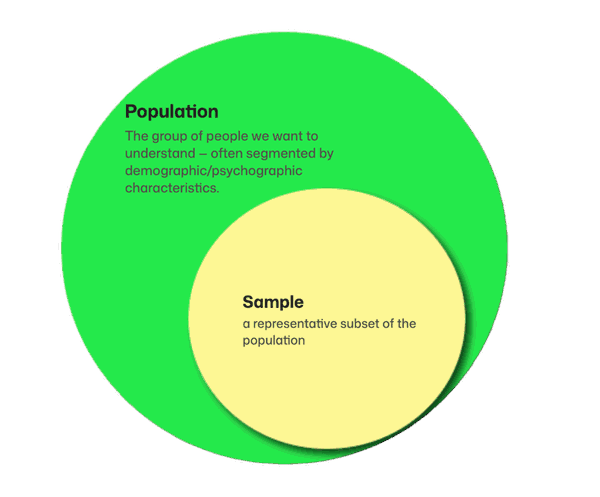
That's why science grappled with the question of whether and to what extent it's possible to survey only a small number of people from the population — and still get answers that are characteristic of the population, that is, representative.
> This subset is called a **sample**. Just as the baker pierces the bread in various spots to check whether it's evenly baked, statisticians "pierce" into different parts of the population to check whether the people within it are similarly "baked."
Statistics' answer to this question was a clear yes-and-no.
No — because it's impossible to arrive at exactly the same answer from a sample as you would from surveying the entire population.
Yes — because probability theory makes it possible to estimate how far the true value (e.g. average income, or the share of those who prefer product X) in the population can deviate from the value determined in the sample. In other words: it's possible to estimate the interval in which the true value most likely lies.
The prerequisites for being able to calculate this interval are:
- Random sampling — every person in the population has the same chance of ending up in the sample.
- A certain minimum number of respondents (sample size) must be reached.
If both prerequisites are met, the sample is considered representative of the population. The insights gained this way can be transferred to the population — and we can state the probability with which we're sure we're not making an error in doing so.
## What happens if the sample size is chosen incorrectly?
The consequences of choosing the wrong sample size are quite simple:
- If the sample is **too small**, the survey results can't be generalized to the population — the parameters in the population can't be estimated with the desired precision.
- If the sample is **too large**, it won't harm the results, but the cost of data collection can turn out higher than necessary. This becomes especially noticeable when using panels, where each respondent costs several euros.
## The margin-of-error approach to calculating sample size
Whenever we make statements about the population based on a sample, we make an error. This error results from the fact that we don't survey the entire population, but only a part of it.
Provided the sample was drawn randomly, this error can be calculated using probability theory — and the range in which the true value in the population lies can be stated.
This range is called the **confidence interval** and works out as "measured value ± margin of error."
The formula for calculating the margin of error (for an infinitely large population) looks as follows:
**(1)**
```math
E = z\sqrt{\frac{\pi(1-\pi)}{n}}
```
Where:
**E** — margin of error (as a percentage, expressed in decimals).
**z** — the difference between the value observed in the sample and its theoretical mean that is maximally permissible for the specified confidence level.
> The z-value sets the width of the confidence interval — but in terms of the number of standard deviations of the standard normal distribution. All the other parameters in the formula serve only to translate the z-value into the more understandable unit of the maximally permissible percentage deviation.Z-values for various confidence levels can be determined using the so-called z-table. In survey research, the following confidence levels and z-values are typically used:
| Confidence level | z-value |
|------|------|
| 90% | 1.65 |
| 95% | 1.96 |
| 99% | 2.58 |
Higher confidence levels correspond to higher z-values. That's why the margin of error also grows larger for higher confidence levels.
**π** — the share of the characteristic in the population (as a percentage, expressed in decimals). The π-value can vary between 0% and 100%.
> As a rule, the π-value isn't known ahead of a survey. In such cases you set it to 50% (0.5). The expression π · (1 − π) has its maximum at π = 0.5 — which yields the highest E-value across all possible π-values. This ensures that even in unfavorable cases the calculated confidence interval includes the true value, or that a sufficiently large sample is generated.Values of π that deviate upward or downward from 0.5 produce smaller margins of error. At π = 0 and π = 1 the margin of error equals 0.So if you know the share of the characteristic of interest in the population before conducting your survey, you can significantly reduce the margin of error — and thus the required sample size as well.
> **Example.** In your study you're investigating what share of students owns their own laptop. Since nothing is yet known about this for the defined population, you use the value π = 0.5. It turns out that 67.5% of respondents answered this question in the affirmative. If you repeat the study with the same population, you now use the value π = 0.675 — which reduces the required sample size.
**n** — the number of people surveyed, i.e. the sample size.
Now that we've clarified the meaning of all the parameters, the formula can be rearranged — to calculate the sample size:
**(2)**
```math
n = \frac{z^2\pi(1-\pi)}{E^2}
```
The procedure for calculating the sample size is then quite simple:
1. Choose the margin of error that should apply to the survey results.
2. Choose the confidence level.
3. Determine the z-value that corresponds to the chosen confidence level.
4. If the share of the characteristic of interest in the population is known, use it as π. Otherwise set π = 0.5.
5. Insert the values into formula (2) and calculate the sample size.
With that you've determined the sample size for the case of an unknown or infinitely large population.
## Sample size for a finite population
In cases where the required sample size becomes comparable to the size of the population, even smaller samples are enough for representativeness.
In this case, the variance of the characteristic not captured by the sample becomes comparable to the captured variance, so the margin of error can be corrected downward by the so-called Finite Population Correction (FPC) factor:
**(3)**
```math
\mathrm{FPC} = \sqrt{\frac{N-n}{N-1}}
```
where **N** stands for the size of the population.
The formula for calculating the margin of error thus takes the following form:
**(4)**
```math
E = z\sqrt{\frac{\pi(1-\pi)}{n}}\sqrt{\frac{N-n}{N-1}}
```
The value of FPC lies between 0 and 1.
The closer the sample size (n) is to the size of the population (N), the smaller FPC becomes. Consequently, the margin of error also turns out smaller.
The smaller the sample size is compared to the population, the closer FPC is to 1 — the factor loses significance, and formula (4) reduces to formula (1).
The formula for the sample size taking FPC into account is obtained by solving formula (4) for n:
**(5)**
```math
n = \frac{z^2\pi(1-\pi)N}{z^2\pi(1-\pi) + E^2(N-1)}
```
The sample size can be calculated analogously to the previous procedure:
1. Determine the values for E, z, π and N.
2. Insert them into formula (5).
3. Calculate the required sample size.
Alternatively — and especially helpful for manual calculation — you can also proceed as follows:
1. Calculate the sample size for an infinite population using formula (2).
2. If the calculated sample size amounts to more than 5% (or at the latest 10%) of the population, calculate the corrected sample size using formula (6):
**(6)**
```math
n_{corr} = \frac{n}{1 + \frac{n-1}{N}}
```
**n_corr** is the required sample size.
> **Example.** We're conducting an employee survey that should be representative of the entire company — with a margin of error of 5% and a confidence level of 95%. Using formula (2) we calculate the required sample size:n = (1.96² · 0.5 · 0.5) / 0.05² = 385.However, only 100 employees work at our company. So a correction is necessary. Using formula (6):n_corr = 385 / (1 + (385 − 1) / 100) = 80.In the end, we have to survey 80 employees for the survey to count as representative of all our company's employees.
## QUESTIONSTAR sample-size calculator
If you'd rather not work through the math by hand, use the [QUESTIONSTAR sample-size calculator](/blog/sample-size-calculator) — it takes the calculation off your hands and works with all the formulas described above.
*[Interaktiv: Stichprobenrechner — siehe HTML-Version der Seite]*
The calculator is freely accessible, with no registration and no data storage. You can use it as often as you like — including for other people's projects.
## Related articles
- [sample-size-calculator](/blog/sample-size-calculator)
- [finding-survey-respondents](/blog/finding-survey-respondents)
- [survey-research-basics](/blog/survey-research-basics)
*Author: Dr. Paul Marx — see [About](/about).*
---
# https://questionstar.com/blog/common-likert-scales/
---
url: "https://questionstar.com/blog/common-likert-scales/"
title: "Common Likert scales — a list with English wordings"
description: "Agreement, importance, frequency, probability — a curated list of common Likert scales with English wordings."
lastmod: "2026-07-11"
type: "blog"
---
# A list of common Likert scales
*Which Likert scale fits which question?*
A collection of the scales we've kept running into over 22 years — with notes on when they fit and when they're better avoided.
Likert scales are among the most popular response formats in survey research. Originally developed to measure attitudes, they've long since become established for capturing many other concepts in a structured and comprehensible way, too. No wonder: they're simple, versatile — and still deliver meaningful, easily interpretable results.
We keep getting questions like:
- "Which wordings are suitable for my scale?"
- "Are there standard wordings for agreement, frequency, or importance?"
That's why we've put together a practical overview for you: in this article you'll find 57 common Likert scales, clearly organized into 14 categories. Ideal for looking things up, getting inspired — or dropping straight into your survey.
> 💡
>
> **Tip:** With QUESTIONSTAR you can add all of these scales to your questions with just the [**Magic wand**](/help/getting-started/productivity-tips#skalenbeschriftung) — quickly, consistently, and professionally.
👉 For anyone who wants to dig deeper into the topic: in a separate blog article we explain what [Likert scales actually are](/blog/likert-scales-explained) and [what to keep in mind when choosing one](/resources/likert-scales-five-aspects) (e.g. an even or odd number of response options, how to word the poles, and so on) — and how to avoid common mistakes.
But now, without further ado: **here is the overview of the most common Likert scales:**
**Quick navigation:**
- [Agreement](#zustimmung)
- [Importance](#wichtigkeit)
- [Probability](#wahrscheinlichkeit)
- [Satisfaction](#zufriedenheit)
- [Attitude](#einstellung)
- [Preference](#praferenz)
- [Frequency](#haufigkeit)
- [Quantity](#menge-quantitaet)
- [Intentions](#absichten)
- [Usefulness](#nutzlichkeit)
- [Credibility](#glaubwurdigkeit)
- [Difficulty](#schwierigkeit)
- [Efficiency](#effizienz)
- [Self-Comparison](#selbstvergleich)
| Measured construct | Scale items |
|------|------|
| Agreement |
| Agreement 5 Point Scale | Strongly disagreeDisagreeNeutralAgreeStrongly agree |
| Agreement 7 Point Scale | Strongly disagreeDisagreeSomewhat disagreeNeutralSomewhat agreeAgreeStrongly agree |
| Importance |
| Importance 5 Point Scale | Not at all importantUnimportantNeither important nor unimportantImportantVery important |
| Importance 5 Point Scale (Importance-Centered) | UnimportantSomewhat unimportantImportantVery importantExtremely important |
| Importance 7 Point Scale | Not at all importantVery unimportantSomewhat unimportantNeither important nor unimportantSomewhat importantQuite importantExtremely important |
| Probability |
| Probability 5 Point Scale | UnlikelySomewhat unlikelyNeither likely nor unlikelySomewhat likelyLikely |
| Probability 7 Point Scale | Very unlikelyUnlikelySomewhat unlikelyUndecidedSomewhat likelyLikelyVery likely |
| Likelihood / Probability / Chance – 4 Point Scale | Definitely notProbably notProbably yesHighly likely |
| Satisfaction |
| Satisfaction 5 Point Scale | Extremely dissatisfiedSomewhat dissatisfiedNeutralSomewhat satisfiedExtremely satisfied |
| Satisfaction 7 Point Scale | Extremely dissatisfiedDissatisfiedSomewhat dissatisfiedNeutralSomewhat satisfiedSatisfiedExtremely satisfied |
| Life Satisfaction (Unhappy–Happy) 7 Point Scale | Extremely unhappyUnhappySomewhat unhappyNeither happy nor unhappySomewhat happyHappyExtremely happy |
| Life Satisfaction / Joy (Terrible–Wonderful) 7 Point Scale | TerribleUnhappyMostly dissatisfiedMixedMostly satisfiedSatisfiedThrilled |
| Attitude/Satisfaction/Joy (Satisfied–Dissatisfied) 7 Point Scale | Very angryAngrySomewhat angryNeutralSomewhat satisfiedSatisfiedVery satisfied |
| Attitude |
| Attitude (Bad–Good) 5 Point Scale | Very badBadNeutralGoodVery good |
| Attitude (Bad–Good) 7 Point Scale | Very badBadInadequateNeither good nor badAcceptableGoodVery good |
| Attitude (Best–Worst) 5 Point Scale | One of the worstBelow averageAverageAbove averageOne of the best |
| Attitude (Best–Worst) 5 Point Scale (Variant) | Probably the worstVery badNeutralVery goodProbably the best |
| Attitude (Best–Worst) 7 Point Scale | Probably the worstVery badBadNeither good nor badGoodVery goodProbably the best |
| Attitude/Comparison (Worse–Better) 7 Point Scale | Much worseWorseSomewhat worseAbout the sameSomewhat betterBetterMuch better |
| Attitude (Poor–Excellent) 5 Point Scale | LousyFairGoodVery goodExcellent |
| Attitude (Very Bad–Very Good) 5 Point Scale | Extremely badBadFairGoodExtremely good |
| Attitude/Quality (Below–Above Average) 3 Point Scale | Below averageAverageAbove average |
| Attitude/Quality (Appropriate–Inappropriate) 7 Point Scale \[\[FLAG: DE says "3-Punkte-Skala" but this scale has 7 items; matched to the published EN name which is a 7 Point Scale\]\] | Very inappropriateInappropriateSomewhat inappropriateNeither appropriate nor inappropriateSomewhat appropriateAppropriateVery appropriate |
| Attitude (Miserable–Delighted) 5 Point Scale | MiserableUnsatisfactorySatisfactoryExcellentDelighted |
| Attitude (Regretful–Delighted) 7 Point Scale | RegretfulBadFairGoodVery goodExcellentDelighted |
| Preference |
| Preference 5 Point Scale | No preferenceSlightly preferPreferStrongly preferDefinitely prefer |
| Preference (Prefer–Avoid) 7 Point Scale | Definitely avoidStrongly avoidAvoidNeutralPreferStrongly preferDefinitely prefer |
| Preference (Like–Dislike) 7 Point Scale | Strongly dislikeDislike somewhatDislike a littleNeither like nor dislikeLike a littleLike somewhatLike very much |
| Preference (Like–Dislike) 9 Point Scale | Dislike extremelyDislike very muchDislike moderatelyDislike slightlyNeither like nor dislikeLike slightlyLike moderatelyLike very muchLike extremely |
| Frequency |
| Frequency 3 Point Scale | NeverOccasionallyOften |
| Frequency 4 Point Scale | NeverOccasionallyVery oftenAlways |
| Frequency 5 Point Scale | NeverRarelySometimesMostlyAlways |
| Frequency 5 Point Scale (Alt) | NeverRarelySometimesOftenAlways |
| Frequency 5 Point Scale (Alt 2) | Almost neverSometimesUsuallyAlmost alwaysAlways |
| Frequency (Daily–Never) 7 Point Scale | NeverLess than once a monthOnce a month2–3 times a monthOnce a week2–3 times a weekDaily |
| Quantity |
| Quantity 4 Point Scale | NoneLittleSomeMany |
| Quantity (All–None) 5 Point Scale | NoneSomeQuite a lotExceptionally muchAll |
| Quantity (Too Much–Too Little) 5 Point Scale | Far too littleToo littleAbout rightToo muchFar too much |
| Quantity Comparison (Higher–Lower) 5 Point Scale | Much lowerSomewhat lowerAbout the sameHigherMuch higher |
| Quantity Comparison (Stronger–Weaker) 5 Point Scale | Much weakerWeakerNo changeStrongerMuch stronger |
| Quantity Comparison (More–Less) 7 Point Scale | Much lessLessSlightly lessSameSlightly moreMoreMuch more |
| Quantity (Expectation) 4 Point Scale | Does not meet expectations at allDoes not meet expectationsExceeds expectationsGreatly exceeds expectations |
| Quantity Comparison to Ideal 4 Point Scale | Very far from idealFar from idealClose to idealExtremely close to ideal |
| Intentions |
| Intentions 5 Point Scale | Definitely notProbably notNot sureProbablyDefinitely |
| Purchase Intentions 5 Point Scale | Definitely will not buyProbably will not buyMight buyProbably will buyDefinitely will buy |
| Usage Intentions 5 Point Scale | Definitely will not useProbably will not useMight useProbably will useDefinitely will use |
| Reuse Intentions 5 Point Scale | Definitely will not reuseProbably will not reuseMight reuseProbably will reuseDefinitely will reuse |
| Recommendation Intentions 5 Point Scale | Definitely will not recommendProbably will not recommendMight recommendProbably will recommendDefinitely will recommend |
| Usefulness |
| Usefulness (Useful–Useless) 5 Point Scale | Extremely uselessUselessRather uselessNeitherRather usefulUsefulExtremely useful |
| Credibility |
| Credibility (Credible–Not Credible) 5 Point Scale | Not credibleRather not credibleUncertainRather credibleCredible |
| Difficulty |
| Difficulty (Easy–Difficult) 7 Point Scale | Extremely difficultDifficultRather difficultNeitherRather easyEasyExtremely easy |
| Efficiency |
| Efficiency 7 Point Scale | Extremely ineffectiveIneffectiveRather ineffectiveNeither effective nor ineffectiveRather effectiveEffectiveExtremely effective |
| Efficiency 5 Point Scale | Needs urgent improvementNeeds developmentNo significant strength or weaknessA serious strengthHighly developed |
| Efficiency/Speed 5 Point Scale | Extremely slowSlowRather slowNeitherRather fastFastExtremely fast |
| Self-Comparison |
| Self-Comparison 5 Point Scale | Not like me at allNot like meSomewhat like meVery much like meExactly like me |
| Self-Comparison 7 Point Scale | Not like me at allNot like meNot very much like meNeitherSomewhat like meLike meExactly like me |
| Self-Comparison – Feelings 5 Point Scale | Does not describe my feelings at allMostly does not describe my feelingsDescribes my feelings somewhatMostly describes my feelingsDescribes my feelings exactly |
Date: April 9, 2025
Author: Dr. Paul Marx
You might also be interested in:
- [Likert scales: everything you ever wanted to know — and never dared to ask](/blog/likert-scales-explained)
- [Aggregating multi-item (Likert) scales](/blog/aggregating-multi-item-likert-scales)
## Related articles
- [likert-scales-explained](/blog/likert-scales-explained)
- [aggregating-multi-item-likert-scales](/blog/aggregating-multi-item-likert-scales)
*Author: Dr. Paul Marx — see [About](/about).*
---
# https://questionstar.com/blog/customer-surveys-overview/
---
url: "https://questionstar.com/blog/customer-surveys-overview/"
title: "Customer survey — an overview of forms, occasions, and methods"
description: "NPS, CSAT, CES, lost-customer, onboarding feedback — which survey type makes sense when, and how to analyze it."
lastmod: "2026-07-08"
type: "blog"
---
# Customer surveys — an overview
*Which kind of customer survey fits which concern?*
There isn't one single customer survey. There are several, and they differ in occasion, length, and sensitivity.

The customer is at the center of all of a company's marketing activities. Because it's clear that a company can only survive in the market if it keeps its customers satisfied. The quality of its products and services has to be right. If a company loses its customers, its sales collapse and revenue is lost. In the worst case, insolvency looms.
That's why the most important question every company has to ask itself is not "how do I get as much money as possible?", but rather **"what can I do to satisfy my existing and potential customers and bind them to my company over the long term?"**
So anyone who truly knows their customers, their wishes, and their needs has a clear advantage over the competition.
[Customer surveys](/use-cases/customer-feedback) help companies understand their customers better, because they shed light on how products, services, communication, and all other marketing activities can be optimized in a customer-centric way.
Does that sound too general? Let's look at the matter in a bit more detail, so you get a better sense of the topics you can — or should — survey your customers about.
## When do companies turn to which surveys?

By surveying your customers, you can learn a great deal about them. So which questions should you ask them to get the information you need? Here I'll list the most common reasons why companies run customer surveys:
Companies survey customers about their attitudes and perceived importance regarding products and services, willingness to pay, buying habits, reasons for visiting the website, loyalty and willingness to switch, the image of the company and its competitors, their purchasing experience, which advertising they can recall, their age, gender, income, and even their lifestyle, and much more.
But **which questions should you ask, and when?** To answer that, we need to understand the following:
Customers come into contact with a company in various ways. For example, they see advertising, visit a store or the website, test the product, talk to the salesperson, buy the product, use it, contact the hotline, talk with friends and relatives about the company... Each contact is an experience for the customer that shapes their attitude toward the company, its products, and its services — and ultimately their willingness to buy and their loyalty. The company's goal, then, is to satisfy the customer/consumer as much as possible at every touchpoint and to impress them positively (that is, to meet their expectations and even exceed them).
It's precisely from the combination of this goal and the specific touchpoint that both the type of survey and the questions themselves — the ones you should ask your customer — ultimately emerge.
In this article we'll look at one of the most important types of customer survey, namely the customer-satisfaction survey.
## Customer-satisfaction survey

Because customer satisfaction is so enormously important for companies, the most widespread type of survey is the customer-satisfaction survey.
### What is it about?
Marketing scholarship defines the term customer satisfaction as the result of a complex comparison process in which the consumer measures the product or service they subjectively experienced (actual performance) against the expectations they formed ex ante (in advance) (target performance). If, in this comparison process, the actual performance is worse than the expectation, the customer is dissatisfied or even annoyed. If the two are roughly equal, they are neutral or somewhat satisfied. If the performance exceeds their expectations, the customer is very satisfied or delighted.
Delighted customers are loyal and willing to pay a higher price for products and services. As a rule, they buy more often and buy various products from a single provider. They also tend to recommend the company and its products to others. Dissatisfied, annoyed customers talk about it with others too — but in the opposite direction.
### Satisfied customers help you recognize your strengths.
With customer-satisfaction surveys, then, one aim is to identify the delighted customers. Because they're a welcome target for communication measures: newsletters, advertising, announcements of new products, communities, social-media groups, and so on. Such customers tend to respond positively, engage more intensively with your topics and — importantly — they tell others about it and actually buy from you.
Once a delighted customer has been identified as such, it's worth asking them about the reasons for their satisfaction. From the answers to this question you **learn your success stories**: What do customers particularly value about your product or service? Which of your qualities do they place a lot of importance on, and what sets your company apart from your competition (unique selling point, a.k.a. USP)? These are all valuable points that you should highlight in your communication measures, to convince your neutral customers of your offering and to appeal to potential customers.
### Dissatisfied customers reveal your weak points to you.
On the other hand, customer-satisfaction surveys are used to pinpoint the dissatisfied and, in particular, the annoyed customers. You should ask these customers too about the reasons for their dissatisfaction. Their answers help you understand where your weak points and potential for improvement lie, so that you **can work in a targeted way on optimizing your offering**. Once the weak points have been eliminated, this fact can in turn be used in communication measures aimed at neutral and dissatisfied customers. That way you may be able to win back lost **customers** and convince them to give you a "second try."
It's important to respond to dissatisfied customers as quickly as possible. Ideally, the responsible manager should learn of the customer's dissatisfaction and its reasons immediately after the customer has completed the questionnaire. They should look for a solution right away and offer it to the customer. And not just to minimize the negative consequences that can arise from a possible spread of an annoyed customer's reputation-damaging opinion, but because of the so-called service recovery paradox, thanks to which many dissatisfied customers can be turned into loyal ones.
In marketing, the service recovery paradox refers to a situation in which customers, after their problem with the product or service has been resolved, are more satisfied than if the problem had never occurred. The successful recovery of a faulty service also increases loyalty and trust in the company.
Marketing scholarship also states that only 5% of dissatisfied customers actively complain to the company. Most prefer to vent their frustration in conversations with friends and acquaintances, and thus spread their negative opinion. That's why it's of enormous importance for companies to run customer-satisfaction surveys regularly.
### Survey invitation: as soon as possible after contact, but not always.
With the help of online surveys and customer relationship systems (CRM), this is really easy to do these days! All you need is your customer's email address or mobile number, and you can send them the link to your survey right after they've had contact with your company — whether it's a visit to your store or a call to the hotline. If the visitor is on your website, you can link the survey directly from the website or show it in a pop-up.
QR codes let you survey customers whose data you don't have but who are in contact with your company (e.g., in a restaurant). The customer just has to scan the QR code and can give you their feedback. The QR code can be placed discreetly on any kind of printed material: flyer, business card, poster, menu, beer mat, receipt, or a small sticker on the seat in front on a train.
The survey invitation, however, should be sent no earlier than when the customer has actually been able to form an opinion about the matter you're interested in. If, for example, you're interested in satisfaction with delivery times or with the product purchased, then hold off on the survey until the customer has received their delivery or has been able to use the product.
### Don't just ask about satisfaction per se — what matters are the aspects that you, as a company, can influence.
Customer satisfaction is multifaceted. How satisfied a customer is with a company emerges from the sum of many "smaller" satisfactions: Did the customer reach their goal? Did they find the product they were looking for? Was the atmosphere appealing? Were the staff competent and polite? Did the delivery arrive on time and undamaged? Did the food taste good? ... All of that and much more ultimately leads to the customer's judgment about their satisfaction with the contact with the company, as well as with the company as a whole.
Because of its complexity, researchers describe customer satisfaction as a "[latent construct](https://de.wikipedia.org/wiki/Latentes_Variablenmodell)" — that is, a variable that cannot be measured directly, but that emerges from a multitude of measurable indicators.
That's why it makes sense, in a customer-satisfaction survey, to ask for information about all the aspects that, on the one hand, determine the satisfaction judgment and, on the other hand, that you as a company can influence. The latter is also important because the survey should be kept short and snappy so that as many customers as possible answer your questions. There are aspects of customer satisfaction that you can't influence (e.g., the customer's mood or their business situation). So why would you ask about them?
It goes over well with customers when they notice that answering the questions actually helps them, or that they can help shape their contact with the company to their own benefit.
The table below summarizes, by way of example, the topics you could ask about in a customer-satisfaction survey. Of course, not all the points have to be taken up — only the ones that help you understand your customers better and that you can actually influence in order to make your customers more satisfied. This list of topics can be extended as you like — **ask everything that helps you!**
*Possible topics for the customer-satisfaction survey, plus recommendations on communication channels and on the timing of the invitation*
***Satisfaction with...***
| | |
|------|------|
| Online support | |
| Possible topics besides satisfaction | Problem solved / information received?Employee's competenceDid the employee listen?Did the employee take care of the problem?Was the employee polite/courteous?Speed of problem resolutionCompleteness of the answer |
| How to invite? | Email |
| When to invite? | When closing the support ticket |
| Telephone hotline | |
| Possible topics besides satisfaction | Problem solved / information received?Employee's competenceDid the employee listen?Did the employee take care of the problem?Was the employee polite/courteous?Speed of problem resolutionCompleteness of the answer |
| How to invite? | EmailSMS |
| When to invite? | Immediately after the call |
| Order in the online shop | |
| Possible topics besides satisfaction | Ordering process easy?Navigation understandable?Payment method convenient?Shipping method suitable?Found everything you were looking for?Prices reasonable?Range of products? |
| How to invite? | EmailSMS |
| When to invite? | 1–2 days after receipt confirmation according to tracking |
| Repair-shop visit | |
| Possible topics besides satisfaction | Was the need for the repair clear?Was the repair process explained understandably?Costs and follow-up costs transparent?Price-performance ratioDid the employee point out an additional offer?The master technician's competenceSpeed of the repairQuality of the repairWas scheduling easy/convenient?Device/car returned in good/clean condition? |
| How to invite? | QR code on the flyer/invoiceEmailSMS |
| When to invite? | 1–2 days after picking up the device/car |
| Visit to a website | |
| Possible topics besides satisfaction | Reason for the visit?Information found?Content understandable?Navigation clear?Design appealing/modern?Problems with the display?Problem solved, if applicable? |
| How to invite? | Pop-upLink on the website |
| When to invite? | 3–15 minutes after the start of the visit |
| Visit to a café or restaurant | |
| Possible topics besides satisfaction | Speed of serviceService staff courteous?Did the service staff accommodate all requests?Table clean?Atmosphere/ambianceQuality of the dishesSelection of dishesDishes tasty?Price-performance ratioMusic/volume appropriate?Restroom clean? |
| How to invite? | QR code on the menu, flyer, beer mat, napkin, or invoiceEmailSMS |
| When to invite? | 3–15 minutes after the start of the visit |
| Visit to the doctor or therapist | |
| Possible topics besides satisfaction | Waiting room appealing/comfortable?Waiting times reasonable / appointment on time?Practice overcrowded?Medical assistants courteous?Competence of the attending doctorDid the doctor take enough time for the patient?Clearly informed about the course/prospects of the therapy?Was scheduling easy/convenient?If applicable, after therapy: did improvement occur? |
| How to invite? | Tablet in the waiting roomEmailSMS |
| When to invite? | Waiting room |
| In-store consultation, contract signing, purchase of an offline service | |
| Possible topics besides satisfaction | Got a suitable/right offer/service?Offers clearly laid out?Competence of the consultation/the employeeEmployee polite/courteous?Did the employee listen?If applicable, did the employee take care of the problem?Costs and follow-up costs transparent?Price-performance ratioDid the employee point out an additional offer?Waiting times reasonable?Atmosphere in the store |
| How to invite? | QR code on invoice, flyerEmailSMS |
| When to invite? | After leaving the storeAbout 10 minutes after the saleAround lunchtimeOn the evening of the day of the store visit |
| Hotel stay | |
| Possible topics besides satisfaction | BreakfastRestaurant/barRoom serviceCleanliness in the roomMinibarCheck-inCheck-outEntertainment or spa offering |
| How to invite? | QR code in the welcome folderEmail |
| When to invite? | During the stay1–2 days after the stay |
| Company | |
| Possible topics besides satisfaction | Assessment of the relationship with the companyPurchase frequencyCustomer serviceAssessment of productsPrice-performance ratioOffer/range of productsFrequency of complaintsSpeed/quality of complaint handlingReputation of the company |
| How to invite? | NewsletterLink on the websiteQR code on printed materials |
| When to invite? | The customer chooses the time themselves |
Date: 04/09/2020
Author: Dr. Paul Marx
## Related articles
- [data-protection-in-online-surveys](/blog/data-protection-in-online-surveys)
- [survey-research-basics](/blog/survey-research-basics)
*Author: Dr. Paul Marx — see [About](/about).*
---
# https://questionstar.com/blog/data-protection-in-online-surveys/
---
url: "https://questionstar.com/blog/data-protection-in-online-surveys/"
title: "Data protection in online surveys — surveying in a GDPR-compliant way"
description: "Anonymity, consent, storage locations, data processing on behalf — what to keep in mind for online surveys if data protection is really to take effect."
lastmod: "2026-07-14"
type: "blog"
---
# Data protection in online surveys
*What do I need to consider about data protection — and what's better left out from the start?*
Data protection isn't a setting you forget at the end. It's a decision made at the beginning.
*Online surveys often collect personal data such as email address, occupation, highest educational qualification, marital status and so on. Such data, however, is subject to strict data protection rules that provide for heavy fines in the event of a breach. In this article we therefore explain what you need to keep in mind for your online surveys to make them data-protection-compliant, and we give you examples of how to word the consent and privacy statements for your respondents.*

## About the General Data Protection Regulation (GDPR)
Since May 25, 2018, the General Data Protection Regulation ([GDPR](https://gdpr-info.eu/)) has applied across Europe. The GDPR governs in particular how companies and public authorities process personal data. On the one hand, this regulation is meant to strengthen consumer rights by better protecting personal data. On the other hand, it should nevertheless ensure the free movement of data within the European single market.
For a breach of the GDPR, companies face heavy fines of up to 20 million euros, or up to 4% of worldwide turnover — whichever is higher. Although to this day no clear classification of breaches and the corresponding penalties has been worked out in official case law, the considerable size of the maximum penalty makes it clear that lawmakers take data protection seriously.
That makes it all the more important to engage with the aspects of the GDPR relevant to online surveys, so as to be able to fully meet the GDPR's rules within your surveys and give any potential cease-and-desist warnings nothing to latch onto.
## What is personal data?
Under [Article 4(1) GDPR](https://gdpr-info.eu/art-4-gdpr/), personal data is **any information relating to an identified or identifiable natural person** or at least attributable to one, thereby allowing conclusions to be drawn about who they are.
A natural person is considered identifiable if they “can be identified, directly or indirectly, in particular by reference to an identifier such as a name, an identification number, location data, an online identifier or to one or more factors specific to the physical, physiological, genetic, mental, economic, cultural or social identity of that natural person.”
In addition to general personal data, special categories of data are singled out separately, for which a higher level of protection applies. Data particularly worthy of protection includes genetic, biometric and health data, as well as personal data revealing a person's racial and ethnic origin, political opinions, religious or philosophical beliefs, or trade union membership.
As you can see, the legal definition of personal data is fairly broad. An exhaustive list of the types of personal data can hardly be drawn up. The following examples therefore give an impression of what can be regarded as personal data:
- **Personal details** that relate directly to the person: name, address, age, date of birth, place of birth and so on.
- **Identification numbers**: phone number, vehicle registration number, account number, credit card number, ID card number, tax identification number, health insurance number, student enrollment number, personnel number and so on.
- **Online data**: email address, login name, IP address, location data and so on.
- **Physical characteristics**: photos, gender, skin color, eye color, body and clothing size, birthmarks, illnesses and so on.
- **Economic data**: income, ownership of vehicles or real estate, debts and so on.
- **Cultural and social data**: nationality, religion, language, party affiliation, occupation, education, marital status, number of children and so on.
- **Data particularly worthy of protection**: genetic, biometric, health data, racial and ethnic origin, political opinions, religious or philosophical beliefs, trade union membership
- and much more.
In the eyes of case law, the same type of collected data isn't always personal. Conversely, data that on its own isn't personal can become personal in connection with other data.
The most important feature that makes data personal within the meaning of the GDPR is the **possibility of identifying a person using this data**.
*[Interaktiv: Anchor: example-personal-data — siehe HTML-Version der Seite]*
Let's look at an example:
> 💡
>
> You are conducting a nationwide survey in which you ask, among other things, about educational qualification and gender. If in doing so you don't ask for any further data such as identification numbers, email address, or location data, and/or you cannot link the respondents' answers to such data, then knowing the educational qualification and gender on its own isn't enough to identify a person. In this case, educational qualification and gender do not constitute personal data.
>
> Things look different, however, if you conduct the same survey in a company with a manageable number of employees. In this case, knowing the educational qualification and gender may already allow conclusions to be drawn about a specific person — especially if additional data such as department or length of employment is also asked or can be linked to the respondent's answers.
## Are company contacts personal data?
Yes and no! In principle, the GDPR applies only to natural persons. Individual details about legal persons such as corporations, registered associations, public bodies, foundations, institutions, authorities and so on therefore do not count as personal data.
Unless these details carry over to the natural persons behind the legal person — that is, they make it possible to draw conclusions about them. That can be the case, for example, with a single-person GmbH or a sole proprietorship.
The same applies to the contact details of the contact persons within the company, e.g. name, personalized email address — especially one from which the first and last name are apparent —, position within the company and so on. This, in turn, is personal data, since a natural person is identifiable.
## Consent to the storage or processing of personal data
Under data protection law, the collection and processing of personal data without the data subject's consent is in principle prohibited. Therefore, in the context of an online survey, you must obtain consent from your respondents for the storage or processing of data — and do so before you collect the personal data. Under [Art. 4(11) GDPR](https://gdpr-info.eu/art-4-gdpr/), this consent is subject to certain requirements. Namely, it must
- **Have been given freely**. You may not force respondents to provide their data — especially not when it isn't necessary at all to fulfill the purpose of the data collection. For example, if you want to raffle off a prize among your respondents as a thank-you for taking part in your survey, it is perfectly permissible to obtain consent to process the email address. However, this consent must not be tied to the email address simultaneously being used for advertising purposes, since the latter isn't necessary to fulfill the purpose (determining the winner).
- **Have been given in an informed manner**. This is only the case if the respondent is clearly and plainly informed about why they should provide their data and what happens to the data.
- **Have been given unambiguously**. By this we mean that the respondent must actively agree — e.g. by clicking a checkbox or selecting the answer «I agree». Tacit consent, where consent is preselected so that the respondent has to untick it in order to object to the consent, is not permitted.
- **Have been given for one or more specific purposes only**. A general consent without naming concrete purposes is ineffective.
Even if all of this sounds complicated, the practical implementation of the legal requirements in the questionnaire isn't that hard.
Example:
> 💡
>
> Below you can see examples of legally compliant consents to data storage and processing:
>
> 
>
> And here's how that looks live: [click](https://survey.questionstar.com/7845ee9f).
Alternatively, consent to the storage and processing of personal data can be obtained right at the start of the survey. In fact, this can even be the preferred place for it. As a rule, the purpose of the survey is described in detail at the beginning. The explanation of what data is stored and how it is handled fits organically into the concept at this point. Most academic studies proceed exactly this way.
Here you can see an example of such an approach: [click](https://survey.questionstar.com/d07ff640).
## When is collecting personal data permitted without consent?
Under current case law, the collection and processing of personal data without the data subject's consent is permitted only in the following exceptional cases:
- The data processing is **permitted by law**. This applies, for example, to employment records or occupational safety records.
- The data processing is **necessary for the performance of a contract or the initiation of a contract**. For example, knowing the customer's address is necessary to deliver their order. It can therefore be collected without consent. The same applies to the contact details of a prospective customer who wants to find out about your services.
- There is a [**legitimate interest**](https://gdpr-info.eu/art-6-gdpr/) that outweighs the data subject's interest in protecting their data. Such an interest can also be economic in nature. For example, it is argued that the economic interest of a retailer sending direct advertising to its existing customers may, under certain circumstances, outweigh the protection of privacy (see e.g. [GDPR, Recital 47/7](https://gdpr-info.eu/recitals/no-47/)).
In these cases, no consent from the data subject is required for the storage and processing of their personal data.
Although it isn't required by law, it has nevertheless become common practice to obtain consent even in such cases, particularly in order to comply with the accountability and documentation obligation mandated by the GDPR. In any case, it is good manners to inform the data subject about the purpose of storing their personal data before they share their personal data with you.
## Do you need consent to store IP addresses?
Under current case law, the IP address is regarded as personal data. However, since storing the IP address is technically necessary for the functioning of websites (and online questionnaires), the European Court of Justice assumes that consent to store the website visitor's IP address is already automatically in place the moment they access it.
In addition, there is a legitimate interest on the part of the survey owner in storing the IP address, e.g. to be able to prevent manipulation of the survey results through a respondent completing the questionnaire multiple times, or to enable the function of pausing and resuming the completion of a survey.
All of this means that a separate **consent** to store IP addresses in online surveys is generally **not required**. A note about anonymized analysis is entirely sufficient in this case.
It should be noted, however, that IP addresses may not be stored as a precaution and must be deleted once the purpose has been fulfilled — usually after a few weeks. If this condition isn't met, i.e. if you intend to store and/or process your respondents' IP addresses over a longer period, then it becomes necessary to explicitly obtain the respondents' consent to store the IP address.
## Privacy statement: yes or no?
The GDPR contains no rule as to whether an online survey should include a privacy statement — of the kind familiar from websites generally. It isn't necessary, then, to set up a separate web page specifically for a survey that captures all the nuances of data protection and must be accessible on every page of the survey.
Nevertheless, the GDPR requires that in the event **that personal data is collected in the survey**
- Respondents are informed about the **purpose, form and scope** of the collection and processing of personal data.
- Personal data is only collected and used if the respondent gives a corresponding **declaration of consent**.
- Respondents are **informed about their rights** (right to information, deletion, withdrawal).
- Respondents are informed about the **duration of data retention and processing** as well as the whereabouts of the data after the deadlines have expired.
- The collected data is adequately **protected against access by unauthorized persons**. This requires that the persons authorized to process the data be determined from the outset.
- In the case of processing on behalf of the controller, information about the processor is disclosed.
- In addition, the contact person responsible for data protection during the data collection must be named. After all, requests regarding information, deletion and withdrawal must be able to be directed to someone.
All this information can be placed organically in the introduction to a survey. Sometimes, however, describing all these facts can take up far too much space. In such cases, creating a privacy statement on a separate website that is linked from the questionnaire is entirely justified. What's important here is that this link is placed before the data is collected and as close as possible to the point at which the respondent gives their consent to the collection of personal data.
Example with integration into the introduction: [click](https://survey.questionstar.com/d07ff640).
Example with a link: [click](https://survey.questionstar.com/9141c5b9).
## Do I need consent and a privacy statement if I don't collect any personal data?
The GDPR applies exclusively to personal data. As long as you don't collect any personal data in your survey, or you collect it in such a way that with realistic effort it isn't possible to attribute this data to a specific person (see [the example above](#example-personal-data)), you need neither consent nor a privacy statement.
Nevertheless, you may decide, even in this case — for ethical reasons or to increase transparency, say — to integrate a consent and privacy statement into your questionnaire.
A possible wording for this could look like this (introduction without a declaration of consent):
- [Example 1](https://survey.questionstar.com/90c445f4)
- [Example 2](https://survey.questionstar.com/1e6b49f3)
- [Example 3](https://survey.questionstar.com/54825668)
## When is the survey anonymous, and what is pseudonymization?
The survey is considered anonymous if the data collected in it does not relate to a natural person or is not attributable to one — i.e. does not allow conclusions to be drawn about a specific person.
This is the case if
- You **don't collect any personal data**, or
- you collect data that on its own is personal but **cannot be related to a specific person**.
So if you post a survey publicly on Facebook and ask for age and gender in it, then a personal reference can hardly be established for individual records. In this case, the survey is therefore also to be regarded as anonymous, even though personal data is collected in it (see also [the example above](#example-personal-data)). The GDPR does not apply to such surveys.
There is, however, a special case in which, applying the GDPR, the personal data collections are nonetheless regarded as anonymous. This case is called “pseudonymization.”
[Article 4(5) GDPR](https://gdpr-info.eu/art-4-gdpr/) defines pseudonymization as “the processing of personal data in such a manner that the personal data can no longer be attributed to a specific data subject without the use of additional information, provided that such additional information is kept separately and is subject to technical and organisational measures to ensure that the personal data are not attributed to an identified or identifiable natural person.”
For the collected personal data to be considered pseudonymized, the following conditions must therefore be met:
- **Separate data storage**: the personal data that can be related to specific persons must be kept separately from the personal data that does not allow any reference to specific persons.
- There must be **technical and organizational measures** that ensure the two data sets are not linked with the intent of establishing personal references. It must therefore be established from the outset which persons are authorized to process the data, that they are organizationally obligated not to establish personal references from the available data, and that both data sets are prevented from being passed on to third parties.
A real-world example from QUESTIONSTAR:
> 💡
>
> As part of an employee survey to measure the working atmosphere, a company uses the contact list, in which each employee's surname, first name, email address and department affiliation are recorded.
>
> The list is used to send employees invitations with a personalized greeting as well as reminder emails. For each employee, a personal link is generated that ensures each employee takes part in the survey only once, in order to prevent manipulation of the survey results. In addition, it should be possible to generate aggregated analyses both for the company as a whole and for individual departments. The analyses should be anonymous and not allow any conclusions to be drawn about individual employees.
>
> In the questionnaire, employees' attitudes toward various aspects of the working atmosphere are collected. This data does not allow any conclusions to be drawn about specific persons and is stored separately from the contact list. This ensures the principle of separate data storage.
>
> To ensure the anonymity of the analysis, the works council appoints a designated person who is entrusted with conducting the survey and analyzing the data. This person is granted sole access rights to the survey data and analysis tools. In addition, this person is organizationally obligated to comply with the GDPR.
>
> During the data analysis, the data from both data sets is in fact linked together by the software in order to enable analysis per department. The results of the analysis, however, are presented in aggregate and do not allow any conclusions to be drawn about individuals.
>
> This meets the conditions of pseudonymization. In this case the survey and the survey results are not, admittedly, considered anonymous (because establishing the personal reference remains technically possible for the designated person), but through the organizational measures taken, the data processing is regarded as secure within the meaning of the GDPR.
>
> Example: [Employee survey questionnaire](https://survey.questionstar.com/3bebe6e7)
## Who is responsible for GDPR compliance, and what are processing on behalf of the controller and a DPA?
Under [Article 4(7) of the GDPR](https://gdpr-info.eu/art-4-gdpr/), the **controller** responsible for GDPR compliance is that natural or legal person which **decides on the purposes and means of processing personal data**. In the case of conducting an online survey, that is the survey owner. Accordingly, responsibility for the storage, processing of personal data and its protection formally falls within your area of responsibility.
Technically speaking, however, the data collected as part of your surveys is stored on QUESTIONSTAR's servers. In addition, the collected data is made available to you by QUESTIONSTAR for download in tabular form (raw data) or as an aggregated analysis. Current case law sees this as the act of data processing, for which you, in turn, are responsible as the survey owner.
However, from your point of view QUESTIONSTAR is an external service provider that, strictly speaking, you do not control and whose actions you therefore cannot be responsible for. So that you can nonetheless conduct your online surveys in this case while at the same time complying with the law, Article 28(3) of the GDPR provides for the conclusion of what is known as a data processing agreement (DPA). Accordingly, the data processing by QUESTIONSTAR is carried out on your behalf, whereby QUESTIONSTAR assumes the part of the responsibility for the storage, processing and protection of personal data that falls within its area of responsibility. In this way lawmakers ensure the fair distribution of responsibility within the framework of the GDPR.
In short, if you collect personal data in your online surveys, you as the survey owner are responsible for GDPR compliance. If you conduct your online survey with the help of an external service provider such as QUESTIONSTAR, you should, to be on the safe side, conclude a data processing agreement with them.
For this you are welcome to use [our DPA template](/legal/DPA-QUESTIONSTAR-EN.pdf), which was drafted in full accordance with the GDPR. Please download this template, fill in your company's details, and send us the signed document at [support@questionstar.com](mailto:support@questionstar.com?subject=DPA%20under%20GDPR) — we'll then send you the countersigned agreement in return. Alternatively, you can send us your own DPA. After review by our lawyer, we'll sign it and send it to you at the email address you provide.
## How does QUESTIONSTAR help me comply with the GDPR?
With its [tools and settings](/help/survey-settings/privacy), QUESTIONSTAR helps you comply with the provisions of the GDPR in the context of your surveys. These include in particular
- Separate storage of contact lists.
- [Separate storage of personal data](/help/survey-settings/privacy#getrennte-speicherung-von-personenbezogenen-daten).
- [Anonymization of personal data](/help/survey-settings/privacy#anonymisierung-von-personenbezogenen-daten).
- Aggregated data analysis without reference to individuals.
- Automated double opt-in procedure when collecting email addresses in the questionnaire.
- Server location Germany.
- Encrypted connection and data transmission.
- Conclusion of a [data processing agreement (DPA)](/legal/DPA-QUESTIONSTAR-EN.pdf).
## Examples of consent and privacy statements
The examples of consent and privacy statements used in this article are implemented as standalone questionnaires. You are welcome to copy these questionnaires into your user account at QUESTIONSTAR and, if necessary, adapt them to the circumstances of your data collection. To do so, simply click the corresponding button in the questionnaire.
- [Example declaration of consent within the questionnaire](https://survey.questionstar.com/7845ee9f)
- [Privacy statement (detailed version)](https://survey.questionstar.com/612194fb)
- [Prize draw terms of participation](https://survey.questionstar.com/c9fe5d48)
- [Consent and privacy statement in the introduction to the survey](https://survey.questionstar.com/d07ff640)
- [Privacy statement long version](https://survey.questionstar.com/9ef4d95d)
- [Privacy statement long version 2](https://survey.questionstar.com/220fcce3)
- [Introduction for anonymous collection with a declaration of consent (Example 1)](https://survey.questionstar.com/90c445f4)
- [Introduction for anonymous collection with a declaration of consent (Example 2)](https://survey.questionstar.com/1e6b49f3)
- [Introduction for anonymous collection without a declaration of consent (Example 3)](https://survey.questionstar.com/54825668)
- [Introduction with a link to a longer privacy statement](https://survey.questionstar.com/9141c5b9)
- [Employee satisfaction questionnaire](https://survey.questionstar.com/3bebe6e7)
## Disclaimer
This article was created with the greatest care after thorough research and consultation of legal advice. Nevertheless, the author makes no claim to completeness of the matters presented or freedom from errors.
The examples of consent and privacy statements listed in this article are intended primarily to serve as an initial orientation and likewise make no claim to accuracy and completeness. The author strongly advises that you have your individual consent and/or privacy statement created or reviewed by a data protection officer.
Should you have become aware of factual errors or inaccuracies while reading this article, the author would be grateful for a note. Please send an email for this to [support@questionstar.com](mailto:support@questionstar.com?subject=Hinweis%20auf%20den%20Fehler%20im%20Artikel%20zu%20personenbezogenen%20Daten&body=Sehr%20geehrte%20Damen%20und%20Herren,%0D%0A%0D%0Ahiermit%20möchte%20ich%20Sie%20auf%20einen%20Fehler%20bzw.%20Ungenauigkeit%20in%20Ihrem%20Artikel%20[URL]%20hinweisen.%0D%0A%0D%0AUnd%20zwar%20[bitte%20beschreiben%20Sie%20wie%20wir%20unseren%20Artikel%20verbessern%20können.Vielen%20Dank!]).
Date: 09.11.2020
Author: Dr. Paul Marx
This text is protected by copyright. All rights reserved.
## Related articles
- [customer-surveys-overview](/blog/customer-surveys-overview)
- [finding-survey-respondents](/blog/finding-survey-respondents)
*Author: Dr. Paul Marx — see [About](/about).*
---
# https://questionstar.com/blog/finding-survey-respondents/
---
url: "https://questionstar.com/blog/finding-survey-respondents/"
title: "Finding respondents for online surveys — routes that work"
description: "Social media, panels, universities, associations — all the places where respondents for your online survey are waiting. From 22 years of research practice."
lastmod: "2026-07-08"
type: "blog"
---
# Where do I find respondents for my survey
*Which route to respondents fits my question and my budget?*
There isn't one right way. There are several — and which one fits depends on your question and your budget.
*The questionnaire is ready, you've found the tool for online surveys, the survey has started and is ready to collect data. Now what? Where do I get the respondents..?*

*Photo by Brooke Cagle on Unsplash*
*These are questions every student working on an empirical project asks themselves. Unfortunately, recruiting respondents turns out to be harder than expected for most seminar papers, bachelor's and master's theses. With this article I'd like to help you find respondents for your survey projects and thus contribute to the success of your academic work. Below I name and explain some important sources for recruiting respondents.*
[Social media](#social-media)
[Personal contact network](#persoenliches-kontektnetzwerk)
[Facebook groups of your university](#facebook-gruppen-ihrer-hochschule)
[Groups for recruiting respondents](#gruppen-fuer-probandenakquise)
[Respondent exchanges](#probandenboersen)
[Your supervisor](#ihr-betreuer)
[Panel providers](#panelanbieter)
### Social media
Posting the link to the online questionnaire on social media is probably the first idea that comes to a survey creator's mind. And indeed it's probably the fastest way to win respondents for online surveys. There are many ways to recruit respondents via social media. For students, however, the following three are particularly well suited:
[*Personal contact network*](#persoenliches-kontektnetzwerk)
[*Facebook groups of your university*](#facebook-gruppen-ihrer-hochschule)
[*Groups for recruiting respondents*](#gruppen-fuer-probandenakquise)
These three options are explained in more detail below.
### ***Personal contact network***
Posting on social media lets you tap above all the potential of your personal contact network. A post on WhatsApp, Facebook, Instagram, X or LinkedIn is enough to reach all the contacts you have on the respective social media platform. What's more, friends and personal contacts are far more willing to support you at this important moment in your life — while you're writing your qualification thesis — and take part in your online survey than anyone else ever will be.
So make use of your personal relationships and post your request to take part in your online survey on all the social media platforms where you're registered.
To make this request work better, emphasize in your post that your friends' participation in the survey is personally important to you and that you'd be very grateful for it — according to social research, these arguments demonstrably increase willingness to help and thus raise the participation rate.
Also say that you'd be very grateful if people shared your post (this is important, because without the request to share, few people come up with the idea on their own).
Don't forget to include the link to your online questionnaire in the post (such embarrassing mistakes are not uncommon).
### ***Facebook groups of your university***
Another way to find survey respondents is through your university's Facebook groups.
These days every university or university of applied sciences, every faculty and field of study, as well as many individual subjects, has its own Facebook group. Today the same increasingly holds on WhatsApp, Discord and Instagram — the approach below works the same way wherever your fellow students gather. Although these groups mainly serve for students to exchange ideas about relevant topics of their university life (e.g. discussing exercise and exam problems, renting out a room in a shared flat, notices about things left behind in a lecture hall, etc.), they can indeed also be used to recruit survey respondents for academic projects.
Your fellow students are usually not as helpful as your friends are, but they know that many of them face a similar need to find respondents, and so they fill out your questionnaire — in the hope that when the time comes someone will fill out theirs too.
Moreover, such groups usually have many members — the number of group participants is mostly several hundred to several thousand. If we assume the response rate of 3% to 10% typical for online surveys, we can even estimate in advance the expected number of participants from posts in such groups.
So if you haven't done so already, search Facebook for your university's groups and join them. The search queries could be, for example, "TU München", "Psychologie Uni Göttingen", "BWL FH Hannover", "Master Medienwissenschaften Weimar", "Marketing Uni Siegen" and the like. If you didn't find anything, just try a different combination of university, field-of-study and subject names — you'll definitely find something.
Then post your call for survey participation in these groups and wait. As a rule, most respondents come in the first three days after the post. After that it's over, or rather you can't expect much response afterward.
*Trick to increase response:*
In particularly active groups the problem is that, due to the many posts, your post quickly slips down in the group newsfeed. This reduces the reach of the post — many group members don't even get to see it and therefore can't respond to your call.
In such cases you can use the following trick: as soon as you notice that your post has slipped too far down in the group, write something in the comments to your post (e.g. "up"). This brings the post back up — to the top of the newsfeed. To hide the manipulation from others, just delete the comment again. The post stays up.
**Takeaway:** By posting your call to take part in your online survey in your university's Facebook groups you can — depending on the size of the groups — win dozens to hundreds of respondents for your online survey.
**Warning:** You might quickly get the idea to post your call for survey participation in the Facebook groups of other universities. But there's a high probability that the moderators of these groups will report your post as SPAM and Facebook will deactivate your user account for a while. In the worst case your user account can be deleted forever. So be careful when posting in groups you don't belong to. It's best to clear this in advance with the group moderator.
### ***Groups for recruiting respondents***
In the spirit of "you scratch my back and I'll scratch yours", groups have emerged on social media that are set up specifically for recruiting respondents, i.e. finding survey participants for student surveys.
In other words, the purpose of these groups lies solely in the mutual support of survey creators: whoever posts their call for survey participation in such a group can expect a good response. In return, you have the moral obligation to support other group members by taking part in their surveys yourself.
So join these groups and post your call for survey participation there.
Here comes the list of groups where you have a good chance of recruiting many respondents — sorted in descending order of number of members (the higher the number of members, the higher the response rate).
[Reddit r/SampleSize](https://www.reddit.com/r/SampleSize/) (English-language — the largest community of this kind)
[Umfragen für Studienarbeiten](https://www.facebook.com/groups/1438198899793916/)(7,500 members\*)
[Umfragen](https://www.facebook.com/groups/128449377315907/)(4,400 members\*)
[Studien suchen Teilnehmer -Studienteilnehmer gesucht & gefunden (+Umfragen)](https://www.facebook.com/groups/studiensuchenteilnehmer/)(2,000 members\*)
[Umrfagen Surveys](https://www.facebook.com/groups/466721536752382/)(1,500 members\*)
[Umfragen & Online-Experimente – Teilnehmer für empirische Studien finden](https://www.facebook.com/groups/studie.umfrage.posten.probanden.teilnehmer.finden/)(1,400 members\*)
[Umfragen & Umfrageteilnehmer finden](https://www.facebook.com/groups/1607738379538908/)(1,300 members\*)
[UMFRAGEN - Studienarbeiten - Meinungsforschung](https://www.facebook.com/groups/Studienarbeit.Umfragen/)(930 members\*)
[Probanden gesucht](https://www.facebook.com/groups/195042910588085/)(840 members\*)
[Probandenbörse für wissenschaftliche Studien an Hochschulen (Versuchspersonen / Probanden / Studienteilnehmer)](https://www.xing.com/communities/groups/probandenboerse-fuer-wissenschaftliche-studien-an-hochschulen-versuchspersonen-slash-probanden-slash-2689-1079529 )(490 members\*)
[Umfragen für Wiwi-Arbeiten von Studenten + Doktoranden](https://www.facebook.com/groups/434643516578194/) (320 members\*)
**Takeaway:** For English-language surveys, Reddit's r/SampleSize is the largest community of this kind; for German-language surveys, the most active groups are on Facebook.
**By the way:** if you use [QUESTIONSTAR](/) to create your survey, you can publish your online survey to social media directly from the tool.
### Respondent exchanges
A relatively new phenomenon in the area of recruiting respondents are "respondent exchanges". These are platforms that work similarly to the groups for recruiting respondents mentioned above: you register on the platform, publish the link to your online survey there, and in return take part in the surveys of other platform members.
Unlike Facebook groups, these platforms offer the ability to track participation in other platform members' surveys. For taking part in other platform members' surveys you get points. You can use these points to recruit participants for your own surveys. The more of others' surveys you support, the higher the response you can expect for your own surveys.
There are no costs on such platforms — at least for students and doctoral candidates. That's why it's worth taking a look at these platforms when searching for survey participants:
[Pollpool](https://www.poll-pool.com/)
[Thesius](https://www.thesius.de/umfragen)
[SurveyCircle](https://www.surveycircle.com/)
[SurveySwap](https://surveyswap.io/)
**Takeaway:** If you couldn't win enough respondents via social media, try the "respondent exchanges". These can potentially bring you many (dozens to hundreds of) survey participants.
### Your supervisor
The supervisor of your seminar paper, bachelor's or master's thesis usually has a wide reach and can draw the attention of attendees of their lectures and seminars to your survey. With some instructors, taking part in (online) surveys is even mandatory.
That's why you should definitely ask your supervisor whether they can promote your survey among their students. Asking costs nothing. You can't lose anything — in the worst case you stay right where you already are. But in the best case you can win hundreds of additional respondents.
What exactly can your supervisor do to recruit respondents for your online survey? Basically they don't need to do more than spread the link to your survey or the corresponding QR code among their students. To do this they can post the link and/or the QR code
– in the appropriate section of their website,
– show it in their lectures and seminars,
– spread it via the email distribution list,
– post it in their Facebook group if applicable.
One more route runs through your department itself: many departments — psychology especially — maintain a participant pool, often on a system like [SONA](https://www.sona-systems.com/), where students take part in studies for course credit. If yours has one, ask your supervisor whether you may list your survey there.
### Panel providers
Of course there are situations in which the tips listed above for recruiting respondents don't lead to the desired result — e.g. when you need to have people with certain demographic characteristics in your sample whom you can't reach via the "usual" channels.
In such cases you can turn to so-called panel providers. These providers specialize in managing and maintaining a large number of respondents (some panels contain several hundred thousand respondents). In their large databases you can find respondents with very specific characteristics in the required numbers.
These respondents — strictly speaking, the completion of the questionnaire by the respondents — can be bought from panel operators. The more specific the respondents' characteristics, the more expensive a respondent is; the more respondents you need, the cheaper a survey participant is. The exact prices are mostly negotiated individually for each survey project, and there's relatively a lot of room for haggling. How high the amount to be paid will be in the end is up to your negotiating skill. Depending on the particulars and size of the sample, the costs are typically a few euros per completed response, and can rise to €30 or more for hard-to-reach or specialist groups.
Most likely you won't need panel providers during your studies, unless your supervisor places great importance on data quality and provides you with a budget for recruiting respondents. That in itself is a sign of the high importance of your work and your supervisor's strong confidence in your performance.
The list of providers that can offer German-speaking online survey participants at affordable prices is relatively short:
[Prolific](https://www.prolific.com/)
[Dynata (formerly Research Now / SSI)](https://www.dynata.com/)
[Bilendi & respondi](https://www.bilendi.com/)
[Toluna](https://de.toluna.com/#/)
[YouGov](https://yougov.de/)
You'll find a longer list of companies operating in Germany that offer respondent panels on the [website of the Deutsche Gesellschaft für Online-Forschung e.V.](https://www.dgof.de/mitglieder/korporative-mitglieder/).
### What next? Analysis and reports
After you've collected the data, you need to analyze it statistically, prepare the results in the form of tables and charts, and integrate them into your academic work.
Statistical software packages like [SPSS](https://jasp-stats.org/), [STATA](http://www.stata.com/), [SAS](http://www.sas.com/), MS Excel, [JASP](https://jasp-stats.org/), [jamovi](https://www.jamovi.org/), [PSPP](https://www.gnu.org/software/pspp/) or [R](https://www.r-project.org/) (these four are free) will help you with this. You upload your collected data into your favorite program, run your analyses there, and create the necessary charts and tables in the process.
In most cases, however, you can save yourself these steps if you run your online survey with [QUESTIONSTAR](/). Data analysis, creating charts, tables and graphics is namely part of this tool. In other words, **with [QUESTIONSTAR](/) you don't need any additional analysis software.** Charts, tables and graphics can be exported to all common Office applications. You only need to transfer them into the text of your work by copy-and-paste. Better still: the graphics and charts are exported in the native Office format, so they keep the connection to the underlying data. That means you can not only adjust the appearance of charts and graphics, but also edit the data underlying them if needed — all without leaving Word or Powerpoint.
*The last paragraph was of course undisguised advertising for [QUESTIONSTAR](/). But honestly: aren't these great benefits and useful features?!* ;-)
### Closing words
I hope that with this article I've been able to give you useful tips that will help you in your search for respondents for your online surveys.
I wish you great success with your academic work!
Dr. Paul Marx
Date: 09/24/2018
Author: Dr. Paul Marx
Dr. Paul Marx is the founder and Managing Director of QUESTIONSTAR, with a background in academic marketing research, including a professorship at the University of Siegen.
## Related articles
- [sample-size-calculator](/blog/sample-size-calculator)
- [calculating-sample-size](/blog/calculating-sample-size)
- [data-protection-in-online-surveys](/blog/data-protection-in-online-surveys)
*Author: Dr. Paul Marx — see [About](/about).*
---
# https://questionstar.com/blog/how-to-write-your-thesis/
---
url: "https://questionstar.com/blog/how-to-write-your-thesis/"
title: "Writing your thesis — an online survey as the empirical foundation"
description: "From research design to analysis: how an online survey gives your bachelor's or master's thesis its empirical backbone — step by step."
lastmod: "2026-07-08"
type: "blog"
---
# How to write my thesis
*How do I pack an academic paper without losing the thread?*
Writing an academic paper is no harder than telling a friend about your vacation. You just need to know what you packed.

*Photo by Vasily Koloda on Unsplash*
*In this video series, Prof. Dr. Paul Marx shares **useful pointers and tips** for writing seminar papers, bachelor's and master's theses. He walks through the approach to finding and formulating the research problem, doing the literature review, and the actual writing. Very useful for students in any field.*
Every course of study ends with a thesis. Whether it's a bachelor's or master's program, at a university or a university of applied sciences — every student has to get through it, everyone has to hand in their thesis.
In your thesis, you have to show that you can competently apply the subject-specific and methodological knowledge and skills you gained during your studies to work on an academic research question, and that you can present the results of your research in a way that suits your audience.
**Easier said than done!** For many students, writing their thesis is a real challenge. Especially at the start, you often feel lost. So many questions come up: Where do I begin? How do I structure my paper? What are the relevant sources? Where do I find them? What should I write, and how much? How long should the individual chapters and sections be? How do I write at all? What absolutely has to go into the outline, and what can be left out? How do I phrase things so my ideas sound smart and make sense? When is my paper good and when is it not? This list of questions could go on for quite a while…
Indeed — writing a thesis is often a difficult undertaking. But it doesn't have to be! Because writing an academic paper is really no harder than telling a story — like telling a friend about your vacation. There are, admittedly, a few requirements placed on academic texts that set them apart from simple stories, but these aren't as tough as you might think.
Granted, there's quite a bit you need to know about writing a thesis to make it turn out well. That's exactly the purpose of this post — to tell you how it's done.
To that end, we've prepared the videos below for you, in which Prof. Dr. Paul Marx explains how to write a thesis and answers all the questions that typically come up along the way. While his videos refer to how the papers are written under his supervision, rest assured that the vast majority of his recommendations, tips, and answers apply to all theses. And, by the way, the same goes for seminar papers.
Enjoy watching!
**Part 1. Intro**
*[Interaktiv: — siehe HTML-Version der Seite]*
**Part 2. Goals of the Paper and Necessary Skills**
*[Interaktiv: — siehe HTML-Version der Seite]*
**Part 3. Approach: Research Problem**
*[Interaktiv: — siehe HTML-Version der Seite]*
**Part 4. Approach: Finding a Topic**
*[Interaktiv: — siehe HTML-Version der Seite]*
**Part 5. Approach: Literature Review**
*[Interaktiv: — siehe HTML-Version der Seite]*
**Part 6. Structure of an Academic Text**
*[Interaktiv: — siehe HTML-Version der Seite]*
**Part 7. Writing: How to Write Aptly and Engagingly**
*[Interaktiv: — siehe HTML-Version der Seite]*
**Part 8. Formal Requirements**
*[Interaktiv: — siehe HTML-Version der Seite]*
Links referenced in the videos: [1. Slides for the course "Scientific Writing"](http://www.wiwi.uni-siegen.de/jm/teaching/courses/scientific_writing/downloads/scientific_writing_(ringvorlesung)_v16.pdf)
[2. EBSCO database](http://search.ebscohost.com/)
[3. VHB-JOURQUAL (journal ranking)](http://vhbonline.org/vhb4you/jourqual/vhb-jourqual-3/teilrating-mark/)
[4. Mendeley (reference management software)](http://www.mendeley.com)
[5. Style guide for producing academic papers](http://www.wiwi.uni-siegen.de/jm/teaching/theses/downloads/style_guide_jppm_(deutsch)_.pdf)
Full-length video: [https://youtu.be/YMLxYzsgODE](https://youtu.be/YMLxYzsgODE)
In addition, we'd like to point you to the Facebook groups run by Absolventen-Schmiede, where you can interactively discuss your questions about academic work and writing with the group members and experienced mentors:
[Academic Writing for Beginners (term papers)](https://www.facebook.com/groups/313200678814055/)
[Academic Writing for Advanced Students (theses)](https://www.facebook.com/groups/absolventen.schmiede/)
[SOCIOLOGY: Term Papers & Theses](https://www.facebook.com/groups/SoziologieGruppe/)
[Business & Economics: Term Papers & Theses](https://www.facebook.com/groups/Wirtschaftswissenschaft/)
*We hope the information in the videos was helpful to you. And if you're writing an empirical seminar paper, bachelor's, or master's thesis and need to collect and analyze data through a survey, why not use [QUESTIONSTAR](/) — our online survey tool that lets you build online questionnaires, run online surveys and data collection, and analyze the data right in the tool. With QUESTIONSTAR, graphics and charts can be exported to native Office formats and edited there if needed — quite handy when writing a report or an academic paper. The raw data can likewise be exported to native data-analysis formats such as .csv, .xlsx (Excel), and .sav (SPSS). When exporting to SPSS, the variable labels are carried over automatically.*
Date: June 13, 2019
Author: Dr. Paul Marx
## Related articles
- [survey-research-basics](/blog/survey-research-basics)
- [finding-survey-respondents](/blog/finding-survey-respondents)
- [calculating-sample-size](/blog/calculating-sample-size)
*Author: Dr. Paul Marx — see [About](/about).*
---
# https://questionstar.com/blog/latent-constructs-and-multi-item-scales/
---
url: "https://questionstar.com/blog/latent-constructs-and-multi-item-scales/"
title: "Latent constructs and multi-item scales in surveys — QUESTIONSTAR"
description: "Brand image, satisfaction, trust — how do you measure something that isn't directly visible? A methodological introduction to latent constructs and multi-item scales."
lastmod: "2026-07-08"
type: "blog"
---
# Latent constructs and multi-item scales
*How do you measure something you can't observe directly — and how do you tell whether the measurement holds up?*
Brand image, employee satisfaction, loyalty, trust — much of what surveys measure can't be observed directly. You can only get at it indirectly: through several questions that together form a picture. That's the idea behind latent constructs and multi-item scales.
Some things can be asked directly in a survey: age, place of residence, income, product purchased. One question, one answer, done. For other topics, that doesn't work. "How satisfied are you with our brand?" — a single answer to that captures reality only inadequately, because what we want to measure is multi-layered.
In methodological terms, these multi-layered concepts are called "latent constructs." They aren't directly observable — you can't see a person "look loyal" — but they leave traces in behavior and attitudes that can be queried. Anyone who collects several such traces and condenses them into an overall value has constructed a multi-item scale. How to do that cleanly, methodologically speaking, is what we'll clarify here.
## Manifest vs. latent variables — the difference
Variables can be distinguished by whether their values can be established directly or not. Manifest variables are the directly measurable ones: age (year of birth), gender, place of residence, product purchased, number of visits in the last month. One question is enough, and the answer can be assigned unambiguously.
Latent variables are the opposite: not directly observable. Trust in a brand, identification with the employer, willingness to innovate, perceived service quality. They exist as a concept, but they have no unambiguous direct answer. If you ask "How strongly do you identify with your company?", you'll get an answer — but that single answer is only one snapshot, possibly dependent on daily mood and exact wording.
> 💡 **What "latent" actually means — and why it matters**
>
> The word comes from Latin (latens = hidden). A latent construct isn't physically hidden but theoretically so — it can only be inferred through visible symptoms.
>
> A comparison from medicine: "health" is also a latent construct. You can't directly "measure a person for their health" — but you can record blood pressure, cholesterol, blood count, physical fitness, and infer health from the pattern. Multi-item scales in surveys do exactly the same thing: several indicators whose pattern together points to the actual construct.
>
> Why this is relevant: many important concepts in marketing, HR, and social research are latent. Anyone who tries to measure them with a single question inevitably gets a poorer measurement than someone who uses several coordinated items.
## From a concept to a multi-item scale
If you want to measure a latent construct, you start with a definition. "What exactly do we mean by identification?" — the answer isn't self-evident. Identification typically comprises several facets: emotional attachment, pride, agreement with the goals, willingness to go the extra mile for the company. A single question can only capture one of these facets.
A multi-item scale consists of several statements (items), each addressing one facet of the construct. Respondents indicate their agreement with each statement on a uniform scale (usually a five- or seven-point [Likert scale](/blog/likert-scales-explained)). In the analysis, the individual answers are condensed into an overall value per person — usually as a mean or sum.
A classic example of a three-item scale for employee identification:
- I'm proud to work for this company.
- The values of our company largely align with my own.
- I enjoy telling friends where I work.
Each item rates the person from 1 to 5. The mean across the three items is the personal identification measure. Someone who checks 5 on all three items identifies strongly. Someone who checks 2 everywhere barely identifies. Someone with mixed values — say 5 / 5 / 2 — provides a nuanced picture that a single question wouldn't have captured.
## How a good multi-item scale comes about
Multi-item scales can't be assembled arbitrarily. Three steps lead to a scale that holds up methodologically:
**First, define the construct.** What exactly do we want to measure? Which facets belong to it, and which do we set apart? This theoretical clarification happens before any concrete item-writing. Anyone who wants to measure identification should decide up front: are loyalty and identification the same construct or two different ones? Such questions are clarified not in the analysis but in the concept phase.
**Second, write items for each facet.** At least two items per facet. The items should use the same scale anchor ("disagree" to "strongly agree"), differ in content, but address the same construct from different angles. If you keep going in circles ("Are you satisfied? Are you happy? Do you feel good?"), you aren't measuring several facets but the same thing three times over — that gives consistent values, but not a better measurement.
**Third, test in a pre-test.** Distribute the scale to ten to thirty people from the target group and look at how the items relate to one another. If one item systematically gets different answers than the others, it's either poorly worded or measures something else — both argue against including it. A factor analysis or a reliability analysis (Cronbach's alpha) are the formal tools for this; but a simple correlation comparison of the items is often already enough in the pre-test.
## Quality criteria — when is a scale usable?
A multi-item scale must meet three properties for you to trust its result: objectivity, reliability, validity. The three sound similar but mean different things.
**Objectivity** means: the result doesn't depend on who administers, analyzes, or interprets the scale. A standardized written survey essentially achieves this automatically — for telephone interviews or qualitative methods it's harder.
**Reliability** means: the scale measures reliably, with little random fluctuation. If the same person fills out the scale twice within a short interval, the values should be similar. The usual measure is Cronbach's alpha — values from 0.7 are considered acceptable, from 0.8 good. Low alpha values suggest that the items measure things that are too disparate.
**Validity** means: the scale actually measures what it's supposed to measure — not something else. A scale can be highly reliable and still measure the wrong construct. Validity is the most demanding of the three properties and can't be expressed in a single statistic; it's assessed through the relationship to other, theoretically related constructs.
> 💡 **When a multi-item scale fails**
>
> Three common failure patterns we see again and again in other people's studies.
>
> First: items that say the same thing. "I'm satisfied," "I'm happy," "I feel good here" — three items that get the same answer from most respondents. This maximizes Cronbach's alpha, but measures nothing new. A real scale has semantically different items that relate only via the construct.
>
> Second: mixed constructs. A scale that measures satisfaction and loyalty at the same time will yield a blurred picture in the analysis. If two constructs are conceptually separable, they should also be separable in the measurement.
>
> Third: too few items. A single item can't methodologically be a scale, two are statistically fragile, three the practical minimum. Anyone who measures identification with one question has a single-item measurement, not a scale — that's OK, but it should be named as such in the methods section, not described as a "multi-item scale."
## Advantages and disadvantages compared to single-item questions
Multi-item scales are more work than single-item questions. Is that always worth it? No — and that's exactly the question that should come at the start.
**Advantage:** considerably higher measurement precision, because random fluctuations of individual items partly cancel each other out. Multi-item scales are more robust against daily mood, moods, and misunderstood wording.
**Advantage:** the possibility of factor analyses, subscale analyses, item-specific reactions. Anyone who has five identification items can see which facet of the construct is most pronounced — a single item doesn't allow for this differentiation.
**Disadvantage:** a longer survey. Instead of one item on identification, you have to ask three to five. In a survey with thirty constructs, this becomes a very long survey.
**Disadvantage:** methodological effort in the analysis. Mean or factor scores? Report Cronbach's alpha? Scale validation? Anyone who doesn't intend to do this gains no real insight from the multi-item form over the single item.
A rule of thumb from practice: for the central constructs of the research question, the effort is almost always worth it. For secondary variables, background characteristics, or routine tracking, a well-worded single item is often enough.
## Conclusion
Latent constructs are present in almost every demanding survey — and they call for a different measurement logic than manifest variables. Multi-item scales are the methodologically clean answer: they deliver more stable, more multi-layered, and more interpretable data than a single question. The price is effort: in construction, in the pre-test, in the analysis. For central constructs, that's a good investment.
If you're not sure whether a particular construct needs a scale or whether a single item is enough, write to us. We answer methodological questions even without a contract.
## Sources
- Bühner, Markus: *Einführung in die Test- und Fragebogenkonstruktion*. 3rd edition. Pearson, 2011.
- Moosbrugger, Helfried, and Augustin Kelava (eds.): *Testtheorie und Fragebogenkonstruktion*. 3rd edition. Springer, 2020.
- Eid, Michael, Mario Gollwitzer, and Manfred Schmitt: *Statistik und Forschungsmethoden*. 5th edition. Beltz, 2017.
## Related articles
- [aggregating-multi-item-likert-scales](/blog/aggregating-multi-item-likert-scales)
- [likert-scales-explained](/blog/likert-scales-explained)
- [common-likert-scales](/blog/common-likert-scales)
*Author: Dr. Paul Marx — see [About](/about).*
---
# https://questionstar.com/blog/likert-scales-explained/
---
url: "https://questionstar.com/blog/likert-scales-explained/"
title: "Likert scales — everything you really need to know"
description: "5 or 7 points? With or without a middle? Symmetrical? How to analyze them? The practical answers about Likert scales, without the academic detours."
lastmod: "2026-07-08"
type: "blog"
---
# Likert Scales: Everything You Ever Wanted to Know – But Never Dared to Ask
*How many points, with or without a midpoint — and does it even make a difference?*
Likert scales are one of those tools everyone uses and no one thinks about anymore. Which is exactly why a second look pays off.
*In this article we cover the most important general considerations for constructing Likert scales. If you're looking directly for concrete examples and wording suggestions, though, our other blog article offers a comprehensive [overview of common Likert scales](/blog/common-likert-scales).*
## About Likert scales
Named after its developer **Rensis Likert (1903–1981)**, the **Likert scale** is a widely used rating scale on which respondents indicate the extent to which they agree or disagree with a statement.
Typically this is done via a **5- or 7-point scale** that runs **from one extreme to the other** — for example from "strongly disagree" to "strongly agree."
Likert scales are so popular because they are **easy to understand**, **simple to create**, **intuitive to answer** and **easy to analyze**. These very qualities make them a **standard instrument in today's survey research** — not only for measuring **attitudes**, but also **opinions**, **perceptions**, **behaviors** and much more.
At first glance Likert scales look simple — and that's exactly what makes them so popular. But behind that simplicity lies a certain amount of conceptual care. Anyone working with Likert scales should know a few **basic principles** in order to obtain **reliable and meaningful results**.
In what follows, we go through the most important aspects to consider when designing Likert scales:
## Number of response categories
Traditionally, Likert scales are used with **5 to 7 response categories**. In practice, though, scales with as few as **two** or as many as **eleven scale points** are occasionally used. How many scale points you should use in a given case depends on several considerations:
As a basic rule: **the higher the number of response categories, the finer the distinctions** the scale can capture. On the other hand, respondents can only **meaningfully** handle a limited number of response options. To resolve this **trade-off** in your specific case, you can take the following aspects into account:
### Respondents' involvement and knowledge
The more your respondents know about the matter under study, or the more strongly they are interested in it, the better they can **recognize and also name fine distinctions**.
Example: In a survey of wine connoisseurs evaluating different wines, finely graded taste notes can be placed precisely — here, using a scale with many response points makes sense.
**On the other hand**: If your target group has **only a superficial understanding** of the topic — for instance because the respondents are **not wine connoisseurs**, or because the survey collects **general assessments** on a **barely known political matter** — the necessary **capacity to differentiate** is often lacking.
In such a case, a scale with many response points would **seemingly register finer distinctions**, but these would **not be meaningful** — merely **chance or noise**. That undermines data quality and complicates the analysis.
In such cases, it's better to use **shorter scales** — they deliver **more reliable and more robust results**.
### Nature of the objects
Sometimes the decision for a particular scale length also depends on the **nature of the objects or concepts being evaluated**. Some objects are by nature characterized by **fine distinctions** — for example when **evaluating the comfort of hotel rooms or the sound quality of speakers**. For other matters — for instance **simple everyday products such as tissues or batteries** — finely graded ratings are less useful, since they don't reflect a differentiated perception.
### Mode of data collection
The way your survey is conducted can also influence the choice of a suitable scale length. If, for instance, the questions are read aloud by an interviewer — say at trade fairs, at points of sale, or in telephone interviews — you should bear in mind that most respondents can only take in and remember a few alternatives by ear. In such cases, a shorter scale with a maximum of 5 response categories is advisable.
With **online surveys** too, especially when respondents fill them out on a smartphone, you should make sure that the entire scale **fits on the screen without scrolling**. Otherwise unwanted response biases will inevitably arise.
### Data analysis
How do you plan to analyze your data? For what purpose do you want to use the survey results? This too plays a decisive role in choosing the right scale length.
If you only want to analyze the data **in aggregate** — for example computing means, making general statements, or comparing groups — a longer scale is usually not worth it. In that case it's better to use **shorter scales**.
If, however, you want to **examine causal relationships** or carry out more demanding statistical analyses, **longer scales are advantageous**. For example, the correlation coefficient — a frequently used measure of the relationship between variables — is substantially influenced by the number of response categories. The fewer response categories your scale has, the lower the **correlation coefficient** will tend to be. This directly affects all analyses based on correlations, and regression models in particular.
## Even or odd number of response options
A scale with an **odd number of response categories** has a clear midpoint that allows for a neutral rating. This neutral category lets respondents express that they have no clear opinion about a matter or object — or "opt out" of a definite stance without having to engage more closely with the question.
So you have to weigh whether to offer a **neutral middle category** in your scale or would rather use a scale with an **even number of response options without a middle**. This decision depends on several factors:
### Respondents' knowledge and the sensitivity of the topic
If it can be assumed that at least some of your respondents have no clear opinion — for instance because they lack the necessary information or the topic is too specific (e.g.: "How do you assess the new EU data protection directives?") — a scale with an odd number of response categories is advisable. If this neutral option is missing, you force respondents into a stance that may not reflect their actual attitude. This can considerably distort the central tendency and variance of the results.
With sensitive topics in particular — for instance questions about political convictions or ethical attitudes ("What is your view on euthanasia?") — respondents should have the option of choosing a neutral answer. Without this option, the risk rises that they feel uncomfortable, which in turn could influence their further answers or even lead to drop-offs.
**One possible compromise** for resolving this trade-off is to offer, in addition to the scale, an option such as "don't know" or "no answer." This gives you clear, high-contrast answers from those who do have an opinion, while at the same time offering a suitable alternative to those who feel uncomfortable or genuinely have no opinion.
### Research goals
In other situations, by contrast, it may be expressly desirable to obtain clear positions and high-contrast opinions. This is particularly sensible when concrete decisions are to be derived from the results — for example, whether a particular measure should be introduced or rejected ("Should the cafeteria serve exclusively vegetarian food?"). In such cases neutral answers add no value. Here an **even number of response categories without a middle** is advisable in order to obtain unambiguous results.
### General recommendation
The choice of an even or odd number of response options can substantially influence the results and the conclusions drawn from them. In general: most respondents do have an opinion on topics they are familiar with. You should therefore make sure that your target group has enough information to give an honest and well-founded assessment.
## Labeling the scale points
### Should every scale point be labeled, or is labeling just a few points enough?
There is no clear evidence that labeling **all scale points** is better than labeling only a few selected ones. On the contrary, research shows that it makes no substantial difference whether **every single point** or only **selected scale points** are labeled.
On the contrary: too many words and overly nuanced labels can even confuse respondents — for instance when the terms can hardly be told apart clearly anymore (e.g. "rather positive" vs. "fairly positive").
Far more important is to **avoid ambivalence and ambiguity in the labeling**. It must be clear to respondents at all times which continuum the scale represents. This is best achieved by clearly labeling the **two poles of the scale** and, with an odd number of response options, **also clearly marking the middle**.
Reduced labeling is especially useful when little space is available — for instance when using **sliders** or in **matrix questions**, where fully labeling every scale point can quickly look cluttered.

## Peaked vs. flat response distribution
Another important aspect concerns the **wording of the scale poles** — that is, how extreme the endpoints of the scale are phrased.
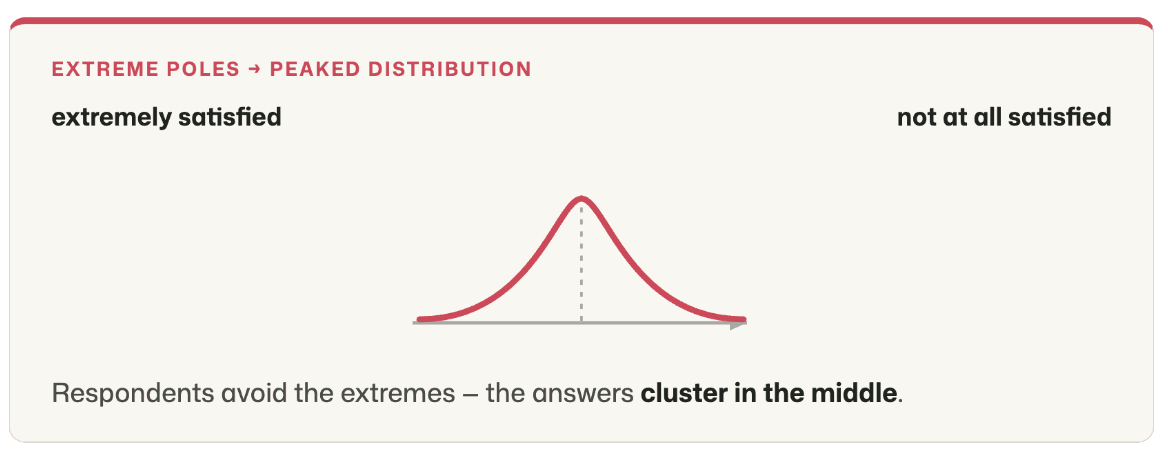
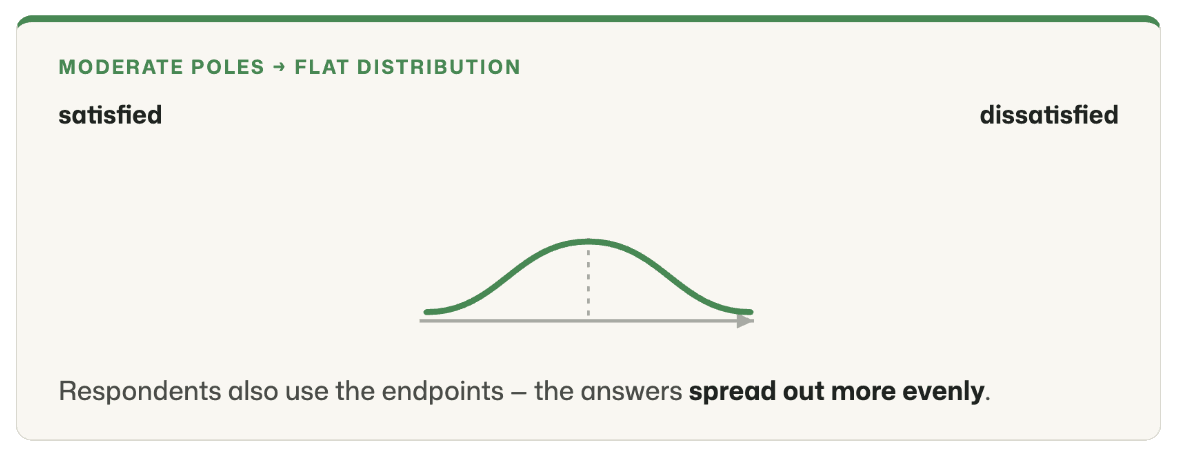
- **Extremely worded poles** (e.g. "extremely satisfied" vs. "not at all satisfied") usually produce a **more peaked response distribution**, since respondents choose the extreme response options less often and their answers cluster more toward the middle.
- **More moderately worded poles** (e.g. "satisfied" vs. "dissatisfied"), by contrast, lead to a **flatter response distribution**, since respondents have fewer inhibitions about using the outermost scale points. This allows for a more differentiated distribution of answers along the entire scale.
**Which variant you choose depends on your research goal:**
- If you want to make differences of opinion visible and provoke as clear-cut positions as possible, moderate poles are advisable (flatter distribution).
- If, on the other hand, you want to sharply delineate extreme opinions and surface only clear, strong positions, you should choose extreme poles (more peaked distribution).
So weigh carefully which distribution fits your survey goals.
## The curious history of Likert scales
Originally, the Likert scale was developed to **measure attitudes**. In the 1930s, psychologists began to grapple with the question of how one could even measure abstract constructs like attitudes.
The central problem: **attitudes are invisible and not directly observable**. People can have quite different reasons for liking or rejecting an object — such as taste, appearance, or personal experiences. To make these individual assessments **comparable**, a systematic approach was needed.
This is exactly where the American psychologist **Rensis Likert** came in with an idea as simple as it was ingenious: he proposed splitting the attitude toward an object into several individual aspects, or so-called **dimensions**. For each of these dimensions he formulated a statement. Respondents were then to indicate **the extent to which they agreed with these statements** — typically using a five- or seven-point scale.
The individual answers were then **aggregated into an overall score**, which yielded a uniform and therefore comparable measure of a person's attitude — regardless of which dimensions a given person weighted especially heavily.
**A simple example:** The attitude toward an apple might be composed of dimensions such as **taste, appearance, smell, juiciness, color, variety, shape, or size**. All these aspects together form the so-called **latent construct** "attitude toward the apple."
Likert's great achievement, then, was not the development of a rating scale as such — such scales existed long before him — but the idea of **measuring attitudes through several statements about different facets of an object and aggregating them**. The central challenge with this approach was (and to this day remains) selecting, from the multitude of possible statements, precisely those best suited to actually capture the latent construct. This process is called **scale construction and validation**.
With this, Likert effectively opened the way to **measuring latent constructs with so-called multi-item scales**. He set off a veritable wave of new measurement methods with which researchers began to measure the most varied latent constructs — from **job satisfaction** through **brand image, trust, loyalty, and engagement** all the way to personality traits **or societal attitudes**.
Over time, moreover, it was no longer only agreement scales that were used; ratings such as **importance, probability, preference, or frequency** also became established.
**Curiously**, in the process the term "**Likert scale**" has, in common usage, detached itself from Likert's original idea — namely multi-item measurement with an agreement scale — and today refers above all to the rating scale itself, that is, the response format.
So today we live with the peculiar fact that what we usually call a **Likert scale** is not at all what was originally meant by it.
**By the way**, Likert's original work appeared in 1932: Likert, R. (1932). [A technique for the measurement of attitudes.](/assets/papers/likert-1932-original.pdf) *Archives of Psychology*.
Date: 04/10/2025
Author: Dr. Paul Marx
This text is protected by copyright. All rights reserved.
You might also be interested in:
- [List of common Likert scales](/blog/common-likert-scales)
- [Aggregation of multi-item (Likert) scales](/blog/aggregating-multi-item-likert-scales)
## Related articles
- [common-likert-scales](/blog/common-likert-scales)
- [aggregating-multi-item-likert-scales](/blog/aggregating-multi-item-likert-scales)
*Author: Dr. Paul Marx — see [About](/about).*
---
# https://questionstar.com/blog/order-effects-in-surveys/
---
url: "https://questionstar.com/blog/order-effects-in-surveys/"
title: "Avoiding order effects in surveys — QUESTIONSTAR"
description: "Primacy-recency, halo effect, dropout effects: which order effects distort data in online surveys, and how to counter them through the design of your questionnaire."
lastmod: "2026-07-08"
type: "blog"
---
# Order effects in surveys — what they distort and how to avoid them
*In what order do you ask your questions — and what biases arise when that order isn't right?*
Two questionnaires with identical content can lead to different results — purely because of the order of the questions. Order effects are well documented in survey research and affect both dropout rates and the validity of the answers. Which effects exist, and how to counter them.
You've built a carefully worded questionnaire — and you're getting data that doesn't match your expectations. Before you start doubting your wording or your target group, it's worth taking a look at the order of your questions. Order effects are among the best-documented and most frequently underestimated sources of systematic bias in online surveys.
Research distinguishes two families of order effects. One raises the dropout rate: respondents leave the survey before they've completed it. The other distorts the answers: respondents stay, but give different answers than they would have with a different arrangement. Both families are avoidable — if you know what to look for.
## Why order distorts in measurable ways
The order of the questions is not neutral. Every question creates a cognitive context that influences the questions that follow. A question about stress at work, followed by a question about general life satisfaction, systematically yields lower satisfaction scores than the reverse order. These biases are not small: shifts of 10 to 30 percentage points are documented in the methodological literature.
The same applies to the dropout rate. An opening question that is too difficult or too personal means that a considerable share of respondents never even begins. Anyone who sees only gaps here misses the real problem: the missing answers aren't randomly distributed but systematic — and thus a methodological risk to the representativeness of the entire sample.
## Dropout effects: why respondents leave early
Dropout effects arise when the arrangement of the questions overwhelms respondents emotionally, cognitively, or in terms of time. Four patterns come up especially often in practice.
### The opening question
The first question decides the success or failure of a survey disproportionately often. Within the first 30 seconds, the respondent decides whether they take the survey seriously, whether the questions appeal to them, and whether they consider the effort worthwhile. If the opening question is too personal, too difficult, or simply uninteresting, the dropout rate jumps sharply.
> 💡 **Why the first 30 seconds decide the dropout rate**
>
> Whoever starts an online survey has invested nothing yet. No coming, no journey, no appointment. The only barrier to leaving a survey already begun is the inner impression: "this seems worthwhile." That impression forms mostly at the first question.
>
> After that, a second mechanism kicks in, which behavioral research calls the sunk cost effect: those who have already invested time are reluctant to give up. Rule of thumb from practice: after the first five questions, the probability of dropping out is markedly lower. But that also means: in exactly these first questions it is at its highest — and this is precisely where the design should be most careful.
### The wrong order of information types
In most surveys, three kinds of information are collected. Substantive information — the actual questions the survey is about. Classifying information — demographic characteristics such as age, gender, education. Identifying information — contact details, in case the survey is anonymous with optional follow-up.
The optimal order is: substantive → classifying → identifying. The reason is simple: engage respondents on substance first, let them feel that their opinion matters — then they'll be willing to add a few demographic details at the end. Start instead with age, gender, and postal code, and you signal: "This isn't about you, this is about sorting you" — and you lose exactly the respondents you actually wanted to win over.
From practice: whoever starts with demographics has almost always already lost. The dropout rate in the first three questions is the critical metric of any online survey — and demographics at the start are one of the most reliable dropout drivers there is.
So: demographics at the end. In the worst case you lose the classification — but you've already gathered the substantive core in the first questions. In the best case you get both, because by then respondents are far enough into the survey that the barrier to dropping out is higher than the barrier to filling in the demographics. A decision with no downside scenario — rare enough.
### Difficult questions at the start
Complex, cognitively demanding, or emotionally unpleasant questions don't belong at the start. A six-point scale with a double negative, a question about income or political attitudes, an open question with a high expectation of the length of the answer — all of these work considerably better in the middle section of the survey. There, respondents are already engaged and the cognitive willingness to make an effort is higher.
### Illogical arrangement
When, from the respondents' perspective, the questions follow no comprehensible thread, participation drops. Jumps between topics, abrupt shifts in tone, or obvious logic errors — for example a brand question after a respondent has denied the preceding ownership question — create irritation. Irritation is a reliable harbinger of dropout.
## Bias effects: why answers deviate systematically
Bias effects are subtler than dropout effects — and in many respects more problematic. The survey gets completed, the data looks complete, but it doesn't measure what it's supposed to measure. Three mechanisms are particularly well established in online survey research.
### Primacy and recency effects
With multiple choice questions, the first and last answer options are chosen disproportionately often. The effect is well documented and appears in two variants: with visual presentation (online, paper), the primacy effect dominates — the first options are preferred. With auditory presentation (telephone interviews), the recency effect dominates — the last options are preferred because they are still in short-term memory.
The bias can be substantial. Studies show that in online surveys the first answer option is chosen 5 to 15 percentage points more often than corresponds to its actual position in the preference distribution. With scale questions that have many response levels, the effect can shift entire distributions.
### Halo effect between questions
A preceding question colors the one that follows. Someone asked first about the risks of a technology and then about their assessment of that technology answers, on average, more skeptically than someone shown the reverse order. The mechanism isn't manipulation in the narrow sense — it's an entirely natural consequence of human information processing: recently activated content is more strongly present in working memory and influences subsequent judgments.
> A classic example from the research: the question "How satisfied are you with your life?" systematically yields lower scores when it comes after a question about work-related stress, and higher scores when it comes after a question about close friendships. Schwarz and Strack (1991) quantified the effect experimentally: the shift can amount to one or two scale points on a seven-point scale.
### Biased questions
Related to the halo effect, but located within a single question: a question is worded so that an argument or a judgment is already built in. "Should speed limits be introduced, even though they restrict individual freedom?" yields different agreement scores than "Should speed limits be introduced to reduce traffic fatalities?" The substantive core of the question is identical — the framing is not.
## How to avoid order effects
Order effects can't be fully eliminated — they are a property of human information processing. But they can be reduced considerably with eight field-tested measures.
### Eight measures for clean questionnaire architecture
1. **A simple, neutral opening question.** A question that is quick to answer, embarrasses no one, and directs attention to the topic. Rule of thumb: if the question takes longer than ten seconds, it's too hard for position one.
2. **Information types in the right order.** Substantive questions first, then demographic ones, and last — if at all — identifying details. Start with the postal code, and not infrequently you never even capture any answers.
3. **Difficult questions in the middle section or at the end.** Complex scales, sensitive topics, open answer fields with long responses — anything that means effort — doesn't belong at the start.
4. **A clear thread and topic grouping.** Questions on the same topic area stay together. Transitions between topics are marked with a short note. Jumps without preparation create irritation.
5. **Use display and skip logic.** Someone who has indicated they don't own a smartphone shouldn't see the follow-up question about smartphone brand. QUESTIONSTAR provides this logic by default — without it, illogical arrangement becomes a cause of dropout.
6. **Randomize the order of the answers.** With multiple choice questions, the answer options are shown to each respondent in random order. This spreads the primacy effect evenly across all answer options and cancels it out in aggregation.
7. **Physical distance between halo-relevant questions.** If two questions could influence each other, place other questions in between. Not elegant, but effective: the further apart two questions are, the less the first affects the second.
8. **Funnel approach: from the general to the specific.** General attitude questions first, concrete detail questions after. This keeps a specific question from steering the general assessment in a particular direction.
> 💡 **Randomization in practice**
>
> In QUESTIONSTAR you enable answer randomization per question with a single setting. The system remembers the order in which the answers were shown to which respondent, and delivers the original order in the raw data — in case you want to analyze post hoc whether position influenced the probability of an answer.
>
> Important: don't randomize everything. Answer options with an inherent order — such as Likert scales from "does not apply at all" to "fully applies," or age groups — stay in their natural sequence. Randomization with scale questions would disrupt cognitive processing and lower data quality rather than improve it.
## Conclusion
Order effects are not a marginal phenomenon. They operate in nearly every online survey and can considerably undermine the validity of the results. The good news: they can be controlled with manageable effort. Anyone who consistently applies the eight measures above has most of the typical biases under control.
For methodologically especially sensitive studies — for instance if you want to publish with the data or make strategic decisions — an additional step is advisable: a split-half design. You create two variants of your questionnaire with different question orders, randomize the assignment of respondents, and compare the results. If the difference is substantial, you've identified an order effect. If it's small, you can publish with greater confidence.
## Sources
- Malhotra, Naresh K., and David F. Birks: *Marketing Research. An Applied Approach*. 4th edition. Pearson Education, 2017.
- Schumann, Siegfried: *Repräsentative Umfrage. Praxisorientierte Einführung in empirische Methoden und statistische Analyseverfahren*. 7th edition. De Gruyter Oldenbourg, 2019.
- Schwarz, Norbert, and Fritz Strack: *Context Effects in Attitude Surveys: Applying Cognitive Theory to Social Research*. European Review of Social Psychology, 2 (1), 31—50, 1991.
- Bogner, Kathrin, and Uta Landrock: *Antworttendenzen in standardisierten Umfragen*. GESIS Survey Guidelines. Mannheim: GESIS Leibniz-Institut für Sozialwissenschaften, 2015.
## Related articles
- [writing-good-survey-questions](/blog/writing-good-survey-questions)
- [likert-scales-explained](/blog/likert-scales-explained)
- [aggregating-multi-item-likert-scales](/blog/aggregating-multi-item-likert-scales)
*Author: Dr. Paul Marx — see [About](/about).*
---
# https://questionstar.com/blog/product-update-raw-data-export-auto-reports/
---
url: "https://questionstar.com/blog/product-update-raw-data-export-auto-reports/"
title: "Important updates: Raw Data, export, automatic reports"
description: "Three tools we've wanted for a long time have arrived. The toolbox is a little fuller again."
lastmod: "2026-07-08"
type: "blog"
---
# Important updates: Raw Data, export, automatic reports
Three tools we've wanted for a long time have arrived. The toolbox is a little fuller again.
*Dear QUESTIONSTAR users,*
*You asked us for new features, and we've built them for you. Starting today, you can do even more directly in QUESTIONSTAR — and keep even better track of your survey and how far along its responses are.*
*Along the way, a few things about how the tool works have changed. This blog post is about those changes.*

Now, one thing at a time:
## 1. New "Raw Data" view
You could already view individual respondents' answers in tabular form before. To do so, you had to export respondents' answers from QUESTIONSTAR and then reopen and analyze them in Excel or SPSS.
Now it's even easier: you can view respondents' answers directly online and even edit them when needed — for example, to
- correct faulty entries and typos,
- delete test responses and unsuitable data records,
- mark incomplete responses as completed so they're included in the results reports.
This new view is logically linked to the "Analyze Results" view you're already familiar with. That view now has a button at the top that lets you switch back and forth between the two views, "Analyze Results" and "Raw Data". To view the raw data or work with it, simply click this button:
To get to the "Raw Data" view, open the "Analyze Results" view and click the "Raw Data" button at the top.

The "Raw Data" view is largely self-explanatory: you see a table in which each row corresponds to a respondent and each column to a question. Each cell therefore holds a respondent's answer to a particular question.
Besides viewing individual respondents' answers, in this view you can
(1) **edit respondents' answers**, for example to fill in missing data or correct typos. Simply click the pencil icon in the relevant cell. Depending on the question type, you can then either select the correct answer from a dropdown select or adjust the answer text.
(2) **Add Case**, for example to enter a respondent's data into the questionnaire manually. This is especially handy for short questionnaires. For longer questionnaires, it would be easier to open the questionnaire and enter the respondent's answers directly into it.
(3) **search or filter answers.** With the help of the filter function, you can find questionnaires with particular answers more quickly. Simply enter the answer(s) you're looking for into one or more fields in the table header. The table then changes automatically and shows only those cases that match the filter criteria.

(4) **switch between (in)complete responses.** Incomplete responses are not included in the results reports. Their data is always saved, however, and may contain valuable information for the survey. You can now display the incomplete data records and, if needed, mark some of them as completed so they're taken into account in the overall analysis. Likewise, you can mark unsuitable or faulty complete responses as not completed so they no longer interfere with the analysis.
(5, 6) **perform operations on multiple rows.** If you want to delete several responses at once or mark them as (in)complete, simply select the relevant rows (or all of them) and apply the desired operation to the selected rows with a single click of a button.
## 2. Moving the "Export answers" button
Since there is now a view dedicated specifically to raw data, the "Export answers" button has been moved from the "Distribute Survey" view to the more topically related "Raw Data" view.
To export your respondents' answers, go to the "Analyze Results" view and click the "Raw Data" button there. You'll then see the "Export answers" button in the top right corner above the raw-data table.

Otherwise, the button's function has stayed the same: when you click this button, you can choose whether you want the data in Excel, CSV, or SPSS format and download the data in that format.
## 3. Automatic creation and updating of the results report
To analyze your survey's data, you previously had to create a new report in the "Analyze Results" view and add descriptive statistics for all questions to it.
Many users found this approach too laborious. In addition, misunderstandings sometimes arose when the questionnaire was changed after the report had been created. In that case, the newly added questions weren't reflected in the report, and their analyses had to be added manually.
Now it's become even easier: the first report is generated automatically. From the start, this report contains descriptive statistics for all questions. The report also updates automatically when you edit your questionnaire (e.g. add or delete questions). This way, you always have the descriptive analysis of your entire questionnaire at hand.

It's still possible to create additional reports and fill them with analyses manually — for example, to include only certain questions in the report or to statistically analyze the relationships between the answers.
Please note that in manually created reports the "Automatic update" function is disabled by default. This way, your reports aren't affected by changes to the questionnaire and only ever contain the analyses you planned for the report.
You can turn the "Automatic update" function on and off at any time, however. To do so, use the switch of the same name in the top right corner of the report.
We hope you find these new features useful and that they make working on your survey projects even easier and more productive.
If you have further suggestions for improving our tool, just tell us — we'll be happy to build them for you!
Enjoy your online surveys!
Your QUESTIONSTAR team
## Related articles
- [aggregating-multi-item-likert-scales](/blog/aggregating-multi-item-likert-scales)
- [customer-surveys-overview](/blog/customer-surveys-overview)
*Author: Dr. Paul Marx — see [About](/about).*
---
# https://questionstar.com/blog/sample-size-calculator/
---
url: "https://questionstar.com/blog/sample-size-calculator/"
title: "Sample size calculator — calculate your sample size online"
description: "Free online calculator: enter population, confidence level and margin of error — and you get the number of participants you need."
lastmod: "2026-07-08"
type: "blog"
---
# Sample size calculator: calculate your sample size the easy way
*How many respondents do I need to survey for my results to be representative?*
How many respondents do I need to survey for my results to be representative? You can answer this question — and calculate the sample size — quickly and easily with the QUESTIONSTAR sample size calculator. This article explains, in plain terms, what each of the parameters you need actually means.
If you're interested in the math behind it, you'll find it on our technical page on [calculating sample size](/blog/calculating-sample-size). Here we focus on how to use the calculator in practice and on what the parameters you need to enter actually mean.
## The QUESTIONSTAR sample size calculator
With the sample size calculator, you can work out in a few seconds how large your sample needs to be for your survey results to be representative of the population you're studying. Choose a margin of error and a confidence level, enter the size of the population (if known) and the proportion of the characteristic you're studying (if known) — and you get the required sample size.
*[Interaktiv: Stichprobenrechner — siehe HTML-Version der Seite]*
The calculator is freely accessible, with no registration and no data storage. You can use it as often as you like — including for other people's projects.
## What do the calculator's parameters mean?
The calculator asks for four inputs. Two of them are required — margin of error and confidence level. The other two are optional: the size of the population and the proportion of the characteristic in the population. What exactly do these values mean?
### Margin of error
The margin of error (also called the tolerance for error) indicates by how many percent the value measured in your sample may deviate from the true value in the population. Values between 3% and 5% are common.
> For example: your survey finds that 60% of respondents prefer brand X. A margin of error of 5% then means that the true proportion in the population may deviate from your measured value by 5% up or down — so it lies between 55% (60% minus 5 percentage points) and 65% (60% plus 5 percentage points). This range is also called the confidence interval.
The smaller the margin of error, the larger the sample has to be — and the relationship is not linear but quadratic. Halving the margin of error quadruples the required sample size.
### Confidence level
The confidence level indicates the probability with which you want to be certain that the sample is representative of the population — that is, that the true value lies within the calculated range. 95% or 99% are common.
> A confidence level of 95% means: if you ran the survey 100 times, the result would fall within the stated margin of error in 95 of them. In 5 cases the true value would fall outside this range — and the survey results would then not be transferable to the population.For the example above, this means: we are 95% certain that the proportion of people who prefer brand X in the population lies between 55% and 65%.
Here, too: the higher the confidence level, the larger the required sample. For most practical applications, 95% is perfectly sufficient.
### Population size
The population comprises all the people whose opinions, attitudes or behaviors you want to represent in your survey.
> If the survey results are meant to be representative of your company's employees, the population size equals the number of all employees at your company. If the results are meant to apply to all of Germany, the population is roughly 83 million.
The smaller the population, the smaller the sample you need for a representative result.
In many cases the population size is not known. That's not a big problem: leave the field empty, and the sample size calculator will assume an infinite population. You'll then have to survey somewhat more respondents, but at the same time you have the assurance that the survey results are representative.
### Proportion of the characteristic in the population
Sometimes you know from earlier studies or general statistics how often a particular characteristic occurs in the population — for example, that roughly 30% of the population are vegetarians. If you know this proportion, you can enter it into the calculator and thereby determine the required sample size more precisely.
If you don't know the proportion, leave the field empty. The calculator will then assume 50% — the value that yields the largest required sample. That way you're on the safe side.
### Required sample size
The required sample size is the result of the calculation — it tells you how many respondents you need to survey at a minimum for your survey to be representative of the population.
Note: the required sample size is not the number of people invited, but the number of fully completed questionnaires. Since the response rate is rarely 100%, you usually have to invite considerably more people than the number of usable responses you need.
> It's a different matter if you survey fewer respondents than the required sample size demands. In that case you have no basis whatsoever for claiming that the statements from your survey also apply to the population. Neither the margin of error nor the confidence level can remedy this — if the minimum sample size wasn't reached, they are meaningless.
## Does my survey really have to be representative?
Representativeness is a demanding goal — and not always necessary. Before you launch the survey, it's worth considering whether your research question really calls for a representative sample, or whether it's enough for you to gather tendencies, hypotheses or individual opinions.
Representativeness makes sense when you want to make statements about an entire population — say, about all employees, all customers in a market or all students at a university. It matters less when you want to collect feedback or gather ideas and suggestions from your employees or customers, in exploratory studies where you're first developing hypotheses, or in qualitative surveys where the depth of the answers counts rather than their spread.
> Representativeness is necessary, for example, in market research studies that segment target markets, assess the reception of a new product or measure responses to advertising messages. Without representativeness, the survey results can't be transferred to the population — and you don't know whether the market actually responds the way your data suggest.The same applies to employee surveys ahead of a planned restructuring, and especially to opinion polls and electoral research — here representativeness is the prerequisite for sound conclusions.
A representative sample requires not only the right size but also the right composition. If, for example, you want to measure employee satisfaction at a company but only survey the staff of one branch, the sample — no matter how large — is not representative of the whole company. The selection method is at least as important as the count.
## How can I calculate the sample size myself?
If you want to understand the calculator and follow the math behind it yourself, you'll find all the formulas, variables and worked examples in our technical article on [calculating sample size](/blog/calculating-sample-size).
In brief: for infinitely large populations we use Cochran's formula n = z² · p · (1 − p) / E². For finite populations, a correction is added that adjusts the sample size downward. The variables z, p and E correspond to the confidence level, the characteristic proportion and the margin of error — that is, the inputs the calculator asks you for.
## Related articles
- [calculating-sample-size](/blog/calculating-sample-size)
- [finding-survey-respondents](/blog/finding-survey-respondents)
- [survey-research-basics](/blog/survey-research-basics)
*Author: Dr. Paul Marx — see [About](/about).*
---
# https://questionstar.com/blog/survey-research-basics/
---
url: "https://questionstar.com/blog/survey-research-basics/"
title: "Principles of Survey Research — Lecture Notes"
description: "Complete lecture notes on survey research — from scaling to questionnaire design to data analysis. Seven chapters with an interactive viewer. Free."
lastmod: "2026-07-08"
type: "blog"
---
# Principles of Survey Research
*What do I need to know before I launch my first survey?*
Seven building blocks. That's all you need to get started. Here we stack them from the bottom up.
*In these lecture notes you'll get to know every aspect of survey research. Starting with the elementary foundations, moving through questionnaire development, sampling and data analysis, all the way to reporting and presenting your results.*
*[Interaktiv: — siehe HTML-Version der Seite]*
## 1. Introduction
What market research is, what surveys are good for — and what they're not. An overview of the core concepts and the map of market research.
- 1.1 Market Research and Surveys
- 1.2 Typology of Market Research
## 2. Survey: Measurement and Scaling
How to make opinions, attitudes and latent constructs measurable. Comparative and non-comparative scales, reliability and validity.
- 2.1 Introduction
- 2.2 Comparative Scales
- 2.3 Non-Comparative Scales
- 2.4 Latent Constructs
- 2.5 Reliability and Validity
## 3. Questionnaire
The hands-on work at the item level. How to phrase questions, increase willingness to respond, and order your questions sensibly.
- 3.1 Asking Questions
- 3.2 Handling Inability to Answer
- 3.3 Handling Unwillingness to Answer
- 3.4 Increasing Willingness to Answer
- 3.5 Question Order
- 3.6 What Comes Next?
## 4. Sampling
Who you survey and how many. Random and non-random samples, when each one fits — and how to calculate the sample size you need.
- 4.1 Non-Random Samples
- 4.2 Random Samples
- 4.3 Choosing Between Random and Non-Random Samples
- 4.4 Sample Size
## 5. Data Analysis — Statistical Techniques
What the answers mean. An overview of descriptive and inferential statistics — from simple frequency counts through crosstabs to hypothesis testing.
- 5.1 Descriptive Statistics: Displaying and Presenting Data5.1.1 Summarizing Qualitative Data5.1.2 Summarizing Quantitative Data5.1.3 Numerical Summary of Data5.1.4 Crosstabs
- 5.2 Inferential Statistics: Can the Results Be Generalized to the Population?5.2.1 Hypothesis Testing5.2.2 Strength of Association in Crosstabs5.2.3 Relationship Between Two (Metric) Variables
## 6. Advanced Techniques of Market Research
Conjoint analysis, market simulations, segmentation and perceptual maps. Tools for questions that go beyond standard statistics.
- 6.1 Conjoint Analysis
- 6.2 Market Simulations
- 6.3 Segmentation
- 6.4 Perceptual Maps
## 7. Reporting Results
The final step: presenting findings so they're understood and used.
*You'll find the complete lecture notes on [our lecture-notes page](/principles-of-survey-research/). You're welcome to use them in your own events, courses and seminars — please note the license notice on the last slide. They're distributed under the Creative Commons Attribution-NonCommercial-ShareAlike license.*
## Related articles
- [likert-scales-explained](/blog/likert-scales-explained)
- [calculating-sample-size](/blog/calculating-sample-size)
- [how-to-write-your-thesis](/blog/how-to-write-your-thesis)
*Author: Dr. Paul Marx — see [About](/about).*
---
# https://questionstar.com/blog/the-chi-square-test/
---
url: "https://questionstar.com/blog/the-chi-square-test/"
title: "Chi-square test in online surveys: testing associations — QUESTIONSTAR"
description: "When do you use the chi-square test? A methodological guide with crosstab, expected frequencies, calculation and interpretation using an example."
lastmod: "2026-07-08"
type: "blog"
---
# The chi-square test — testing associations between categorical variables
*When do you use the chi-square test — and why doesn't the t-test work here?*
When you want to know whether two categorical variables are associated — gender and brand preference, education level and voting behavior, location and customer satisfaction — the chi-square test is the right tool. Here's the methodology with a concrete example.
In surveys we often collect categorical data — gender, age group, education level, brand preference, voting choice, place of residence. The obvious question in analysis is often: are two of these variables associated? Do men really prefer Brand A more often than women? Does place of residence correlate with voting preference? This is where the chi-square test comes in.
> 💡 **Categorical (nominal) vs. metric data — the crucial difference**
>
> Categorical data — often also called "nominal" — assign observations to classes: gender (male/female/non-binary), brand preference (Brand A/B/C), region of residence, color preference. When you assign numbers to these classes (man = 1, woman = 2), those numbers are pure labels, not values. "Woman = 2" is not "more" than "man = 1" — means are meaningless, "greater than" comparisons impossible. Metric data, by contrast — age, income, Likert sum scores — have real magnitude relations: "40 years" is objectively more than "30 years." Statistical tests are tailored to one of these two worlds. The t-test needs metric data (after all, it compares means). For categorical data there's a dedicated method — the chi-square test.
Unlike the t-test, which compares means, the chi-square test examines frequencies. If you've collected two variables each in categories, you can use a crosstab to calculate whether the observed frequency distributions deviate from statistical chance.
## What does the chi-square test examine?
The logic is surprisingly simple: you count how often each combination of two variables actually occurs, and compare these actual frequencies with the frequencies you'd expect if the two variables were completely independent of each other. If the deviations are small, the variables are probably independent. If they're large, there's an association.
The chi-square value quantifies exactly this deviation. The larger it is, the more the observed frequencies deviate from the expected ones — and the less likely it is that this deviation arose purely by chance.
## Eligibility
Before you calculate, check three points. First, both variables must be categorical (nominal or ordinal — for continuous variables, use the [t-test](/blog/the-t-test) or correlation). Second, the observations must be independent: a person may appear only once in the table. Third, no cell may have an expected frequency below 5 — otherwise, with small samples or many categories, the test becomes unreliable. Rule of thumb: at most 20% of cells may have expected values below 5, and none may be at zero or below.
If the last requirement is violated, there are fallback options: combine categories (two sparsely populated age classes become one), exact tests (Fisher's exact test for 2×2 tables), or other methods.
## Step 1: Set up the crosstab
Imagine this: in a customer survey you asked 200 people whether they prefer our brand (Brand A) or the competitor brand (Brand B) — broken down by gender. The data look like this:
| Beobachtet | Männer | Frauen | Zeilensumme |
|------|------|------|------|
| Marke A | 52 | 38 | 90 |
| Marke B | 48 | 62 | 110 |
| Spaltensumme | 100 | 100 | 200 |
At first glance it looks as if men prefer Brand A and women prefer Brand B. But is this distribution systematic or simply sampling variation?
## Step 2: Calculate the expected frequencies
If gender and brand preference were actually independent, the frequencies would have to split proportionally to the overall distribution. 90 of 200 respondents prefer Brand A overall — that's 45%. If gender plays no role, 45% in each gender group would have to prefer Brand A.
**Expected frequency per cell**
```math
E_{ij} = \frac{R_i \cdot C_j}{N}
```
Here Rᵢ is the row total of the cell, Cⱼ the column total, and N the grand total. For the men–Brand-A cell: (90 × 100) ÷ 200 = 45.
The complete table of expected frequencies looks like this:
| Erwartet (bei Unabhängigkeit) | Männer | Frauen |
|------|------|------|
| Marke A | 45 | 45 |
| Marke B | 55 | 55 |
## Step 3: Calculate the chi-square value
For each cell you calculate the squared deviation of the observed from the expected frequency, divided by the expected frequency. Then you sum over all cells.
**Chi-square value**
```math
\chi^2 = \sum_{i,j} \frac{(O_{ij} - E_{ij})^2}{E_{ij}}
```
> 💡 **What chi-square measures — the idea behind the formula**
>
> Behind this formula lies a surprisingly simple idea. Each summand examines a single cell: how far does the actual value deviate from what we would have expected? In our table, 52 men prefer Brand A — we would have expected 45. The deviation is 7. That's the core of each cell.
>
> Around it come two tricks. First: we square the deviation. Not to make it look bigger — but so that a deviation of +7 in one cell and one of −7 in another don't cancel each other out when we add everything up at the end. Both are real deviations, both should count.
>
> Second: we divide by the expected frequency. Why? A deviation of 5 with an expected number of 5 is huge (twice what was expected). The same deviation of 5 with an expected number of 500 is almost nothing. This division makes deviations comparable across cells with differently sized expectations.
>
> Then we sum everything up — and get chi-square. What does the value tell us? If it were zero, the data would fit exactly the expectation that the two variables are independent. The larger it is, the further your observations deviate from that — and the less likely it is that this is just chance.
Here O stands for the observed and E for the expected frequency per cell. In our example: (52−45)² ÷ 45 + (38−45)² ÷ 45 + (48−55)² ÷ 55 + (62−55)² ÷ 55 = 1.089 + 1.089 + 0.891 + 0.891 ≈ 3.96.
## Step 4: Degrees of freedom and significance level
The calculated chi-square value alone is not yet meaningful — it must be compared with a critical value that takes two reference quantities into account.
**Degrees of freedom.** For a crosstab they are calculated as (number of rows − 1) × (number of columns − 1). For a 2×2 table like ours: (2−1) × (2−1) = 1 degree of freedom. For a 3×4 table it would be 6.
> 💡 **What degrees of freedom really are — a brief insight**
>
> "Degrees of freedom" sounds like statistics jargon — but they're quite concretely countable. The idea behind it: if the row and column totals of your table are already fixed, into how many cells can you still freely enter a number without something failing to add up at the end?
>
> In our 2×2 table, row 1 has a total of 90, row 2 a total of 110, and both columns have 100. Write the number 10 in the top-left cell — and everything else is immediately determined. The top right must be 80 (so row 1 comes to 90), the bottom left 90 (so column 1 comes to 100), the bottom right 20 (so the rest adds up). Only a single cell was truly free to choose — that's 1 degree of freedom.
>
> For a 3×4 table, 6 cells would remain free, the other 6 would follow automatically — hence the formula (3−1) × (4−1) = 6.
>
> Why this matters: the chi-square distribution looks different depending on the degrees of freedom. From a table with more cells, the value can become larger purely through chance effects — so the threshold beyond which one speaks of "significant" shifts with the table size. This is exactly why the statistics table lists a separate critical value for each degree of freedom.
**Significance level.** Usually 5% (that is, α = 0.05), and in particularly sensitive studies 1%. This is the accepted probability of error for wrongly rejecting the independence hypothesis.
> 💡 **What "5%" really means — the probability in plain terms**
>
> What do these 5% mean in plain terms? Imagine you run your survey a hundred times in a row — each time with different people, but under exactly the same conditions. And suppose that, in reality, there were no genuine association at all between the two variables.
>
> At a significance level of 5%, you would nonetheless "detect" an association in roughly 5 of these 100 runs — even though it objectively doesn't exist. Those are the random outliers we deliberately accept.
>
> With 1% it would be only about 1 in 100 runs — the test becomes stricter, but you then also need a stronger deviation in the data for anything to become significant at all.
>
> Which level you choose depends on the risk: for ordinary market research the usual 5% suffices; for clinical studies or legally relevant surveys you choose more conservatively.
> 💡 **What is the "critical value" — and where does it come from?**
>
> Where does this "critical value" actually come from? Statisticians long ago calculated a threshold for every possible combination of degrees of freedom and significance level.
>
> The idea behind it: if a chi-square value, under the assumption of independence, would be exceeded in only 5% of all random samples, then exactly this value is the "5% threshold." If your own calculated value lies above it, we no longer consider the result to be chance — and we speak of a significant association.
>
> Instead of recalculating this threshold for every setup, you simply look it up in the chi-square distribution table: the values have long been tabulated there for every degree of freedom and every common level. For 1 degree of freedom and α = 0.05, it reads 3.841.
>
> If your calculated chi-square value lies above it, you belong to the 5% of all possible samples that would look this extreme — even if in reality there were no association at all. You reject the assumption of independence and knowingly accept that in exactly these 5% of all repetitions you would be wrong with your statement.
In our example: 1 degree of freedom, α = 0.05 → critical value 3.841. Our calculated chi-square value of 3.96 lies just above it. The null hypothesis "gender and brand preference are independent" is rejected. There is a statistically significant association.
## Step 5: Assess the strength of the association
Statistical significance only tells you whether an association exists — not how strong it is. With large samples, even very small effects become significant. For the effect size, you use complementary measures:
**Phi coefficient** (for 2×2 tables) or **Cramér's V** (for larger tables). Values around 0.1 count as a weak association, around 0.3 as moderate, and from 0.5 on as strong. In our example, Cramér's V is roughly 0.14 — a weak association that, despite significance, should not lead to a marketing about-face.
> 💡 **What the effect-size values actually tell you — the idea behind them**
>
> What do these numbers actually tell us? The idea behind it: the higher the coefficient, the more one variable "reveals" about the other.
>
> With a value of 1, if you knew only the category of the first variable, you could predict the category of the second with 100% accuracy. Put differently: all men would choose a different brand than all women, a perfect separation.
>
> With a value of 0, knowing the first variable brings no advantage at all — the distribution of the second variable is identical in both groups, that is, pure independence.
>
> Values in between accordingly lie between "complete information" and "no information at all." So our Cramér's V of 0.14 says: knowing the gender helps us a little in predicting brand preference — but really only a little.
>
> Important: this statement applies to the specific sample you surveyed — not automatically to the entire population.
## When the chi-square test doesn't fit
The chi-square test is limited to two categorical variables. As soon as you want to examine more than two variables at once (gender × age group × brand preference), you need log-linear models. If one of the variables is ordinal and you want to factor in the ordering (rather than ignore it), consider the Mantel-Haenszel test or ordinal regression.
And as mentioned above: with small expected frequencies, switch to Fisher's exact test. It's mathematically more elegant, but computationally more demanding to analyze — modern statistics packages handle this automatically.
## Conclusion
The chi-square test is the standard tool for analyzing associations between categorical variables. It's methodologically simple, intuitively understandable, and available in any statistics software. What matters is not to treat it as the endpoint: significance alone says nothing about practical relevance. Only with a complementary effect size (phi, Cramér's V) does a complete picture emerge.
In QUESTIONSTAR you create crosstabs with two clicks right in the analysis view — the chi-square value, the p-value, and Cramér's V are calculated and displayed automatically.
## Sources
- Bortz, Jürgen, and Nicola Döring: *Forschungsmethoden und Evaluation für Human- und Sozialwissenschaftler*. 4th edition. Springer, 2006.
- Agresti, Alan: *An Introduction to Categorical Data Analysis*. 3rd Edition. Wiley, 2018.
- Field, Andy: *Discovering Statistics Using IBM SPSS Statistics*. 5th Edition. SAGE, 2018.
## Related articles
- [the-t-test](/blog/the-t-test)
- [aggregating-multi-item-likert-scales](/blog/aggregating-multi-item-likert-scales)
- [likert-scales-explained](/blog/likert-scales-explained)
*Author: Dr. Paul Marx — see [About](/about).*
---
# https://questionstar.com/blog/the-t-test/
---
url: "https://questionstar.com/blog/the-t-test/"
title: "The t-Test in Online Surveys: Comparing Means — QUESTIONSTAR"
description: "When do you use a one-sample, an unpaired, or a paired t-test? A methodological guide with examples, calculation, and interpretation."
lastmod: "2026-07-08"
type: "blog"
---
# The t-Test — comparing means the methodologically clean way
*When do you use a one-sample, an unpaired, or a paired t-test — and how do you read the result?*
The t-test checks whether a measured mean differs from an expected value, or whether two means differ from each other — methodologically clean and with a manageable amount of calculation. Here are the three most important variants, each with a concrete example.
The t-test is one of the most widely used statistical procedures in quantitative social research. It checks whether an observed difference between means is random or systematic. In market research, in employee surveys, in clinical studies — wherever two groups or a target-vs-actual comparison is on the table, the t-test is the obvious first choice.
Three variants are relevant in practice: the one-sample t-test (a mean against an expected value), the unpaired two-sample t-test (two independent groups), and the paired two-sample t-test (one group before/after). We'll go through them one by one.
## What does the t-test actually check?
At its core, the t-test answers a simple question: is the difference we see in the data large enough not to be explained by chance? Samples vary — even if the population were identical, two randomly drawn groups would show slightly different means. The t-test gives a probability that the measured difference is "just variation" and not a "real effect."
The logic behind it is hypothesis testing: we formulate a null hypothesis ("no difference"), calculate how likely our data would be if the null hypothesis were true, and decide on the basis of this probability whether to reject the null hypothesis.
## One-sample t-test: mean against target value
The one-sample t-test checks whether the mean of a single sample deviates significantly from a given expected value. Use cases in surveys: benchmark comparison (does our employee satisfaction deviate from the industry mean?), target-vs-actual comparison (does our CSAT score reach the defined target?), comparison against historical references (is the NPS in this wave above last year's median?).
> Concrete example: your management has set a goal that employees should identify with the company strategy on a scale from 1 to 5 — target mean 4.0. In this year's employee survey with 80 participants, the mean comes out at 3.7. Question: is the difference of 0.3 a genuine warning sign, or can it be explained by sampling variation?
The calculation runs in three steps. First, you calculate the mean of your sample and the standard deviation. Then you plug these values into the t-test formula:
**t-test (one-sample)**
```math
t = \frac{\bar{x} - \mu_0}{s \,/\, \sqrt{n}}
```
The numerator is the difference between the sample mean (x̄) and the expected value (μ₀). The denominator is the standard deviation (s) divided by the square root of the sample size (n). The result is the t-value — a standardized measure of the size of the deviation relative to the variation in the data.
> 💡 **What the t-test really compares — the idea behind the formula**
>
> It sounds like mathematics — but the idea is simple. The numerator (x̄ − μ₀) is the raw deviation: by how much does your measured mean deviate from the expected value? In our example: 3.7 instead of 4.0 — so 0.3.
>
> The denominator (s ÷ √n) is what's called the standard error of the mean. It answers the question: how much would the mean fluctuate by chance alone if you repeated the same survey several times with different people? With high variation in the data and a small sample, this fluctuation is large. With uniform answers and a large sample, it's small.
>
> By dividing the numerator by the denominator, we compare the observed deviation with the fluctuation we'd normally expect. So the t-value says: in how many standard errors does the difference we found lie? A value of 2 means: twice as far away as we'd expect by chance alone — already fairly suspicious. A value near 0 says: everything within the normal range of variation, no reason to worry.
Third, you compare the calculated t-value against a critical value from the t-distribution table. You'll find this critical value in any statistics formula collection — it depends on two quantities: the degrees of freedom (sample size minus 1) and the chosen significance level (usually 5% or 1%).
> 💡 **What do these 5% actually mean in plain terms?**
>
> Imagine you run your survey a hundred times in a row — each time with different people, but under exactly the same conditions. And suppose that in reality there were no difference at all between the sample mean and the expected value.
>
> With a significance level of 5%, you would nonetheless "detect" a deviation that looks statistically significant in about 5 of these 100 runs — even though it objectively does not exist. Those are the random outliers we deliberately accept.
>
> With 1% it would be only about 1 in 100 runs — the test becomes stricter, but you then also need a stronger deviation in the data for anything to become significant at all.
>
> Which level you choose depends on the risk: for an internal employee or customer survey the usual 5% is enough; for clinical studies or legally relevant surveys you choose more conservatively.
> 💡 **Where does this "critical value" actually come from?**
>
> Statisticians long ago calculated a threshold — the critical value — for every possible combination of degrees of freedom and significance level.
>
> The idea behind it: if, under the assumption of "no difference," a t-value would be exceeded in only 5% of all random samples, then that value is precisely the "5% threshold." If your calculated value lies above it, we no longer regard the result as chance — and we speak of a significant deviation.
>
> Instead of recalculating this threshold for each setup, you simply look it up in the t-distribution table: the values are long since tabulated there for every degree of freedom and every common level.
>
> If your calculated t-value (in absolute terms) lies above the table value, you belong to the 5% of all possible samples that would look this extreme — even if in reality there were no difference at all. You reject the null hypothesis and deliberately accept that you'd be wrong in exactly those 5% of all repetitions.
If the absolute value of your calculated t lies above the critical value, the deviation is significant — the null hypothesis "the identification value equals the target of 4.0" is rejected. If it lies below, the deviation is compatible with chance — no escalation needed.
> 💡 **What degrees of freedom mean in a t-test — a brief insight**
>
> In a t-test, "degrees of freedom" means something different than in a crosstab — but the idea stays similar. If the mean of your sample is already fixed, how many of your individual measured values could you still freely change without the mean tipping over?
>
> A small example: you have five measurements with a mean of 12. Say four of the five values are 10, 12, 11, and 13. Then the fifth value must be exactly 14 — otherwise the mean doesn't come out. So one "freedom" is used up by the fact that we know the mean. With n values, therefore, n − 1 degrees of freedom remain.
>
> In a two-sample comparison, two means are calculated from the data — so n₁ + n₂ − 2 degrees of freedom remain. In the paired test we work with the differences per person, and their mean is the only parameter — so again n − 1, where n is the number of pairs (not the individual measured values).
>
> Why this matters: the t-distribution looks different depending on the degrees of freedom. With small samples it's wider — the uncertainty is greater, so you need a stronger deviation before we speak of "significant." With large samples it becomes narrower and approaches the normal distribution — the threshold drops. That's exactly why the statistics table has its own row with different critical values for every degree of freedom.
## Unpaired two-sample t-test: two independent groups
The unpaired two-sample t-test compares the means of two independent groups — that is, groups whose members have nothing to do with each other. This is the most common variant in surveys: men vs. women, customers vs. non-customers, location A vs. location B.
> Example: you want to know whether customer satisfaction differs between your two branches in Berlin and Munich. You survey 120 customers per location and compare the means. Berlin: 4.1 out of 5. Munich: 3.8 out of 5. Is this difference of 0.3 systematic or sampling noise?
The formula is a direct extension of the one-sample case. The numerator is the difference between the two group means; the denominator is a weighted combination of both variations:
**t-test (unpaired, equal variances)**
```math
t = \frac{\bar{x}_1 - \bar{x}_2}{s_p \cdot \sqrt{\dfrac{1}{n_1} + \dfrac{1}{n_2}}}
```
Here sₚ is the so-called pooled standard deviation — the weighted average of the standard deviations of both groups:
**Pooled standard deviation**
```math
s_p = \sqrt{\frac{(n_1 - 1) s_1^2 + (n_2 - 1) s_2^2}{n_1 + n_2 - 2}}
```
Important: the unpaired t-test assumes that the variances of the two groups are similar (Levene's test or visual check). If the variances differ strongly, use the Welch correction, which uses the separate variations instead of the pooled standard deviation — many statistics packages do this automatically.
The degrees of freedom here are the sum of the two sample sizes minus 2 (n₁ + n₂ − 2). The rest of the analysis — calculate the t-value, pull the critical value from the table, compare — works identically to the one-sample case.
## Paired two-sample t-test: the same people before and after
The paired t-test is conceptually the most elegant: it doesn't compare two different groups, but the same group at two points in time. Before-after studies, pre-test/post-test designs, A/B tests with repetition — wherever each measurement can be matched to an earlier measurement.
> Example: you've introduced a new onboarding program for employees. Before the introduction, 60 new employees rated their onboarding experience on 1 to 5 (mean 3.2). After the program reform and six months of use, you repeat the survey with the same group of people (mean 3.9). Question: has the perception improved significantly, or is the difference noise?
Statistically, the paired t-test is actually a one-sample test on the differences: for each person you calculate the difference between the before and after value (d = x_after − x_before) and then check whether the mean of these differences deviates from zero. The formula:
**t-test (paired)**
```math
t = \frac{\bar{d}}{s_d \,/\, \sqrt{n}}
```
Here d̄ is the mean of all individual differences, s_d the standard deviation of the differences, and n the number of pairs. The degrees of freedom are n − 1 (as in the one-sample case), because here n is not the number of observations but the number of difference values.
This construction is methodologically cleaner than two independent tests, because the intra-personal differences are automatically factored out — a person who generally rates more critically compensates against themselves. The statistical power is therefore usually higher than in an unpaired test with the same number of cases.
## Judging the strength of the difference — Cohen's d
Statistical significance only tells you whether a difference exists — not how large it is. With very large samples, even tiny differences that are practically meaningless become significant. That's why, alongside the p-value, you always also report the effect size. For the t-test, the usual measure is Cohen's d:
**Cohen's d (effect size for the t-test)**
```math
d = \frac{\bar{x}_1 - \bar{x}_2}{s_p}
```
The numerator is the difference of the means, the denominator the pooled standard deviation. Unlike with the t-value, here you don't divide by √n — Cohen's d is independent of the sample size and describes the pure size of the effect. Cohen proposed the following rules of thumb: d ≈ 0.2 = small effect, d ≈ 0.5 = medium effect, d ≈ 0.8 or larger = strong effect. Important: these are conventions, not laws of nature — in many fields other thresholds apply.
> 💡 **What Cohen's d actually says — the idea behind it**
>
> Behind Cohen's d lies an intuitive question: how large is the difference between the groups, measured in "standard deviations of individual people"?
>
> At d = 0 the means lie exactly on top of each other — no effect. At d = 1 the difference is as large as one standard deviation of the data: a person from group A lies on average one whole typical unit of variation higher than a person from group B. That's a lot.
>
> Put differently: a small d-value means that the distributions of the two groups overlap strongly — you cannot reliably assign an individual person to one group or the other just because you know their value. A large d-value means strong separation — the groups are clearly distinguishable as distributions.
>
> In the Berlin-vs-Munich example above: 4.1 vs 3.8 with a typical standard deviation of about 1.0 gives d ≈ 0.3 — a small to medium effect. The difference is real (provided it's significant), but it doesn't justify a fundamental restructuring of the locations.
## Eligibility — when the t-test fits and when it doesn't
The t-test is robust, but not universal. There are three prerequisites you should check before applying it.
**First, the level of measurement.** The variable under investigation must be interval-scaled (that is, distances are interpretable — temperature, weight, income; Likert sum scores are considered sufficient). Pure frequencies or nominal values (gender, product preference) are unsuitable — here the [Chi-square test](/blog/the-chi-square-test) is the right partner.
**Second, the distribution.** The values should be approximately normally distributed. With a sufficiently large sample (n > 30 per group), the central limit theorem applies and the normality assumption may be relaxed. With small samples that have a skewed distribution, you're better off reaching for non-parametric alternatives — Mann-Whitney U for the unpaired comparison, Wilcoxon for the paired one.
**Third, independence of observations.** If you survey 30 employees of one department and 30 employees of another department, the observations within a department are not independent (shared supervisors, shared working conditions). Such cluster effects distort the t-test — multilevel analysis would be the clean way.
## Conclusion
The t-test is a tool for one concrete question: is the difference in means that I see statistically sound? In that specificity it's very good. But as soon as you want to compare categorical variables, examine relationships between several variables, or analyze more complex study designs, you need other procedures. Here the [Chi-square test](/blog/the-chi-square-test) belongs in the toolbox beside it — it takes over where the t-test leaves off.
In QUESTIONSTAR you calculate t-tests directly in the analysis view — the t-value, p-value, degrees of freedom, and an interpretation note appear automatically as soon as you select two means to compare.
## Sources
- Bortz, Jürgen, and Christof Schuster: *Statistik für Human- und Sozialwissenschaftler*. 7th edition. Springer, 2010.
- Field, Andy: *Discovering Statistics Using IBM SPSS Statistics*. 5th edition. SAGE, 2018.
- Schumann, Siegfried: *Repräsentative Umfrage*. 7th edition. De Gruyter Oldenbourg, 2019.
## Related articles
- [aggregating-multi-item-likert-scales](/blog/aggregating-multi-item-likert-scales)
- [likert-scales-explained](/blog/likert-scales-explained)
- [common-likert-scales](/blog/common-likert-scales)
*Author: Dr. Paul Marx — see [About](/about).*
---
# https://questionstar.com/blog/writing-good-survey-questions/
---
url: "https://questionstar.com/blog/writing-good-survey-questions/"
title: "Writing survey questions: 7 common mistakes — QUESTIONSTAR"
description: "Double-barreled questions, leading suggestions, implicit assumptions — the seven most common mistakes in writing survey items, with concrete before-and-after examples."
lastmod: "2026-07-08"
type: "blog"
---
# Writing questions — how an idea becomes a robust question
*How do you write questions that actually measure — and don't just look like they're asking?*
Most survey problems don't arise in the analysis module. They arise when the questions are written. Here are the seven most common mistakes in writing items — and a small checklist to help you catch them before the field phase.
A poorly written question produces poor data. That sounds obvious, but it's the underrated reality of survey research: respondents answer exactly what's written — not what the researchers actually wanted to know. When those two things diverge, the analysis is salvaged but the answer is worthless.
It pays to read through your items methodically before every field phase. What we've put together here is the order in which we do that in our own studies: first the framework of thinking, then the typical mistakes, and finally a short checklist.
## Before you write: the six W-questions
Before you even write a single question, clarify for yourself the six fundamental W-questions about the survey. It seems formal, but it saves a lot of time later:
- **Who** is being surveyed? — This determines language, readability, and technical vocabulary.
- **What** exactly do you want to measure? — The construct, not the item. Employee satisfaction is the construct; "I feel appreciated" is one of several items measuring it.
- **When** does the survey take place? — Before or after an event, in which life phase, in which mood?
- **Where** is the answer given? — On a smartphone on the go, on a desktop in the office, in a phone interview? This affects the length and complexity of every question.
- **Why** are you asking the question? — What decision is supposed to be made based on the answers? If you can't answer that, the question is unnecessary.
- **How** will the answer be used later? — Mean comparison, frequency analysis, correlation? This determines the level of measurement.
Anyone who doesn't answer these six questions in advance writes items that turn out to be useless for later analysis. The most common weak spot is the fifth — in practice, "why" is often answered with "because it would be interesting." That's not enough.
## Seven typical mistakes in writing questions
In our joint analyses with universities and mid-sized companies, we keep seeing the same seven types of mistakes. They're not random — they're the tripwires that catch everyone in the first draft. Knowing them helps you avoid them.
### 1. Double-barreled questions
A double-barreled question asks two things at once but allows only one answer. "Are you satisfied with the price and the service?" — someone who is satisfied with the price but dissatisfied with the service has no honest way to answer.
> 💡 **Before / After**
>
> Bad: "Are you satisfied with the price and the service?" — Better: two separate questions, one about the price and one about the service.
### 2. Leading questions
A leading question suggests the desired answer through word choice, order, or tone. Anyone who reads "Would you also agree that our new product represents a significant innovation?" already has the cue to the "correct" answer built into the sentence structure.
> 💡 **Before / After**
>
> Bad: "Would you also agree that the new product is innovative?" — Better: "How would you rate the new product compared to the previous version?" — phrased neutrally, without judgment in the question text.
### 3. Implicit assumptions
A question with implicit assumptions presupposes knowledge or an action you haven't verified. "How often do you buy our product?" — the question assumes that respondents even know your product and have bought it before. Someone who hasn't doesn't know how to answer, and often picks "rarely" — which distorts the analysis.
> 💡 **Before / After**
>
> Bad: "How often do you buy our product?" — Better: first a filter question "Have you ever bought our product?", then ask only the buyers the frequency question.
### 4. Hypothetical statements
Questions of the type "If X happened, what would you do?" yield unreliable data. What people *say* they would do systematically differs from their actual behavior. Hypothetical statements are sometimes the only option in the exploratory phase of a new concept — but as a prediction of behavior they're methodologically weak.
> 💡 **Before / After**
>
> Bad: "Would you buy a vegan product if we offered one?" — Better: ask about actual behavior ("Have you bought a vegan product in the last three months?") or run a concept test with a concrete stimulus rather than an abstract question.
### 5. Generalizations and vague frequency terms
"How often," "usually," "mostly" — frequency adverbs like these are interpreted very differently by different respondents. What one person considers "often" (once a week) is rare for another. This variability feeds directly into the data and makes comparisons unreliable.
> 💡 **Before / After**
>
> Bad: "How often do you use our service?" with answers "rarely / sometimes / often." — Better: concrete time windows "In the last 30 days: 0 / 1–2 / 3–5 / 6–10 / more than 10 times."
### 6. Technical jargon and abbreviations
Phrases that you and your colleagues use every day are often incomprehensible to outsiders. "Rate your experience with the CX touchpoint using NPS logic" makes marketing pros happy and puts off 80% of respondents. Rule of thumb: write for someone reading about the topic for the first time.
> 💡 **Before / After**
>
> Bad: "Rate your experience with our CX touchpoint." — Better: "How was your last contact with our customer service?" — the same information, phrased in everyday terms.
### 7. Unbalanced answer options
When the answer scale contains more positive than negative options, responses systematically drift in the positive direction — even when that doesn't reflect the actual opinion. This applies not only to Likert scales, but to any answer list with an evaluative character. More on this in our detailed article [Likert scales — five aspects](/resources/likert-scales-five-aspects).
> 💡 **Before / After**
>
> Bad: "very good / good / medium / poor" (three positive levels, one negative). — Better: "very good / good / neither nor / poor / very poor" (a symmetric scale with a midpoint).
## Checklist before the field phase
Before you put a survey online, go through each question one by one — ideally together with someone from the target group who wasn't involved in developing it. These eight points as a filter:
1. One question = one thing. No double-barreled constructions.
2. Linguistically neutral. No "also," "of course," "significant" in the question.
3. No implicit assumptions about respondents' knowledge or behavior.
4. Ask about actual behavior wherever possible, rather than hypothetical behavior.
5. Concrete time and quantity figures instead of vague frequencies.
6. Everyday language, no jargon, no abbreviations without explanation.
7. Symmetric answer scales with clear levels.
8. A pre-test with at least three people from the target group before the field starts.
The pre-test is the underrated step in this process. Even two hours with three test participants usually uncovers problems that would otherwise have cost hours or days in the analysis.
## Conclusion
Good questions don't come from talent, but from discipline. Anyone who answers the six W-questions in advance, knows the seven tripwires, and runs a short pre-test before the field has already avoided most of the later data problems. What remains — analysis, aggregation, interpretation — is then a different discipline.
If you're unsure whether a question holds up methodologically for a specific survey, write to us. We answer methods questions even without a contract.
## Sources
- Porst, Rolf: *Fragebogen — ein Arbeitsbuch*. 4th edition. Springer VS, 2014.
- Mummendey, Hans Dieter, and Ina Grau: *Die Fragebogen-Methode*. 6th edition. Hogrefe, 2014.
- Schnell, Rainer, Paul B. Hill and Elke Esser: *Methoden der empirischen Sozialforschung*. 11th edition. De Gruyter Oldenbourg, 2018.
## Related articles
- [likert-scales-explained](/blog/likert-scales-explained)
- [aggregating-multi-item-likert-scales](/blog/aggregating-multi-item-likert-scales)
- [common-likert-scales](/blog/common-likert-scales)
*Author: Dr. Paul Marx — see [About](/about).*
---
# https://questionstar.com/contact/
---
url: "https://questionstar.com/contact/"
title: "Contact — sales, support, data protection"
description: "Sales, support, data protection, press — straight to the right person. Reply usually the same working day, no ticket carousel."
lastmod: "2026-07-08"
type: "marketing"
---
# Contact — talk to us
Straight to the right person.
## Support
If you use QUESTIONSTAR and have a question — about setting up a survey, the analysis, or a bug. → [Open a support request](https://survey.questionstar.com/2f072e43?Language=en)
## Sales
If you’re wondering whether QUESTIONSTAR fits your project, need a quote, or want to evaluate an on-premises solution. → [Open a sales request](https://survey.questionstar.com/d21248f7?Language=en)
*The request form is itself a QUESTIONSTAR survey — so you’ll see our tool in action right away.*
## Prefer it direct?
Sometimes email or phone is simpler:
- **Support:** support@questionstar.com
- **Sales:** sales@questionstar.com
- **General:** info@questionstar.com
- **Phone:** +49 – 511 – 8564 3994
## Address
Motaev Marx Motaev GbR · Vahrenwalder-Str. 253 · 30179 Hannover, Germany
## Response time
We usually reply the same working day. More complex requests sometimes take longer — but we’ll get back to you. No automatic tickets, no bot replies.
## Data protection and security
Data protection, incident reports, DPA → support@questionstar.com with “GDPR” in the subject line. We respond within 72 hours. More details: [Security & data protection](/security/).
---
# https://questionstar.com/faq/
---
url: "https://questionstar.com/faq/"
title: "FAQ — QUESTIONSTAR"
description: "Answers on plans & payment, features, data protection & GDPR, team, integration, onboarding and methodology for the QUESTIONSTAR online survey tool."
lastmod: "2026-07-04"
type: "marketing"
---
# Häufig gestellte Fragen
## Plans & payment
**What are the differences between the plans?**
Our plans differ primarily in **two factors**:
- **Number of surveys running in parallel at the same time** — how many surveys you can have active at once.
- **Term** — monthly or annual subscription.
In addition:
- **Larger plans** include **user management** (custom roles, security policies, project groups).
- **Number of invitation emails per month** is set as a limit — not decisive for most use cases.
Functionally, **all survey features are identical in every plan** — plans differ in volume, Whitelabel branding and user management.
In the **free plan** there's one restriction: 1 active survey with up to 50 responses plus a subtle QUESTIONSTAR notice in the layout.
Details on the [Pricing page](/pricing).
**Which payment methods are accepted?**
- **Credit cards:** VISA, MasterCard, American Express, Discover, Diners Club, JCB, UnionPay
- **PayPal**
- **Bank transfer** (when ordering by invoice)
**Are my payments secure?**
Yes. All transactions on our website are encrypted. All payment providers through which we process your payments are **PCI DSS certified** and thus meet the highest security standards for online payments. We ourselves don't store credit card numbers or payment-provider credentials.
**Can I order by invoice?**
Yes. If your company can’t pay via the supported payment systems, you can order any plan by invoice. Select "Invoice" when choosing the payment methods.
You receive the invoice by email and in your profile under "My invoices". If you’ve entered a different billing email address, the invoice goes there. Your account is unlocked according to your chosen plan.
**Payment term:** 14 days from the issue date. On late payment, the account is downgraded to the FREE plan (all surveys except the most recently started one are stopped, access to respondent data is limited to 50 records). Once payment is received, the restrictions are lifted — you have to restart the stopped surveys yourself.
**How is an upgrade to a higher plan billed?**
When upgrading during a running license, only a **difference amount** is due: the unused but paid term of your previous plan is deducted from the price of the new plan.
The new license starts on the order date. On each subsequent renewal, the full price of the new plan applies (unless you’ve downgraded or canceled in the meantime).
**How is a downgrade billed?**
On downgrade, the current plan first applies until the end of its term. After that, the downgraded plan applies. The renewal charge is made accordingly on that date.
At the same time, surveys exceeding the downgraded plan's allowance are stopped — by **FIFO** (first-in-first-out): the surveys started first are stopped first, until the permitted number of simultaneous surveys is reached.
**How do I cancel my plan?**
In the **profile settings → "Plan and account usage" → "Cancel subscription"**. The plan applies until the end of the license term, then the account is transferred to the FREE plan.
In the process, all surveys except the most recently started one are stopped. The day after expiry, the FREE-plan restrictions take effect for the most recently started survey.
## Product features
**How many responses can I collect?**
In the **free plan:** one active survey with up to 50 responses. In the **Business plans**, currently no fixed limit per survey — tiered response volumes aren't part of the model. Functionally, all survey features are identical in every plan — plans differ only in volume, Whitelabel and user management.
**Do I need programming skills for customizations?**
No. Layout, colors, logos, personalization — all adjustable via the interface. An **HTML/CSS/JavaScript editor** is available in every plan, but isn't required.
**Do I need SPSS or R for the analysis?**
For many studies, no. Statistics (regression, t-tests, correlations, crosstabs) run in the browser. For special cases (factor analysis, clustering, structural equation models) you export the raw data as an SPSS, CSV or XLSX file.
**Can we run QUESTIONSTAR on our own servers?**
Yes, **on-premise** is possible — especially for larger organizations for which the online licenses aren't enough in volume. Get in touch and we'll check what fits your infrastructure: [sales@questionstar.com](mailto:sales@questionstar.com)
**Do respondents need an account?**
No. Respondents only need the link, QR code or embed. Account creation is for the survey owner — one time, free.
**Which channels can I distribute surveys on?**
Direct link, personal token links, QR code, embed in five modes (inline, button, tab, modal, bubble), social link with OG preview, email sending with personalization and reminders. One survey — all channels in parallel, one shared dataset.
Details on [/product-tour](/product-tour) (Step 3 "Distribute").
**Is there real-time analysis?**
Yes. Answers appear immediately in the dashboard — live counter without refresh. Charts show the current state of the collection at any time. Interactive live-voting setups (e.g. during a lecture or concert) are also possible. For very large events (thousands in parallel) please coordinate in advance.
## Data protection & GDPR
**Where is the data stored?**
By default in **Germany — the IONOS data centers in Frankfurt and Berlin**. GDPR-compliant by default, DPA included, no US sub-processor in the standard configuration. Hosting within the EU is available on request.
**Are you GDPR-compliant? Can we get a DPA?**
Yes, QUESTIONSTAR is GDPR-compliant by default. Compliance under **Art. 28** (processing on behalf), **Art. 32** (security measures) and **Art. 33** (incident notification) GDPR.
We provide a prepared **DPA (data processing agreement) as a PDF**. Download the document in the footer under "DPA", fill it in and send it to us at [support@questionstar.com](mailto:support@questionstar.com) — we countersign and send it back.
**What happens to my data if I cancel?**
Until the end of the paid term, you have full access. We recommend exporting all data and reports before the plan expires. After that, the account is downgraded to the free plan — the data is preserved, but only what the free-tier limits allow stays visible (one survey × 50 responses). On a later upgrade, full access is back.
If you want to delete everything immediately — the profile setting "Delete account": all data, including surveys and answers, is gone irreversibly. No support ticket needed.
**Can we prevent multiple responses?**
Yes. Selectable per survey: **cookie-based** (one browser, one response) or via a **personal token link** (one person, one response). Both have limits — we tell you which upfront.
**Who processes data besides QUESTIONSTAR?**
- **Hosting:** IONOS data centers Frankfurt and Berlin (Germany)
- **Email delivery:** SendGrid (Twilio Inc., USA — with standard contractual clauses and the EU-US Data Privacy Framework)
- **CDN:** Microsoft Azure Frankfurt for static assets
- Full sub-processor list in our privacy policy and on [/security](/security). For strict EU-only procurement, please coordinate in advance.
**Does it work with screen readers? Is QUESTIONSTAR accessible?**
ARIA tags are maintained throughout and tested in practice. Not every question type is equally suitable (sliders without steps are problematic). There's no formal WCAG certification.
## User management & team
**Can several people work on one survey?**
Yes. Share a survey with other users — **even in the free plan**. The invited person doesn't need to be a member of your account; they get access to exactly this survey with the rights you grant per person (12 granular rights plus an "administrator" switch).
In plans with **user management**, organizational tools come in: **project groups** (share a survey with a whole group), **define your own roles** (Editor, translator, designer as templates; custom roles can be created), **security policies** (minimum password length, auto-logout) and an **activity log**.
**Can we use single sign-on (SSO)?**
Yes, configurable on request.
- **Company SSO:** any OAuth 2.0 / OpenID Connect identity provider — e.g. Microsoft Entra ID (formerly Azure AD), Google Workspace, Okta, Auth0 or your own IdP stacks.
- **University SSO via Shibboleth:** QUESTIONSTAR is a [Service Provider in eduGAIN and DFN-AAI](/university-sso). Connection to further federations via Shibboleth can be set up quickly on request. Details at [/university-sso](/university-sso).
- Get in touch: [sales@questionstar.com](mailto:sales@questionstar.com)
**Who is eligible to use the Academic plans?**
With our Academic plans we support academic and non-commercial use. To take advantage of them, sign up with an **email address of your college or university**.
We maintain a database of universities and colleges to verify eligibility.
Colleges and universities with our **campus license** let their staff and students use the Academic plans at no extra cost — if you sign up with such a university email, your account is upgraded automatically.
## Integration & migration
**Which tools can we integrate?**
- **Workflow automation:** Zapier, n8n, webhooks
- **Analytics & BI:** Google Data Studio, Microsoft Power BI
- **API:** complete REST API with Swagger documentation at api.questionstar.com
- **Panel integration:** universal connection to panel providers (quotas, callbacks, data flow)
- **AI:** MCP server for AI assistants
- Overview and guides: [/integrations](/integrations)
**Can we import existing Qualtrics surveys?**
Yes. **.QSF and .CSV** are imported directly. Existing logic, question types, answer options and data are carried over.
Guide: [/help/integrations/qualtrics](/help/integrations/qualtrics)
**Can we process or export the data further?**
Yes. Export raw data as **CSV, XLSX or SPSS (.sav)**. Reports as **Word, Excel, PowerPoint or PDF** — with real, editable Office charts. Pass data directly into other systems via **REST API and webhooks**. Native integration with **Data Studio** and **Power BI**. Automate data into thousands of external apps via **Zapier or n8n**.
**What happens automatically with a detractor (or other critical answers)?**
Conditional email notifications or webhooks can be configured per survey. Example: on an NPS score ≤ 6 → email to the sales team with the answer as payload. More complex conditions (several questions combined) and actions (webhook + follow-up question + redirect) are also possible. Closed-loop workflows in a CRM, helpdesk or Slack can be triggered directly.
## Demo, trial & onboarding
**Is there a free demo period?**
You use the **free plan indefinitely** — no time limit, no credit card. Functionally, all survey features are identical to the paid plans; the free-tier limits are one active survey with up to 50 responses and a subtle QUESTIONSTAR notice in the layout.
If you need more responses or full Whitelabel, you switch straight to a Business plan — no separate trial version needed.
**How can I order additional surveys or a larger license?**
If you need **more active surveys** than our highest plan allows, write to us: **[sales@questionstar.com](mailto:sales@questionstar.com)**. Together we'll find a suitable solution — from custom licenses to on-premise setups.
**Can I delete my account?**
Yes. In your account's **profile settings** you can delete it any time. In doing so, **all data is deleted irreversibly** — customer data, surveys, collected data, contact lists, images, layout templates and more. The deletion can't be undone. If you delete an active paid plan, no costs are refunded.
**Alternative:** downgrade to the FREE plan. All data is preserved, the account stays active under the free-tier restrictions. On a later upgrade, your data is still available.
## Methodology & study design
**How does pretest mode work?**
The survey runs realistically — **logic, timing, user flow**. Multiple testers at once are possible. Answers are **not saved** — the real dataset stays clean, n = 0 at study start. No data mixing, no filtering afterward.
**Are there industry benchmarks for NPS or other metrics?**
No. QUESTIONSTAR calculates your score, not your comparison to someone else's benchmarks. That's deliberate: external benchmarks often sound more helpful than they are methodologically — different sample structures, survey periods and scale formats usually make industry-wide comparisons unreliable.
We recommend using your own comparison values (previous period, your own segments).
**Can we set quotas?**
Yes. Set a **maximum** per answer option or respondent profile — by demographics, region, age group or your own logic. When the quota is full, you decide what happens: continue to the end of the survey, branch to another path, or politely decline.
Important for balanced samples in market research and academia, and for representative citizen surveys.
**What happens with many participants at once?**
Real-time analysis is smooth up to about **2,000 responses in parallel**. For larger collections (tens of thousands of participants in one time window) we recommend staggered invitations over several days — that keeps response times and server performance stable.
For very large events please coordinate in advance: [sales@questionstar.com](mailto:sales@questionstar.com)
**Can we share results publicly?**
Yes. Aggregated results can be **shared as an online report via link** — no login. Useful for transparency obligations in participation processes or public results communication.
Individual personal answers of course stay invisible in the process.
**What is the sample size calculator?**
A standalone QUESTIONSTAR tool for **planning the sample size** for a quantitative study — freely accessible, no registration, no data storage.
It calculates minimum sample sizes based on confidence level, margin of error, population size and expected variance. Available in the footer Resources column or directly: [/stichprobenrechner](/stichprobenrechner).
---
# https://questionstar.com/features/
---
url: "https://questionstar.com/features/"
title: "Features — everything a serious survey needs"
description: "Questionnaire editor with logic, custom branding up to Whitelabel, statistics with regression analysis, export to Word, Excel, SPSS. No paid add-on modules."
lastmod: "2026-07-08"
type: "marketing"
---
# Features
## Creating and editing questionnaires
- **Over 18 base types with 36+ variants**
- **Responsive editor** — Desktop and mobile devices.
- **WYSIWYG editor for questions** — Edit directly in the live layout, no separate input forms.
- **Rich editor for all texts** — Insert tables, images and videos.
- **Drag & drop** — Move survey elements around.
- **Automatic saving** — No “Save” or “Apply” clicks.
- **Undo / redo in the editor**
- **Audit trail** — See who started, stopped or deleted the survey, and when.
- **Search across question texts and answer options** — Jump straight to the right spot and keep editing.
- **Magic wand: scale library** — Agreement, importance, NPS, Likert, frequency and more — insert with one click.
- **Copy / paste for web content** — Paste text with images straight from the web, no HTML code.
- **Editing during live data collection** — Changes don’t affect data consistency.
- **Copy from another survey** — Take questions, blocks or pages from existing surveys.
- **Preview dev tools** — Show hidden questions, bypass validation, ignore skip logic — for pretests and debugging.
- **Page properties** — Required-toggle for whole pages, “mark as complete”, “end questionnaire” trigger per page.
## Design and branding
Whitelabel fully included in all Business plans. In the free plan and some Academic plans, a subtle QUESTIONSTAR notice stays visible.
- **13 layout templates** — Ready-made style templates — fonts, colors, images preconfigured. Presentable even without your own corporate design.
- **Add your logo** — Position left/center/right, size and background adjustable.
- **Your own colors and fonts** — Hex codes, Google Fonts, or upload your own font.
- **Custom domain** — feedback.yourbrand.com instead of survey.questionstar.com — as a paid add-on with DNS setup.
- **Responsive preview** — Preview on smartphone, tablet and desktop — see what respondents will see before the survey goes live.
- **Source code editor — HTML, CSS, JavaScript** — Available in every plan. Template engine with placeholders ({{template-title}}, {{progress}}, {{body}}, {{button-back/next}}) for clean integration.
- **Progress bar** — Shows completion progress — can be turned on or off.
- **Back button** — On or off, depending on your methodology.
## Distributing surveys
- **Direct link** — One public URL — shareable, permanent or time-limited.
- **Token links / personal links** — One unique link per recipient, single-use, with expiry date. Also as a short link for SMS, print or personal handover.
- **QR code** — As SVG and PNG, scalable without limits — from business card to poster.
- **Website embedding — 5 modes** — Inline, button, tab, modal, bubble. JavaScript embed with responsive heights (autoHeight / minHeight / maxHeight) and saveParentURL for context capture.
- **Social link with OG preview** — Title, description and preview image definable. OG tags ensure a clean preview in LinkedIn, X, WhatsApp or Slack.
- **Email sending** — With personalization and scheduling. Reminders go only to recipients who haven’t answered yet — those who finished get an optional thank-you instead.
- **Contact lists** — With opt-in and opt-out functionality. Import from CSV or maintain directly in the tool.
- **Email delivery report** — Sent, delivered and bounced counts per mailing.
- **Scheduler — fixed points in time** — Invitation three weeks ahead, reminder the day before, feedback the day after. Fixed dates, no relative triggers.
- **Quotas and screening** — Set a maximum per answer option or respondent profile. When the quota is full, you decide what happens: continue to the end of the survey, branch to another path, or politely decline.
- **Prevent multiple responses** — Selectable per survey: cookie-based (one browser, one response) or via personal token link (one person, one response).
### Panel provider integration
- **Quota system** — Up to 100 quotas per survey — for panel-provider studies with screener logic.
- **Complete / screenout / quota-full callbacks** — Three status-specific callback URLs per survey — the panel provider gets the right information automatically.
- **URL redirect at survey end** — Respondents land on a configurable target URL after finishing — e.g. the panel provider’s complete page.
- **Web-service call (webhook) at survey end** — Bulk-completion HTTP trigger — POST to an external URL with the response payload.
### Conditional triggers / closed loop
- **Conditional email trigger** — Condition met → email to defined recipients. With or without response payload.
- **Conditional webhook trigger** — Condition met → web-service call with response payload. For closed-loop workflows in CRM, helpdesk or Slack.
- **End-of-survey trigger** — Email + web-service POST + URL redirect — all combinable at survey end.
- **Stackable rules** — Multiple conditions with AND/OR. Multiple triggers per survey in parallel.
## Data collection
- **Open surveys** — Anyone can fill them in, no login.
- **Closed surveys** — Password-protected or via personal token links.
- **Returning-respondent detection** — Via cookie and personal link. Prerequisite for “pause + resume” and “prevent multiple responses”.
- **Pause and resume** — Respondents can continue later from the same spot — including back-navigation after resuming.
- **Schedule / availability window** — Survey active only in a defined time window — from–to date and time configurable.
- **Time limit per survey** — Maximum completion time per survey — e.g. for exam or test setups.
- **CAPTCHA for public surveys** — With customizable intro text / instructions. Anti-bot protection for open surveys.
- **Double opt-in for email address collection** — When you collect email addresses, automated confirmation via a verification link.
- **Accessible surveys** — Screen-reader support. All questionnaire elements labeled for blind respondents.
- **Save GPS location** — For field interviews. A map of interview locations can be generated in the analysis.
- **Audio recording** — For controlled experiments or field interviews during the survey.
- **Custom system messages** — Your own texts for error and system messages per survey.
### Multilingual surveys
- **Multilingual with AI translation** — Translation into 106 languages with AI support. The admin adds a language and reviews the translation. In the questionnaire, the respondent’s language is detected automatically — if it exists, it’s selected. Alternatively, a language-selection page can come first.
- **Custom labels per survey** — Override buttons, hints and error messages per survey — instead of the system default.
- **Translation tab in the survey settings** — Central management of all translations per survey.
- **Multilingual text analysis** — Responses in different languages, analysis consolidated into one target language.
### Kiosk mode / on-site surveys
- **Kiosk mode** — Survey in full screen — no browser navigation, no toolbar access. Suited for tablets in waiting rooms, at reception, or at events.
- **Auto-restart at the end or on inactivity** — After completion, or after a defined time without activity, the survey returns to the start automatically — ready for the next respondent.
## Data and analysis
- **Real-time dashboard** — Responses appear immediately. Live counter without refresh — the numbers are always current.
- **Overview of key indicators** — Completion by channel, 14-day trends, quota status, mailing statistics.
- **Interactive live voting** — E.g. during a lecture or concert — live voting with visible results.
- **Response rate** — Respondents who started vs. completed the survey.
- **Filters** — Analyze responses for a specific group — region, department, time period, answer cluster.
- **Crosstabs** — See differences and relationships between groups.
- **Custom variables** — Create variables from other questions’ answers — e.g. mean or sum of several items.
- **Tabular summary** — Count, percentage and cumulative percentage per answer option.
- **Descriptive statistics** — Count, min/max, median, variance, standard deviation per question.
- **Chart types** — Pie, bar, column, scatter, box, line, histogram, radar and treemap charts. With stacking by values and shares.
- **NPS gauge** — Built for NPS questions — promoters / passives / detractors shown in zones with a live score.
- **Heatmap visualization** — Heatmap-question results rendered as a heat layer over the original image.
- **Word cloud + TF-IDF tag cloud** — Frequency-based word cloud and weighted tag cloud for text questions.
- **Inferential statistics** — t-test (paired and independent), correlation (Pearson’s r, Spearman’s rho, Kendall’s tau), regression analysis — right in the tool, with significance levels reported.
- **Multi-report system** — Several separate analysis reports per survey on the same dataset — e.g. NPS deep-dive, sentiment snapshot, quarterly comparison.
- **Automatic updates for new questions** — The main report adds a new visualization automatically. In additional reports this is off by default (can be enabled) — those are usually meant for focused views.
- **Per-visualization export** — Export a single chart — not necessarily the whole report.
- **“Apply to similar charts”** — Bulk-edit visualization settings across several matching charts.
- **Report export** — Word, Excel, PowerPoint and PDF — with real, editable Office charts, not images.
- **Online report publishing** — Share reports via link, no login required.
- **Generate test dataset** — Create simulated responses to check report designs before live data collection.
- **Raw data export** — CSV, XLSX (Excel), SAV (native SPSS format including variable labels).
## Security
- **Encrypted data connection** — SSL / HTTPS for all connections.
- **GDPR-compliant** — DPA included.
- **Servers in the EU** — IONOS data centers in Frankfurt and Berlin.
- **Daily backups** — Automatic daily backups.
- **Server load balancing** — High availability through load balancing across several servers.
- **Separation of personal data** — Export survey responses and personal data separately — e.g. for data protection officers with their own access.
- **Anonymize IDs — with or without a key** — Respondent IDs are anonymized before export. Optionally with a key (for longitudinal studies) or without.
- **IP options — three levels** — Full IP / partially masked IP (first two octets removed) / don’t store IP. Selectable per survey.
- **“Once anonymous — stays anonymous”** — If a survey is defined as anonymous, that status can’t be revoked — not even by the owner. Only a new copy can have a different anonymity configuration.
### Security policies (user management)
Configurable per organization in plans with user management.
- **Minimum password length**
- **Minimum number of special characters**
- **Automatic sign-out** — Auto-logout after inactivity.
- **Activity log** — Visible: who started, stopped or deleted a survey, and when.
- **Company SSO** — Any OAuth 2.0 / OpenID Connect provider — Microsoft Entra ID, Google Workspace, Okta, Auth0 or your own IdP stack.
- **University SSO via Shibboleth** — Service Provider in [eduGAIN and DFN-AAI](/university-sso); details and setup process.
## Branching and display logic
- **Branching — jumps when leaving a page** — Conditional jumps (e.g. “if answer X → page Y”) or unconditional jumps (always to page Y after the current one). Multiple conditions combinable.
- **Display logic** — Show or hide a specific question, answer option or page depending on an answer. Works within a single page too.
- **Loops** — Ask a question or group of questions repeatedly — e.g. the same rating per speaker or product variant.
- **Piping** — Insert the text or value of a chosen answer into later questions, options or instructions — no code.
- **Required answers and soft reminders** — Per question: “strict” (no continuing without an answer) or “soft” (a hint on the first attempt, skippable after that).
- **Randomize answer options** — Random order with the option to pin certain elements (e.g. “Other” or “None of these”) to fixed positions.
- **Randomize questions within a page** — Random question order on a page — for effect control within question blocks.
- **Random selection from a question pool** — Show N questions randomly out of X available — useful e.g. in onboarding trainings or knowledge checks.
- **Randomize pages and page groups** — Random order at page level.
- **A/B tests** — Different question or page variants within the same survey — even random allocation.
- **Rule builder with AND/OR** — Combine multiple conditions. Condition sources: question answers, custom variables, URL parameters, scoring points, device type, custom fields from contact lists, and more.
## Dashboard
- **Survey project management** — A clear list of all surveys, filterable.
- **Folder organization** — Structure surveys in folders.
- **Data collection widgets** — Current status per survey as a widget — response counter, quota status, mailing statistics.
- **Trash / archive** — Deleted surveys move to the trash — recoverable before final removal.
- **Share a survey** — Share a survey with other users — even in the free plan. The invited person doesn’t need to be a member of your account; they get access with exactly the rights you grant per person.
- **12 granular rights plus an administrator switch** — From editing questions through layout, translation and mailing to report access and data export. Plus an “administrator” switch that enables all rights at once.
- **Project groups** — Share a survey with a group — all members get access automatically. Whoever joins later sees the existing surveys too.
- **Define your own roles** — Editor, translator and designer as templates. Create your own roles with their own rights profiles — matching your organization’s structure.
## Library
- **Images** — A library of uploaded images, reusable across surveys.
- **Files** — A library of uploaded files (PDFs, documents, audio).
- **Email texts** — Prewritten email texts, reusable for mailing campaigns.
- **Contact lists** — Lists of email recipients with custom extra fields (e.g. name, department, employee ID), reusable across surveys.
## Quiz scoring / test grading
- **Points per answer** — Assign points to each answer option — flexible per question. Combinable with branching logic and piping.
- **Automatic total** — The total score is calculated and displayed automatically.
- **Multiple point categories** — Points per answer can go into several categories at once — e.g. school subjects (literature, math, physics) or assessment dimensions (knowledge, confidence, speed).
- **Automatic grading** — Set thresholds — pass/fail or multi-level grading systems.
## Detailed feature list
Over 18 base types with 36+ variants. The list below shows the base types with their most important sub-variants. For detailed fine-tuning, see the Help Center.
### Simple question types
- **Info text** — Introductions, instructions, or presenting images and videos.
- **Single choice** — Single choice (radio buttons). Aligned vertically, horizontally, in rows or columns.
- **Multiple choice** — Multiple choice (checkboxes). Aligned vertically, horizontally, in rows or columns.
- **Dropdown list** — With import of long lists from CSV, XLS or XLSX files.
- **Text field** — Single-line text input.
- **Multi-line text field** — With a counter of entered / remaining characters and min/max limits.
- **Form** — Several text fields combined — e.g. for address entry.
- **Matrix** — Scale types: single choice, multiple choice, text fields, dropdown lists. Good for Likert scales.
- **Side-by-side matrix** — A matrix with several scales next to each other — e.g. usage frequency + rating of several products at once.
- **Semantic differential** — A bipolar scale between two terms — e.g. cold – hot, modern – traditional, formal – casual.
### Advanced question types
- **Sliders and bars** — Numeric sliders and bars — various visual modes.
- **Picture scale** — Smileys, hearts, stars and other symbols as a visual rating.
- **Constant sum scale** — Respondents distribute a fixed total (e.g. 100%) across several options.
- **Autocomplete** — A text field with search. Answer options importable from CSV, XLS or XLSX (like dropdown lists). Single or multiple selection, custom answers allowed.
- **Calendar** — Date and time selection.
- **Ranking** — Order answer options via drag & drop — e.g. by importance or preference.
- **Heatmap** — Respondents click a spot in an image — analyzed as a heat map.
- **Signature** — Respondents sign or draw a simple picture — e.g. confirmation of receipt.
- **File upload** — Respondents upload files, images, documents or photos straight from their smartphone — including the built-in camera.
- **Custom HTML/CSS/JavaScript** — Your own question format with a code editor (code highlighting).
- **QR and barcode scanner** — Respondents scan codes with their smartphone camera or an uploaded image. Codes are detected automatically and stored as decoded values.
## Selected question settings
- **Exclusive option** — “None of the above” — in multiple-choice questions, other answers are reset.
- **Additional “Other” text field** — With a customizable placeholder text.
- **Visual highlight for “no answer”** — Through color highlighting.
- **Mark as private data** — Private data can be exported separately from the rest — only users with the corresponding access (usually data protection officers) can do that.
- **Import longer lists from CSV, XLS or XLSX** — E.g. country, department or postal-code lists — just upload them.
- **Min / max number of selected options** — Configurable per question.
- **Min / max allowed input value** — For numeric inputs.
- **Answer validation** — The answer must match a specific format or fall within a number or date range. Custom error messages possible.
- **Strict required answer** — Respondents can’t continue without answering.
- **“Soft” required answer** — An error message appears first — on the second attempt, the question can be skipped anyway.
- **Preselected answer** — Answers can be preselected based on contact-list data, URL parameters, or by hand.
- **Customizable text-field placeholders** — E.g. “Please complete”, “Enter the date”, “Revenue in thousands of euros”.
- **Display mode per question** — Configurable per question — e.g. an NPS question as a button row or classic radio buttons / checkboxes.
- **Field prefix and postfix** — Fixed text before or after the input field — e.g. “€”, “km/h”, “Please:”.
- **Additional scale labels** — Anchor labels on numeric scales — clarifying the scale endpoints.
- **Inline question** — Adjacent questions shown side by side instead of stacked — a more compact display.
- **“Show in the report” — per-question toggle** — Include a question in the report or hide it.
- **Custom ID for JavaScript** — Your own HTML ID per question — for JS hooks and CSS selectors.
## Integrations with apps and services
- **API** — RESTful API with Swagger / OpenAPI documentation at api.questionstar.com.
- **API tokens** — Generate and manage tokens — each with its own name, deactivatable at any time.
- **Webhooks** — Closed-loop workflows with external services. Conditional and end-of-survey triggers — see “Distributing surveys”.
- **Zapier** — Connect to thousands of apps and services.
- **n8n** — Modern workflow automation.
- **Google Data Studio** — Direct access for analysis dashboards.
- **MS Power BI** — Direct access for analysis dashboards.
- **Migration from Qualtrics** — Import existing surveys directly — .QSF and .CSV. Logic, question types, answer options and data are carried over.
---
# https://questionstar.com/help/advanced-features/editing-surveys-together/
---
url: "https://questionstar.com/help/advanced-features/editing-surveys-together/"
title: "Editing surveys together"
description: "Learn how to share surveys in QUESTIONSTAR with teams or individual users and edit them together — including permissions management and labeling."
lastmod: "2026-07-08"
type: "help"
---
# Editing surveys together
## About editing surveys together
In many situations it makes sense for several people to work on a survey together — for example in project teams, when departments collaborate, or within research groups.
QUESTIONSTAR offers a simple and flexible way to do this: you can either share your survey within a project or working group, or specifically invite individual users to edit it together.
In this article you'll learn how to share your surveys with others, which options are available to you, and what to keep in mind when collaborating.
## Share a survey with your team
To share a survey with one or more project teams, proceed as follows:

1. In the dashboard, select the survey you want.
2. In the right-hand panel, under “Survey Tools”, click the “**Share with Team**” button.
3. In the dialog that opens, select the “**Share with groups**” tab (in some licenses this tab is preselected by default).
4. Select one or more groups you want to share the survey with.
5. Close the dialog window.
The shared survey then appears on the dashboards of all members of the selected groups — in addition to their own surveys. These users can move the survey within their personal folder structure and edit it within the scope of their access rights.
The sharing settings are applied automatically. Access rights depend on each user's status within the group.
> 💡
>
> **Note:**
> This feature is only available in plans with a user management function. These include:
>
> - Business plans from PROFESSIONAL upward
> - Academic plans: RESEARCHER and CHAIR
> - On-Premises and Campus licenses
> 💡
>
> **Please note:**
> If the “Share with Team” button isn't visible on your dashboard, your license administrator hasn't granted you sharing rights. In that case, please contact your license administrator directly. You'll find the contact details in your profile under the “Subscription and Account Usage” tab.
If you no longer want to share your survey with certain groups, follow the same steps as above. In **step 4**, simply deselect the groups for which you want to remove sharing.
## Share a survey with individual users
You can share your surveys specifically with individual QUESTIONSTAR users — regardless of whether they belong to your license. Sharing is also possible with users on a free FREE license, provided you are the license administrator or have been granted the corresponding sharing rights.
**Here's how:**

1. In the dashboard, select the survey you want.
2. In the right-hand panel, under “Survey Tools”, click the “**Share with Team**” button.
3. In the dialog window, select the “**Share with users**” tab (in some licenses this tab is preselected).
4. Enter the email address of the person you want to share your survey with.
5. Click “**Invite user**”.
Now you can:

6. set or revoke individual **access rights** for the invited user
7. if needed, **resend the invitation**
8. **Withdraw the Invitation** or **revoke the access rights**
9. add further **users**
10. close the dialog window when you're done
The invited people automatically receive an email from QUESTIONSTAR with an invitation to edit the survey together. This invitation must be accepted within 24 hours. Once confirmed, the shared survey appears in the invited user's dashboard — in addition to their own surveys. Editing is possible within the scope of the rights you've granted.
> 💡
>
> **Note:**
> If a user hasn't accepted your invitation within 24 hours, the invitation link in the invitation email expires. In that case you can invite the user again (see step 7).
> 💡
>
> **Please note:**
> Shared surveys are always subject to the license terms of the user who originally created the survey. If, for example, a user on a free FREE license shares a survey with you, the restrictions of their license apply to the shared survey — even if you have a paid plan.
>
>
> If a user on a FREE license has done preliminary work for you and you want to continue using the survey under your plan, copy the survey. The copy is automatically assigned to your own license.
## Labeling shared surveys
On the dashboard you can see who owns a survey and whether it's shared or private. This information can be shown selectively via the View Settings.
**Here's how:**

1. On the dashboard, open the “Settings”.
2. There, under “View Settings”, enable the “Owner” and “Shared” options.
After that, the owner and sharing status of each survey are shown directly in the dashboard overview — in addition to any other status information you've enabled.

## Share a survey from any other view
You don't have to return to the dashboard to share your survey with your team or with individual users. Sharing is possible from almost any view within QUESTIONSTAR.
**Here's how:**

- In the top menu bar, click the three-dot icon.
- From the dropdown menu, select the option **“Share with Team”**.
The rest of the procedure matches the description in the sections
[“Share a survey with individual users”](#umfrage-mit-einzelnen-nutzern-teilen) and
[“Share a survey with your team”](#umfrage-mit-dem-team-teilen) — each **from step 3 onward**.
---
# https://questionstar.com/help/advanced-features/export-questionnaire/
---
url: "https://questionstar.com/help/advanced-features/export-questionnaire/"
title: "Export Questionnaire"
description: "Export your questionnaire as a PDF or Word file — ideal for review, archiving, or paper surveys. Available with or without question numbers."
lastmod: "2026-07-08"
type: "help"
---
# Export Questionnaire
With QUESTIONSTAR, you can easily export your questionnaire to a **Word or PDF document**. This is especially handy when you need a **paper version** — for example for **paper-and-pencil studies**, **postal surveys**, **archiving**, or for **team review and documentation**.
**Here's how to export your questionnaire:**

1. In the top right of the survey view, click the **three-dot menu**.
2. Select the menu item **"Export Questionnaire"**.

3. In the dialog window, choose the **file format** you want:**Word document (.docx)** — ideal if you still want to edit the file or prepare it for printing, e.g. for classic paper-and-pencil surveys or as an appendix to a results report.**PDF document (.pdf)** — ideal if you want to print the questionnaire directly or share the working version by email with colleagues.
4. **Optional:** Enable the option **"Include Question Numbers"** if you want the numbers to be visible in the export.Question numbers are particularly useful for internal use:**For referencing individual questions** — e.g. in meetings or in team comments.**For evaluation and analysis** — when you want to refer to specific questions.**For documentation** — such as in final reports or when checking the questionnaire's structure.For **field use**, on the other hand, we recommend **disabling the numbering** — it can confuse, distract, or even deter respondents, since it might give the impression that the questionnaire is very long.
5. Click **"Export"** to start the download.
Even if your questionnaire is usually used digitally, the export is a valuable way to ensure quality, align on the content, and document your work — whether for review processes, print versions, or archiving as part of your studies.
---
# https://questionstar.com/help/advanced-features/piping-reusing-answers/
---
url: "https://questionstar.com/help/advanced-features/piping-reusing-answers/"
title: "Piping in online surveys"
description: "Here's how to use piping in online surveys: insert placeholders, reuse answers & personalize questionnaires — for better data & user experience."
lastmod: "2026-07-08"
type: "help"
---
# Piping: reusing answers
## About piping
**Piping** is a feature in online surveys that lets you dynamically display respondents' answers, along with other information, in later questions. It works with **placeholders** that are automatically replaced with concrete values as the questionnaire runs — for example, the respondent's name or a previous answer.
This makes the questionnaire **more personal, more context-aware and more interactive**.
In QUESTIONSTAR you can reuse not only answers from the questionnaire, but also plenty of other information — such as values from contact lists, URL parameters or scores from tests — using placeholders.
You'll find the details in this article.
> 💡
>
> **Note:**
> Placeholders can be used not only anywhere in the questionnaire itself, but also in [notification emails](/help/publishing/notifications) and [double opt-in emails](/help/survey-settings/double-opt-in).
> This lets you integrate respondents' answers directly into automatically sent emails — for example, to personalize feedback or confirmations.
## Placeholders for simple questions
Simple questions are those that store only a single value. They include, for example, the following question types:
- **Single Choice**
- **Text Input (single line)**
- **Essay**
- **Dropdown Select**
- **Autocomplete (single choice)**
- **QR & Barcode Reader**
Since these questions each capture only one selection or one text value, they can be referenced directly via a simple placeholder. The format is: `{{QXX}}`, where XX stands for the number of the respective question.
> 💡
>
> **Example:**
> Question 1: "What's your name?" (Text Input)
> Question 2: Hi `{{Q1}}`, how satisfied are you with our service?
> 👉 Here's how that looks in a real questionnaire:
>
> *[Interaktiv: — siehe HTML-Version der Seite]*
Besides the actual answer, you can also use the code value (e.g. 5 for "Very satisfied") and — if present — the text from the "other" field.
**The available placeholders for simple questions:**
- `{{QXX}}` – *(Q = Question)* label of the selected answer option, or the entered text/value
- `{{QXX.V}}` – *(V = Value)* code value of the answer option
- `{{QXX.O}}` – *(O = Other)* entry in the "other" field
> 💡
>
> **Note:**
> Placeholders take effect **only from the next questionnaire page onward**. On the same page where the answer is given, they don't work.
## Placeholders for multi-item questions
Multi-item questions consist of several individual elements — so-called items or rows. Among others, they include the following question types:
- **Multiple Choice**
- **Form (several single lines)**
- **Matrix**
- **Semantic Differential**
- **Autocomplete (multiple choice)**
- **Sliders & Graphic Scales**
- **Ranking**
- **Constant Sum**
- **Heatmap**
- **File Upload**
Since these question types **store a separate answer or value for each item/row**, the placeholder must include, alongside the question number, the **row number**. This lets you target a specific item.
**The placeholders for multi-item questions follow the format:**
- `{{QXX.YY}}` – *(Q = Question)* label of the selected answer option, or the entered text/value
- `{{QXX.YY.V}}` – *(V = Value)* code value of the answer option
- `{{QXX.YY.O}}` – *(O = Other)* entry in the "other" field
Here XX stands for the question number and YY for the number of the item or row. **Example:** `{{Q3.2}}` accesses the second item of question 3.
> 💡
>
> **Note:**
> Just as with simple questions, these placeholders take effect only **from the following questionnaire page onward** — within the same page they don't work.
## Using custom question IDs
Since question numbering can change while you're editing the questionnaire, placeholders with a numeric reference (e.g. `{{Q1}}`, `{{Q3.2}}`) may need to be adjusted manually. To avoid this effort and potential errors, you can assign each question a **custom, unique ID** — and then use that instead of the question number in the placeholder.
**Here's how to assign a custom question ID:**
1.

Select the question you want.
2. Open the Question Settings panel on the right.
3. In the "Custom ID (for JavaScript manipulations)" field, enter the ID you want.
> 💡
>
> **Important notes:**
>
> - Each ID must be **unique** — don't use the same ID more than once.
> - Allowed characters: **Latin letters (a–z), digits (0–9), hyphen (-) and underscore (\_)**.
> - Spaces or special characters are **not allowed**.
**Advantage:** If you later move, insert or delete questions, the placeholder stays stable thanks to the ID assignment and doesn't need to be adjusted.
**You use placeholders with a custom ID as follows:**
- `{{QQuestion-ID}}` or `{{QQuestion-ID.YY}}` – *(Q = Question)* label of the selected answer option, or the entered text
- `{{QQuestion-ID.V}}` or `{{QQuestion-ID.YY.V}}` – *(V = Value)* code value of the selected answer
- `{{QQuestion-ID.O}}` or `{{QQuestion-ID.YY.O}}` – *(O = Other)* entry in the "other" field
Here `YY` still stands for the number of the item or row in multi-item questions.
## Pre-filling Text Input questions with respondents' answers
In some cases you'll want to use a respondent's answer as the starting value for a later Text Input question. This is especially helpful when:
- respondents have previously phrased something they should refine or make more specific later on
- the answer serves as a reference for follow-up information
- you want to support a continuous train of thought without respondents having to re-type their earlier entries
> 💡
>
> **Examples:**
>
> - In question 1, respondents enter their company name. In a later question they're asked to describe the challenges their company is currently facing. The entry from question 1 (`{{Q1}}`) can already appear as an intro in the text field: "You gave `{{Q1}}` as your company name. Please now describe your current challenges."
> - In question 2, a respondent describes a personal experience. In a later question they're asked for a specific recommendation related to that experience. The original answer is pre-filled as a starting point.
**Here's how to do it:**
*For single-line text input fields:*

1. Click the gear icon next to the text input field to open the settings.

2. Enter the placeholder for the source question you want into the "Initial value" field (e.g. `{{Q1}}`).
*For multi-line (Essay) questions:*

Enter the placeholder you want into the "Initial value" field in the Question Settings.
## Placeholders for URL parameters and pre-filling questions
The values passed to the questionnaire via URL parameters can be used directly in the questionnaire. To do so, place a placeholder with the parameter name in double curly braces at the point you want in the question text or answer options — for example `{{name}}` or `{{campaign}}`.
In addition, you can use URL parameters to pre-fill certain questions automatically with values. To do this, assign the relevant question a [custom ID](#benutzerdefinierte-frage-ids-verwenden) and pass the value you want in the URL in the parameter of the same name.
> 💡
>
> **Example:**
> In our questionnaire, question Q1 has the custom ID `name` and Q2 the ID `produkt`. The following link pre-fills the name with "John" and selects the second product ("Milk"):
>
> [`https://survey.questionstar.com/104135b4**?name=John&produkt=2**`](https://survey.questionstar.com/104135b4?name=John&produkt=2)
>
> When this link is opened, the question with the ID `name` is automatically filled with "John", and in the question `produkt` the answer option with code value 2 is pre-selected.
>
> Alternatively, you can also use the "proper" placeholders directly as parameter names — but without curly braces in the URL:
> [`https://survey.questionstar.com/104135b4**?Q1=John&Q2=2**`](https://survey.questionstar.com/104135b4?Q1=John&Q2=2)
## Further placeholder types
QUESTIONSTAR offers numerous other ways to display content dynamically in the questionnaire or insert it into notification emails. These include, among others:
### Custom variables
Once all the questions that feed into the calculation of a custom variable have been answered, its value can be displayed in the questionnaire.
**Placeholder:** `{{VXX}}` – displays the calculated value of the custom variable, e.g. `{{V1}}`
Custom variables can be used, for example, to display the results of psychological tests, where latent constructs (such as motivation, stress level or personality dimensions) are calculated from several individual questions. This lets you give respondents personalized feedback at the end of the questionnaire.
### Quotas
Using placeholders, you can display the current status of a defined quota directly in the questionnaire. This is useful, for example, to transparently tell respondents whether spots are still available — say, on registration forms for events.
**Available placeholders:**
- `{{QUOTA.QuotaName}}` – current fill level of the quota named "QuotaName"
- `{{QUOTA.QuotaName.LIMIT}}` – maximum number of respondents allowed to meet the quota conditions
- `{{QUOTA.QuotaName.LEFT}}` – remaining number of free quota spots
> 💡
>
> **Example of use in the questionnaire text:**
> "There are still `{{QUOTA.QuotaName.LEFT}}` of `{{QUOTA.QuotaName.LIMIT}}` spots available."
### Loops
If you work with [loops](/help/branching-and-display-logic/loops) in your questionnaire — that is, repeating certain pages or questions for multiple elements (e.g. for several products, people or situations) — you can also use placeholders within or between loop iterations.
**Available placeholders:**
- `{{L1}}` – displays the current value from loop 1 (e.g. the name of the product or person the current iteration applies to). This placeholder only works within the loop.
- `{{Q5.1|I1.1}}` – retrieves the answer from question 5, row 1, in the 1st loop iteration (Q = Question, I = Iteration)
> 💡
>
> **Example use:**
> If you ask the question "How would you rate the product `{{L1}}`?", the placeholder `{{L1}}` is replaced in the first loop iteration with, say, "Product A", in the second iteration with "Product B", and so on.
### Scorings
Use the following placeholders to display the results of a particular test (e.g. Test 1) in the questionnaire or in emails:
- `{{S1.points}}` – *(S = Scoring)* points achieved in Test 1
- `{{S1.percent-points}}` – percentage of points achieved in Test 1
- `{{S1.max-points}}` – maximum achievable points in Test 1
- `{{S1.questions}}` – number of questions for which points were awarded
- `{{S1.percent-questions}}` – share of these questions in the overall test (in %)
- `{{S1.max-questions}}` – total number of questions in the test
> 💡
>
> **Note:**
> If you have only a single test/scoring in your questionnaire, you can alternatively use the simplified placeholders without an index:
> `{{S.points}}`, `{{S.percent-points}}`, `{{S.max-points}}`, `{{S.questions}}`, `{{S.percent-questions}}`, `{{S.max-questions}}`
> These placeholders return the **total values** of all tests in the questionnaire — which, with a single test, are of course identical to S1.
### Grades
If, in addition to the point value, you also have a grade calculated (e.g. "Very good", "Satisfactory", etc.), you can likewise display it with a placeholder:
- `{{G1}}` – *(G = Grade)* grade for the first test
- `{{G2}}` – grade for the second test (if present)
- ...
- `{{GX}}` – grade for the Xth test (if present)
> 💡
>
> **Example:**
> "In our knowledge test you achieved `{{S1.points}}` of `{{S1.max-points}}` points. That's `{{S1.percent-points}}` % — your grade: `{{G1}}`."
This option is especially well suited to personalized feedback in learning tests, quizzes or e-learning surveys.
### Contact lists & mailer
If you work with a **contact list** or use the **QUESTIONSTAR mailer**, you can access all the information stored there for the respective person via placeholders. This lets you personalize questionnaires or individually design automatically generated emails.
**Typical uses:**
- A personal greeting in the questionnaire ("Hi `{{RESPONDENT_FIRST_NAME}}`")
- Displaying location- or company-specific information
- Placing the survey link in an invitation
- Enabling the unsubscribe link (opt-out)
**Placeholders for contact information in the questionnaire or mailer:**
- `{{RESPONDENT_FIRST_NAME}}` – first name of the surveyed person
- `{{RESPONDENT_LAST_NAME}}` – last name of the surveyed person
- `{{RESPONDENT_EMAIL}}` – email address
- `{{RESPONDENT_LANGUAGE}}` – language (e.g. "de", "en")
- `{{RESPONDENT_PERSONALIZED_ID}}` – Personalized ID from the contact list
- `{{CustomField}}` – any custom field from the contact list (replace "CustomField" with the name of the field, e.g. `{{PLZ}}`, `{{Firma}}` etc.)
**Placeholders for invitations & reminders in the mailer:**
- `{{SURVEY_URL}}` – just the URL to the survey
- `{{SURVEY_LINK}}` – HTML link to the survey (e.g. with the text "Take part now")
- `{{OPT_OUT_URL}}` – just the URL for the opt-out link (unsubscribe from mailings)
- `{{OPT_OUT_LINK}}` – HTML link for the opt-out (e.g. with the text "Unsubscribe")
> 💡
>
> **Tip:**
> These placeholders work both in the **questionnaire** (e.g. in personalized questions) and in the **emails** you send with the QUESTIONSTAR mailer — such as invitations, reminders or thank-you emails.
### Double Opt-In
In [double opt-in emails](/help/survey-settings/double-opt-in) you can use placeholders just as in the questionnaire or in regular notification emails — for example, to play back answers a respondent has already given or to display their data from the contact list.
**Available placeholders:**
- **Placeholders from the questionnaire:** Show the respondent, for example, the email address they entered or their answers to previous questions.
- **Placeholders from the contact list:** If the respondent was invited from a contact list, all the fields stored there (e.g. name, company, postal code) can likewise be used via placeholders.
**Additional placeholders specifically for the confirmation email in the double opt-in process:**
- `{{OPT_IN_URL}}` – plain URL to confirm consent
- `{{OPT_IN_LINK}}` – HTML link with clickable text to confirm the opt-in
These placeholders let you make the opt-in process **legally sound**, **transparent** and, at the same time, **personal**.
### Notifications
In [notification emails](/help/publishing/notifications) you can insert both the **answers to individual questions** and — if present — the **fields from the contact list** via placeholders. This lets you design the email content dynamically and personally.
In addition, you can send the recipient a **link to the completed questionnaire**. The following placeholders are available for this:
- `{{ANSWERS_URL}}` – plain URL to the completed questionnaire
- `{{ANSWERS_LINK}}` – HTML link with clickable text to the completed questionnaire
### System values
The following placeholders give you access to identifiers assigned by the system or defined in the contact list:
- `{{RESPONDENT_ID}}` – unique ID of the respondent — either assigned in the contact list or generated automatically by the system
- `{{USER_ID}}` – synonym for `{{RESPONDENT_ID}}` – both placeholders are interchangeable
*[Interaktiv: — siehe HTML-Version der Seite]*
---
# https://questionstar.com/help/branching-and-display-logic/a-b-tests/
---
url: "https://questionstar.com/help/branching-and-display-logic/a-b-tests/"
title: "A/B tests in surveys"
description: "Learn how to set up A/B tests in your surveys with QUESTIONSTAR to test different versions and determine the best option."
lastmod: "2026-07-08"
type: "help"
---
# A/B Tests
## About A/B tests
A/B tests are a proven method used across various disciplines to test differences in how survey respondents react to two or more versions of a stimulus. A stimulus could be, for example, a question, an image, an advertisement, a piece of wording, the design of a web page, a video and much more. The goal of an A/B test is to determine the best version.
Survey respondents are randomly assigned to a group in which only one version of the stimulus is shown to them. They don't know which other versions are available. This ensures that respondents' assessments aren't influenced by comparison with other versions, so the results stay unbiased and objective.
In this article we'll show you how to set up and run A/B tests in QUESTIONSTAR.
## Setting up or editing an A/B test
***Requirements:***To set up an A/B test, first create a questionnaire that contains all the versions of your stimulus or stimuli. These versions can either be placed on one questionnaire page or, if you prefer, given a separate page for each version. Over the course of the survey, each respondent is shown only one version of the stimulus, while all the other versions stay hidden.
> 💡
>
> **For smaller stimuli** such as a question, a short text or a small image, we recommend placing all the versions on a single questionnaire page. This method also makes sense when the versions are evaluated by one or more questions that are the same for all versions.
>
> **For more extensive versions**, such as a larger image with a detailed text description, we recommend creating a separate questionnaire page for each version. In such cases it can make sense to place the evaluation of the versions on the page after the stimulus is presented, so that the A/B test stays on the presentation page and the evaluation happens outside the test.
>
> You can also run **more complex forms of A/B tests** in QUESTIONSTAR. For example, stimuli can be paired so that one stimulus (e.g. a question version) appears at the beginning of the questionnaire and another stimulus corresponding to it (a version of a different question) appears at a later point in the questionnaire.
**To activate the A/B test or open it for editing:**

1. Click the three dots in the top menu bar.
2. Select the item "AB Tests".
*a) If the versions of your stimulus are within a single questionnaire page or spread across several pages (but aren't complete pages):*

3. Switch to the "Questions" tab.
4. Select the questions that belong to one scenario.
5. Click the button with the right-pointing arrow next to the box of the relevant test version, or drag one of the questions with the mouse into the version field to assign the selected questions to the test version. Alternatively, you can move the questions into the version field one at a time.
*b) If your test versions are complete pages, proceed the same way as described above, but select "Pages" in step 3.*

In this case too, several pages that don't necessarily follow one another can be assigned to a test version.
## A/B/C/D/…: tests with more than two versions
Often you want to test more than just two versions of a stimulus. QUESTIONSTAR sets no limits in this respect and lets you test as many versions as you like.

1. You can add a test version by clicking the "Add Test Version" button.
2. To delete an incorrectly created or unnecessary test version, click the trash icon at the top right of the version field.
## Multiple A/B tests in one questionnaire
Sometimes you want to test several stimuli that are independent of one another within one questionnaire. You can do this with QUESTIONSTAR too. To that end, we provide you with the following functions:

1. To add a new test with an additional stimulus, click the plus icon next to the test tab (2) and assign questions or pages to the new test. You can test up to four different stimuli (separate A/B tests) in one questionnaire in total.
2. The test tab lets you switch between the different A/B tests. Just click a test in the tab to switch to its settings.
3. You can delete a test you no longer need by selecting it in the test tab and then clicking the trash icon.
## How A/B tests are marked in the questionnaire
In QUESTIONSTAR you can easily see which pages and questions are part of an A/B test.

1. **In the left navigation panel:** Pages and questions that are part of an A/B test are highlighted in green in the left navigation panel. This highlighting lets you grasp at a glance which pages and questions are assigned to which scenarios of an A/B test.
2. **In the editor area:** In the central editor area, every question or page that belongs to an A/B test is also marked with a special "A/B" icon. Right next to this icon is the letter of the corresponding test scenario (e.g. "A" or "B"). This way you can clearly tell which scenario the displayed question is assigned to.
Thanks to these clear markings, you keep an overview of your A/B tests and the scenarios they contain at all times.
## How are survey respondents assigned to the test versions?
At the core of A/B tests is the idea that survey respondents are randomly assigned to the different test versions. At the same time, the aim is for the respondent groups assigned to the versions to be filled roughly evenly, in order to ensure the groups are comparable — particularly with regard to the number of members. A purely random assignment of respondents to the groups can, however, result in the distribution of respondents across the groups not being entirely even.
To counteract this trade-off and ensure an even filling of the version groups, QUESTIONSTAR uses the following approach:
When a new respondent opens the survey and reaches the section where the A/B test begins, the QUESTIONSTAR engine checks the fill state of the A/B tests and selects the test version that has the fewest completed questionnaires. The respondent is assigned to that version. This ensures both a (roughly) even filling and a random assignment of the versions. (The moment at which the respondent opens the survey is random from the survey creator's point of view; so the fill state of the different test versions at that moment is likewise random. This satisfies both requirements — the random assignment to the test versions and the even filling of the test scenarios.)
***What happens if a survey contains several A/B/C/… tests?***
When a survey contains several A/B tests, QUESTIONSTAR creates what is known as a full factorial design plan. All possible combinations of the versions of the different tests are created and the experimental groups assigned accordingly.
> 💡
>
> Example:
> If one group has 3 versions (1, 2 and 3) and another group has two versions (a and b), that gives a total of 6 combinations of the two versions, which form the 6 groups: (1) 1, a; (2) 2, a; (3) 3, a; (4) 1, b; (5) 2, b; (6) 3, b.
When a new respondent opens the survey, it is checked which of the groups is filled the least. The respondent is then assigned to that group.
***Why aren't the groups filled exactly evenly anyway?***
Especially with surveys sent to many (hundreds or thousands of) test persons, it can happen that several respondents fill in the survey at the same time. However, in deciding which group is filled the least, only those responses are counted that are already finished — and therefore complete — at the moment the respondent reaches the point in the survey where the A/B test begins.
It can happen, though, that respondents abandon the survey and are therefore not included in the evaluation. Whether this is the case cannot be known at the moment of group assignment. That's why it can happen that several survey respondents are assigned to the same group at that moment. This can lead to slight deviations in the number of respondents assigned to the different test groups.
## Question search and fill state
Two further functions not covered in the guide so far, which can certainly prove helpful when working on setting up A/B tests, are the question search and the fill state:

1. **Question search:** Especially with longer questionnaires, finding the right question isn't always easy. But if you enter part of the question or page label, or its number, in the search field, you can find it more quickly.
2. **Fill state:** Once the survey has started and responses have come in, the fill state indicator is displayed.
3. **Fill state report:** You can open a detailed report on the fill state in a new browser window by clicking the button (3). You can then share the link from the browser's address bar with your team, your superiors or your clients.
## Correcting errors in the A/B test settings
Nobody's perfect, mistakes happen — that's not a problem! If you made a mistake while setting up your A/B test, you can correct it at any time.

1. To remove an element (question or page) that was mistakenly added to a test version, select the element and click the button with the left-pointing arrow, or move the element to the left — into the list with the questionnaire structure.
2. You can delete an unnecessary test version (along with all its contents) by clicking the button with the trash icon above the version you no longer want. Please note, however, that an A/B test must contain at least two versions — otherwise the test makes no sense.
3. If you unintentionally deleted a version of the test, you can add a new version at any time by clicking the "Add Test Version" button.
4. You can delete an unnecessary test by selecting the relevant test in the tests tab and then clicking the trash icon in the active tab.
## Demo questionnaire to copy into your own account
Try out how A/B tests work in QUESTIONSTAR live. To do so, open [🔗 this link](https://survey.questionstar.com/541b6521).
> 💡
>
> ✔ In the survey, click "Copy this survey into my account" to copy it into your account.
> Then you can take your time exploring the details of setting up A/B tests in the QUESTIONSTAR interface.
---
# https://questionstar.com/help/branching-and-display-logic/display-logic/
---
url: "https://questionstar.com/help/branching-and-display-logic/display-logic/"
title: "Display logic in online surveys"
description: "Control the visibility of questions and pages in your questionnaire with display logic for online surveys — for targeted, dynamic survey control."
lastmod: "2026-07-08"
type: "help"
---
# Display logic
## About display logic
With **display logic** in QUESTIONSTAR you control whether specific **questions or entire pages** within the questionnaire are shown or hidden — **depending on previous answers or other conditions**. It lets you design the questionnaire dynamically and context-sensitively, so that each respondent sees only relevant content.
This way you avoid unnecessary questions, reduce the survey duration and at the same time increase data quality — because respondents stay more focused when they only have to answer questions that apply to them.
**Typical scenarios:**
- When someone selects "Other," an additional input field appears for a custom entry.
- Only those who previously give a negative rating see a follow-up question asking for the reason.
- A question block is shown only if the person belongs to a specific target group (e.g. role, industry or location).
- A page offers three topics to choose from — and only for the selected topics do more in-depth questions appear later on.
Display logic is especially helpful when, within a section, you want to **show or hide questions selectively** — **without** having to skip entire pages. It offers **fine-grained control** of the questionnaire and can be flexibly combined with other logic.
## Setting up display logic
Display logic can be set up very easily right in the settings of a question or page. That's how you determine the conditions under which it should be visible to respondents.
**Here's how to set up display logic:**

1. **Open the question settings** of the question that should only be shown under certain conditions. To do so, click the gear icon next to the question (in the questionnaire area) or in the navigation area.
2. In the settings area on the right, switch to the **"Extended Item Settings"**.
3. Click **"Add Display Logic"**. A purple area then appears below the question.
4. **Define the condition** under which the question should be shown:
> 💡
>
> **Note:**
> The dropdown for selecting the controlling question only shows questions that are placed before the current question in the questionnaire. That's because, logically, display logic **cannot depend on questions that are asked later in the questionnaire**.
> 💡
>
> In the example shown, the open-ended question Q2 "What can we do better?" is **only shown** if the rating in the previous question (Q1) was **less than or equal to 3** — that is, when a rather critical rating was given.
5. If you like, you can **combine several conditions** — using AND/OR links. This lets you model even complex display behavior.
> 💡
>
> And here's what it looks like:
>
> *[Interaktiv: — siehe HTML-Version der Seite]*
## Display logic for answer options
With display logic you can also control precisely **which answer options of a question should be visible** — depending on the answers given previously.
This is especially helpful when, for example, you only want to show relevant options within an extensive selection, or when certain options are only intended for certain user groups.
> 💡
>
> **Example:**
> First we ask in the questionnaire **how our tool is used**
> (e.g. private, business, etc.). In a later question, we want to ask about **specific areas of application** — but **only show those** that match the previous selection. If the respondent selects "private" in the first question, the **business-relevant answer options** should be **hidden** in the follow-up question.
**And here's how:**

First add display logic to the question.
To do so, follow steps 1 to 3 from the previous section **"[Setting up display logic"](#anzeigelogik-einrichten)**.
When defining the condition
1. Select the option **"Hide"**.
2. By default, the **entire question** is offered for showing/hiding — but via the dropdown you can also control **individual answer options** selectively.
> 💡
>
> **Tip:**
> For **matrix questions** you can also define display logic for **individual rows and/or columns**.
3. Now select an answer option that should be **hidden**.
4. Using the **plus icon (+)** you can add more options to create a **combined condition**. The defined condition then applies to all selected options.
5. Define the condition — in our example: *"If the option 'Private' was selected in the usage question."*
> 💡
>
> Try out this feature in our sample questionnaire on pages 2 and 3.
>
> *[Interaktiv: — siehe HTML-Version der Seite]*
>
> *If you've already filled out the questionnaire, simply reload the page to fill it out again.*
## Display logic for pages
Display logic can be applied not only to individual questions but also to **entire pages**. This lets you show whole sections only when they are relevant for the respective target group.
> 💡
>
> **Example:**
> In our sample questionnaire we ask at the outset whether the respondent is already a customer of QUESTIONSTAR. At the end of the survey we want to ask a classic NPS question: "How likely are you to recommend our tool?" Naturally, this question should only be shown to people who already have experience with the tool — that is, our existing customers.
>
> *[Interaktiv: — siehe HTML-Version der Seite]*
>
> *If you've already filled out the questionnaire, simply reload the page to fill it out again.*
**And here's how:**

1. Open the **Page Settings** of the relevant page.
2. Click **"Add Display Logic"**.
3. Define the **condition** under which the page should be shown — *in our example: when question Q3 "Are you already a customer of QUESTIONSTAR?" was answered with "Yes."*
## What else can display logic be based on?
With display logic you can precisely control whether a specific question or page is shown — depending on previously captured information. And you're not limited to answers within the questionnaire: external or technical characteristics can also serve as the basis for conditions.
QUESTIONSTAR offers you a wide range of sources that display logic can draw on:

**Possible sources for display conditions:**
- **Question answers:** answers to previous questions in the questionnaire.
- **Fields from the contact list:** for example department, customer group or region.
- **URL parameters:** such as a campaign or participant code passed when the survey is opened.
- **Device type:** for example whether the survey is being filled out on a smartphone or desktop.
- **Quota status:** whether a specific quota has already been reached or is still open.
**Additional sources (only shown if present in the survey):**
- **Custom variables:** variables that you have calculated.
- **Test results:** the score or grade achieved from a test embedded in the survey.
- **A/B test scenario:** the version (A, B, C, etc.) assigned to the respondent.
- **GPS coordinates:** provided that collection is enabled in the survey settings and respondents have given their consent in the questionnaire.
This lets you flexibly adapt the display of your questions or pages to individual respondent characteristics or test results.
## Typical mistakes when setting up compound display logic
When configuring complex display conditions — that is, when the visibility of a question or page depends on several preceding answers — mistakes often occur. A common reason is that the logical operators **AND** and **OR** are used differently in everyday language than in logical or programmatic thinking.
> 💡
>
> **Example:**
> Imagine you ask in the questionnaire which age group the respondents belong to (e.g. "18–20 years", "21–25 years", etc.). Later you want to show a question or page only to people from the groups "18–20 years" **and** "21–25 years".
>
> What seems sensible in language at first doesn't work logically:
> A respondent can only ever select **one** age group (either "18–20 years", **or** "21–25 years", or another, but never two age groups together). An **AND condition** would therefore never be met — the question would never be shown.
>
> **Correct solution:** Use an **OR link**:
> "Show question if age group = "18–20 years" **OR** age group = "21–25 years" [is]"
> 💡
>
> **Example:**
> You want to show a question if the person is **either** in the age group "18–20" **or** "21–25" **and** at the same time **female**.
>
> Formulating a single condition like "18–20 **OR** 21–25 **AND** female" is **problematic**, because logically it means:
>
> - The question is shown if someone is in the group "21–25" **and** female
> - **or** if someone is in the group "18–20" (regardless of gender).
>
> **Better:** Instead, use two separate conditions/display logic blocks:
>
> - "Age group = 18–20 **AND** gender = female"
> - "Age group = 21–25 **AND** gender = female"
**To avoid mistakes with complex conditions:**
- Keep the conditions as simple and clear as possible.
- Where possible, avoid nested logic with many AND/OR links.
- Break complex logic down into several simple individual conditions / independent display logic blocks.
- For each condition, think in clear logical rules — not in everyday language.
This way you make sure your questions are actually shown to the right target groups.
*[Interaktiv: — siehe HTML-Version der Seite]*
---
# https://questionstar.com/help/branching-and-display-logic/loops/
---
url: "https://questionstar.com/help/branching-and-display-logic/loops/"
title: "Loops in online surveys"
description: "Learn how to use loops in QUESTIONSTAR to ask questions or groups of questions repeatedly, so you can rate different objects against the same criteria."
lastmod: "2026-07-08"
type: "help"
---
# Loops
## About loops
Loops let you ask a question or a group of questions repeatedly within the questionnaire — for example, to rate different objects using the same questions.
> 💡
>
> Example:
> In a study, you want respondents to rate different fast-food restaurants on service quality. Instead of having to create the same questions for each restaurant, you build the question(s) just once. The loop then presents these question(s) automatically for every restaurant the respondent is familiar with.
> 💡
>
> Example:
> On a registration form, you collect data about all the family members coming to your event. Instead of pre-emptively setting up the same questions several times in the questionnaire and using skip logic to skip the ones you don't need, you create the questions just once. The loop repeats the questions according to the previously selected number of family members.

> 💡
>
> You can view an example of such a survey with the loop [here](https://survey.questionstar.com/8ec9271a) and copy it into your account.
The number of loops shown to the respondent can be made dependent on the following objects and factors:
- [Questions](#schleife-auf-der-basis-einer-frage)[Numeric answer](#schleife-auf-der-basis-der-numerischen-antwort) to a questionSelected or unselected answer optionsDisplayed or hidden answer optionsFor matrix questions — statements that meet certain conditions (e.g. "if the rating of the statement is "good" or better")
- [A static lookup table](#schleife-auf-der-basis-der-statischen-liste) with predefined objects to be rated
- [Hierarchical](#schleife-auf-der-basis-der-hierarchischen-liste) and [semi-hierarchical](#schleife-auf-der-basis-der-semi-hierarchischen-liste) lists of relationships between objects
## Adding a loop to the questionnaire
In QUESTIONSTAR, the loop repeats questions placed on one or more consecutive pages. Before you activate a loop in your questionnaire, make sure that the questions you want to repeat are placed one after another on one or more questionnaire pages.
To activate the loop,
1. open the page settings for the page with the questions to be repeated and
2. click the "Start Loop & Merge" button in the settings panel on the right.

This opens the dialog where you can configure the loop settings.

In this dialog you can
1. Set the first page of the loop and add further pages to the loop.
> 💡
>
> By default, the first page of the loop is set to the page on which the loop was activated.
2. Set the type or basis of the loop.
> 💡
>
> Possible bases for the loop are
> (a) [static list](#schleife-auf-der-basis-der-statischen-liste),
> (b) [question](#schleife-auf-der-basis-einer-frage),
> (c) [hierarchical list](#schleife-auf-der-basis-der-hierarchischen-liste) and
> (d) [semi-hierarchical](#schleife-auf-der-basis-der-semi-hierarchischen-liste) list.
> The individual loop types are described below.
3. Set up the [lookup table](#nachschlagetabelle-der-schleife).
> 💡
>
> This table defines the number of loops to run through, as well as the texts that are inserted in place of placeholders in each run of the loop.
4. [Configure the ](#erweiterte-einstellungen)advanced settings of the loop.
## Editing a loop
To edit the loop settings, click the "Edit Loop & Merge" button in the settings panel on the right of the questionnaire page. Alternatively, you can simply click the loop icon in the page header.

## The loop's lookup table
Every loop is based on a lookup table. The rows of this table determine the number of (possible) runs of the loop. Each row corresponds to one loop run.
The entries in the various columns of the row are used to replace the placeholders in the question texts, establishing the reference to the respective loop run — so that respondents know what they should refer to when answering the question.
The "Field {{L1}}" column also defines the name of the loop run. This field can be filled with the answer options of a previous question or manually.
{{L1}} shows the name of the placeholder you should use in your questionnaire so that, in each loop run, this placeholder is replaced by the text entered in the 1st column of the lookup table.
> 💡
>
> In QUESTIONSTAR, placeholders are always enclosed in double curly braces. "L" stands for the word "Loop". "1" stands for the column number in the lookup table.

Sometimes, in addition to the loop name, further aspects should vary from loop to loop. To do this, you can add more fields to the lookup table by clicking the green plus symbol in the top right corner of the lookup table and filling them with the corresponding texts. The placeholders you need to insert these texts are numbered from left to right in ascending order.
> 💡
>
> For example, in addition to the visit frequency and service quality of fast-food restaurants, we also want to survey respondents' attitudes toward a particular dish at the restaurant.
>
> In this case, to be able to insert the relevant dish into the question text via a placeholder, we can fill the second field of the lookup table with the names of the dishes. The placeholder for the dish is then {{L2}}.
In the example above, the loop name for the first loop is "McDonalds" and the dish to be rated is "Big Mac". The placeholders for these are {{L1}} and {{L2}}. In the questionnaire, they are replaced with "McDonalds" and "Big Mac". In the second loop, {{L1}} is replaced by "Burger King" and {{L2}} by "Whopper". And so on.
In the survey editor, the question texts look like this:

> 💡
>
> Please note:
> The questionnaire pages for which the loop is activated are highlighted in blue so you can distinguish them from the remaining pages of the questionnaire. In the navigation panel on the left, the questions on these pages are likewise highlighted in blue.
In the questionnaire, the placeholders are replaced by the texts from the row of the lookup table that corresponds to the respective loop run. In the first run these are "McDonalds" and "Big Mac", in the second run they are "Burger King" and "Whopper", and so on.


> 💡
>
> You can view an example of such a survey with the loop [here](https://survey.questionstar.com/8ec9271a) and copy it into your account.
## Loop based on a static list
In the case of the static list, you enter the entire lookup table yourself. In doing so, you determine both the number of loops (through the rows of the lookup table) and the placeholder texts (in the columns of the lookup table).
Unless you configure advanced settings, all the loops you have created will be run through in this case — i.e. the questions contained in the loop will be presented to your respondents as many times as there are rows in the lookup table.

1. To add a row or loop run, click the "Add Loop" button.
2. To delete an unnecessary loop, click the red bin icon to the right of the row you want to delete.
3. To add a column, click the green button with the plus sign in the top right corner of the lookup table.
4. To delete a column, click the red bin icon above the column to be deleted.
> 💡
>
> URLs can also be entered as fields. These could be, for example, the URLs of the images you can use in your Custom HTML/CSS/JS questions. In the screenshot above, the URLs of restaurant logos are entered in the {{L3}} field.
## Loop based on a question
A loop based on a question runs through the alternatives contained in that question. Here you can specify whether the loop should run through all alternatives or only those selected by the respondent. This and other ways of organizing a loop based on a question are explained further below.
> 💡
>
> Example:
> You could ask your respondents first to select the restaurants they have already visited, and then have them rate the selected restaurants in the loop.

> 💡
>
> You can view an example of a loop based on a question [here](https://survey.questionstar.com/8ec9271a) and copy it into your account.
> 💡
>
> Before you create the loop based on a question, please make sure that the question the loop will be based on is on one of the questionnaire pages that comes before the page with the questions to be repeated in the loop. The base question must therefore come before the first page of the loop.
To create the loop based on a question,
1. open the page settings for the first loop page and
2. click the "Start Loop & Merge" button in the settings panel on the right.

This opens the dialog with the loop settings:

In this dialog:
3. Select "Question" as the loop basis.
4. Select the question the loop should be based on.
5. Choose how the alternatives should enter the loop. Depending on the type of base question, various options are available here.For **multiple choice questions**, the loop can run through all alternatives, only the alternatives selected by the respondent, as well as displayed or hidden alternatives.For **single choice** and **dropdown** questions, the number of the selected alternative can additionally determine the number of loop runs.For **matrix questions**, the answered or unanswered statements, or the statements for which a certain minimum rating was reached or fallen below, can additionally be included in the loop. Furthermore, the alternatives selected when rating the statements can be included in the loop.For **text questions**, the number entered by the respondent determines the number of loop runs, whereby you can limit the maximum number of runs.
The first field of the [lookup table](#nachschlagetabelle-der-schleife) of the question-based loop is automatically filled with all alternatives of the base question. However, only those alternatives that meet the criterion defined in step 5 are run through in the loop.
Otherwise, filling the [lookup table](#nachschlagetabelle-der-schleife) works just as with the [static loop](#schleife-auf-der-basis-der-statischen-liste).
In addition to the alternatives taken from the base question, you can, if needed, add further [static loops](#schleife-auf-der-basis-der-statischen-liste). These static loops are run through additionally, after the applicable alternatives have been run through.
## Loop based on a numeric answer
For questions of the type "Single Choice", "Dropdown" and "Text Input", only one alternative can be selected. For this reason, these questions are not particularly well suited for carrying the selected alternatives into the loop. The loop would only run once and is therefore superfluous.
Nevertheless, questions of these types are well suited for defining the number of loops.
> 💡
>
> Example:
> You ask your respondents how many children they have, and then you ask a series of questions about each child.

> 💡
>
> You can view an example of a loop based on a numeric answer [here](https://survey.questionstar.com/8ec9271a) and copy it into your account.
Creating a loop based on a numeric answer is largely identical to the [loop based on a question](#schleife-auf-der-basis-einer-frage), except that the numeric value should be selected as the loop source.
To create a loop based on a numeric answer, [add a loop to your questionnaire](#schleife-in-den-fragebogen-einfugen).

Then
1. Select "Question" as the loop basis.
2. Select the question the loop should be based on.
3. Select "Numeric Value" as the loop source.
4. If needed, fill in the fields of the lookup table.
In addition to the alternatives taken from the base question, you can, if needed, add further [static loops](#schleife-auf-der-basis-der-statischen-liste). These static loops are run through additionally, after the applicable alternatives have been run through.
### Special case: text question with numeric input
Questions of the type "Text Input" are open-ended questions by nature. Respondents can enter any values into such questions. For this reason, the maximum value of a possible number entry is not known in advance. For this reason, the number of possible loops must additionally be limited.
> 💡
>
> Example:
> You collect information about the seminars your teaching staff offered in the current semester.

> 💡
>
> Please note: to be able to set up a loop based on a numeric answer to an open-ended question, the type "Number" must be set for this question.
To create a loop based on a numeric answer, add a loop to your questionnaire.

Then
1. Select "Question" as the loop basis.
2. Select the question the loop should be based on.
3. "Numeric Value" is set automatically as the loop source.
4. Enter the maximum number of possible loops.
5. If needed, fill in the fields of the lookup table.
## Loop based on a hierarchical list
This type of loop was developed specifically for the case of employee surveys in which employees rate their supervisors. The relationships between employee and supervisor (i.e. who is whose boss) are mapped in a table. Because this table represents the company's hierarchy, it is called a hierarchical list.
> 💡
>
> **The task:**
> Each employee rates their immediate supervisor, then their supervisor's supervisor, and so on up to the supervisor at the highest hierarchy level.
The hierarchical list of employee-supervisor relationships serves as the basis for the loop.

In this list, each employee of the company is assigned a unique ID (e.g. personnel number). Additionally, the ID of this employee's immediate supervisor is listed (e.g. the supervisor's personnel number).
> 💡
>
> In the example above, the employee Marvin Ates has personnel number 1, and his immediate supervisor's personnel number is 2. This means his supervisor is the employee with personnel number 2, i.e. Polina Debus. This employee's supervisor has personnel number 9, which is Vanessa Pietrzinski. Her supervisor is Lea Marie Kattermann with number 5, who has no supervisor because she is the company's managing director.
>
> Accordingly, in the employee survey, the employee Marvin Ates must rate his supervisors along the hierarchical management line Polina Debus, Vanessa Pietrzinski and Lea Marie Kattermann.
>
> You can test what this looks like in a real questionnaire [here](https://survey.questionstar.com/Share/c4fffc37/6e381183ced34f96363823a81adcaa7a).
> 💡
>
> Note: the ID does not necessarily have to be a number and could, for example, be the combination of last name and first name or another key. What matters is that the ID is unique per employee (i.e. there may be only one employee with this ID), and that exactly this ID is used when referring to the person.
To create a loop based on the hierarchical list,
1. Upload the hierarchical list as a contact list.
> 💡
>
> You can download the template for the hierarchical list [here](/wp-content/uploads/2020/12/Mitarbeiter-Vorgesetzten-Beziehungen-hierarchische-Liste.xlsx) as an Excel file.
2. [Add a loop to your questionnaire](#schleife-in-den-fragebogen-einfugen).

Then
3. Select "Hierarchical List" as the loop basis.
4. Select the contact list that contains your hierarchical list.
5. Select the field of the hierarchical list in which the employees' ID is stored (in the example above this is "Personnel number").
6. Select the reference field of the hierarchical list in which the reference to the supervisor's ID is stored (in the example above this is "Supervisor PN").
Now you can invite your respondents via the QUESTIONSTAR mailer. Each respondent receives a personalized link that identifies them in the contact list. When the respondent clicks this link, the questionnaire opens. As soon as the respondent reaches the point with the loop in the questionnaire, they begin answering questions relating to their supervisors according to the hierarchy defined in the hierarchical list.
## Loop based on a semi-hierarchical list
This type of loop was also developed especially for employee surveys and is a variation of the [loop based on a hierarchical list](#schleife-auf-der-basis-der-hierarchischen-liste). Here the employee rates not only their supervisors along the management hierarchy, but additionally all other supervisors at the higher management levels.
> 💡
>
> **The task:**
> Each employee rates their immediate supervisor and then all other supervisors at the higher management levels.

The basis for the loop is the semi-hierarchical list of employee-supervisor relationships, which is structured similarly to the [hierarchical list](#schleife-auf-der-basis-der-hierarchischen-liste), but which, in addition to the employees' contact data, their IDs and the field with the supervisor's ID, contains a further column stating the management level of the respective employee numerically. The highest management level (managing-director level) corresponds to the number 1. The higher the number of the management level, the further down the employee sits in the company's hierarchy.
> 💡
>
> In our example, Laura Schuchard (personnel number 12) is assigned to management level 3. She begins the loop by rating her immediate supervisor Vanessa Pietrzinski with personnel number 9. She then rates all supervisors of the higher management levels 2 and 1. Since all supervisors of the 2nd management level have already been rated with Vanessa Pietrzinski, our respondent now only needs to rate the managing director (management level 1), Lea Marie Kattermann.
>
> You can test what this might look like in a real questionnaire [here](https://survey.questionstar.com/Share/9dc54fd5/b808b100ab9547db3cab9cdeb6f2c138).
To create a loop based on the semi-hierarchical list,
1. Upload the hierarchical list as a contact list.
> 💡
>
> You can download the template for the semi-hierarchical list [here](/wp-content/uploads/2020/12/Mitarbeiter-Vorgesetzten-Beziehungen-semi-hierarchische-Liste.xlsx) as an Excel file.
2. [Add a loop to your questionnaire](#schleife-in-den-fragebogen-einfugen).

Then
3. Select "Semi-Hierarchical List" as the loop basis.
4. Select the contact list that contains your semi-hierarchical list.
5. Select the field of the semi-hierarchical list in which the employees' ID is stored (in the example above this is "Personnel number").
6. Select the reference field of the semi-hierarchical list in which the reference to the supervisor's ID is stored (in the example above this is "Supervisor PN").
7. Select the hierarchy field of the semi-hierarchical list in which the management level number is stored (in the example above this is "Management level").
Now you can invite your respondents using QUESTIONSTAR's integrated mailer. Each respondent receives a personalized link that identifies them in the contact list. When they click this link, the questionnaire opens. When the respondent reaches the point with the loop in the questionnaire, they begin answering questions relating to their supervisors according to the employee-supervisor relationships and management level defined in the semi-hierarchical list.
## Advanced settings
The advanced settings of loops let you fine-tune the specific flow of the loop runs. You can influence the order of the loops and their number, as well as allow respondents to choose the next loop run themselves.
To show the advanced settings, click the text "Advanced Settings" at the bottom of the loop settings dialog.

**Order of loops**
By default, the loops are run through in the order in which they are defined in the lookup table. This corresponds to the "Sequential loop order" setting.
You can have the order of the loop runs vary from respondent to respondent using the "Randomize loop order" setting.
**Limiting the number of loops**
You can also limit the number of loop runs shown to a respondent. This setting makes sense particularly in combination with the random order of loops, especially when the total number of possible loops is very high.

This way you ensure that a respondent's cognitive load stays relatively low while, at the same time, you obtain overall information on all the objects you want to rate.
> 💡
>
> Example:
> You want to rate the service quality of 20 restaurants in your city. The probability that your respondents know all 20 restaurants is high. It is unrealistic that your respondents would have the time and inclination to answer the same questions 20 times. So you present each of your respondents with 3 randomly selected restaurants to rate. Although no single respondent has rated all restaurants, the total set of ratings provides you with insightful information about all restaurants.
Selecting the next loop and ending the loop by the respondent
In cases where there could be too many potential loop runs, it might make sense to give respondents the option to decide for themselves how many loops they run through or which objects they want to rate.
> 💡
>
> Example:
> The number of supervisors to be rated in an employee survey at a large company can be considerably high. It happens that more than 30 managers stand above an employee in the company hierarchy. In such situations, it makes sense to have the employee rate their immediate supervisor and, additionally, give them the option to select other managers to rate at their own discretion.
The following explains the settings that control the respondents' experience in such cases:
If you give respondents the option to select the next loop themselves **(1)**, they are asked a question before the start of each loop that lets them select the next object to be rated (e.g. the supervisor).
You can adjust the text of this question by clicking the "Edit question text" button **(2)**.

The labels of the alternatives presented to respondents for selection in this question need a rule. These could be, for example, fields of the lookup table or, in the case of (semi-)hierarchical lists, fields of the contact list.
You define this rule by entering into the "Composition of choice names" input field the placeholders **(3)** that refer either to the lookup table (e.g. {{L1}} {{L2}}) or to the contact list (e.g. {{RESPONDENT\_FIRST\_NAME}} {{RESPONDENT\_LAST\_NAME}}).
In the case of (semi-)hierarchical lists, you can select the placeholders from the contact list using the dropdown menu at the right end of the input field **(4)**.
You can have the alternatives of the selection question that determines the next loop sorted alphabetically **(5)**.
To allow respondents to end the loop, activate the setting of the same name **(6)**.
You can adjust the text of the alternative that ends the loop in the text field **(7)**.
Finally, you can force the first loop run **(8)**. In this case, respondents are not asked a selection question before the first loop. Instead, they must run through the first loop in any case.
> 💡
>
> This makes particular sense when, using the (semi-)hierarchical list in an employee survey, you want the employee to rate their immediate supervisor in any case.
> 💡
>
> Tip:
> If your survey has ended up very long because it can potentially contain a great many loops, activate the survey setting "[Allow pausing and resuming completion](/help/survey-settings/general#unterbrechen-und-fortsetzen-der-ausfullung-ermoglichen)". This allows your respondents to complete your questionnaire in several attempts, without having to start from the beginning each time.
## Deleting a loop
If you no longer need the loop in your questionnaire, or if you added it by mistake, you can delete it by opening it for editing

… and then clicking the "Delete loop" button.

---
# https://questionstar.com/help/branching-and-display-logic/random-order/
---
url: "https://questionstar.com/help/branching-and-display-logic/random-order/"
title: "Random order — shuffle answer options or questions"
description: "Avoid order effects: randomize answer options, questions or pages. Configure per question or globally."
lastmod: "2026-07-08"
type: "help"
---
# Random order of answer options, questions, pages and blocks
## Why random order?
Randomizing questions or answer options (often called *randomization* in technical terms) in online questionnaires helps to **avoid various biases** and **improve data quality**.
For one, it reduces **position or order effects**: respondents tend to choose answers at the beginning or end of a list disproportionately often — regardless of the content.
For another, it lessens what are known as **spillover effects**: here, the answer to an earlier question unconsciously influences the subsequent answers, especially when they're closely related in content. Randomization minimizes this influence.
QUESTIONSTAR offers flexible settings for randomizing **answer options, questions, pages** and **page groups**.
> 💡
>
> **Note:**
> When the randomization features are enabled, a **random order** of answer options, questions, pages or blocks is generated when a respondent opens the link. This order stays constant **throughout the entire completion** for that person, so that navigating back and forth in the questionnaire **doesn't cause confusion**. The specific order does, **however, vary between different respondents**.
## Random order of answer options
Randomizing answer options is especially useful when there's **no natural or logical order** to the options. This reduces answer tendencies (e.g. always choosing the first option).

Here's how to enable random order:
1. Select the question in question.
2. In the settings panel on the right, open the **Question Settings**.
3. Enable the **“Randomized options enabled”** option.
4. Once enabled, two indicators appear:In the **top bar** of the question**To the left of the answer options**These indicators show at a glance that randomization is enabled.
> 💡
>
> Open the demo questionnaire to see how randomization works:
> [Open demo questionnaire.](https://survey.questionstar.com/71637cf8)
## Random order of items and scale points in matrix questions
In matrix questions, both the **order of the items (rows)** and the **scale points (columns)** can be randomized — especially helpful when all answer options are equivalent and don't require a fixed order.

Here's how to enable randomization:
1. Select the matrix question.
2. Open the **settings panel on the right**.
3. Enable:**“Randomize Question Order” for rows** (items)**“Randomize Question Order” for columns** (scale points)
4. Once enabled, visual cues appear:Icon in the **top bar** of the questionIndicator **to the left of the rows**Indicator **above the column labels**These elements show **whether and which type of randomization** has been enabled.
## Pinning answer options
In certain cases, individual answer options should **not be randomized** but instead **displayed in a fixed position**. This applies, for example, to options like **“Other”**, **“Miscellaneous”** or **“None of the above”**, which usually appear **at the end of a list**.

Here's how to pin an answer option:
1. Click into the text field of the relevant answer option. This opens the helper menu.
2. Select the **“Pin item”** option.
3. A **pin icon** then appears to the left of the answer option. This icon indicates that the item is **pinned** and is **not affected by** the randomization.
## Random order of questions
Randomizing the question order serves to **avoid influence effects between questions** — particularly when the answer to one question could be biased by the previous one. This method is often used in **knowledge checks or test situations** to encourage **unbiased and independent answers**.

Here's how to enable randomization of questions within a questionnaire page:
1. Open the **Page Settings**.
2. Enable the **“Randomize Question Order”** toggle.
3. An **indicator in the sidebar** shows that the questions on this page are displayed in random order.
## Pinning questions
Some questions — such as **introductions, instructions or notes about the test procedure** — should **not be randomized** but instead remain **in a fixed position** in the questionnaire.

Here's how to pin a question:
1. Open the **Question Settings**.
2. Enable the **“Pinned Question”** toggle.
3. A **pin icon** in the question bar indicates that the question is **pinned** and is **not included in the random order**.
## Random order of pages
Randomizing the page order is especially useful when **order effects are to be avoided** — for example in **product tests, knowledge checks or experimental designs**. By arranging the pages randomly, each respondent sees the content in a **different order**, which reduces bias caused by position effects.

Here's how to enable random order of pages:
1. Open the **three-dot menu** in the top menu bar.
2. Select the **“Randomize Blocks”** option.
3. Combine **two adjacent pages** that you want to randomize into a block.

4. Extend the block if needed **upward or downward** until all the desired pages are included.

5. Enable the **“Randomize pages in this block”** checkbox.

6. If a page within the block is to be **pinned**, click the **pin icon** to the left of the page.
7. A block created by mistake can be removed again via the **“Ungroup”** button.
## Random order of page groups
If your questionnaire consists of several **thematically related pages**, you can group them into **blocks** and **randomly vary their order**. This lets you avoid order effects between topic areas while preserving the **content structure within each block** — ideal for **personality, attitude or topic-module questions**.

Here's how to enable randomization of blocks:
1. First create the desired blocks by following steps 1 to 4, as described in the **“[Random order of pages](#zufallige-reihenfolge-von-seiten)”** section.
2. Enable the **“Randomize groups”** toggle to display the blocks in random order.
3. By clicking the **pin icon** to the left of a block, you can fix its position and exclude it from the randomization.
4. A block created incorrectly can be dissolved again via the **“Ungroup”** button.
---
# https://questionstar.com/help/branching-and-display-logic/random-selection/
---
url: "https://questionstar.com/help/branching-and-display-logic/random-selection/"
title: "Random selection of questions or pages in online surveys"
description: "Show only a subset of the questions or pages from a pool at random — for experiments, short surveys, methodological comparisons."
lastmod: "2026-07-08"
type: "help"
---
# Present a random selection of questions or pages
In this article:
## About the random selection of questions and pages
In many use cases it makes sense **not to show every question or page** of a questionnaire, but instead to present a **random selection** from it. This helps to **shorten the test duration**, **reduce response fatigue** or **avoid unintended influence** from similar content.
Random selection is especially well suited to:
- Knowledge tests with a large question bank
- Experiments where each person should see only one condition
- Modular surveys in which topic blocks are distributed at random
- Learning or training systems with rotating tasks
In **QUESTIONSTAR** you can configure both **individual questions** and **whole pages** specifically for random selection.
In this article we'll show you **when the feature makes sense** and **how to activate it step by step**.
## Random selection of questions
With the **Random Number of Questions** feature you can define that only a certain number of questions is **selected at random** and displayed from a larger set. This is especially useful when you want to:
- create a shortened test that retains the same explanatory power,
- use question pools to make repetitions less predictable,
- or create question variety without showing every question to all participants.
> 💡
>
> **Example:**
> You have a **block of 20 questions** on general knowledge, but you want each person to answer **only 5 randomly selected questions** from this pool.
> This keeps the test **compact** and yet **variable for each individual**.

Here's how to activate the random selection of questions:
1. Open the **Page Settings** in the right-hand panel.
2. Enable the **“Random Number of Questions”** option.
3. Enter the number you want (e.g. *5 of 20*).
4. The **order** of the randomly selected questions can additionally be **randomized** if needed.
> 💡
>
> **Note:** If you want one or more specific questions – e.g. an instruction or introduction – **to always be displayed**, you can **pin** them. Pinned questions are **not included in the random selection**.

Here's how to pin a question:
5. Open the **Question Settings**.
6. Enable the **“Pinned Question”** toggle.
7. A **pin icon** in the question bar indicates that this question **is always displayed at its fixed position**.
## Random selection of pages
With the **random selection of pages** feature you can have a set number of pages **displayed at random** from several pages, while others are hidden.
This is especially suitable when you, for example:
- have created different scenarios or versions of a test, of which each person should see only one or two selected at random,
- want to distribute different thematic focuses within a survey at random,
- or vary the questionnaire length without losing explanatory power.
> 💡
>
> **Example:**
> You have created 3 pages with different product variants to be rated. However, each participant should **see only 1 of them**, so that no assessment arises through comparison. Random selection ensures that each person **sees a different page – but never more than one**.

Here's how to activate the random selection of pages:
1. Open the **three-dot menu** in the top menu area.
2. Select **“Randomize Blocks”**.

3. **Group the pages in question** by combining adjacent pages into a block.
4. Enable the **“Present X pages from this list at random”** checkbox.
5. Specify how many pages should be **selected at random** (e.g. *1 of 3*).
6. The **order of the displayed pages** can also be **set at random**.
7. Within a block, individual pages can also be **pinned** or **excluded from the selection**, so that they are **always displayed at their original positions**.
---
# https://questionstar.com/help/branching-and-display-logic/skip-display-logic-basics/
---
url: "https://questionstar.com/help/branching-and-display-logic/skip-display-logic-basics/"
title: "Skip Logic and Display Logic in Online Surveys"
description: "Skip and display logic in QUESTIONSTAR, simply explained: how to control exactly what respondents see — for shorter, more relevant surveys."
lastmod: "2026-07-08"
type: "help"
---
# Skip and Display Logic: The Basics
## About Skip and Display Logic
QUESTIONSTAR gives you two powerful features you can use to tailor the flow of your survey and respond precisely to your respondents' answers:
- [**Skip Logic**](../verzweigungslogik/) — to skip specific questions or pages
- [**Display Logic**](../anzeigelogik/) — to show individual questions or pages only under certain conditions
Both tools help you make your survey **more relevant, shorter and more focused** — and thereby improve data quality, since respondents only see the questions that are genuinely relevant to them.
## Skip Logic — targeted routing
With [**Skip Logic**](../verzweigungslogik/) you define **which page respondents are routed to**, depending on a particular answer given on the current page. In other words: when leaving the page with the question, QUESTIONSTAR checks whether a defined branch should take effect.
Typical use cases:
- Respondents who aren't interested in a particular product skip the entire block of questions about it.
- Only applicants see questions about training — existing employees are automatically routed to the next relevant section.
- People who choose Option A land on a different survey page than those who select Option B.
Skip logic is especially useful when **entire pages or sections are to be skipped** — that is, for **broader control of the survey flow**.
> 💡
>
> **Example:**
> In the first question, respondents indicate whether they use the product as a **private customer** or as a **business customer**.
> Depending on their choice, they're routed to different pages:
> – Private customers answer questions about everyday usability. (Several pages)
> – Business customers get questions about integration, scalability and support. (Several pages)
>
> **→ Skip logic ensures that everyone sees only the block of questions relevant to them.**
## Display Logic — targeted visibility
Display Logic[**, by contrast,**](../anzeigelogik/) is used to control **whether a particular question or page is shown at all** — based on one or more previous answers.
Typical use cases:
- An additional text input question appears only if "Other" was selected earlier.
- A reason is only asked for if the rating was negative.
- An entire block of pages is shown only if the person belongs to a particular target group.
Display logic is ideal when you want to **show or hide individual questions or pages depending on context** — that is, for **finer control within the survey**.
> 💡
>
> **Example:**
> On one page, respondents indicate which areas of knowledge they're familiar with. For each area of knowledge there's a separate page asking for further details. Using display logic, you define a condition for each of these pages: **"Only show this page if the corresponding area of knowledge was selected earlier."** If the area wasn't selected, the associated page is automatically skipped and not shown to the respondent.
## What's the difference?
| | Skip Logic | Display Logic |
|------|------|------|
| Effect | Controls which page the respondent is routed to | Controls whether a question/page is visible |
| Timing | Takes effect when leaving the page | Takes effect when answering the question / loading the page |
| Ideal for | Skipping larger sections | Showing individual questions or pages conditionally |
| Example | If A → straight to page X | If A → question/page Y is shown |
> 💡
>
> **In short:**
> – If you want to skip **longer blocks of questions** — especially when they span several pages — use [**Skip Logic**](../verzweigungslogik/).
> – If you want to show or hide **individual questions or pages** in a targeted way, use [**Display Logic**](../anzeigelogik/).
---
# https://questionstar.com/help/branching-and-display-logic/skip-logic/
---
url: "https://questionstar.com/help/branching-and-display-logic/skip-logic/"
title: "Skip logic in online surveys"
description: "Learn how to use skip logic in QUESTIONSTAR to steer survey paths precisely and show respondents the questions that are relevant to them."
lastmod: "2026-07-10"
type: "help"
---
# Skip logic
## About skip logic
With skip logic in QUESTIONSTAR, you control exactly which page respondents are sent to after answering a question — depending on how they answered. This lets you skip entire sections, avoid unnecessary questions, and shape the survey flow individually.
**Typical scenarios:**
- **Gauging product interest:** Anyone who shows no interest in the product automatically skips the detailed questions about it.
- **Applicants vs. employees:** Depending on what they select at the start (e.g. "I am…"), respondents see different question blocks.
- **Feedback logic:** Anyone who rates something as "not relevant" is sent straight to the next appropriate section.
- **Pre-qualification / screening:** Only certain respondent groups (e.g. from industry X) go through specific question areas.
Skip logic takes effect **when leaving the page** that holds the decisive question. This makes it especially well suited to **coarse steering** and **skipping entire pages or blocks of pages**.
## Setting up skip logic
### Requirements
For skip logic to work correctly, a few requirements must be met:
1. **Define a filter question:** There must be a question in the questionnaire whose answer decides which path respondents take from that point on. This so-called filter question forms the basis of the skip logic.
2. **Placement of the filter question:** Ideally, the filter question should be placed alone on a separate page — or at least stand as the last question on the page in question. *The reason:* Skip logic only kicks in after the respondent leaves the page that contains the triggering question.
> 💡
>
> **Note:** If you instead want to dynamically control the visibility of individual questions on the same page, please use *display logic*.
3. **Structuring the survey sections:** The content that is to be skipped or run through depending on the filter question must be on one or more separate pages. Only then can QUESTIONSTAR jump specifically to these pages or leave them out — depending on the logic you've defined.
> 💡
>
> **Example:**
> Suppose we want to ask the readers of this article what purpose they already use QUESTIONSTAR for and how satisfied they are with the tool. It may happen, however, that someone came across this article by chance and doesn't use QUESTIONSTAR at all yet. In that case, questions about using the tool wouldn't be relevant and could be confusing.
> To avoid such situations, we ask a filter question at the start of the questionnaire: whether the person already uses QUESTIONSTAR.
>
> - **If the answer is "No"**, the subsequent questions about using the tool are skipped.
> - **If the answer is "Yes"**, the person goes through the full questionnaire and also answers the questions about using QUESTIONSTAR.
>
> *[Interaktiv: — siehe HTML-Version der Seite]*
**Here's how to set up skip logic:**

1. Open the right-hand properties panel of the question that is to trigger the branching.
2. There, click the button **"Add Skip Logic"**. An area then appears below the question where you can configure the branching.
3. Define the **condition** under which the branching should be triggered. In our example, this is the case when "No" was selected in the filter question.
4. Choose the **target page** that respondents should be sent to when the defined condition is met.
5. In the question's general settings, enable the "**Require response**" option. This ensures that the question is answered in any case — and that respondents don't accidentally follow the wrong path through the questionnaire.
6. To remove skip logic that was inserted incorrectly, simply click the bin icon.
> 💡
>
> **Tip:**
> If a branch-triggering question **isn't marked as required**, respondents may end up skipping the question. In that case **no skip rule takes effect** — and the questionnaire follows the default path. This can lead to unintended survey flows.
## Multiple branches and unconditional forwarding
In more complex questionnaires, it can make sense to build in several branches or alternative paths — for example, when different respondent groups are each meant to go through different questions.
> 💡
>
> **Example:**
> In a training survey, respondents choose at the start whether they are a "participant", "trainer" or "organizer". Depending on their choice, they each go through their own question block with specific content.
If you want to implement such alternative paths in the questionnaire, please keep the following points in mind:
1. **Each path should be shown on separate, consecutive pages.** This keeps the structure clear and makes it technically unambiguous where the branching leads.
2. **On the screening page (i.e. the page with the selection question), the branches must be set up so that they** **are mutually exclusive**. That means: exactly one forwarding rule is defined per answer option — and each rule leads to a different path. A person should only ever be able to follow one path.**Note:** If a respondent is meant to go through several paths at the same time, use *display logic* instead of skip logic.
3. **At the end of each path, an unconditional forwarding must be set up.** This ensures that after the path, the questionnaire automatically jumps to the next shared section (or directly to the end of the survey) — regardless of which other paths the questionnaire still contains.

Here's how to set up an unconditional forwarding:

1. Open the page settings of the last page of the path.
2. Click "**Add Skip Logic**".
3. As the target page, select the page that should be automatically forwarded to after the path is completed (e.g. a shared closing page).
> 💡
>
> **Note:**
> The mutual exclusivity of the paths is a **requirement** for using skip logic correctly. If several branches become active at the same time **when leaving the screening page**, a conflict arises — and only **the last activated branch is actually executed**. The others are ignored.
> If you want several areas to be shown at the same time, use **display logic** instead, as it can handle parallel paths more flexibly.
## Skip logic for screenouts and alternative end pages
In some cases you may want to exclude certain respondents from your survey entirely — for example, because they don't belong to the target group (a so-called *screenout*). Or you may want the questionnaire to end at the conclusion of a certain path, with no further questions following.
In such cases, you can set up a special branch and define the alternative end of the survey on the last (or only) page of that path.
**Here's how it works:**

1. Open the page settings of the relevant page.
2. There, enable the "End survey" option.
As soon as respondents land on this page, the survey ends for them automatically — regardless of how many questions would still follow afterward.
> 💡
>
> **Tip:**
> As an alternative to skip logic, you can also use the *screenout quotas* feature. You set these up in the "Quotas" area under "Distribute Survey".
*[Interaktiv: — siehe HTML-Version der Seite]*
---
# https://questionstar.com/help/branching-and-display-logic/tests-scorings/
---
url: "https://questionstar.com/help/branching-and-display-logic/tests-scorings/"
title: "Tests and scorings in online surveys"
description: "Automate tests and scorings with points, grades, feedback and analysis — ideal for knowledge tests, psychological scales & more."
lastmod: "2026-07-08"
type: "help"
---
# Tests & Scorings
## About tests and scorings
With the **scoring function** in QUESTIONSTAR, you can automatically [assign points to answers](#punkte-zahlen-scorings-einrichten), sum them up at the end and — if you want — even [calculate grades](#noten-automatisch-vergeben) and show respondents their results directly in the questionnaire. That makes this function ideal for:
- **Knowledge checks and exams** — points are awarded for correct answers, and at the end the test taker receives a grade. Example: an online test for new employees — anyone who reaches 80% counts as onboarded.
- **Psychological tests** — the answers feed into a latent construct (e.g. stress level, motivation). The result can be shown directly in the questionnaire or analyzed later. Example: a stress assessment automatically reports the strain level after the last question: "Low", "Medium" or "High".
- **Onboarding checks** — after a training or introduction, you can check whether the content was understood. Example: after the e-learning module, participants answer 10 questions. Anyone who reaches 70% may move on to the next module.
- **(Course) evaluations** — participants rate a training or an instructor. Different aspects of a multi-item rating — e.g. organization, presentation and content — are automatically combined into individual scores and/or an overall rating.
- **Quizzes & learning games** — even entertaining or playful formats can be built, e.g. to energize a workshop or a class.
With this function you can not only **capture answers**, but also **score them automatically** and **give feedback** — without any manual analysis.
> 💡
>
> **Examples:**
> Mini test on communication skills:
>
> *[Interaktiv: — siehe HTML-Version der Seite]*
>
> Mini test: math and literature basics:
>
> *[Interaktiv: — siehe HTML-Version der Seite]*
## Counting points & setting up scorings
So that the points earned can be counted automatically, you — once you've set up your questionnaire for a test, a rating or a knowledge check — need to assign the relevant answers the corresponding point values. **Here's how:**

Open the "**Scoring**" view via the three-dot menu.
In this view you can:

- **Rename the scoring category** This is useful if you want to map several tests or psychological constructs within a single questionnaire that should be scored separately.
- **Assign points to answers** Several options are available for this:**Enter points manually** Enter the desired number of points for each answer in the corresponding field. Fields left empty are automatically counted as 0 points.**Assign points automatically to a whole row or column** Click the grey button showing the text of the respective row or column:On the **first click**, ascending point values (e.g. 0–4) are assigned.On the **second click**, the scale is reversed (e.g. 4–0).On the **third click**, all points in the row/column are deleted.**Using the down-arrow icon in the button, you can specifically:** – choose an order (ascending/descending), – fill all cells with a specific value, or – reset the points in this row/column entirely.**Assign points automatically for the whole question or the whole questionnaire** This function saves time on large tests. If you're not happy with the result, you can reset the point assignment for individual questions or the whole questionnaire.
While the test taker fills out the questionnaire, the point values assigned to the answers are automatically summed — or, for negative values, subtracted accordingly. This gives each test taker an **individual score in real time**.
You can use this score directly in the questionnaire to show the test taker their personal result — for example at the end of the test, or within the questionnaire where it makes sense.
### Showing test results based on the score achieved
You can give your test takers individual feedback directly in the questionnaire — based on the points they've achieved. To do this, you combine two powerful functions of QUESTIONSTAR:
- [**Piping**](/help/advanced-features/piping-reusing-answers#testergebnisse), to display point values directly in the text.
- [**Display logic**](/help/branching-and-display-logic/display-logic), to make matching feedback visible only within certain point ranges.
**Here's how:**

1. **Display the score** Use placeholders for test results, e.g.:
> 💡
>
> **Example**:
> "In this test you scored `{{S1.points}}` out of `{{S1.max-points}}` possible points."
→ QUESTIONSTAR automatically replaces these placeholders with the values achieved when the questionnaire is filled out. You'll find more placeholders here: [Test results & grading — placeholder overview](/help/advanced-features/piping-reusing-answers#testergebnisse)
2. **Create individual feedback** For each point range (e.g. 0–9, 10–19, 20–39, 30–40), create an Info Block with matching feedback or interpretation.
> 💡
>
> **Example**:
> "With 20–39 points, you have a good understanding of the basics."
> 💡
>
> **Tip:** Make sure you cover all point ranges completely — so that everyone receives feedback, regardless of their test result.
3. **Show individual feedback** Use the [display logic](/help/branching-and-display-logic/display-logic) to define which Info Block becomes visible at which score. That way each test taker gets exactly the **feedback that fits their result**. As the condition type in the display logic, select "Scoring".
> 💡
>
> **Note:**
> Avoid common mistakes when setting up complex conditions. You'll find help on this here: [Common mistakes with display logic](/help/branching-and-display-logic/display-logic#haeufige-fehler)
> 💡
>
> **Tip:** The placeholders (e.g. `{{S1.percent-points}}`) can also be used in Custom HTML/CSS/JS questions — for example in CSS style definitions like width — to display results graphically, e.g. as a progress bar.
> 💡
>
> **Example:**
> And here's how it looks in a questionnaire:
>
> *[Interaktiv: — siehe HTML-Version der Seite]*
>
> *Copy this questionnaire into your account to see the details of how it's built.*
## Running multiple tests in one questionnaire
In QUESTIONSTAR you can also create tests made up of several topic areas. For example, a single questionnaire can test different subjects or include multiple psychological tests — each with **separate analysis**.
> 💡
>
> **Example:**
> As part of a final exam, you want to assess knowledge in **mathematics** and **literature** and score each subject **separately**.
**Here's how you do it:**
- [First assign points for one of the subjects](#punkte-zahlen-scorings-einrichten), e.g. mathematics.
Then:

1. In the top menu, click the "**Add Scoring Category**" button.
2. Give the new scoring category a name (e.g. "Literature") and confirm with "Save".
Now assign the scoring points for the new subject.
> 💡
>
> **Note:**
> If you want to score several topic areas independently of one another, make sure that each question earns points in only one scoring category. If the same question is assigned to multiple categories, it counts in all of them — unless that's exactly what you intend.
Later, in the scoring area, you can easily **switch between the scoring categories** — use the **dropdown menu (3)** in the top menu bar.
### Display logic and placeholders with multiple tests in one questionnaire
If you run **multiple tests** in one questionnaire, in the display logic you can specifically access the results of **individual scoring categories** (scorings) — for example to display individual feedback.
**To do this, in the relevant display logic block select:**

- "**Scoring**" as the condition criterion
- Then select the desired **scoring category** (e.g. "Mathematics", "Literature").
This lets you display **separate feedback** depending on the **partial result** or based on the **total score**.
### Placeholders for multiple scoring categories
If you want to display the results as text, use the following logic:
- `{{S1.points}}` → points of the **first scoring category** (e.g. mathematics)
- `{{S2.points}}` → points of the **second scoring category** (e.g. literature)
- `{{S.points}}` → **total score** across all categories
This structure applies analogously to other placeholders such as:
- `{{S1.percent-points}}`
- `{{S2.max-points}}`
→[To the full placeholder list](/help/advanced-features/piping-reusing-answers#testergebnisse)
## Assigning grades automatically
Based on the score achieved, you can grade your tests in a fully automated way. You define point ranges and the corresponding grades — e.g. "**Very good**" or "**1**" for 50 to 60 points achieved. Grading can be done either for an **individual scoring category** (e.g. mathematics) or for the **overall test**.
### Create a grading scale
**To create a grading scale:**

1. Open the "[Scoring](#punkte-zahlen-scorings-einrichten)" view and, in the top menu, click the graduation-cap icon — "**Set up grading rules**".
2. Click "**+ Add Grading Scale**".

3. **Give the grading scale a name**. This is especially helpful if you have several tests or scoring categories in the questionnaire.
4. **Select the scoring category** whose score the grading should be based on (e.g. "Mathematics", "Literature" or "Overall rating").
5. **Set a grade** — e.g. "Very good" or "1".
6. **Define the point range** for which this grade should apply — e.g. 50 to 60 points. **Note:** The boundaries are inclusive, so 50 and 60 are counted in.
7. **If needed, add further grade categories** to cover all point ranges.
8. Incorrect grades can be **deleted** at any time.
9. Save your grading scale by clicking "**Save Grading Scale**".
### Edit a grading scale
**Here's how to edit grading scales you've already set up:**

2. Open the "[Scoring](#punkte-zahlen-scorings-einrichten)" view and, in the top menu, click the graduation-cap icon — "**Set up grading rules**".
In the overview of grading scales you now have the following options:
- **Edit an existing grading scale** — click the pencil icon to adjust content such as names, point ranges or grade designations.
- **Copy a grading scale** — useful if you want to work with similar grading schemes.
- **Delete a grading scale** when it's no longer needed.
- **View scale numbers** — important for use in placeholders (e.g. `{{G1}}`, `{{G2}}` etc.).
### Using grades in placeholders
The grade designations (e.g. "Very good", "1") that are assigned based on the score achieved can be shown to participants directly in the questionnaire — using a suitable placeholder.
**Use the following placeholder for this:** `{{GXX}}`
Here, **G** stands for Grade *(grade)* and **XX** for the number of the grading scale. You'll find the number of each scale in the overview from the previous section (see point 5 under "[Edit grading scales](#notenskala-bearbeiten)").
> 💡
>
> **Example:**
> And here's how it looks in a real questionnaire:
>
> *[Interaktiv: — siehe HTML-Version der Seite]*
>
> Copy this questionnaire into your account to see the details of how it's built.
### Using grades in the display logic
Similarly to scores achieved, you can also display personalized feedback in the questionnaire based on the assigned **grades**. This way each test taker gets exactly the right information about their grade.
**To do this, add display logic to the desired Info Block.**
Then:

- As the **condition criterion**, select the "**Grade**" item.
- Select the appropriate **grading scale**.
- Define the **desired condition** — e.g. "if grade = 2 (good)".
For example, you can display a separate Info Block with individual feedback for each grade — without any manual analysis.
## Test results
If you've set up point counting and/or automated grading in your questionnaire, the participants' test results are prepared automatically — much like in a digital class journal.
**Here's how to access the results:**

1. Switch to the "Analyze Results" view.
2. Select the "Scoring" tab. Here you can:
3. View the test takers' achieved **points and grades** in a table.
4. **Show individual test runs**, or **download** them.
5. Filter the **display** — e.g. by complete or incomplete questionnaires.
6. Export the table **export** — e.g. as an Excel or CSV file.
7. Define **which columns** (e.g. points, grade, response time) should be shown in the table.
### Configuring the test results table
The default view of the test results table already contains the key information: times and duration of participation, points achieved and grades.
If your survey is linked to a contact list, the test takers' names also appear.
But **you can adjust the table flexibly** — add or remove fields — and thus tailor it individually: e.g. for result reports, a digital class journal or the archiving of exam data.
**Here's how:**

1. Click the gear icon "**Select report fields**" **(1)**.
2. A dialog with two columns opens:**Left (2):** All available fields you can add to the report.**Right (3):** The fields currently included in the report.
3. Drag:the fields you want from left to right to include them.the fields you don't need from right to left to remove them.
**The following content is available to choose from:**
**Scorings:**
- Points per scoring category (e.g. "Mathematics", "Literature")
- Total score across all categories
- Percentage of points achieved
- Maximum achievable points
**Answer-based metrics:**
- Number of questions in which points were earned
- Percentage of those questions
- Total number of possible scorable questions
**Time-related information:**
- Start time of completion
- End time
- Total duration of completion
**Grading:**
- Assigned grade (e.g. "Very good", "2")
- Grade per category (if set up)
**Answers to specific questions:**
You can include specific individual questions in the report (e.g. a control question for identification).
**Fields from the contact list (if linked):**
- First name
- Last name
- Email address
- Personalized ID
- Other custom fields such as department, course group, school type, status, etc.
## Useful additional functions for tests
You can use the following QUESTIONSTAR functions together with Tests & Scorings to make your tests even more efficient and pedagogically effective:
### ⏱️ Set a time limit
You can set a maximum completion time for the test. This makes it possible to run standardized knowledge checks, exams or aptitude tests with realistic time pressure. [More on this → Time limit](/help/survey-settings/access#zeitbegrenzung)
### 🗓️ Make a test available during a specific period
Set a start and end date for the test's availability — ideal for exams that should only be accessible within a certain time window (e.g. on exam day between 9:00 and 12:00). [Set an availability period](/help/survey-settings/access#festlegen-des-zeitraums-in-dem-die-umfrage-verfugbar-ist)
### 🔀 Randomize the order of questions, pages or answer options
Avoids position effects and copying — ideal for exams or trainings where participants shouldn't see the same order of questions.
Whole test blocks (e.g. different modules) can also be arranged randomly.
- [Shuffle answer options](/help/branching-and-display-logic/random-order#antwortalternativen)
- [Shuffle questions](/help/branching-and-display-logic/random-order#fragen)
- [Shuffle pages](/help/branching-and-display-logic/random-order#seiten)
### 🎯 Present a random selection of questions
For example: you have 20 general-knowledge questions, but you want each test taker to see only 5 of them at random — keeping the test compact yet meaningful. [Show random questions](/help/branching-and-display-logic/random-selection)
> 💡
>
> **Note:**
> When assigning grades and point-based feedback, keep in mind that test takers only see and answer a portion of all questions.
### 🧪 A/B tests
With A/B tests you can deliberately present different variants of your test — e.g. different wordings of a question, alternative content or different areas of knowledge. [More on A/B tests](/help/branching-and-display-logic/a-b-tests)
### 📧 Send automatic notifications about test results
Both test administrators and test takers can be notified automatically by email about the result at the end of a test — e.g. about the score achieved or the grade assigned. [Set up notifications](/help/publishing/notifications)
Placeholders like `{{S.points}}` or `{{G1}}` can also be used in emails. [To the full placeholder list](/help/advanced-features/piping-reusing-answers#testergebnisse)
*[Interaktiv: — siehe HTML-Version der Seite]*
---
# https://questionstar.com/help/creating-surveys/common-question-settings/
---
url: "https://questionstar.com/help/creating-surveys/common-question-settings/"
title: "Common Question Settings"
description: "Learn how to configure required questions, display logic, randomized order, and other question settings in QUESTIONSTAR with precision."
lastmod: "2026-07-08"
type: "help"
---
# Common Question Settings
In the properties panel on the right, you control how your question behaves and appears. Many settings apply to all question types and help you map out even complex survey scenarios. These **common options** are explained here — type-specific settings can be found in the respective articles on the question types.
## The common settings at a glance
Image (float right)

1. **Required question (strict mode / soft mode / not required)**
This setting determines whether respondents must answer the question:**Not required** – The question can be left unanswered.**Require: Strict Mode** – The question must be answered before moving on to the next page.**Require: Soft Mode** – The first time respondents try to skip it, they're kindly asked to answer the question. The second time, however, they're allowed to skip it.
For question types that contain multiple items — e.g. Matrix, Form, or Sliders — individual items can be marked as optional. This is especially helpful for input fields such as "Other", which shouldn't be mandatory to answer. You'll find the relevant setting in the help menu of the respective option via the gear icon ("Open item settings").
2. **Inline**
Enables a space-saving layout: two or more adjacent questions with the inline option enabled appear side by side — ideal for compactly displaying short questions.
3. **Private Data**
Private questions contain sensitive information (e.g. name, phone number). When a question is marked as private, its data appears only to authorized people (e.g. data protection officers) and is stored separately.**Note:** Once the survey has started, this setting can no longer be changed.→ More info: [Privacy](/help/survey-settings/privacy)
4. **Show in individual report**
Determines whether the question appears in the individual report. Individual reports are shown at the end of the survey or made accessible in the "View Answers" view. Turn this option off if the question shouldn't appear in the individual report — e.g. to keep the report focused or shorter.
> 💡
>
> **Note:** For private questions, this option is automatically disabled and cannot be changed.
5. **Custom ID (for JavaScript)**
Assign a custom ID to the question so you can later target it specifically with JavaScript or CSS — for instance, for custom validations or layout adjustments. This field can also be used for coding in the data export, e.g. to label constructs or variable names in the analysis.
6. **Add Display Logic**
Control whether and when a question is shown — e.g. only after certain previous answers. → More info: [Display logic](/help/branching-and-display-logic/display-logic)
7. **Add Skip Logic**
Determines which page respondents jump to after this question — depending on their answers. → More info: [Skip logic](/help/branching-and-display-logic/skip-logic)
8. **Copy Question**
Creates an identical copy of the current question — it appears directly below it.
9. **Delete Question**
Permanently removes the question from the questionnaire. An undo function is available for a short time.
10. **Randomized options enabled**
For questions with multiple answer options or matrix items, the order can be shuffled randomly — anew for each respondent. This prevents position bias and is especially useful for scale questions. → More info: [Randomized order](/help/branching-and-display-logic/random-order)
Clear all float elements so that following text regains full width
> 💡
>
> **Note:** Additional, question-type-specific settings can be found in the corresponding articles
> on the individual question types.
---
# https://questionstar.com/help/creating-surveys/create-new-page/
---
url: "https://questionstar.com/help/creating-surveys/create-new-page/"
title: "Create New Page"
description: "Learn how to quickly add new pages to your questionnaire in QUESTIONSTAR — at the end, between pages, or from other surveys."
lastmod: "2026-07-08"
type: "help"
---
# Create New Page
QUESTIONSTAR gives you several ways to create a new page in your questionnaire. Depending on the step you're at and the situation, you can choose the method that fits:

1. **At the end of the questionnaire:**
Scroll all the way down and click the **"Create New Page"** button.
→ A new page is inserted at the end of your current questionnaire.
2. **Right at the page:**
At the top or bottom edge of an existing page, click the icon showing a page symbol with a plus sign.
→ This inserts a new page **before or after** the current page.
3. **Copy an existing page:**
In the Page Settings on the right-hand panel, open a page's settings and click **"Copy Page"**.
→ An identical copy of the current page is inserted right after it.
4. **Copy a page from another survey:**
At the bottom of the page, click the **"Copy from another survey"** button.
→ This lets you bring individual pages or entire blocks of pages from another questionnaire or a template into your current questionnaire.
---
# https://questionstar.com/help/creating-surveys/create-new-question/
---
url: "https://questionstar.com/help/creating-surveys/create-new-question/"
title: "Create a new question"
description: "Learn how to quickly add new questions in QUESTIONSTAR, choose question types, and change them when needed — simple, flexible, and professional."
lastmod: "2026-07-08"
type: "help"
---
# Create a new question
In QUESTIONSTAR, you can add new questions to your questionnaire with just a few clicks — right in the workspace of the "**Edit Survey**" view. A wide range of question types and specialized variants is available to you, so you can capture very different survey scenarios in the best possible way.
## Add a new question
There are several ways to insert a new question into your questionnaire:

1. **Add at the end of the page**
Scroll to the bottom of the page and click **"+ New Question"**.
2. **Add within a page**
If you'd like to insert a new question between two existing ones, click the plus sign in the question's top menu. The new question is inserted directly above the selected question.
3. **Copy questions from other surveys**
Alternatively, you can also reuse existing questions from other surveys. To do so, click **"Copy from another survey"** at the bottom of the current page. This is especially useful when you'd like to reuse questions or scales you've already tested.
## Choose a question type
After clicking **"New Question"**, a dialog window appears where you select the desired question type. The available question types cover a broad range of typical survey scenarios.
**QUESTIONSTAR** offers a total of **36 question types**, which are first grouped into **15 base question types**. For a complete overview, see the article ["Available question types"](/help/question-types/available-question-types).
**Choose a base question type:**
As the first step, choose the base question type that fits — then you can, if needed, set the desired **subtype** (e.g. horizontal or vertical display, side-by-side matrix, star ratings, etc.).

## Change the question type later or adjust the subtype
In the next step, you can adjust the subtype of the chosen base question type in the properties panel on the right if needed — or even change the question type itself afterwards.
**Here's how:**

1. Select the desired question in the workspace, or click the gear icon at the top right of the question to open the settings panel.
2. There, switch to the **"Question Type"** tab.
3. Choose the desired question type or subtype from the list.
The available options depend on the base question type you originally chose — for example, with **"Single Choice"** you can choose between vertical, horizontal, or tabular display.
> 💡
>
> **Note:**
>
> When you change the question type, answer options or matrix items you've already entered are preserved — **provided the new question type supports such elements**. Your work so far is **not lost**.
---
# https://questionstar.com/help/creating-surveys/create-new-survey/
---
url: "https://questionstar.com/help/creating-surveys/create-new-survey/"
title: "Create a new survey"
description: "Learn how to create a new survey in QUESTIONSTAR step by step — from the project name to getting started in the questionnaire editor."
lastmod: "2026-07-08"
type: "help"
---
# Create a new survey
To create a new survey in QUESTIONSTAR, proceed as follows:

1. **On the dashboard,** click the button in the top right**"+ Create New Survey"**.
2. **Give it a name** for the new survey project.
This name initially serves as an **internal project label**, e.g. "*Customer Survey 2025 Q3*". It helps you keep your surveys neatly organized in the system.
> 💡
>
> **Important:**
>
> The name you enter here is **not automatically the title** that your respondents will later see in the questionnaire. You can define or change the publicly visible **Header Text** (e.g. "*How satisfied are you with our customer service? – Your opinion counts!*") later in the "**Style Survey**" view.
3. Click **"Create"** to complete the process.
Your new survey is then created, and you're automatically taken to the **"Edit Survey"** view. There you can start adding your first question right away.

---
# https://questionstar.com/help/creating-surveys/edit-question/
---
url: "https://questionstar.com/help/creating-surveys/edit-question/"
title: "Edit a Question"
description: "Learn how to edit questions in QUESTIONSTAR, adjust answer options, format text, and use productivity tips like shortcuts and the Magic wand."
lastmod: "2026-07-08"
type: "help"
---
# Edit a Question
## Editing Question Text and Options
As soon as you've [created a new question](/help/creating-surveys/create-new-question), a kind of template appears — matching the question type you chose. It forms the starting point for editing the question further. Here you can:

1. **Edit question text or prompt:**
Enter your actual question and/or an explanatory instruction for respondents here. The text can be formatted and, if needed, enriched with media.
2. **Edit options:**
Label the answer options here. When the question is created, three options are inserted automatically. Options you don't need can be deleted. New options can be added at any time. Using the handle in front of each option, you can drag and drop it to rearrange the options as needed.
> 💡
>
> **Tip:** Use the [Productivity Tips](/help/getting-started/productivity-tips) — for example `Tab` and `Shift+Tab` to move quickly between options, `Ctrl+Enter` (`Cmd+Enter`) to insert a new option, or `Ctrl+Shift+V` (`Cmd+Shift+V`) to paste several options at once — for instance from Word or Excel.
3. **Add a new option:**
Clicking "Add Option" at the end of the list adds another answer option.
4. **Text formatting:**
A wide range of formatting options is available for the currently selected text — whether in the question text or in an option (e.g. bold, italic, colors, indents).
> 💡
>
> **Note:** The general formatting of fonts, colors, and sizes is set centrally in the "Style" view. So use the formatting functions within a question sparingly — for emphasis such as bold, italic, or a few individually colored words, for example. This way you avoid conflicts between local text formatting and the global survey layout.
5. **Clear formatting:**
Removes all formatting in the selected text area.
6. **Keep formatting on paste:**
By default, when you paste formatted text (e.g. from Word or web pages), the original formatting is removed. This option lets you keep it.
7. **Insert content:**
Insert additional content such as links, images, emojis, tables, or embedded media elements (e.g. audio or video via embed code).
8. **Move question:**
Moves the current question up or down within the page.
9. **Insert new question:**
Creates a new question directly above the current one.
10. **Preview:**
Opens the [Preview](/help/creating-surveys/preview) of the question so you can test how it looks from the respondent's perspective.
11. **Open settings:**
Opens the question's settings panel — there you can define advanced settings for the question's layout and behavior. You'll find more information in the respective articles on the individual question types.
## Helper Menu for Options
When you enter the text of an option or click into the corresponding field, a helper menu with various actions appears above the current option:

1. **"+":**
Inserts a new option directly below the current one.
2. **Add custom text field:**
Adds an extra free-text field to the option or removes it again — ideal for options like "Other".
3. **Pin icon (pin item):**
If [Randomized options](/help/branching-and-display-logic/random-order#antwortalternativen) is enabled in the question settings, the current option can be pinned with a single click. It then stays in its position — for example at the end of the list. Useful for fixed options like "Other".
4. **Magic wand:**
Gives you access to numerous common scales — e.g. agreement, importance, frequency. Saves time when creating typical scales. More on this: [Productivity Tips](/help/getting-started/productivity-tips#skalenbeschriftung)
5. **Gear icon:**
Opens additional settings for the answer option. These options depend on the question type you chose and are explained in the respective question-type articles.
6. **Trash icon:**
Deletes the current option from the list.
---
# https://questionstar.com/help/creating-surveys/edit-survey-view/
---
url: "https://questionstar.com/help/creating-surveys/edit-survey-view/"
title: "The \"Edit Survey\" view"
description: "In the \"Edit Survey\" view, you design your questions, pages and logic. Get to know its layout and every feature in detail."
lastmod: "2026-07-08"
type: "help"
---
# The "Edit Survey" view
## About the "Edit Survey" view
In the "**Edit Survey**" view, you build the actual questionnaire. This is where you create and phrase your questions, arrange them across individual pages and define their properties.
Beyond that, this view is where you configure all the logical flows of your questionnaire — including: [display logic](/help/branching-and-display-logic/display-logic), [skip logic](/help/branching-and-display-logic/skip-logic), [loops](/help/branching-and-display-logic/loops), [A/B tests](/help/branching-and-display-logic/a-b-tests) and [scorings](/help/branching-and-display-logic/tests-scorings).
In short: everything that concerns the content, structure and logic of your survey is set up and edited in this view.
## Layout of the "Edit Survey" view
The editing view is divided into several clearly separated areas that help you work efficiently on your questionnaire:

1. **Work area (center)**
This is where you create and edit the actual content of your questionnaire. You see all the pages and questions it contains, and can add new ones or remove elements you no longer need. Questions can be edited, moved, copied or deleted directly — much like in a text editor.
2. **Properties panel (right sidebar)**
In this area you configure the properties of the currently selected element — either an individual question or the entire page. Depending on your selection, the matching settings appear here. You can also change the **Question Type** here.*You'll find more detail on the respective options in the corresponding help articles.*
3. **Navigator (left sidebar)**
The navigator shows you the structure of your questionnaire at a glance — including pages and questions. With a click, you can quickly jump to any page or question without scrolling. The built-in search function also makes navigating extensive questionnaires easier.
4. **Menu bar (top)**
The menu bar gives you access at any time to all the central steps of your survey work — e.g. switching to the "Style", "Distribute Survey" or "Analyze Results" views.*Further functions of the menu bar are [described in this article](/help/getting-started/structure-user-interface#obere-menuleiste).*
## Navigation panel
The navigator on the left helps you orient yourself quickly and efficiently within the structure of your questionnaire.
The following functions are available to you here:

1. **Search questions and pages:**
Enter a keyword or part of a phrase into the search field — e.g. a word from the question text, from an answer option or from the page description. The list is filtered automatically and shows only the matching elements.
2. **Fold or unfold all pages:**
With a click on the button to the right of the search field, you can fold or unfold all pages at once — especially handy with extensive questionnaires.
3. **See the currently selected question:**
The question currently selected in the work area is automatically highlighted in the navigator. That way you can always see which question you're editing — even when it has scrolled out of the visible area in the work area.
4. **See the work area's position in the questionnaire structure:**
A colored bar along the right edge of the navigator shows which section of the questionnaire you're currently seeing in the work area. This keeps you oriented even in long questionnaires.
5. **Move questions and pages by drag-and-drop:**
You can move questions and pages to a new position directly within the navigator's structure by drag-and-drop.
6. **Move elements from the work area:**
Drag questions or pages directly from the work area to the desired position in the navigator. This lets you adjust the order of your content flexibly and intuitively.
7. **Move elements via button:**
Alternatively, you can use the up and down arrows in the helper menu of the respective question or page to move individual elements up or down deliberately — without drag-and-drop.
---
# https://questionstar.com/help/creating-surveys/page-settings/
---
url: "https://questionstar.com/help/creating-surveys/page-settings/"
title: "Page Settings"
description: "Learn how to configure page settings in QUESTIONSTAR — including display logic and skip logic, random selection, loops and more."
lastmod: "2026-07-08"
type: "help"
---
# Page Settings
In the Page Settings panel on the right, you can configure key settings for whichever page of your questionnaire is currently selected. Among other things, these settings affect the behavior, logic and layout of the questions on the page.
Below is an overview of the available functions (see the numbering in the screenshot):

1. **Opening the page settings:**
To show the page settings in the panel on the right, click the gear icon "**Open page settings**" in the top-right corner of the respective page.
2. **Mark as completed:**
By default, respondents' records are only marked as "completed" once they leave the last page of the questionnaire. Only these records are included in data analysis and in results reports.
Often — and methodologically correctly — a questionnaire is structured so that the research-relevant questions come first, followed by supplementary, optional questions. In such cases, it's a good idea to turn on the "**Mark as completed**" toggle on the last page that is relevant to the research. Records are then counted as completed as soon as respondents leave that page — regardless of whether the following pages were answered.
3. **Close Survey:**
If you use skip logic (filtering), the questionnaire can have several possible end points. To deliberately end the questionnaire at a particular point, turn on the "**Close Survey**" toggle on the relevant page. Respondents will then see no further pages.
4. **Randomize Question Order:**
Enables a random arrangement of the questions on the current page. This function is particularly useful for avoiding order effects.
→ More info: [Randomized order of questions](/help/branching-and-display-logic/random-order)
5. **Random Number of Questions:**
Lets you display a defined number of randomly selected questions from the available pool on the page.
→ More info: [Random selection of questions](/help/branching-and-display-logic/random-selection)
6. **Add Display Logic:**
Controls the visibility of the page dynamically — for example based on previous answers or other conditions.
→ More info: [Display logic](/help/branching-and-display-logic/display-logic)
7. **Add Skip Logic:**
When leaving the current page, this triggers a targeted redirect to another page in the questionnaire — for example, to skip a question branch that isn't relevant to a given respondent.
→ More info: [Skip logic](/help/branching-and-display-logic/skip-logic)
8. **Start Loop & Merge:**
Starts a loop — a function that lets you run one or more pages multiple times for specific items (e.g. products or services).
→ More info: [Loops](/help/branching-and-display-logic/loops)
9. **Require response for all questions on this page:**
Determines whether all questions on this page must be answered.
→ This setting applies page-wide but can be overridden individually for specific questions.
10. **Copy Page:**
Creates an identical copy of the current page along with all the questions it contains.
→ The copy is inserted directly afterwards.
11. **Delete Page:**
Removes the current page from the questionnaire — including all content on it.
Additional notes
12. **Editing the page title:**
Click the page title in the workspace to edit it. The page title helps you find your way around in the editor and is also shown in the navigator.
→ Note: This title is not shown to respondents in the questionnaire.
> 💡
>
> **Tip:** If you'd like to display a page title in the questionnaire itself, add an Info Block at the top of the page and enter the desired title there.
13. **Page icons in the navigator:**
In the navigator, you can identify special page properties — such as "mark as completed" or "close survey" — by special icons. These reflect the settings enabled in the page settings panel.
---
# https://questionstar.com/help/creating-surveys/preview/
---
url: "https://questionstar.com/help/creating-surveys/preview/"
title: "Preview mode in QUESTIONSTAR"
description: "Test your questionnaire with the QUESTIONSTAR preview function — check the design, test the logic, find errors — on every device."
lastmod: "2026-07-08"
type: "help"
---
# Preview
## About Preview
The preview function in QUESTIONSTAR lets you view your survey from the respondents' perspective — before it's even started or published. This way you can test the layout, the functionality and the logic of your survey, and catch and fix any errors or ambiguities early on.
With the preview you can check, among other things:
- How your questions and pages are displayed
- Whether display and skip logic work the way you want
- Whether the design meets your requirements
- How different device types (desktop, tablet, mobile) affect the display
The preview is fully interactive — you can select answers, navigate, and go through every step just like a real respondent.
> 💡
>
> **Note:** In preview mode, no data is saved. You can, however, go through and test the entire questionnaire — exactly as your respondents will see and complete it. That lets you check logic, design and user flow under realistic conditions, without distorting the results of your study.
## Opening the preview
Depending on your needs, you can open different types of preview. These help you check specific parts of your survey in a targeted way:

- **Preview of the entire survey:**
Using the top toolbar (the eye icon), you can go through your complete survey in a new window. This option is especially useful for checking the overall logic, navigation and design.
- **Preview of a single page:**
If you only want to test the structure and logic of a particular page, click that page's preview icon in the top right of the workspace. This saves you time when testing individual page segments.
- **Preview of a single question:**
If you just want to see how a specific question is displayed — for example with randomized options enabled or with special layout options — click the preview icon right at the question. Ideal for quick layout or functionality tests.
**Clicking one of the preview buttons opens the preview view.** It shows your questionnaire the way your respondents will see it later — with an additional top menu area added. There you'll find various functions, which we'll introduce in detail in the next sections.

## Restart Survey
No matter how far you've progressed in preview mode — one click on the “Restart Survey” button returns you to the starting point of your preview at any time.

If you previously started the **preview of the entire survey**, you'll return **to the beginning of the questionnaire**.
If instead you opened the **preview of a single page** or **of a specific question**, you'll return to exactly that point.
## Preview Mode Settings
Using the “**Preview Mode Settings**” button, you can adjust the functionality of preview mode in a targeted way. The following options are available to you:

- **Show hidden questions:**
Also displays questions that would be hidden for certain respondents by display logic in the real questionnaire. Ideal for testing all questions regardless of conditions.
- **Ignore validation:**
Disables the requirement to answer mandatory questions. This way you can test the entire questionnaire without having to answer required questions.
- **Ignore skip logic:**
Removes all active branching, so you can also see pages that wouldn't be reached in a real survey.
These settings are especially helpful for checking complex survey logic and running a complete functionality test of your questionnaire — without permanently changing the actual logic.
## Simulate view: Desktop / Tablet / Phone
In the preview, you can switch between different screen views with just one click:
- **Desktop**
- **Tablet**
- **Phone**

**Desktop**

**Tablet**

**Phone**

This function is especially helpful for checking how your questionnaire displays on different devices. That way you make sure your survey stays easy to read and user-friendly even on small screens.
> 💡
>
> **💡 Note:** The display is based on typical screen widths and isn't exactly identical to every device — but it does provide a realistic preview.
## Opening the preview in full-screen mode
With one click on the button marked in the screenshot, you can open the preview in full-screen mode — without any distracting menu bars. This lets you experience the questionnaire exactly as your respondents will see it.

This mode is especially handy when you:
- **want to test undisturbed**, without distracting interface elements
- **need a realistic view** of the survey, for example to check the layout
- **want to send a test link to colleagues or project partners** so they can thoroughly review the survey
> 💡
>
> **🔗 Tip:** You can share the full-screen preview link directly — for example by email or chat. That way other people can go through the questionnaire without having to log in to QUESTIONSTAR.
## Testing the preview on a phone or tablet via QR Code
Want to check your questionnaire on a mobile device like a phone or tablet? No problem!
**Here's how:**

1. In the top menu of the preview view, click the **QR Code icon** to display the link to the survey preview as a QR Code.
2. **Scan the QR Code** with your mobile device's camera.
→ The preview opens immediately — perfect for testing layout, usability and display on different screen sizes.
This function is ideal for checking whether your questionnaire also looks good on the go and is easy to use.
## Export Questionnaire
In the preview view, you have the option to conveniently export your questionnaire as a **Word or PDF file**.
This is especially helpful when you:
- need a **paper version** of your questionnaire,
- want to **share the questionnaire with colleagues** to gather feedback,
- or are preparing **documentation** for reports or theses.
**Here's how it works:**

1. In the top menu of the preview view, click the **export icon**.
2. Choose the format you want: **Word or PDF**.
3. Decide whether **question numbers** should be included in the export:
**With question numbers:** handy for internal coordination or follow-up questions.**Without question numbers:** recommended for **field questionnaires**, since numbers can disrupt the reading flow.
4. Confirm the export and download the file.
---
# https://questionstar.com/help/dashboard/completions-widget/
---
url: "https://questionstar.com/help/dashboard/completions-widget/"
title: "Completions widget"
description: "With the completions widget in QUESTIONSTAR, keep track of participation numbers, channels, devices and quotas — all at a glance in the dashboard."
lastmod: "2026-07-08"
type: "help"
---
# Completions widget
## About the completions widget
The completions widget shows the most important participation metrics for your survey at a glance. It helps you quickly grasp how many people have started and completed your survey, which channels the responses came through, and which devices your target audience is answering on.
## Where does the widget appear?
The widget is enabled by default and appears automatically **below each survey in the dashboard** as soon as the survey has been started.

Beyond that, it's accessible **in all other views** via the **status menu in the top menu bar** — through the colored status indicator (e.g. a green dot for “active”) to the left of the survey name.

## Overview: the components of the completions widget
The widget is made up of several graphically displayed sections:
- **Completions:**
Shows how many people have fully completed the survey.
> 💡
>
> Example: “6,504 of 8,257 (78%)” means that 6,504 out of 8,257 participants completed the survey in full.
- **2 Weeks Trend:**
Presents the daily completions of the last 14 days as a bar chart.
On mouseover, the exact number of completed surveys per day is shown.
- **Channels:**
Shows which channels participation came through — e.g.:**Public Link:** a general survey link, e.g. on a website or in a newsletter**Email invitation:** a personalized participation link, sent directly to defined recipients**Social media publication:** e.g. via Facebook, LinkedIn or X (formerly Twitter)**QR Code:** e.g. on printed materials, posters or packaging
- **Devices:**
Provides insight into the device types used:**Desktop****Tablet****Phone**
- **Quota fill level:**
If you use quotas in your survey, the **current fill levels of the quotas** are additionally shown in the widget.
## How should the values be interpreted?
The number under “Completions” refers to the **people who fully completed the survey**, relative to **those who started filling it out**.
> 💡
>
> **Important:**
>
> The percentage does not show the ratio to the number of people invited, but to the number of actual participants who opened the questionnaire.
> 💡
>
> **Example**:
>
> If 1,000 people started the survey and 780 completed it, the response rate is 78% — regardless of how many people were originally invited.
---
# https://questionstar.com/help/dashboard/folders/
---
url: "https://questionstar.com/help/dashboard/folders/"
title: "Organizing surveys with folders"
description: "Organize your surveys efficiently with folders in QUESTIONSTAR. This way you keep track of everything, even with many projects on the go."
lastmod: "2026-07-08"
type: "help"
---
# Organizing surveys into folders
## What are folders for?
When you work with many surveys, a good structure is essential. In QUESTIONSTAR you can organize surveys by topic or by project using folders. This keeps you in control even on large projects and lets you reach the content you need more quickly.
## Default folders in QUESTIONSTAR
QUESTIONSTAR provides a few folders by default. These serve the basic organization of your surveys and are built firmly into the system:
- **All** – shows every survey in your account, regardless of which folder it's assigned to
- **Uncategorized** – shows surveys that haven't been assigned to a folder of your own
- [**Bin**](/help/dashboard/trash) – contains deleted surveys that haven't yet been permanently deleted
These folders are fixed and can be neither renamed nor deleted.
## Creating your own folder
**To create a new folder:**

- In the left-hand panel, at the very bottom, click "**Create Folder**".
- In the dialog that appears, enter a name for the new folder.
- Click "**Create**" to create the folder.
The new folder appears immediately in the folder list and is ready to help you organize your surveys.
## Moving surveys into folders
To move a survey into a particular folder, drag it directly from the middle of the dashboard and drop it into the folder you want on the left-hand side.
## Adjusting the folder structure
You can arrange the order of the folders you've created however you like:
- Hover over a folder name in the left-hand panel.
- Drag and drop the folder to the position you want.
This lets you move frequently used folders to the top and build a structure that fits the way you work.
## Seeing which folder a survey belongs to
When you're in the "All" view, each survey shows whether it's been assigned to a particular folder. If it has, the following note appears below the survey name:
**"Located in the folder: [folder name]"**

Clicking this note takes you straight to the folder it belongs to — a handy way to switch quickly to the structured overview.
> 💡
>
> **Note:**
>
> You can use the search bar above the dashboard to look for a specific survey. Just type part of the title — the list filters automatically and shows only matching surveys. That way you find what you're looking for quickly, even with a large number of projects.
---
# https://questionstar.com/help/dashboard/overview/
---
url: "https://questionstar.com/help/dashboard/overview/"
title: "Dashboard in QUESTIONSTAR"
description: "Learn how to use the QUESTIONSTAR dashboard to manage, analyze, and filter surveys and to work efficiently as a team."
lastmod: "2026-07-08"
type: "help"
---
# Overview
## About the dashboard
The dashboard is your central workspace in QUESTIONSTAR. Here you'll find all the surveys in your user account, along with the key information and functions for organizing, analyzing, and editing your projects.
The dashboard is designed to give you quick access to all relevant surveys at any time — including filters, editing status, results overview, and team sharing. The interface is built so that you keep track of everything even with a large number of projects.
## The dashboard at a glance
The most important areas of the dashboard at a glance:

1. [**Folder structure](/help/dashboard/folders) (left):**
Here you organize your surveys by topic — e.g. by project, customer group, or purpose. Alongside the default system folders (e.g. "All", "Uncategorized", or "Bin"), you can create your own folders and arrange them flexibly.
2. [**Filter and search bar](/help/dashboard/settings) (top):**
Using status, owner, and sorting filters as well as a direct search function, you can search specifically for surveys and narrow down the list accordingly.
3. **Survey list (center):**
Shows your surveys as cards — with compact information on status, last-edited time, number of pages, device usage, and completions. When enabled, the [**Completions widget**](/help/dashboard/completions-widget) also appears directly on the card.
4. [**Survey Tools](/help/dashboard/survey-tools) (right):**
As soon as you select a survey, all available tools appear in the right-hand side panel — e.g. for editing, sharing, distributing, or analyzing the survey.
## What can I do in the dashboard?
In the dashboard you can, among other things:
- create new surveys or copy existing ones
- manage the status of surveys (activate, close, delete)
- switch between editing views (Edit Survey, Style Survey, Distribute Survey, Analyze Results)
- organize teamwork (share, manage permissions)
- search for surveys specifically and filter the display
- view completion data and quotas at a glance
You'll find more details on these functions in the linked articles for the respective areas.
## How do I get back to the dashboard?
No matter which view you're currently in, you can switch back to the dashboard at any time by **clicking the QUESTIONSTAR logo in the top left**.
The logo serves as central navigation back to your account's home overview.

---
# https://questionstar.com/help/dashboard/settings/
---
url: "https://questionstar.com/help/dashboard/settings/"
title: "Dashboard settings in QUESTIONSTAR"
description: "Customize the QUESTIONSTAR dashboard to fit you: filter, sort and search surveys, and configure exactly what's shown."
lastmod: "2026-07-08"
type: "help"
---
# Dashboard settings
## Overview: what can you customize on the dashboard?
The QUESTIONSTAR dashboard gives you several ways to tailor your survey overview to how you work. You can filter, sort and search surveys, and control which information is shown. That way you get exactly the overview you need for your work.
## Filter options in the dashboard
Right above the survey list you'll find three central filters:
- **Status filter:** Shows only surveys in certain states — e.g. "In progress," "Started" or "Closed"
- **Owner filter:** Distinguishes between "All owners," "Belong to me" or "Shared with me"
- **Sort filter:** Lets you sort by "Last edited," "Creation date" or alphabetically by name
Combining these filters lets you narrow down what appears on the dashboard — for example, to see only your active surveys or to find recently changed projects faster.
## Sorting surveys
The sort filter determines the order of surveys in the list. Your options are:

- **By last edited** — shows the most recently edited surveys at the top
- **By creation date** — lists surveys chronologically
- **Sort by Name** — sorts surveys alphabetically
Choose the sorting option that best fits how you work.
## Using the owner filter
If you work in a team or share surveys with others, the owner filter helps you keep your bearings. You can choose whether to:

- **see** all surveys
- only **surveys that belong to you**
- or **surveys that have been shared with you**
Especially on shared projects, this setting makes navigation much easier.
## Filtering by editing status
Using the status filter above the survey list, you can display surveys specifically by their editing status. The following options are available:

- **Show all statuses** — shows all surveys regardless of status
- **In progress (new)** — shows surveys that haven't been started yet
- **Started only** — shows surveys where data collection is already running
- **Closed only** — shows surveys where data collection has ended
This filter is especially helpful when you want to work specifically with running or prepared surveys — or hide completed projects to focus on current work.
## Adjusting view settings
Using the "Settings" button, you can control which information is shown per survey on the dashboard. This includes, for example:

- Owner
- Sharing status (shared use)
- Number of pages
- Number of questions
- Number of translations
- Statistics at a glance ([Completions widget](/help/dashboard/completions-widget))
Turn individual items on or off as needed. That way you can make the display deliberately leaner or more informative — whatever you prefer.
## Using the search bar
The search bar at the top of the dashboard lets you quickly text-search across all visible surveys. Just type part of the survey title — the list is filtered automatically and shows only matching results.
This is especially handy when you have many surveys or don't know the exact name.
---
# https://questionstar.com/help/dashboard/survey-tools/
---
url: "https://questionstar.com/help/dashboard/survey-tools/"
title: "Survey Tools in the dashboard"
description: "Learn how the Survey Tools in the QUESTIONSTAR dashboard let you edit, analyze, share and manage your surveys — quickly and clearly."
lastmod: "2026-07-08"
type: "help"
---
# Survey Tools in the dashboard
## What are the "Survey Tools" in the dashboard?
As soon as you select a survey in the dashboard, the "**Survey Tools**" panel appears on the right. Here you'll find all the functions you need to **work on the selected survey** — clearly grouped together.

The Survey Tools are divided into three functional areas:
- **Building and designing the survey**
- **Collecting and analyzing data**
- **Organizing and managing the survey**
This structure helps you quickly find the right tool for your next step — whether you're still working on the survey, analyzing data, or want to share it with your team.
## Building and designing a survey
In the top block you'll find everything you need to shape your survey in terms of content and appearance:
- **Edit Survey**
Opens the editor, where you adjust pages, questions and logic.
- **Preview Survey**
Shows a live preview of the survey from the respondent's point of view — useful for checking it before you send it out.
- **Style Survey**
Here you design colors, fonts and layouts — without changing the content.
- **Translate Survey**
Opens the translation view so you can offer your survey in multiple languages.
## Collecting and analyzing data
This block contains all the functions related to how the survey runs and to analyzing the data:
- **Activate Survey / Close Survey**
Controls the collection status. An active survey is reachable online for respondents; a closed one isn't.
- **Survey Settings**
In this area you configure the core conditions for how your survey runs — including access, privacy aspects, and numerous other technical and organizational options.
- **Distribute Survey**
Opens channel management — here you create survey links or send invitations by email.
- **View Answers**
Shows all the raw data received. You can also review or export individual cases there.
- **Analyze Results**
Takes you to the graphical analysis — with charts, filter functions and statistical evaluations.
## Organizing and managing surveys
The lower block is meant for operational tasks and organizational processes:
- **Copy Survey**
Creates a complete copy including all content and settings.
- [**Share with Team**](/help/advanced-features/editing-surveys-together)
Opens a dialog for sharing the survey with groups or individuals.
- [**Move to Bin**](/help/dashboard/trash)
Removes the survey from the dashboard. Data collection is stopped automatically in the process. You can restore it later.
---
# https://questionstar.com/help/dashboard/trash/
---
url: "https://questionstar.com/help/dashboard/trash/"
title: "Bin"
description: "Learn how to manage surveys in the Bin: move, search, restore or permanently delete them — explained simply in QUESTIONSTAR."
lastmod: "2026-07-08"
type: "help"
---
# Bin
## What is the Bin?
Deleted surveys aren't removed permanently right away in QUESTIONSTAR — they're first moved to the Bin. From there they can be restored or permanently deleted as needed. The Bin is user-specific — each user sees only their own deleted surveys.
## Move a survey to the Bin
To move a survey to the Bin, proceed as follows:

1. In the dashboard, click the three-dot menu to the right of the survey you want in order to select it.
2. In the right-hand panel under “Survey Tools”, choose the “**Move to Bin**” option.
A dialog box opens with a note that moving the survey stops data collection and makes reports and analyses unavailable.
3. Tick the box “**Stop data collection and move to the Bin**” to confirm the action.
4. Click “**Move to Bin**” to move the survey to the Bin. Alternatively, you can end the process with “**Cancel**”.
After moving, the survey is removed from the dashboard and appears in the “Bin” area. Data collection is stopped, and reports and analyses are no longer accessible.
You can restore the survey from the Bin at any time to keep editing it or reuse it.
## Search for a survey in the Bin
The “Bin” view lists all surveys you've ever deleted from the dashboard, i.e. moved to the Bin.
To find a particular survey, type part of its title into the **search field (1)** above the list. The list is then filtered automatically and shows only surveys whose titles contain the text you entered.

Once you've found the survey you're looking for in the list, click the three-dot icon to the right of the entry **(2)** to select it. Various actions are then available to you in the right-hand “Survey Tools” area, such as restoring or permanently deleting the survey.
If you'd like to make sure it's the right survey, click the “**Preview Survey**” button in the right-hand panel **(3)**.
## Restore a survey from the Bin
If you'd like to retrieve a survey from the Bin, click the **three-dot icon** of the relevant survey and, in the right-hand panel under “Actions”, choose the “**Restore Survey**” option.
The survey is then shown again in the dashboard — by default in the “Uncategorized” folder. It's restored exactly in the state it was in when it was deleted — including any data already collected and reports already created. There are no restrictions on restoring.
## Permanently delete a survey
You can also remove surveys in the Bin permanently. **To do so, select the survey you want** and click “**Delete Survey**” in the right-hand panel. The action has to be confirmed. The survey is then permanently deleted and cannot be restored.
## Important notes
- Deleted surveys stay in the Bin indefinitely until they're manually deleted for good.
- Management is done one at a time — bulk actions such as deleting or restoring several surveys at once aren't currently possible.
- Before a survey is moved to the Bin, a confirmation prompt appears to prevent accidental deletion.
---
# https://questionstar.com/help/getting-started/build-survey-style/
---
url: "https://questionstar.com/help/getting-started/build-survey-style/"
title: "Build a survey and style it"
description: "In this 6-minute guide, see how to build a survey with QUESTIONSTAR, adjust the layout and activate the survey."
lastmod: "2026-07-10"
type: "help"
---
# Build a survey and style it
New to QUESTIONSTAR? Then it's worth watching this 6-minute quick guide to using QUESTIONSTAR.
This video explains in particular the core functions of QUESTIONSTAR as well as the essential steps involved: from building the survey and styling its appearance to activating and distributing it — the most important things beginners need to know about QUESTIONSTAR.
*[Interaktiv: Eingebetteter interaktiver Inhalt — siehe HTML-Version der Seite]*
## In this video:
- [0:05](#qs-seek-5) — Login
- [0:15](#qs-seek-15) — Create a survey
- [0:29](#qs-seek-29) — Edit the questionnaire, create questions, change the question type
- [1:52](#qs-seek-112) — Delete unnecessary options
- [2:26](#qs-seek-146) — Insert preset scales, Magic wand
- [3:28](#qs-seek-208) — Style the survey's appearance
- [4:20](#qs-seek-260) — Select layout templates
- [4:45](#qs-seek-285) — Show the survey preview
- [5:19](#qs-seek-319) — Start survey
---
# https://questionstar.com/help/getting-started/productivity-tips/
---
url: "https://questionstar.com/help/getting-started/productivity-tips/"
title: "Productivity tips"
description: "Boost your productivity when building surveys with clever features, shortcuts and tips — for faster work without any loss of quality."
lastmod: "2026-07-08"
type: "help"
---
# Productivity tips
In this article we'll give you practical tips to boost your productivity when creating surveys. At the same time, we'll show you features and keyboard shortcuts that make working with QUESTIONSTAR more pleasant, faster and more efficient — all without any loss of quality.
## Enter options quickly using the keyboard
Especially with extensive questions that have many options or matrix items, constantly reaching for the mouse can be time-consuming — for instance to add new options or move between fields.
For this, QUESTIONSTAR offers handy **keyboard shortcuts** that let you make entry efficient and smooth — **entirely without the mouse**.
Use the following shortcuts:
- **`Tab`** — jumps to the next answer field
- **`Shift + Tab`** — jumps to the previous field
- **`Ctrl + Enter`** (Mac: **`Cmd + Enter`**) — adds a new option or a new item directly after the field you're currently editing
This lets you create new options or matrix entries in a continuous workflow — especially helpful with many items or when quickly copying and pasting text.
## Insert multiple options at once
Questionnaires are often prepared outside of QUESTIONSTAR — for example in Word, Excel or Google Docs. All the more convenient, then, if you don't have to laboriously transfer already-prepared answer lists one by one.
With QUESTIONSTAR you can easily insert multiple options in **a single step**:

1. **Copy the list of options** from your word processor or spreadsheet
(Windows: **`Ctrl + C`**, Mac: **`Cmd + C`**)
2. **Paste the entire list**
(Windows: **`Ctrl + Shift + V`**, Mac: **`Cmd + Shift + V`**)
All entries are automatically placed into individual answer fields — whether it's Single Choice, Multiple Choice or matrix questions.
## Label scales faster with the Magic wand
Labeling rating scales can be time-consuming — especially when frequently used terms like "agree," "very important" or "never – always" have to be typed in manually. With the **Magic wand tool** in QUESTIONSTAR, this goes much faster.

**A click on the Magic wand icon opens a collection of 65 ready-made scale labels**, neatly sorted into **16 categories**, including:
- Agreement
- Importance
- Frequency
- Satisfaction
- Net Promoter Score (NPS)
- …and many more
With just a few clicks you can insert the right labeling — without any typing. And you stay in full control of:
- **Scale direction** (e.g. negative → positive or the other way around)
- **Number of labels** (full scale labeling or a reduced display)
This way you can label even extensive scales **quickly, consistently and professionally** — ideal for standardized question formats or academic surveys.
## Reuse questions from other surveys
In QUESTIONSTAR you can easily bring **individual questions, whole blocks or entire pages** over from other surveys — including scales, logic and layout.
**Here's how:**

1. In the survey editor, scroll to the bottom of the page where you want to insert content.
2. Click the "**Copy from another survey**" button.
3. In the wizard, select the survey and the content you want.
> 💡
>
> Tip: This feature is especially useful if, for example, you work with an internal question pool or want to draw on proven questions in follow-up projects.
## Change the question type later
Did you first set up a question as Single Choice, only to realize that Multiple Choice fits better? No problem — in QUESTIONSTAR you can **adjust the question type at any time afterward**, without having to re-enter the content.

Select the question in question in the survey editor and simply change the question type **in the Question Settings panel on the right**. There you'll find all the relevant types to choose from — from choice questions to matrix formats to open text fields.
This keeps you flexible and lets you quickly adjust your survey when needed — with no extra effort and without losing the work you've already put into creating labels.
## Insert images into the survey
Even though it isn't a classic productivity tip — this question comes up often: **How do you insert images into a survey?**
In QUESTIONSTAR you can use images flexibly almost anywhere — whether that's:
- directly in the **question text**,
- within **options**,
- or in **instructions or page headings**.

Simply click at the desired spot in the editor and insert the image.
This lets you visually enhance surveys, make them clearer or more interactive — without any technical know-how.
> 💡
>
> **Tip:**
>
> In many modern browsers you can add images in QUESTIONSTAR not only by uploading them as a file, but also directly via **copy & paste** into the questionnaire — for example from a web page or from a Word file via the clipboard.
---
# https://questionstar.com/help/getting-started/reports-analysis/
---
url: "https://questionstar.com/help/getting-started/reports-analysis/"
title: "Reports and Analysis"
description: "In this video tutorial, learn how to analyze data, create reports and export results with QUESTIONSTAR."
lastmod: "2026-07-08"
type: "help"
---
# Reports and Analysis
In this video, you'll learn how to evaluate and analyze data you've collected with QUESTIONSTAR directly in the tool, present the results as reports, and export them to various Office applications.
*[Interaktiv: Eingebetteter interaktiver Inhalt — siehe HTML-Version der Seite]*
## In this video:
- [0:17](#qs-seek-17) — Create Report
- [0:40](#qs-seek-40) — Describe wizard
- [1:08](#qs-seek-68) — Evaluation or visualization settings
- [1:19](#qs-seek-79) — Different visualization types
- [1:57](#qs-seek-117) — Hiding and grouping answer options
- [2:45](#qs-seek-165) — Add Visualization
- [3:05](#qs-seek-185) — Evaluating text answers
- [3:27](#qs-seek-207) — Crosstabs
- [4:34](#qs-seek-274) — Generate and delete test cases
- [5:02](#qs-seek-302) — Preview the report
- [5:21](#qs-seek-321) — Exporting charts and tables
---
# https://questionstar.com/help/getting-started/small-screens-and-mobile/
---
url: "https://questionstar.com/help/getting-started/small-screens-and-mobile/"
title: "QUESTIONSTAR on mobile devices"
description: "Learn how to make the most of QUESTIONSTAR on small monitors and mobile devices by folding and unfolding the navigation and settings panels."
lastmod: "2026-07-11"
type: "help"
---
# View on small monitors and mobile devices
QUESTIONSTAR works on every device — on desktop PCs, laptops, tablets, and even on smartphones.
On small screens (smaller than 13”) and in small browser windows, however, screen space runs short for showing the entire QUESTIONSTAR interface. So that the left navigation panel and the right settings panel don't cover the work area, they aren't open by default on such screens but folded away to the side.


**Both panels can be unfolded**.
To unfold the **left navigation panel**, simply click the bar on the left edge of the browser window. This bar represents the minimized navigation panel.
The **right settings panel** unfolds when you click the **gear icon** of the element whose settings you want to edit (e.g. a page, question, visualization in a report, and so on). You can also open the settings panel by clicking the gear icon in the bottom right corner of the browser window.
---
# https://questionstar.com/help/getting-started/structure-user-interface/
---
url: "https://questionstar.com/help/getting-started/structure-user-interface/"
title: "The QUESTIONSTAR user interface"
description: "Learn more about the QUESTIONSTAR user interface with its menu bar, navigation, workspace and properties panel."
lastmod: "2026-07-08"
type: "help"
---
# Structure of the user interface
## About the structure of the interface
The QUESTIONSTAR user interface follows a consistent structure. Every view in the tool is built the same way and divided into four basic functional areas.

1. **Top menu bar** – shows which questionnaire you're working on and lets you switch between different views as well as between different questionnaires.
2. **Left navigation panel** – lets you quickly navigate between the different elements of the current view (questionnaires, pages/questions, layouts, distribution methods, reports/variables).
3. **Central workspace** – this is the main working area of the current view. Here you edit your questionnaire, its appearance and the invitations, run analyses and create your reports.
4. **Right properties panel** – this panel controls the properties and settings of the element you've currently selected (question, layout element, visualization, etc.).
These four functional areas are explained in more detail below:
## Top menu bar
The primary purpose of the top menu bar is to inform you about the context you're currently in. Here you can see which questionnaire you're working on and which aspect of the questionnaire (questions, appearance, survey invitations, data and analysis) you're editing. The top menu bar also gives you access to context-independent elements and functions — that is, those that exist independently of the questionnaire you're currently editing.

1. Indicator of the survey you're currently editing, with a pull-down for switching between survey projects.
2. Search field for quickly finding a survey project.
3. Undo and Redo buttons (available only in the "Edit Survey" view).
4. Navigation between views or editing modes of the survey: "Edit Survey", "Style", "Distribute Survey", "Analyze Results".
5. Menu for accessing context-independent elements and functions.
6. Preview button – shows a preview of the survey as respondents will see it.
7. Synchronization indicator. *While it's spinning, the changes you've made to your questionnaire are being synchronized with the server. When it stops, all changes have been synchronized. And if it turns red with an exclamation mark in the middle, there's a connection error. In that case, restore your internet connection. Synchronization then happens automatically.*
8. Contact support.
9. Access to user-related functions and settings as well as license management.
The top menu bar also serves two further important functions:

10. Indicator of the survey's status, with a pull-down for quick access to the survey status.**Black** – survey has never been started**Green** – survey is running and collecting data**Red** – survey is paused
11. Clicking the QUESTIONSTAR logo takes you to the dashboard, where you can organize your survey projects.
> 💡
>
> **Note:** If your company or university has the branded version of QUESTIONSTAR, your company's or university's logo appears in the top left.
## Left navigation panel
The left panel serves to organize ** and navigate *between* the elements of the current view. In other words, this panel holds a list of the elements available in the current view (folders, questions, layout templates, distribution methods, reports or visualizations). Clicking one of these elements brings that element into the focus of your work.
You'll find more about the contents of the left panel and how to control it in the various views in the sections of this online help that describe those views.
## Central workspace
The central area of every view is where the actual work on the questionnaire and its facets takes place. Here you fill the questionnaire with content ("Edit Survey" view), decide how it looks to your respondents ("Style" view), send invitations to your respondents ("Distribute Survey" view) and create your analyses and reports ("Reports and analysis" view).
What exactly you edit in each view, and how, is described in the corresponding sections of this online help.
## Right properties panel
Every element (questionnaire, question, layout element, mailing, graphic, chart, table, etc.) you work with in QUESTIONSTAR has its own properties and settings. These are shown in the right panel and controlled from there — that is, they can be changed and adjusted in the right panel.
What exactly can be adjusted and changed in the right panel depends on the object you're currently working on, or on the view you're currently in. So this is where the settings and properties of the *object currently being edited* are made and changed.
---
# https://questionstar.com/help/getting-started/switching-between-editing-modes/
---
url: "https://questionstar.com/help/getting-started/switching-between-editing-modes/"
title: "Switching between editing modes"
description: "Learn how to switch between editing modes in QUESTIONSTAR: from building a survey to adjusting the layout to analyzing your data."
lastmod: "2026-07-11"
type: "help"
---
# Switching between editing modes
## About the editing modes
Running a survey in QUESTIONSTAR involves four steps: (I) Build Survey, (II) Style Survey (optional), (III) Distribute Survey — that is, inviting respondents / collecting data — and (IV) data analysis / creating reports.

Each of these steps corresponds to an editing mode. In the QUESTIONSTAR interface, each editing mode lives in a separate view.
In QUESTIONSTAR, you can switch between the different views (i.e. editing modes) in two ways:
1. via the properties panel on the right in the dashboard view, and
2. via the top menu bar in every other view.
Both methods are explained in more detail below:
> 💡
>
> You'll find an overview of the various QUESTIONSTAR views in the [introductory chapter](/help) of this help.
>
> For a detailed description of the views and the functions available in each, see the respective sections listed in the table of contents.
## Switching from the dashboard view into any editing mode
The dashboard view gives you an overview of your survey projects. At this stage, the tool doesn't yet know which survey project you want to work on. That's why switching into a particular editing mode for a questionnaire happens via the properties panel on the right.

To switch from the dashboard view into a particular editing mode:
1. select the questionnaire you want to work with by clicking on it.
2. in the properties panel on the right, select the editing mode in which you want to work with the chosen questionnaire by clicking the correspondingly labeled button.
Alternatively, you can switch straight to creating or editing the questionnaire's content by clicking the pencil icon at the left edge of the target questionnaire.

## Switching from any other view into any editing mode
Once you've selected the questionnaire to edit and you're already in an editing mode, you can switch to another one by selecting the corresponding item in the top menu bar.

## Switching between questionnaires within an editing mode
It happens fairly often that you want to look at different questionnaires in the same editing mode — for example, to check the wording of a question or the structure of a section in another questionnaire.
To quickly switch between different questionnaires within an editing mode,
1. click the button with the downward arrow to the right of the questionnaire name. This button opens the list of survey projects in your user account.

2. from this list, select the questionnaire you want to switch to.
> 💡
>
> If your user account contains many questionnaires and/or you've created several folders to organize your survey projects, they'll first be shown folded when you open the list. You can unfold the folders by clicking on them. The questionnaires they contain are then shown to you.
> 💡
>
> To find a particular questionnaire, you can type its name (or part of it) into the search bar at the top of the questionnaire list. The list is then narrowed down to those questionnaires whose names contain the string you entered.

## Switching from any view to the dashboard
No matter which view you're currently in, you can quickly switch to the dashboard view. Just click the QUESTIONSTAR logo in the top left corner.

> 💡
>
> **Note:** If your company or university has the branded version of QUESTIONSTAR, your company's or university's logo appears in the top left instead.
---
# https://questionstar.com/help/integrations/google-data-studio/
---
url: "https://questionstar.com/help/integrations/google-data-studio/"
title: "QUESTIONSTAR Google Data Studio Integration"
description: "Connect QUESTIONSTAR with Google Data Studio to analyze, visualize and automatically report on survey data in real time."
lastmod: "2026-07-14"
type: "help"
---
# Google Data Studio
Turn your survey data into live, interactive dashboards and reports in Data Studio — in real time, no code.
## About the integration of QUESTIONSTAR with Google Data Studio
The integration of QUESTIONSTAR with [Google Data Studio](https://lookerstudio.google.com) lets you seamlessly turn your survey data into engaging, interactive dashboards and reports. Data Studio is a free Google tool for data visualization that lets you create, automate and share custom analyses — with no programming knowledge required.
By connecting it with QUESTIONSTAR, you can:
- Analyze and visualize your survey data in real time
- Prepare reports for different audiences
- Combine data from multiple surveys or data sources
- Have results updated automatically
Whether for internal reporting, client presentations or research analyses — Data Studio gives you a powerful and flexible platform for presenting your survey results. In this article, we'll show you step by step how to set up the connection between QUESTIONSTAR and Google Data Studio.
## Connecting Google Data Studio with QUESTIONSTAR
**Eligibility**
Before you can analyze and visualize your survey data from QUESTIONSTAR in Google Data Studio, you first need to establish a one-time connection between the two tools.
For this you'll need:
- An active QUESTIONSTAR account with at least one published survey,
- A Google account with which you can access [Data Studio](https://lookerstudio.google.com),
- And the special **QUESTIONSTAR data connector** for Google Data Studio.
**Here's how to establish the connection between Google Data Studio and QUESTIONSTAR:**

1. **Create a new report:**
Open [Google Data Studio](https://lookerstudio.google.com), click "Create" and select "Blank Report".


2. **Select a data source:**
In the "Add data to report" window, type "QUESTIONSTAR" into the search field.
3. **Select QUESTIONSTAR survey data:**
Select the connector **"QUESTIONSTAR survey data"**
4. and click "Authorize" to give Data Studio access to your data.

5. **Choose a Google account:**
Sign in with the Google account you use for Data Studio.
6. **Allow access:**
Agree to let QUESTIONSTAR access your Google account in order to establish the data connection.


7. **Confirm QUESTIONSTAR access:**
A QUESTIONSTAR sign-in page opens. Sign in with your QUESTIONSTAR account and allow access to your survey data.

8. **Select a survey:**
Once the connection is successful, you'll see a list of your surveys. Select the survey whose data you want to analyze and click "Add".

9. **Add to report:**
Confirm the request with "Add to report".

**Done!** Your QUESTIONSTAR data is now available in Google Data Studio for analysis, visualization and sharing. ✅
> 💡
>
> **Note:**
>
> You only need to go through this connection process once. Next time, you can add your survey data directly in Google Data Studio — without having to go through the entire authorization process again.
> 💡
>
> **Tip:**
>
> You'll find a comprehensive guide to using Google Data Studio in the official documentation:
>
> [https://cloud.google.com/looker/docs/studio](https://cloud.google.com/looker/docs/studio)
## Removing the connection
You can disconnect QUESTIONSTAR and Google Data Studio at any time. After disconnecting, **no data exchange** takes place between the two systems any longer.
**Here's how:**

1. In your QUESTIONSTAR account, click your **name** in the top right.
2. Select **"Integrations"** from the dropdown menu.

3. In the left-hand menu, click **"Apps and websites"**.
4. Next to **"Google Data Studio"**, click **"Remove access"**.

5. Confirm your selection in the dialog box that appears.
---
# https://questionstar.com/help/integrations/mcp-ai/
---
url: "https://questionstar.com/help/integrations/mcp-ai/"
title: "QUESTIONSTAR MCP — AI connection for Claude, ChatGPT and Cursor"
description: "Connect Claude, ChatGPT or Cursor to your QUESTIONSTAR surveys. By prompt: summaries, analyses, reports, correlations — on live data."
lastmod: "2026-10-17"
type: "help"
---
# MCP (AI)
Connect AI assistants like Claude or ChatGPT directly to your QUESTIONSTAR surveys — analyses, reports and summaries by prompt.
*Connect Claude, ChatGPT, Cursor and other AI assistants directly to your QUESTIONSTAR surveys. Create summaries, calculate crosstabs, generate custom analyses — through natural-language prompts, on your own, up-to-date survey data.*
## What the QUESTIONSTAR MCP is — in one minute
The **Model Context Protocol** (MCP) is an open standard that connects AI assistants to live data and tools. Think of it as USB-C for AI: any MCP-compatible AI client (Claude Desktop, ChatGPT, Cursor, Zed and more) can plug into any MCP-compatible server and use what it offers — read access, write access, structured queries — without anyone having to program bespoke integrations.
The **QUESTIONSTAR MCP server** makes your surveys, responses, respondents and exports available to these AI clients. When you ask the AI a question about your data, it doesn't rely on training knowledge or an outdated copy — it calls the QUESTIONSTAR MCP, reads the live data and answers based on what it actually finds.
> ℹ️
>
> **To put it plainly:** Without MCP, a conversation with an AI about your survey is like describing a photo to someone over the phone — they form a picture from your description.
>
> With MCP, you hand the AI the photo. It looks at it directly. The answers are based on the actual data — not on a description of it.
## A real-world example: before and after
Imagine you run a customer satisfaction survey every month. Each month you put together a summary for the management team.
### Before MCP — the typical workflow
QUESTIONSTAR's built-in analytics do most of the work: charts and distributions, crosstabs, Word Cloud and TF-IDF on open answers, even ready-made Word/PDF exports with your own notes. So the "before MCP" workflow has nothing to do with *calculating* — QS handles that. It's about the human work that sits *on top of* the analytics:
1. Open the survey in QUESTIONSTAR. Look at the report — numbers, charts and the **Word Cloud** / **TF-IDF** for open questions are right there.
2. Read 50–200 open answers yourself to get a sense of what respondents are really saying — the Word Cloud hints at themes, but you have to do the interpreting.
3. Compare with the previous period by eye — pull last month's numbers, set them next to the current ones, keep the deltas in your head.
4. Look for cross-comparisons the standard report doesn't provide for — *"Is the cluster of negative comments concentrated in a particular demographic group?"* or *"Do respondents who complain about price also rate support lower?"* Usually a manual filter pass.
5. Write the narrative text. QS exports your charts and notes to Word; most people still rewrite the prose anyway — for the audience in question (short executive summary vs. 5-point team digest vs. detailed board memo).
6. Polish, send.
Realistic duration: **30–60 minutes per recurring report.** Most of that is **interpretation, narrative writing and cross-comparisons the standard report can't anticipate.**
### With MCP — the same task
You open your AI client and type:
> Compare this month's customer satisfaction with last month. Pull the recurring themes from the open answers. Flag demographic patterns in the negative comments. Write a one-page executive summary for the management meeting — 3 strengths, 3 concerns, 2-3 verbatim quotes.
The AI reads the data live via the MCP, calculates the period delta, classifies the sentiment of the comments, finds the cross-comparison between negative comments and respondent demographics (exactly the kind of insight a fixed report draft doesn't produce automatically) and drafts the text.
Realistic duration: **3–5 minutes**.
The real point isn't the time saved on *this one* task — it's that after a one-time setup you can ask at any time for **interpretations**, **summaries in several languages**, **non-standard period or segment comparisons**, **correlations between text answers and demographics** — anything the standard template doesn't provide for. Each of these used to be its own piece of manual work; today it's a single sentence.
## What the MCP can do — an overview
The QUESTIONSTAR MCP currently provides over 50 tools. You don't need to memorize any tool names — the AI picks the right one for your request. All you need to know is **what kinds of questions** you can even ask. Below is a thematically organized overview with one or two real prompts per topic area and a description of what happens.
### Which surveys do you have, and how are they structured?
**Tools used:** `list_surveys`, `get_survey`, `get_survey_result_items`
**Example prompt:**
> List my surveys and tell me which ones received new responses in the last 7 days.
**What the AI does:** calls `list_surveys` to fetch all surveys, then `get_survey_last_response` per survey to check the last response date, filters to the last 7 days and shows the result as a short table. With 50 surveys that takes a few seconds — clicking through the dashboard manually would cost you 5 minutes.
**Another example:**
> Open my Customer Satisfaction survey and tell me which questions it contains.
**What the AI does:** calls `list_surveys` to find the survey by name, then `get_survey` with the survey code to load the schema. Returns a numbered list of the questions with type (radio, text, matrix, etc.) and answer options.
Handy before any analytical request — it lets the AI ground its later answers in the actual schema, not in a guess. Also works well to remind yourself what's in a survey you haven't looked at in months.
### Reading actual responses
**Tools used:** `get_result_cases`, `get_result_case`, `get_result_case_complete`
**Example prompt:**
> Show me the 5 most recent responses to my Employee Survey. Per response, the rating questions and the open comment.
**What the AI does:** finds the survey, fetches the most recent cases via `get_result_cases`, loads the complete answer set per case via `get_result_case_complete` and shows it all as a compact table. The AI automatically leaves out metadata (timestamps, technical IDs) unless you explicitly ask for it.
**Another example:**
> Find all responses where the satisfaction rating was 1 or 2, and add the open comment. Group by the respondent's department.
**What the AI does:** loads all cases, filters in memory by the rating value, groups by department and gives you exactly the dissatisfied responses with their comments — your to-do list in a single prompt.
### Filtering and exploring responses
**Tools used:** `get_survey_cases_by_dates`, `get_survey_devices`, `get_survey_sources`, `get_survey_qualified`, `get_survey_disqualified`
**Example prompts:**
> How many people opened my NPS survey last month on mobile vs. desktop?
> My citizen survey ran for 3 weeks. Show me the response volume per day. Was there a peak right after the reminder email went out?
> Of the 800 people who started the survey — how many were disqualified by the screener? How are the disqualification reasons distributed?
Each of these requests would otherwise be a click marathon through the QUESTIONSTAR dashboard plus an export. Via the MCP it's one sentence and a 2-second answer.
### Creating respondents and responses programmatically
**Tools used:** `create_respondent`, `get_respondent`, `create_result_case`, `update_result_case`
These tools write *into* QUESTIONSTAR, not just out of it. Real situations where that's useful:
- **Transferring a paper survey.** You ran a paper survey at an event. Give the AI the photos or the typed-up table — it creates each respondent and their answers as a case via `create_result_case`.
- **Handover from the CRM into the survey.** Your CRM holds the contact list for the next wave. Ask the AI to add these contacts as respondents — no manual CSV upload.
- **Correcting a response.** A participant emails you that they'd like to refine their answer. The AI finds the case via `get_respondent` and updates it via `update_result_case`.
**Example prompt:**
> Here are 12 paper responses I just typed up (CSV pasted in the chat). Add them to the survey Employee-Survey-Q4-Paper. Take the names from column A as identifiers.
**What the AI does:** parses your input, calls `create_respondent` per name, then `create_result_case` with the parsed answers per respondent, and reports back how many entries were successfully created.
> 💡
>
> **AI write operations are real changes.** When you ask the AI to add or update, those changes happen immediately in your real QUESTIONSTAR account.
>
> Good AI clients (Claude Desktop, ChatGPT) ask for permission before every write call. Make it a habit to read what the AI intends to do before you click **Allow** — especially on bulk operations. If something looks off, **Decline** stops the action.
### Data exports
**Tools used:** `get_respondents_pipeline_csv`, `get_respondents_pipeline_xlsx`, `get_respondents_pipeline_spss`
**Example prompts:**
> Export my Customer Satisfaction survey to SPSS, with value labels for the rating scales.
> Give me a CSV with all responses to the Employee Survey from October 2025 — only the rating questions, with German question labels in the header row.
The AI calls the appropriate pipeline tool and delivers a downloadable file. For SPSS exports, the value labels are preserved so the file can be used directly in SPSS — no import wizard needed.
## Unexpectedly useful
The tour above covers the mechanics — reading, filtering, exporting. The truly powerful part of the MCP comes *after*: when you have the AI not just retrieve, but **analyze and interpret**. What follows is three levels — from quick everyday use to research methods.
### Level 1 — Quick summaries and reports — no statistical background needed
This level replaces routine report work that eats up hours today. You don't need any statistical knowledge. The AI does the synthesis, you do the fine-tuning.
**Example 1 — Executive summary for management:**
> Write a one-page executive summary of the Q3 2025 Customer Satisfaction survey for the executive team. Highlight the key trends, 3 strengths and 3 urgent areas for action. Quote 2 verbatim customer voices per area for action.
**What you get back:** a fully written 1-page text with concrete percentages, three highlighted strengths, three specific areas for action and short, representative quotes. Often 80-90% ready to send — you polish the wording and send the text.
**Example 2 — Comparison between periods:**
> Compare the NPS results between Q2 and Q3. Has the score shifted? In which segments most strongly? For that, pull themes from open answers in Q3 that might explain the change.
**What you get back:** the score delta with confidence interval, the breakdown per segment and 2-3 themes from the open answers that point to the causes. Often more useful than the plain NPS dashboard — it tells you the *why*, not just the *what*.
**Example 3 — Team-specific analysis:**
> My Employee Survey has a filter field "Department". For each department, give me a 3-sentence summary: top 2 strengths, top 2 concerns, one verbatim quote. Formatted as a list.
**What you get back:** a mini summary per department, ready to paste into the 1:1s with the department heads. A personalized view that used to require a manual Excel filter pass per team.
### Level 2 — Interpretation and pattern recognition
QUESTIONSTAR delivers crosstabs, t-tests and correlation coefficients out of the box — you can click most of them together right in the "Reports" area. What standard reports *don't* do:
- explain to you what the numbers **actually mean**,
- systematically search **all question combinations** to surface insights you'd never have gone looking for on purpose,
- include **open-ended responses** in the correlation search,
- point you toward **natural respondent segments** without you having to filter manually.
This is exactly where the MCP comes in — as an additional layer on top of the analytics QS already gives you.
**Example 1 — Plain-language interpretation of a crosstab QS has already computed:**
> Look at the crosstab Department × Overall Satisfaction from my employee survey. What do the numbers mean in practical terms? Which department deserves immediate attention, which can serve as a model, and how likely is it that the observed differences are due to chance?
**What you get back:** a plain-language paragraph on which departments are genuinely relevant, which are more likely to be noise and what a concrete action plan could look like. The χ² test is already in your QS report — the AI translates the numbers into a story and a recommendation. The same applies to t-tests and any crosstab the standard report shows: you supply the table, the AI supplies the interpretation.
**Example 2 — Automatic correlation search across all questions, including open-ended answers:**
> Go through all pairs of questions in the customer satisfaction survey and find the 5 strongest relationships — including unexpected pairs. Include the open-ended answers: does what someone writes in a given question relate to their answers in other questions?
**What you get back:** a sorted list of question pairs with correlation coefficients **and** — this is the part the native correlation function in QS can't do — cross-connections that involve open-ended answers. Something like: *"Respondents who use the words 'too expensive' in their open comment rate the questions on technical quality on average 1.2 points higher than the sample mean. So the price complaint has nothing to do with quality concerns."*
In QS you could correlate each pair of closed questions individually — with 30 questions that's 435 pairs to click through. The AI does it in a single pass, highlighting only the most meaningful findings — **and** it includes the open-ended answers, which a classic correlation tool can't.
**Example 3 — Comparing group means (ANOVA — not included in the standard QS report):**
> My survey has a "Location" filter field. Compare the average satisfaction score by location. Is the difference statistically meaningful? Which locations lie clearly above and which below the overall mean?
**What you get back:** means and standard deviations per location, a one-way ANOVA with F-statistic and p-value, plus post-hoc pairwise comparisons (Tukey HSD) so you know which pairs of locations actually differ. ANOVA isn't among the clickable tests in the standard QS report — via the MCP you have it at hand.
**Example 4 — Detecting segments:**
> Look at the response patterns of all respondents. Are there 2-3 natural groups? Describe each group in one sentence: who they are and how they differ from the others.
**What you get back:** 2-3 respondent profiles in plain language — something like *"Group A (35%): consistently high satisfaction across all questions, long-standing customers from larger companies. Group B (28%): mid-range scores with recurring complaints about the onboarding pace. Group C (37%): mixed pattern, no clear profile."*
In QS you'd have to manually set up filter combinations, jump back and forth between sub-reports and eyeball where the differences lie. The AI does it systematically and points you straight at the segments it found. Automatic segmentation isn't in the standard QS toolkit — and even if you already know your segments, a one-sentence description per segment is qualitative summary work that a market research consultant used to handle.
### Level 3 — Research-grade analysis
This level is for anyone doing genuine research — doctorates, market research consulting — or who wants methods the standard QUESTIONSTAR report doesn't cover.
**Example 1 — Principal component analysis (PCA):**
> Run a PCA over the 12 Likert items in the "Leadership evaluation" block. How many components have an eigenvalue > 1? Show me the loading matrix after varimax rotation. Suggest interpretable names for the latent constructs.
**What you get back:** the scree-plot data, eigenvalues, the rotated loading matrix, and the AI's interpretation of which items together form, e.g., *"clarity of communication"*, *"professional competence"*, *"empathy"*. Useful for validating scales and for reducing 12 questions to 3 substantively robust indices.
**Example 2 — K-means clustering / segmentation:**
> Cluster my customer respondents based on their response patterns to the 6 satisfaction questions. Try k=2, 3, 4, 5. Which k seems most sensible? For the chosen k, describe each cluster in plain language.
**What you get back:** the within-cluster sum of squares per k (data for the elbow plot), a recommendation for a k, the cluster centroids, and a paragraph per cluster — something like *"Cluster 2 (n=87): generally satisfied with the product, but consistently low scores on support response time. Average customer relationship length 4+ years."* Segmentation that used to cost a market research consultant a week.
**Example 3 — Topic modeling on open-ended answers:**
> I have about 300 open-ended answers to the question "What could we do better?". Identify the 5 main themes. Per theme: a label, an estimated frequency, and 2-3 representative quotes.
**What you get back:** 5 themes with frequencies, such as *"price concerns (38%, 114 mentions)"*, *"delivery time (22%, 66 mentions)"*, plus the most representative quotes per theme. Coding of qualitative data that traditionally costs a research assistant a whole day.
**Example 4 — Sentiment analysis:**
> For each open comment in the customer satisfaction survey, classify the sentiment as positive / neutral / negative. Show me the overall distribution — and broken down by the score the respondent gave in the closed question. Do the comment's sentiment and the numeric score match up?
**What you get back:** a sentiment label per comment, the overall distribution, a contingency between sentiment and rating, plus an observation like *"15% of respondents who gave the highest numeric score nonetheless left a comment classified as negative — these are worth a manual look."* Discrepancies like these are often worth their weight in gold.
### Prompts nobody thinks of first
A few prompts no one thinks of first — but which often turn out to be the most valuable. These are the *"wait, that's possible?"* moments: not found in any analysis handbook, but obvious in hindsight once you've seen them in action.
**Detecting straight-lining:**
> Find respondents who answered unusually quickly or who gave the same answer throughout a Likert row. Possibly straight-lining — should we exclude them from the analysis?
A quick data-quality check you'd have to script yourself on most platforms. The AI flags suspicious cases and gives you the IDs to review.
**Contradiction detector:**
> Find answers where the open comment contradicts the numeric score — e.g. 5 stars with a complaining comment, or 1 star with a positive comment. These are usually the most revealing cases.
A favorite of CX teams. Exactly these discrepancies often hold the real insight — either the question was understood differently, or the rating scale is being used differently than the designers assumed.
**Vocabulary check:**
> Go through the open-ended answers from the last 6 months. Are people using our new product names or still talking about the old ones? Quote 5 examples of each.
Brand and product teams love this — it tells you whether your rename has actually landed with customers.
**Suggestions for the next wave's questionnaire design:**
> Look at the open-ended answers. Which recurring themes come up for which I have no closed question? Suggest 3 new closed questions I should include in the next wave to capture these themes quantitatively.
The AI essentially becomes a free questionnaire-design consultant. Especially valuable for ongoing tracker studies.
**Drop-off diagnosis:**
> My survey has a 60% completion rate. At which question do most people drop out? What distinguishes those who drop out from those who finish?
Combines case-by-case progress data with respondent profile information. It brings design problems to light (question too long, sensitive question without a preceding trust page, a technical error on a particular page) that you'd otherwise need a UX audit to find.
**Translation plausibility check:**
> My survey runs in German and English. Compare the average satisfaction score between the two language versions. Is there a relevant difference? If so, look at the wording of question 3 in both languages — could the German version imply something different?
A common silent error in multilingual studies: a subtle wording difference in one language shifts the scores by half a point. The AI can catch this; a dashboard can't.
> 💡
>
> **Where the AI helps — and where you should verify.** The AI via the MCP is excellent for narrative synthesis, pattern recognition, segmentation and exploratory analysis.
>
> For **statistics that are meant to appear in publications** — p-values in a dissertation, effect sizes for a peer-reviewed paper, or anything where a traceable methodology matters — treat the AI results as illustrative. Verify with SPSS, R, JASP or a comparably audited tool. The MCP delivers the raw data reliably; the AI's conclusions are excellent, but no substitute for a deterministic statistical pipeline when the stakes are high.
>
> Practical tip: ask the AI to **describe its method step by step**. A good AI tells you exactly which test it used, which assumptions it checked and which it skipped. That makes its work traceable — and you'll know whether you can trust the result.
## Combining the MCP with n8n — for automated reports
The MCP is a **request-response** tool: you ask, the AI answers, the conversation ends. For **event-driven automation** — *"whenever X happens, do Y automatically"* — combine the MCP with [n8n](/help/integrations/n8n).
**A concrete recipe — a weekly NPS digest in Slack:**
1. In n8n, set up a **Schedule** trigger for every Monday at 9 a.m.
2. Add an **HTTP request** node that calls Claude (or OpenAI) with a prompt like this: *"Summarize last week's NPS responses from the QUESTIONSTAR survey code XYZ. Top 3 themes from negative comments. Format as Slack markdown."*
3. The AI calls the MCP tools, fetches the data and builds the summary.
4. Add a **Slack** node that posts the summary to your team channel.
Every Monday morning your team gets a fresh digest, built by the AI — without anyone touching a dashboard. Other recipes follow the same pattern: new high-priority response → instant alert; monthly cohort comparison → into a Notion page; quarterly review → into an email draft.
## Get started in a few steps
The QUESTIONSTAR MCP server is reachable at a single URL — the connection works the same everywhere, no matter which AI client you use.
**The universal 4 steps:**
1. Sign in to your QUESTIONSTAR account.
2. In your AI client, add an MCP server — with the URL `https://mcp.questionstar.com/mcp` and a name of your choice (e.g. “QUESTIONSTAR”).
3. Choose **OAuth** as the authentication method and start the process (depending on the client, the button is labelled “Authenticate”, “Connect” or “Sign in”).
4. In the QUESTIONSTAR dialog, confirm that the AI client may access your surveys and responses.
The AI client is now connected and you can get started right away.
### Step-by-step guides
The exact click paths differ between clients. Detailed step-by-step guides with screenshots:
- [Connect the QUESTIONSTAR MCP with Claude](/help/integrations/mcp-claude/)
- [Connect the QUESTIONSTAR MCP with ChatGPT](/help/integrations/mcp-chatgpt/)
Other MCP-compatible clients (e.g. Cursor, Zed, Kiro, Codex CLI or your own agents) follow the same pattern: add an MCP server, enter the URL, approve the OAuth connection. For the exact names of the entries in each menu, see the client’s documentation.
### Your first prompt
Once your client is connected, open a new chat and try the following:
> Which of my QUESTIONSTAR surveys are currently running?
The AI calls `list_surveys`, filters by status and shows you a clear list. The first time, your client asks for permission for the tool call — click **Allow**. That gives you a working MCP integration. Everything else builds on it.
## Privacy, security and GDPR
Connecting your survey data to an AI client is a serious decision, not an incidental step. What actually happens — and what to watch out for.
### How the data flows
- **The MCP server never pushes data anywhere on its own.** It sits idle until an AI client makes a tool call. Calls only happen when you ask the AI to do something that requires it.
- **Data only leaves QUESTIONSTAR as part of a specific tool call.** When you request an executive summary, the AI fetches the responses it needs for that — not your entire account.
- **The AI client (Claude, ChatGPT, …) processes this data on its own infrastructure** for the duration of your prompt. What happens after the chat depends on the client's data-retention policy — see "Choose your AI client carefully" below.
### Private data of your respondents stays out
Personal details of your respondents — names, email addresses and similar contact data — are deliberately not returned by the MCP. We ask for your understanding here: it simply keeps the people behind your data better protected. If you need these details, access them directly in the QUESTIONSTAR interface — there they remain available to you as usual.
### Access scope
- The OAuth connection inherits your account’s permissions — and nothing beyond them. What you can’t see in your account, the AI client can’t see either.
- The connection can’t escalate privileges — it can’t access other accounts, change billing or alter permissions.
- You can revoke access at any time — the AI client in question loses the connection immediately.
### Choose your AI client carefully
You entrust the AI client with all the data the MCP returns. Anthropic (Claude), OpenAI (ChatGPT) and other reputable providers have public privacy policies and offer enterprise modes with stricter retention rules. Before you connect sensitive data, read the relevant policy:
- **Anthropic (Claude):** By default, conversation data is not used for training. Enterprise plans additionally offer data-residency options.
- **OpenAI (ChatGPT):** Behavior differs between consumer and Team/Enterprise plans. Enterprise has the strictest no-training defaults.
- **Cursor, Zed, etc.:** These usually route through Anthropic's or OpenAI's APIs — the policy of the underlying provider applies in each case.
### GDPR considerations
QUESTIONSTAR remains your processor; the MCP changes nothing about that legally. The AI client is a separate processor — review its data processing agreement (DPA) separately if your data contains personal information within the meaning of the GDPR. For especially sensitive projects (medical, governmental, minors), use an enterprise plan from your AI provider and document the processing chain in your records of processing activities.
## Troubleshooting
### Connection fails or "MCP server unreachable"
- Check the exact URL: `https://mcp.questionstar.com/mcp`. The trailing `/mcp` is required.
- Restart Claude Desktop after adding the connector. Some versions only load MCP servers at startup.
### "Tool call not authorized" or no response
- By default, your AI client asks for permission per tool call. If the prompt seems to hang, look for a permission dialog in the client interface and click **Allow**.
- If you previously declined a tool and now want to allow it again: open the connector settings in Claude Desktop and re-enable the tool in question.
### The AI returns an empty response or wrong data
- Sometimes the AI calls a tool with the wrong parameter (e.g. the wrong survey code). Ask it to **first list the available surveys** and confirm the right one — then ask your original question again.
- For complex prompts (Tier 2 / Tier 3 analysis), ask the AI to show its work: *"Walk me through your calculation step by step before you give the final result."* This makes errors visible, and often the AI corrects itself.
### "My numbers don't match the QUESTIONSTAR dashboard"
- Date ranges. Make sure the AI and the dashboard are filtered to the same period — the AI may default to "all time" while the dashboard shows "last 30 days."
- Disqualified responses. The dashboard sometimes excludes disqualified cases automatically; the AI may include them unless you say otherwise. Ask it: *"Recalculate — excluding disqualified responses."*
- Open vs. completed responses. Some dashboard tiles count only fully completed submissions; `get_result_cases` returns all by default. Be explicit in the prompt about what you want.
## Related integrations
- [**n8n**](/help/integrations/n8n) — for event-driven workflows (new response comes in → run AI prompt → post somewhere).
- [**Zapier**](/help/integrations/zapier) — no-code forwarding of QUESTIONSTAR events to thousands of apps.
- [**REST API**](/help/integrations/rest-api) — direct programmatic access, without the AI layer.
- [**Google Data Studio**](/help/integrations/google-data-studio) & [**Microsoft Power BI**](/help/integrations/microsoft-power-bi) — for predefined dashboards that refresh automatically.
The MCP shines at **flexible, narrative, ad-hoc work**; the others shine at **structured, repeatable, dashboard-based** work. Most teams end up using both.
---
# https://questionstar.com/help/integrations/mcp-chatgpt/
---
url: "https://questionstar.com/help/integrations/mcp-chatgpt/"
title: "Connect the QUESTIONSTAR MCP with ChatGPT — step by step"
description: "Connect ChatGPT to the QUESTIONSTAR MCP: find the official plugin, connect, grant access — five steps with screenshots, no developer settings."
lastmod: "2026-10-17"
type: "help"
---
# Connect the QUESTIONSTAR MCP with ChatGPT
Connect ChatGPT to QUESTIONSTAR — five steps via the official QUESTIONSTAR plugin, with screenshots.
*ChatGPT now supports QUESTIONSTAR natively — via the official QUESTIONSTAR plugin. No prior sign-in to QUESTIONSTAR required: ChatGPT walks you through the authorization.*
## Set up the connection
1. Open **ChatGPT** and click **Plugins** in the left sidebar.
2. Type **questionstar** into the search field.
3. Click the **+** on the official **QUESTIONSTAR** plugin.
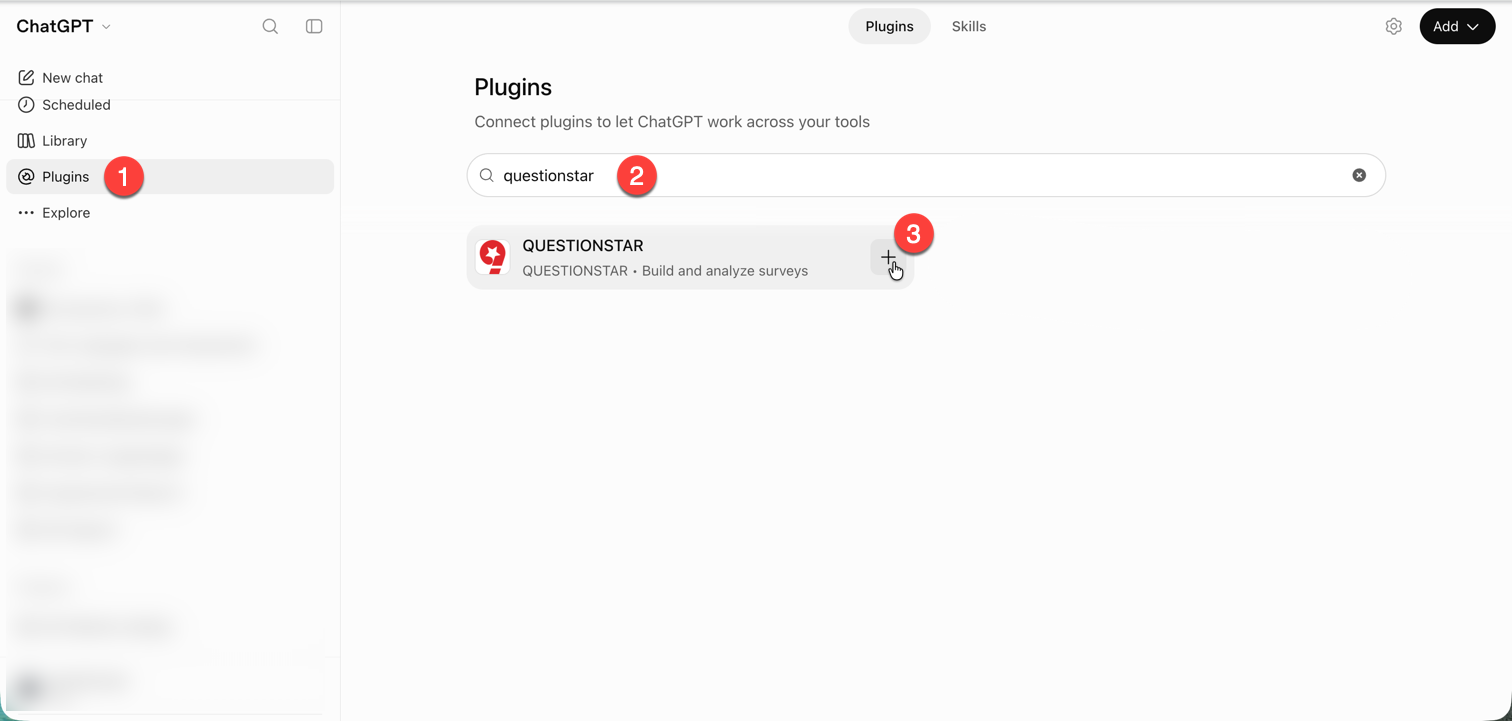
4. Confirm the **Connect QUESTIONSTAR** dialog with **Connect**.
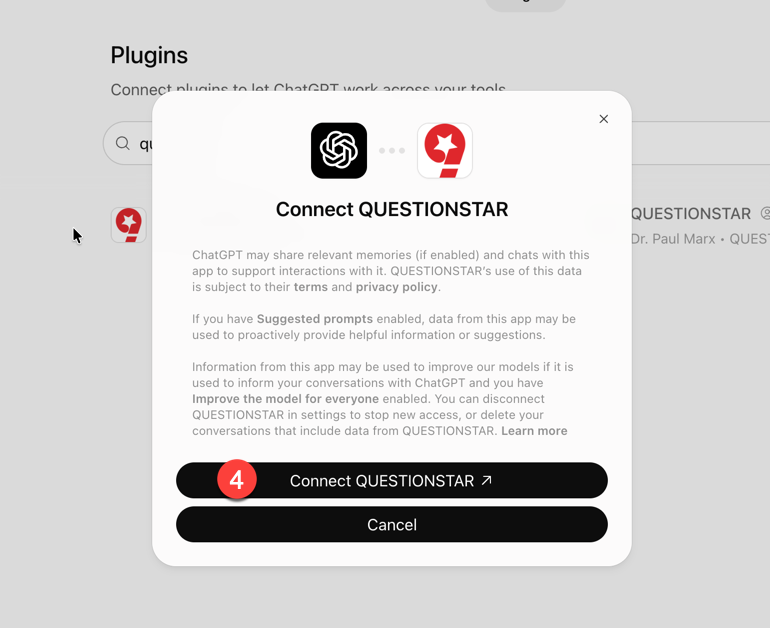
5. In the QUESTIONSTAR authorization dialog (“ChatGPT is requesting access …”): **Allow**.
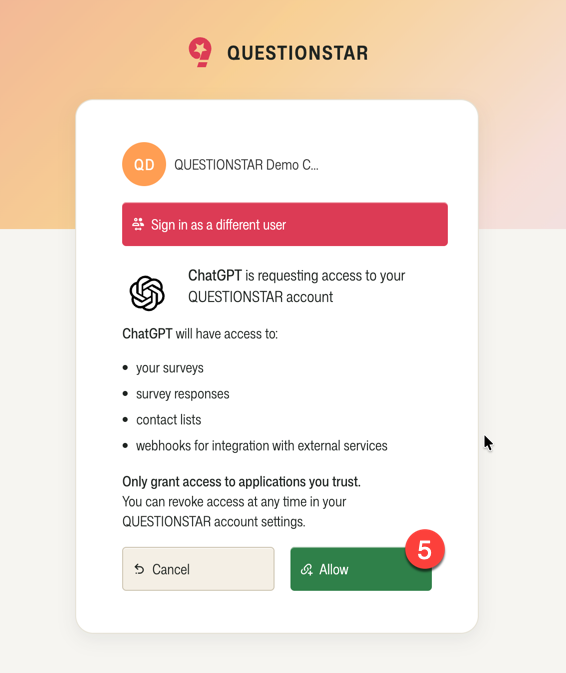
The connection is now active.
### Good to know
- If you’re not yet signed in to QUESTIONSTAR, you’ll be prompted to do so first — the authorization dialog appears afterwards.
- To connect the plugin with a different account, use **“Sign in as a different user”** in the authorization dialog.
- Steps in the ChatGPT desktop and mobile app are analogous; menu items may be named differently.
### First prompts to try
- **“Show me my surveys”** — a quick inventory.
- **“What can I do with QUESTIONSTAR via the MCP — and how can you help me with it?”** — the AI client tells you itself which tools are available. Especially useful when you’re just starting out.
For more ideas — and some surprisingly useful applications — see the [“Unexpectedly useful” section of the MCP overview](/help/integrations/mcp-ai/#unexpectedly-useful).
**Do you have a Campus or Corporate license with your own MCP endpoint?** The official plugin only works with the standard endpoint. [Contact our support](/contact) — we’ll send you a setup guide.
---
# https://questionstar.com/help/integrations/mcp-claude/
---
url: "https://questionstar.com/help/integrations/mcp-claude/"
title: "Connect the QUESTIONSTAR MCP with Claude — step by step"
description: "Connect Claude Desktop to the QUESTIONSTAR MCP server: create a connector, enter the URL, approve via OAuth — a guide with screenshots."
lastmod: "2026-10-17"
type: "help"
---
# Connect the QUESTIONSTAR MCP with Claude
Connect Claude Desktop to the QUESTIONSTAR MCP — a step-by-step guide with screenshots, from Settings to the OAuth approval.
*Step-by-step guide for Claude Desktop. The screenshots are from the current app version — the menu labels may change slightly with updates.*
## Requirements
- An active QUESTIONSTAR account — **already signed in in your browser** (with the exact account you want the AI client to connect to)
- Claude Desktop installed (macOS/Windows)
## Set up the connection
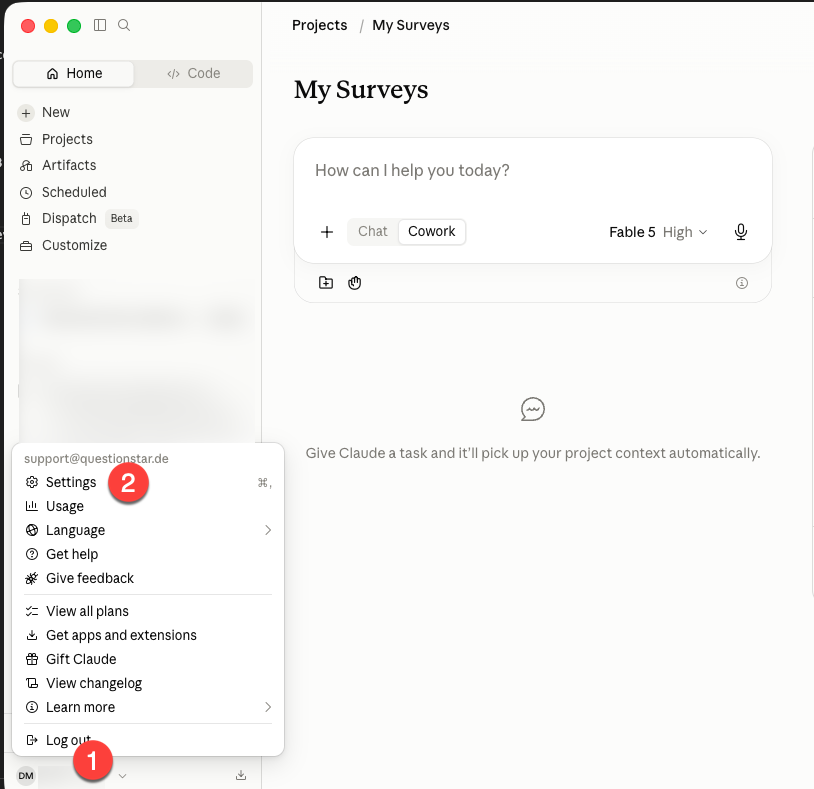
1. Open **Claude Desktop** and click your account icon at the bottom left.
2. Choose **Settings** from the menu.
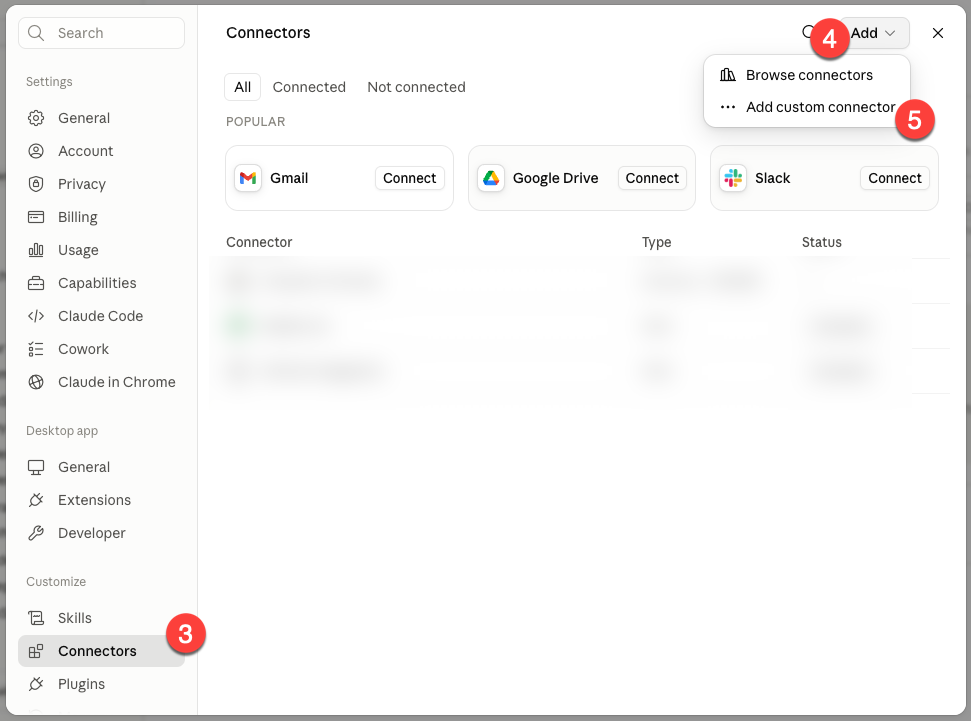
3. In the sidebar, switch to **Connectors**.
4. Click **Add** at the top right.
5. Choose **Add custom connector**.
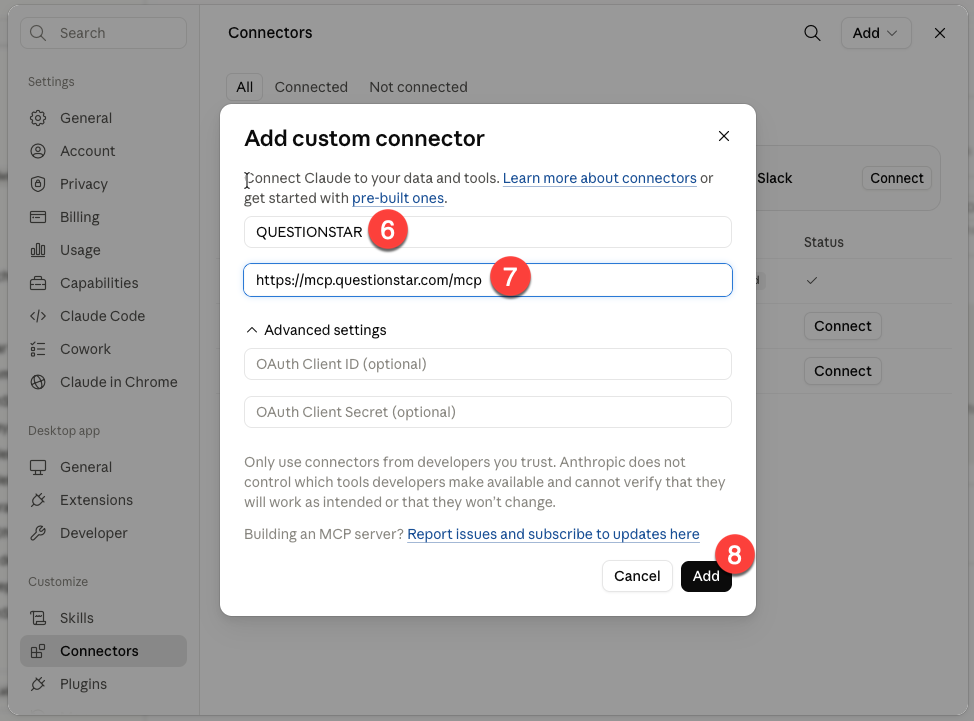
6. Enter a name — e.g. “QUESTIONSTAR”.
7. Under *URL*, enter: `https://mcp.questionstar.com/mcp`.
8. Click **Add**.
9. Back in the Connectors section, click **Connect** next to QUESTIONSTAR.
**Not signed in?** The QUESTIONSTAR sign-in page opens first. Sign in, then click **Connect** again — the second click completes the MCP connection.
10. In the QUESTIONSTAR dialog: **Allow**, to give Claude access.
The connection is now active. Back in the chat you’ll see QUESTIONSTAR tools available.
### First prompts to try
- **“Show me my surveys”** — a quick inventory.
- **“What can I do with QUESTIONSTAR via the MCP — and how can you help me with it?”** — the AI client tells you itself which tools are available. Especially useful when you’re just starting out.
For more ideas — and some surprisingly useful applications — see the [“Unexpectedly useful” section of the MCP overview](/help/integrations/mcp-ai/#unexpectedly-useful).
---
# https://questionstar.com/help/integrations/microsoft-power-bi/
---
url: "https://questionstar.com/help/integrations/microsoft-power-bi/"
title: "QUESTIONSTAR Microsoft Power BI integration"
description: "Connect QUESTIONSTAR with Microsoft Power BI and analyze your survey data in real time — with no manual export."
lastmod: "2026-07-14"
type: "help"
---
# Microsoft Power BI
Pull your survey data straight into Power BI with the QUESTIONSTAR connector — analyze in real time, no manual export.
## About the QUESTIONSTAR connector for Microsoft Power BI
With the QUESTIONSTAR connector for Microsoft Power BI, you can integrate your survey data directly and securely into Power BI — with no manual export. This lets you conveniently process, analyze, and combine your survey results with other data sources.
[Power BI](https://www.microsoft.com/en-us/power-platform/products/power-bi) is a powerful business intelligence tool from Microsoft that lets you:
- structure, evaluate, and visualize your survey data,
- combine it with other internal or external data sources,
- create interactive dashboards and automated reports,
- share key data insights with your team,
- and make well-founded decisions based on up-to-date data.
The integration with QUESTIONSTAR lets you always access current data and update your dashboards in real time — ideal for data-driven work in marketing, HR, research, customer satisfaction, and much more.
## Eligibility
Before you can analyze your QUESTIONSTAR survey data in Microsoft Power BI, a few basic requirements must be met:
- **QUESTIONSTAR account:** You need an active user account with QUESTIONSTAR, through which you created and published your surveys.
- **Microsoft Power BI Desktop:** The desktop version of Microsoft Power BI must be installed on your computer. This application is free and can be downloaded directly from the official Microsoft website.
➜[Download Power BI Desktop](https://www.microsoft.com/en-us/download/details.aspx?id=58494)
> 💡
>
> **Note for Mac users:**
>
> Microsoft Power BI Desktop is currently only available for Windows. If you use a Mac, you can still use Power BI — for example via a virtual Windows environment such as *Parallels Desktop*.
## Install the connector
Our connector is currently still in the validation phase at Microsoft — a process that, in our experience, unfortunately takes some time. For this reason, the QUESTIONSTAR connector is currently **not automatically visible in the list of available data sources** in Microsoft Power BI and must be **installed manually**.
In this section we'll show you step by step how to set up the connector manually.
**How to install the connector:**
1. **Open or create the folder:**
On your computer, navigate to the following path:
`Documents\Power BI Desktop\Custom Connectors`
If the folder doesn't yet exist, create it manually.
2. **Download the connector file:**
Save the file [`Questionstar.mez`](/assets/connectors/Questionstar.mez) in the folder you just created (or that already exists).

3. **Start Power BI Desktop and open the options:**
Go to:
*File → Options and settings → Options*


4. **Enable the correct security settings:**
In the *Security* section, please check:
Allow any extension to load without validation or warningUse my default web browser


5. **Restart Power BI:**
For all changes to take effect, close Power BI and open it again.
## Establish the connection for data retrieval
To analyze the data from your QUESTIONSTAR surveys in Microsoft Power BI, you first need to establish a connection between the two systems via the QUESTIONSTAR connector.
**How to establish the connection:**

1. Open Power BI Desktop and click the **"Home"** tab in the top menu.
2. Click the **"Get data"** button.
3. In the dialog that appears, select the **QUESTIONSTAR connector** from the list.
4. Click **"Connect"**.
**Confirm the security notice:**
Power BI informs you that a connection to a third-party service is being established.

5. Optionally check the **"Don't show this warning again"** box.
6. Click **"Continue"**.
**Sign in to QUESTIONSTAR:**

7. Click **"Sign in"** to connect with your QUESTIONSTAR account.
You'll be redirected to a QUESTIONSTAR web page where you confirm the connection.

8. If you're already logged in to QUESTIONSTAR but want to use a different user account, click **"Log out & choose another account"**.
9. Check the **"Allow access"**
10. box **and click** "Allow"
11. If you weren't logged in yet, the login form now appears. Sign in there.

After signing in successfully, you can close the browser window.
**Back in Power BI:**

12. Power BI again shows you the option to switch accounts.
13. If everything is correct, click **"Connect"**.
> 💡
>
> **Congratulations! 🎉** The connection to QUESTIONSTAR is now successfully established. In the next step, you can select which of your surveys you'd like to analyze.
> To do so, continue with **Step 3** in the next section.
## Load your survey responses from QUESTIONSTAR
Once the connection between QUESTIONSTAR and Microsoft Power BI has been set up successfully, you can retrieve and analyze your survey data at any time.
**How to load the data:**

1. In the ribbon, click the **"Home"** tab.
2. Then click **"Get data"**.
3. In the dialog, select the desired **survey** or multiple surveys.
4. On the right side, a **data preview** is shown.
5. Click **"Load"** to import the data.
**Analyze the data:**
After the import, the survey data appears in the **Fields list (1)** in Power BI.
You can now begin your analysis by dragging the desired fields into the **Visualizations pane (2)** and editing or visualizing them further there.

> 💡
>
> **Tip:** You'll find a detailed introduction to Microsoft Power BI in the official Microsoft documentation:
>
> [https://learn.microsoft.com/en-us/training/powerplatform/power-bi](https://learn.microsoft.com/en-us/training/powerplatform/power-bi)
## Changing the connector settings
You can adjust the settings of the QUESTIONSTAR connector — in particular the permissions — at any time.
**Here's how:**
In the top menu, click **"File"**, then:

1. Select **"Options and settings"**
2. and then **"Data source settings"**.

3. In the dialog, select the **QUESTIONSTAR connector**.
4. Edit the permissions, or
5. clear the connection entirely to set new settings the next time you use it.
## Remove the connection
You can remove the connection between QUESTIONSTAR and Microsoft Power BI at any time. Once disconnected, no more data is exchanged between the two systems.
**Here's how:**

1. In your QUESTIONSTAR account, click your name in the top right.
2. In the dropdown menu, select **"Integrations"**.

3. In the left menu, click **"Apps and websites"**.
4. Next to **"Microsoft Power BI"** click **"Remove access"**.

5. Confirm your selection in the dialog.
> 💡
>
> **Note:** The data already loaded into Power BI remains intact. You can continue working with this data even after the connection has been removed.
---
# https://questionstar.com/help/integrations/n8n/
---
url: "https://questionstar.com/help/integrations/n8n/"
title: "n8n integration for QUESTIONSTAR — workflows with survey data"
description: "Install the QUESTIONSTAR Community Node in n8n, connect both via OAuth — and automate workflows with live survey data."
lastmod: "2026-07-08"
type: "help"
---
# n8n
Install the QUESTIONSTAR Community Node in n8n, connect both via OAuth — automate survey data in your workflows.
*Install the QUESTIONSTAR Community Node in self-hosted n8n, connect both systems via OAuth, and use survey data in your workflows.*
## Installing the QUESTIONSTAR Community Node in n8n
If you host n8n yourself (on your own server rather than in the n8n Cloud), you first need to install the QUESTIONSTAR Community Node. After that, you can build automations with your surveys and survey data from QUESTIONSTAR.
This guide walks you through the installation step by step.
> 💡
>
> **Important:** Installing the QUESTIONSTAR Community Node in n8n requires administrator rights.
>
> If you don't have administrator rights, please forward this guide to your n8n administrator so they can set up the QUESTIONSTAR integration for your account.
### Here's how to do it
Once you're logged in to your n8n account:
1. **In the bottom left, click the Settings button (gear icon).** The Settings menu opens.
2. **In the Settings menu, click Community nodes.**
3. **In the top right, click the Install button.** If you haven't installed a community node yet, the button **Install a community node** appears in the center of the screen instead — click that one.
The **Install community nodes** dialog opens. In it:
4. **Enter n8n-nodes-questionstar in the npm Package Name field.**
5. **Select the checkbox confirming that you acknowledge the risks of installing third-party code from a public source.**
6. **Click Install to complete the installation.**
The installation is complete.
The QUESTIONSTAR Community Node is now available in your organization. You can use QUESTIONSTAR data in your automation workflows right away.
## Connecting n8n and QUESTIONSTAR
Before you build automations in n8n, you need to connect n8n to QUESTIONSTAR.
In this step, you set up OAuth authentication between n8n and QUESTIONSTAR. This lets n8n access your survey data securely.
You only need to set up the connection once — after that you can reuse it in as many workflows as you like.
> ℹ️
>
> **Note:** The setup involves several steps where you switch back and forth between n8n and QUESTIONSTAR.
>
> Please follow the steps carefully and in the order given.
**In your personal dashboard in n8n**
1. **Switch to the Credentials tab.**
2. **Click Create Credential.**
In the **Add new credential** dialog, find the QUESTIONSTAR OAuth API for your region.
> 💡
>
> **IMPORTANT:** Users in Europe select **QUESTIONSTAR Europe OAuth2 API**.
>
> Choosing the wrong region API will cause the connection to fail.
3. **In the Add new credential dialog, start typing questionstar.**
4. **Select QUESTIONSTAR Europe OAuth2 API.**
5. **Click Continue.**
In the next step, you connect n8n and QUESTIONSTAR via OAuth credentials. This gives n8n secure access to your survey data.
> 💡
>
> **IMPORTANT:** In the following steps, you switch back and forth several times between n8n and QUESTIONSTAR. Please keep to the exact order.
You copy the OAuth Redirect URL from n8n into QUESTIONSTAR, and then the Client ID and Client Secret from QUESTIONSTAR into n8n.
6. **In n8n, copy the OAuth Redirect URL.**
**Now log in to QUESTIONSTAR and open the n8n integration page**
In QUESTIONSTAR:
7. **In the top right, click your name.**
8. **Select Integrations.**
9. **In the left-hand navigation, select n8n Integration.**
10. **Click Create OAuth Connection.**
11. **Paste the Redirect URL you copied from n8n in step 6.**
12. **Copy the Client ID.** Use the copy button to the right of the field.
13. **Switch to n8n and paste the Client ID you copied from QUESTIONSTAR in step 12.**
14. **Switch back to QUESTIONSTAR and copy the Client Secret.** Use the copy button to the right of the field.
15. **Switch to n8n and paste the Client Secret from QUESTIONSTAR.**
> 💡
>
> **The order of the next steps matters!**
16. **Switch to QUESTIONSTAR and click Save.** This saves the authentication data in QUESTIONSTAR.
17. **Switch to n8n and click Connect my account.** This saves the connection data in n8n.
If every step was done correctly, a small window opens confirming that the connection between n8n and QUESTIONSTAR was established successfully.
If an error message appears instead, the connection failed. In that case, repeat the entire connection process from the beginning.
In that case, check whether:
- you chose the correct region API in step 4
- **the Redirect URL**, **Client ID** and **Client Secret** were copied in full
- no extra characters (e.g. spaces) were copied along with them
- you used the copy buttons wherever possible
- the credentials were saved in the correct order (steps 16 and 17)
### Result
The connection between n8n and QUESTIONSTAR is set up. You can use these credentials in any n8n workflow.
## Using QUESTIONSTAR in n8n workflows
To use QUESTIONSTAR in your n8n workflows, create a new workflow or open an existing one. Then:
1. **Add a new step to your workflow.**
2. **In the right-hand panel, start typing "questionstar".**
3. **Select QUESTIONSTAR from the list of available nodes.**
4. **Select the QUESTIONSTAR Trigger or one of the available actions.**
5. **Select the survey whose data you want to use.**
6. **If needed, select the fields you want to work with.**
7. **Check the preview to confirm the data loads correctly.**
**Done.**
You can now connect the QUESTIONSTAR node to other services, for example:
- email notifications
- Google Sheets
- Slack or Microsoft Teams
- CRM systems
- AI agents and chats
Coming soon:
- ready-made workflow templates
---
# https://questionstar.com/help/integrations/overview/
---
url: "https://questionstar.com/help/integrations/overview/"
title: "Integrations with external tools"
description: "Connect QUESTIONSTAR with Google Data Studio, Power BI, Zapier or via REST API. An overview and getting started with all available integrations."
lastmod: "2026-07-14"
type: "help"
---
# Integrations with external tools: overview
## What are integrations?
QUESTIONSTAR gives you several ways to connect your survey data directly with external tools. These so-called **integrations** enable an automatic flow of data between QUESTIONSTAR and analysis or reporting systems such as [*Google Data Studio*](https://lookerstudio.google.com/), [*Microsoft Power BI*](https://www.microsoft.com/en-us/power-platform/products/power-bi), [*Zapier*](https://zapier.com/) or custom applications via a *REST API*.
## What are integrations for?
With integrations, you can take your survey results and:
- display them in dashboards in real time,
- combine them with other data sources (e.g. CRM or ERP systems),
- generate automated reports,
- automate workflows (e.g. follow-up emails, creating tasks),
- or integrate them into internal processes.
This saves you time during analysis, reduces manual errors, and lets other departments (e.g. marketing, sales or HR) work directly with the results.
## Available integrations
The following integrations are currently available to you:
- **Google Data Studio** – for building interactive dashboards based on your QS data.
- **Microsoft Power BI** – for comprehensive analysis and dynamic reporting.
- **Zapier** – to connect with over 5,000 tools (e.g. Google Sheets, Trello, Slack, Mailchimp) without any coding.
- **REST API** – to connect your systems directly (e.g. website, CRM, your own applications).
- **Web services** – to pass survey results to external systems in real time – e.g. for automated processing in your support tool, CRM or internal workflow.
Each of these integrations is described in detail in its own help article – with step-by-step instructions and concrete examples.
## How do I get started?
Simply choose the integration that fits your system. Start with the relevant help article:
- [Google Data Studio](/help/integrations/google-data-studio)
- [Microsoft Power BI](/help/integrations/microsoft-power-bi)
- [Zapier](/help/integrations/zapier)
- [REST API](/help/integrations/rest-api)
- [Web services](/help/integrations/web-services)
- [Panel services](/help/integrations/panel-services)
> 💡
>
> **Tip:** If you're not sure which integration is right for you, or you need a custom solution, just get in touch — we're happy to help!
---
# https://questionstar.com/help/integrations/panel-services/
---
url: "https://questionstar.com/help/integrations/panel-services/"
title: "Integration with panel services — connecting a panel provider"
description: "Connect external panels to QUESTIONSTAR: quotas, callback URLs, identifier mapping. Universal integration with Bilendi, Cint and others."
lastmod: "2026-10-22"
type: "help"
---
# Integration with panel services
Connect external panel providers like Bilendi or Cint — with quotas, callback URLs and identifier mapping.
## About the integration with panel services
Panel services are typically used when you need a specific target group — for example, people with certain demographic characteristics, professional background, interests or experiences. The panel provider takes care of selecting suitable respondents for you and supplies the number of qualified participants you need.
So that the panel provider can steer the process correctly, it needs to know which participants:
- took part in the survey successfully *(Success)*,
- could no longer take part because quotas were already filled *(Quotafull)*,
- or were disqualified *(Screenout)*.
For this, the panel provider usually gives you three specific URLs to which you should redirect participants depending on the case, for example: `https://panelservice.com?code=success&respondentID=[ID]` `https://panelservice.com?code=quotafull&respondentID=[ID]` `https://panelservice.com?code=screenout&respondentID=[ID]`
As you can see, these URLs contain:
- a **static part** that indicates the status (success, quotafull, screenout)
- and a **dynamic parameter** for the individual **participant ID** that the panel provider passes when calling up your survey.
In this article, we'll show you step by step how to set up these redirects correctly in QUESTIONSTAR.
> 💡
>
> **Note:** The parameter names and values can vary from one panel provider to another — for example `reason=1` instead of `code=success` or `user=[uid]` instead of `respondentID=[ID]`. Additional parameters can also appear (e.g. `quotaID=2`).
>
> If you're unsure, simply forward this help article to your panel provider — they'll give you the exact URLs you need to enter in QUESTIONSTAR.
## Configuring participation links
As soon as your survey enters the field phase, the panel provider calls up your questionnaire via an individual link — a unique participant ID is usually passed as a URL parameter, e.g.: [`https://survey.questionstar.com/4c531388?respondentID=123`](https://survey.questionstar.com/4c531388?respondentID=123)
This ID — including the parameter name and its value — is captured and stored automatically by QUESTIONSTAR. It is then automatically re-appended to the relevant URL on every redirect (e.g. at the end of the survey, on a screenout, or when a quota is reached).
**What you need to do:** Simply share the link to your survey with the panel provider. You'll find it in QUESTIONSTAR on the "**Distribute Survey**" view under the "**Link**" item in the left-hand menu.
From this point on, the participant identifier is no longer relevant for setting up the redirects — you don't need to insert it manually into the redirect URLs. QUESTIONSTAR handles this automatically in the background.
> 💡
>
> **Note:** The panel provider can freely choose the parameter name (e.g. `respondentID`, `user`, `pid`). QUESTIONSTAR keeps this name and value exactly as it was passed in the link — including on the redirect.
>
> If you're unsure, simply point the panel provider to this documentation.
## Redirect on successful participation
**Here's how to set up the redirect after the survey is completed successfully:**

1. Open the survey settings and navigate to the "**At the End of the Survey**" section.
2. Select the "**Redirect to a specific URL**" option.
3. There, enter the panel's target URL **without the respondent ID** — e.g.: `https://panelanbieter.de?code=success` QUESTIONSTAR adds the ID parameter (e.g. `&respondentID=123`) automatically on exit.
## Redirect on quotafull
**When a certain quota is reached** and no further participants with certain characteristics should be admitted, you can set up an automatic redirect for this as well:

1. Switch to the "**Distribute Survey**" view.
2. In the left-hand navigation menu, select the "**Quotas**" item.
3. Create the desired quota, e.g.: *"100 male respondents aged 21 to 50"*.
> 💡
>
> **Note:** When defining complex quota conditions, watch out for common reasoning errors in the use of AND and OR combinations. You'll find more on this in our help article: [Common mistakes with display logic](/help/branching-and-display-logic/display-logic#fehler)
4. In the "**When the quota is reached**" section, select the "**Redirect to URL**" option.
> 💡
>
> **Note:** Panel services usually expect a direct technical response via the URL. Avoid selecting other options (e.g. your own quotafull page). If in doubt, clarify the desired behavior with your panel provider.
5. Now enter the panel's target URL without the respondent ID, e.g.: `https://panelservice.com?code=quotafull` QUESTIONSTAR adds the respondent ID automatically in the background.
> 💡
>
> **Note:** If your survey contains several quotas, additional parameters may need to be passed — for instance to identify the respective quota, e.g. `"aID=3`.
## Redirect on screenout
**For screenout scenarios** — that is, when participants don't meet certain criteria and should therefore be excluded from the survey — you proceed similarly to the **quotafull redirect**.
**The key difference:**

1. Set the maximum number of participants to **0**. This defines that **not a single respondent** with these characteristics should take part — e.g. if someone has **had no experience with your product** in the past 12 months and therefore can't give an informed opinion.
2. In the "**When the quota is reached**" section, set the "**Redirect to URL**" option and enter the **panel provider's screenout URL** — **without the respondent ID**, e.g.: `https://panelservice.com?code=screenout`→ The respondent ID is **appended automatically by QUESTIONSTAR** on redirect.
> 💡
>
> **Note:**
>
> - If there are **several screenout conditions**, some panel providers use additional parameters — e.g. `screenoutID=2`. Clarify this with the provider in advance if necessary.
> - **Avoid other options where possible** in the "When the quota is reached" area — since panel providers usually expect a precise URL-based response.
> 💡
>
> **Example questionnaire:**
> The example discussed in this article is implemented in this questionnaire:
>
> *[Interaktiv: — siehe HTML-Version der Seite]*
>
> Copy it into your account to review the details of the implementation.
## Sharing the current quota fill level with the panel provider
So that your panel provider can assess **how many more participants to send**, it needs access to the **current quota fill level**. QUESTIONSTAR provides a clear **live report** for this, which you can simply pass on.

To do this, on the quotas view click the "**Open quota filling report in new tab**" button, copy the link from your browser's address bar and send it to your panel provider (see [example](https://survey.questionstar.com/Report/Quotas/62241429-e05c-4427-9fe9-ff326f804f03)).
> 💡
>
> **Tip:** If needed, you can show your survey respondents the current quota fill status in the questionnaire. The details for this are [described in this help article](/help/advanced-features/piping-reusing-answers#quoten).
*[Interaktiv: — siehe HTML-Version der Seite]*
---
# https://questionstar.com/help/integrations/qualtrics/
---
url: "https://questionstar.com/help/integrations/qualtrics/"
title: "Qualtrics import — bring over your questionnaires and data"
description: "Import QSF and CSV files from Qualtrics into QUESTIONSTAR. Questions, answer options, logic, data and images are carried over."
lastmod: "2026-07-08"
type: "help"
---
# Qualtrics
Move surveys and response data from Qualtrics into QUESTIONSTAR — questions, logic, data and images come across, via .qsf and .csv.
*Move existing surveys and response data from Qualtrics into QUESTIONSTAR — step by step, using .qsf and .csv export/import.*
## About importing from Qualtrics
With the "Import from Qualtrics" feature, you can move existing surveys and their response data into QUESTIONSTAR quickly and easily. Both the survey structure (in .qsf format) and the response data (in .csv format) are supported.
This feature is especially useful when you want to bring over your previous research projects or customer data from Qualtrics and keep working with them seamlessly in QUESTIONSTAR.
> 💡
>
> **Note:** During import, **all content that can technically be imported is carried over**.
>
> However, because there are **differences between the question types and logic** of Qualtrics and QUESTIONSTAR, **some elements can't be fully carried over**.
>
> So after the import, check your **questions, answer options** and **logic conditions**, and make **manual adjustments** where needed to make sure your survey works correctly.
## Export from Qualtrics
Before you can import your surveys into **QUESTIONSTAR**, you first need to export the relevant files from **Qualtrics**.
Two file types are needed for the import:
- **Survey structure:** file in .qsf format
- **Response data:** file in .csv format
### Export the survey structure (.qsf)
- In Qualtrics, open the **survey** you want.
- In the top menu, select **Tools ① → Import/Export ② → Export survey ③**.
- Save the file in .qsf format to your computer.
> 💡
>
> The .qsf file contains all the information about the survey structure — that is, questions, answer options, page structure, display logic, and so on.
### Export the survey data (.csv)
- In Qualtrics, open the **Data & Analysis** tab.
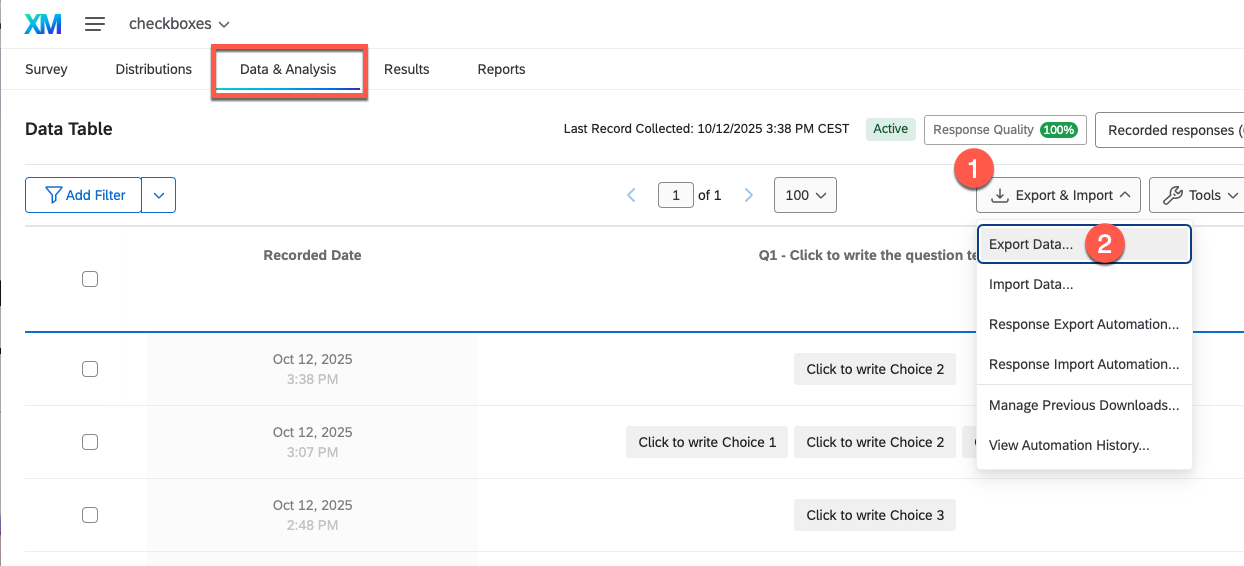
- Click **Export & Import ① → Export Data… ②**.
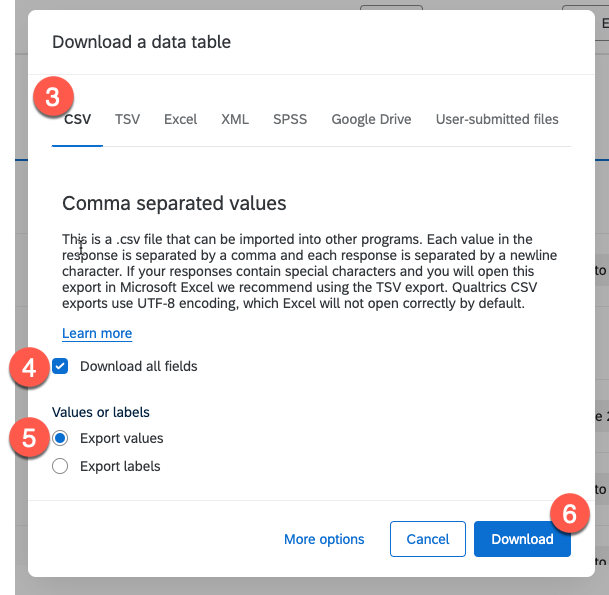
- In the export dialog, choose the **CSV ③** format.
- Turn on the **Download all fields ④** option.
- Under *Values or labels*, select **Export values ⑤**.
- Click **Download ⑥** to save the file.
> 💡
>
> **Note:** Exporting the response data is **not necessary** if you only want to bring over the survey structure.
>
> When exporting, always use the **CSV format with "Export Values"** so that QUESTIONSTAR can import the data correctly.
## Import into QUESTIONSTAR
Once you've exported your .qsf (and, if needed, .csv) files from Qualtrics, you can import them into **QUESTIONSTAR** very easily.
### Import the survey structure (.qsf)
In the top menu on the right, click your profile icon (①) and select Integrations (②) from the menu.
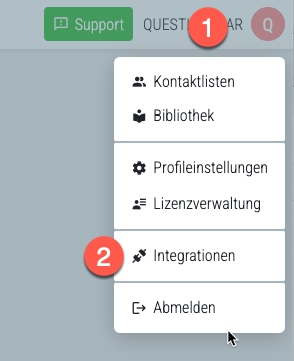
3. In the left menu, select **Qualtrics** to open the import view.
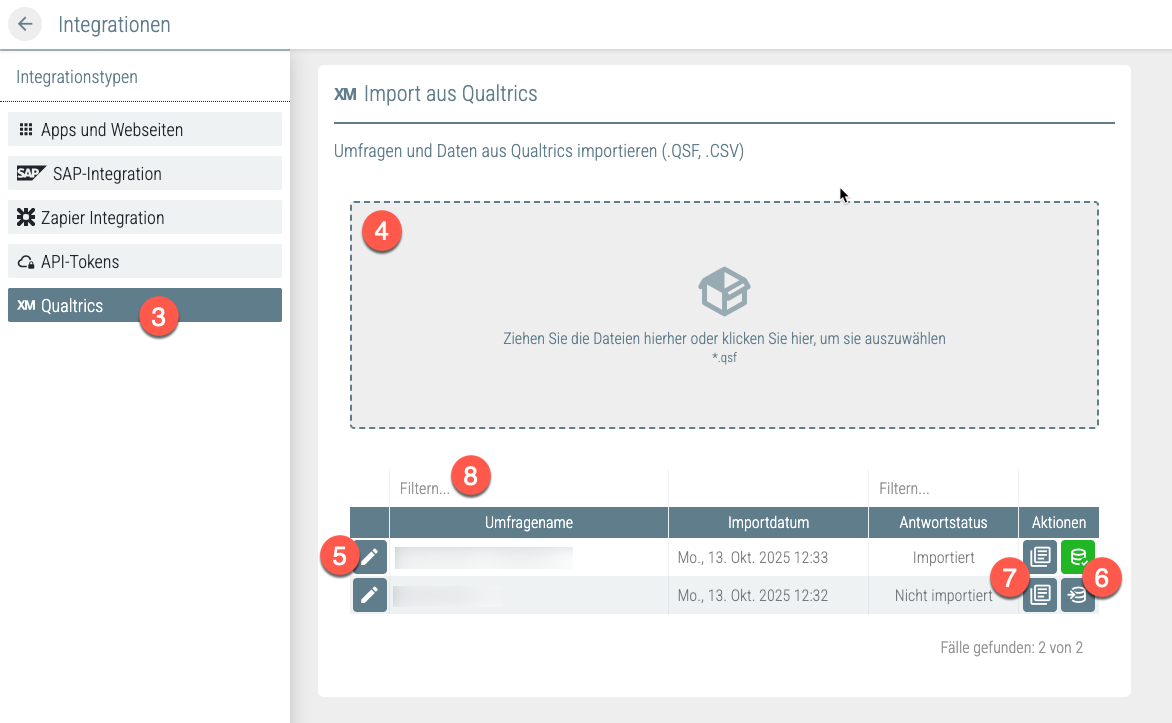
4. Drag your **.qsf file** into the upload field (④), or click the field to select the file manually.
> 💡
>
> You can upload several .qsf files at once.
The imported surveys then appear in a table. Using the buttons shown there, you can:
5. open the survey right away in the editor,
6. import the corresponding response data (.csv),
7. switch to the data view,
8. or filter or search the list of surveys by title.
> 💡
>
> **Note:** After the import, you should check your survey in QUESTIONSTAR.
>
> Because there are differences between the question types and logic of Qualtrics and QUESTIONSTAR, **some elements or logic conditions may need to be adjusted** so that the survey works correctly.
### Import the survey data (.csv)
Once you've imported the **survey structure**, you can, if needed, upload the corresponding **survey data or responses** to **analyze them in QUESTIONSTAR**.
To do so:
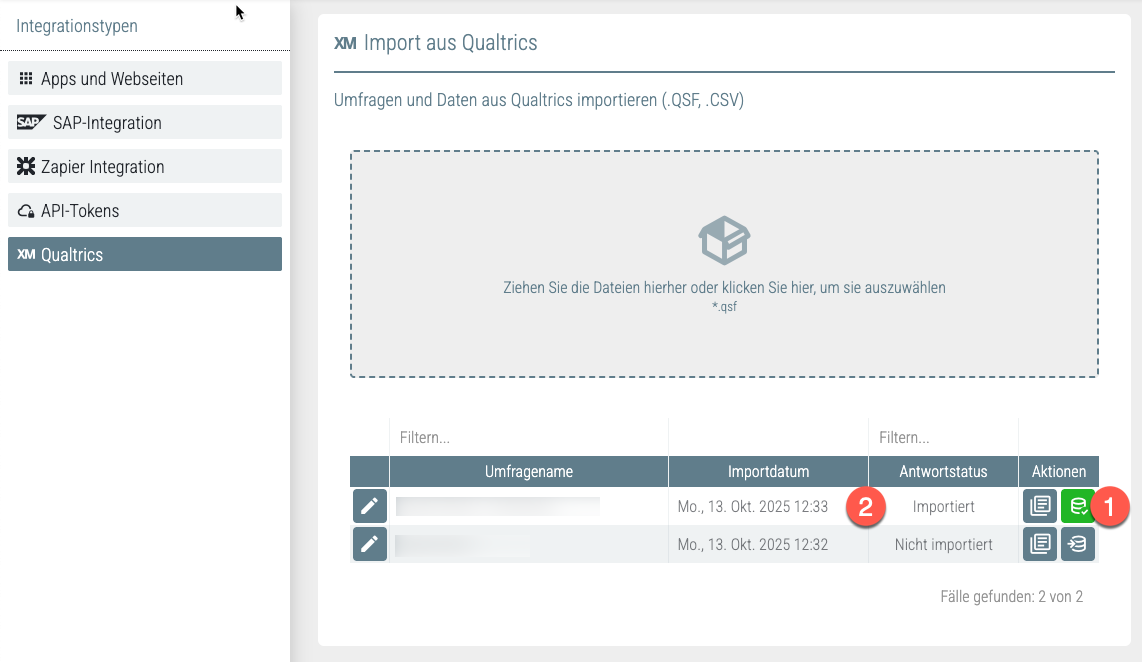
1. **Click the "Import responses" button** in the row with the title of the relevant survey and select the **.csv file** with the corresponding survey data.
> 💡
>
> **Note:** Please make sure you import **the .csv file that belongs** to the **survey**.
>
> If the selected file **doesn't match the survey**, the system automatically shows a **warning message**.
2. **After a successful import, the response status changes to "Imported".** This way you can tell at a glance that the data has been uploaded successfully.
> 💡
>
> **Note:** If needed, you can **import the data again**.
>
> When you do, the **newly imported data** is saved automatically and **overwrites the previously imported records**.
>
> This means the old data is deleted.
---
# https://questionstar.com/help/integrations/rest-api/
---
url: "https://questionstar.com/help/integrations/rest-api/"
title: "QUESTIONSTAR REST API"
description: "Integrate QUESTIONSTAR into your systems via the REST API. Automate exports, respondent imports and custom reporting."
lastmod: "2026-07-14"
type: "help"
---
# REST API
Programmatic access to your survey data — automate exports, respondent imports and custom reporting for advanced scenarios.
## About the QUESTIONSTAR API
The QUESTIONSTAR API (Application Programming Interface) gives you a flexible way to access your survey data and integrate it directly into your own systems and processes. It's especially well suited to advanced scenarios that go beyond the scope of our standard solutions like Power BI or Google Data Studio.
**Typical use cases for our REST API:**
- You want to **add respondents to your survey automatically** — for example, from an internal CRM or support system.
- You want to **export the answers regularly** and process them further, e.g. in your own reporting dashboard.
- You need **your own frontend** or a specialized tool that works with the survey data in real time.
- You want to **analyze results dynamically** or have certain **KPIs calculated automatically**.
The QUESTIONSTAR API is available for applications like these. It's based on the widely used OpenAPI standard (OAS 3.0) and is well documented.
## Requirements
To use the QUESTIONSTAR API, you need:
- An active QUESTIONSTAR user account.
- Basic familiarity with REST APIs.
- Optional: a technical contact who can implement API calls in your system.
> 💡
>
> You'll find the API documentation here:
> [https://api.questionstar.com/](https://api.questionstar.com/)
## Generating authorization tokens for the API
To run API calls successfully, you need a valid authorization token. You can create and manage it directly in your QUESTIONSTAR account — here's how:

1. Click your name in the top right
2. and select **“Integrations”** from the dropdown menu.

3. Select **“API-Tokens”** from the left-hand menu.
4. Click **“+ Name your API Key”**.

5. Give your API key a name, e.g. **“CRM integration”**.
6. Click **“Save”**.

7. Copy the generated API key and keep it in a safe place.
8. If necessary, you can delete the key later (in which case it becomes invalid) or generate a new one.
> 💡
>
> **Tip:**
> You can create as many API keys as you like. We recommend creating a separate key for each use case — e.g. each app or each user. This keeps you in control of how your survey data is used and lets you revoke access for individual apps or users when needed, without affecting the others.
## Authorization in the API documentation
To run test requests directly in the API documentation (Swagger interface):

1. Open the API documentation: [https://api.questionstar.com/](https://api.questionstar.com/)
2. Click the **“Authorize”** button in the top right.
3. Paste in your API key.
4. Confirm with **“Authorize”**.
Now you can try out all the endpoints and test them right from the interface.
## Examples
### Example 1: Exporting answers
You want to retrieve all the answers received for a particular questionnaire automatically — e.g. for your own weekly analysis.
**Here's how:**
1. Call the `/ResultCases/GetAnswers` endpoint.
2. Pass in the survey ID and, optionally, filter parameters (e.g. time period, status, etc.).
3. The answers are returned in JSON format and can be imported into your system.
> 💡
>
> **Tip:**
> This lets you set up a nightly cron job, for example, that retrieves all new answers every morning and transfers them into your database.
### Example 2: Adding respondents automatically
Your team uses a CRM system and wants to invite new customers automatically to a personalized welcome survey? Or would you like to gather individual feedback right after a support request?
With the QUESTIONSTAR API, you can automate exactly that — quickly, securely and efficiently.
**Here's how:**
1. Use the `/Respondents/Add` endpoint.
2. Pass in the name, the email address and — if you like — additional fields such as customer type or region (via custom fields).
3. Optionally, you can have an invitation email to take part in the survey sent out at the same time.
This saves manual work, reduces sources of error and ensures a professional, automated process — e.g. for onboarding, support requests or internal surveys.
## Conclusion
The QUESTIONSTAR API gives you powerful ways to integrate your surveys into your own systems flexibly and efficiently. Especially when standard solutions aren't enough or a higher degree of automation is called for, the API opens up entirely new possibilities.
If you need help getting started, feel free to reach out to our support team.
---
# https://questionstar.com/help/integrations/web-services/
---
url: "https://questionstar.com/help/integrations/web-services/"
title: "Webhooks and web services — pass survey data in real time"
description: "Per response, at the end of the survey, or conditionally: send data as JSON to your own API. Webhook setup, payload examples, error handling."
lastmod: "2026-07-14"
type: "help"
---
# Web services
Send survey data as JSON to your own API in real time — per response, at survey end, or on a condition. No code.
## About integrating QUESTIONSTAR with web services
With web services, you can connect your surveys to other systems and trigger automated processes. QUESTIONSTAR lets you launch web service calls directly from the questionnaire — without any programming. This means data can be transferred to external systems in real time, or specific actions can be triggered automatically.
A web service can be called in the following situations:
- **After [the survey is completed](/help/survey-settings/end-of-survey)** → Ideal for automated follow-up: for example, creating an entry in a CRM system, unlocking a bonus, or sending a voucher by email.
- **When a quota is reached or on screenout** → Perfect for informing external systems directly during quota control — for instance to redirect into other panels, for incentive logic, or to manage campaigns.
- **As part of [Notifications](/help/publishing/notifications)** about certain events → This allows processes to be triggered automatically in the background, for example on a specific answer or score — such as opening a support ticket, sending an alert, or starting a workflow in a marketing automation tool.
**Typical use cases from everyday business:**
- A lead fills out a short qualification questionnaire — the data is sent straight to your CRM system.
- A customer rates support negatively — a task is automatically created in the ticketing system.
- An internal training survey shows a knowledge level < 70% — a reminder for follow-up training is sent automatically.
- After successful participation in a campaign — a voucher is automatically generated and sent.
With the web service feature in QUESTIONSTAR, scenarios like these can be handled elegantly and automatically. In this article, we'll show you how to configure web service calls and put them to good use.
## Configuring a web service call
When setting up a web service call in QUESTIONSTAR, you can define the following settings:

1. **Target URL (endpoint)** Enter the URL of the web service the data should be sent to.
2. **Request method** Choose which HTTP method should be used to transmit the parameters to the endpoint. The available methods are:**GET** – parameters are passed in the URL. Suitable, for example, for simple tracking purposes or calls where no sensitive data is transmitted.**POST** – parameters are transmitted in the request body. Suitable for structured data transfers, e.g. for passing answers or customer data.**PUT** – usually used to update existing resources.
3. **Request type (content type)** If you use POST or PUT, you can additionally specify the format in which the data is sent:`application/json` – parameters are passed as a JSON object. Ideal for modern APIs that expect structured data.`application/x-www-form-urlencoded` – the classic web form format. Frequently used with older or simpler APIs.
> 💡
>
> **Tip:** Use `application/json` if your web service expects a JSON object, e.g.:
> `{ "email": "john@example.com", "score": 5 }`
> Use `x-www-form-urlencoded` if the web service needs simple key-value pairs in the form `email=john@example.com&score=5`.
4. **Add Query Parameter** Add a separate parameter for each piece of information you want to send to the web service. For each parameter, you define:**Parameter Name** – i.e. the name your web service expects.**Value source** – i.e. where the parameter value should come from.**Value** – which value is sent (statically definable or dynamically selectable, depending on the value source).**The following options are available as sources for parameter values:****Text** – for static values such as fixed survey identifiers, campaign IDs, or API tokens (be careful with GET, since tokens are transmitted in visible form!).**Answer to a question** – to pass a specific respondent answer to the web service.**Custom variable** – for example, a calculated scale or a score from a psychological test (e.g. "BurnoutIndex", "TeamFitScore").**A/B test version** – the version (A, B, C, …) that a respondent received in the A/B test. Helpful for analyzing test effects.**URL parameter** – values that were passed via the URL when the questionnaire was opened (e.g. respondent ID, campaign, tracking code).**Contact List Field** – e.g. last name, first name, email address, or individual fields such as department, region, customer status, etc.
5. **Send answers as** – for parameters of the type "Answer to a question", you can specify how the answers are transmitted:**Coded values (default)** – e.g. 5 for "Very satisfied"**Text values** – e.g. "Very satisfied"
6. **Remove parameter** – you can add as many parameters as you like, delete existing ones, and reorder them at any time.
7. **Save** – Click "Save" to save the web service call. The web service is then called automatically on the corresponding event (e.g. [end of survey](/help/survey-settings/end-of-survey), quota event, condition for a [notification](/help/publishing/notifications)).
## Sending answers as JSON or as form data — what's the difference?
When you send POST or PUT requests via web services, QUESTIONSTAR gives you a choice of the format in which the data is transmitted. You make this choice via the so-called request type (content type):
### 1. application/json
The data is sent as a structured JSON block — this is the modern standard for most web APIs. Ideal when your target system (e.g. an internal tool or a cloud service) understands JSON and expects cleanly structured data.
> 💡
>
> **Example:**
>
> ```json
> {
> "email": "jane.doe@example.com",
> "score": 7,
> "region": "Nord"
> }
> ```
✅ **Advantages:**
- Very readable and easy to structure
- Ideal for systems with more complex data structures
- Less prone to errors during processing
🔧 **Typical uses:**
- RESTful APIs
- Integration into internal tools or middleware
- Passing complete data sets
### 2. application/x-www-form-urlencoded
The data is sent as classic key-value pairs in a URL-encoded form — as with HTML forms. This format is compatible with almost all systems, including older or simple APIs.
> 💡
>
> **Example:**
> `email=jane.doe%40example.com&score=7®ion=Nord`
✅ **Advantages:**
- Broad compatibility with many web services
- Well suited for simple parameter transfers
🔧 **Typical uses:**
- Connecting to older web services
- Systems that expect form processing
- Simple integrations without structured data
### When to use which format?
| Situation | Recommendation |
|------|------|
| Your web service uses modern REST standards | JSON |
| You are transmitting several structured data objects | JSON |
| You are integrating an older or external system | Form data |
| The web service expects data as from an HTML form | Form data |
> 💡
>
> **Tip:** If you're unsure which format your web service needs, check the technical documentation of the target system or test both formats — QUESTIONSTAR supports both flexibly.
---
# https://questionstar.com/help/integrations/zapier/
---
url: "https://questionstar.com/help/integrations/zapier/"
title: "Zapier integration for QUESTIONSTAR — automate surveys"
description: "Connect QUESTIONSTAR with Zapier: new responses in Slack, Sheets, CRMs or mail tools. Triggers and actions at a glance — set up step by step."
lastmod: "2026-07-14"
type: "help"
---
# Zapier
Forward new survey responses to Slack, Google Sheets, your CRM or mail tools — automated via Zaps, no code.
## About the Zapier integration
Zapier is an online platform that lets you easily connect different web applications with one another. Through what are called "Zaps," you can create automated workflows without any programming knowledge. Each connection consists of a trigger and one or more actions.
Integrating QUESTIONSTAR with Zapier opens up the possibility of automatically forwarding responses from your questionnaires to other applications. For example, you can transfer new contacts to your CRM system, create tasks in project management tools, or send email notifications about incoming responses. This automation saves you time and lets you make your processes more efficient.
Typical applications you can connect to QUESTIONSTAR via Zapier include, for example:
- **Google Sheets** or **Microsoft Excel** – for automatically storing and managing your survey data,
- **Mailchimp** or **KlickTipp** – for creating or updating subscriber lists for your email marketing,
- **Customer relationship management systems (CRM)** such as **HubSpot** or **Salesforce** – to create or update leads and contacts directly from surveys,
- **Slack** – to send notifications or summaries of survey responses directly to your team,
- **Stripe** – to process payments or orders related to survey results,
- **Google Calendar** or **Calendly** – to automatically create appointments or manage bookings,
- **Shopify** – to update customer information and orders based on surveys,
- **ChatGPT** – to automatically translate, analyze, classify, extract or summarize text from surveys,
- **Chatbots** – to respond dynamically to survey responses or automate user interactions,
- **Content management systems (CMS)** such as **WordPress** – to control content based on survey data,
- **Project management tools** such as **Trello**, **Jirra** or **Asana** – to automatically create tasks from submitted forms.
In just a few steps, you can integrate your survey data from QUESTIONSTAR into **over 5,000 Zapier apps** and build custom workflows to fit your needs.
## Eligibility
To connect QUESTIONSTAR with Zapier, you'll need:
- An active QUESTIONSTAR account,
- An active Zapier account,
- Access to the target applications you want to connect, for example Google Sheets, HubSpot or Slack.
> 💡
>
> Please note that some advanced features or more complex workflows require a paid Zapier account.
## Creating a simple Zap
**(Example: saving new responses to Google Sheets or an Excel file)**
A typical use case is saving the responses from your questionnaire to a Google Sheets or Excel spreadsheet. In this section, we'll walk you through the procedure step by step. The integration with other tools and web applications may differ slightly in detail, but it generally follows the same principle.
Here's how to proceed:
### Preparation
1. **Capture test responses:**
Start your questionnaire and fill it out once completely. Zapier needs this first response in order to correctly recognize and map the fields from the response database.
2. **Create a Google Sheet or Excel file:**
Create a new Google Sheet file. In the first row, enter the headers for the columns into which the responses and/or values of the system fields should later be saved.

> 💡
>
> **Note:** Zapier doesn't offer an automatic option to create columns based on the data schema. So the fields you need have to be created manually as column headers. Zapier can only insert data into existing columns.
> 💡
>
> **Tip:** Use your questionnaire's raw data export to take the field names directly. This makes it easier to set up the correct column headers.
> 💡
>
> **Note:** We recommend placing the file in a subfolder. Zapier occasionally has trouble correctly recognizing files in the root folder.
### Alternatively using an Excel file
Alternatively, you can create an Excel file and upload it to your Google Drive. The response data can be transferred automatically into this file as well.
If you have an Office 365 license, you also have the option of storing your Excel file on OneDrive. In the following steps, you can then select Excel directly as the target application instead of Google Sheets. The rest of the procedure remains largely identical.
### Creating the Zap
**Setting up the source app / trigger**
Log in to your Zapier account. Since you've already completed all the preparations, you can now start setting up your Zap right away.
3. On the Zapier home screen, create a **new Zap**.

4. Select **QUESTIONSTAR** as the trigger app.

5. Set the event (**Trigger Event**) to: "**New Survey Response**".
This causes the Zap to fire every time a new response comes in on your questionnaire.
6. Authorize QUESTIONSTAR by signing in to your QUESTIONSTAR account with your credentials.
7. **Important:** Select "European Union and other European Countries" as the region.
This ensures that the data is processed in accordance with European data protection requirements.
> 💡
>
> **Note:** The authorization is saved by Zapier. So when you set up future Zaps with QUESTIONSTAR, the steps to re-authorize and to select the region (steps 6 and 7) are no longer needed.
8. Click "Continue" to proceed with setting up the trigger.

9. Now select the survey whose responses you want to transfer.
10. Test the trigger.
Zapier will load a sample response from the response database of the selected survey.
> 💡
>
> **Note:** If no response data is available, the test may fail. That's why it was important to capture at least one test response during preparation (see the preparation step).
**Setting up the target app**
11. Now select the target application. In our example, we're using Google Sheets. If you have an Office 365 license, you can alternatively choose the integration with Excel directly (see the [preparation step](#vorbereitung)).

12. **Select the Action Event**:
With the Google Sheets integration, the following actions are available to you:**Create Spreadsheet Row** – adds a new row at the end of the Google spreadsheet.**Create Spreadsheet Row at Top** – adds a new row at the beginning of the Google spreadsheet.With a direct integration with Excel, there is only the option to insert a new row at the end of the spreadsheet. The corresponding event is called "**Add Row**".
13. **Authorization:**
Log in to your Google account or Microsoft Office 365 account to authorize the connection.
14. Select the appropriate Google Drive or OneDrive.
15. **Select the target file:**
Next, find your Google Spreadsheet or Excel file. A search function is available for this.
16. **Select the worksheet:**
Specify the worksheet where your target spreadsheet is located.
17. **Map the fields:**
Zapier automatically reads the spreadsheet and displays all the column headers it finds (see step 2).
Click the "+" symbol next to each field and connect the target column with the matching field from the QUESTIONSTAR response database, so that the right responses are written correctly into the target columns.
18. **Test the Zap:**
Run a test in which test data is written to your target file.
Then check your file to see whether the test data was entered as expected.
19. **Publish the Zap:**
If everything worked correctly, click "**Publish**" to activate your Zap.
Your Zap is now active. From now on, every time your questionnaire is completed in full in QUESTIONSTAR, the selected responses are automatically saved to your Google Spreadsheet or Excel file.
> 💡
>
> **Note:** If you specifically want to transfer only certain fields (for example, name and contact details in lead forms), you can adjust or reduce the structure of your target file and the field mapping accordingly. This ensures that only the data you want is saved.
## More examples of typical workflows
Here are a few examples of how you can put QUESTIONSTAR data to further use with Zapier:
- **Capture leads:** Automatically transfer responses to HubSpot or Salesforce.
- **Automate email marketing:** Create new subscriber lists in Mailchimp or KlickTipp.
- **Improve team communication:** Send Slack messages when new responses come in.
- **Trigger reactions to specific feedback:** With Zapier, you can respond in a targeted way to particular responses. For example, you could send an internal Slack message when a participant gives a particularly poor rating, or send an automatic email when particularly positive feedback comes in. Alternatively, you can also use the [notification automation](/help/publishing/notifications) built into QUESTIONSTAR, which was developed specifically for cases like these.
- **Manage appointment bookings:** Automatic entries in Google Calendar or Calendly based on questionnaire input.
- **Analyze data intelligently:** Have text input from surveys classified, extracted, summarized or translated by ChatGPT.
- **Optimize e-commerce:** Automatically pass customer feedback on to Shopify and update orders.
- **Control chatbots:** Trigger response-based reactions in chatbot systems.
> 💡
>
> **Tip:** Depending on the application, you can also have several actions run one after another — for example, saving data and sending a notification at the same time.
## Notes and tips for using Zapier with QUESTIONSTAR
- Keep an eye on the limitations of your Zapier account, especially regarding the number of tasks and the Zaps available to you.
- Check whether your use complies with the requirements of the General Data Protection Regulation (GDPR), especially when transferring sensitive data.
- Use error-handling features ("Paths" and "Filters") in Zapier to design flexible and robust workflows.
> 💡
>
> **Tip:** For important processes, set up notification or monitoring Zaps so you can respond quickly to errors.
## FAQ: Common questions about the Zapier integration
- **Can I control several apps at once?**
Yes, you can define several actions in one Zap or create what are called multi-step Zaps.
- **What happens if an app is no longer available?**
Zapier notifies you if an application is no longer reachable. You can then adjust or pause the Zap.
- **Can I build in conditional logic (if/then)?**
Yes, using "Filters" and "Paths" you can define conditions and run different actions depending on the responses.
## Further links
- [Zapier's official website](https://zapier.com)
- [Zapier: Getting started](https://zapier.com/learn/getting-started-guide)
- Help article on[Integrating QUESTIONSTAR with external tools](/help/integrations/overview)
---
# https://questionstar.com/help/publishing/embed-code-advanced-settings/
---
url: "https://questionstar.com/help/publishing/embed-code-advanced-settings/"
title: "QUESTIONSTAR Embed Code advanced settings"
description: "Learn how to use the QUESTIONSTAR Embed Code to embed and customize your survey on your website exactly the way you want."
lastmod: "2026-07-08"
type: "help"
---
# Embed Code: Advanced Settings
This help article describes in detail the advanced settings of the [QUESTIONSTAR Embed Code](/help/publishing/on-a-website#code-snippets). It's aimed specifically at users with programming knowledge who want to shape the survey integration on their website individually and flexibly.
## Eligibility
The prerequisite for use is the embedded `embed.js` script along with the initialization of an object of the class `QSEmbed` with the corresponding configuration parameters.
**Minimal code**
```html
```
This minimal code embeds the survey into your website.
By default, the embed script looks for an HTML element with the class `.qs-embed-survey` to place the survey there. If no such element is found, the embedding takes place automatically at the point in the website structure where the script is located.
In the following, we'll look at the available settings of the embed script or the configuration object. The examples in the code snippets each correspond to the script's default values.
## Overview of the available settings (class initializations):
### General settings
```js
url: 'https://survey.questionstar.com/nps-beispiel', // URL of the survey
saveParentURL: false, // save the current page URL in the saved data
embedMode: 'embed', // Possible modi '', 'embed', 'modal', 'button', 'invitation', 'tab'
autoRender: true, // true to render automatically, false for manual .render('selector') call
embedSelector: '.qs-embed-survey', // rule for selecting the element(s) to embed into
```
### Embedding settings
```js
//iframe embed defaults
height: null,
width: null,
autoHeight: true,
minHeight: '300px',
maxHeight: null,
minWidth: null,
maxWidth: null,
```
### Modal (popup) settings
```js
// modal defaults (also uses height and width form iframe embed)
modalPosition: '', // fullscreen, left, right, top, bottom (can be combined, written with a space separator), preset-1, preset-2
closeOnEnd: true, // close the modal when the respondent has finished the survey
closeTimeout: 5, // timeout to auto close modal after survey ends (in sek)
disableDocumentScroll: true, // disable scrolling of the main document when the survey modal is open
overlayBgColor: 'rgba(0, 0, 0, 0.15)', // background color of the modal's background overlay use rgba delaration if you need opacity
```
### Button settings
```js
// button defaults
buttonText: 'Start survey',
buttonColor: '#db2653',
buttonTextColor: '#fff',
buttonFontSize: '14px',
buttonFontFamily: 'Arial, Helvetica, sans-serif',
newTab: false, // true to open the survey in new tab, false to open it as modal
```
### Invitation settings
```js
//invitation defaults
//all button defaults plus
invitationFontFamily: this.buttonFontFamily,
invitationTitleFontSize: '20px',
invitationTitleColor: '#db2653',
invitationTextFontSize: '14px',
invitationMode: 'modal', // 'newTab', 'modal', 'popup'
//buttonColor
//buttonText
invitationTitle: 'User survey',
invitationText: 'Please answer a few short questions and help us improve the website experience.',
invitationButtonText: this.buttonText,
invitationCancelLinkText: 'Nein, danke...',
```
### Feedback tab settings
```js
//tab defaults
tabText: 'Feedback',
tabColor: '#db2653',
tabTextColor: '#fff',
tabFontSize: '14px',
tabFontFamily: 'Arial, Helvetica, sans-serif',
tabPosition: '', // 'right', 'left', 'bottom', 'bottom right', 'bottom left'
tabMode: 'modal', // 'modal', 'newTab'
```
### Auto-open settings
```js
// common defaults (except for button)
autoOpen: false, // open modal or invitation automatically
autoOpenMode: 'delay', // 'delay', 'scroll' offset
autoOpenDelay: 5, // delay in seconds. In 'delay' mode opens the modal or invitation after this number of seconds.
autoOpenOffset: 500, // offset in pixel. In 'scroll' mode opens the modal or invitation when the user has scrolled down this number of pixels.
autoOpenPercentage: 100, // percentage of users the modal or invitation should be shown to
autoOpenMaxTimes: 1, //show modal/invitation to the same user only X times; set it 0 for always
autoOpenCalmPeriod: 30, // days to not to disturb the visitor if they denied an invitation or closed a modal
```
### Cookie and CSS customizations
```css
css: '', //custom css for styling, e.g. '.qs-modal-content {border-radius:10px;} .qs-button:hover {opacity:0.9;}'
cookieName: 'QUESTIONSTAR-Embed', // name of the technical cookie needed for the do not disturb function. No personal data is saved.
```
### Embed the Embed Code (only) on / (not) on specific pages
```js
// only open/embed on certain pages
showOnSpecificPages: false,
pagesShow: {
exact: [], // e.g. ['https://questionstar.de/help/survey-settings/privacy/', 'https://questionstar.de/tarife-und-preise']
startWith: [], // e.g. ['https://questionstar.de/help']
endWith: [] // e.g. ['/privacy-policy/', '/tarife-und-preise']
},
// hide/do not embed on specific pages
hideOnSpecificPages: false,
pagesHide : {
exact: [],
startWith: [],
endWith: []
},
```
### Methods
```js
// if autoRender = false
render(); // renders the embed in containers with the style 'qs-embed-survey' or whatever is specified in embedSelector
render('div#myID'); // renders the embed in a custom container specified by the selector in the argument
// usage example
let embedSurvey = new QSEmbed({
url: 'https://survey.questionstar.com/nps-beispiel',
embedMode: 'invitation',
autoRender: false;
});
setTimeout(() => {
embedSurvey.render();
}, 3000);
// methods for modal embed
embedSurvey.open(); // Opens modal
embedSurvey.close(); // Closes modal
```
### Event handlers
```js
// event handlers
const onSurveyEnd = () => console.info('Survey finished');
const onModalClose = () => console.info('Modal closed');
// subscribe to events
embedSurvey.on('survey-end', onSurveyEnd);
embedSurvey.on('modal-close', onModalClose);
// optional: Clean up event handlers if necessary
embedSurvey.off('survey-end', onSurveyEnd);
embedSurvey.off('modal-close', onModalClose);
```
---
# https://questionstar.com/help/publishing/kiosk-mode-ipad/
---
url: "https://questionstar.com/help/publishing/kiosk-mode-ipad/"
title: "Kiosk mode for iPad — on-site tablet surveys"
description: "Set up an iPad as a survey kiosk — guided mode, auto-reset after every response. For trade fairs, exhibitions and retail stores."
lastmod: "2026-07-08"
type: "help"
---
# Kiosk mode for iPad
## About kiosk mode
Kiosk mode is often used to run surveys in controlled environments where respondents can only fill out the survey, with no access to other apps or websites.
**Typical use cases:**
- **Trade fairs & events** – collecting visitor feedback at info stands.
- **Customer satisfaction in retail** – feedback terminals in shops or restaurants.
- **Patient surveys** – surveys in waiting areas of doctors' offices or clinics.
- **Employee feedback** – anonymous surveys on publicly accessible iPads within a company.
In this article, we describe how to best set up your iPad to run online surveys with QUESTIONSTAR in kiosk mode.
## Step 1: Create a shortcut on the Home Screen
For the survey to open in kiosk mode and for the browser's address bar not to be visible, the shortcut must be created on the Home Screen.
**Here's how:**
1. Open the survey in the Safari browser.*(Please note that this is the link to the questionnaire, which you'll find on the "Distribute Survey" view.)*
2. Tap the icon to the right of the address bar.
3. Select "Add to Home Screen".
4. Enter the name you'd like for the shortcut.
5. Tap "Add".


## Step 2: Enable Guided Access
So that users can't close the browser window or launch another app, Guided Access must be enabled.
To do this, open the **Settings** of the iPad and there:
1. Select "Accessibility".
2. Select "Guided Access".
3. Turn on the "Guided Access" switch.
4. Go to "Passcode Settings" and set a passcode for Guided Access.
5. Enter the passcode.*(You'll need this passcode later to end Guided Access. It's a good idea to write it down.)*


## Step 3: Opening the survey in kiosk mode
To open the survey in kiosk mode:
1. Open the survey via the shortcut on the Home Screen.*(see [Step 1: Create a shortcut on the Home Screen](#schritt-1-verknupfung-auf-dem-home-bildschirm-erstellen))*
2. Activate Guided Access:**Newer iPad models**: press the top button three times.**Older iPad models**: press the Home button three times.**Alternatively**: tell Siri the command "Turn on Guided Access".
3. If you like, set additional restrictions.
4. Tap "Start".
## Ending a Guided Access session
To end kiosk mode:
1. Press the Home button three times (or the top button on newer models).
2. Enter the passcode you set in [Step 2](#schritt-2-gefuhrten-zugriff-aktivieren).
## Required survey settings for kiosk mode
So that the survey automatically restarts after a respondent completes it or abandons filling it out:
> 💡
>
> 💡 These settings prevent a new respondent from finding the survey in the incomplete state left by the previous respondent.
1. Open the survey settings and switch to the "End of Survey" tab.
2. Enable the "Restart Survey" option.
3. If needed, adjust the message shown before the survey restarts.
4. Enable the "restart survey automatically..." setting and specify a time interval after which the survey should restart once a respondent has completed it.
5. Enable the "restart survey after XX seconds of inactivity" setting and specify a suitable time interval.
6. If needed, you can mark incomplete responses as completed so that they're included in the data analysis.

---
# https://questionstar.com/help/publishing/notifications/
---
url: "https://questionstar.com/help/publishing/notifications/"
title: "Notifications in online surveys"
description: "Use notifications to send emails or call web services automatically — on critical answers, sign-ups, or your own custom conditions."
lastmod: "2026-07-08"
type: "help"
---
# Notifications
## About notifications
With the **Notifications** feature in QUESTIONSTAR, you can automatically **send emails** or **call a web service** as soon as a specific condition inside the questionnaire is met. This feature is especially useful when you want to respond to critical answers right away or trigger automated follow-up processes.
Typical scenarios from everyday business:
- An existing customer leaves a **poor rating** → your service department is notified automatically by email so it can respond quickly.
- A prospective new customer expresses **interest in a product** → their contact details are sent to your CRM system via web service.
- A participant reports a **technical problem** → the IT team is notified and the participant receives an automatic confirmation.
- An employee reports **stress or dissatisfaction** in an internal survey → the HR team is informed right away, without having to wait for the results.
- A respondent asks to be contacted → a confirmation email is sent automatically.
- A participant signs up for an **event, webinar, or workshop** → an automatic confirmation with the event details is sent.
Notifications let you **act in real time** — faster, more precisely, and without the detour through manual analysis.
## Creating notifications
To create a notification, proceed as follows:

1. Go to the **Distribute Survey** section.
2. In the left-hand menu, click **Notifications**.
3. Click **+ Add Notification**.

4. Give the notification a **meaningful name** (this name is used internally only and is never communicated externally).
5. Define the **condition** under which the notification should be triggered.
6. Enter the **email address(es)** the notification should be sent to.
> 💡
>
> **Tip:**
> You can create as many notifications as you like to cover different conditions and response scenarios.
## Defining conditions
A notification is triggered only when the conditions you define are met.

The following criteria are available for defining conditions:
- **Answers to individual questions** — e.g., for certain values or answer options.
- **Survey completion** — e.g., only for fully completed questionnaires.
- **Completion Date** — e.g., for responses submitted within a certain period.
- **Information from the contact list** — e.g., when the customer type is "especially important."
- **URL parameters** — e.g., when a specific campaign parameter is passed.
- **Device Type** — e.g., only for access via a smartphone.
Multiple conditions can be combined with **AND / OR operators** so that even complex scenarios are reliably captured.
## Editing the email content
This lets you personalize your message and respond directly to the answers.

Click **"Edit Email"** to design the content of the notification. In this dialog you can:

1. Set the **From Name**. Most email programs show this name instead of the actual sender address.
2. Define the **reply-to address** (for any responses).
3. Adjust the **subject line** of the email.
4. Write the **message text** as you like.
5. If needed, insert [**variables**](/help/advanced-features/piping-reusing-answers) — e.g., a link to the completed questionnaire or contact list values.
6. Save the text **as a template**.
7. Load an existing **template**.
8. Send a **test email** to check it.
9. Save the email notification****.
> 💡
>
> **Tip:**
> You can embed the respondent's answers directly into the email text. Read more in the help article *"Using respondents' answers in the questionnaire"*.
> 💡
>
> **Note:**
> The **sender address ("From") cannot be changed**. Custom email addresses often cause messages to land in the spam folder or to be blocked by the recipient's mail server. For sending, QUESTIONSTAR uses the certified address sender@questionstar.com, which is recognized by major email providers and meets the DomainKeys Identified Mail (DKIM) standard. This significantly increases the delivery rate and largely avoids being classified as spam.
>
> It is still possible to send via your own mail server. This requires technical adjustments on both your side and ours. This service is subject to a fee. [Contact us](https://survey.questionstar.com/d21248f7?ref=Hilfe-Benachrichtigungen-Email-Versand) if you're interested.
## Sending a notification to survey respondents
In some cases you'll want to send notifications directly to respondents — e.g.:
- to **confirm a sign-up** for an event,
- or to **confirm receipt of a problem report**.
For this, the questionnaire must contain a **Text Input question of the type "E-Mail"**.

Once this requirement is met, in the **"Send to"** dropdown, select the relevant question as the source for the email address.

The notification is then sent automatically to the entered email address when the configured condition is met.
> 💡
>
> **Note:**
> **For opt-in confirmations**, please use the [Double Opt-In mechanism](/help/survey-settings/double-opt-in), which you can enable in the survey settings. This mechanism offers dedicated features that let you reliably meet the legal requirements of a double opt-in procedure.
> 💡
>
> **Tip:**
> If you invited respondents via the QUESTIONSTAR mailer, please use the **"Thank You Email"** function in the mailer to send your thank-you. That way you don't need to capture any email addresses in the questionnaire.
## Calling a web service
If you'd like to call a web service instead of sending emails — e.g., to automatically transfer data to a CRM system, a ticketing system, or another third-party system — select, in the **"If this condition is met" (1)** dropdown, the **"Trigger a Web Service" (2)** option, and click **"Edit Web Service" (3)**.

There you can:

1. specify the **target URL (Endpoint URL)** of the web service,
2. select the desired **HTTP method** (GET or POST),
3. **define parameters** — with fixed or dynamic values from the questionnaire, contact list, or URL,
4. **add more parameters**
5. or remove ones you no longer need.
6. In the **advanced settings**, you decide whether answer options are passed as **codes** (e.g., "1", "2", "3") or as **text values** (e.g., "satisfied", "neutral").
---
# https://questionstar.com/help/publishing/on-a-website/
---
url: "https://questionstar.com/help/publishing/on-a-website/"
title: "Publish a survey on a website"
description: "Learn how to embed your QUESTIONSTAR survey into your website via link, iFrame, JavaScript or popup."
lastmod: "2026-07-08"
type: "help"
---
# Publishing a survey on a website
## About publishing a survey on a website
Technically speaking, an online survey or online questionnaire created with QUESTIONSTAR is an ordinary web page that's available to your respondents at its link. You can share this link among your respondents like any other web link, or embed it into your website. In this article, we explain the different methods you can use to integrate your online questionnaire — or the invitation to take part in your online survey — within your website.
## Publishing the survey link on your website
The simplest method to place the questionnaire into your website is to publish the link to the questionnaire on your website. You can do this with the "Insert Link" function of your content management system (CMS), or by entering a simple piece of HTML code.
Let's assume the link to your survey is **https://survey.questionstar.com/nps-beispiel**
You can then usually insert this link into the code of your website using your CMS's functions or by entering the following HTML code:
```html
Click here
```
And here's how this code then looks on your website: [Click here](https://survey.questionstar.com/nps-beispiel)
## iFrame method
A common method for displaying web pages (in this case, your online survey) within other web pages (your website) is to insert what's known as an iFrame ("inline frame") into your website. This means entering the following HTML code at the desired spot within your website:
```html
```
And here's what the result looks like:
*[Interaktiv: — siehe HTML-Version der Seite]*
The drawback of this method is that you have to specify the width and height of the integrated web page in advance (the "width" and "height" properties in the HTML code above). But since the individual pages of the questionnaire typically vary in height, you may end up either reserving too little space for your questionnaire — so that your respondents have to scroll within the iFrame — or assigning too much space to the iFrame, so that the page with the questionnaire is perceived as unattractive by your respondent.
In this example, the height is set too short, so the respondent has to scroll to bring the button for submitting the questionnaire into view.
## Embedding the survey into your website
As an alternative to the iFrame method, you can embed your survey into your website using a JavaScript snippet. To do this, insert the JavaScript code at the appropriate spot on your website — the code you obtain on the "Embed" tab in the "Distribute Survey" view -> "Embed Code".
The advantage of this method is that, unlike with the iFrame, the height of the questionnaire integrated into the website always adjusts to the height of the questionnaire page being displayed.
The result looks like this:
*[Interaktiv: — siehe HTML-Version der Seite]*
## Opening the survey in a popup
You can have your survey open in a popup window within your website. You can decide whether the popup should open automatically when the page loads or after a click on the link.
*[Interaktiv: — siehe HTML-Version der Seite]*
## Displaying the invitation to take the survey in a popup dialog
Instead of embedding the actual survey into the website or displaying it in a popup window, you can have the invitation to take part in your survey appear in a popup. You can set whether the invitation should be shown immediately or after a certain amount of time.
In addition, the invitation popup remembers when visitors have declined the invitation and no longer opens for those visitors, so as not to disturb them.
You can also determine in the invitation settings how often and to what percentage of your visitors the invitation should be shown.
*[Interaktiv: — siehe HTML-Version der Seite]*
## Displaying the invitation to take the survey as a button
You can have the invitation to take part in the survey displayed as a button. To do so, simply place the code snippet for the button embed at the desired spot on your website.
*[Interaktiv: — siehe HTML-Version der Seite]*
## Displaying the invitation to take the survey as a feedback tab
Did you notice the feedback tab on the right edge of the page? This is also a handy way to invite your respondents to take part in the survey. Using the settings in the code snippet, you can determine whether the tab should appear on the right, left or bottom edge of the page.

*[Interaktiv: — siehe HTML-Version der Seite]*
## Code snippets for embedding the survey into your website
You can copy the code snippets for embedding a survey into your website directly from QUESTIONSTAR.

To do so, proceed as follows:
1. Switch to the "**Distribute Survey**" view.
2. In the menu on the left, select the item "**Embed Code**".
3. Decide on one of the embedding methods offered:**Embed** (direct integration)**Button** (integration via a click on a button)**Invitation** (subtle prompt to take the survey)**Feedback tab** (edge-of-page tab to take part)**Modal** (popup dialog)
4. Choose between "**Simple**" and "**Advanced**":The simple code offers a quick standard integration.The advanced code offers additional options for customizing the embed as well as for managing events.
5. Use the eye icon ("Preview") to get a direct preview of the integration and to get an impression of how the embed will look on your website.
6. Copy the desired code to your clipboard using the "**Copy Embed Code**" button, then paste it at the desired spot on your website.
7. In addition, you have the option to define a different layout template specifically for this embed. This is useful, for example, if you want to integrate a small feedback survey (e.g. about a blog article) into the natural reading flow and prefer a layout without a header and progress bar for it.
If you want more control over the embed code settings, read our help article [Embed Code: Advanced Settings](/help/publishing/embed-code-advanced-settings).
---
# https://questionstar.com/help/publishing/reset-link-preview/
---
url: "https://questionstar.com/help/publishing/reset-link-preview/"
title: "Resetting the link preview in messengers and social media"
description: "Here's how to reset the link preview in messengers and social networks like Facebook, LinkedIn, WhatsApp & Telegram — explained quickly and simply."
lastmod: "2026-07-08"
type: "help"
---
# Resetting the link preview in messengers and social media
## What is a link preview?
When you post a link to your survey in a messenger or social network, the platform automatically generates what's called a link preview. It usually shows the title, a description and a preview image of your survey page.
The preview is controlled by the Open Graph information embedded in the HTML code, and it's cached the first time the link is posted.
## Why is the preview no longer correct?
If you make changes after first sharing your survey — for example to the title, image or description — many platforms will still show the old preview when you share it again. The reason: the platform keeps drawing on the cached preview.
To have the current version displayed, you need to "ask" the platform to clear the cache. Many services offer special tools for this — so-called debuggers or refresh tools.
## Refreshing the preview: Facebook
Facebook offers an official tool for refreshing the link preview:
1. Open the [Facebook Sharing Debugger](https://developers.facebook.com/tools/debug/).
2. Paste in the full link to your survey.
3. Click **"Debug"**.
4. Then click **"Scrape Again"** to fetch the current version.
The new preview will now be shown the next time you share the link.
## Refreshing the preview: LinkedIn
LinkedIn also offers a preview tool:
1. Open the [Post Inspector](https://www.linkedin.com/post-inspector/).
2. Paste in your survey URL.
3. Click **"Inspect"**.
LinkedIn will then reload the page and refresh the cache for the preview.
## Refreshing the preview: X (Twitter)
X (formerly Twitter) doesn't offer an official tool for refreshing the preview, but it's often enough to share the page again once the meta data (Open Graph) has been set correctly.
You can also use the [Card Validator](https://cards-dev.twitter.com/validator) to check the current preview. Enter your survey URL there and click **"Preview card"**.
## Refreshing the preview: WhatsApp
WhatsApp caches link previews server-side. There's no direct way to refresh them.
> 💡
>
> 👩💻 **Tip:** Change the URL slightly — for example by appending a parameter such as `?v=2`. Example: `https://yourlink.com/umfrage?v=2`. It then counts as a "new" link and WhatsApp reloads the preview.
## Refreshing the preview: Slack
Slack also stores previews in a cache. Here's how you can clear it:
1. Open Slack.
2. Enter the following command:
`/curl https://yourlink.com/umfrage`
(replacing `https://yourlink.com/umfrage` with your link)
3. Or change the URL slightly with a parameter such as `?refresh=1`.
## Refreshing the preview: Telegram
Telegram usually refreshes link previews the first time a link is shared. But if something on the survey page changes afterwards (e.g. the title or image), the preview isn't updated automatically.
In such cases, you can use the Telegram bot `@Webpagebot` to reset the preview cache:
1. Open Telegram and start a chat with the bot [@Webpagebot](https://t.me/Webpagebot).
2. Send it the command `/updatepreview`.
3. Then paste in up to 10 links whose previews you want to refresh.
> 💡
>
> 🔁 Alternatively, you can simply append `?update=1` to the URL to make it appear as a new version. Telegram then usually reloads the preview.
Or delete the old message and post the link again — sometimes this also loads the current preview.
## Refreshing the preview: Microsoft Teams
Microsoft Teams stores link previews server-side. There's no direct way to clear the cache. There are, however, two proven workarounds:
1. **Modify the URL slightly:** Append a parameter to the link, e.g. `?v=2` or `&refresh=true`. Example:
`https://yourlink.com/umfrage?v=2`
2. **Post the link in a new message:** Instead of editing or copying the old message, post the link in a new comment or channel message.
> 💡
>
> 👀 Teams treats links with parameters as "new" URLs and then often generates the preview anew.
---
# https://questionstar.com/help/question-types/autocomplete/
---
url: "https://questionstar.com/help/question-types/autocomplete/"
title: "Autocomplete question type"
description: "Capture answers efficiently with the Autocomplete question type — ideal for long lists, better data quality, and dynamic answer suggestions."
lastmod: "2026-07-08"
type: "help"
---
# Autocomplete question type
## About the Autocomplete question type
The "Autocomplete" question type allows for fast, convenient, and error-reduced entry from an extensive list of possible answers. As respondents type, the system shows matching suggestions they can choose from. This question type is especially helpful with long lists — such as city names, degree programs, or product names.
**Typical use cases:**
- Asking about places or cities visited
- Selecting products, brands, or services
- Entering degree programs or occupations in open questions with a selection aid
If needed, you can also enable the option that lets respondents enter their own answers — even when these aren't included in the original list of alternatives. Optionally, such free entries can be added to the list automatically, so that they're suggested to future respondents as well. This allows the list to expand dynamically based on actual user input.
> 💡
>
> **Tip:** Autocomplete not only improves usability, it also improves data quality — through consistent spelling and the avoidance of typos.
The "Autocomplete" question type is available in two variants:
- **Single Choice** – Only one answer can be selected.
- **Multiple Choice** – Several matching answers can be entered.
Most settings of these two variants largely correspond to those of the [Dropdown Select](/help/question-types/dropdown-select) question type.
This article therefore describes only the specific settings that apply exclusively to the Autocomplete question type.
## Question type settings
The question-type-specific settings and features of Autocomplete are:

1. **Prompt Text**
The text that appears as a placeholder in the input field (e.g., "Please enter…") while the field is empty.
2. **Message when Nothing Found**
Displayed when no matching suggestions are found in the list (e.g., "Sorry, nothing found…").
3. **Allow free entry**
When enabled, respondents can enter their own answers even if they aren't included in the suggestion list. This eliminates the need for a separate answer option such as "Other."
4. **Add answers to the list**
Enable this feature if new entries should automatically be added to the list of answer alternatives — e.g., for continually expanding data sources.
> 💡
>
> **Tip:** Especially if your survey is aimed at a broad public, you should regularly review the list of free answers (see point 6). Correct any typos and remove inappropriate or obscure entries. In open surveys, it's not uncommon for respondents to enter nonsensical or inappropriate terms just for fun — including, at times, offensive expressions or names of extremist groups. You should remove such content from the suggestion list to preserve the quality and credibility of your survey.
5. **Button Label "Add Alternative"**
Here you can customize the text of the button that appears when a new entry — one not included in the list — is added (e.g., "Add city…").
6. **Edit free answers**
With this button, you can view and, if needed, edit the new answers freely entered by respondents (see also point 4 above).
👉 The editor's functions correspond to those in the [Dropdown Select question type: editor for longer lists](/help/question-types/dropdown-select#editor-fuer-laengere-listen).
7. **Import from File**
Use this feature to conveniently import extensive lists — such as cities, products, or brands — from Excel or CSV files.
👉 For more information, see the article on the[Dropdown Select question type: importing answer alternatives](/help/question-types/dropdown-select#import-von-antwortalternativen)
8. **Export to CSV**
Export the existing list as a CSV file to back it up, share it, or reuse it in another survey.
### For the "Multiple Choice" subtype only:
9. **Minimum Answers**
Sets how many options respondents must select at minimum. This setting is especially helpful for questions where several entries are expected — e.g., "Please name at least two cities you have visited."
> 💡
>
> **Important**: When a minimum number is defined, the current questionnaire page can only be left after the required number of options has been selected — even if the question is not marked as mandatory.
10. **Maximum Answers**
Limits the number of entries a person can make. This setting is especially helpful when you want to restrict the selection to a certain number — e.g., "Name up to five places you've visited." This lets you focus the entries on the most important aspects or specifically capture the most relevant answers.
### Further settings of the "Autocomplete" question type
The remaining settings of this question type largely correspond to those of the ["Dropdown Select"](/help/question-types/dropdown-select) question type. You'll find a detailed description in the corresponding article:
- 👉[Dropdown Select question type](/help/question-types/dropdown-select)
## Examples of autocomplete questions
Autocomplete questions are especially well suited to long lists, where respondents receive matching suggestions as they type. In the following example, entry is supported by search suggestions to make selection easier.
***Note****: Due to the page layout, the preview of the examples within this help article is shown in mobile format. Open the preview in a new window to see how the questions behave on a desktop device.*
*[Interaktiv: — siehe HTML-Version der Seite]*
[Open preview in new window](https://app.questionstar.com/preview-panel/5e36fd96-ce12-45b1-993c-0424fd5f12df/63f951ba-c2de-494d-a640-efe3f327b67f)
---
# https://questionstar.com/help/question-types/available-question-types/
---
url: "https://questionstar.com/help/question-types/available-question-types/"
title: "Available question types"
description: "An overview of every question type in QUESTIONSTAR — including choice questions, matrix, scales, file upload, heatmaps, signature and more."
lastmod: "2026-07-08"
type: "help"
---
# Available question types
QUESTIONSTAR offers a wide range of question types to help you build all kinds of survey scenarios professionally — from classic choice questions through matrix and scale questions to specialized formats like file upload, heatmaps or code scanners.
This article gives you an overview of all available question types and their typical uses — each with a short explanation, so you can quickly find the right type for your survey.
## Info Block
(Used to display texts, instructions or visual dividers — ideal for notes, introductions or section headings within the questionnaire)
## Single Choice
(Respondents select one answer option)
- **Vertical, Left** – Classic radio-button list, checkbox to the left of the text
- **Vertical, Right** – Radio buttons to the right of the text — useful for long answer texts
- **Horizontal** – Space-saving, ideal for a few answer options
- **Rows** – Options shown in individual row blocks — easy to read
- **Columns** – Options displayed side by side in columns — helpful with many answer fields
## Multiple Choice
(Multiple answer options selectable)
- **Vertical, Left** – Classic checkbox list with boxes on the left
- **Vertical, Right** – Checkbox to the right of the answer text
- **Horizontal** – Space-saving, clear with a few answer options
- **Rows** – Checkboxes in individual rows — especially good for long answer texts
- **Columns** – Options in columns side by side — useful with many categories
## Text Input
(Open text entry by respondents)
- **Single Line** – Short free-text answer (e.g. name, email, place)
- **Multiple Lines (Essay)** – For longer texts such as comments or explanations
- **Form** – Several structured fields, e.g. first name / last name / street, etc.
## Matrix
(Several items are rated using the same answer scale)
- **Simple Matrix** – Classic matrix with one scale for all rows
- **Side by Side Matrix** – Rating across several dimensions side by side (e.g. importance & satisfaction)
- **Semantic Differential** – Scale with opposite poles, e.g. "simple" vs. "complicated"
## Dropdown Select
(Respondents choose one option from a dropdown menu)
Ideal when there are many answer options to choose from — it saves space and keeps the questionnaire compact.
## Autocomplete
(Entry with a suggestion function — especially useful with long lists)
- **Single Choice** – Respondents choose one option from suggestions
- **Multiple Choice** – Several options can be selected one after another (similar to tagging systems)
## Sliders & Graphic Scales
(Visual rating or positioning on a scale)
- **Sliders** – Classic slider from, e.g., 0 to 100
- **Gradient Sliders** – Color gradient along the scale — helpful for emotional assessments
- **Bars** – Visually reinforced slider with a filled bar display
- **Ratings** – Symbol-based rating (e.g. 1–5 stars)
- **Emotions** – Selection via emojis or facial expressions — for intuitive mood queries
## Ranking
(Drag-and-drop sorting)
Arranging a list — respondents sort items by their personal priority or order.
## Constant Sum
(Distributing a fixed point value across several options)
- **Form (text fields)** – Respondents enter numbers manually (e.g. points or percentages)
- **Sliders** – Visual distribution via a slider per option
- **Bars** – Display of the point distribution as colored bars
- **Gradient Sliders** – Color-supported display for orientation
- **Ratings** – Distribution via pictorial elements (e.g. stars or other symbols)
## Heatmap
(Image-based selection)
Respondents click on specific areas of an image — useful for usability tests, design feedback or product photos.
## File Upload
(Respondents can upload files)
e.g. existing documents or photos. On mobile devices, a direct camera upload is also possible, e.g. for meter readings, damage photos or signed forms.
## Signature & Drawing
(Entering a digital signature)
Respondents sign directly in the questionnaire — e.g. for consent statements or confirmations.
## Custom HTML/CSS/JS
(Freely designable question module for special cases)
Ideal for custom embeds, logic tests, timers, iFrames, etc.
## QR & Barcode Reader
(QR or barcodes can be scanned directly with the smartphone camera — alternatively, you can upload a photo of the code, e.g. of product, event or respondent codes)
---
# https://questionstar.com/help/question-types/custom-html-css-js/
---
url: "https://questionstar.com/help/question-types/custom-html-css-js/"
title: "Question type Custom HTML/CSS/JS"
description: "Learn how to use the Custom HTML/CSS/JS question type in QUESTIONSTAR to embed your own content, logic and widgets directly into your questionnaire. ✅"
lastmod: "2026-07-08"
type: "help"
---
# Question type Custom HTML/CSS/JS
## About the Custom HTML/CSS/JS question type
With the Custom HTML/CSS/JS question type, you can embed any content directly into the questionnaire via code — whether for flexible design, custom interactive elements or the integration of external components.
This question type is ideal when you need content that goes beyond the standard question types and design options. It lets you use HTML for structure, CSS for styling and JavaScript for interactivity — right inside the questionnaire.
**Typical use cases:**
- A countdown to the start or end of an event
- Displaying dynamic content depending on response behavior
- Integrating external widgets (e.g. calendars, maps, charts)
- Designing special information blocks with your own styles
- Logic-dependent visualizations with JavaScript
👉 As with the Info Block question type, this block can also be shown or hidden using display logic.
👉 In addition, you can pipe content from other questions into the code and process it dynamically there.
**Please note:** This question type is for display purposes only — it does not collect any input from respondents. If you want to capture user interactions, you'll need additional hidden questions or external storage solutions.
## Settings for the Custom HTML/CSS/JS question type
The settings for this question type focus on code editing:

1. **Code Editor Theme**
Choose between a light or dark editor theme, depending on your preference:Light ThemeDark Theme
2. **Indent Size**
Specify how many spaces should be used when pressing the Tab key (e.g. 2 or 4).
3. **Code areas: HTML, CSS, JS**
Use the tabs in the editor to switch between the three code areas:**HTML:** Structure and content**CSS:** Styling**JS (JavaScript):** Interactive functions
## Example of a Custom HTML/CSS/JS block
So you can see how such a block can be used in practice, here's an embedded example — a simple analog clock structured with HTML, styled with CSS and animated with JavaScript.
*[Interaktiv: — siehe HTML-Version der Seite]*
[Open the example preview in a new window](https://app.questionstar.com/preview-panel/5e36fd96-ce12-45b1-993c-0424fd5f12df/7f6a3fa7-bfac-4ae2-bf05-d9b447878a24)
---
# https://questionstar.com/help/question-types/dropdown-select/
---
url: "https://questionstar.com/help/question-types/dropdown-select/"
title: "Dropdown Select question type"
description: "Learn how to use the Dropdown Select question type to build single-choice questions that save space — including groups, import and long lists."
lastmod: "2026-07-08"
type: "help"
---
# Dropdown Select question type
## About the Dropdown Select question type
The "Dropdown Select" question type lets respondents choose a single answer from a collapsible list of options. This question type is especially well suited when you have many options to display in a space-saving way and when you need a compact layout — ideal on mobile devices too.
Example use cases:
- Selecting countries or regions
- Specifying occupational groups
- Compact queries about preferences or typical decisions
(e.g. "Which leisure activity do you do most often?")
## Question type settings
The "Dropdown Select" question type offers the following settings and functions:

1. **Import from File:** Especially useful for longer lists, such as lists of countries or cities. You can easily import answer options from Excel or CSV files. You'll find a more detailed guide [later in this article](#import-von-antwortalternativen).
2. **Export to CSV:** You can download the list of options as a CSV file — for example, toreuse it in another question or surveyshare it with colleaguessave it locally for documentation purposesWith long lists in particular, editing in Excel is often more convenient. Once adjusted, the updated list can be imported again.
3. **"Edit Alternatives" section:** Click the bar with the pencil icon to unfold and edit the list of options. To save space in the editor, you can collapse the section again by clicking once more.
4. **Marking the prompt to answer:** You can define an answer option as a "selection prompt" — e.g. "-- Please select --". It is shown when the page first loads, but does not count as a given answer and is **not** saved. It merely helps orient respondents.
5. **Sorting options:** The answer options can be conveniently sorted in ascending or descending order by clicking the corresponding icons.
6. **Item settings** Each answer option has its own helper menu with the following options:

**Is prompt (e.g. "Please select…"):** This option determines whether the current option serves as a selection prompt — e.g. "-- Please select --".**Custom Text Field ("other"):** Adds a free-text field to this answer option — typically for options like "Other", so respondents can enter their own text.
If this option is selected in the dropdown, an additional input field appears to the right of the select list for the individual entry.**Answer to "Other" mandatory:** When enabled, the text field must be filled in as soon as the "Other" option has been selected.**Text field placeholder:** Here you set a hint text that appears in the empty text field — e.g. "please specify". The placeholder is for orientation only and is not saved.
## List groups in dropdown lists
Answer options in dropdown lists can be combined into groups. This lets you better structure and visually separate options that are related thematically or functionally. It makes it easier for respondents to find their way around and choose — especially with long lists such as federal states, occupational groups or product categories.
**The following functions are available:**

1. **Name the group:** Enter a **label for the group**. This is shown in the dropdown list as a **non-selectable heading** and stands out visually from the selectable options.
The group's helper menu (highlighted in violet) also provides the following functions:
2. **Add Group:** Creates a new group within the dropdown list. This lets you organize your answer options thematically or logically.
3. **Move Group Up / Down:** Changes the position of the group within the list. This makes it easy to adjust the order of the groups if needed.
4. **Delete Group and Its Contents:** Deletes the entire group including all the options it contains.
## Editor for longer lists
If a dropdown list contains more than 20 answer options, a compressed excerpt appears with the "**Edit List**" button.
Click this button to open the list in the extended editor mode and edit it in full.

In the editor you have the following additional functions available:

1. **Search function:** Search the list for specific entries — matching options are shown filtered right away. Especially helpful with very long lists.
2. **Clear List:** Removes all existing options with a single click.
## Importing answer options
Especially with long lists that have many answer options, or when using multiple list groups, it's often far easier not to enter the data manually but to upload it conveniently via file import (e.g. from Excel or CSV).
### Start the import
In the [right-hand properties panel](#uber-den-fragetyp-dropdown-liste), open the "**Import from File**" button. A dialog appears with the following options:

1. **Upload Media:**
Simply drag and drop the file into the highlighted dropzone, or click the area to manually select the file (.xlsx or .csv) from your device.
After the upload, a **data preview** is shown automatically. There you can check whether the right content was loaded and exactly which data should be imported.
### Import Settings
2. **Import all columns:**
By default, only the **first column** of your file is imported. If you want to bring in multiple columns — e.g. to split them across several groups — enable this option.
3. **First Row Contains Header:**
If your file has column headings in the first row, check this option. The first row is then not used as a data row, but as the label for the list groups. This setting is enabled by default.
4. **Encoding:**
The encoding determines how the characters in your file are interpreted. As a rule, QUESTIONSTAR detects the right encoding automatically. If needed, you can choose between common encodings — such as:UTF-8 (recommended)ISO-8859-1 (Western Europe)Windows-1251 (Cyrillic)GB2312 (Chinese)
5. **Delimiter:**
If your file has multiple columns, specify here how the columns are separated. The default is "**Detect automatically**"; alternatives include **Comma**, **Semicolon**, **Space**, **Tab** or **Custom Delimiter**.
6. **Enclosed:**
Define here the character that encloses text values in your file (default: " — single quotation marks). This is especially relevant for text that contains spaces or special characters.
**Note:** When **importing from Excel files (.xlsx)**, the settings for encoding, delimiter and enclosing character do not apply. Instead, a dropdown is shown automatically, letting you select the sheet you want.
### Preview and assignment
7. **Assign columns:**
A dropdown menu appears above each detected column. There you specify **whether and how** the respective column should be imported:**Do not import** – the column is ignored**Create new list** – the column's contents are imported into a new list group**Select existing group** – the contents are added to an existing list group or replaced there (depending on the setting under point 8)
8. **Overwrite:**
Check the "**Overwrite**" box if the existing contents in the selected list group should be replaced by the new data.
If you leave this box unchecked, the new contents are **added** to the existing data.
### Complete the import
9. **Import Data:**
Click "Import Data" to complete the process. Your selection is applied, and the answer options appear directly in the question editor.
## Example of a dropdown question
Dropdown lists are especially well suited to offering a choice from many options in a space-saving way — for instance with countries, occupational groups or compact selection lists.
In the following example you'll see two variants: a question with the "Other" option and a grouped country list for selecting the federal state or canton.
*[Interaktiv: — siehe HTML-Version der Seite]*
[Open preview in a new window](https://app.questionstar.com/preview-panel/5e36fd96-ce12-45b1-993c-0424fd5f12df/b78dad75-a9e1-4732-ae0c-b8bd6744c21f)
---
# https://questionstar.com/help/question-types/file-upload/
---
url: "https://questionstar.com/help/question-types/file-upload/"
title: "File Upload question type"
description: "Capture documents, images or scans directly in the questionnaire — with the File Upload question type, including camera upload and format restrictions."
lastmod: "2026-07-08"
type: "help"
---
# File Upload question type
## About the File Upload question type
With the **File Upload** question type, respondents can upload files directly in the questionnaire. This works for a wide range of scenarios — for example, uploading documents, photos or scanned forms. On mobile devices, a direct camera upload is also available. This makes it easy to capture things like meter-reading photos, damage documentation or handwritten, signed consent forms.
## File upload field settings

In the settings panel you can define numerous parameters for the upload question:
1. **Minimum Files**
Sets how many files respondents must upload at minimum. This setting makes sense, for example, when the upload is mandatory — such as in application forms where a CV is strictly required.
2. **Maximum Files**
Limit the maximum number of files that can be uploaded. If the field is left empty, any number of files can be uploaded.
3. **Maximum File Size**
Choose from preset sizes (e.g. 5, 20 or 100 MB). Files larger than this are rejected.
4. **Allowed Extensions**
Here you can restrict the upload to specific formats (e.g. `.jpg, .png`). If the field is left empty, all file types are allowed. If an unpermitted format is uploaded, it is automatically rejected.
5. **Scale large images (recommended)**
This feature is enabled by default. It ensures that high-resolution images are automatically reduced in size — ideal for saving storage space and improving export performance. It's especially recommended for mobile photo uploads.
## Example of an upload question
To help you picture the question type, here's a typical file upload question. Respondents can drag and drop files into the highlighted area or select them with a click. This kind of data collection is especially user-friendly and flexible to use.
*[Interaktiv: — siehe HTML-Version der Seite]*
[Open example preview in a new window](https://app.questionstar.com/preview-panel/5e36fd96-ce12-45b1-993c-0424fd5f12df/1c76cbc5-9827-48ae-b0b4-62052017ded8)
---
# https://questionstar.com/help/question-types/form/
---
url: "https://questionstar.com/help/question-types/form/"
title: "Question type Form"
description: "Capture several structured input fields in a clear layout with the \"Form\" question type — ideal for contact details, measurements, or appointment information."
lastmod: "2026-07-08"
type: "help"
---
# Question type Form
## About the Form question type
The Form question type lets you present several input fields in a clear, structured row-by-row layout — ideal for situations where several pieces of information need to be captured compactly.
This makes it possible, for example, to capture personal information (such as name, address, contact details) or structured, related information (e.g. measurements, appointments, or key figures) at a glance.
**Examples:**
- Personal contact details (name, email, phone number, date of birth)
- Availability information (date, time, location)
- Product specifications (weight, color, serial number)
## Question and input field settings, value types
The settings for the Form question and its individual input fields largely match those of the "Single Line" question type.
👉 For more information, see the corresponding article:
[Question type Single Line](/help/question-types/single-line)
Straight to the relevant sections:
- [Settings of the "Single Line" question type](/help/question-types/single-line#einstellungen-des-fragetypen-eine-zeile)
- [Input Field Settings](/help/question-types/single-line#einstellungen-des-eingabefeldes)
**For an overview — the value types supported by the "Form" question type:**
- **Text** – Free entry with no restrictions (default)
- **Number** – Numeric entry only
- **Phone Number** – Entry of a valid phone number
- **Password** – Masked entry, e.g. for logins
- **Date (Calendar)** – Selection via calendar widget
- **Time** – Entry or selection of a time
- **Web address (URL)** – e.g. https://www.example.com
- **E-mail** – e.g. name@mail.com
- **Card Number** – Only digits allowed; other characters are removed automatically
- **Pattern (regex)** – Custom validation with regular expressions, e.g. for postal codes, license plates, IBAN, etc.
## Example of a Form question
Below you can see a typical example of a Form question used to ask for contact details and time availability.
*[Interaktiv: — siehe HTML-Version der Seite]*
[Open preview in new window](https://app.questionstar.com/preview-panel/5e36fd96-ce12-45b1-993c-0424fd5f12df/434120cd-7ce6-4f57-a5f4-839b7293d461)
---
# https://questionstar.com/help/question-types/heatmap/
---
url: "https://questionstar.com/help/question-types/heatmap/"
title: "Heatmap question type — let respondents click on an image"
description: "Respondents click on an image — and you see where. Ideal for UX tests, product feedback, packaging design. Setup and analysis explained."
lastmod: "2026-07-08"
type: "help"
---
# Heatmap question type
## About the Heatmap question type
With the "Heatmap" question type, respondents can mark one or more spots on an image. These marks are stored as coordinates and can be analyzed visually later — for example, via aggregated point clouds (heatmaps).
Typical use cases are:
- **Packaging tests**: Where do consumers look on product packaging for specific information (e.g. best-before date)?
- **User interfaces**: Which buttons or areas of an app or website draw attention?
- **Ads or posters**: Which elements are noticed first?
- **Print products**: Which spots on a flyer catch the eye?
- **Orientation**: Which areas of a site plan or city map are seen as especially relevant?
- and much more
## Settings of the Heatmap question type
This question type has two simple but important settings:

1. **Maximum Clicks / marks**
Specify how many points may be placed at most. Entering "1" corresponds to a simple single selection on the image; higher numbers allow multiple marks. Respondents can also reposition the points afterward via drag & drop.
2. **Select Image**
Upload the image on which marks are to be made. Alternatively, you can select an image from the media library. The image can be replaced with another one at any time, without having to recreate the question.
## Example of a heatmap question
To help you picture how it works, here's a typical example below:
*[Interaktiv: — siehe HTML-Version der Seite]*
In the preview, respondents can click directly on the image to place points. The maximum number of marks has been limited to five here. This example shows in practical terms how intuitive the heatmap question is to use in real studies.
[ Open example preview in a new window ](https://app.questionstar.com/preview-panel/5e36fd96-ce12-45b1-993c-0424fd5f12df/7c2a9c3e-ff2d-4e5c-9fa3-8992dd50273a)
---
# https://questionstar.com/help/question-types/info-block/
---
url: "https://questionstar.com/help/question-types/info-block/"
title: "Info Block question type"
description: "Learn how to use the Info Block question type in QUESTIONSTAR to add information, introductions and notes without answer fields."
lastmod: "2026-07-08"
type: "help"
---
# Info Block question type
## About the Info Block
The **Info Block** question type isn't used to collect answers, but to **provide information within the questionnaire**. It's especially well suited for introductions, transitions or notes — e.g. at the start of the survey, before a new topic block, or to explain certain terms.
The Info Block can be **formatted freely** and also supports **extended content** such as:
- **Bold**, *italic* and colored text formatting
- **Images**, e.g. logos, illustrations or explanatory graphics
- **Tables**, for instance to present schedules or comparative information
- **Videos and audio embeds** via embed code
- **Links**, e.g. to privacy information or external sources
- **Emojis**, to lighten the tone
You design the Info Block directly in the survey editor just like a normal question — the difference being that it's a pure **text input with no answer options**.
Typical use cases:
- Welcome text with notes on how to proceed
- Intermediate headings or section dividers
- Explanations of the questions that follow
- Thank-you note at the end of the survey
- Reporting the results of a test or exam
## Settings of the Info Block question type

The Info Block has **only common settings** that apply to all question types. For a detailed overview, see the article:
[👉 Common question settings](/help/creating-surveys/common-question-settings)
Compared with other question types, the feature set is deliberately kept lean — after all, the Info Block serves purely to present content and contains no logic-based or interactive elements such as answer options or validations.
The display of the Info Block can, however, certainly be controlled by answers to other questions or by scores reached.
Unlike classic question types, the Info Block has **no answer fields** and **no validation** — its purpose lies exclusively in the **presentation of information**, not in collecting data. Accordingly, its feature set is deliberately reduced.
Even so, you can **control the Info Block dynamically** and show or hide it selectively — depending on the context or on answers to previous questions. The following options are available to you for this:
- **Add Display Logic**
With display logic you can define whether an Info Block is shown — e.g. only if a particular answer was given:
[👉 Display logic](/help/branching-and-display-logic/display-logic)
- **Use test and scoring conditions**
You can also respond to scores reached, for instance in personality tests or feedback scales, to display individually fitting content:
[👉 Tests and Scorings](/help/branching-and-display-logic/tests-scorings)
- **Reuse answers from previous questions (piping)**
You can insert text dynamically — e.g. to show the respondent's name or previous answers in the Info Block:
[👉 Reusing answers (piping)](/help/advanced-features/piping-reusing-answers)
- **Set up skip logic based on whether the Info Block is shown**
Whether or not an Info Block was shown can in turn be used as a condition in skip logic — letting you design flexible survey paths.
This means the Info Block, despite its simplicity, can be used **very versatilely and context-sensitively** — for instance for individual feedback, adaptive content, or as a section introduction that depends on response behavior.
## Example of an Info Block
To give you a better picture of how the Info Block is used, here's an example from a realistic survey introduction. The text demonstrates typical formatting such as paragraphs, bold, colored highlights, links and the embedding of images. Info Blocks are ideal for introducing a survey, conveying important notes, or explaining complex content — without respondents having to actively respond to it.
The example below shows how flexibly such content can be designed with QUESTIONSTAR:
*[Interaktiv: — siehe HTML-Version der Seite]*
[Open example preview in a new window](https://app.questionstar.com/preview-panel/5e36fd96-ce12-45b1-993c-0424fd5f12df/54bdbb09-e018-4924-8f3a-6036a27e9763)
---
# https://questionstar.com/help/question-types/matrix/
---
url: "https://questionstar.com/help/question-types/matrix/"
title: "Matrix question type — multiple items on the same scale"
description: "Ask about multiple statements compactly using one shared Likert or rating scale. Configuration, analysis, mobile display."
lastmod: "2026-07-08"
type: "help"
---
# Matrix question type
## About the Matrix question type
The **Matrix** question type lets you rate several statements against the same criteria. Typical use cases are rating products, services, or attitudes, where respondents make a selection for each of several items. This question type is also frequently used for so-called [Likert scales](/blog/likert-scales-explained).
The Matrix offers a compact, structured way to present questions with identical answer scales.
*[Interaktiv: — siehe HTML-Version der Seite]*
[Open the preview in a new window](https://app.questionstar.com/preview-panel/5e36fd96-ce12-45b1-993c-0424fd5f12df/23c035ef-cb61-4eab-8962-d154a2c10679)
## Question type settings
The following settings are available in the Question Settings panel on the right:

1. **Response Type**
Choose the appropriate response type for your matrix question:**Single Choice** – only one answer option can be selected per row (e.g. for rating scales like "Agree", "Disagree").**Multiple Choice** – several answer options can be selected simultaneously per row.**Text** – a short free text can be entered per cell.**Number** – a numeric value can be entered per cell.**Date** – a date can be selected or entered per cell.**Sliders** – a rating can be given per cell using a slider.
*[Interaktiv: — siehe HTML-Version der Seite]*
[Open the preview in a new window](https://app.questionstar.com/preview-panel/5e36fd96-ce12-45b1-993c-0424fd5f12df/23c035ef-cb61-4eab-8962-d154a2c10679)
2. **Bulky Table Mode**
When enabled, the table header is displayed in the classic horizontal layout instead of slanted. The slanted display (default) has the advantage that the scale looks more compact overall and clearer for respondents. The classic table header is recommended especially when using sliders or scales with few answer options.
3. **Sticky Table Header**
When this option is enabled, the table header stays visible while scrolling — useful when there are a great many statements.
4. **Transpose**
Swaps the positions of rows and columns. The statements are then shown as columns and the answer options as rows. This can be useful when the statements are particularly short and the answer options are longer, or when a horizontal arrangement fits the screen format better.
5. **Randomize row order**
The order of the statements is randomly shuffled when the page loads, to reduce response bias and order effects.
6. **Randomize column order**
The answer options can also be arranged randomly. This function is used less often, since with classic scales it can disrupt the familiar logic of the answer sequence (e.g. from agreement to disagreement).
→ You'll find more information about randomization here: [Random order of answer options, questions, pages, and blocks](/help/branching-and-display-logic/random-order)
7. **Display on Mobile Devices****As set in the layout** (default)
How matrix questions are displayed on mobile devices is generally set uniformly for all matrices in the Style view of the survey layout. However, if you'd like a different display for a particular matrix question, you can adjust it individually here.**Accordion** (default behavior)
Per matrix, only one statement with its scale is shown expanded at a time. Once the respondent has answered that statement, it automatically collapses and the next statement opens. All other items stay collapsed but can be opened individually if needed.
This display saves space and provides a better overview on small screens.**Break by Statement**
All items (rows) are fully expanded and displayed one below the other — similar to the accordion, but without the other rows collapsing automatically. This display is especially useful for shorter matrices and for better accessibility, e.g. in surveys for blind or visually impaired people.**Slide**
The matrix is displayed just as on the desktop. Since it's usually wider than a mobile device's screen, a horizontal scroll bar appears. Respondents can bring the answer options into the visible area by scrolling horizontally.
### Editing modes of the matrix question
The working or editor area of a matrix question consists of three editing modes, which you can switch between conveniently via tabs. This allows flexible and clear editing — especially with extensive or more complex matrices.
8. **Matrix Preview**
In this area you see the current preview of the matrix — the way it will later be shown to respondents. Here you can edit statements and alternatives directly. If the matrix isn't fully visible in the editing view, you can switch to the separate "Statements" and "Alternatives" editing modes to edit the content more compactly.
9. **Statements**
In this tab you can edit the statements (rows) of the matrix separately. This is especially useful with longer matrices. You can also divide statements into groups and define your own group headings to improve the structure.
10. **Alternatives**
Here you edit the answer alternatives (columns) separately from other matrix elements. The settings are shown compactly and clearly, so you can adjust the alternatives quickly.
## Statement settings
Each statement in a matrix question has its own helper menu that offers additional editing and setting options:

1. **Open the statement settings**
Click into the desired statement and then, in the helper menu, on the gear icon to open the statement settings.
2. **Highlight item**
Enable this option to visually highlight a particular statement. This makes sense when a statement is especially important or should receive special attention.
3. **Not required**
If a matrix question is marked as required, all statements must be answered by default. With this setting you can make individual statements optional, so respondents may skip them. This is particularly useful for optional "other" statements.
4. **Enable custom text field (e.g. "other")**
When enabled, an additional free-text field is shown next to the statement. This lets respondents enter their own answer — typical for "other" options.
5. **"Other" answer required**
Determine whether the additional text field must be filled in when this statement has been rated. This option is enabled by default but can be disabled if needed.
6. **Text field placeholder**
Set a short hint text here that is shown in the empty text field (e.g. "Please specify"). This placeholder disappears as soon as respondents start entering their input.
## Answer option settings
The following answer option settings are available:

1. **Open the answer option settings**
Click on the desired answer option and then, in the helper menu, on the gear icon to edit the properties of that option.
2. **Highlight item**
Enable this option to visually highlight an answer option. This can be useful when certain options — such as "Not applicable" or particularly important answer choices — should stand out visually.
3. **Value (code)** (Single Choice scale only)
Here you can optionally store your own value (code) for the answer option.
By default, QUESTIONSTAR automatically assigns ascending codes — 1, 2, 3, and so on. In most cases, therefore, no manual coding is necessary.
Your own coding can be useful, however, for example:
when the answer options represent a measurable quantity (e.g. €5, 7 kg, 15 m²), orwhen you want to code nominal scales differently (e.g. m = male, f = female).
> 💡
>
> **Note:**
> These codes are used in data analysis and in the export (e.g. CSV, Excel) and can make later analysis easier.
## Grouping statements
In the Statements editing mode, you can not only manage the individual statements one by one but also group them thematically. This makes it easier for respondents to find their way around — especially with extensive or complex matrices.
**How grouping works:**

1. Switch to the "**Statements**" editing mode.
Here you can:
2. **Assign a group heading:**
Insert a group heading to structure statements thematically. The heading is visually emphasized but cannot be selected or rated — so it doesn't create a statement of its own, it just serves to improve the structure.
**Helper menu for groups (purple menu):**
The following functions are available in the group's helper menu:
3. **Add Group**
Adds a new group.
4. **Move Group Up or Down**
Rearrange groups and their associated statements.
5. **Delete Group and Its Contents**
Removes the entire group along with all statements it contains. Caution: the statements are lost in the process unless they were moved beforehand.
> 💡
>
> **Note:**
>
> Grouping statements is especially useful when your matrix covers different topic areas — for example "Service quality", "Product range", or "Communication". Group headings help make the structure clearer and improve how well respondents understand the questions.
## Examples of matrix questions
Matrix questions are excellent for having multiple statements rated compactly and comparably against the same criteria. Here you'll find examples of how different variants of matrix questions can be used in a survey.
*[Interaktiv: — siehe HTML-Version der Seite]*
[Open the preview in a new window](https://app.questionstar.com/preview-panel/5e36fd96-ce12-45b1-993c-0424fd5f12df/23c035ef-cb61-4eab-8962-d154a2c10679)
---
# https://questionstar.com/help/question-types/multiple-choice/
---
url: "https://questionstar.com/help/question-types/multiple-choice/"
title: "Multiple Choice question type"
description: "Learn everything about the Multiple Choice question type in QUESTIONSTAR — including layout variants, settings and helpful tips for using it."
lastmod: "2026-07-08"
type: "help"
---
# Multiple Choice question type
## About the Multiple Choice question type
The Multiple Choice question type lets respondents select **several answer options at once** — unlike Single Choice, where only one answer is possible. It's particularly well suited to questions where several statements, characteristics or preferences can apply at the same time.
Typical use cases for Multiple Choice questions:
- Which of the following features are especially important to you in an app?
- On which days of the week do you typically shop online?
- What are your reasons for not buying a product?
- Which communication channels do you use regularly in your daily work?
- Which symptoms have you noticed in the past 7 days?
These examples show that the Multiple Choice question type works for a wide range of scenarios — from behavioral questions to attitudes to symptom checks or multi-response categorizations. Whenever several answers are allowed or make sense at the same time, this question type is the right choice.
Questions of this type can also be supplemented with a free-text option ("Other: \_\_\_\_\_"). As with Single Choice, several **layout variants** are available, letting you adapt the display to the situation at hand.
## Variants of the question type
QUESTIONSTAR offers several layout variants for Multiple Choice questions. They differ in how the answer options are arranged and allow flexible design — depending on the number of options, the available space and the device.
You can choose the specific variant via the "**Question Type**" tab in the settings panel on the right, or change it later at any time.
👉 More info: Change the question type later
The following layout variants are available:
1. **Vertical, checkbox on the left**Classic layout: options are shown one below the other, with the checkbox to the left of the text.
This is the **default display** and works for most classic multiple-choice questions.
*[Interaktiv: — siehe HTML-Version der Seite]*
[Open preview in a new window](https://app.questionstar.com/preview-panel/5e36fd96-ce12-45b1-993c-0424fd5f12df/e29fb091-36e8-4c8d-bbfb-7f96667ce12a)
2. **Vertical, checkbox on the right**As above — but the checkbox is to the right of the text. Especially suitable for very short answer texts and for a more accessible display on mobile devices.
*[Interaktiv: — siehe HTML-Version der Seite]*
[Open preview in a new window](https://app.questionstar.com/preview-panel/5e36fd96-ce12-45b1-993c-0424fd5f12df/e29fb091-36e8-4c8d-bbfb-7f96667ce12a)
3. **Horizontal**Answer options are shown side by side in a single row — ideal for short terms or scales with only a few alternatives.
Especially space-saving and visually compact.
*[Interaktiv: — siehe HTML-Version der Seite]*
[Open preview in a new window](https://app.questionstar.com/preview-panel/5e36fd96-ce12-45b1-993c-0424fd5f12df/cd5a4319-3b16-4db9-854f-e691a16f5e49)
4. **Rows**The options are displayed row by row — with the checkbox to the left of the text.
Unlike the horizontal variant, longer lists automatically wrap onto multiple rows.
Very well suited to mobile devices: space-saving and clear at the same time.
*[Interaktiv: — siehe HTML-Version der Seite]*
[Open preview in a new window](https://app.questionstar.com/preview-panel/5e36fd96-ce12-45b1-993c-0424fd5f12df/43f76edb-eeda-40c5-ad72-37e610337a3b)
5. **Columns**The answer options are **automatically distributed across several columns** — ideal when there are a great many choices.
You can set the number of columns individually in the question settings.
*[Interaktiv: — siehe HTML-Version der Seite]*
[Open preview in a new window](https://app.questionstar.com/preview-panel/5e36fd96-ce12-45b1-993c-0424fd5f12df/dcad4c5d-d929-4d19-b92b-496cceef9392)
## Question-type-specific settings
The Multiple Choice question type offers a range of settings that let you fine-tune the behavior and display of the answer options:

1. **Minimum Answers**Defines how many answer options respondents must select at minimum.This setting is useful, for example:When at least two sources for a decision should be given.When reporting symptoms: "Please select at least two symptoms you experienced in the past 7 days."When it's about selecting "important criteria" — e.g. in a job search.**Important:** Respondents can only leave the page once the required number has been reached — even if the question itself was not marked as "required."
2. **Maximum Answers**Limits the number of answer options that may be selected.Especially helpful:For long lists, when you only want to learn the most relevant answers.When you ask, for example: "Which of the following measures would you recommend? (Maximum 3 selections)"
3. **Number of Columns** *(column layout only)*Specify how many columns should be used to display the answer options — e.g. 2, 3 or 4 columns.This setting helps present long lists more compactly and clearly — especially on larger screens.
4. **Random order of answer options**When enabled, the answer options are reshuffled each time the question is loaded by a new respondent.
This reduces possible answer tendencies caused by position bias (e.g. favoring the first or last options).
→ More info: [Random order](/help/branching-and-display-logic/random-order#antwortalternativen)
5. **Common Prefix / Common Postfix**Optional text shown before or after each answer option — e.g. "approx.", units such as "kg", "€", "minutes" or symbols such as "#".Especially helpful when the alternatives contain values or size specifications.
6. **Display Mode**The type of selection controls (classic checkboxes or visual buttons) is defined globally in the survey layout.
However, you can override this setting for individual questions to use a different appearance where needed.
7. **Show Scale Labels** *(horizontal layout only)*Displays additional labels to the left and right of the scale — for example to clarify the meaning of the scale poles.
In practice, this feature is rarely used with Multiple Choice questions, since this isn't a scale in the classic sense.**Note:** If you know of a meaningful use case, we'd love your feedback! ;)
## Answer option settings
Every answer option of a Multiple Choice question can be customized individually. To do so, click the gear icon in the help menu of the respective option.
👉 More info: [Help menu for options](/help/creating-surveys/edit-question#hilfsmenue-fuer-alternativen)

The following settings are available:

1. **Highlight item**Gives the answer option a colored background highlight — e.g. to emphasize a particularly important or recommended choice.
2. **Enabled by default**This answer is already preselected when the questionnaire loads.Useful, for example, for:a typical choice ("I agree"),preset default values ("no answer"),frequently chosen answers ("Online shop" as the most-used sales channel).
3. **Reset other answers**Enable this option for alternatives such as:"None of the listed options""None of the above""No answer"When this option is selected, all other already-chosen answers are automatically deselected — and vice versa.
This improves data quality, since contradictory answers (e.g. "none" and two specific selections) are avoided.
4. **Prefix and postfix text**Add individual text before or after the respective answer option.Example:Only for certain units ("approx.", "minutes", "people")Currency symbols ("€") only for relevant alternatives**Note:** If you want a global prefix/postfix for all options, use the corresponding question-type settings instead.
5. **Add text field**Adds a free-text field to the answer option. Ideal for "Other" answers or when additional input is expected.
6. **"Other" answer required**Forces an entry in the free-text field as soon as this answer is selected.
Disable this option if an empty text entry should also be allowed.
7. **Text field placeholder text**An explanatory hint text in the empty free-text field — such as "Please enter" or "e.g. minutes".
It isn't saved, but helps orient respondents.
---
# https://questionstar.com/help/question-types/multiple-lines-essay/
---
url: "https://questionstar.com/help/question-types/multiple-lines-essay/"
title: "Multiple Lines (Essay) question type"
description: "With the Multiple Lines (Essay) question type you capture long free-text responses such as feedback, testimonials or comments — including a character limit, placeholder & piping."
lastmod: "2026-07-08"
type: "help"
---
# Multiple Lines (Essay) question type
## About the Multiple Lines (Essay) question type
With the Multiple Lines (Essay) question type, respondents can enter a longer, freely worded answer across several lines. This question type is especially well suited to:
- Open feedback or suggestions for improvement
- Detailed opinions
- Comments, explanations or individual testimonials
- Follow-up questions that explain closed-ended answers
Typical use cases:
- “What suggestions do you have for improving what we offer?”
- “Please describe your experiences with the product so far.”
- “Is there anything else you'd like to tell us?”
- “Do you have any comments or suggestions for improving the help articles on QUESTIONSTAR?”
## Settings for the Multiple Lines question type
The following options are available in the settings panel:

1. **Minimum Length**
Specifies the minimum number of characters the answer must contain.
If the question is mandatory, respondents can't leave the questionnaire page before they've entered the defined minimum number.
*Useful for:*TestimonialsError reportsFeedback where **a brief answer isn't enough**
2. **Maximum Length**
Limits the maximum length of the text entry.
This feature is especially useful when you…prefer compact feedbackwant to avoid unnecessary rambling
3. **Show character counter**
Displays below the input field how many characters have already been entered — or how many are still available (if a limit is set).
This feature creates **transparency** and helps respondents **gauge for themselves** how long their answer is.
4. **Initial value**
Optional: text already entered that appears in the input field when the survey loads.
Example: carrying over a value from a previous question via piping
👉 [Reuse answers with piping](/help/advanced-features/piping-reusing-answers)
This could be, for example, an answer from a previous Multiple Choice question or a personal default text.
5. **Field Placeholder**
A gray hint text in the input field that isn't saved and disappears automatically as soon as the respondent starts typing.
Example: “Space for your wishes, ideas, comments”
Use placeholder text as a friendly prompt or for contextual guidance.
## Example of an essay question
The following question invites open feedback — for instance at the end of a questionnaire:
*[Interaktiv: — siehe HTML-Version der Seite]*
[Open preview in a new window](https://app.questionstar.com/preview-panel/5e36fd96-ce12-45b1-993c-0424fd5f12df/24d09a5d-cef8-4cee-9506-618a5737d472)
---
# https://questionstar.com/help/question-types/qr-barcode-reader/
---
url: "https://questionstar.com/help/question-types/qr-barcode-reader/"
title: "QR & Barcode Reader question type — codes via smartphone"
description: "Respondents scan QR codes or barcodes right inside the questionnaire — for inventory, audits, event check-in, or product identification."
lastmod: "2026-07-08"
type: "help"
---
# QR & Barcode Reader question type
## About the QR & Barcode Reader
With the **"QR & Barcode Reader"** question type, codes can be captured easily via camera or keyboard entry — right inside the questionnaire. This is especially useful when specific objects, invitations, or respondents need to be identified unambiguously.
Respondents can either type in a code manually or — if camera access is allowed — scan the code directly with their smartphone or laptop camera. This simplifies capture and avoids typos.
Typical scenarios include:
- Capturing participation codes on invitation cards
- Product codes in consumer diary studies
- Visitor or access control at events
- Capturing patient codes or sample numbers in medical studies
- Internal inventory taking by staff (e.g. scanning devices or serial numbers)
- Traceability in A/B tests or random group assignments
If no camera is available, a photo of the code can be uploaded instead.
**Supported code formats:**
- **1D Product:** UPC-A, UPC-E, EAN-8, EAN-13
- **1D Industrial:** Code 39, Code 93, Code 128, Codabar, ITF, RSS-14
- **2D Codes:** QR Code, Data Matrix, Aztec, PDF 417
## Settings for the QR & Barcode Reader question type
The settings panel offers various customization options:

1. **Input Size:**Narrow (about 1/4 of the questionnaire width)Medium (about 1/2 of the questionnaire width)Wide (full questionnaire width)*Note: on smartphones in portrait mode, the field is automatically shown at full width.*
2. **Value types (input types) for validation:**

**Text** – Free entry with no restriction**Number** – Numeric input only**Phone Number** – Valid phone numbers only**E-mail** – Valid email addresses**Web address (URL)** – Valid website links**Card Number** – Digits only; other characters are removed automatically**Pattern (regex)** – Free validation with [regular expressions](https://wiki.selfhtml.org/wiki/Regul%C3%A4rer_Ausdruck) (e.g. `^[A-Z]{2}\d{6}$` for two uppercase letters followed by six digits, or `^[A-ZÄÖÜ]{1,3}-[A-Z]{1,2} \d{1,4}E?$` for German license plates)
3. **Input Field Settings**
## Input Field Settings
Depending on the selected value type, different additional functions are available:
1. **Highlight item:** Emphasizes the input field with a colored background. Useful in longer questionnaires for orientation, or for particularly important entries.
2. **Field Placeholder:** A gray hint text inside the input field, e.g. "Please enter code" or "Scan invitation card".

- **Additional options depending on the input type:****Text:** Initial value: handy for typical answers, or to carry values over via piping from previous questions, contact lists, or the URL.
→[More on piping](/help/advanced-features/piping-reusing-answers)

**Number:** Limit to a minimum and maximum value, set the number of decimals.

**Regex:** Enter a regular expression for targeted validation — ideal for experienced users who need full control over the input pattern.

## Example of a QR & Barcode Reader question
To help you picture what this question type looks like in practice, here's a typical example:
*[Interaktiv: — siehe HTML-Version der Seite]*
> 💡
>
> The respondent can type in the code or use the scan button to capture it with the camera. If the device doesn't support a camera, a photo of the code can be uploaded instead.
> 💡
>
> **Note:** On the first scan attempt, the browser asks for permission to access the camera. This permission must be granted so the camera can be used to scan QR codes or barcodes.
> 💡
>
> **Note:** Modern browsers often block camera access when the questionnaire is opened inside an embedded **iframe** — as is the case in this example.
> To test the full functionality of the question (including the camera scan function), please open the example [in a new window (click here)](https://app.questionstar.com/preview-panel/5e36fd96-ce12-45b1-993c-0424fd5f12df/4a4793a1-3d59-4314-a638-8273b9448ec9).
---
# https://questionstar.com/help/question-types/ranking/
---
url: "https://questionstar.com/help/question-types/ranking/"
title: "Ranking question type — ask for an order, analyze it cleanly"
description: "Put answer options in order via drag-and-drop. Mobile-friendly, with correct aggregated analysis by rank."
lastmod: "2026-07-08"
type: "help"
---
# Ranking question type
## About the "Ranking" question type
With the "Ranking" question type, respondents can order a certain number of answer options by their priority. To do this, they drag the most important items to the top via drag & drop. This question type is especially suitable when you want to find out which options, attributes or criteria matter most to your target group.
Typical use cases:
- Which criteria matter most to you when buying a smartphone?
- Which employee-motivation measures do you find most effective?
- Which communication channels do you prefer to use?
- Which tasks should be tackled first in the project?
> 💡
>
> **Note:**
>
> Since this question type is based on **drag-and-drop**, it is **not accessible** and therefore **for surveys with high accessibility requirements** (e.g. for blind or severely visually impaired people) **not suitable**.
> In such cases, please switch to other question types — for example the [Form](/help/question-types/form), which lets respondents assign the ranks via keyboard.
## Question type settings
The right-hand settings panel offers the following question-type-specific options:

1. **Maximum ranks:**
Here you set the maximum number of answer options that respondents may prioritize.
By default, all alternatives can be put into a ranking.
In many cases, however, it makes sense to limit the selection to, say, the **top 3**. Such a limit:**focuses attention on the most important options**,**reduces the effort and cognitive load**, especially with long lists,**simplifies the analysis**, by considering only the most relevant placements.
2. **"Not Applicable" option:**
If this option is enabled, an additional choice such as "can't judge" is shown automatically — right next to the respective answer row.
This is especially helpful when some criteria **do not apply to all respondents** (e.g. "experience using product XY") or **require specific knowledge**.
3. **Randomized order of rows:**
When enabled, the answer options appear for each respondent in [random order ](/help/branching-and-display-logic/random-order).
This helps you avoid position effects and increases the neutrality of the answers.
4. **Pin item**
If the "**Randomized order of rows**" setting is enabled, individual answer options can be **pinned to their original position** via the Pin item button in the help menu of the respective alternative.
This is especially helpful for avoiding confusion with certain answer options — for example:when the "**Other**" alternative should always appear at the end,when particularly **relevant options should be at the top** or less important ones **at the bottom**.**Important:**
The pinning only affects **the initial display of the question**. Once the page has loaded, pinned alternatives can be **moved freely** by respondents.
5. **Item settings:**
Using the gear icon next to each row, you can make additional settings for individual answer options — e.g. highlighting, an "Other" field or requiring text entry.
## Item settings
For each answer row, the following individual settings are available in the help menu (gear icon):

- **Highlight item:**
Adds a colored background highlight to the answer row — useful for emphasizing certain options.
- **Add text field (e.g. "Other"):**
Adds an additional input field to the answer row — ideal for the "Other" option.
- **Require answer for "Other":**
When enabled, the text field must be filled in as soon as the option is selected.
- **Placeholder text for text field:**
Optional: Shows a gray hint text in the text field (e.g. "Please specify").
## Example of a ranking question
The following example shows a typical ranking question:
Respondents are asked to prioritize the three criteria most important to them when choosing a smartphone.
This kind of question is ideal when you want to understand which aspects have the highest priority for your target group — e.g. battery life, price-performance ratio or brand preference.
👉 Respondents drag the most relevant options to the desired position via drag & drop.
*[Interaktiv: — siehe HTML-Version der Seite]*
[Open preview in new window](https://app.questionstar.com/preview-panel/5e36fd96-ce12-45b1-993c-0424fd5f12df/f1858c36-45ee-46b3-b3b0-2f1e2dfee505)
---
# https://questionstar.com/help/question-types/signature-drawing/
---
url: "https://questionstar.com/help/question-types/signature-drawing/"
title: "Signature & Drawing question type"
description: "Learn how to use the \"Signature & Drawing\" question type — ideal for consent declarations, confirmations, or creative freehand input."
lastmod: "2026-07-08"
type: "help"
---
# Signature & Drawing question type
## About the Signature & Drawing question type
With the "Signature & Drawing" question type, respondents can use a freehand field right inside the questionnaire — either to enter their signature or for simple, rough drawings. This question type is well suited to scenarios such as the following:
- **Signature for a consent declaration** (e.g. for medical studies or privacy forms)
- **Confirmation by supervisors or teachers** (e.g. for tests, internships, or submissions)
- **Freehand sketches or markings** (e.g. to mark on an image, such as pinpointing pain, recording defects, or product ideas)
- **A doodle corner for creative input**
> 💡
>
> **Note:** Input is done with a mouse, touchpad, or — on mobile devices — directly with a finger or stylus.
## Settings of the Signature & Drawing question type

1. **Background Image** You can insert any image as a background — for example, a form, a blank signature line, or a body graphic. To do so, click "Select from Library" to upload or select an image from your media library.
2. **Remove Background Image** Clicking the "X" deletes the currently used background image.
3. **Pen Color** Choose the color used for drawing or signing here. The selection can be freely adjusted, e.g. black for signatures or red/blue for markings.
## Example of a Signature & Drawing question
The Signature & Drawing question type is suitable wherever a personal confirmation or visual input is required — whether for formal consent, participation confirmation, or creative uses. Below you'll see a typical example of how this question type is used.
*[Interaktiv: — siehe HTML-Version der Seite]*
[Open example preview in a new window](https://app.questionstar.com/preview-panel/5e36fd96-ce12-45b1-993c-0424fd5f12df/51301422-f2d9-40d3-a99b-4e22483d19a7)
---
# https://questionstar.com/help/question-types/single-choice/
---
url: "https://questionstar.com/help/question-types/single-choice/"
title: "Single Choice question type"
description: "Learn everything about the \"Single Choice\" question type in QUESTIONSTAR — including layout variants, settings, and helpful tips for putting it to work."
lastmod: "2026-07-08"
type: "help"
---
# Single Choice question type
## About the Single Choice question type
Single Choice is one of the most frequently used question types. It lets respondents **select a single answer from several options**. It's especially well suited to classic single-choice questions such as:
- Your highest level of education?
- What is your gender?
- How did you hear about our offering?
- Which age group do you belong to?
- How satisfied are you with …?
- Which of the following statements applies most to you?
- …
Single Choice offers a total of five variants that differ in the layout of the answer options. This allows flexible design — depending on content, target audience, or the space available in the questionnaire.
## Variants of the question type
You can select the specific variants of the "Single Choice" question type via the "**Question Type**" tab in the right-hand settings panel, or change them later at any time.
👉 More info: [Changing the question type later](/help/creating-surveys/create-new-question#fragetyp-nachtraeglich-aendern)
**Vertical, Left**
The answer options are displayed one below the other, with the selection points (radio buttons) **to the left of the text**.
This is the **default display** and suits most classic single-choice questions.
*[Interaktiv: — siehe HTML-Version der Seite]*
[ Open preview in a new window](https://app.questionstar.com/preview-panel/5e36fd96-ce12-45b1-993c-0424fd5f12df/d528a893-7da7-491e-b0e3-d644145593b1)
**Vertical, Right**
As with the variant above — but the selection points are **to the right of the text**. This display is especially suitable:
- With very **short answer texts** such as "Yes", "No", "Don't know" — the focus rests more on the text.
- With **long answer texts or multi-line labels** — visually more pleasant, since the text stays left-aligned.
- For a **more accessible display on mobile devices**.
*[Interaktiv: — siehe HTML-Version der Seite]*
[ Open preview in a new window](https://app.questionstar.com/preview-panel/5e36fd96-ce12-45b1-993c-0424fd5f12df/d528a893-7da7-491e-b0e3-d644145593b1)
**Horizontal**
The answer options are displayed **side by side in a single row**. This variant is especially suited to **short scale labels** such as numbers from 1 to 5.
It's especially space-saving and looks visually compact.
In the settings, you can additionally show **labels for the scale poles** (e.g. "very dissatisfied" – "very satisfied").
*[Interaktiv: — siehe HTML-Version der Seite]*
[ Open preview in a new window](https://app.questionstar.com/preview-panel/5e36fd96-ce12-45b1-993c-0424fd5f12df/ca96fd4c-f125-4fee-b9bb-cc0e0c08ef7c)
**Rows**
The answer options are displayed **row by row** — i.e. the label to the right of the radio button.
Unlike the horizontal variant, **long lists are automatically wrapped across multiple rows**.
This variant is especially handy on **mobile devices**, since it takes up little vertical space while still ensuring a clear display.
*[Interaktiv: — siehe HTML-Version der Seite]*
[ Open preview in a new window](https://app.questionstar.com/preview-panel/5e36fd96-ce12-45b1-993c-0424fd5f12df/5a70f6f0-c353-40dc-af86-5dfbce888b78)
**Columns**
The answer options are **distributed across multiple columns** — ideal when there are a great many choices.
You can set the number of columns individually in the **question settings**.
*[Interaktiv: — siehe HTML-Version der Seite]*
[ Open preview in a new window](https://app.questionstar.com/preview-panel/5e36fd96-ce12-45b1-993c-0424fd5f12df/4a384249-9e63-448b-9448-686fc398ca89)
## Question-type-specific settings
The available settings vary slightly depending on the chosen layout. As a rule, the following settings can be made across all variants:

1. **Randomized options enabled**
Enable or disable the random ordering of the answer options to avoid response tendencies based on position.
→ More info: [Randomized order](/help/branching-and-display-logic/random-order)
2. **Field Prefix / Field Postfix**
Here you can optionally specify text that is displayed before or after each answer option — e.g. "approx.", currency symbols, or units of measure.
3. **Display Mode**
The display of the selection boxes (e.g. classic radio buttons or modern selection buttons) is generally set in the survey's layout settings.
However, you can deliberately override this display for individual questions — via the setting in that question's settings panel.
### Additional settings depending on the layout variant
4.

**Show Scale Labels** *(horizontal layout only)*
With the horizontal display, an additional label for the scale poles can be shown — e.g. "Very dissatisfied" and "Very satisfied" on a 1–5 scale.
*[Interaktiv: — siehe HTML-Version der Seite]*
**Note:** Use these labels sparingly. As a rule, labeling the two ends of the scale is enough. Don't try to label every scale point individually — that can quickly look cluttered.
5.

**Number of Columns** *(column layout only)*
With the column variant, you can set how many columns the answer options should be split into — e.g. 2, 3, or 4 columns, depending on the length of the list and the space available.
## Answer option settings
Each answer option can be configured individually via the gear icon in that option's helper menu.
👉 More info: [Helper menu for options](/help/creating-surveys/edit-question#hilfsmenue-fuer-alternativen)

The following settings are available:

1. **Highlight element**
Adds a colored background highlight to the answer option — e.g. to visually emphasize a particularly important choice.
2. **Enabled by default**
Marks this answer option as pre-selected when the questionnaire is opened. This can be helpful when there is a typical or expected choice (e.g. "No answer" or "Yes" as a default).
3. **Value (code)**
Answer options are numbered automatically (1, 2, 3 …). In most cases this is sufficient.
A custom value can be assigned manually, for example:When the answer options represent measurable values (e.g. "€10", "25 m²", "100 kg")When specific text values should be stored for nominal answers (e.g. "green", "yellow", "red")
4. **Prefix and postfix text**
By default, prefixes or postfixes for all answer options can be defined centrally in the question-type settings.
But if only certain options should receive such additional text (e.g. only for a unit like "minutes" or "people"), this can be set individually here.
5. **Add text field**
Adds an extra free-text field to the answer option — ideal for "other" answers where respondents can enter their own input.
6. **Text field entry for "other" required**
When this option is enabled, the free-text field must be filled in once the corresponding answer is selected.
Disable this option if you want to allow respondents to select "Other" without a text answer as well.
7. **Text field placeholder**
A hint text that appears in the free-text field while it is empty — e.g. "Please enter" or "e.g. minutes".
This text serves only as guidance and is not stored.
---
# https://questionstar.com/help/question-types/single-line/
---
url: "https://questionstar.com/help/question-types/single-line/"
title: "Single Line question type"
description: "With the \"Single Line\" question type you capture compact text entries — including validation, placeholders, format options and pre-filled values."
lastmod: "2026-07-08"
type: "help"
---
# Single Line question type
## About the "Single Line" question type
With the "**Single Line**" question type you can capture free-form entries in the questionnaire — either as plain text or in a more specific format such as numbers, phone numbers, email addresses or regular patterns (regex). This question type is especially suited to compact entries such as:
- names, places or phone numbers
- short open-ended answers (e.g. "What is your favorite dish?")
- codes, ID numbers or other structured data
It's very flexible to use and also offers many configuration options for input validation and display.
## Settings for the Single Line question type
For the "**Single Line**" question type, the following settings are available:

1. **Input Size**
Choose the desired width of the input field to match the layout of your questionnaire:**Narrow** – about 1/4 of the questionnaire width**Medium** – about 1/2 of the width**Wide** – full width of the questionnaire**Note**: On smartphones in portrait mode the field is automatically shown at full width — regardless of the selected setting.
2. **Field Prefix and Field Postfix**
Optionally, you can add extra text before or after the input field — e.g. units of measurement, symbols or hints.
Prefix: "approx.", "+49", "from"Postfix: "minutes", "%", "€", "kg"
3. **"Not applicable" option**
This option adds an extra "Not applicable" choice next to the input field.**Recommended use**:
Useful for **required questions** where respondents can still choose not to answer — e.g.:for sensitive or personal topics (e.g. income, age)when no information is available (e.g. "What is your current electricity consumption?")This gives respondents a fair way out without resorting to imprecise or incorrect entries.
4. **Value types (input types) for validation:**
Using the drop-down menu you can define the input type — this ensures that the entry follows specific format rules:

**Text** – Free entry with no restrictions (default)**Number** – Only numeric entry allowed**Phone Number** – Entry of a valid phone number**Password** – Entry is masked, e.g. for login fields**Date** (Calendar) – Selection via calendar widget**Time** – Time entry via time widget**Web address**(URL) – e.g. https://www.example.com**Email address** – e.g. name@mail.de**Card Number** – Digits only; all other characters are removed automatically**Pattern (Regex)** – Custom validation with [regular expressions](https://wiki.selfhtml.org/wiki/Regul%C3%A4rer_Ausdruck)
**Examples**:
`^[A-Z]{2}\d{6}$` → Two uppercase letters followed by six digits
`^[A-ZÄÖÜ]{1,3}-[A-Z]{1,2} \d{1,4}E?$` → German license plates with an optional E at the end
5. **Input Field Settings**
## Input Field Settings

1. **Initial value**
Here you can define a value that already appears in the input field when the page loads.
This is especially useful when already known information should be filled in automatically — e.g.:from contact listsURL parametersthrough piping from an earlier answer
👉 See also: [Reuse answers with piping](/help/advanced-features/piping-reusing-answers)
2. **Highlight element**
When this option is enabled, the input field is visually highlighted (e.g. with a colored background marker).
Useful, for example, for particularly important or central fields.
3. **Placeholder text**
A gray hint text that appears in the input field while it is empty — e.g.:"Please enter your postal code""Format: DD.MM.YYYY"**Important**: The placeholder text is for guidance only. It is **not saved** and disappears as soon as the respondent starts typing.
4. **Field Prefix / Field Postfix**
Optional text shown directly before (prefix) or after (postfix) the input field — e.g. "approx.", units of measurement like "kg", "€", "minutes" or symbols like "#". This lets you give entries context and avoid misunderstandings.
5. **Enable custom text field** (e.g. "other")
Adds an extra free-text field — e.g. when the main question should be supplemented by an open-ended entry.
Example:
"How many hours did you work last month?"Main field: NumberFree-text field: unit (e.g. hours / days)
6. **Answer to "other" required**
When enabled, the additional text field must be filled in once it has been shown.**Enabled** (default): mandatory entry**Disabled**: the text field may be left empty even when it is shown
7. **Text field placeholder**
A separate placeholder specifically for the optional free-text field — helpful for clarifying the purpose or expected format of the entry, e.g.: "e.g. minutes", "please explain in more detail".
Here too: the text is only a hint and is **not saved**.
### Additional options depending on the input type:
Depending on the selected **value type**, further specific settings are available in the properties dialog:
- **Number:****Minimum Allowed Value:** Lower limit for the entry (e.g. "0" for no negative values)**Maximum Allowed Value:** Upper limit for the entry (e.g. "100" for percentages)**Number of Decimals:** Defines how many decimal places are allowed (e.g. "2" for monetary amounts)

- **Password:****Minimum Password Length:** Sets how many characters the password must have at minimum (e.g. "8" for secure entries)

- **Date:****Date Format:** By default the format is automatically adapted to the interface language (e.g. "dd.mm.yyyy" for German). Alternatively, you can force the format:`dd.mm.yyyy``mm/dd/yyyy``dd/mm/yyyy`**Default Date Value:** A start date that already appears in the field when the survey loads — e.g. a fixed date like `01.01.2025`**From Date / To Date:** Allows only entries within a specific period (e.g. for bookings, applications, validity ranges)

- **Time:****Initial Value:** A time that is already pre-filled — e.g. `08:00` for a default time

- **Regex:****Input Pattern (regexp):** Enables flexible validation with [regular expressions](https://wiki.selfhtml.org/wiki/Regul%C3%A4rer_Ausdruck) — e.g.:**Postal code (5 digits):** `^\d{5}$`**IBAN (simplified check):** `^[A-Z]{2}\d{2}[A-Z\d]{1,30}$`**German license plates:** `^[A-ZÄÖÜ]{1,3}-[A-Z]{1,2} \d{1,4}E?$`

## Example of a Single Line question
To give you a better sense of a typical use of this question type, we've prepared a concrete example:
*[Interaktiv: — siehe HTML-Version der Seite]*
[Open preview in new window](https://app.questionstar.com/preview-panel/5e36fd96-ce12-45b1-993c-0424fd5f12df/9e60dbc3-6704-4764-a868-f974f8ceb66f)
---
# https://questionstar.com/help/survey-settings/access/
---
url: "https://questionstar.com/help/survey-settings/access/"
title: "Survey access in QUESTIONSTAR surveys"
description: "In QUESTIONSTAR, define who may take part, protect access with a password, and set the availability."
lastmod: "2026-07-08"
type: "help"
---
# Access
## About survey access
Different surveys are aimed at different target groups, ranging from the broad public to a small circle of respondents. That's why the access rights to the survey need to be set accordingly. You do this in the **"Access"** tab.
Here you define whether the survey is publicly accessible, password-protected, or reachable by respondents by invitation only. You can also set whether respondents can take part in the survey more than once. The period during which the survey should be online can be defined here as well.
These settings are located in the "**Access**" tab of the **"Survey Settings"** view:

Making the survey available to the broad public By default, anyone who has received the link to the survey can take part. This corresponds to the **"public survey"** setting.

When this setting is enabled **(1)**, respondents can access the survey both via the public link and via personalized links (when invited via mailer). Distributing the survey via public links has the advantage that these links can be published and shared anywhere without any restrictions – on websites, on social media, by email, and so on. A QR code can also be used for distribution. So with this kind of survey distribution you achieve maximum reach. In addition, you can enable a CAPTCHA prompt at the start of the survey **(2)** to prevent bots from completing it. This can make sense when publishing the survey on the internet. Bear in mind, however, that this presents an additional hurdle for your respondents, so it could reduce the response rate somewhat.
## Setting the password for the survey
But public availability of a survey isn't always desirable. In some cases it's necessary to protect the survey from access by unknown and/or unwanted people. In this case you have the option of protecting access to the survey with a single password that's the same for everyone.
To do this, enable the **"Password-protected" (1)** setting and enter the password in the field provided **(2)**. If needed, you can adjust the texts of the corresponding messages **(3)**.

When this setting is enabled, respondents who access the survey via the public link or the QR code must additionally enter the password you have defined in order to take part in the survey.
> 💡
>
> Don't forget to also give the password to the respondents you invite to take part in the survey via the public link and/or QR code.
> 💡
>
> Respondents invited to take part via **Mailings** **or personal links** do **not need to enter the password**, because their identification information is already contained in their personalized link.
## Allowing access to the survey only for invited people
If you want to target your survey at a closed circle of respondents – where each participant, or their contact details, is known – and no additional participants should be admitted to the survey, enable the **"Invited only" (1)** setting.

In this case only respondents who have been invited to take part in the survey either via mailer or via a personal link can participate.
Anyone who opens the public link to the survey is prompted to enter their password in order to take part.
> 💡
>
> In contrast to the "Password-protected" setting, with "invited only" surveys the password is individual for each respondent. You can find the individual password in the **"PersonalizedID"** field in the **contact list** used for sending invitations. People who are not included in the contact list have no individual password and therefore cannot take part in the survey, even when accessing it via the public link.
>
> You can adjust the texts that appear at the password prompt **(2)**.
## Preventing multiple completions
In some situations, completing the questionnaire more than once is entirely desirable; in others it isn't.
For example, when an interviewer surveys several respondents using the questionnaire running on their tablet, when a sales representative captures customer data, or when the questionnaire serves as a "diary" for recording daily mood swings, it makes sense to let one person complete a questionnaire multiple times. Each new completion generates a new case that expands the data basis for the analysis.
But if respondents know that their answers can influence the survey result (e.g. in a vote), or if an attractive incentive is promised for taking part in the survey, the temptation to complete the same questionnaire multiple times is great. For the person running the survey, that means "junk" in the data, or reduced data quality. In such cases you should enable the **"Prevent multiple completion" (1)** setting.

### Additional options when the setting is enabled:
2. **Show message:** Shows the respondent a *notice message* when reopening the survey (e.g. "You have already taken part in this survey."). The message can be customized.
3. **Edit text:** Using the *"Edit text"* button, you can adjust the message shown and, for example, point to an alternative way to get in touch.
4. **Show the respondent's answers:** Shows the respondent *their own answers* on renewed access – helpful, for example, with feedback or registration forms.
5. **Show survey report:** On renewed access, displays an *aggregated survey report* that was created beforehand – useful for open surveys with a publicly viewable result.
6. **Redirect to a specific URL:** On renewed access, redirects the respondent to an *external website* or *another form*.
7. **Block repeated completions from the same IP:** An additional protection mechanism that blocks all further participation from the same *IP address*. **Caution:** This can also exclude several genuine participants if they use the same internet connection (e.g. in schools, companies, or households).
> 💡
>
> Similar to "pause and resume," respondents are identified here via cookies and/or individualized links. In the case of cookies (when the survey is distributed via a public link), some respondents could take part in the survey multiple times despite the "Prevent multiple completion" setting being enabled – e.g. by switching browser or PC, or by clearing the browser cache. If, with your survey, there is a high motivation on the respondents' side to manipulate the results, we recommend using the mailer or personal links to invite respondents. More information in our help article "[Detecting returning respondents](/help/survey-settings/recognizing-returning-respondents)".
## Setting the period during which the survey is available
By default, respondents can take part in the survey as long as it's running. With the **"Schedule"** **(1)** setting you can restrict the time window **(2)** during which the running survey is available to respondents. This way you don't have to start or close the survey yourself at a particular moment – the automation does that for you.

> 💡
>
> **Example:** You want to use a survey to determine the winner of a competition. The votes may not be cast *before* the end of the competition and only within one week *afterwards*. You start the survey and set the start and end date in the schedule accordingly. Now you can turn to other tasks without having to worry about starting and closing the survey.
If you only want to set the start or only the end of the time window, leave the other field empty. An empty field means "no restriction."
People who access the survey outside the time window you have defined receive a message that the survey is not available. You can adjust the text of this message in the "Service Messages" area if needed.
> 💡
>
> **Important:**For the survey to be available online during the specified period, it must be **running**.
> The schedule settings have **no effect on closed surveys** – because a closed survey is fundamentally not released for data collection and remains **offline even when the schedule is enabled**.
## Limiting the completion time
With this setting you can define the maximum amount of time a person has to complete the questionnaire.
To do this, enable the **"Limit completion time to … minutes" (1)** option and enter the desired **time in minutes (2)** in the field next to it (e.g. `30` minutes).

Once this time has elapsed, the survey is **closed automatically**, and the answers entered up to that point are saved.
> 💡
>
> **Note:**
> This feature is especially helpful with **time-critical tests, exams, or application procedures** in which all participants should work under the same time conditions.
---
# https://questionstar.com/help/survey-settings/custom-system-messages/
---
url: "https://questionstar.com/help/survey-settings/custom-system-messages/"
title: "Custom system messages in QUESTIONSTAR"
description: "In QUESTIONSTAR, customize error messages and system notices individually to optimize the respondent experience of your survey."
lastmod: "2026-07-11"
type: "help"
---
# Custom system messages
## About custom system messages
When respondents interact with your survey, system messages are shown to them in certain cases. These include error messages for unanswered or incorrectly answered questions, an additional thank-you page at the end of the survey, a message when an inactive or closed survey is opened, a password prompt, and a message when the survey is restarted in kiosk mode.
You can customize the texts of system messages in the **"Service Message"** tab of the "Survey Settings" view:
## Customizing error messages

Error messages are shown when respondents have not answered, or have incorrectly answered, one or more questions on a questionnaire page.
You can customize the following error messages:
| Type of error message | Display condition |
|------|------|
| Question type: All |
| Error text in the page header | There are one or more errors on the questionnaire page. |
| Require response | A question marked as "strict" or "soft" was not answered. |
| Question type: Multiple Choice |
| Minimum number of selected options too low (multiple choice) | Fewer options were selected than the question's "Minimum Answers" setting requires. |
| Maximum number of selected options exceeded (multiple choice) | More options were selected than the question's "Maximum Answers" setting allows. |
| Question type: All, Custom Text Field ("other") enabled |
| Text field entry required | The option with the additional text input field was selected, but no text was entered in the associated input field. |
| Text entered in unselected answer | The option with the additional text input field was not selected, but text was entered in the associated input field. |
| Question type: Multiple Lines (Essay) |
| Minimum number of characters too low (Essay) | Fewer characters were entered in the input field than this question's "Minimum Length" setting requires. |
| Maximum number of characters exceeded (Essay) | More characters were entered in the input field than this question's "Maximum Length" setting allows. |
| Question type: Text Input, format: Number |
| Valid number required | The entry does not match the numeric format, i.e. text was entered instead of a number. |
| Number too small | The number entered is smaller than this question's "Minimum Allowed Value" setting requires. |
| Number too big | The number entered is larger than this question's "Maximum Allowed Value" setting allows. |
| Restrict decimal places | The number entered has more decimal places than this question's "Number of Decimals" setting allows. |
| Question type: Text Input, format: Password |
| Password length too short | The number of characters entered is smaller than this question's "Minimum Password Length" setting requires. |
| Question type: Text Input, format: Date |
| Wrong date format entry | The entry does not match the date format, i.e. no valid date was entered. |
| Entered date is too early | The date entered is earlier than this question's "From Date (Allowed Minimum)" setting requires. |
| Entered date is too late | The date entered is later than this question's "To Date (Allowed Maximum)" setting allows. |
| Question type: Text Input, format: Web address (URL) |
| Valid URL required | The entry is not a valid web address. |
| Question type: Text Input, format: E-mail |
| Valid email address required | The entry is not a valid email address. |
| Question type: Text Input, format: Input Pattern (regexp) |
| Custom pattern does not match | The entry does not match the regular expression entered in the "Input Pattern (regexp)" setting. |
| Question type: Constant Sum |
| Required sum not reached (Constant Sum) | The entries in the input fields do not add up to the sum defined in the question's settings. |
| Question type: File Upload |
| File size too large (Upload) | The respondent is trying to upload a file that is larger than the maximum allowed file size. |
| PDF required (Upload) | The question requires uploading a PDF document. A document in a different file format is being uploaded instead. |
| Text document required (Upload) | The question requires uploading a text document. A document in a different file format is being uploaded instead. |
| Image file required (Upload) | The question requires uploading an image file. A document in a different file format is being uploaded instead. |
| Spreadsheet required (Upload) | The question requires uploading a spreadsheet file. A document in a different file format is being uploaded instead. |
| Upload failed (Upload) | The file could not be uploaded due to an unknown error. |
You can customize error messages by clicking the **"Edit messages" (1)** button in the "**Custom error messages**" row.

A dialog then opens in which you can edit the **texts of individual error messages**.

> 💡
>
> **Note:** You can format the texts of all error messages by clicking the corresponding buttons of the formatting panel in the upper part of the dialog.
>
> 
> 💡
>
> **Note:** You can reset the customized error message texts to the default text at any time. To do this, click the "Clear Settings" button
>
> 
>
> at the end of the row of the error message you want to reset.
## Placeholders in error messages
Some error messages contain placeholders – character strings enclosed in curly braces (e.g. {min} or {max}). When error messages are generated, placeholders are replaced by the values of the respective variables to better inform the respondent about the nuances of their error. For example, a placeholder can be used to show the respondent the exact number of options to select in a multiple choice question, or the number of characters to enter in an essay.
When customizing error messages, you can use the following placeholders to help your respondents better understand the error:
th {
background-color: #cccccc;
padding: 5px;
text-align:left;
}
td {
padding: 5px;
border: solid #ccc;
border-width: 0px 0px 1px 0px;
}
.qs-table-subheader {
background-color: #efefef;
padding:5px;
border:solid #ccc;
border-width:0px 0px 1px 0px;
} .qs-table-cell-small {
font-size: 85%;
color: #666666;
padding: 5px;
}
| Placeholder | Meaning | Error messages in which the placeholder may be used |
|------|------|------|
| Question type: Multiple Choice |
| {min} | Minimum number of options to select | Minimum number of selected options too low (multiple choice) Maximum number of selected options exceeded (multiple choice) |
| {max} | Maximum number of options to select |
| Question type: Multiple Lines (Essay) |
| {min-chars} | Minimum number of characters to enter in the input field | Minimum number of characters too low (Essay) Maximum number of characters exceeded (Essay) |
| {max-chars} | Maximum number of characters to enter in the input field |
| {char-count} | Number currently entered in the input field |
| Question type: Text Input, format: Number |
| {min} | Minimum allowed value of the entry | Valid number required Number too small Number too big |
| {max} | Maximum allowed value of the entry |
| {num} | Maximum number of allowed decimal places | Restrict decimal places |
| Question type: Text Input, format: Password |
| {min} | Minimum allowed password length | Password length too short |
| Question type: Text Input, format: Date |
| {min-date} | The earliest allowed date | Entered date is too early Entered date is too late |
| {max-date} | The latest allowed date |
| Question type: Constant Sum |
| {sum} | Sum of the points to distribute in the question | Required sum not reached (Constant Sum) |
| Question type: File Upload |
| {max-size} | Maximum allowed file size | File size too large (Upload) |
## More settings: Custom system messages
In this area, you can also customize other **system messages individually** that are shown to your respondents in certain situations.

These include, among others:
- **Inactive Survey Message** Shown when respondents try to access an *inactive survey* – for example, if it has not yet started or has already been closed.
- **Opt-Out Message** Text on the page that appears when a respondent clicks the "unsubscribe" link in an invitation or reminder email. You can customize this message to, for example, provide further information or contact options.
- **Confirmation of a successful opt-out** The confirmation that the opt-out was successful can also be given its own text.
> 💡
>
> **Tip:**
> Custom system messages ensure a **consistent look & feel** and help avoid confusion among respondents – especially if you maintain a specific wording or a professional style throughout the survey.
---
# https://questionstar.com/help/survey-settings/double-opt-in/
---
url: "https://questionstar.com/help/survey-settings/double-opt-in/"
title: "Double Opt-In in online surveys"
description: "Learn how to enable the double opt-in procedure in your survey, customize email texts, and document consent in a GDPR-compliant way."
lastmod: "2026-07-08"
type: "help"
---
# Double Opt-In
## About double opt-in
The **Double Opt-In** settings help you obtain respondents' consent to be contacted in a **legally compliant** way and automate the process.
After the survey is completed, a confirmation email is sent to the address provided. The consent only takes effect once the respondent clicks the link it contains. The respondent's email address is stored in a **contact list** that you can later download and use to get in touch.
You can also specify whether further answers from the questionnaire should be stored in the contact list as well — e.g., first and last name and, if applicable, answers to other questions that may be important to you.
> 💡
>
> **Background:**
> Under Article 7 of the GDPR, you must be able to prove that the consent to be contacted actually came from the respondent. The double opt-in procedure ensures that the email address was not entered improperly by a third party.
## Enabling double opt-in
To use the procedure, your questionnaire needs at least **one question of the type "E-Mail Field"**. The confirmation email is sent to the address entered there.
**Here's how to set up the question:**

Insert an open question, click the *Change field type* **(1)** icon and select **E-Mail Field** **(2)** from the list.
**Here's how to enable the double opt-in procedure:**
Open the *"Survey Settings"* view and switch to the *"Double Opt-In"* tab.

1. Select the **"Double Opt-In"** checkbox.
2. Select a **contact list** or create a new one in which email addresses and confirmations are stored.
3. Assign the email question to the **\*Email** field.
Optionally, you can add further fields such as *Name* or *Last Name* and map them to the corresponding questions in the questionnaire.
## Including further answers in the contact list
Below the email address, you can assign further questions from the questionnaire whose contents should also be stored in the contact list — e.g., first name **(4)**, last name **(5)** or other information relevant to later communication.
To do so, click **"+ Add field" (6)** and then select the corresponding question from the questionnaire.
## Customizing texts and the confirmation email
In this section, you can customize the content of the confirmation email as well as the messages shown to respondents after confirming or opting out **(7)**:
- **Edit confirmation email:** Set the text of the email sent after the survey.
- **"Opt-in successful" message:** The message that appears after clicking the confirmation link.
- **Opt-out page:** Message for respondents who wish to object to being contacted.
- **Opt-out confirmation:** Message after successfully unsubscribing from being contacted.
> 💡
>
> **Tip:**
> Friendly, clear language in the confirmation email increases the likelihood that respondents will actually click the link.
---
# https://questionstar.com/help/survey-settings/end-of-survey/
---
url: "https://questionstar.com/help/survey-settings/end-of-survey/"
title: "Settings for the end of the survey"
description: "Define what happens after the survey: a thank-you page, a redirect, or a confirmation email."
lastmod: "2026-07-11"
type: "help"
---
# At the End of the Survey
## About the "End of Survey" settings
In the "End of Survey" tab, you define what should happen after a respondent has fully completed the questionnaire.
Here you determine whether the survey ends with a thank-you page, a redirect takes place, an email is sent, or a web service is called. These settings let you shape the end of the survey deliberately — depending on your use case.

## Hide End and Back buttons
When you enable this setting, the **last page of the questionnaire** no longer shows the **"Next" and "Back" buttons**. As a result, respondents can **no longer leave the page** and **cannot return to previous pages** to change their answers.
This option is especially useful when:
- you want to design the last page individually, e.g. with **a custom HTML layout or special formatting**
- you **do not want to use an additional standardized thank-you page**
> 💡
>
> **Note:**
> When you enable this setting, you should **no longer ask any questions** on the last page.
> The answers are still saved, but without a visible Next button many respondents are **unsure** whether their entries were actually submitted.
## Show an additional thank-you page
When the **"Show thank-you page"** setting is enabled, **after the last page** of the questionnaire built in the editor **an additional page with a thank-you text** is displayed.

On this page, **no Next or Back buttons** are shown — the survey is thereby **finished** for the respondents.
You also have the option to **edit the default text of this page individually**.

## Show the respondent's answers
Once the survey is complete, you have the option to **show respondents their own answers**.
In this case, after the last questionnaire page, the entire questionnaire is presented on **a single page at full length**. The answer options selected by the respondent **selected by the respondent** as well as **any text they entered** are visible — however, changes are **no longer possible**.
The respondent can then **save the displayed answers as a PDF and/or print them**.
> 💡
>
> **Note:**
> Only the questions that the respondent **actually saw** while completing the survey are shown.
> Questions that were skipped by skip logic or hidden by display logic **do not** appear in the overview.
## Show interim results
When you enable the **"Show survey report"** option, a previously created **aggregated results report** is shown at the end of the survey. This is useful, for example, for **votes** where participants should see the results so far.

After selecting this option, a **dropdown field** appears in which you have to select an existing **survey report**. The selected report is shown after the last questionnaire page. It takes into account all **questionnaires fully completed up to that point** — including the answers of the current respondent.
> 💡
>
> **Note:**
> If no suitable report exists yet, click the **"Create Report"** button. You'll be taken to the **"Analyze Results"** view, where you can create a new report. After saving, you'll return to the **"End of Survey"** setting and select the new report in the dropdown field.
> 💡
>
> **Important:**
> If the **"Show survey report"** option is enabled but **no report is selected**, the **additional thank-you page** is shown instead.
## Redirect respondents to a website
If you want to redirect your respondents after completing the survey to a specific website (e.g. your homepage) or a web service (e.g. Salesforce, CRM systems), enable the **"Redirect to a specific URL or web service"** option.

In the input field that appears, enter the **target URL** — including placeholders or parameters if needed.
### Automatic passing of URL parameters
All URL parameters that were appended to the survey link when the survey was opened are **automatically passed to the target URL** during the redirect. This allows systems such as panel providers to identify respondents unambiguously later on and track their participation.
### Example: working with a panel
You work with a panel provider and want to record which participants fully completed the survey.
1. The panel provider appends individual parameters to the survey link, e.g.: `https://survey.questionstar.com/ce1e3b78as?userId=1234&panelId=567`
2. After successful participation, the respondent should be redirected to the panel provider's target page: `https://panelbetreiber.de/checkout`
3. The parameters `userId=1234` and `panelId=567` are automatically appended to the target URL: `https://panelbetreiber.de/checkout?userId=1234&panelId=567`
> 💡
>
> **Note:**
> You can also use dynamic placeholders such as `{{PersonalizedID}}` in the target URL to pass individual information from the survey.
## Run the survey in a loop (kiosk mode)
In certain use cases — e.g. at trade fairs, info points, or public terminals — it can make sense to **automatically restart the survey after each completion**. This way the next person can immediately begin a new response.
To do this, enable the **"Restart Survey"** option.

Each new response is saved as **its own record** and can be analyzed independently.
When this option is enabled, additional settings are available to you:
- **Automatic restart after a set time:** Enter the desired number of seconds in the *"Automatically restart survey after"* field. Example: if you enter `30`, the next response starts automatically **30 seconds after completion**.
- **Restart after inactivity:** If no activity occurs, the survey automatically restarts after the specified time — ideal for avoiding blocked devices in kiosk operation.
- **No automatic restart:** Enter `0` or leave the interval field empty. In this case, the survey only continues **when you click the "Restart Survey" button** manually.
- **Mark incomplete responses as completed:** Enable this option if every survey that was started should be counted even if it wasn't fully completed.
- **Edit the text on the interim page:** Between two responses, an info page appears. The text of this page can be customized.

### Typical scenarios for survey loops (kiosk mode)
- **Reception area:** The survey runs on a tablet in **kiosk mode**. After a visitor has completed it, it automatically restarts.
- **Trade fair or field survey:** An interviewer surveys several people one after another. After each participation, the survey is reset.
- **Data entry from paper questionnaires:** When digitally entering paper questionnaires, the online questionnaire reloads after each entry.
> 💡
>
> **Note:**
> This setting is especially suited to **kiosk mode**, where the survey is meant to be completed several times in a row without manual intervention.
## Call a web service
With this function you can **automatically transmit data to an external web service** once a survey is complete. This lets you forward respondent answers to a CRM system, an API, or an analytics tool, for example.

To do this, enable the **"Trigger a Web Service"** option, then click **"Edit Web Service"** to configure the settings.
[caption id="attachment\_3479" align="aligncenter" width="765"]

Web service settings[/caption]
### Target URL and request method
In the configuration window, enter the **URL of the web service** to which the data should be transmitted.
Also select the desired **request method**:
- **GET** — parameters are passed in the URL
- **POST** — parameters are sent in the request body (recommended for larger or sensitive data)
### Define parameters
You can add as many parameters as you like. Each parameter consists of:
- a **parameter name** (as expected by the target system)
- a **value** that can be determined dynamically
The following sources are available as parameter values:
- **Text** — a fixed, freely definable value
- **Answer to a question** — a respondent's answer to a specific survey question
- **Custom variable** — a calculated value of a variable
- **A/B test** — group membership in experimental designs
- **URL parameter** — a parameter that was already included in the survey link
- **Field from the contact list** — e.g. last name, first name, and/or custom fields such as region, customer status, etc.
### Advanced settings: Send answers as
Under *"Send answers as"* you can specify whether the values should be transmitted as:
- **coded values** (e.g. 1 for "Yes", 2 for "No")
- **text** (e.g. "Yes", "No")
. This setting is useful when the receiving system expects a specific data format.
> 💡
>
> **Note:**
> The web service connection is especially helpful when you want to **automate** your survey with external systems or enable **immediate further processing** of the results.
## Send a notification by email
With this function you can **have yourself automatically notified by email** as soon as a person has fully completed the survey.
To do this, enable the **"Send notification to this/these email address(es)"** option.

### Enter recipient addresses
Enter one or more email addresses in the input field. You can store several recipients — simply separate them by entering and confirming each address individually.
### Include answer data in the email
Optionally, you can enable the **"Include answers in the email"** checkbox. This displays the answers given by the respondent directly in the notification email.
> 💡
>
> **Note:**
> This function is especially helpful when you want to **monitor the survey results in real time** or when a **quick manual response** to new feedback is needed — e.g. for support requests or application forms.
---
# https://questionstar.com/help/survey-settings/general/
---
url: "https://questionstar.com/help/survey-settings/general/"
title: "General survey settings"
description: "Learn how to set the survey title, the language, and the option to interrupt and resume completion in QUESTIONSTAR."
lastmod: "2026-07-11"
type: "help"
---
# General survey settings
## About general survey settings
The general settings concern the survey as a whole. These include the survey title (visible in the browser tab, to search engines, and when sharing on social networks), the survey language, and the option of whether respondents can interrupt completion and resume it later.
To edit the general settings, switch to the "**Survey Settings**" view. The "**General**" tab is selected there by default. In this area you can adjust the following settings:

## Allow interrupting and resuming completion
When the "**Resume Data Collection**" setting is enabled, respondents who do not complete the questionnaire in a single session can **resume answering it at a later time** — right at the point where they last left off.
If this setting is **disabled**, completion starts **over from the beginning each time the link is reopened** — regardless of previous progress.
> 💡
>
> QUESTIONSTAR recognizes returning respondents using two mechanisms: (I) individualized links and (II) cookies. You'll find more information about this in the help article "[Recognizing returning respondents](/help/survey-settings/recognizing-returning-respondents)".
## Change the default survey language
By default, the survey takes on the language of your user interface. All service messages — e.g. error messages, notices shown when an inactive or closed survey is opened, password prompts, etc. — are displayed to respondents in this language.
In the general survey settings, you can adjust the default language if needed.
## Change the survey title and description
When you share the link to your survey on social networks (e.g. Facebook, XING, X, etc.), the platform automatically generates a preview with an **image, title, and description** of the linked content.
This information is drawn from the so-called **metadata** stored in the HTML code of the survey page.
For the preview on social networks, a **screenshot of the title page of your survey** is generated automatically and used as the preview image.
**The title and description** that appear in the preview can be adjusted in the **general survey settings**.
The title entered here also appears in the browser tab heading.
> 💡
>
> **Note:**
> The title and description in the general settings serve solely as **metadata** for the preview on social networks and in the browser tab. You set the \*\*title visible to your respondents\*\* directly in the layout template under **"Style Survey"**.

## Prevent search engines from including this survey in the search index
If you do not want your survey to be publicly findable via search engines such as Google or Bing, enable this setting.
It ensures that so-called meta tags for blocking search engines are inserted into the HTML code of your survey page. These explicitly instruct search engines **not to include the survey in the search index**.
This prevents your survey from appearing in **Google search results** or other search services — even if the link to the survey has been shared publicly.
> 💡
>
> **Note:**
> This setting increases **visibility control**, but does not replace **any access restriction**. If you also want to restrict access, use, for example, a password or distribute the survey only via personalized links.
## Save GPS location
When this option is enabled, QUESTIONSTAR saves the **current GPS location** of respondents during survey completion (if available).
Later, you can visualize the collected locations **on a geographic map with location markers** — e.g. to analyze regional distributions or to display survey hotspots.
This function is especially useful in the following situations:
- When **interviewers with tablets (e.g. iPads)** conduct surveys on site
- For **event or trade fair surveys**, to capture participant locations
- For **location-based satisfaction surveys**, e.g. in stores or in public spaces
- For **mobile service appointments**, to capture feedback directly at the point of service
> 💡
>
> **Note:**
> For location capture to work, respondents must **actively consent** to the storage. When the survey starts, the browser displays a corresponding request to share location. In addition, the device used must be **GPS-capable** — e.g. a smartphone or tablet with the location function enabled.
## Record audio
When this option is enabled, **audio is recorded via the device's microphone** during survey completion.
This function can be especially useful in certain scenarios, for example:
- In **voice-supported interviews or diary studies**, where respondents give their answers verbally
- To **capture spontaneous reactions** to particular questions or visual stimuli
- In **qualitative on-site surveys**, such as in market research or in the UX field
- To **document pronunciation or language skills** in language courses or test environments
> 💡
>
> **Note:**
> Respondents must **explicitly consent** to the audio recording. When the survey starts, the browser automatically asks for permission to access the microphone.
> Without this consent, no recording is started.
---
# https://questionstar.com/help/survey-settings/overview/
---
url: "https://questionstar.com/help/survey-settings/overview/"
title: "Survey Settings"
description: "In QUESTIONSTAR, adjust the general properties of your survey: access, completion behavior, privacy, and service messages."
lastmod: "2026-07-08"
type: "help"
---
# Settings overview
## About the survey settings
In the "Survey Settings" view you can adjust the general properties of your survey: who is allowed to take the survey (and when, if applicable), what respondents see at the end of the survey, and how personal data should be handled. You can also customize the service messages in the questionnaire here.
This view is divided into five sections, briefly described below.
## General Settings
On the **"General"** tab you set the properties that concern the survey as a whole. These include the survey title — for display in the browser tab, in search engines, and when posting on social media —, the language the survey is written in, and the setting that determines whether respondents can pause filling out the questionnaire and resume it at a later time.

## At the End of the Survey
On the **"End of Survey"** tab you set what happens when respondents reach the end of the survey or have fully completed the questionnaire.

## Access
On the **"Access"** tab you determine who is allowed to take the survey. You can also protect access to the survey with a password here and set the time window during which the survey should be reachable for respondents.

## Privacy
The **"Privacy"** tab helps you meet the requirements of the GDPR and keep your data protection officer happy. Here you set, in particular, how personal data is handled.
Careful: once these settings have been applied, they can no longer be undone.

## Custom service messages
If you're not satisfied with QUESTIONSTAR's system and error messages, you can customize them on the **"Service Message"** tab.

## Translations
On the "Translations" tab you can define how the language selection works for your multilingual survey.

## Double Opt-In
If you collect contact data in your survey, you can configure the settings for the double opt-in process on this tab. This lets you set up your data collection in a legally sound and GDPR-compliant way.

## How do I get to the "Survey Settings" view?
Depending on which QUESTIONSTAR view you're currently in, there are two ways to reach the **"Survey Settings"**.
### From the dashboard

To switch to the "Survey Settings" view from the dashboard,
1. select the questionnaire whose settings you want to edit; if needed, click the three-dot icon in the top right corner of the questionnaire. The Survey Tools panel then opens on the right side of the screen.
2. in the Survey Tools panel, click the "Survey Settings" button.
### From all other views

From all other views you reach the "Survey Settings" as follows:
1. Click the three-dot menu in the top right of the menu bar.
2. Then select the "Survey Settings" item.
---
# https://questionstar.com/help/survey-settings/privacy/
---
url: "https://questionstar.com/help/survey-settings/privacy/"
title: "Data protection in QUESTIONSTAR surveys"
description: "Learn how to ensure GDPR-compliant data protection in QUESTIONSTAR surveys, use anonymization, and store data in Germany."
lastmod: "2026-07-14"
type: "help"
---
# Privacy
## About the privacy settings
On May 25, 2018, the General Data Protection Regulation (GDPR) came into force across Europe. The GDPR governs, in particular, how companies and public authorities process personal data. Its purpose is, on the one hand, to safeguard the protection of personal data within the European Union and, on the other, to guarantee the free movement of data within the European single market.
Every survey is set up differently and collects different data for different purposes. As a service provider, QUESTIONSTAR fundamentally has no influence over which data you, as the survey creator, collect in your surveys and how you process it. That's why responsibility for complying with the GDPR within your surveys falls within your remit. QUESTIONSTAR does, however, help you comply with the GDPR's provisions through its tools and settings.
In the **«Privacy»** tab of the «Survey Settings» view, you can determine how the personal data collected as part of your survey should be handled, in particular when data is exported:

> 💡
>
> **Note:** To ensure the protection of your respondents' privacy, the settings you make in this view cannot be undone. That's why, unlike elsewhere in the QUESTIONSTAR interface, they must be explicitly confirmed by clicking the “Apply Privacy Settings” button.
## What is personal data? What needs to be considered?
Under European law and the German Federal Data Protection Act (BDSG), personal data is any information that relates, or can at least be related, to a natural person and thus allows conclusions to be drawn about their identity. This includes, in particular, name, address, email address and similar.
### When is the collection of personal data permitted?
Under data protection law, the collection and processing of such data is fundamentally prohibited, unless:
- the data processing is **permitted by law**. This applies, for example, to employment records or occupational safety records.
- the data processing is **necessary to fulfill a contract** or to initiate a contract****.
- there is a **special interest** that outweighs the data subject's interest in protecting their data. Such an interest can also be economic in nature. For example, it is argued that a retailer's economic interest in sending email advertising to its existing customers outweighs the protection of privacy.
- the data subject **consents** to their data being processed.
So if you collect personal data in your questionnaire, you may only do so when it is explicitly permitted by law, when you need this data to fulfill a contract, or when you have a justified special interest in collecting this data.
### Consent to the storage or processing of personal data
In all other cases, you need consent from your respondents for the storage or processing of the data. However, under Art. 4 No. 11 GDPR, this consent must meet certain requirements. Specifically, it must have been given
- **freely**. You may not compel respondents to provide their data — especially not when it isn't necessary at all to fulfill the purpose. For example, if you'd like to raffle off a prize among your respondents as a thank-you for taking part in your survey, it's perfectly permissible to obtain consent to process the email address. This consent may not, however, be tied to the email address also being used for advertising purposes, since the latter is not necessary to fulfill the purpose (determining the winner).
- **in an informed manner**. This is only the case when the respondent is clearly informed why they should provide their data and what happens to the data.
- **unambiguously**. This means that the respondent must actively agree — for example, by clicking a checkbox or selecting the answer «I agree». Tacit consent, where the agreement is pre-selected so that the respondent has to click it away in order to object to consent, is not permitted.
- **for one or more specific purposes only**. General consent without naming specific purposes is invalid.
Even if all this sounds complicated, putting the legal requirements into practice in the questionnaire isn't that hard.
Examples of legally compliant consent to the storage and processing of data:

## Separate storage of personal data
Even though it isn't explicitly required by law, data protection officers and works councils often insist that personal data be stored separately from respondents' remaining answers. You can accommodate this requirement by activating the **«store personal data separately»** setting.
In this case, respondents' answers are no longer contained in a single file when data is exported, but split into two files. You must export each of these files in a separate operation. The order of records in the two files is different, so that the link between records cannot be inferred from their position in the files. Each entry in these files does, however, contain a key (ID) that can be used to link and merge the entries of both files.
> 💡
>
> Note: To ensure the protection of your respondents' privacy, this setting cannot be undone. That's why, unlike elsewhere in the QUESTIONSTAR interface, it must be explicitly confirmed by clicking the «Apply Privacy Settings» button.
### To activate the “store personal data separately” setting:
1.

Check the «Store personal data separately» box.
2. Click the «Apply Privacy Settings» button. A dialog will then appear informing you that activating this setting cannot be undone.

3. In this dialog, check the «apply forever» box.
4. Click the «Apply» button.
> 💡
>
> **Note:** The legal separation requirement mandates that data collected for different purposes be processed separately. A survey generally collects data for one specific (research) purpose. In QUESTIONSTAR, the data of different surveys can only be analyzed and exported separately from one another. In this respect, the separation requirement is automatically fulfilled.
## Anonymization of personal data
When personal data is stored separately, the answers are split into two files. Each entry in these files contains a key (ID) that links the entries of both files. In this way, the personal data can be merged afterwards with respondents' remaining answers.
The “anonymize IDs” setting means that the keys (ID) are not included in the exported files. Since the order of records in the two files is different and determined at random, a respondent's personal data can no longer be linked or merged with their remaining answers.
> 💡
>
> **Note:** When the “anonymize ID” setting is active, then to safeguard respondents' anonymity, reports and analyses are only displayed once 10 respondents have fully completed the questionnaire. Until then, a message reports that there is not enough data for the analyses.
> 💡
>
> **Note:** To ensure the protection of your respondents' privacy, this setting cannot be undone. That's why, unlike elsewhere in the QUESTIONSTAR interface, it must be explicitly confirmed by clicking the «Apply Privacy Settings» button.
### To activate the “anonymize IDs” setting:
1. Check the «store personal data separately» box — if you haven't already done so.
2. Check the «anonymize IDs» box.

3. Click the «Apply Privacy Settings» button. A dialog will then appear informing you that activating this setting cannot be undone.

4. In this dialog, check the «apply forever» box.
5. Click the «Apply» button.
## Use European servers only.
The GDPR requires that personal data of EU citizens be stored exclusively on servers located in Europe when it is collected.
QUESTIONSTAR's survey servers (survey.questionstar.com) are located exclusively in Europe. That's why this setting is enabled by default and cannot be disabled.
## How do you mark personal data?
Apart from the question of the type E-mail, QUESTIONSTAR has no way of determining whether a particular question in the questionnaire concerns personal data.
That's why it falls within the user's remit to mark personal data as such, so that the measures for protecting personal data described in this article take effect.
You can mark a personal question in the Question Settings as follows **(steps 1 to 3)**:

You can recognize the questions marked as personal in the questionnaire by the fingerprint indicator in the question bar.
> 💡
>
> **Note:** Note that turning the “Private Data” toggle on and off is **only possible up until the survey is first started**. Once the survey has been started, it is no longer possible to deactivate the “Private Data” property. However, it is possible to mark additional questions as “Private Data”.
>
> If, in an already started survey, you have **accidentally marked a question as “Private Data”**, there is only one way to correct the error: you must **Copy Survey** and make the correction in the copy **before it starts**.
> 💡
>
> **Note:** The answers to personal questions are **only displayed** in the analysis and raw data export once **at least 10 fully completed questionnaires** are available. Before that, display is not possible, since otherwise conclusions could be drawn about individual respondents.
---
# https://questionstar.com/help/survey-settings/recognizing-returning-respondents/
---
url: "https://questionstar.com/help/survey-settings/recognizing-returning-respondents/"
title: "Recognizing returning respondents — preventing multiple submissions"
description: "Reliably detect and block multiple submissions: via cookies, IP, email tokens, or unique identifiers. An overview of the methods."
lastmod: "2026-07-08"
type: "help"
---
# Recognizing returning respondents
## Why does recognition matter?
For the **“Allow pausing and resuming survey completion”** and **“Prevent multiple submissions”** features to work reliably, QUESTIONSTAR needs to be able to recognize returning respondents. Two mechanisms are used for this:
- **Personalized links**
- **Cookies**
## 1. Personalized links
When personalized links are used, a **pseudonymized identification number (ID)** is embedded directly into the survey link. Using this ID, QUESTIONSTAR can identify each respondent unambiguously — regardless of the device or browser used.
When such a link is reopened, the completion session is reliably recognized. Respondents can therefore resume their survey seamlessly or be prevented from completing it more than once.
> 💡
>
> **Important:**
> Because the ID is contained directly in the link, **the link must not be forwarded to other people**. Otherwise, the recipient would not start their own new completion session, but would continue the session already begun by the sender.
> 💡
>
> The personalized links are generated in the **“Personal Links”** section of the **“Distribute Survey”** view. If you use the built-in mailer for the invitation, the links are created automatically and inserted into the emails (see the *“Distributing surveys”* section).
> 💡
>
> The identification parameters in the links are **randomly generated**, so that they allow no conclusions to be drawn about personal data. With the **“Anonymize IDs”** setting enabled, any link between a respondent and their answers is technically ruled out.
## 2. Cookies
When participation happens via a **public survey link**, no individual ID can be passed along. In this case, the first time the survey is opened, QUESTIONSTAR stores **a cookie in the respondent’s browser** — that is, a small text file with a randomly generated, unique identifier.
This identifier is anonymous, as it contains no personal information whatsoever.
When the questionnaire is opened again, QUESTIONSTAR checks whether the cookie is still present:
- **Cookie present:** Provided the “Allow pausing and resuming survey completion” setting is enabled, the completion session that was started is restored automatically.
- **Cookie not present:** The session cannot be recognized, and the questionnaire starts over — that is, a new session begins.
> 💡
>
> **Note:**
> Recognition via cookie works **only in the same browser on the same device** on which the original session was started. If the browser cache is cleared, a different browser is used, or a private browsing session is used, the cookie cannot be read — and the session is not resumed.
## Which method makes sense when?
- **Personalized links** are especially suited to **non-anonymous surveys** where it’s important to identify respondents unambiguously — for example, for personalized invitations, follow-up, or targeted reminders. They provide a high level of reliability in recognition, regardless of device or browser.
- **Cookies** are the right choice for **anonymous surveys with public access** where no personal data is to be processed. They allow recognition as long as the cookie is present — but only on the same device and in the same browser.
> 💡
>
> Unless the survey was opened via a personalized link, QUESTIONSTAR automatically switches to cookie-based recognition mode.
---
# https://questionstar.com/help/survey-settings/translations-language-settings/
---
url: "https://questionstar.com/help/survey-settings/translations-language-settings/"
title: "Language settings in multilingual surveys"
description: "Learn how to enable the double opt-in procedure in your survey, customize email texts, and document consent in a GDPR-compliant way."
lastmod: "2026-07-08"
type: "help"
---
# Translations and language settings
## Summary
In the **“Translations”** tab, you configure how your survey behaves in multilingual survey projects. Here you define how QUESTIONSTAR determines which language the survey should be shown to respondents in.
There are two modes to choose from:
- Detect language automatically
- Manual selection by the respondent (language selection page)
In addition, you set a **default language** in which the questionnaire is shown when no matching translation is available.

> 💡
>
> **Tip:**
> During the survey, respondents can switch at any time between the languages available in the survey.
## 1. Detect language automatically
When you enable this option, QUESTIONSTAR automatically detects the respondents' language based on their **browser settings**.
For example, if a respondent uses a French-language browser and a French version of the survey exists, that version loads automatically.
> 💡
>
> **Tip:**
> This setting is especially convenient, since respondents see the right language version right away without having to select one manually.
## 2. Set a default language
If no translation is available in the language detected by the respondent's browser, the **default language** defined here is used.
From the dropdown menu you can select one of the languages already set up in your survey — for example *German*, *English*, *French*, and so on.
> 💡
>
> **Note:**
> The default language is also shown when respondents use, say, a very rare language code for which no translation exists.
## 3. Show a language selection page
When you enable this option, a **language selection page** is shown first when the survey is opened. There, respondents can choose their preferred language themselves before the survey begins.
This option is helpful when you want to make sure respondents **consciously decide for themselves** which language they want to take part in — independent of their browser settings.
> 💡
>
> **Tip:**
> Showing a language selection page is especially useful with international audiences, where the browser language doesn't necessarily match the preferred language (for example, expats, travelers, or multilingual households).
---
# https://questionstar.com/
---
url: "https://questionstar.com"
title: "QUESTIONSTAR — Your online survey tool"
description: "QUESTIONSTAR — online survey tool for HR, customer feedback, NPS, citizen participation, seminars and academic research. Powerful for experts, simple for beginners. GDPR-compliant, hosted in Germany."
lastmod: "2026-07-14"
type: "marketing"
---
# Online surveys: powerful for experts. Simple for beginners.
Create, distribute, analyze — with advanced statistics and presentation-ready results from day one.
- [Create a survey](/order?code=free)
- [Take the product tour](/product-tour)
*Free, with no time limit and no credit card.*
**GDPR-compliant** · DPA included · Servers in **Germany** · certified data center · **Made in Germany**
Trusted by companies, universities and public institutions
- Audi
- DEKRA
- IKEA
- STIHL
- Vodafone
- Fronius
- Rohde & Schwarz
- Telefónica
- Würth
- Wüstenrot
- Deutsche Presse-Agentur
- RWTH Aachen
- TU Dresden
- TU Darmstadt
- FU Berlin
- Universität Heidelberg
- Universität Freiburg
- Friedrich-Schiller-Universität Jena
- Universität Zürich
- KIT Karlsruhe
- Universität Hamburg
- Universität Köln
- Universität Stuttgart
- Universität Bern
- WU Wien
- Berner Fachhochschule
- Diakonie
- METRO
- Tommy Hilfiger
- RCI Banque
- Charité Berlin
- Universität Münster
- TH Mannheim
- Bayerisches Staatsministerium der Justiz
- TUM Universitätsklinikum
- ABB
- Deutsche Richterakademie
- Deutscher Eishockey-Bund
- Klinikum Stuttgart
- Universitätsklinikum Bonn
- OLG Stuttgart
- Eintracht Frankfurt
- Sparkassen
- LANCOM Systems
- Landtag Niedersachsen
- LANXESS
- Universität Graz
- TU München
- Stadt Köln
- Stadt Frankfurt
- TU Berlin
- LMU München
- Universität Mannheim
- Universität Wien
- Universität Leipzig
- Universität Bremen
- Universität Innsbruck
- Volksbanken
## Three statements that are literally true.
**All survey features. In every plan.**
36+ question types, 106+ languages, branching, A/B tests, randomization, scoring, webhooks, API, layouts in your corporate design — and much more.
*Included in all plans**
**Presentation-ready results from day one.**
Real-time dashboard from response #1, crosstabs and filters right in the results, export to Word, Excel, PowerPoint and PDF — raw data additionally as SPSS, XLSX and CSV.
*Editable charts in every export*
**Advanced statistics — no external software.**
Crosstabs with chi-square, Pearson, Spearman and Kendall correlations, multiple regression, t-tests — including significance, p-values and effect sizes. Plus 9 chart types and descriptive tables.
*Statistics without add-on software*
* Refers to survey features. Account and team features (e.g. user management, SSO) scale with the plan.
## Countless use cases. One platform.
Every field has its own requirements — and QUESTIONSTAR already covers most of them. If something is missing: tell us — we will help you get it done.
### HR surveys
GDPR anonymity with real granularity: IP options, private questions, once anonymous — stays anonymous.
[Mehr erfahren](/use-cases/hr-surveys)
### Customer feedback
Fully in your own corporate design: logo, colors, fonts — down to HTML, CSS and JavaScript.
[Mehr erfahren](/use-cases/customer-feedback)
### NPS / CSAT / CES
Automatic NPS calculation on any scale. Net-score gauge and promoters / passives / detractors included.
[Mehr erfahren](/use-cases/nps-csat-ces)
### Citizen participation
Personal token links for valid consultations. Screen-reader tested (ARIA tags).
[Mehr erfahren](/use-cases/citizen-participation)
### Workshops, seminars & events
Loops for multi-speaker evaluations. Invitations and reminders via scheduler.
[Mehr erfahren](/use-cases/seminars-events)
### Academic research
Pretests without data storage for clean methodology. Student plan from €29/month.
[Mehr erfahren](/use-cases/academic-research)
[Discover more use cases](/use-cases/more)
## What our customers say about us.
100% verifiable.
### Dr. Angerer Marketing
> QUESTIONSTAR has accompanied my work for over 15 years — from the eQuestionnaire days until today. What convinces us as a consulting and market research firm: the tool is reliable, simple, and keeps growing with us. That is exactly why I am happy to recommend it. A rare constant in an industry where tools change every few years.
>
> — Univ.-Prof. Dr. Thomas Angerer, Managing Director, Lecturer & Research Coach
### INVITA® GmbH & Co. KG
> As the managing director of a healthcare company, I need tools that simply work — without long onboarding, without compliance acrobatics. QUESTIONSTAR delivers exactly that: set up surveys, collect data, analyze results. GDPR-compliant from Germany, which is non-negotiable in healthcare. For years now, a quiet, reliable companion in daily work.
>
> — Jeremias Ketterer, Managing Director
### IQUL GmbH
> We integrated QUESTIONSTAR deeply into our project work at IQUL during an intensive phase. What won us over: the tool makes no noise. Set up, collect data, analyze — everything moves quickly, without friction, without workarounds. A reliable companion when you need it — and that, to me, is the benchmark.
>
> — Dr. Jonas vor dem Esche, Managing Director
### S-Communication Services GmbH
> With QUESTIONSTAR, surveys can be created intuitively, efficiently, and in a user-friendly way. Support is fast and solution-oriented, and individual requirements are reliably taken into account. Altogether, a very coherent price-performance offer.
>
> — Karin Hagemann, Head of Research & Insights
### Universität Konstanz
> At the Department of Psychology, we run hundreds of surveys per year and have experience with a range of survey tools. QUESTIONSTAR surprised us very positively — for our requirements, it falls short of the big commercial providers in nothing essential. Questionnaires are set up quickly, the data comes back clean, the solution is GDPR-compliant, and the costs are manageable.
>
> — Dr. Michael Dambacher, Departmental Coordinator · Department of Psychology
### Frankfurt University of Applied Sciences
> As research promoter at Frankfurt UAS, I have supported a broad spectrum of surveys for years — from conference registrations to student theses to complex research projects. More than a hundred colleagues now use QUESTIONSTAR for their studies. What keeps us: the tool evolves with our needs — several features we now take for granted grew out of specific requests from our institution. That kind of collaboration between provider and user is not something you can take for granted with online tools these days.
>
> — Dr. Christian Holst, Research Promoter
## Fits into your stack
QUESTIONSTAR talks to your stack.
### Workflow
Automate workflows — via n8n, Zapier, REST API or webhooks.
- n8n
- Zapier
- REST API
- Webhooks
### Analytics
Take your analysis further — in Data Studio, Power BI, or with AI via MCP server.
- Data Studio
- Power BI
- AI · MCP server
### Exports
Export reports and raw data — Word, Excel, PowerPoint, CSV, SPSS and PDF.
- Word
- Excel
- PowerPoint
- SPSS
- PDF
- [API documentation](https://api.questionstar.com)
- [All integrations at a glance](/integrations)
## You choose the size. Not the features.
All survey features in every plan.
Price guarantee for your entire contract term.
- [Start free](/order?code=free)
- [All plans in detail](/pricing)
*Since 2004 — no price shocks.*
## We built QUESTIONSTAR for ourselves — and kept developing it with our customers.
What began in 2004 as eQuestionnaire is QUESTIONSTAR today — developed in Germany by **Motaev Marx Motaev (MMM) GbR**.
We come from research and marketing practice, not just software development — so we build more than features: we build experience, sharpened by every customer request.
We are **self-funded**: nobody pushes us to raise your prices or move features into higher plans.
[Our story](/about)
## Ready for your first survey?
- [Create a survey](/order?code=free)
*Free, with no time limit and no credit card.*
---
# https://questionstar.com/integrations/
---
url: "https://questionstar.com/integrations/"
title: "Integrations — QUESTIONSTAR"
description: "Connect QUESTIONSTAR to your stack: Zapier, n8n, webhooks, MCP server, Data Studio, Power BI, REST API, panel providers, and Qualtrics import."
lastmod: "2026-07-14"
type: "marketing"
---
# Integrationen
QUESTIONSTAR verbindet sich mit Ihrem Stack: Export, BI-Anbindung, Automatisierung und API.
## Workflow Automation
- [Zapier](/help/integrations/zapier/) — Connect to thousands of apps and services.
- [n8n](/help/integrations/n8n/) — Modern workflow automation.
- [Webhooks](/help/integrations/web-services/) — Events straight into your systems — per response, at the end, conditionally.
## AI / Modern Workflows
- [MCP server](/help/integrations/mcp-ai/) — AI assistants with access to your surveys — via the Model Context Protocol. *(New)*
## Analytics & BI
- [Data Studio](/help/integrations/google-data-studio/) — Live dashboards from QUESTIONSTAR data.
- [Power BI](/help/integrations/microsoft-power-bi/) — Live connection into the Microsoft stack.
## API & Custom
- [REST API](/help/integrations/rest-api/) — Complete API with Swagger documentation.
- [Panel integration](/help/integrations/panel-services/) — Universal connection to panel providers — quotas, callbacks, data flow.
## Migration
- [Qualtrics import](/help/integrations/qualtrics/) — .QSF and .CSV import. Questions, answer options, logic, data and images are carried over.
---
# https://questionstar.com/partner/
---
url: "https://questionstar.com/partner/"
title: "Partner program — QUESTIONSTAR"
description: "Refer QUESTIONSTAR and earn a fair share: 30% of your referral's first payment, 10% of every payment after — as long as they stay a customer. €50 minimum payout."
lastmod: "2026-07-04"
type: "marketing"
---
# Partnerprogramm
Empfehlen Sie QUESTIONSTAR weiter und erhalten Sie eine Provision für vermittelte Kunden.
[Als Partner registrieren](https://partner.questionstar.com/register)
## Häufige Fragen
**How does the partner program work?**
In your partner account you get a referral link with your personal partner ID plus a matching QR code. You can pass this link to your referrals — by email, newsletter, website, social media, presentation or printed material.
As soon as someone visits our website via your link, a cookie is stored in their browser that identifies you as the referrer. If that person signs up for QUESTIONSTAR, your partner ID is recorded in their user profile — even if there are several months between the click and the sign-up.
With every payment this customer makes, your commission is automatically credited to your partner account. You can initiate the payout to your credit card or PayPal account at any time.
**How is the commission calculated?**
On your referral's first payment, you receive **30%** of the amount paid. On every further payment by that customer — renewal, upgrade, add-ons — you receive **10%** each time.
Example: if your referral chooses a plan for €100 after signing up, you receive €30 from that payment. On the next renewal (also €100) you receive €10. If that person later switches to a plan for €1,000, you receive €100 from that payment.
The 10% applies indefinitely — as long as the referral stays a QUESTIONSTAR customer.
**How do I receive the money?**
Payout is either to your credit card or your PayPal account. You can enter both directly in the partner account — or add them later. Until then, your commission balance accumulates in your partner account.
**How long does a payout take?**
Usually **7 days** between the payout request and receipt on your credit card or PayPal. The first payout can take **30 to 40 days** — this check serves fraud prevention and protects both you and your referrals.
**Are there limits on the payout?**
Minimum payout: **€50**. There's no upper limit — it's only determined by the current balance of your partner account.
**Do I have to pay tax on my commission?**
As a rule, yes. Commissions from referral business are subject to income tax in Germany — the tax base and possible allowances depend on whether you act as a private individual or self-employed, and what other income you have.
We recommend consulting a tax advisor about your specific situation — we can't provide binding tax advice here.
**What do I need to take part?**
If you already have a QUESTIONSTAR account, simply sign in to the partner account with your credentials. If not — register for the partner program.
Then activate your partner account by entering the credit card or PayPal account to which your commission balance should be transferred.
**How can I refer QUESTIONSTAR?**
With your personal referral link and QR code, many ways are open to you:
- Send the link by email or newsletter
- Embed it in your website or blog
- Include it in videos
- Share it on social media
- Set up an ad campaign with the link
You can print the QR code on flyers, business cards, info sheets or brochures — or show it during a presentation.
**I don't have a website — can I still take part?**
Yes, of course. Your own website isn't a requirement. Referrals via email, social media, presentations or print materials work just as well.
**Can I see which customers I've referred?**
Yes and no. For data-protection reasons, we can't disclose personal data of your referrals. But in your partner account you see all transactions triggered by your referrals — shown pseudonymized. So you don't see names, but the complete commission picture of your contribution.
**Are there rules for advertising?**
Yes. In your partner account you'll find a detailed list of what is and isn't allowed when distributing referrals.
In short: respect potential customers, be honest — and don't promise anything QUESTIONSTAR doesn't deliver.
**Are there marketing materials I can use?**
Yes. In your partner account, logos in various formats, short promo videos, screenshots, case studies and presentation slides are available for download. We support you with your referrals.
**Where do I find the partner agreement?**
The terms for the partnership are in the [Partner agreement](/partner-agreement).
---
# https://questionstar.com/pricing/
---
url: "https://questionstar.com/pricing/"
title: "Pricing — from free account to Whitelabel plan"
description: "FREE for getting started, MONTHLY from €59 per active survey, STANDARD and PROFESSIONAL as annual licenses. Academic plans from €29/month. No hidden costs."
lastmod: "2026-07-08"
type: "marketing"
---
# Pricing — start free, no credit card
## Business plans
| Plan | Price | For whom | Key facts |
|------|------|------|------|
| FREE | €0 | For trying it out | Active surveys¹: 1; Responses: 50 per survey; Term: unlimited |
| MONTHLY | €59/survey | For short projects | Number of surveys: 1–5; Responses: unlimited; Billing: monthly |
| STANDARD | €395/year | For regular surveys | Active surveys¹: 3; Responses: unlimited; Term: 12 months |
| PROFESSIONAL | €995/year | For teams & agencies | Active surveys¹: 10; Responses: unlimited; Term: 12 months |
| CUSTOM | On request | Tailored | Active surveys¹: unlimited; Configuration: individual; Term: from 24 months |
### FREE
- Custom branding (CI)
- All other survey features
QS notice in the questionnaire⁵
### MONTHLY
- 1,000 emails per month²
- Custom branding (CI)
- Whitelabel
- Cancel any month
- All other survey features
### STANDARD
- 1,000 emails per month²
- Custom branding (CI)
- Whitelabel
- All other survey features
### PROFESSIONAL
- 3,000 emails per month²
- Custom branding (CI)
- Whitelabel
- User management³
- SSO / SAML⁴
- Custom domain⁴
- All other survey features
### CUSTOM
- On-premises available
- SSO / SAML
- Custom domain
- Connect your own SMTP server
- User management³
- Custom branding (CI)
- Whitelabel
- All other survey features
## Academic plans
| Plan | Price | For whom | Key facts |
|------|------|------|------|
| FREE | €0 | For trying it out | Active surveys¹: 1; Responses: 50 per survey; Term: unlimited |
| STUDENT | €29/month | For thesis projects | Number of surveys: 1–5; Responses: unlimited; Billing: monthly |
| RESEARCHER | €295/year | For PhD students & postdocs | Active surveys¹: 25; Responses: unlimited; Term: 12 months |
| CHAIR | €895/year | For institutes & chairs | Active surveys¹: 100; Responses: unlimited; Term: 12 months |
| CAMPUS | On request | For universities | Active surveys¹: unlimited; Configuration: individual; Term: from 24 months |
### FREE (Academic)
- Custom branding (CI)
- All other survey features
QS notice in the questionnaire⁵
### STUDENT (Academic)
- 1,000 emails per month²
- Custom branding (CI)
- Proof of academic status required
- All other survey features
QS notice in the questionnaire⁵
### RESEARCHER (Academic)
- 1,000 emails per month²
- Custom branding (CI)
- User management³
- Proof of academic status required
- All other survey features
QS notice in the questionnaire⁵
### CHAIR (Academic)
- 3,000 emails per month²
- Custom branding (CI)
- Whitelabel
- User management³
- Proof of academic status required
- All other survey features
### CAMPUS (Academic)
- Campus-wide license
- SSO / SAML
- Custom domain
- Connect your own SMTP server
- User management³
- Custom branding (CI)
- Whitelabel negotiable
## Eligibility (Academic plans)
Academic plans exist solely to support learning, teaching, and original, knowledge-driven, non-commercial research. They are intended exclusively for the non-commercial use of QUESTIONSTAR by students, school pupils, and members of universities, universities of applied sciences, and other recognized educational institutions. Not covered are uses for purely descriptive, evaluative, summarizing or reporting purposes — especially when carried out on behalf of third parties or when their objectives resemble commercial use. In these cases, as well as for use by government agencies or state-founded or state-funded organizations (e.g. non-profit corporations), the Business plans apply.
Freely available alongside: the [lecture notes “Principles of Survey Research”](/blog/survey-research-basics).
---
# https://questionstar.com/principles-of-survey-research/
---
url: "https://questionstar.com/principles-of-survey-research/"
title: "Principles of Survey Research — online course"
description: "Questionnaire construction, scales, sampling, pretesting, analysis. Methodology from 22 years of practice — freely accessible, for researchers and students."
lastmod: "2026-07-08"
type: "marketing"
---
# Grundlagen der Umfrageforschung — Vorlesungsskript
Ein vollständiges Vorlesungsskript (274 Folien, 7 Kapitel) zu Methodologie der Umfrageforschung: Forschungsdesign, Fragebogenkonstruktion, Stichprobenziehung, Gütekriterien, Datenanalyse. Frei verfügbar.
- [Im Browser lesen](/principles-of-survey-research)
- [Als PDF herunterladen](/assets/principles-of-survey-research.pdf)
## Inhalt
### Kapitel 1: Introduction
- 1.1 Market Research and Survey
- 1.2 Types of Market Research
### Kapitel 2: Measurement and Scaling
- 2.1 Introduction
- 2.2 Comparative Scales
- 2.3 Non-Comparative Scales
- 2.4 Latent Constructs
- 2.5 Reliability and Validity
### Kapitel 3: Questionnaire
- 3.1 Asking Questions
- 3.2 Overcoming Inability to Answer
- 3.3 Overcoming Unwillingness to Answer
- 3.4 Increasing Willingness of Respondents
- 3.5 Determining the Order of Questions
- 3.6 What's Next?
### Kapitel 4: Sampling
- 4.1 Non-probability Sampling
- 4.2 Probability Sampling
- 4.3 Choosing Non-probability vs. Probability Sampling
- 4.4 Sample Size
### Kapitel 5: Data Analysis — Statistical Techniques
- 5.1 Descriptive Statistics
- 5.2 Inferential Statistics
### Kapitel 6: Advanced Techniques
- 6.1 Conjoint-Analysis
- 6.2 Market Simulations
- 6.3 Segmentation
- 6.4 Perceptual Positioning Maps
### Kapitel 7: Reporting Results
## Begleitend lesen
- [Stichprobengröße im Detail](/blog/calculating-sample-size)
- [Likert-Skalen](/blog/likert-scales-explained)
- [Leitfaden für die Abschlussarbeit](/blog/how-to-write-your-thesis)
---
# https://questionstar.com/product-tour/
---
url: "https://questionstar.com/product-tour/"
title: "Product tour — QUESTIONSTAR"
description: "A four-step walkthrough of QUESTIONSTAR — create, design, distribute, analyze. What's standard, and what we built differently, at each step."
lastmod: "2026-07-08"
type: "marketing"
---
# Four steps. Here's how they work with us.
Create, design, distribute, analyze — you know the cycle. This tour shows what actually happens at each step in QUESTIONSTAR. What's standard, and what we built differently.
- [Open sample survey](https://survey.questionstar.com/1f80a54c?Language=en)
*Free, no time limit, no credit card.*
There's no secret fifth step. A survey is created, designed, distributed, analyzed. That's how every survey tool does it — and so do we.
What differs is the details: which question types you have available, how deeply you can adjust the branding, whether a pretest contaminates the real data, whether the analysis happens in the tool or only after the export, whether a low NPS score stays just a number or triggers an email to the team.
This tour goes through each of the four steps — and shows what you actually get.
## From a blank questionnaire to a finished draft.
Configurable through the interface — no programming required. If you want to go deeper, there's HTML/CSS/JS.
### Questions — 36+ question types
18 base types plus variants: choice, text inputs, matrices, scales, ranking, heatmap, upload, signature, QR/barcode scan, info blocks. Questions or whole blocks can be carried over from existing surveys.
### Conditional logic — branching, display logic, randomization
Respondents follow different paths. Questions and options appear depending on context. Orders are shuffled to avoid effects. A/B tests compare variants within the same survey.
### Personalization — variables and piping
Variables from the URL or answers fill in content automatically. Answers reappear later in the questionnaire — no code, right in the interface.
### Pretest — preview without saving data
The survey runs realistically: logic, timing, user flow. Multiple testers at once are possible. Answers aren't saved — the dataset stays clean.
### Test scoring — points and thresholds
Answers can be scored. Total score and pass/fail can be defined. Combinable with logic and piping.
### Reuse — copy instead of rebuilding
Questions, blocks or pages can be carried over. Saves time with similar surveys.
## The survey carries your corporate design.
Several ready-made style templates as a starting point — or full design via code.
### Layout templates as a style starting point
Fonts, colors, images preconfigured. Presentable even without your own corporate design.
### Logo, colors, fonts
Adjustable directly in the interface — beyond the template.
### Source-code editor (HTML, CSS, JavaScript)
Available in every plan — for full control when you want to go deeper.
### Personalization in the text
Via variables — salutation, context, references are inserted per respondent.
### Custom domain
Available as a paid add-on.
### Preview on smartphone, tablet, desktop
See how the survey looks to respondents before it goes live.
** Full Whitelabel corporate design in all Business plans. In the free version and some Academic plans, a subtle QUESTIONSTAR notice stays visible.*
## Five ways to distribute one survey.
Email, token links, QR code, website embed or social link. The access varies — the data comes together.
### Email sending
With personalization and scheduling. Reminders go only to recipients who haven't answered yet — those who finished get an optional thank-you instead.
### Token links
One unique link per recipient, single-use, with an expiry date. Also as a short link for SMS, print or personal handover. (Not for public QR codes — that's what the QR channel is for.)
### QR code
As SVG/PNG, scalable without limits — from business card to poster.
### Embed in five modes
Inline, button, tab, modal, bubble.
### Social link for open surveys
Title, description and preview image definable; OG tags ensure the preview looks clean automatically in LinkedIn, X, WhatsApp or Slack.
### Scheduler — fixed times
Three weeks before: invitation. The day before: reminder. The day after: feedback. No relative triggers — fixed times, plannable.
### Quotas and screening
Set a maximum per answer option or respondent profile. When the quota is full, you decide what happens: continue to the end of the survey, branch to another path, or politely decline.
### Loops — several speakers
One question block repeats per speaker. One survey instead of duplicates.
### Prevent multiple responses
Selectable per survey: cookie-based (one browser, one response) or via a personal token link (one person, one response). Both have limits — we tell you which upfront.
## Analysis from answer #1 — no export detour.
Dashboard in the browser. The charts show the current state of the collection at any time — no export, no aggregation pause.
### Real-time dashboard
Every new answer flows immediately into the running analyses. Live counter without refresh, the state is always current.
### Charts by question type
Gauge, bar, histogram, word cloud, heatmap and more — matched to the question.
### Statistics in the browser
Crosstabs, correlations, t-tests, regression — right in the dashboard, no SPSS export. Enough for many studies. (Factor analysis, clustering and similar methods aren't built in — export the raw data for those.)
### Filters and crosstabs
With filters you build an analysis specifically for a particular group — region, department, time period, answer cluster. With crosstabs you see differences and relationships between groups — who answers how differently from whom.
### Report export — presentation-ready
Word, Excel, PowerPoint, PDF — what's in the dashboard comes into the report unchanged. In Office formats the charts stay real, editable Office charts, not images — labels, colors, data points can be fine-tuned directly in PowerPoint or Word.
### Raw data export
SPSS, CSV, XLSX for further analysis.
## Darüber hinaus
- **Auto notifications** — Emails or webhooks on defined answers. Helps you follow up quickly on critical answers — before the customer churns.
- **Integrations, API and MCP (AI)** — Webhook, REST API, Zapier, n8n, Data Studio, Power BI, plus MCP for AI assistants like Claude or ChatGPT. For when answers should flow on into a CRM, data warehouse, analysis tool or AI workflows.
- **Kiosk mode** — Survey in full screen, automatic restarts after completion. Suited for iPads in waiting rooms, at reception, or at events.
- **Generate test data** — Simulate answers to check the analysis in advance. Reports can be tested on the generated dataset before the real collection starts.
- **Qualtrics import** — Carry over existing surveys instead of rebuilding. If you switch from Qualtrics, you keep logic, question types and analysis options.
- **Multilingual** — One survey in several languages — automatically by the respondent's browser language or via a language selection at the start. Switching is possible any time. Answers land in one shared dataset, analyzable across languages. In every plan.
## What you should know upfront.
**Do respondents need an account?**
No. Respondents only need the link, QR code or embed. Account creation is for the survey owner — one time, free.
**How many responses can I collect?**
In the free plan: one active survey with up to 50 responses. In the Business plans, currently no fixed limit per survey — tiered response volumes aren't part of the model. Functionally, all survey features are identical in every plan — plans differ only in volume, Whitelabel and user management.
**Where is the data stored?**
By default in Germany — the IONOS data center in Frankfurt. GDPR-compliant by default, DPA included, no US sub-processor in the standard configuration. Hosting within the EU is available on request.
**What happens to my data if I cancel?**
Until the end of the paid term, you have full access. After that, the account is downgraded to the free plan — the data is preserved, but only what the free-tier limits allow stays visible (one survey × 50 responses). We recommend exporting before switching. On a later upgrade, full access is back. If you want to delete everything immediately — the profile setting “Delete account”: all data, including surveys and answers, is gone irreversibly. No support ticket needed.
**Do we need programming skills for customizations?**
No. Layout, colors, logos, personalization — all via the interface. An HTML/CSS/JavaScript editor is available in every plan, but isn't required.
**Do we need SPSS or R for the analysis?**
For many studies, no. Statistics (regression, t-tests, correlations, crosstabs) run in the browser. For special cases (factor analysis, clustering, structural equation models) you export the raw data as an SPSS, CSV or XLSX file.
**Can we run QUESTIONSTAR on our own servers?**
Yes, on-premise is possible — especially for larger organizations for which the online licenses aren't enough in volume. Get in touch and we'll check what fits your infrastructure.
**Can we import existing Qualtrics surveys?**
Yes. .QSF and .CSV are imported directly. Existing logic, question types and answer options are carried over.
**Is there a free demo period?**
You use the free plan indefinitely — no time limit, no credit card. Functionally, all survey features are identical to the paid plans; the free-tier limits are one active survey with up to 50 responses and a subtle QUESTIONSTAR notice in the layout. If you need more responses or full Whitelabel, you switch straight to a Business plan — no separate trial version needed.
## Ready to click through it yourself?
You can also take the tour in the tool itself. Free, no contract commitment. Stop any time.
- [Open sample survey](https://survey.questionstar.com/1f80a54c?Language=en)
---
# https://questionstar.com/resources/10-best-survey-tools-compared/
---
url: "https://questionstar.com/resources/10-best-survey-tools-compared/"
title: "10 most popular survey tools of 2026 compared — QUESTIONSTAR"
description: "Which online survey tool fits which task? SurveyMonkey, Typeform, Qualtrics, LimeSurvey, QUESTIONSTAR & 5 more, honestly compared."
lastmod: "2026-07-08"
type: "blog"
---
# 10 most popular survey tools compared
There is no "best" survey tool. There are tools that fit a specific task — and tools that don't. Sorting that out in advance saves you many hours of frustration and a few hundred euros in license costs.
Vendor comparisons on the web share an open secret: whoever writes the comparison usually ends up in first place themselves. We're taking the liberty of doing this differently. This article sorts the ten most-used online survey tools by what they are objectively strong at — and names the drawbacks the way a consulting conversation would. QUESTIONSTAR shows up in this list like everyone else: with pluses and minuses, and with a clear statement of who the tool is made for.
A note on prices upfront: what we cite reflects the state of things in mid-2026. Licenses seem to change every six months. For your own procurement, don't rely on a figure in an article — rely on the vendor's current price sheet.
And about the order: it isn't hierarchical. We start from general market recognition, which is not the same as quality.
## SurveyMonkey
SurveyMonkey is the best-known survey tool in the world — and that has consequences. When you send a survey to external recipients, many will recognize the layout, which lowers the barrier to responding. The company is based in San Mateo, California, and its servers are largely in the US.
SurveyMonkey is strong in two areas above all: first, the quick start — anyone who wants to click together a survey in fifteen minutes will get far here; second, the built-in panel (SurveyMonkey Audience), which is one of the largest available respondent pools worldwide. If you need three hundred respondents in a specific target group at short notice, you have a plausible source of supply here.
It gets weaker as soon as the requirements become more demanding. Branched filtering, randomization logic, multilingual surveys, academically clean data analysis — all of this is possible, but usually on higher plans and with noticeable friction. GDPR compliance is a recurring topic; SurveyMonkey has adopted the EU-US standard contractual clauses, but transfer to third countries does take place. For public authorities, universities, or hospitals this is usually a deal-breaker.
Prices (in US dollars, as of 2026): the Free plan is heavily limited, Advantage Annual starts at around 39 USD per month with an annual commitment, Team plans start at 25 USD per user per month (minimum three users, annual billing), the Premier tier with white-label at around 92 USD per user per month. If you use the built-in panel, you pay extra per response.
Where SurveyMonkey pays off: simple market research with a need for a fast external panel; B2C feedback without hard data-protection requirements; internationally distributed teams that need a well-known tool.
## Typeform
Typeform, from Barcelona, shook up the market with a single idea: one question per screen, soft transitions, a conversational feel. What sounds like a detail makes a difference in practice. On mobile devices and for short marketing surveys, Typeform completion rates often beat classic layouts by ten to twenty percentage points.
The price for this is methodological limitation. Classic matrix questions, long item batteries for construct measurement, cleanly documented filter logic for multi-stage studies — that is not Typeform's home turf. Anyone building a research questionnaire with thirty items across fifteen constructs will frustrate both the tool and themselves.
Prices are quoted in US dollars and tiered internationally. The Free plan allows ten responses per month — essentially just for trying it out. Functionally useful from the Basic plan onward (around 25 USD per month monthly, roughly 29 USD annually with an annual commitment), up to Growth Pro at around 349 USD per month. Data servers in the EU are possible; the company headquarters is in Barcelona.
Where Typeform pays off: lead-capture forms on landing pages, short NPS or CSAT surveys with a branded look, anything meant to feel like an "experience" rather than a "questionnaire." Less suited to longer studies, academic research, or complex filter logic.
## Qualtrics
Qualtrics is the gold standard at the enterprise level. The company is based in Provo (Utah) and Seattle and has been privately held again since mid-2023 (Silver Lake and CPP Investments acquired SAP's stake for 12.5 billion US dollars). The platform covers customer, employee, brand, and product experience management as an integrated suite. What Qualtrics can do technically leaves few wishes open: causal analysis methods, conjoint, MaxDiff, longitudinal cohorts, a mature statistics workbench. University licenses have made the tool the de facto standard for elaborate studies in the academic world.
Where Qualtrics doesn't shine are the barrier to entry and the price. The platform is deep and correspondingly demanding to learn; in our experience it takes two to four weeks before a new user is truly productive. And license costs for commercial customers start in the low four figures in euros per year and rise steeply from there. For an SME with occasional survey needs, Qualtrics is usually oversized.
The GDPR story is better than SurveyMonkey's: Qualtrics operates EU data centers, and the data processing agreements are mature. A familiar address for enterprise IT.
Where Qualtrics pays off: large organizations with continuous research needs, international studies with compliance requirements, major academic projects (provided the university has a license). Not for occasional users or small teams without a methods specialist.
## LimeSurvey
LimeSurvey is the older large open-source project in this comparison (founded in 2003, GPL2). Headquartered in Hamburg. What many overlook: you can download LimeSurvey for free and run it on your own infrastructure — an option that is central for universities and research institutes. Anyone who has to say "our data may never leave our servers" has a serious choice here.
Methodologically, LimeSurvey is mature: thirty-plus question types, quota management, token-based personalization, mature filter and branching logic. With version 6 (2023), the user interface was fundamentally overhauled — a modern Bootstrap layout, a unified admin theme, new respondent skins. What remains is the methodological density: LimeSurvey gives you many adjustment screws at once, and for a quick marketing survey that is often more configuration than the task justifies. Anyone who needs this depth gets one of the most mature tools on the market.
For years there has also been a hosted cloud version (LimeSurvey Cloud) that competes with other vendors' plans — starting at around €35 per month. This removes the complexity of self-hosting, but also, in part, the data-protection advantage.
Where LimeSurvey pays off: universities and research institutes with an IT department; public authorities and organizations with a self-hosting requirement; methodologically experienced users who trade UI friction for full data sovereignty.
## SoSci Survey
SoSci Survey is known almost universally across the German-speaking academic world — Dominik Leiner has run the tool from Munich for over two decades. For academic, non-commercial research, use is free of charge. Servers in Germany, and academically citable publications about the methodology.
Methodologically, a remarkable depth: experimental designs, randomized stimulus presentation, time-critical reaction measurements, embedded codes for SPSS analysis. Anyone writing a dissertation in the social sciences or business studies gets everything they need methodologically here.
The well-known catch is the learning curve. SoSci Survey is built by researchers for researchers and is correspondingly little optimized for intuitive operation. Anyone who has never programmed will quickly run into code snippets that want to be embedded into the tool. For commercial use, a license must be purchased — prices on request.
Where SoSci Survey pays off: academic research with experimental designs; study projects that need exotic question types or timing-precise stimulus presentation; users who put methodological depth above ease of use.
## QUESTIONSTAR
Here we have to step back from the distance for a moment: QUESTIONSTAR is our own tool. We'll still try to describe it the way we would in a consulting conversation — with a clear view of what we do well, and of where we aren't the first recommendation.
Three areas where we set ourselves apart from most other tools on the market.
**First: a full methodological toolkit** in a user interface that works without programming knowledge — about fifty question types, branching / skip logic, quotas, token distribution, clean SPSS export, correlation and regression analyses directly in the evaluation, heatmaps for image ratings, and native chart export to Word and PowerPoint — editable, not as a static image.
**Second: Made in Germany** with servers in Germany and a serious GDPR architecture. Anyone audited by a GDPR authority shouldn't choke on the answers.
**Third: an open MCP interface** (Model Context Protocol), through which language models like ChatGPT or Claude can access your survey data directly. In practice this means: after the field phase, you discuss your answers with the AI model of your choice, have crosstabs generated, cluster free-text answers into topics, or produce a first draft of the executive summary — with no CSV export, and without the data going to a built-in black-box AI. You choose the model you trust.
For special cases we bring along things you'll rarely find elsewhere in this list: audio recording during an interview (for moderated field phases), an integrated QR and barcode scanner (for field studies, trade-show appearances, asset tracking), Whitelabel with your corporate design, multilingual surveys at no extra charge, and a live counter for incoming responses in real time.
Plans are transparently tiered and available without sales theater. For commercial users: a free plan for a single survey, a monthly plan (MONTHLY) from €59 per survey and month with no minimum term, annual licenses (STANDARD from €395/year, PROFESSIONAL €995/year) for teams and agencies. Academic plans, with proof of academic status required, are considerably cheaper: STUDENT from €29/month, RESEARCHER €295/year, CHAIR €895/year for institutes and chairs, CAMPUS licenses for entire universities on request. Whitelabel is included from the MONTHLY plan onward — no premium surcharge.
What we have to say honestly: we're less well known than SurveyMonkey or Qualtrics. Our reach comes from the academic and mid-market environment, not from large international corporations. If you set up global brand tracking with respondents in forty countries, QUESTIONSTAR is functionally capable of it — but the vendor name will be unfamiliar to stakeholders. In B2B sales, that's a factor.
Where QUESTIONSTAR pays off: employee and customer surveys in mid-sized companies with GDPR requirements; academic research and teaching courses where a license for the university isn't a given; all use cases where functionality and data protection shouldn't be mutually exclusive.
## LamaPoll
LamaPoll is a Berlin solution with German hosting and a pragmatic user interface designed for a quick start. The free version is more generous than most competitors' — you get up to a hundred responses per survey without a paid plan. That makes the tool an obvious choice for one-off employee surveys or club surveys.
Methodologically, LamaPoll covers the common needs: standard question types, branching / skip logic, simple quota management, export to Excel and SPSS. Anyone who digs deeper into research design — multifactorial conjoint analysis, causal mediator models, longitudinal studies with individual reminder tokens — will, however, hit limits.
Prices: free up to around a hundred responses, then plans between €49 and €499 per month. Students receive three months of full access.
Where LamaPoll pays off: small to medium-sized surveys with pragmatic ambitions; users who want to start quickly and don't want to go through an external license-verification process.
## Unipark (Tivian/EFS Survey)
Unipark is the university edition of the EFS Survey platform (former brands: Questback, EFS, now Tivian, based in Cologne). Anyone who has written a quantitative thesis at a German university in the last twenty years has very likely used it. Methodologically, the tool is mature — the platform comes from the market research industry and has the corresponding range of features.
The distinctive feature is the licensing model: universities acquire a campus license, and students and staff of the institution gain access through it. If your university has the license — congratulations, Unipark is a very solid choice methodologically. If not, students have to acquire their own three-month license for around €25, which then expires after completion and makes all data inaccessible. The latter is regularly a nasty surprise.
The user interface is functional, but unmistakably from the 2000s. Anyone coming from Typeform needs time to adjust.
Where Unipark pays off: students at universities with a campus license; market researchers with long-standing EFS experience; research projects that need the feature set without the price of Qualtrics.
## Google Forms
Google Forms is the free passenger of Google Workspace. Anyone with a Google account has Google Forms. The barrier for respondents is zero — everyone knows the layout.
Functionally, Google Forms is deliberately kept lean: simple question types, simple branching, automatic charts. There are no quotas, no token distribution, no mature multilingual support, no built-in filter-logic system for elaborate study designs. What there is, is a direct connection to Google Sheets — and for many use cases that is exactly the right answer.
Data protection is the open flank: data ends up on Google servers (including in the US), and for a public-authority or patient survey that rules Google Forms out. For an internal training evaluation in a club or an employee pulse survey in a company that already uses Workspace, it is often the fastest solution.
Where Google Forms pays off: anything that should be free, simple, and fast, and where data protection isn't a hard factor. Schools, clubs, workshops, quick internal surveys.
## Microsoft Forms
Microsoft Forms is the counterpart to Google Forms in the Microsoft 365 universe. If your organization has licensed M365, the tool is available at no additional cost — and the data stays within the Microsoft tenant, which for corporate IT is often the decisive argument.
Functionally similarly lean to Google Forms: solid standard question types, basic branching logic, automatic Excel linking. The connection to Power BI is a plus for reporting purposes; SharePoint and Teams integration work as well as expected.
It gets weaker as soon as the survey becomes methodologically more demanding — quotas, tokens, dynamic branching across several item batteries, multilingual versions. At that point the path leads to a dedicated tool.
Where Microsoft Forms pays off: companies with an M365 stack and simple internal survey needs; training feedback, IT-service surveys, internal pulse surveys with no high methodological requirements.
## What really matters when choosing
We're often asked: "What's the best tool?" The honest answer is always a counter-question. Four of them help structure the choice in five minutes.
**Who are the respondents?** Employees, students, customers, citizens? That determines what the survey has to look like, in which language, and to which data-protection standard.
**How large will the sample be?** Twenty responses or twenty thousand? For small studies almost any tool is sufficient; for large ones, performance and analysis depth become relevant.
**How binding are the data-protection requirements?** Public authorities, universities, healthcare, and corporate legal departments audit differently than a school club. Where the requirement is hard, the US-only vendors (SurveyMonkey, Google Forms) are effectively ruled out.
**What happens to the raw data?** Will you analyze it further (R, SPSS, Stata)? Do you need an API connection to a CRM or a BI system? For deeper analysis, raw-export quality matters more than pretty built-in dashboards.
## Who chooses what, and when — a short decision aid
If you need a quick internal survey in a club or small team and data protection is uncritical: Google Forms or Microsoft Forms. If you're building a marketing landing page with a form and conversion runs on charm: Typeform. If you're setting up a global corporate study with compliance requirements: Qualtrics. If you're running an employee or customer survey in a mid-sized company with a German GDPR expectation: QUESTIONSTAR or LamaPoll, depending on methodological depth. If you're at a university and have the campus license: Unipark or SoSci Survey. If you need maximum data sovereignty on your own infrastructure: LimeSurvey self-hosted.
In none of these cases is the choice trivial — but it is usually clear within ten minutes if you answer the four questions above honestly. If you need help with that, write to us. Even when the answer, in the end, isn't QUESTIONSTAR.
---
# https://questionstar.com/resources/customer-effort-score-ces/
---
url: "https://questionstar.com/resources/customer-effort-score-ces/"
title: "Customer Effort Score (CES) — methodology, calculation, scale | QUESTIONSTAR"
description: "CES per Gartner: 7-point agreement scale, calculation, predictive power. Why low effort drives loyalty more strongly than exceeding expectations."
lastmod: "2026-07-08"
type: "blog"
---
# Customer Effort Score (CES) — measuring effort instead of delight
CES flips the perspective: not "how delighted was the customer?" but "how easy did we make it for them?" Evidence from the Harvard Business Review shows this predicts loyalty better than any delight indicator. This page explains its origin, measurement, and analysis.
In their 2010 Harvard Business Review article ["Stop Trying to Delight Your Customers"](https://hbr.org/2010/07/stop-trying-to-delight-your-customers), Matthew Dixon, Karen Freeman, and Nicholas Toman revealed a counterintuitive finding: customers punish a company for poor service far more than they reward it for exceptionally good service. Trying to exceed expectations costs disproportionately much and yields comparatively little. What matters more is making the path to resolving the customer's issue as easy as possible.
Out of this came the Customer Effort Score (CES) — a measure of the perceived ease of resolving a problem.
## How CES is measured
In the original HBR article, CES was captured with a direct effort question: *"How much effort did you personally have to put forth to handle your request?"* Response scale from 1 (very little) to 5 (very much). This variant yields individual-case impressions but is poorly suited to aggregate analysis — managers had to deal with each record individually.
The market research firm [Gartner](https://www.gartner.com/smarterwithgartner/unveiling-the-new-and-improved-customer-effort-score/) therefore reformulated it into the variant common today, phrased as an agreement question:
> "Please indicate the extent to which you agree with the following statement:
> **The company made it easy for me to handle my issue.**"
The response uses a seven-point scale:
1. Strongly disagree
2. Disagree
3. Somewhat disagree
4. Neither agree nor disagree
5. Somewhat agree
6. Agree
7. Strongly agree
The CES value is the percentage of respondents who answered with **at least 5** ("somewhat agree" and above) — the top-three box.
```math
\text{CES} = \frac{\text{Number of respondents with answer} \geq 5}{\text{Number of all respondents}} \times 100\,\%
```
The value ranges between 0% and 100%; higher = more easily perceived problem resolution.
## What the numbers say
The HBR authors' CES study quantified the effect of low effort very concretely:
- **94%** of customers with low resolution effort said they intended to buy from the company again.
- **88%** said they intended to increase their spending on the company's products and services.
- **81%** of customers who had difficulty getting their issue handled, by contrast, planned to spread negative word of mouth.
The finding suggests that investments in reducing friction (self-service paths, a clear FAQ architecture, short hotline wait times, consistent information across channels) pay off more for loyalty than investments in delight initiatives.
## When to use CES
CES is especially well suited after service interactions of a problem-solving nature — hotline calls, support tickets, complaint handling, self-service sessions. For pure purchase touchpoints (first purchase, checkout), CSAT is usually more appropriate. For assessing the long-term relationship, NPS is a useful complement.
> 💡 **Practical recommendation**
>
> Use the CES question right after service interactions — ideally within 24 hours, while the memory of the specific effort is still fresh. When filtering to answers below 5, offer an open follow-up question: "What made it difficult?" — this yields the most concrete ideas for improvement.
For an overview of using NPS, CSAT, and CES together, see the page [NPS, CSAT, and CES in QUESTIONSTAR](/use-cases/nps-csat-ces).
## Sources
- Dixon, Matthew, Karen Freeman, and Nicholas Toman: *Stop Trying to Delight Your Customers*. Harvard Business Review, July–August 2010.
- Gartner: *Unveiling the New and Improved Customer Effort Score*. [gartner.com](https://www.gartner.com/smarterwithgartner/unveiling-the-new-and-improved-customer-effort-score/).
---
# https://questionstar.com/resources/customer-satisfaction-score-csat/
---
url: "https://questionstar.com/resources/customer-satisfaction-score-csat/"
title: "Calculating the Customer Satisfaction Score (CSAT) — Methodology | QUESTIONSTAR"
description: "What does CSAT measure, how is it calculated, where does it fit — and where doesn't it? A methodological reference with a 5-point scale, the top-two-box formula, and how it differs from NPS and CES."
lastmod: "2026-07-08"
type: "blog"
---
# Customer Satisfaction Score (CSAT) — what it measures, when it fits
CSAT is the simplest question a company can ask a customer: "How satisfied were you?" That's exactly its strength — and its limit. This page explains the calculation, the typical use cases, and the points where CSAT should be complemented by NPS or CES.
After the call to the hotline, after a completed order process, after a service appointment — a single question: "How satisfied were you?" That's the Customer Satisfaction Score (CSAT). It captures the snapshot rating of one specific touchpoint with the company, quickly, with a low barrier, and comparable across waves.
## How CSAT is measured
Respondents typically answer on a five-point scale:
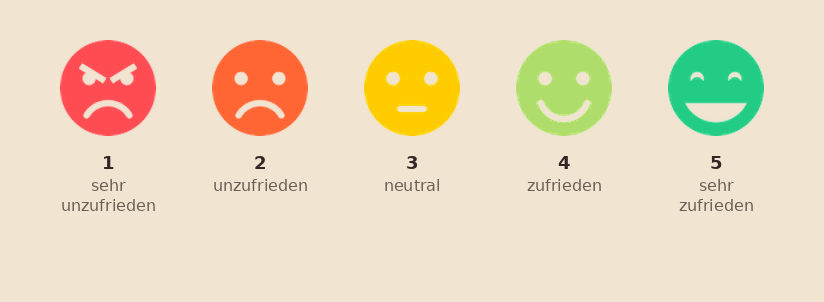
*5-point CSAT scale — from "very dissatisfied" (1) to "very satisfied" (5).*
The CSAT value is the percentage of respondents who gave a rating of **4 or 5** — the so-called top-two-box. In market research it's considered the most robust predictor of customer retention; some studies argue instead for the top-box (5s only), which is a design decision. We recommend top-two-box as the default — established, stable, and easy to compare.
```math
\text{CSAT} = \frac{\text{number of satisfied respondents (4 + 5)}}{\text{number of all respondents}} \times 100\,\%
```
The value ranges between 0% (all dissatisfied) and 100% (all very satisfied). In practice, healthy CSAT values fall between 75% and 90% depending on the industry — a value that is consistently higher usually signals that the question was framed too vaguely or that the sample is selective.
## What CSAT is strong at
CSAT is flexible. The question can be adapted to any aspect of the interaction between customer and company — and that's exactly its most common application.
- **Touchpoint diagnostics** — "How satisfied were you with your last call to the hotline?" Instantly delivers a comparison value for service quality across shifts and locations.
- **Product and process feedback** — "How satisfied were you with the delivery of your order?" or "How satisfied were you with the salesperson's helpfulness?" Several CSAT questions combined in one survey give you a differentiated diagnostic picture.
- **Trend measurement** — same wording, same scale, defined waves. Changes over time are immediately readable.
## Where CSAT reaches its limits
CSAT captures a snapshot — the impression after exactly one touchpoint with the company. About the long-term customer relationship, the value says nothing directly.
A customer who was "very satisfied" with their last call to the hotline may still switch at the next contract renewal — because the overall balance of price, product quality, and competing offers looks different. If you want to measure loyalty and willingness to recommend, you need the **Net Promoter Score (NPS)**. If you want to capture the perceived effort in resolving a problem, you need the **Customer Effort Score (CES)**.
> 💡 **Practical recommendation**
>
> Use CSAT right after every relevant touchpoint — short, clearly situated questions, not a collected form at the end of the quarter. For the strategic view, complement it with NPS (loyalty) and CES (effort experience). All three metrics are available in QUESTIONSTAR as standard building blocks.
## CSAT, NPS, CES — which question measures what?
- **CSAT** — satisfaction after a touchpoint. "How satisfied were you with [interaction]?" Point-in-time diagnostics.
- **NPS** — loyalty and willingness to recommend. "How likely are you to recommend us?" A strategic indicator.
- **CES** — effort experience in problem resolution. "The company made it easy for me to resolve my issue." Friction diagnostics.
For an overview of the combined use of NPS, CSAT, and CES, see the page [NPS, CSAT, and CES in QUESTIONSTAR](/use-cases/nps-csat-ces).
---
# https://questionstar.com/resources/likert-scales-five-aspects/
---
url: "https://questionstar.com/resources/likert-scales-five-aspects/"
title: "Creating Likert scales: 5 aspects done right — QUESTIONSTAR"
description: "Number of steps, balance, even/odd, \"don't know,\" labeling — the 5 decisions every Likert scale settles up front. A practical, methodologically sound guide."
lastmod: "2026-07-08"
type: "blog"
---
# Likert scales — five aspects to consider when creating them
A Likert scale seems trivial: a few response categories and you're done. In fact, with every question you make five decisions that later show up in the data. Make them deliberately and you get robust findings. Skip them and you'll wonder about answers nobody needs.
The Likert scale is the most widely used form of rating scale in empirical social research — introduced in 1932 by the American psychologist Rensis Likert, and since then developed further in countless variants. It measures unobservable constructs: attitudes, satisfaction, importance judgments, purchase intentions. What methodology demands is simplicity for respondents and precision for analysis. These two goals stand in tension, and the following five decisions are what balances them out.
## Aspect 1 — how many response categories?
Textbooks and method collections offer no canonical number, but rather a range: four to nine categories. The most common designs in practice are the five-step and the seven-step scale. Which you choose depends on three factors.
**First, the differentiability of the language.** A scale has to be namable. With five steps you can easily write "disagree — somewhat disagree — neither nor — somewhat agree — agree." With seven steps it gets tight; with nine steps it gets artificial. What you can't clearly distinguish in language, you can't clearly distinguish cognitively either — and then respondents guess.
**Second, the medium.** On a smartphone, long horizontal scales either become too narrow or require scrolling. In a telephone survey, all categories have to be read out — seven is then the pragmatic maximum that respondents can still remember. In a paper-and-pencil survey, space considerations come into play as well.
**Third, the analytical purpose.** The finer the scale, the higher the statistical resolution that can theoretically be achieved. But: each additional step yields only diminishing marginal returns, because respondents simply can't differentiate as finely as the tool can. Correlation-based analyses benefit from five to seven steps; going further rarely brings real analytical gain.
> 💡 **Practical recommendation**
>
> For most applications, five steps are the most straightforward choice. Seven steps if you have correlation-based analyses planned or if the constructs actually support finer differentiation. More than seven — only with good reason.
## Aspect 2 — balanced or not?
A balanced Likert scale contains equally many agreeing and disagreeing categories. An unbalanced scale shifts the weight — for example three positive categories ("strongly agree" / "agree" / "somewhat agree") against just one negative ("disagree"). At first glance the difference looks harmless; in the data it isn't.
Unbalanced scales create an invisible pull toward the overrepresented side. Respondents take their cue from the choices offered and read an expected answer pattern out of what the scale presents — "the positive answer is apparently the normal one." This bias is well documented in the methodological literature and can markedly distort a study's findings.
Balance also means that the *semantic distances* between the categories are evenly spread. "Strongly agree — mostly agree — neither nor — disagree — strongly disagree" looks balanced (two positive, two negative, one middle), but on closer inspection it isn't: between "neither nor" and "disagree" a step is missing that is present on the positive side. Cleaner would be "strongly agree — agree — neither nor — disagree — strongly disagree" — the same step between all categories.
> When in doubt: a collegial read-through before the field phase. Imbalances in scales, once you know what to look for, are found in thirty seconds. In the dataset later, no longer.
## Aspect 3 — an even or odd number of steps?
An odd number of categories has a neutral middle ("neither nor"). An even number has none — respondents have to commit to one side. The choice is a deliberate design statement.
A neutral middle makes sense when you assume that a substantial minority of respondents genuinely holds no position — on abstract topics, on questions about barely known objects, on sensitive or politically charged content. Drop the middle and you risk a "tendency to the middle" as a forced-choice artifact: respondents then pick the next category up or down without any position-based anchor.
An even number of steps without a middle makes sense when the construct requires taking a stance. For importance ratings ("important — somewhat important — somewhat unimportant — unimportant") you want to know which way the tendency leans. A middle position would usually not be informative here in terms of content.
A good rule of thumb: if you can't decide, ask yourself — would I be able to use this data if forty percent of the answers landed in the middle? If yes, leave the middle in. If not, use an even number.
## Aspect 4 — mandatory answer or "don't know"?
Related to the question of the middle, but to be distinguished from it, is the question of an explicit "don't know" option. It captures a different cognitive state: not "I don't care" (that would be the neutral middle), but "I have no information or opinion on this point."
The temptation to leave out "don't know" is understandable — you want answers, not refusals. But: forced answers from respondents who don't know the topic are noise. They don't improve the analysis; they only make it more prone to interference.
A pragmatic rule of thumb: use "don't know" when the question presupposes specialist knowledge or touches on content on which some respondents plausibly have no opinion (politics, scientific topics, personally sensitive areas). Do without it when the topic is universally accessible (satisfaction with one's own workplace, one's own consumption preferences).
A second variant: "no answer" as an explicit refusal option. Methodologically this is narrower than "don't know" — respondents *know* the answer but don't want to disclose it. In QUESTIONSTAR, both options are analyzed separately, so you can distinguish between them afterward.
## Aspect 5 — label all steps or only the endpoints?
Three variants occur in practice: fully verbally labeled scales, scales labeled only at the endpoints (endpoint scaling), and pure numeric scales without words. The methodological research on this question is clear-cut — and in a direction that surprises many at first: for respondents' answering behavior it makes practically no difference whether only the two outer steps or all scale points are labeled.
The choice is therefore less a methodological one than a pragmatic one. Full labeling gives every step a linguistic anchor — that helps respondents who read quickly, and makes the questionnaire easier for outsiders to interpret. The price: you have to find a plausible label for each step, and from five to seven steps on, the language inevitably becomes artificial.
Endpoint scaling ("fully applies" on one side, "does not apply at all" on the other, with empty points in between) requires respondents to supply their own internal yardstick. This works well with culturally established scales (school grades, NPS) and is often the cleaner solution in multilingual studies — the semantic translation of middle steps like "applies somewhat less" is rarely exactly equivalent across languages, whereas the poles are.
Pure numeric scales without labels are a special variant. They work when the scale is culturally established (NPS from 0 to 10, school grades from 1 to 6) and needs no further explanation. Outside these established cases they lead to uncertainty about what the individual numbers are supposed to mean.
## Conclusion
Likert scales aren't a window you simply open. Each of the five decisions above has consequences — sometimes small, sometimes large. Think them through in advance and you get data you can work with. Skip them and you collect answers whose informative value is decided only at the analysis stage, and then often for the worse.
If you're unsure for a specific project which settings suit you, write to us. We answer methodological questions even when no contract is on the table.
## References
- Baur, Nina, and Jörg Blasius (eds.): *Handbuch Methoden der empirischen Sozialforschung*. Wiesbaden: Springer Fachmedien, 2014.
- Jacob, Rüdiger, Andreas Heinz and Jean Philippe Décieux: *Umfrage: Einführung in die Methoden der Umfrageforschung*. De Gruyter Oldenbourg, 2019.
- Malhotra, Naresh K., and David F. Birks: *Marketing Research: An Applied Approach*. 2nd European Edition. Pearson Education, 2006.
- Schumann, Siegfried: *Repräsentative Umfrage — praxisorientierte Einführung in empirische Methoden und statistische Analyseverfahren*. 7th edition. De Gruyter Oldenbourg, 2019.
- Thielsch, Meinald T. (ed.): *Praxis der Wirtschaftspsychologie. Themen und Fallbeispiele für Studium und Anwendung*. Volume 2. MV Wissenschaft, 2012.
- Weinreich, Uwe, and Eike von Lindern: *Praxisbuch Kundenbefragungen — repräsentative Stichproben auswählen, relevante Fragen stellen, Ergebnisse richtig interpretieren*. mi-Fachverlag, 2008.
---
# https://questionstar.com/security/
---
url: "https://questionstar.com/security/"
title: "Security — GDPR taken seriously, not just a checkbox"
description: "Servers exclusively in Germany (IONOS Frankfurt). DPA available. Encryption, anonymization, audit trail. GDPR as the default, not an add-on module."
lastmod: "2026-07-08"
type: "marketing"
---
# Security & data protection at QUESTIONSTAR
We treat the questions of our customers (administrators) and of survey respondents separately — because their concerns are different.
## For administrators
### Hosting & infrastructure
- Our own hardware in German IONOS data centers — under our own management
- TLS encryption in transit (HTTPS)
- Encryption at rest (database level)
- Geo-separated backup locations (production and backup servers in different data centers — protection against local disasters)
### Availability & backups
- 99.97% availability (measured over the last 12 months)
- Daily backups (24-hour cycle, full)
- Restoration typically within a few hours on request
- Backup locations geographically separated from production servers
*Note: outages of external internet backbones or internet service providers are outside our control.*
### Real-time data capture
Every answer is saved the moment it’s entered — not only when moving to the next page. The benefit: protection against data loss from dropped connections, closed browsers or interrupted sessions.
### Audit trail
Logged internally: login/logout, account creation/plan changes, survey creation/editing/deletion, response arrival and deletion, user management.
*Reported transparently:* data exports by users are currently not logged (on the roadmap); anonymity-setting changes are enforced at system level (one-way enforcement) but not logged separately; admin actions are partially captured (around 10%, being expanded). A customer-facing audit-log export is on the roadmap.
### GDPR compliance
- DPA (data processing agreement) available — as a PDF download
- Compliance with Art. 28 (processing), Art. 32 (security measures) and Art. 33 (incident notification) GDPR
- Granular anonymity settings: IP storage full / partially masked (first two octets removed) / none; private questions with separate data storage; optional key for joining private and general data; once configured anonymous — stays anonymous (one-way enforcement)
- Access (Art. 15) and erasure rights (Art. 17) — researcher-mediated: we implement requests for our customers
- Incident notification within 72 hours per GDPR Art. 33
### Access protection
**Server access:** only via IP-restricted remote desktop (whitelist) for QS developers; console access exclusively through the IONOS backend; physical protection through IONOS data-center security; access by QS staff only — no external contractors.
**User authentication:** standard password requirements — at least 8 characters, 1 digit, 1 uppercase letter; license administrators can set their own password policies for their teams.
*Reported transparently:* two-factor authentication (2FA) is currently not available — on the roadmap.
### Sub-processors
- IONOS Cloud GmbH (Germany) — hosting of the server infrastructure
- Twilio SendGrid (certified SCC compliance) — email delivery for survey invitations and reminders
Other services without personal-data processing: Microsoft Azure (Frankfurt) — CDN for static assets. We use no external analytics tools and no external error-tracking services. Full list with contract and data-location details on request via support@questionstar.com.
### Security testing & certifications
Regular internal security testing with Nikto (web-server scanner); OWASP recommendations applied. The IONOS data centers are ISO 27001 certified (this covers the physical infrastructure — not the QUESTIONSTAR application itself).
*Reported transparently:* external penetration tests by third parties are currently not performed; QUESTIONSTAR itself is not ISO 27001 certified.
## For survey respondents
### What data is collected?
- The answers you give
- Technically necessary cookies (e.g. to resume an interrupted survey) — not optional
- Optional analytics cookies — only if the survey owner enables them, can be turned off
- Optionally your IP address — full (default), shortened (first two octets) or not at all; the owner makes that choice
- Browser local storage: not used
### Who sees your answers?
The survey owner who created the survey. QUESTIONSTAR staff only if the owner requests our technical support. We don’t use your answers ourselves and don’t pass them to third parties — explicitly regulated in our terms of service.
### Anonymity — when is it real?
No personal data is collected before the survey starts — a survey is anonymous by default. If the owner configures it as anonymous: once anonymous, stays anonymous (one-way enforcement — even the owner can’t undo it later without creating a new copy). Answers to private questions are stored separately; if skipped, they remain pure noise. About the IP address: in practice, a person can’t easily be reconstructed from it — on request, the owner can disable IP storage entirely.
### Real-time saving
Your answers are saved as soon as you enter them — not only when changing pages. So answers aren’t lost if the connection drops or the browser closes.
### Your rights — how to exercise them
Access (GDPR Art. 15) and erasure (Art. 17) are implemented through the survey owner — they are the data controller; contact them first. The response should come within one month (Art. 12(3)); for extensive requests, +two months with justification. If you get stuck: support@questionstar.com — we’ll support the controller.
### Hosting & security
Your data is hosted in German data centers · TLS encryption in transit, encryption at rest · GDPR-compliant per Art. 28, 32, 33.
## Further information
- [Download the DPA as PDF](/legal/DPA-QUESTIONSTAR-EN.pdf)
- [Full privacy policy](/privacy-policy/)
- [Legal notice](/imprint/)
For security or GDPR questions and incident reports: support@questionstar.com — we report notifiable incidents within 72 hours per GDPR Art. 33.
---
# https://questionstar.com/templates/
---
url: "https://questionstar.com/templates/"
title: "Survey templates — QUESTIONSTAR"
description: "Structured survey templates across HR, customer feedback, NPS/CSAT/CES, citizen participation, events, academic research and more — a starting point, not an end point."
lastmod: "2026-07-08"
type: "marketing"
---
# Vorlagen — als Startpunkt, nicht als Endpunkt
## Was eine Vorlage leistet — und was nicht
✓ **It structures the approach.** Which questions come, in which order, with which answer scale. That saves time.
✗ **It doesn't replace the thinking.** Which research question you want to answer. Which language your target group speaks. Which context details are relevant.
✓ **It should be adapted before publishing.** We recommend a pretest with 3–5 people before you start. Test your planned analysis at the same time — what you don't ask, you can't analyze later.
## HR surveys
Employees, leadership, onboarding, exit — methodologically robust.
- **Employee survey — annual (comprehensive)** — Eight topic blocks from work situation and pay through leadership and communication to innovation and overall satisfaction. 46 statements on a 7-point scale plus open follow-ups and demographics. Modeled on Gallup Q12 and the Job Diagnostic Survey. ([Vorlage ansehen](https://survey.questionstar.com/7891fdd7))
- **Employee pulse for small teams — informal** — For the leadership of small teams (10–50 people) who communicate personally and directly with their staff. Quantitative anchors (team, recommendation, manager rating) plus several open fields for stories and improvement ideas. Informal, founder tone. ([Vorlage ansehen](https://survey.questionstar.com/84d311c7))
- **HR customer feedback — importance-performance analysis** — Measures the satisfaction of internal HR customers (managers, stakeholders) rather than employee satisfaction. Four topic blocks (policies, recruitment, development, service quality) plus a Dave Ulrich role profile. Each statement rated twice (importance + delivery) as a side-by-side matrix — directly yielding an action roadmap via importance-performance analysis. After Volker Nürnberg, Mitarbeiterbefragungen, Haufe 2017. ([Vorlage ansehen](https://survey.questionstar.com/b35c3cea))
- **Employee wellbeing & stress (PSS-10 + WHO-5)** — A pulse survey on the staff's mental state — perceived stress (10 items after Cohen, Kamarck & Mermelstein 1983, Journal of Health and Social Behavior) and subjective wellbeing (5 items after WHO 1998). Both scores yield four quadrants: healthy / resilient under pressure / burnout risk / disengagement — with different recommended actions. Fully anonymous, minimally demographic (only area and length of employment). Suitable for quarterly or semi-annual repetition as trend tracking. ([Vorlage ansehen](https://survey.questionstar.com/51110eb9))
- **Mood barometer for a change initiative (ADKAR + eNPS)** — A pulse survey during ongoing transformations, culture initiatives, new mission statements or post-merger integration. Measures not "are employees satisfied" but where each person stands in the change process — after the ADKAR model of individual change adoption (Hiatt, Prosci 2006): Awareness, Desire, Knowledge, Ability, Reinforcement. Plus overall satisfaction, a 12-month change trend, comparison with other employers and Employee Net Promoter Score (eNPS). Three open topic suggestions for the next wave. K-anonymity (minimum participation 5) communicated explicitly. Repeatable quarterly. Adapted from a mood barometer actually run at a company. ([Vorlage ansehen](https://survey.questionstar.com/86d136b2))
- **Onboarding pulse 30/60/90 days** — A short pulse for the first 90 days — sent as a series at three measurement points (day 7, day 30, day 90) to track each person's development across the onboarding phase. Four constructs after the 4-C model (Bauer 2010): clarity, integration, onboarding, retention. Includes eNPS as an early indicator of early-turnover risk. Identical items across all three waves for clean trajectory analysis. ([Vorlage ansehen](https://survey.questionstar.com/784ef1d1))
- **Onboarding comprehensive (modular) — 10 blocks** — A comprehensive, modular template for the entire onboarding phase — ten thematic blocks from recruitment through pre-boarding, first day, role clarity, onboarding, manager, team and culture to engagement and overall assessment. Before publishing, you choose the blocks that fit the measurement point — a decision matrix in the hint text shows which blocks make sense at pre-start, day 7, day 30 or day 90. Based on the 4-C model (Bauer 2010), with eNPS and three open fields. ([Vorlage ansehen](https://survey.questionstar.com/2c798361))
- **360° feedback for managers — standard (8 competency areas)** — A classic multi-perspective 360° assessment for managers — eight competency areas from leadership & vision through communication, staff development, decisions, collaboration, personal impact and expertise to alignment with company values. 42 Likert items phrased in the third person — the same questionnaire for self- and other-assessment. With role capture (self / manager / direct report / peer / other) for per-perspective analysis and self-vs-other gap analysis. Plus four open questions. Based on Lepsinger & Lucia 1997. ([Vorlage ansehen](https://survey.questionstar.com/4fd8366f))
- **360° feedback coaching (qualitative) — eight open questions** — A qualitative 360° variant for individual development support by an external coach or an HR business partner — deliberately without scales and averages. Eight open questions on perception, development areas, leadership, collaboration and self-perception. Value comes from recurring patterns across six to eight people, grouped by the coach and translated in the debrief into two or three concrete development steps. ([Vorlage ansehen](https://survey.questionstar.com/3896d24e))
- **360° feedback compact with rationale — 10 items + comment** — A compact 360° variant with mandatory rationale — a coarse three-point scale (needs development / meets expectations / exceeds expectations) plus a required free-text comment directly under each item. So each statement gets both a quantitative direction and a concrete rationale. Ten items in four domains: professional performance, safety & quality, communication & collaboration, trust & integrity. Plus a concerns query as an early-warning signal. Adapted from the UK GMC's Good Medical Practice framework. ([Vorlage ansehen](https://survey.questionstar.com/2ec410cf))
- **Employee pulse quarterly — engagement & enablement** — A general engagement pulse for use between annual deep-dive surveys. Five topic blocks (working conditions, direct manager, team, organization, engagement & wellbeing) with 19 Likert items in total, plus eNPS and two open questions. Methodologically grounded in Gallup Q12, the Job Demands-Resources model (Bakker & Demerouti) and UWES-3 (Schaufeli et al. 2019, validated short form of the Utrecht Work Engagement Scale). ([Vorlage ansehen](https://survey.questionstar.com/96247c84))
- **Hybrid and remote work — setup survey** — A data basis for hybrid-policy decisions — suitable when introducing or revising a hybrid arrangement, in preparation for return-to-office discussions, or as an annual review of existing models. Four dimensions (enablement, productivity & career visibility, communication in a hybrid setting, work-life balance) plus concrete preference capture with a desired number of office days and the strongest reasons for office vs. remote. Three open fields. Based on Bloom et al. 2015 (QJE) and Choudhury et al. 2021 (SMJ). ([Vorlage ansehen](https://survey.questionstar.com/c0f2a481))
- **Stay survey — proactive retention diagnosis (modular)** — The proactive counterpart to the exit interview — asks employees, while they're still there, what keeps them and what would make them leave. Seven modular blocks (stay factors, direct manager, job content, recognition, development, team & culture, stay risk), around 40 items. With an intent-to-stay scale as an early indicator. The hint text includes a decision matrix for four occasions: end of probation, annual check, pre-risk intervention, critical-talent retention. Based on Finnegan 2018 and the Saratoga 20,000-employee study (75% of departures are supervisor-driven). ([Vorlage ansehen](https://survey.questionstar.com/a5381ce0))
- **Exit survey — structured departure feedback (modular)** — The retrospective counterpart to the stay survey — captures the reasons, experiences and improvement suggestions of people who have left the company. Six modular blocks (reasons for leaving, job & expectations, work environment & culture, direct manager, development & recognition, recommendation & closing with eNPS and comeback likelihood). Around 30 items. Hint text with a decision matrix for four departure types (voluntary, involuntary, retirement, internal move) and a timing recommendation: send 30–60 days after departure (Spain & Groysberg 2016, HBR) — for more honesty and more reflective answers than on the last working day. ([Vorlage ansehen](https://survey.questionstar.com/9e17d70f))
[More on HR surveys](/use-cases/hr-surveys)
## Customer feedback
Product, service, brand, competition — from touchpoint to positioning.
- **Brand awareness** — A classic brand-tracking survey — with the methodologically correct order: unaided awareness (recall, open) before aided awareness (recognition, brand list), so the recall measurement isn't contaminated by the list. Plus channel attribution (where awareness comes from), funnel stage (from "only know of it" to "buy regularly"), purchase likelihood and brand-image associations. Demographics for segment cuts. Repeatable identically in waves for tracking. Based on Keller 1993 CBBE, Aaker 1991 brand pyramid and the McKinsey Consumer Decision Journey. ([Vorlage ansehen](https://survey.questionstar.com/e9a0c037))
- **Competitive comparison — market positioning** — A data basis for strategic positioning decisions — all relevant brands are compared on identical dimensions (quality, value for money, innovation, reliability, service, image). Plus preference capture ("which would you choose today?"), switch scenarios (which brand would you switch to if your favorite weren't available?) and switching likelihood. Three open fields on strengths, weaknesses and areas for improvement. Provides input for perceptual mapping. Based on Aaker 1991 Brand Equity Ten, Kotler & Keller positioning, Romaniuk & Sharp 2016 mental availability. ([Vorlage ansehen](https://survey.questionstar.com/97117faf))
- **Service quality (SERVPERF)** — A peer-reviewed measurement of perceived service quality across 5 dimensions (tangibles, reliability, responsiveness, assurance, empathy). 22 validated items after Cronin & Taylor 1992. ([Vorlage ansehen](https://survey.questionstar.com/f5f19241))
- **In-store service quality — staff advice** — A post-visit survey in brick-and-mortar retail with a focus on staff performance. Core rating (1–2 min) plus an optional deep-dive on appointment, staff quality, advice coverage (warranty, services, purchase options) and a manager callback option. With jumps and PII capture, GDPR-compliant. ([Vorlage ansehen](https://survey.questionstar.com/5ac7bf73))
- **Product stories — collecting customer voices** — Combines NPS, usage screening and targeted testimonial mining. A storytelling block ("If a stranger on the bus…", "What would hurt you if…") provokes authentic customer quotes. A graduated permission cascade (GDPR-compliant) identifies reference customers for case studies, beta tests, brand messaging. With branching and display logic. ([Vorlage ansehen](https://survey.questionstar.com/ea6bdb54))
- **Online-shop quality (E-S-QUAL) — post-purchase survey** — Measures the perceived quality of your online shop across four validated dimensions: efficiency (8 items: navigation, search, checkout), fulfillment (7 items: delivery reliability, availability), system availability (4 items: stability, performance), privacy & security (3 items). Plus an optional service-recovery block (shown only when there's a problem) with three sub-dimensions after Wayne, Shore & Linden. A classic NPS question (0–10) and open fields. After E-S-QUAL (Parasuraman, Zeithaml & Malhotra 2005, Journal of Service Research). ([Vorlage ansehen](https://survey.questionstar.com/efe77cec))
- **Cancellation survey — churn diagnosis after Keaveney** — A systematic capture of cancellation reasons — not "why are you leaving", but "which of the ten categories does your departure fall into". Based on the service-switching-behavior taxonomy after Keaveney (Journal of Marketing 1995) with eight classic categories (price, core service failure, encounter, recovery, competition, trust, etc.) plus two modern extensions (feature gap, low usage). Detail matrices are shown conditionally only for the chosen category (display logic). Plus a retention-lever question and comeback likelihood (0–10) for win-back segmentation. ([Vorlage ansehen](https://survey.questionstar.com/5e4e61bf))
- **Feature feedback — HEART + KANO classification** — An inline survey immediately after using a specific feature in an app, SaaS or platform. Four questions plus a free comment: helpfulness (Happiness from the HEART framework, Google UX Research 2010), task success (could the user achieve what they wanted) and the KANO question pair (Kano 1984) — "if the feature were there / weren't there". The combined answer pattern yields a classification into five categories: must-be, one-dimensional, attractive, indifferent, reverse — direct roadmap input for product management. Dynamically configurable per URL parameter for many features from the same template. ([Vorlage ansehen](https://survey.questionstar.com/d17fdbcf))
- **Service quality after a service job** — A post-service survey after a repair, maintenance, installation or technical consultation. Captures both dimensions of service quality after Grönroos (European Journal of Marketing 1984): technical quality (what was delivered — expertise, fulfillment, turnaround time) and functional quality (how it was delivered — reception, information, advice). Rated on the German school-grade principle (1–6) — understandable to DACH customers without explanation. Plus a repeat indicator (first-time vs. regular vs. switching customer) and classic NPS. For workshops, IT service, electronics repair, opticians, plumbing — any industry with a service-after-appointment model. ([Vorlage ansehen](https://survey.questionstar.com/c379ec74))
[More on customer feedback](/use-cases/customer-feedback)
## NPS / CSAT / CES
Standard metrics — cleanly set up, comparable over time.
- **Net Promoter Score — standard with demographics** — The canonical NPS survey after Reichheld 2003 (HBR "The One Number You Need to Grow"). One central recommendation question on the 0–10 scale plus an open rationale, complemented by a compact demographics block (age, gender, length of customer relationship, usage frequency). For regular loyalty trends and simple wave comparisons. ([Vorlage ansehen](https://survey.questionstar.com/4a5ebee1))
- **Customer Satisfaction — repeat survey** — A CSAT survey with the three central ACSI items (Anderson & Fornell 1994): overall satisfaction, expectation fulfillment, comparison to the ideal. On the proven 7-point scale — comparable to ACSI benchmarks. For regular trend measurement with identical items across waves, plus usage frequency, willingness to recommend and open improvement suggestions. ([Vorlage ansehen](https://survey.questionstar.com/a9a8aef3))
- **Customer Effort Score — service touchpoint series** — CES after Dixon et al. 2010, HBR ("Stop Trying to Delight Your Customers") — measures how easily customers could resolve their issue. Research core: reducing friction predicts loyalty more strongly than delight. Includes a touchpoint matrix with six typical service steps (find contact, describe the issue, get an answer, resolution), a friction-identifier multiple choice and open improvement fields. ([Vorlage ansehen](https://survey.questionstar.com/9305d63a))
- **Support-website rating — CSAT + Task Completion + NPS** — A short pop-up survey for support and help websites. Combines three classic website metrics: satisfaction (CSAT), task completion and recommendation (NPS-like). Shows directly whether the website does what it's meant to. ([Vorlage ansehen](https://survey.questionstar.com/90a0e25c))
- **Hotline call rating — post-call survey** — A rating of a single hotline call right after the conversation. CSAT, First Call Resolution (FCR), agent rating across five dimensions, classic NPS (0–10) plus touchpoint analysis (which self-service resources were used before the call). ([Vorlage ansehen](https://survey.questionstar.com/3e153e0e))
[More on NPS, CSAT & CES](/use-cases/nps-csat-ces)
## Citizen participation
Neighborhood, traffic, climate, urban development — participation documented in a legally sound way.
- **Neighborhood survey — quality of life in the residential area** — Capturing perceived quality of life in the residential area. A detail matrix with 19 neighborhood dimensions (accessibility, public transport, parking, greenery, air quality, microclimate, noise, cleanliness, safety day/night, local supply, medical care, childcare, meeting opportunities, image, participation) plus open concerns, willingness to participate and demographics incl. length of residence. Repeatable identically as a tracking survey. Based on Eurostat Urban Audit (EU quality-of-life standard), BBSR indicators and the Karlsruhe citizen survey 2024. ([Vorlage ansehen](https://survey.questionstar.com/90fb2cca))
- **Traffic planning — citizen input on mobility** — Capturing mobility behavior and acceptance of transport-policy measures. Rating of the traffic situation for car/bike/pedelec/public transport/on foot, actual usage frequency (modal split), acceptance of 10 measures with clearly named trade-offs (reducing parking spaces, 30 km/h zones, priority for public transport), cycling promotion, an optional commuter block with display logic (distance, choice of transport, reasons). Based on SrV (TU Dresden) and the Karlsruhe mobility survey 2024. ([Vorlage ansehen](https://survey.questionstar.com/31a464e3))
- **Climate-protection awareness — citizen survey** — Capturing climate-protection awareness, acceptance of political measures, personal behavior and heat-adaptation wishes. Six blocks: perception of climate change, acceptance of 10 political measures, personal behavior (12 behavior items on consumption/mobility/housing/diet), municipal adaptation measures, obstacles and desired support. Provides the attitude-behavior-gap analysis as a lever for action. Based on the BMUV environmental-awareness study, Münster 2023 climate-protection citizen survey and the Theory of Planned Behavior (Ajzen 1991). ([Vorlage ansehen](https://survey.questionstar.com/8b351921))
- **Urban development — stakeholder mapping and participation** — An upstream survey for larger urban-development and participation processes (ISEK, mission-statement procedures, neighborhood development). Captures the prioritization of challenges, the importance of 25 municipal projects, willingness to participate in eight participation formats (from survey through online consultation to long-term engagement), trust in city actors and information preferences. Based on the Karlsruhe ISEK-2040 citizen survey 2024, Reed et al. 2009 stakeholder analysis and Arnstein 1969 Ladder of Citizen Participation. ([Vorlage ansehen](https://survey.questionstar.com/485f90a3))
- **Volunteering & civic engagement — conditions** — A substantial citizen survey on the state of volunteering: engagement status (with branching for active, interested and non-engaged people), areas, motivation, appreciation, association life, challenges, concrete improvement wishes. 36 questions across 10 pages with display logic. Sociodemographic data deliberately at the end (lower drop-off, no anchor bias). Adopted from the Lower Saxony state parliament (enquete commission 2021). ([Vorlage ansehen](https://survey.questionstar.com/3c43410c))
- **Rent-index survey — tenant** — Data collection for producing a qualified rent index under § 558d BGB — from the tenant's perspective. 40 items in 12 blocks: tenancy, landlord identification, rent components (net/service charges/surcharges), floor area, kitchen, flooring, sanitary fittings, outdoor area, location (traffic noise), building services, parking, accessibility, household and income. Methodological basis: MsRG 2021, MsV 2022, guidance from the BMWSB. With a duty to provide information under Art. 238 § 2 EGBGB. Pairs with the landlord template for a complete rent-index data basis. Addressees: municipal administrations, appraisal committees, statistics offices. ([Vorlage ansehen](https://survey.questionstar.com/b3b28142))
- **Rent-index survey — landlord** — Data collection for producing a qualified rent index under § 558d BGB — from the landlord's perspective. 46 items in 10 blocks: tenancy, full rent components (net cold rent, heating/service charges, all surcharges), modernization increases under § 559 BGB, contract type (stepped/index), apartment with energy-certificate detail, building type, modernization history (thermal insulation, component years, 10-element fittings matrix), heating (type, year built, system, contracting), window type. Statutory duty to provide information under Art. 238 §§ 2–4 EGBGB / MsRG 2021 — fine of up to €5,000 for refusal. Pairs with the tenant template. ([Vorlage ansehen](https://survey.questionstar.com/b4c80fb2))
[More on citizen participation](/use-cases/citizen-participation)
## Events & seminars
Registration, experience, learning transfer, sponsoring — from workshop to major event.
- **Participant registration — event registration** — A functional registration form for conferences, workshops and conventions. Captures contact data (name, organization, email), attendance days, workshop or track choice, catering preferences (vegetarian, vegan, halal, gluten-free) and accessibility. Incl. a special-requests field. Adaptable in a GDPR-compliant way. ([Vorlage ansehen](https://survey.questionstar.com/25126927))
- **Pre-event briefing — expectation mapping** — A pre-event survey of registered participants to sharpen the program — Kirkpatrick Level 0 (expectations). Captures prior knowledge, personal learning goals, topic prioritization, format preferences and concrete Q&A questions. Results help speakers adjust the program level and set focal points. To be sent 7–14 days before the event. ([Vorlage ansehen](https://survey.questionstar.com/41fed403))
- **6-week follow-up — learning transfer (Kirkpatrick L3)** — Measures actual learning transfer six weeks after an event — Kirkpatrick Level 3 "Behavior/Transfer" (1959), complemented by LTSI items from Holton 1996. Separates event enthusiasm from real impact. Captures application frequency, impact indicators (efficiency, quality, new perspectives, collaboration), transfer barriers (classic LTSI factors: time, manager support, opportunities, tools) and refresher needs. Industry standard for effective training: 40–60% application rate. ([Vorlage ansehen](https://survey.questionstar.com/406dd572))
- **Multi-day seminar — full evaluation** — A comprehensive participant assessment across five blocks: general (atmosphere, learning content, catering), specific activities, day-by-day rating of sessions, closing open fields and recommendation with a conditional follow-up. A template for multi-day trainings, workshops, conferences. ([Vorlage ansehen](https://survey.questionstar.com/237e8912))
- **Conference feedback — after multi-day conventions & congresses** — A full post-event survey for multi-day conferences, professional congresses and conventions — academic and industrial. Nine topic blocks: overall impression, program quality, organization and check-in, networking and catering, venue, program materials, free suggestions, returning with a barrier analysis, demographics. 37 questions with Likert matrices, multiple choice and open fields. An optional follow-up-conversation block. Generalized from an actually conducted ICIS conference survey. ([Vorlage ansehen](https://survey.questionstar.com/ad1cf140))
- **Webinar feedback — Kirkpatrick L1 & L2** — A post-webinar survey after the first two levels of the Kirkpatrick model of training evaluation (1959): Level 1 (reaction — content, speaker, technology, format, interactivity) and Level 2 (learning — self-reported knowledge gain and intention to apply). Plus classic NPS and open fields for content and topic suggestions. Deliberately online-specific: a separate block on technical quality (audio, video, platform), interactivity rating. Complements the 6-week follow-up template for Level 3 (behavior change). ([Vorlage ansehen](https://survey.questionstar.com/29403caa))
- **Live-event visitor experience — major events** — A full post-event survey for major events — sports matches, concerts, festivals, trade fairs, public festivals. Nine blocks: occasion and company, catering (selection, prices, quality, waiting times), service staff, wayfinding and safety, atmosphere and mood, overall impression with NPS revisit and recommendation, demographics incl. arrival. 33 items across 5-point Likert matrices, multiple choice and open fields. Generalized from actual visitor surveys of German professional clubs 2021–2024. ([Vorlage ansehen](https://survey.questionstar.com/fc405033))
- **VIP and premium hospitality — boxes and business areas** — A specialized post-event survey for VIP, hospitality and premium-ticket areas (boxes, VIP lounges, business clubs). Eight blocks: reception and atmosphere, catering quality (food, drinks, service), service staff, networking value (especially critical in the hospitality context), depth of experience and exclusivity, overall impression with rebooking and recommendation, context (private/business) and demographics. 25 items. Generalized from actual VIP surveys of German professional clubs. ([Vorlage ansehen](https://survey.questionstar.com/2acf4e8c))
- **Event arrival and mobility — major events** — Captures arrival and departure behavior at major events — for traffic planning with the municipality, transport association and mobility partners. Five blocks: arrival behavior (distance, 11 transport options, decision reasons), rating of arrival (waiting times, staff, wayfinding), service offerings (park-and-ride, shuttle, special public-transport fares), willingness to switch to climate-friendly arrival with 12 concrete measures, departure. Provides modal-split data. Based on SrV (TU Dresden), Currie & Shalaby 2012 (special-event traffic). ([Vorlage ansehen](https://survey.questionstar.com/e87758c2))
- **Sports-sponsoring impact study — modular** — A modular survey on sponsoring impact in a sports context — usable by professional clubs, esports organizations and regional sports clubs. Seven blocks: relationship to the club/team/event, unaided and aided sponsor awareness (recall + recognition), likeability and image fit, impact on brand perception, purchase and loyalty impact, audience profile with esports and regional modules (gaming hours, streaming, regional attachment), demographics. Methodological basis: Aaker 1991 brand equity, Keller 1993 CBBE, Cornwell & Maignan 1998, Meenaghan 2001 image transfer. ([Vorlage ansehen](https://survey.questionstar.com/9ce5103d))
[More on events & seminars](/use-cases/seminars-events)
## Academic research
Pretest, quotas, waves, experiments, thesis — methodologically clean.
- **Pretest template — check the clarity of your questionnaire** — A meta-survey for quality-assuring your own questionnaire — presented to a group of 3–8 pretest people after they've filled in the actual questionnaire. Modeled on Willis 2005 (cognitive interviewing) and the four cognitive steps after Tourangeau, Rips & Rasinski 2000: comprehension, retrieval, judgment, response. Identifies problematic questions, unclear terms, double-barreled items, sensitive topics and format issues — before the real collection starts. ([Vorlage ansehen](https://survey.questionstar.com/cfdf247d))
- **Bachelor's / master's thesis — standard survey** — A structural standard template for empirical student theses — consent, warm-up questions, main-part placeholder, a standard demographics block (age, gender, education, employment situation, income — all optional with a "prefer not to say" option) and a closing with optional results delivery. Modeled on Dillman 2014 (Tailored Design Method) and Porst 2014. You insert your actual research items in the main part. ([Vorlage ansehen](https://survey.questionstar.com/e90a21e2))
- **Study quality at universities (SERVPERF)** — Measuring the perceived quality of study across three dimensions: teaching and learning processes, facilities and equipment, service offerings. 23 items, modeled on SERVPERF (Cronin & Taylor 1992) and adapted for the university context. For quality assurance and accreditation. ([Vorlage ansehen](https://survey.questionstar.com/19a9704f))
- **Course evaluation lecture — per semester** — Students' assessment of a lecture across three topic blocks (content and structure, instructor, scope and difficulty) plus overall rating, free suggestions and demographics. 5-point Likert scale, around 13 quantitative statements + 3 open fields. For formal quality assurance and accreditation reports. ([Vorlage ansehen](https://survey.questionstar.com/ebce7dc0))
- **Course evaluation seminar — per semester** — Students' assessment of a seminar with a focus on assignments, workload and didactic support. Three topic blocks (content and structure, exercises, instructor) plus overall rating, free suggestions and demographics. 5-point Likert scale, around 14 quantitative statements + 3 open fields. ([Vorlage ansehen](https://survey.questionstar.com/b5de5aa4))
- **Workshop evaluation — compact** — A short 1-page assessment of a single workshop or training day. Eight core indicators: prior knowledge, learning success, practical relevance, recommendation, speaker expertise, didactics, organization. 2–3 minutes — optimized for a high response rate. Ideal as a standard survey for regularly repeated trainings. ([Vorlage ansehen](https://survey.questionstar.com/e5294903))
- **A/B test setup — comparing two scenarios** — A teaching and adaptation template for A/B test surveys. Demonstrates two test types: an A/B/C test at question level (three movie descriptions) and an A/B test at page level (two airline scenarios). With shared rating questions for causal comparability. For marketing, UX and social research. ([Vorlage ansehen](https://survey.questionstar.com/d820a8d4))
- **Mentor/mentee — effectiveness of mentoring relationships** — A validated survey instrument for individual mentoring relationships from the perspective of both parties. Four constructs (stability, team alignment, goal achievement, satisfaction) of 10 items each plus conditions (experience, duration, hierarchy distance). From the dissertation of Anna Feldhaus (University of Siegen 2021). Pairs with the team template for multi-perspective analysis. ([Vorlage ansehen](https://survey.questionstar.com/3122432a))
- **Team questionnaire — the mentoring effect on the team** — How does an individual mentoring relationship affect the surrounding team? Eight constructs (participation, expectations, team orientation, team communication, team effectiveness, learning effectiveness, team cohesion, team climate) with ~80 validated items. From the dissertation of Anna Feldhaus (University of Siegen 2021). Companion to the mentor/mentee template. ([Vorlage ansehen](https://survey.questionstar.com/77c07394))
[More on academic research](/use-cases/academic-research)
## More use cases
Healthcare, NGO, education, tourism, training — sorted, not exhaustive.
- **Patient feedback — clinic / practice** — Capturing patient satisfaction after an outpatient visit. Six blocks (practice contact, organization & equipment, practice team, medical care, overall impression with recommendation, demographics). School grades 1–5 as an intuitive DACH scale. Includes Net Promoter Score and an optional block for multi-doctor practices. Based on the Picker Institute patient-experience methodology, IQTIG standard patient surveys and the typical DACH practice sample analysis. ([Vorlage ansehen](https://survey.questionstar.com/2d31f9d3))
- **Rehab patient survey — clinic / spa / follow-up treatment** — A patient survey after inpatient rehabilitation, follow-up treatment or a spa stay. Seven blocks including a central treatment-outcome block after the WHO ICF (pain, mobility, mental state, everyday life, work), a follow-up and aftercare block and a rating of all therapy components (physio, sport, psycho, training, occupational, nutrition). Recommended sending 8–12 weeks after discharge. Based on the validated DRV post-rehab patient survey (German pension insurance, standard since 2006), IQTIG methodology standards and Picker Institute inpatient dimensions. ([Vorlage ansehen](https://survey.questionstar.com/23cb84f5))
- **Member survey — club / association / NGO** — A universal club-member survey for sports clubs, cultural clubs, professional associations and NGOs. Seven blocks (membership, satisfaction, club life & identification, volunteering, finances & fees, values & feedback, demographics). School grades 1–6 for fine differentiation with smaller samples. Includes NPS, a volunteering-potential block (35+ activity areas) and a fee-acceptance question. Based on the DOSB club-development framework, the ASVÖ member survey 2024 and Becker & Walper 2018 on member retention. ([Vorlage ansehen](https://survey.questionstar.com/b98756a5))
- **School evaluation from the students' perspective** — An evaluation of the school from the perspective of students aged 8–17. Six topic blocks (general wellbeing, school wellbeing, relationship with teachers, class climate, worries and burdens, open feedback). 25 items in age-appropriate language. Comparable to the annually published School Barometer national figures. Based on the German School Barometer 2024 (Robert Bosch Foundation, a representative survey of 1,530 students), the secondary-school wellbeing survey (South Tyrol) and the KIDSCREEN model. ([Vorlage ansehen](https://survey.questionstar.com/3393c206))
- **School evaluation from the teachers' perspective** — A self-evaluation of the teaching staff — experience of strain, heterogeneity of the student body, collaboration among staff, perception of school leadership, professional development. Six blocks with 35 Likert items in total plus three open fields. Methodologically grounded in the German School Barometer 2024 teachers, the South Tyrol teacher feedback for upper secondary and the AVEM model of work-related strain (Schaarschmidt & Fischer 1996). Comparison with School Barometer national figures possible. ([Vorlage ansehen](https://survey.questionstar.com/ba2ac5a2))
- **School evaluation from the parents' perspective** — A parent survey on their child's school experience. Five topic blocks with perception of the child's wellbeing, rating of teaching quality, information and communication from the school, trust and participation opportunities, performance requirements. 28 items including open fields. Methodological basis: German School Barometer 2024 parents (Robert Bosch Foundation, parallel to the student survey) and Sacher 2014 on parent-school cooperation. Comparison with the parallel student survey reveals the parent-child discrepancy in wellbeing. ([Vorlage ansehen](https://survey.questionstar.com/8e3b1123))
- **Service quality in hospital (SERVPERF Hospital)** — A patient survey on perceived service quality across six dimensions: tangibles, reliability, responsiveness, assurance, empathy, administrative processes. 26 items, SERVPERF adapted for the hospital context. For KTQ/JCI certification and quality reports under § 136b SGB V. ([Vorlage ansehen](https://survey.questionstar.com/adacfe10))
- **Guest rating hotel — with photo upload** — A post-stay survey for hotels with a mix of different question types: single and multiple choice (travel context), slider rating across six hotel dimensions (staff, facilities, cleanliness, comfort, value for money, location), free comments and an optional photo upload for user-generated content on the hotel website. ([Vorlage ansehen](https://survey.questionstar.com/fde09942))
[More on further use cases](/use-cases/more)
---
# https://questionstar.com/university-sso/
---
url: "https://questionstar.com/university-sso/"
title: "University SSO — Service Provider in eduGAIN and DFN-AAI · QUESTIONSTAR"
description: "QUESTIONSTAR is a Service Provider in eduGAIN and DFN-AAI. Students, faculty and staff sign in with their university account — Shibboleth integration in production, no separate password."
lastmod: "2026-08-12"
type: "marketing"
---
# University SSO.
## Your login. Our system.
QUESTIONSTAR is a Service Provider in eduGAIN and DFN-AAI. Students, faculty, staff and administration sign in with their university account — no second account, no separate password.
Service Provider in both federations (eduGAIN, DFN-AAI)
## What this means for your university
Everyone with a university account — students, faculty, staff, administration — uses their familiar login. Sign-in takes about two clicks, no additional QUESTIONSTAR passwords floating around in your IT.
Roles like survey author, respondent or admin map to the attributes your IdP already releases. No separate user directory, no duplicates — your identity management stays in one place.
## The sign-in flow
1. User clicks "Log in"
2. Redirected to your university's IdP
3. User signs in with their university account
4. Returned to QUESTIONSTAR, access granted
Standard Shibboleth SAML 2.0 flow. Your IdP verifies the credentials, releases the attributes you configured, we map roles and access. QUESTIONSTAR never sees passwords — they stay only with your IdP.
## What your IdP should release
Standard Shibboleth attributes that your IdP typically already releases:
| Attribute | Purpose |
| --- | --- |
| `eduPersonPrincipalName` | Unique user identifier |
| `mail` | Contact address |
| `displayName` (or `givenName` + `sn`) | Display name in the QUESTIONSTAR interface |
| `schacHomeOrganization` | Home institution mapping |
| `eduPersonAffiliation` or `eduPersonScopedAffiliation` | For role mapping (student, faculty, staff → QUESTIONSTAR roles) |
| `eduPersonEntitlement` (optional) | For granular access control, if needed |
If your university uses different attributes or a different mapping logic, we adjust our attribute mapping accordingly. That's part of the setup conversation.
## From request to live
Four steps, transparent and without marketing fog:
1. **You order a license.** See [Academic pricing](/pricing). Pricing scales with your institution's size and intended use cases.
2. **You send us your IdP metadata and role requirements.** IdP metadata XML from your Shibboleth configuration, plus a brief description of which attribute values should map to which QUESTIONSTAR role.
3. **We configure your tenant.** Attribute mapping, roles, access to your surveys and results. Test login typically ready within 1-2 business days.
4. **Test login, then go live.** You verify with a few test accounts that sign-in, roles and access are correct. Then production.
> QUESTIONSTAR is registered as a Service Provider in eduGAIN via DFN-AAI (our home federation), so there's no new federation setup on your side. Once your university licenses QUESTIONSTAR, we enable SSO for your IdP — activation is per licensed institution, not open by default.
### What can take longer?
The timeline above applies to test login. A full rollout can take longer if you:
- want to set up a custom domain for branding or respondent trust,
- prefer to host on your own infrastructure instead of our servers,
- need to run specific GDPR or DPA clauses through internal review before approval.
All three points we discuss up front to keep the schedule realistic.
## Reach 70+ national federations worldwide
Through eduGAIN we automatically reach more than 70 national federations worldwide — InCommon (US), UKfed (UK), SWITCH-AAI (CH), SURFconext (NL), HAKA (FI), CAF (Canada), Tuakiri (New Zealand), and many others.
QUESTIONSTAR is registered as a Service Provider in the eduGAIN Interfederation Service. The Shibboleth infrastructure stands on our end already — for connection to a specific national federation we coordinate with their SP registrar. No new infrastructure setup, no extra effort from your university.
### Practical cases
- Erasmus programs or exchange students who should participate in surveys during their stay
- Cross-institutional research collaborations with international author participation
- Multi-partner grants where research assistants from different institutions need shared access
- Sabbatical or visiting scholar programs with temporary access
### How your home federation fits
Your university is likely already a member of your national federation (InCommon, UKfed, SWITCH-AAI, etc.). If your federation is part of eduGAIN — which most major national academic federations are — your IdP can reach us through the interfederation trust fabric, with no new federation memberships on your side. We switch SSO on for your institution once it’s licensed.
## Frequently asked questions
**Does our university need its own servers to use QUESTIONSTAR?**
No. QUESTIONSTAR runs on our servers in the EU (Frankfurt am Main, Germany — IONOS data centers, ISO 27001 certified) by default. If your compliance policy requires self-hosting, on-premise deployment is available — we discuss that up front.
**How long does the connection take?**
Test login: 1-2 business days after license order and IdP metadata handover. Full deploy can take longer — depending on whether you set up a custom domain for branding, host on your own infrastructure, or need to run specific internal approval processes. We discuss the details in the setup conversation.
**Can we map author and admin roles to specific attributes?**
Yes. Attribute mapping determines author and admin rights — for example, `faculty` and `staff` receive author rights, an `eduPersonEntitlement` value can trigger admin rights. If your university uses a different role model, we adjust the mapping accordingly. That’s part of the setup conversation.
Respondent access is set per survey — public via link, restricted to signed-in users, or filtered by IdP attribute. That’s a per-survey setting, not part of the SSO configuration.
**What about data protection and data processing agreements?**
Standard GDPR compliance with a data processing agreement included — no extra effort for SSO connection. Details at [Security](/security) and the data processing agreement.
**Can we use an academic license without SSO?**
Yes. Smaller academic plans (courses, student projects, individual researchers) run with a classic email account — no SSO required. University SSO is part of the campus license, when your institution needs central access for many users. Which path fits your use case we clarify in the setup conversation.
## Not from a university context?
For business use we offer Single Sign-On via any standard OAuth 2.0 / OpenID Connect identity provider:
- Microsoft Entra ID (formerly Azure AD)
- Microsoft 365
- Google Workspace
- Okta
- Auth0
- Your own OIDC-compliant IdP stack
The setup process is analogous to university SSO: order a license, hand over IdP metadata and role requirements, we configure, you test, then go live.
## Ready to connect?
Tell us briefly which university you represent, which use case you have in mind (course evaluation, research survey, administrative feedback, ...), and whether you have specific hosting or branding requirements. We respond within one business day.
---
# https://questionstar.com/use-cases/academic-research/
---
url: "https://questionstar.com/use-cases/academic-research/"
title: "Academic research — QUESTIONSTAR"
description: "Pretests without data contamination, a student plan from €29/month, statistics in the tool, panel integration, and a free sample size calculator."
lastmod: "2026-07-08"
type: "marketing"
---
# Empirical work that grows with you — from pretest to analysis.
Live analysis — from the pretest to the last answer. Researchers plan their analyses while data is still being collected; students often manage entirely without SPSS — all already included in the student plan.
- [See templates](/templates#kat-forschung)
*Free, no time limit, no credit card.*
## Empirical data is there — but not methodologically robust.
50 pretest answers. 30 adjustments to the questionnaire.
A dataset that's already contaminated before the real collection begins.
A decision: delete the data — or keep it. Both are methodologically problematic.
At the same time: one tool fits methodologically — but is too expensive for students. Or it's affordable — but not robust enough for a thesis.
Then the empirical data is there — but not methodologically robust.
## Sign in with your university account
QUESTIONSTAR is a Service Provider in eduGAIN and DFN-AAI. Students, faculty and staff sign in with their university account — no second account. [Details and setup process](/university-sso).
## Four methodology mechanics, not a feature list.
### Pretest without a dataset
A questionnaire is tested — with real behavior. The data stays out.
### Access for students
A tool you can afford — without giving up features.
### Statistics without mandatory tools
Regressions, correlations, t-tests and crosstabs — available directly. Plus nine chart types, summary tables and reports as Word, Excel or PDF. For many studies that's enough — SPSS or R are only needed for special cases.
### Respondents from the panel
Integration with all common panel providers. You define screeners and quotas in the survey — the provider controls the inflow, the data lands directly in QUESTIONSTAR.
## Pretest without a dataset.
A questionnaire is tested — but the answers aren't saved.
The behavior stays real: skip logic works, response times are measurable, the user flow gets tested.
Two ways: pretest mode without saving — or run the test and delete the data afterward. The difference is methodologically decisive.
The actual dataset stays clean. And the analysis begins on that clean foundation, right in the tool.
[Principles of Survey Research — textbook](/blog/survey-research-basics)
## Access that's realistic.
The student plan starts at €29 / month. The feature set stays complete.
What's limited: a notice at the end of the survey, one active survey at a time.
For a dissertation or master's thesis, that's enough.
[Academic plans in detail](/pricing?type=academic)
## Before data is collected, the sample is planned.
The sample size calculator is freely accessible. No registration. No data storage.
It's often used before a questionnaire even exists — and before it's clear what the analysis should look like.
It's widely used in the research community.
[To the sample size calculator article](/blog/sample-size-calculator)
## Four research scenarios where it really helps.
### Dissertation
Several pretests, several iterations. The final dataset stays untouched by them.
### Master's thesis
Limited budget, clear methodology requirements. The plan allows both.
### Chair study
Several people involved, one structure. The survey stays stable, even across adjustments.
### Study with a panel pool
When your own recruitment isn't enough: panel providers control the inflow according to your quotas and demographics. All common providers are integrated.
## What you should know upfront.
**How does pretest mode work?**
The survey runs normally, but answers aren't saved. That keeps the real dataset uncontaminated.
**What does the student plan cost?**
From €29 / month. With a notice at the end of the survey and one active survey at a time.
**Can we use respondents from a panel pool?**
Yes, QUESTIONSTAR is compatible with all common panel providers. You define screeners and quotas in the survey. The provider controls the respondent inflow — complete, screenout and quota-full are handled via the corresponding links. Data lands directly in QUESTIONSTAR, quotas fill automatically.
**Do we need SPSS or R for the analysis?**
For many studies, no. QUESTIONSTAR computes regressions, correlations, t-tests and crosstabs right in the tool. Plus nine chart types, summary tables and reports as Word, Excel or PDF. If you still want to use SPSS, R or Stata: SPSS export is direct, CSV and XLSX too. R and Stata via the API.
**Where is the data stored?**
In German IONOS data centers. Details on /security.
**What about GDPR?**
Templates for GDPR-compliant research surveys are available. Data deletion is researcher-mediated on request. We don't have an IRB or ethics certification.
**Can we use several languages?**
Yes, automatic translation into over 100 languages. Respondents choose their own language.
**What is the sample size calculator?**
A separate tool for planning the sample size. Freely accessible, no registration, no data storage.
**Are surveys anonymous?**
Yes, adjustable in detail — from fully anonymous to pseudonymous, depending on the methodological need.
**Can we process the data further?**
Yes, export and API available. Native integration with Data Studio and Power BI. Plus webhook / Zapier / n8n. And an MCP server for direct access from AI assistants like Claude or ChatGPT — no code.
## Ready for empirical work without methodological compromises?
You can start right away. No contract, no commitment. Stop whenever you like.
- [See templates](/templates#kat-forschung)
---
# https://questionstar.com/use-cases/citizen-participation/
---
url: "https://questionstar.com/use-cases/citizen-participation/"
title: "Citizen participation — QUESTIONSTAR"
description: "Token links for participation processes — each vote exactly once. Accessible via screen reader, available in 100+ languages, GDPR-compliant hosting in Germany."
lastmod: "2026-07-08"
type: "marketing"
---
# Citizen surveys where every vote counts once — and everyone can take part.
Each invitation can be used only once. Surveys work with screen readers, can be provided in over 100 languages, and are hosted GDPR-compliant in Germany.
- [See templates](/templates#kat-buerger)
*Free, no time limit, no credit card.*
## A few gaps — and the process is up for debate.
One person with several devices. A citizen with no internet access. A participant with a different native language.
A few gaps — and the whole result is up for debate.
Then participation is there — but the process is up for debate.
## Four working mechanics, not four marketing promises.
### Every vote only once
When an invitation can be used multiple times, the whole result is quickly called into question. Token links make sure every participation stays unique.
### Participation without barriers
Surveys have to work for people who don't operate them visually, too. They're usable with screen readers and proven in practice.
### Many languages, one survey
Different languages often lead to several versions. Here respondents choose their own language — and everything comes together in one analysis.
### Review by IT and data protection
When a process is reviewed internally, concrete answers count. Hosting in Germany, GDPR-compliant, DPA available.
## Each invitation can be used exactly once.
A separate access is generated for each person. After participation, the link is used up.
Bulk creation for large distribution lists. Configurable expiry date. Send directly from the system or as CSV. Short links for SMS or printed letters — e.g. qs.st/1118F751.
That turns an open survey into a controlled process.
[More on distribution & token delivery](#)
## Participation works with screen readers, too.
Surveys come with ARIA tags and have been used with screen readers in practice.
The feature came about at a customer's request — for a survey with visually impaired participants. It worked, with limitations on question types that are generally hard to make accessible (e.g. sliders without steps).
There's no formal certification. For many participation processes, that's sufficient.
## When many languages come together.
In many municipalities, citizens don't speak the same language.
Surveys can be provided automatically in over 100 languages. Respondents choose their own language.
The results stay comparable.
## Four participation scenarios where it really helps.
### Climate plan
When many interests collide, people quickly question whether the results hold up. A clear process makes the difference here.
### Traffic planning
On controversial topics especially, double voting has to be ruled out. Token links make every contribution clearly traceable — even under political pressure.
### Urban land-use planning
Longer surveys often get interrupted. Respondents can continue later — the token stays valid until completion.
### Participatory budgeting
When proposals are prioritized, the process has to be transparent. Token logic and quota control keep the result robust.
## What you should know upfront.
**Can we prevent multiple participation?**
Yes, via single-use token links. Bulk creation, one-time use per link, configurable expiry date.
**Does it work with screen readers?**
Yes, ARIA tags are maintained throughout and have been tested in practice. Not every question type is equally suitable (sliders without steps are problematic). There's no formal certification.
**Which languages are supported?**
Over 100 languages automatically. Respondents choose their own language.
**Where is the data stored?**
In German IONOS data centers. Details on security and GDPR compliance on /security.
**What happens with many participants at once?**
For larger surveys we recommend staggered invitations over several days. That keeps response times stable.
**Who processes data besides QUESTIONSTAR?**
Hosting is via IONOS (Germany). Email delivery via SendGrid (US, with standard contractual clauses). CDN via Microsoft Azure Frankfurt. Details on /security. For strict EU-only procurement, please coordinate in advance.
**Can we customize branding?**
Yes, logo and colors are customizable. Custom domain optional — as a paid add-on with DNS setup.
**Can we set quotas?**
Yes, by demographics, region or age group. Important for representative citizen surveys.
**Can we publish results?**
Yes, aggregated results can be shared publicly — important for the transparency obligation in participation processes.
## Ready for a citizen survey that holds up?
You can start right away. No contract, no commitment. Stop whenever you like.
- [See templates](/templates#kat-buerger)
---
# https://questionstar.com/use-cases/customer-feedback/
---
url: "https://questionstar.com/use-cases/customer-feedback/"
title: "Customer feedback — QUESTIONSTAR"
description: "Customer feedback that feels like part of your brand — email, link, QR code or embedded on your site. You decide how and where customers respond, and how it looks."
lastmod: "2026-07-08"
type: "marketing"
---
# Customer feedback that feels like part of your brand.
Email, link, QR code or embedded on your website. You decide how and where your customers respond — and how the survey looks while they do.
- [See templates](/templates#kat-kunde)
*Free, no time limit, no credit card.*
## Many customer surveys feel out of place.
A different layout. A different sender. A link that leads out of the customer journey.
For the customer, it's immediately clear: this doesn't really belong.
And so the answers come back guarded — or don't come at all.
Good feedback doesn't come from that.
## Four working mechanics, not four marketing promises.
### Breaks in the look and feel
The moment design or tone drifts, people notice right away. The survey fits into your communication — not as an extra step, but as part of it.
### Customers won't take the detour
One extra click, a new tab — and many drop out. The survey sits where the contact is already happening.
### When results still have to be prepared
…they often go unused. The analysis is built so you can keep working with it right away.
### More than a single rating
Sometimes a rating isn't enough. Then it takes structure, branching and open-ended answers — so something actually becomes visible.
## The survey belongs to you. Not to us.
When you survey customers, you speak in your own name.
So you can use QUESTIONSTAR in a way that feels, to the customer, like the next step on your website or in your email — not like an external jump.
No visible third-party brand. No friction.
In the free plan, a QUESTIONSTAR notice stays visible. In the Business plans, it doesn't.
Optionally on your own domain, too.
*As a paid add-on with DNS setup.*
[More on Whitelabel & plans](/features#whitelabel)
## Feedback only comes back if it shows up at the right moment.
For example: a QR code in the store. A link in the confirmation email. Embedded right on the product page. Or in a short social story.
You decide where access makes the most sense — without having to rebuild the survey for it.
[Customer surveys — which format fits when](/blog/customer-surveys-overview)
## Four situations where it really helps.
### Customer satisfaction
Right after a purchase, the experience is still fresh. When the survey feels like a natural next step, an answer is more likely to come back.
### CX research
A single metric rarely explains what's actually going wrong. Structure and open-ended answers make the difference here.
### Product tests
New ideas often get cautious ratings when the framing is off. The context decides how honest the feedback turns out.
### Service feedback
After a support contact, patience is often already thin. If the path to the survey is too complicated, no answer comes at all.
## What you should know upfront.
**Can I use my own branding?**
Yes — fully customizable in the Business plans: logo, colors, fonts and even HTML/CSS/JS. In the free plan, a QUESTIONSTAR notice stays visible.
**Which channels can I distribute on?**
Email, link, QR code, embed/iframe and social posts — all natively supported. You build the survey once, then decide how it's delivered.
**Do respondents need an account?**
No. Customers tap the link, the QR code or the embed and answer straight away — no login.
**Where is the data stored?**
In Germany, in the IONOS data centers. GDPR-compliant, DPA included.
**Can I host the survey on my own domain?**
Yes — optionally as a paid add-on with DNS setup. That turns survey.questionstar.com/… into, say, feedback.yourbrand.com.
## Ready for your first customer feedback?
You can start right away. No contract, no commitment. Stop whenever you like.
- [See templates](/templates#kat-kunde)
---
# https://questionstar.com/use-cases/hr-surveys/
---
url: "https://questionstar.com/use-cases/hr-surveys/"
title: "HR surveys — QUESTIONSTAR"
description: "Employee surveys people answer honestly — with GDPR settings that can't be quietly switched back. Anonymity down to the detail. Pulse checks, 360° feedback, exit interviews."
lastmod: "2026-07-08"
type: "marketing"
---
# Employee surveys people answer honestly.
Pulse checks, 360° feedback, exit interviews and more — with GDPR settings that can't be switched back by accident.
- [See templates](/templates#kat-hr)
*Free, no time limit, no credit card.*
## Answers in employee surveys often stay guarded.
And that's rarely about the questions.
Not because the questions are bad. But because it's unclear who might still be able to trace an answer back to someone.
IP addresses. Open-ended answers. Small teams. A sense of doubt is enough.
And on the other side stands HR: expected to build trust — and, at the same time, to deliver results worth showing.
Trust doesn't grow that way.
## Four working mechanics, not four marketing promises.
### Anonymity that doesn't disappear again
You decide per survey how anonymous it should be. And once it's anonymous, it stays that way. There's no switch that can be turned back later.
### Questions that work exactly as intended
Likert scales, matrix questions, open-ended answers, branching. Not especially exciting — but reliable. Which matters most with sensitive topics.
### Results you can actually show
Analysis right in the browser. Or as PowerPoint, Excel or Word — with editable charts. So you can keep working with them.
### Multilingual surveys
One survey, several languages.
## Anonymity isn't a setting. It's a decision.
When you set a survey up as anonymous, more happens behind the scenes than a single checkbox.
IP addresses: you decide whether IPs are stored in full, truncated — or not at all. Separately for every survey.
Private questions: certain questions can be stored separately — demographic details, for example. That data sits technically apart from the answers.
Optional key: if you want, you can merge the two later. If not, they stay separate.
Once anonymous, always anonymous. Even for you — you can't change it later. Only through a new copy of the survey. That's by design.
[More on security & GDPR](/security)
## When teams work in several languages.
In many companies, not everyone speaks the same language. And that's exactly when surveys start to go sideways.
Some people don't quite understand the questions. Others answer only on the surface. And in the end you're comparing things that aren't comparable.
With QUESTIONSTAR you add the translations per question. Employees choose their own language. And every answer lands in one shared analysis.
[Multilingual & translation in the Features overview](/features)
## Four situations where it makes a difference.
### Employee satisfaction
When results get filtered by team later, many people think twice about what they tick. That's exactly when how anonymous the survey actually feels makes a difference.
### Pulse checks
Short surveys in between only work if you actually repeat them. It isn't automated here — but quick to set up again when you need it.
### 360° feedback
Different perspectives should come together. Managers, colleagues, self-assessment. With branching, so each role only sees what's meant for it.
### Exit surveys
When someone's leaving anyway, they often speak most openly. As long as it truly feels anonymous.
## What you should know upfront.
**Are employee surveys really anonymous?**
Yes — if you set the survey up as anonymous. Then IP addresses are truncated or not stored at all, as you choose; private questions sit technically apart; and the anonymity status can't be turned back later. Not even by you. Only through a new copy of the survey.
**Where is the data stored?**
In Germany, in the IONOS data centers. GDPR-compliant, DPA included.
**Do employees need an account?**
No. They take part via a link, a QR code or an embed — no login.
**Which question and analysis formats are supported?**
Likert scales, matrix questions, open-ended answers, single and multiple choice, branching. Analysis in the browser or as PowerPoint, Excel or Word — with editable charts.
**Do multilingual surveys work together with the analysis?**
Yes. You store the translations per question, employees pick their language. Every answer lands in one shared analysis — no matter which language it was answered in.
## Ready for your first employee survey?
You can start right away. No contract, no commitment. Stop whenever you like.
- [See templates](/templates#kat-hr)
---
# https://questionstar.com/use-cases/more/
---
url: "https://questionstar.com/use-cases/more/"
title: "More use cases — QUESTIONSTAR"
description: "Surveys fit almost any situation — an overview of 19 more application fields, from market research to healthcare, recruiting, compliance and niche use cases."
lastmod: "2026-07-08"
type: "marketing"
---
# Surveys fit almost any situation.
Six pages wouldn't be enough to show every use case. This page gives an overview — as a map, not a compendium. If you don't find your use case here: write to us. We probably know it too.
- [See templates](/templates#kat-weitere)
*Free, no time limit, no credit card.*
We built six vertical pages because that's where most of our customers land — HR surveys, customer feedback, NPS, citizen participation, seminars, academic research. But surveys aren't limited to these six fields. Anyone who works with surveys regularly quickly runs into dozens more use cases where the same mechanics carry — just with a different context, different questions, a different analysis framework.
This page is the overview we sometimes wished we had ourselves. Structured by topic area, not exhaustive, but broad enough to see: wherever structured answers are needed, a good survey tool helps.
### Market research, brand management & consumer research
When it's not the experience at the center, but the question of what the market is actually saying.
- **Concept tests** — Product or service ideas are validated before launch.
- **Ad and creative tests** — Which variant works? How is it perceived?
- **Pricing studies** — Van Westendorp, conjoint, willingness-to-pay analyses.
- **Brand awareness studies** — Aided and unaided recall, image perception.
- **Brand tracking** — Perception over time, with repeated waves.
- **Trend research** — A read on topics that don't yet have a hard data basis.
- **Customer Persona Validation** — Test hypotheses about target groups with real answers.
- **Logo evaluation & brand-asset tests** — Does the logo work? Is it recognizable?
- **Naming tests** — Which product or slogan variant lands?
- **Packaging tests** — Which packaging meets expectations?
- **Competitive analysis** — How are you perceived compared to others?
### Innovation, idea collection & co-creation
When new ideas need to be collected and prioritized in a structured way.
- **Idea collection from employees** — an internal innovation pipeline with clear scoring.
- **Crowdsourcing ideas from customers** — ask customers and you often get the better suggestions.
- **Brainstorming analysis** — workshops generate a lot; surveys bring structure to the analysis.
- **Hackathon feedback** — rating teams, projects, concepts in a structured frame.
- **Analyzing co-creation sessions** — turn output from design sprints into comparable answers.
- **Roadmap voting** — external or internal, with transparent prioritization.
### Healthcare & medicine
When answers have to be collected under special data-protection requirements.
- **Patient surveys** — clinic, practice, rehab. Anonymity isn't optional here.
- **Waiting-room feedback** — real-time, short, without making patients nervous.
- **Therapy-outcome evaluations** — longitudinal, comparable, cleanly documented.
- **Pharmacy and pharma studies** — from OTC testing to compliance surveys.
- **Practice evaluation** — capture service quality in a structured way.
- **Compliance surveys in healthcare** — training, audits, regulatory requirements.
### Education outside higher ed
When schools, parents, teachers or education authorities need answers.
- **School evaluations** — school climate, teaching quality, school development.
- **Parent surveys** — from school choice to per-class parent surveys.
- **Teacher feedback** — peer feedback, evaluation of school leadership.
- **Student surveys** — a read on the mood, self-assessment of learning progress.
- **Curriculum evaluation** — test new curricula, before and after rollout.
- **Education-authority studies** — across municipal and state school authorities.
### Recruiting & talent
When the mood of applicants, new hires or leavers matters.
- **Candidate Experience** — how was the application process really?
- **Onboarding feedback** — the first weeks are the most honest.
- **Exit surveys** — people who are leaving speak most openly — if the setting is right.
- **Talent-Pool-Surveys** — keep track of the interests and availability of potential applicants.
- **Recruitment-marketing studies** — How are you perceived as an employer?
- **Applicant pre-qualification** — structured pre-selection saves time.
### Associations & member organizations
When an organization needs to know regularly what its members think.
- **Member surveys** — clubs, associations, professional bodies.
- **Chamber-of-commerce studies** — location questions, economic sentiment.
- **Union surveys** — collective-bargaining topics, member concerns.
- **Sports-club surveys** — training offerings, club life, board elections.
- **Parish surveys** — community life, response to services.
- **Foundation and alumni surveys** — nurture ties, activate engagement.
### Tourism & hospitality
When guest experiences should be captured in a structured way — before, during or after the stay.
- **Hotel guest surveys** — at check-out or via QR code in the room.
- **Restaurant and café feedback** — short, immediate, with a clear follow-up question when there's a problem.
- **Tourism destination studies** — How is a region perceived?
- **Tour-operator evaluations** — before, during, after the trip.
- **Event-tourism surveys** — festivals, conference tourism, Christmas markets.
- **Spa and wellness feedback** — service quality beyond the hotel bed, too.
### B2B & sales
When sales and customer relationships are backed by data, not gut feeling.
- **Lead qualification** — structured pre-information before the sales call.
- **Customer-Success-Health-Checks** — spot problems early, before they escalate.
- **Account-Reviews** — structured input before renewal conversations.
- **Win/loss analysis** — why did the customer buy? Why not?
- **Pre-Sales-Discovery** — needs clarification in scalable form.
- **Partner and reseller surveys** — whoever sells the product has a different view.
### Product development & UX
When product decisions should be backed by user feedback.
- **Beta-tester feedback** — structured enough to actually use.
- **Feature-Voting** — roadmap input with clear prioritization.
- **UX / Usability Tests** — short surveys around click tests.
- **A/B test surveys** — a qualitative complement to A/B data.
- **Prototype evaluation** — before the product is finished, answers are most honest.
- **Onboarding-flow optimization** — where do users drop off, and why?
### Compliance, audit & risk
When answers have to be documented — for internal control or external audit.
- **Compliance-training effectiveness** — who understood what was taught?
- **Internal audit surveys** — a structured preliminary conversation on risk areas.
- **Risk-analysis surveys** — capture employee perceptions of weak points.
- **Workplace Safety Assessments** — make safety culture measurable.
- **Whistleblower reports** — anonymous, structured, documented.
- **Data-protection training evaluation** — prove effectiveness, not just run it.
### Communication & marketing
When you want to measure communication impact, not just reach.
- **Newsletter-Feedback** — short, regular, with an optimization loop.
- **Campaign-Effectiveness** — before, during, after the campaign.
- **Content-marketing evaluation** — what gets read, what gets forgotten?
- **PR perception** — how is the brand talked about?
- **Social-media resonance** — structured voices beyond likes.
- **Influencer-collaboration analysis** — impact cleanly attributed.
### Operations & internal processes
When you really want to measure internally what helps and what holds back.
- **IT-Service-Feedback** — short surveys after every helpdesk ticket.
- **Tool-Adoption-Surveys** — is the new tool actually being used?
- **Process-improvement surveys** — employees know the stumbling blocks.
- **Software-migration evaluation** — before, during, after the switch.
- **Internal-communication effectiveness** — does what's communicated actually land?
### Elections, votes & stakeholders
When formal votes or stakeholder feedback have to run in a structured way.
- **Member votes** — token-based, each vote exactly once.
- **Club and board elections** — cleanly documented, traceable.
- **Stakeholder consultations** — opinion pictures before strategic decisions.
- **Advisory-board surveys** — structured voting in committees.
- **Local referendums** — a deeper form of citizen participation with formal effect.
- **Political sentiment** — not representative, but capturable in a structured way.
### Status reports & reporting
When regular reports should come in structured, not as free text.
- **Weekly status reports** — employees fill in a mini form instead of piles of email.
- **Project status updates** — structured reporting per phase or sprint.
- **Activity reports** — field service, external staff, service technicians.
- **Time-Tracking-Surveys** — when classic time tracking isn't an option.
- **Field-Service-Reporting** — fill in quickly on site, analyze centrally.
### Consumer diaries & longitudinal studies
When behavior or perception has to be captured over days, weeks or months.
- **Consumer diaries** — daily mini surveys over a period of time.
- **Behavior tracking over time** — repeated waves with comparability.
- **Pulse-mood studies** — mood over time, not a single snapshot.
- **Lifecycle-Tracking** — from purchase to repurchase, step by step.
- **Repeat surveys** — before / after with real comparison values.
### Culture, sport & leisure
When experience industries want to collect feedback in a structured way — during operations, too.
- **Theater and concert audience surveys** — short, often via QR right in the foyer.
- **Museum feedback** — exhibition ratings, visitor profiles.
- **Festival ratings** — program, catering, atmosphere.
- **Cinema audience studies** — both film studios and cinema operators use them.
- **Sports-club member surveys** — training evaluation, member retention.
- **Gym evaluation** — service, equipment, trainer quality.
### Finance & insurance
When trust and compliance are equally important — and both should become measurable.
- **Bank customer surveys** — branch, online banking, advisory quality.
- **Insurance evaluation** — before and after a claim.
- **Financial-advice feedback** — structured evaluation of advice.
- **Investment-sentiment studies** — capturable for institutional and retail investors.
- **Compliance training in finance** — regulatory density is especially high here.
### NGOs, social & fundraising
When impact measurement and stakeholder engagement are front and center.
- **Donor surveys** — deepen engagement, not just maintain it.
- **Volunteer-Surveys** — what motivates, what holds back?
- **Beneficiary surveys** — impact from the recipient's perspective.
- **Mission-effectiveness studies** — structured program evaluation.
- **Program evaluation** — before, during, after the initiative.
### Other & niche
Surveys fit many more fields. A selection of the less obvious ones.
- **Mystery-Shopping** — structured capture of undercover observations.
- **Religious-community studies** — community life across denominations.
- **Political opinion research** — useful even without a claim to representativeness.
- **Sensory and taste tests** — food, drinks, pharma taste.
- **Smell-perception studies** — perfume, household products, industry.
- **Clinical pre-studies** — outside academic research, often commercial.
- **Law-firm client surveys** — measure advisory quality in a structured way.
- **Veterinary client surveys** — practice evaluation from the pet-owner's perspective.
- **Advisory and supervisory board elections** — formally structured.
… and everything else that can be captured in a structured way through questions — write to us if you don't find your case here.
## Do surveys fit your use case too?
Try it out, no contract commitment. If you're not sure: write to us. We probably already know the case.
- [Get in touch](/contact)
---
# https://questionstar.com/use-cases/nps-csat-ces/
---
url: "https://questionstar.com/use-cases/nps-csat-ces/"
title: "NPS, CSAT & CES — QUESTIONSTAR"
description: "NPS calculated automatically — on a 5-, 7- or 11-point scale, shown in native charts, with automatic follow-up on low scores. CSAT and CES too."
lastmod: "2026-07-08"
type: "marketing"
---
# NPS that comes back already analyzed.
5-, 7- or 11-point scale. QUESTIONSTAR calculates the Net Score automatically, shows it in native charts — and can follow up automatically on low ratings.
- [See templates](/templates#kat-nps)
*Free, no time limit, no credit card.*
## NPS is quick to ask. The work often starts afterward.
A scale that doesn't fit the tool. An export that first has to be sorted in Excel. Charts built only for a monthly report. And a bad score where nobody's quite sure who follows up.
Then the feedback is there — but not really usable yet.
That turns a simple question into a small analysis process.
## Four working mechanics, not four marketing promises.
### NPS on more than just 0–10
In research or internal surveys, 0–10 often isn't what's used. The Net Score is still calculated automatically — no manual re-coding.
### Charts that don't wait for the export
When charts are only built after the export, they often get stuck in the monthly report. Here they take shape right in the tool — and can be passed natively to Data Studio or Power BI when needed.
### A low score doesn't stay just a number
On a low value, a follow-up question can appear right away. For example: "May we get in touch with you?"
### From feedback into the next system
Via webhook, Zapier or n8n, responses can be passed on directly. So sales or support can react the same day — not only after the next report.
## The Net Score is calculated as soon as answers come in.
NPS doesn't always have to be 0 to 10. QUESTIONSTAR calculates the Net Score automatically — on 5- or 7-point scales too.
Thresholds for detractors, passives and promoters can be adjusted. On a 5-point scale, for instance: 0–2 as detractors, 3 as passive, 4–5 as promoters.
Gauge, pie chart, bar, column, histogram or table — right in the tool. When the results need to be shown, they can be exported as Word, Excel, PowerPoint or PDF.
[More on analysis & charts](/features)
## CSAT and CES already work today — just not automatically yet.
NPS is calculated automatically.
CSAT and CES can be analyzed today via custom variables. Automatic calculation is in preparation.
## What happens when someone rates low?
So a detractor doesn't only surface in the next report, you can react right away.
Email alert to the team as soon as the condition is met. Inline follow-up question on a low score. Webhook into HubSpot or Salesforce, so a bad score becomes more than just a report.
[More on integrations & webhooks](/integrations)
## Four applications where it really helps.
### B2B SaaS Customer Success
Right after onboarding, the mood is often clearer than three months later. When a customer rates low, an alert can fire right away — before the case disappears into the monthly report.
### E-commerce CSAT after the purchase
After delivery or a support contact, a short scale is often enough. CSAT can be captured and analyzed manually today; automatic calculation is in preparation.
### Employee eNPS
The mechanics are the same, only the question changes. For internal surveys, what matters most is that anonymity and analysis work cleanly together.
### Academic research
In research and pretests, 5- and 7-point scales are often more common than 0–10. That's exactly where the flexible NPS calculation helps, because there's no need to re-code afterward.
## What you should know upfront.
**Which scales are supported for NPS?**
QUESTIONSTAR can calculate NPS automatically on 5-, 7- and 11-point scales. The thresholds for detractors, passives and promoters are adjustable.
**Can we combine NPS and CSAT in one survey?**
Yes. You can use the relevant questions in the same survey. NPS is calculated automatically; CSAT and CES can currently be analyzed manually via custom variables.
**What happens automatically with a detractor?**
Depending on the configuration, an email notification can be triggered, a follow-up question can appear in the questionnaire, or a response can be passed to another system via webhook / Zapier / n8n. Conditions can also be combined across several questions.
**Where is the data stored?**
QUESTIONSTAR hosts in German IONOS data centers. Details on security and GDPR compliance on /security.
**Can we process the data further?**
Yes. Raw data can be exported as CSV, XLSX or SPSS — or passed on directly via API and webhook. Data can also be connected natively to Data Studio or Power BI. Via Zapier and n8n, individual responses can be transferred to other systems. Finished reports are available as Word, Excel, PowerPoint or PDF.
**Are there industry benchmarks?**
No. QUESTIONSTAR calculates your Net Score, not your comparison to someone else's benchmarks. That's deliberate: external benchmarks often sound more helpful than they are methodologically.
## Ready for NPS without the Excel detour?
You can start right away. No contract, no commitment. Stop whenever you like.
- [See templates](/templates#kat-nps)
---
# https://questionstar.com/use-cases/seminars-events/
---
url: "https://questionstar.com/use-cases/seminars-events/"
title: "Seminars & events — QUESTIONSTAR"
description: "One question block for several speakers — loop mechanics. Invitations and reminders on schedule. Registration, participation and analysis in one tool."
lastmod: "2026-07-08"
type: "marketing"
---
# One survey. Five speakers. One analysis.
One question block repeats per speaker. Invitations and reminders go out at the scheduled time. Registration, participation and analysis run in one tool.
- [See templates](/templates#kat-events)
*Free, no time limit, no credit card.*
## The data is there — but it doesn't belong together.
Five speakers. Five feedback forms.
Invitations go out — reminders get left behind.
Registration in one system, feedback in the next, analysis in a third.
Then the data is there — but it doesn't really belong together.
## Four workflow mechanics, not four marketing promises.
### One survey for several speakers
With several speakers, feedback often gets duplicated. A loop repeats the same question block — without building several surveys.
### Sending happens reliably
Invitations and reminders are sent at a fixed time. Not manually.
### Feedback right in the room
A QR code is enough. Participants give feedback while they're still in the hall.
### One flow instead of switching tools
Registration, participation and analysis run in the same system. The data stays together.
## One question block. Several speakers.
A section is built once. It appears again for each speaker.
Two ways: selection in the questionnaire ("Who was your speaker?") or handoff via link, e.g. as a personalized invitation with a URL parameter.
Result: no duplicates, a clear analysis per speaker.
[More on loops & analysis](#)
## Sending happens at the scheduled time.
Date and time are set. Three weeks before: invitation. The day before: reminder. The day after: feedback request.
No relative sending ("2 hours later") — fixed times instead. In return, reliably plannable.
## One flow instead of three tools.
Registration can account for capacity. Participation happens through the same access. Analysis draws on the same data.
That creates a continuous process — with no breaks between systems.
[More on registration & lifecycle](#)
## Four event scenarios where it really helps.
### Public administration academy
Several speakers in one day. One survey is enough — and each rating stays separately analyzable.
### Academic conference
Many sessions, similar structure. Loops keep the feedback comparable without setting up each session anew.
### Corporate roadshow
Several dates at different locations. Invitations and reminders can be scheduled for each date.
### Association / congress
Multi-day events with many program items. Feedback stays consistent — without combining several tools.
## What you should know upfront.
**How does the loop mechanic work?**
A question block is repeated per speaker — either by selection in the questionnaire or via a personalized link.
**When are invitations sent?**
At a fixed time (date + time). No relative sending.
**Can we combine registration and feedback?**
Yes, in the same tool. Shared contact list, the scheduler controls the phases.
**Can we limit capacity?**
Yes, registration closes automatically once capacity is reached (e.g. a seminar with 50 seats).
**Are there QR codes for the hall?**
Yes, generated automatically. A standard QR without your own logo / colors in the code.
**Is there real-time analysis?**
Yes, up to about 2,000 responses without issue. For larger events, please coordinate in advance.
**Can speakers see their score?**
Yes, if scoring is configured.
**Are ratings anonymous?**
Yes, adjustable in detail.
**Can we compare events?**
Via filters in the analysis (no dedicated multi-event dashboard).
**Where is the data stored?**
In German IONOS data centers. Details on /security.
**Can we customize branding per event?**
Yes, logo and colors per event. Optionally several brandings in one survey too — with a bit of configuration.
**Can we pass data to Zoom / Teams / Eventbrite?**
Webhook, Zapier or n8n are available. Direct embedding into Zoom or Teams isn't standard — but the link in the chat works reliably.
## Ready for event feedback without the detours?
You can start right away. No contract, no commitment. Stop whenever you like.
- [See templates](/templates#kat-events)